



I used AI to shoot a Hollywood trailer, actually "fooled" 400,000 people, 2 videos on the Internet has been a total of 400,000 people have seen, and even received a video customization business orders as a result.

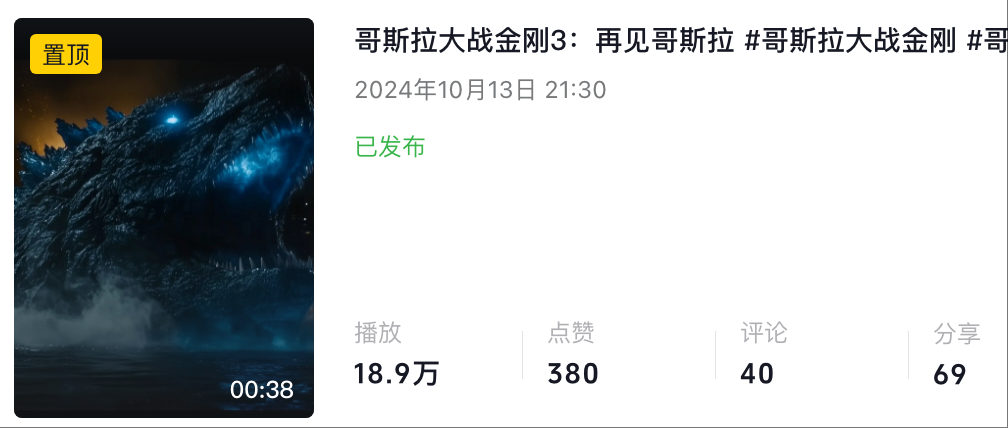
Also, this video just cost meMore than 100The cost of theIt's not that hard to do.I'm going to make this video, and so can you.right nowLearn and relaxseat of honor.
I'm going to take three minutes fromscript story,Screen contentandsuper-anthropomorphic dubbingThese three steps, hand in hand, teach you how to use AI, to make a Hollywoodcinematic.
1 Firstinitial step,The heart of the whole videoThat'sscript for play, opera, movie etcIt simultaneously determines the entire story oflimitandLower limit.
So I chose my favorite monster IP, Godzilla, to make the third installment of itsmovie trailer.
First, please.Script Assistant,Deepseek
Ask the AI in the input box: You are a veteran Hollywood screenwriter, please write me a script form for the next movie based on the plot of so-and-so's production and the audience discussion, one sentence for each subplot, which needs to include the corresponding screen description and voice-over narration

Here's a piece of so-and-so.interchangeabilityGodzilla vs. King Kong.


Opennetworking modeThen click Generate

AI will be able to give you a copy that meets the production standards of thespecialized fieldsubscope
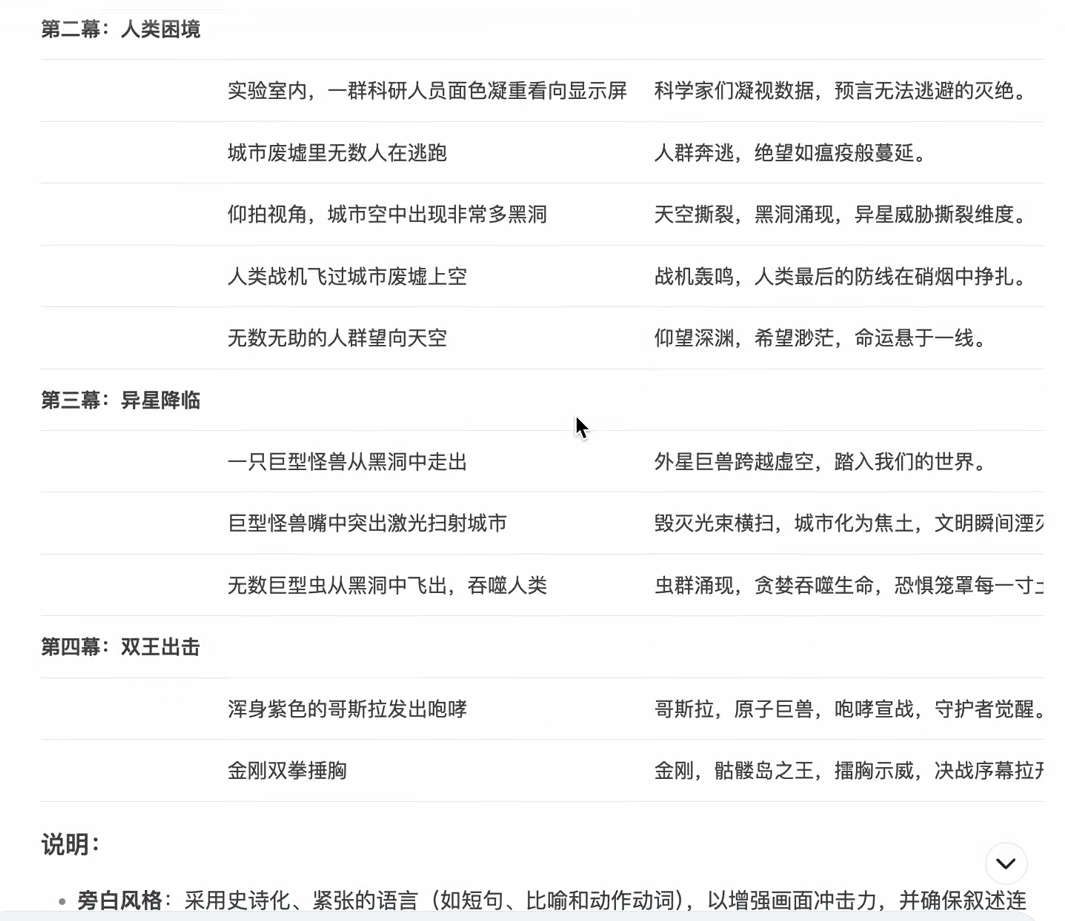
2.Step 2, Visual Content GenerationThe AI used iswhelks
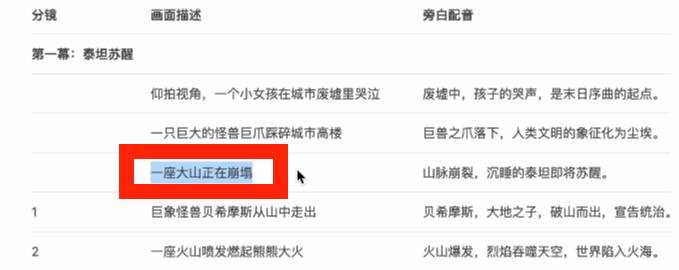
The images that I've circled in the breakdown, as they're professionally called in the movie industry, are empty shots, also known as scenic shots
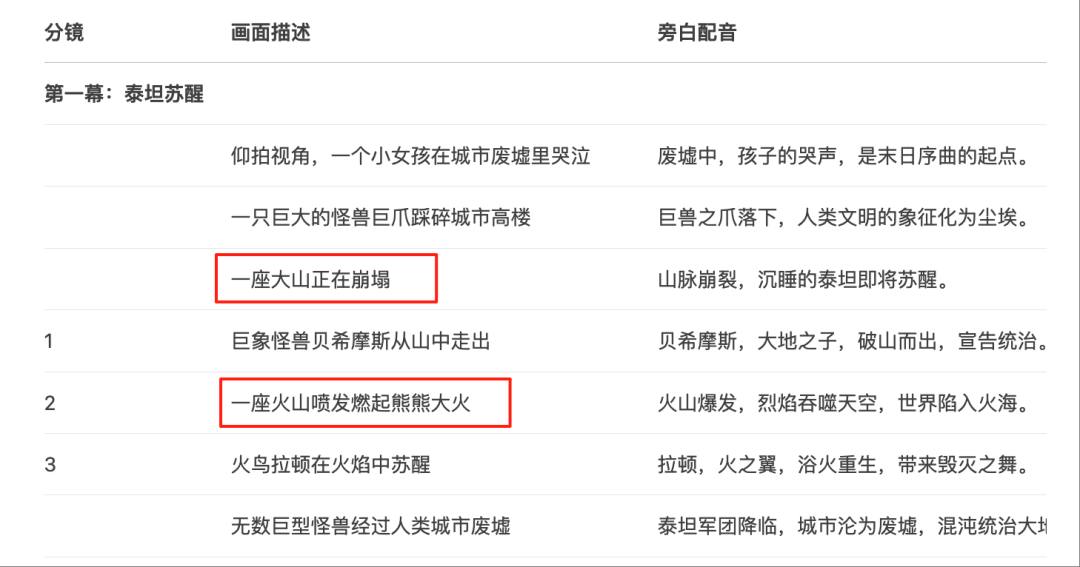
It refers to images that do not show anything related to the plot and characters, but only describe the natural scenery, or the environment of the scene, often used to explain the background of the story, time and space.
Copy one of the screen descriptions and paste it in the conch'sVincent Videofunctional

Click Generate and Conch will be able to give you this blockbuster-feeling video footage, more than the usual video models, you will find that Conch hasStrong movie and TV textures thatandmore complicatedfootageIf you want to use theToussaint Video.Start by drawing cards with the Conch's raw map feature.


There are satisfied directly into theFigure videoFunction
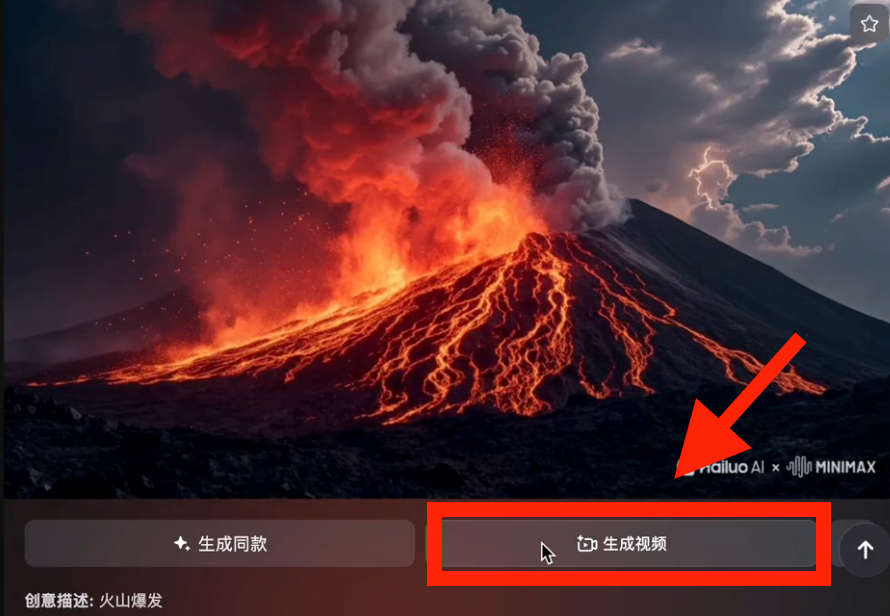
click onpresupposeFunction
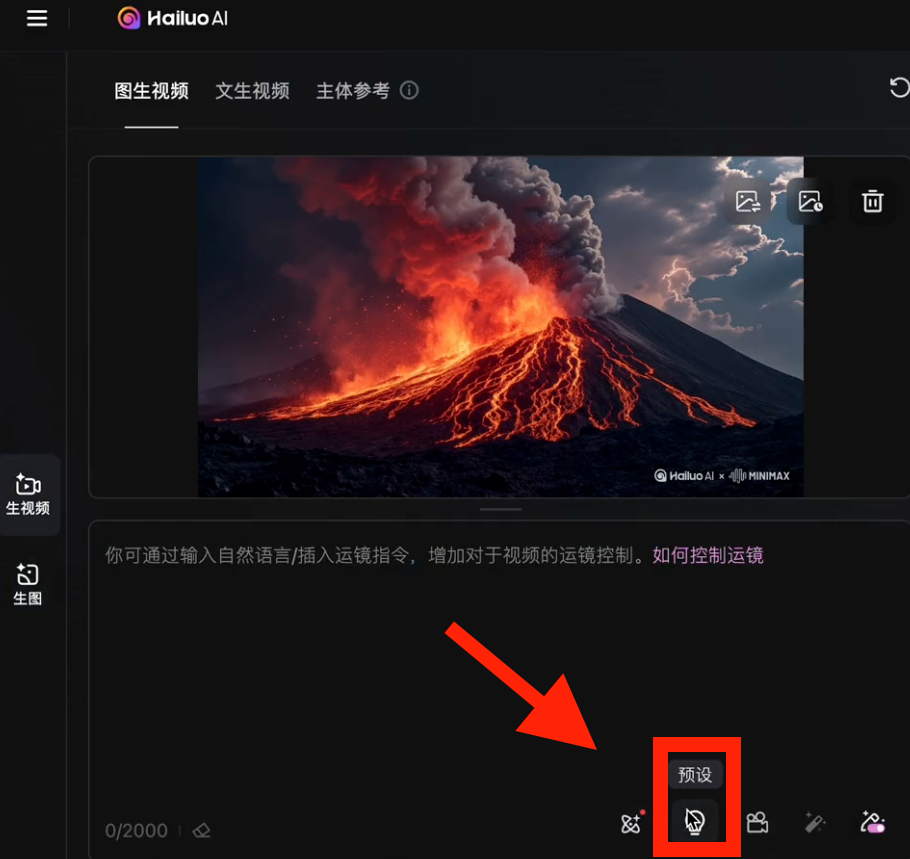
Choose one of these mirrors over here.
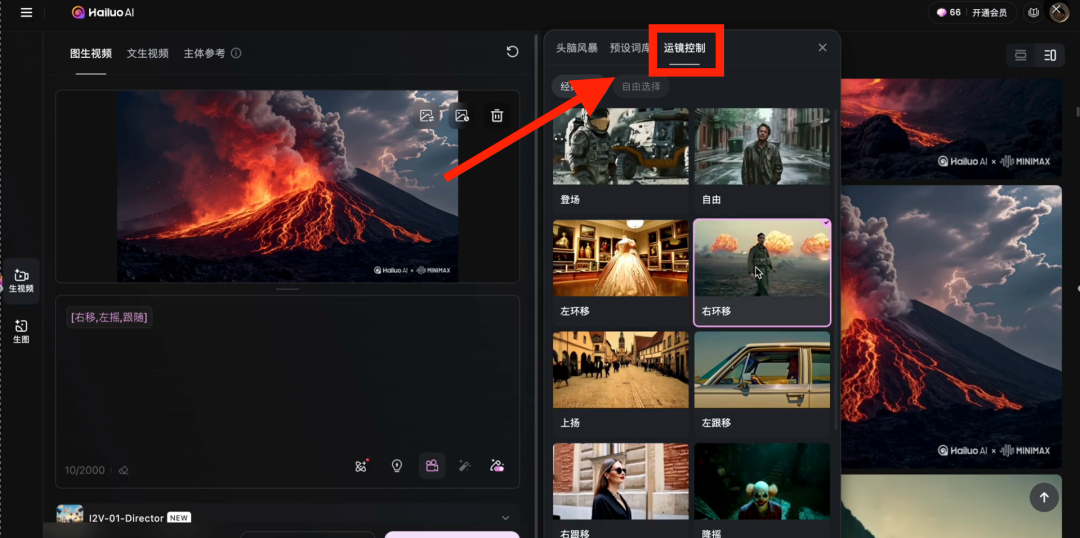
The model has to be this one.Director Mode
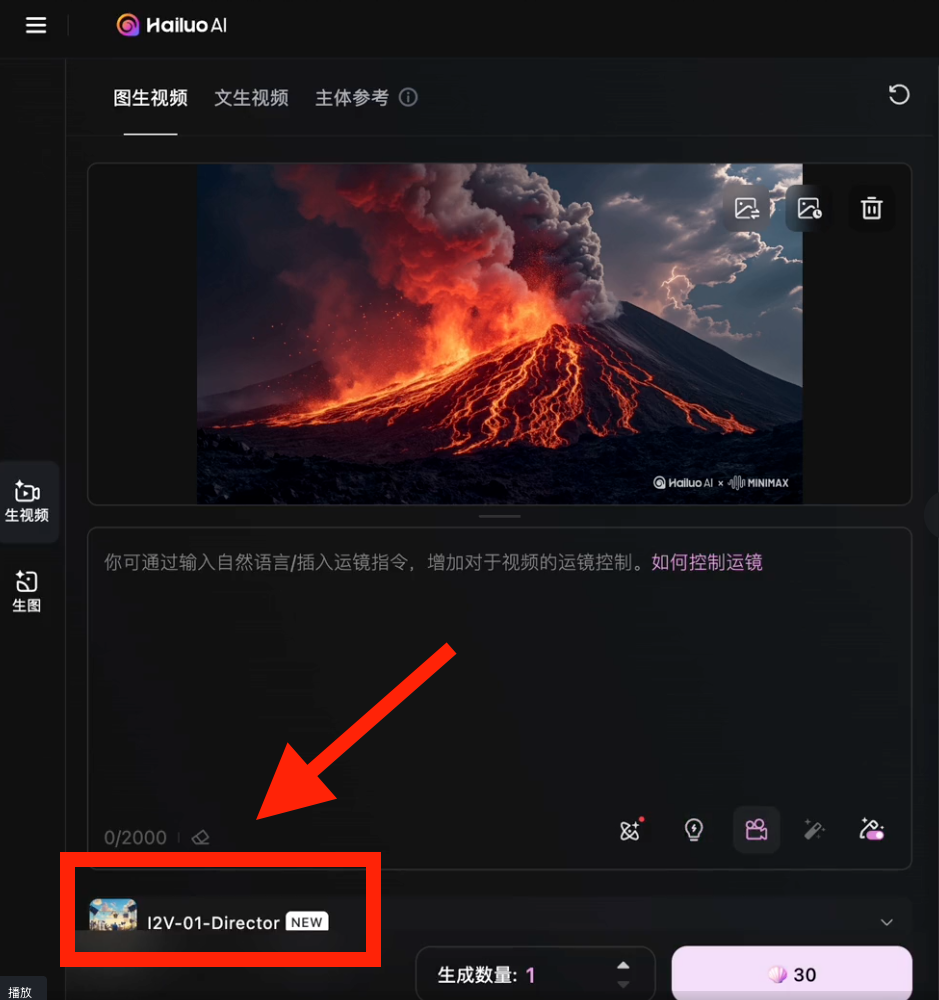

Next, output the prompt word and click Generate
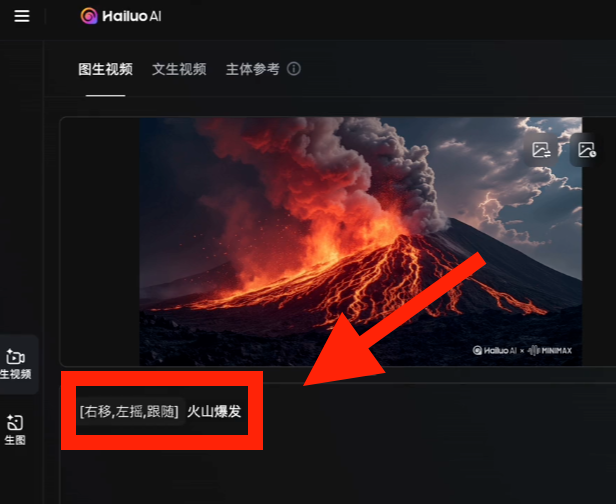
You have such a professional dribbling effect in your video, and if you want to place in the movie, aindicate clearly and with certaintyThe look-alike characters can be found in theMain reference functionUpload a character look-alike
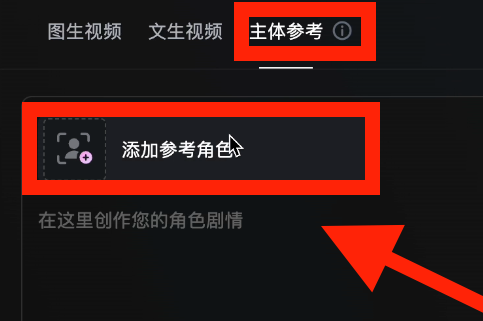
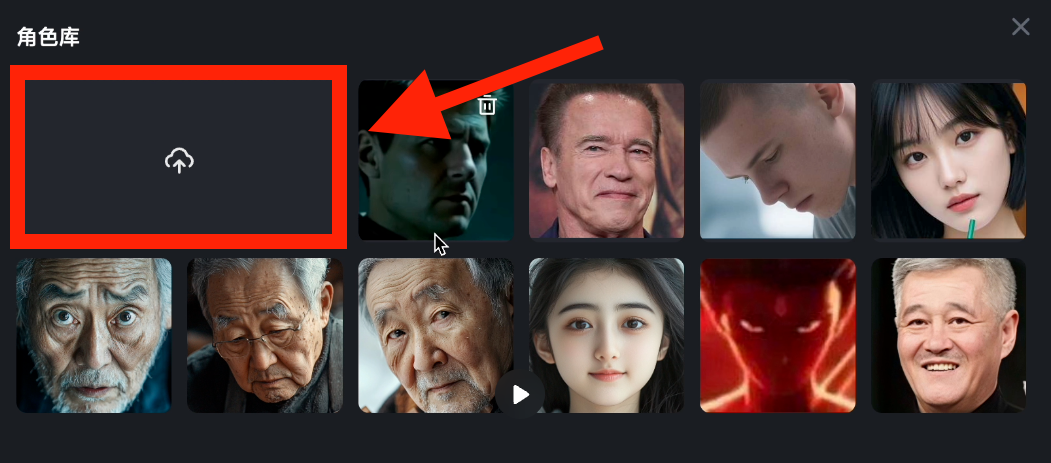
Then enter the desired scene, expression, and action
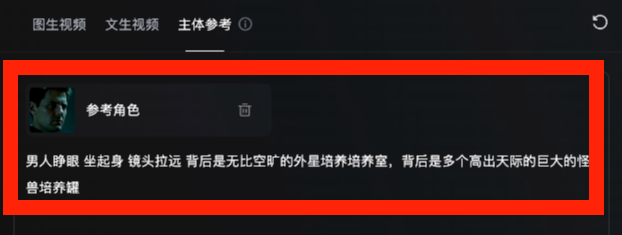
Click Generate and the AI will give you the ability to have thelook alikeof the character's cameo video.
Currently Conch is able to generate free monthly30 articlesThe video generation is very cost effective and perfect for newbies.
3.Step 3, Real Life Level Voice Over Generation
The voice-overs in the trailer, mainly voice-overs of the narration, and interspersed voice-overs of the characters' lines, are given to the viewerIntroducing the main thread of the story, doesn't need a strong tone, so we just use regular software like clipping and screening.
And interspersing character lines where appropriate can serve toNice rendering of the atmosphereThe role of the
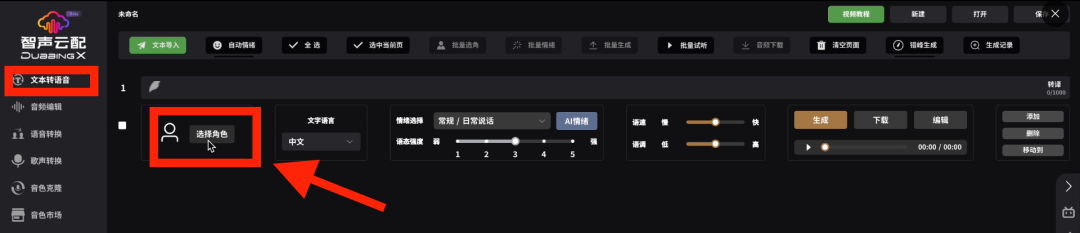
And the AI I use isdubbingx
Open this.Text-to-speechFunction, click to select a character
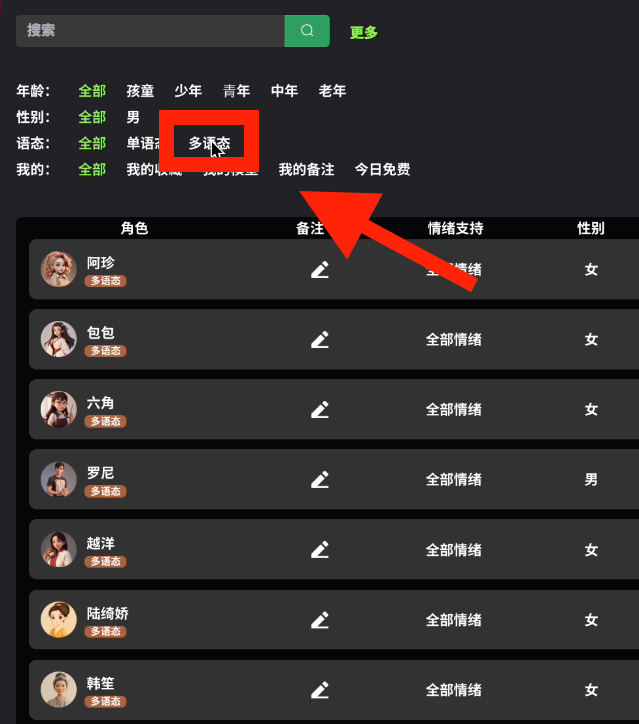
Click on this.polymorphism
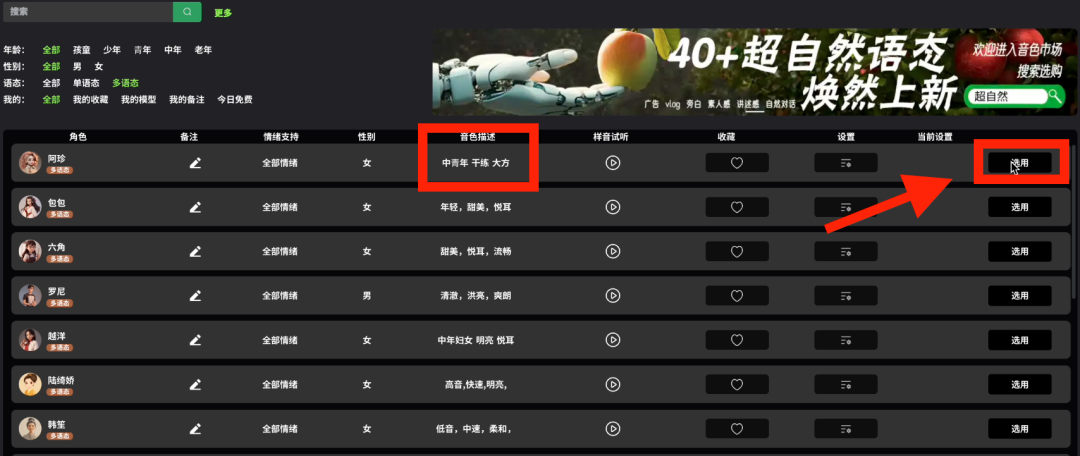
Select this sidesound colorAfter that, click here
You can see that he has many emotions.
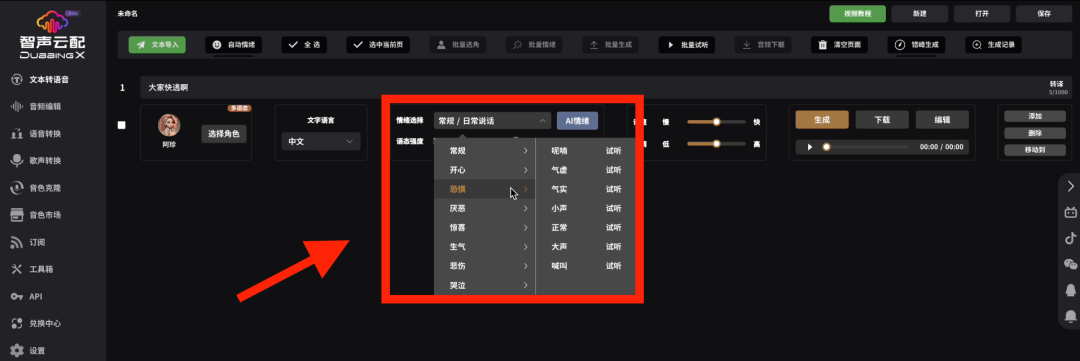
Let's say I type:Everyone run away. This sentence
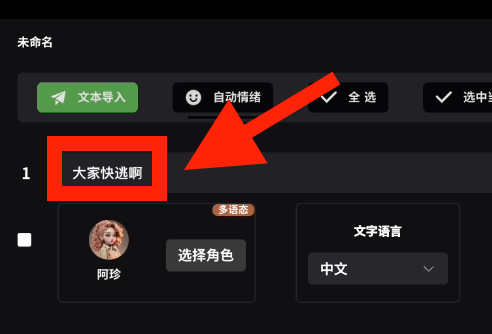
Choose one more:Fear, Yelling
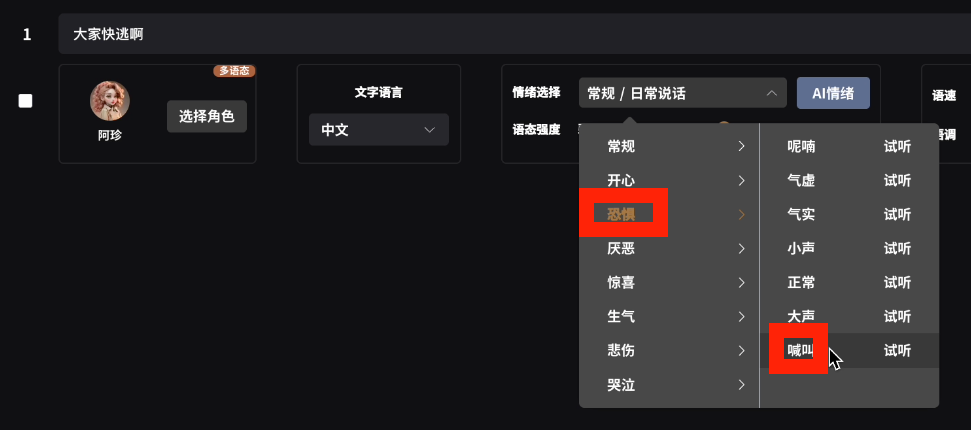
Effectively, it allows you to dub your movie in the right sessionextremely infectious (idiom); contagious.
4. The final fourth step is equally critical, determining theDoes your movie have a Hollywood quality.
Put all your generated video clips into the cut screen, add theHollywood this filter
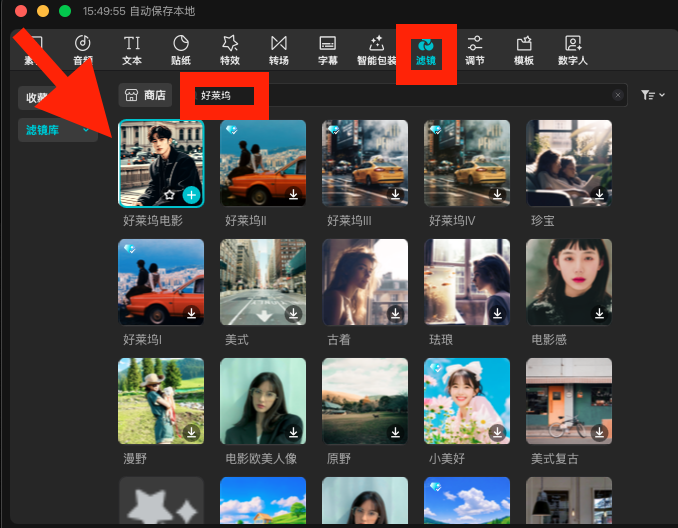
as well asCinema Sense FrameThis effect.
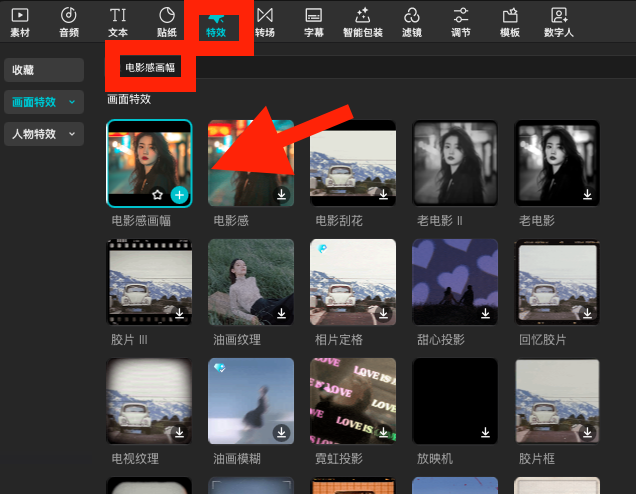
You'll notice that the entire video ofThe sense of the movie is instantly there.
I hope this installment was helpful and we'll see you next time!