



Use todayAI ToolsWhen making a picture, I inadvertently discovered get a surprise, no green screen construction, no editing operations, using theMultimodal editingfunction, you can realize the video to replace elements, add elements, delete elements, that is, to subvert the imagination and can be easily handled! This is something to tell you about.
No bullshit, no ink, just start the whole thing.
I. Use of tools:
II. Operational steps:
Open Koring and select Video Generation - Multimodal Editing
1. Replacement of elements in the video

In the input box below, directly enter the video and the picture of the character to be replaced, add a description of the command, click OK. Here is a random video to give you a demonstration, if any infringement please let me know to deal with.
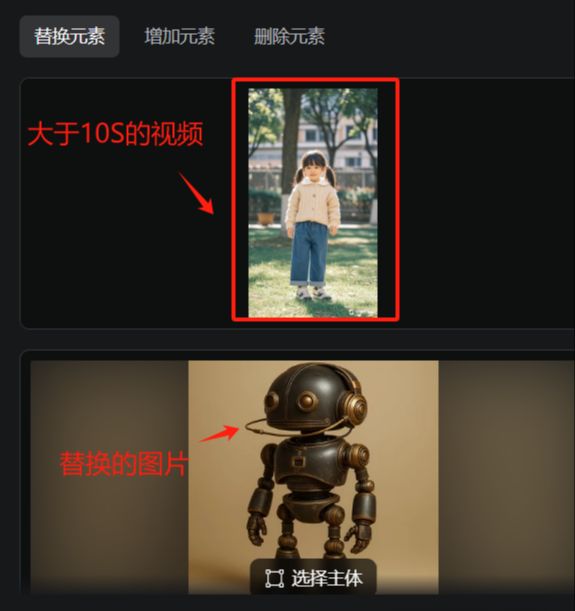
And in the creative description, enter: Use [Robot] in picture XX to replace [Little Girl] in picture XX to keep the original shape. Then you can replace the characters in the video perfectly.
2. Add elements to the video
The procedure is the same as above, just directly enter the video, and upload the need to add pictures, plus description instructions, click OK.
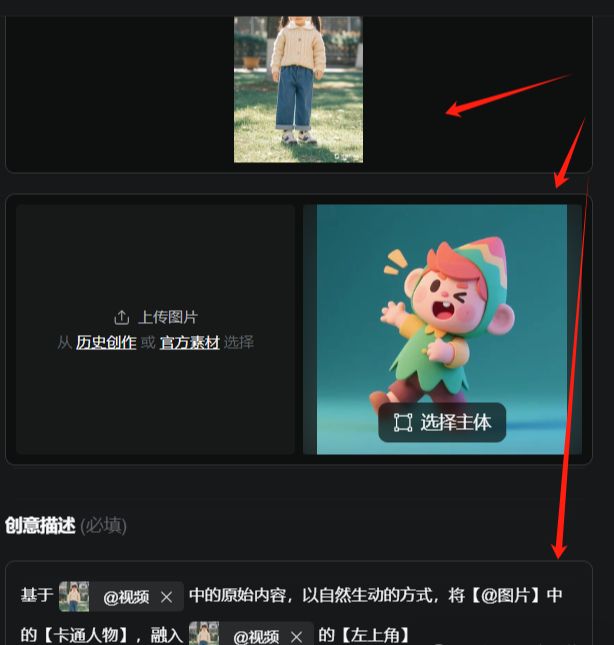
Just set it up as described above, and you'll be done adding new elements to your video.
3. Removal of elements of the video
The procedure is the same as above, just directly enter the video, and upload the need to add pictures, plus description instructions, click OK.
After uploading the video, a new selection is added, this operation is available when elements are added, and replaced.
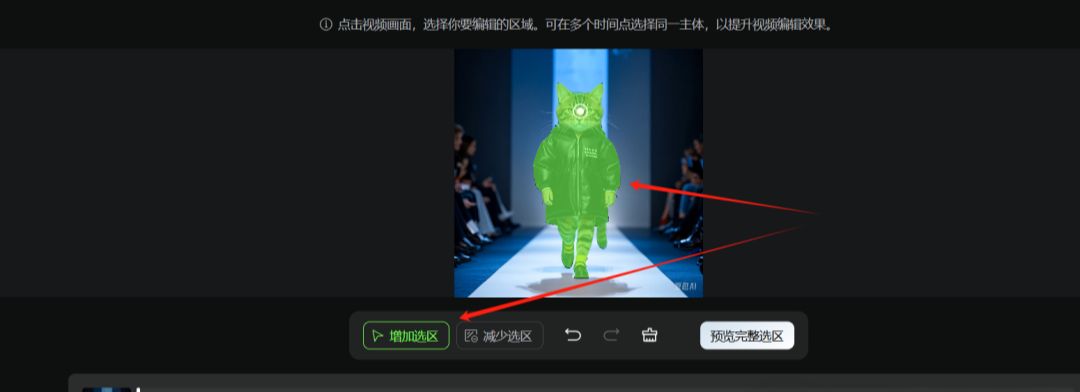
After previewing the complete selection, just click the OK button.
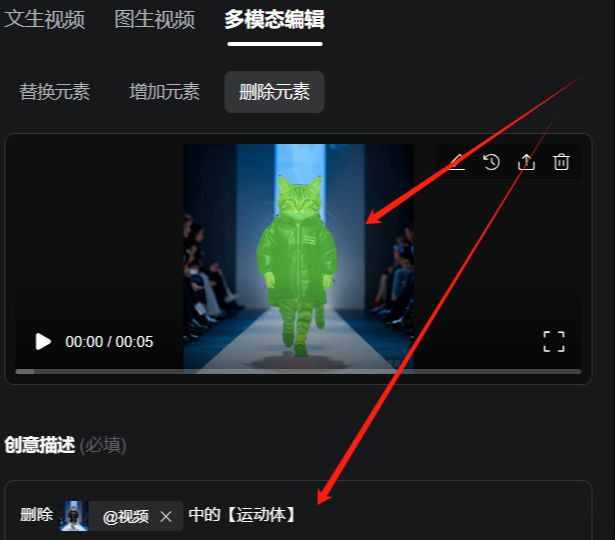
In the creative description, type: remove [motion body] from XX, so that you can remove the avatar from the video. Of course. The best case scenario is when removing a certain character in a video with multiple characters is more appropriate.
Honestly, Korin has added this multimodal editing feature that is so powerful, it really allows for a lot of unexpected things and ideas to be accomplished.
The rest of you can try it on your own if you're interested to get a feel for this multimodal functionality.