



finallyKontextOpen Source Model.

The API for this model has been out for a while and it works well. Because the effect is very good, so I feel that open source is hopeless, I did not expect an unexpected surprise, open source model suddenly came. This should be the most playable image editing model in recent times.
Let's take a quick look at what features fluxKontext has:
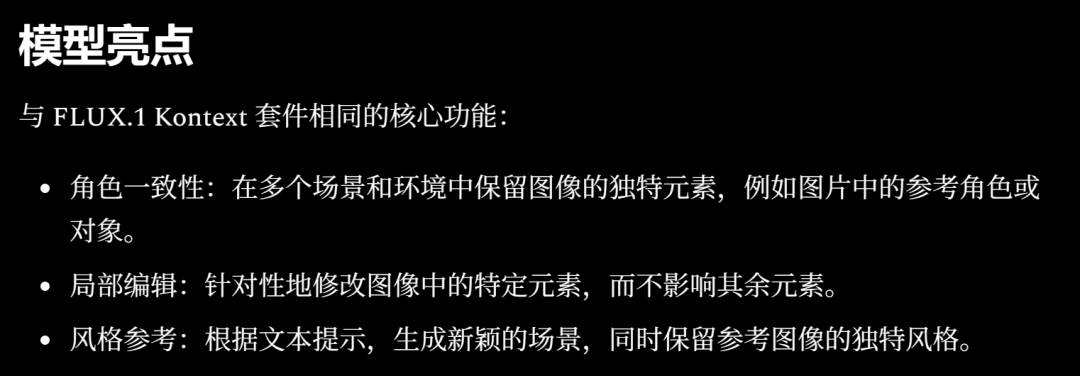
From this highlight, it's pretty clear that this model functions as a punchline for smartP-ChartGo for it.
Here's a quick preview of the results and application scenarios:
Style Shift:
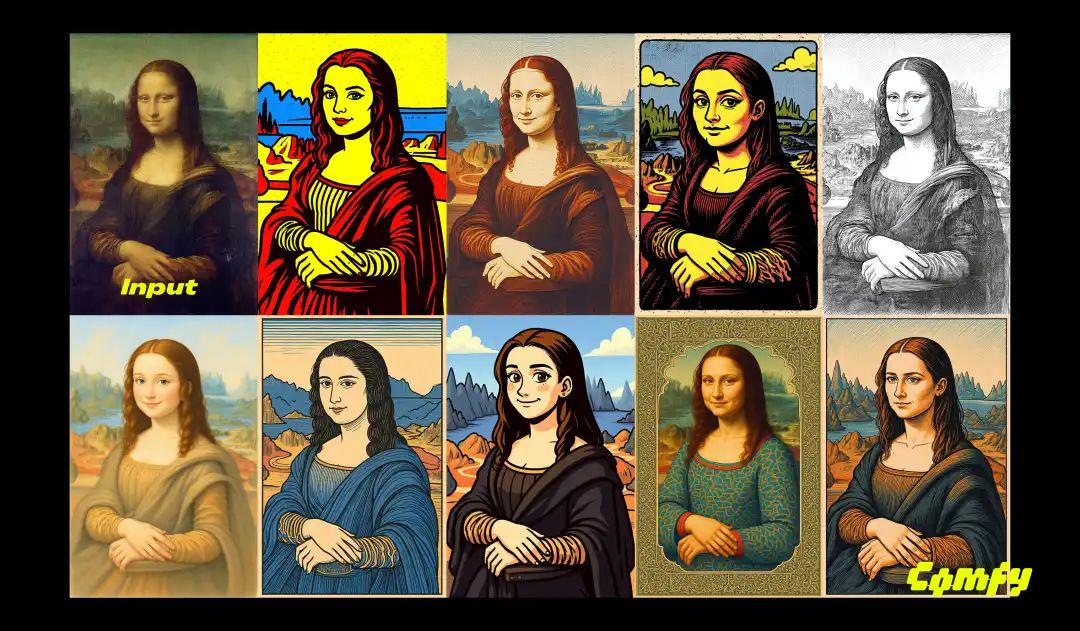
- Cue word: Transform to 1960s pop art style with bright colors, bold graphics, and commercial aesthetics
Add text:
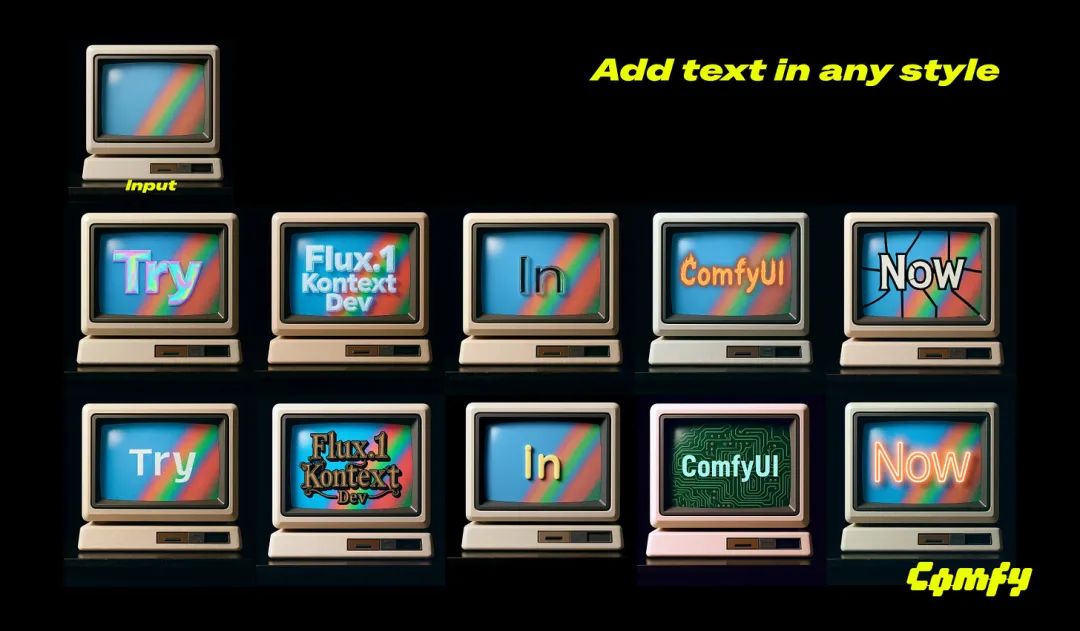
- Tip: Add ASCII style text only the single word "In" no additional letters to the display
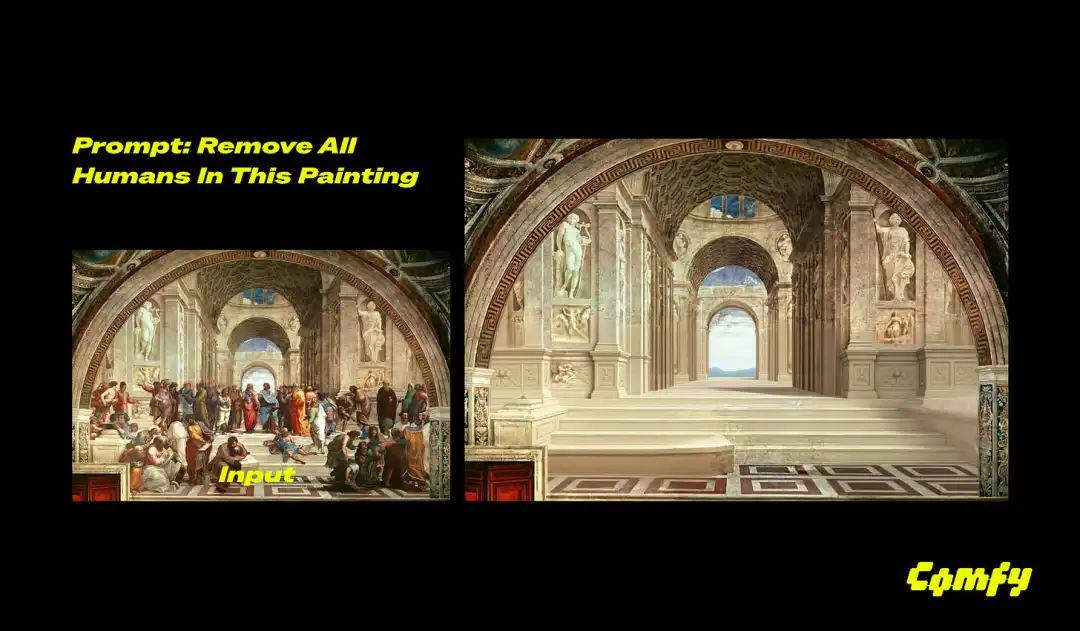
Remove the object:
Style reference:
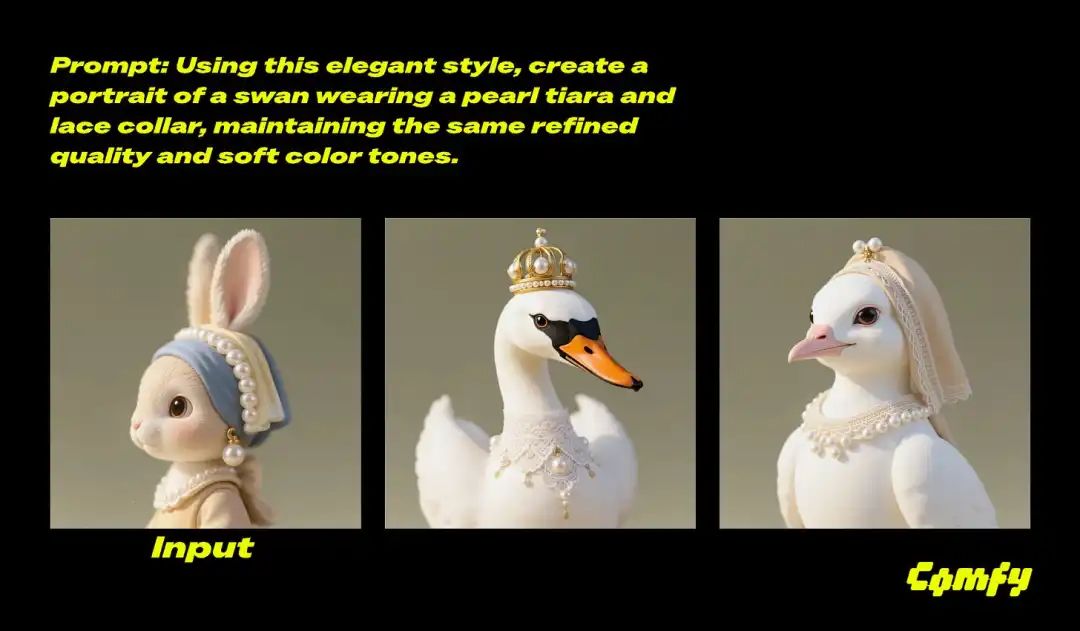
Perspective switching:
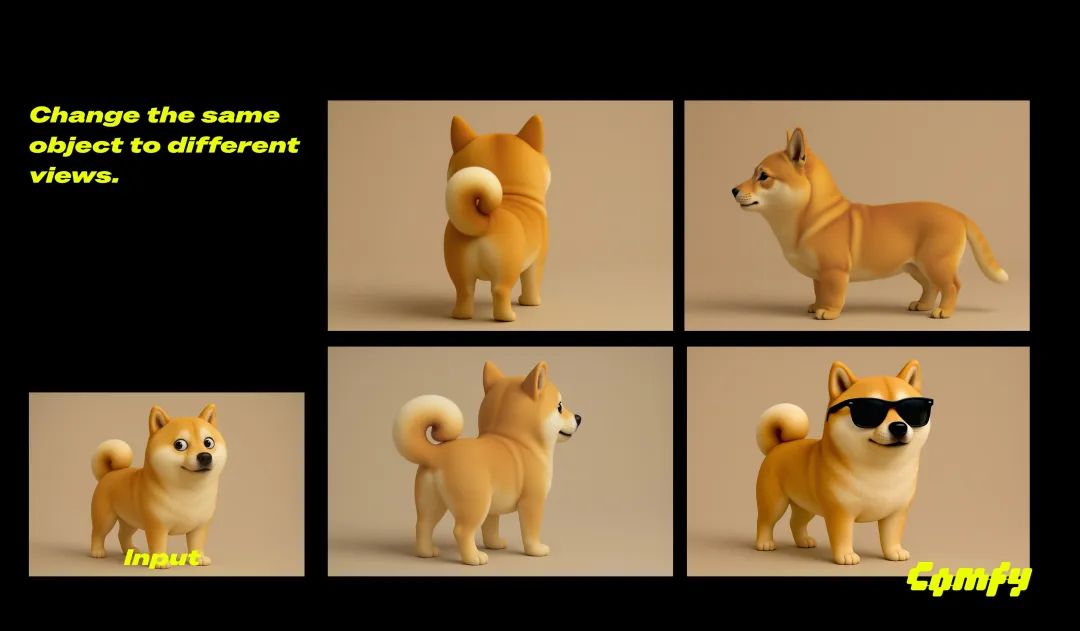
- Cue word: Rotate the camera 180 degrees to view directly from behind the dog, showing its back and tail while maintaining the same 3D style
Multiple rounds of editing:
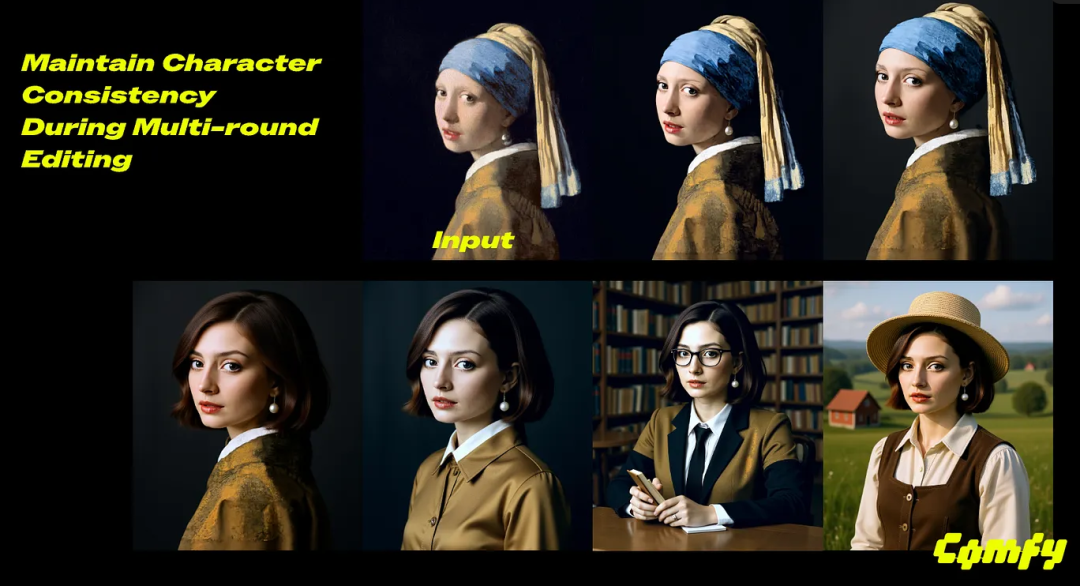
Multi-image compositing:

Change the light:

That's pretty much it for the model introduction, next, on to the local installation.
preliminary
A computer with a large video memory N card!
Hardware is a must, everything else is minor.
I installed and ran it on a 5060TI 16G and a 3090 24 respectively.
The first run ensures that the 5060 is available to run, the second run is on the 3090, and the screenshots below are mainly from the 3090 as well.
Installing the software
New Installation
There are very many ways to install flux:
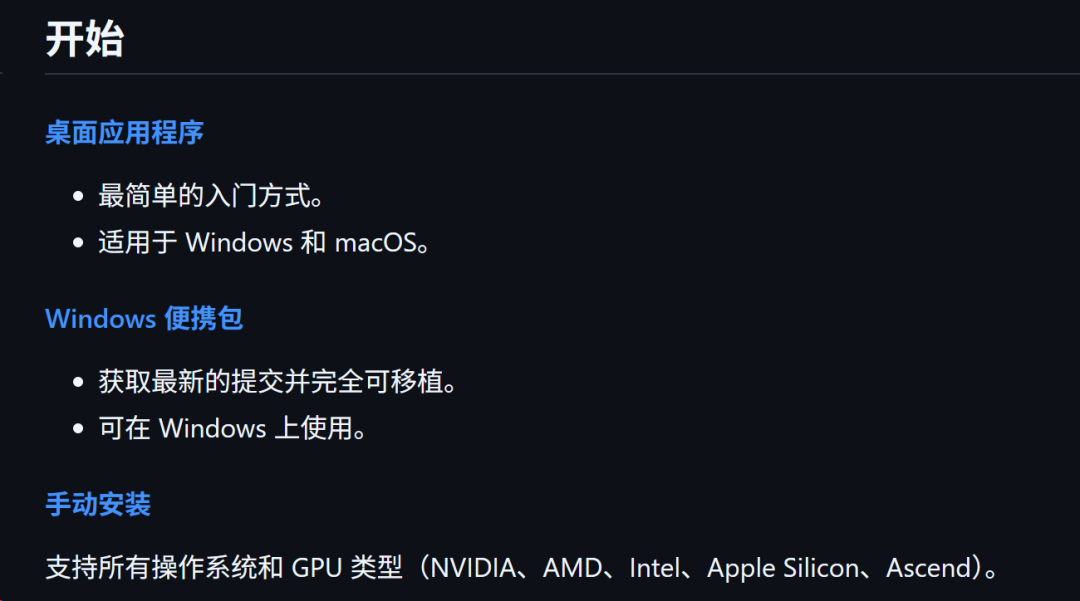
Using a desktop program, foolproof installation, theoretically the most suitable for novices the easiest.
Windows Portable Package, unzip and install, everything in one zip.
It is difficult to install manually and control the whole process yourself.
From the above introduction, desktop application is the most convenient, but it will load the dependency online, there may be a variety of questions because of network problems, problems, it is not good to troubleshooting and intervention, so sometimes it is rather inconvenient.
So, I'd recommend the second one, downloading the 7z zip directly.
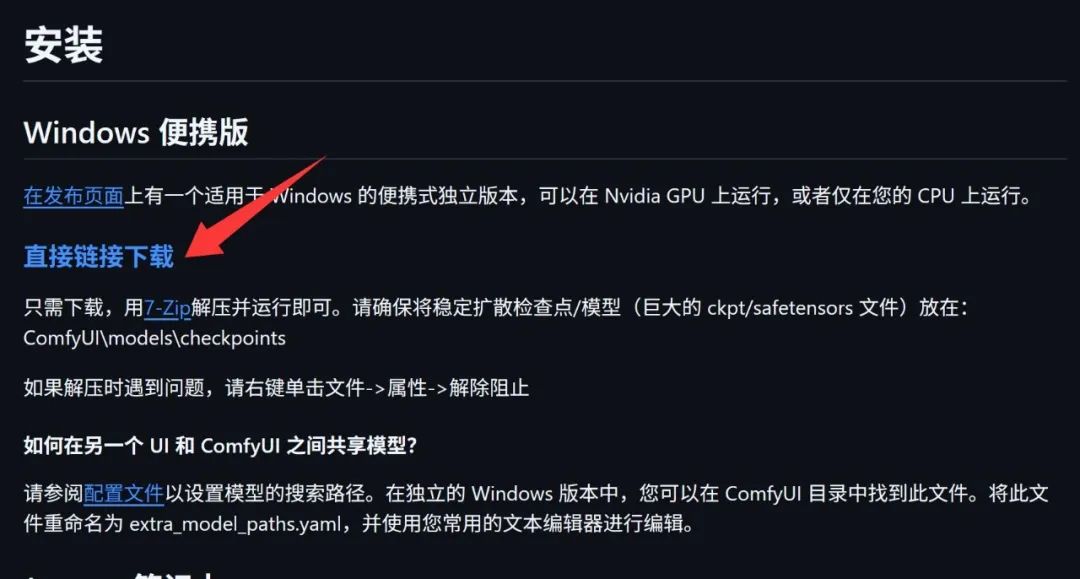
After downloading it locally, unzip it directly.
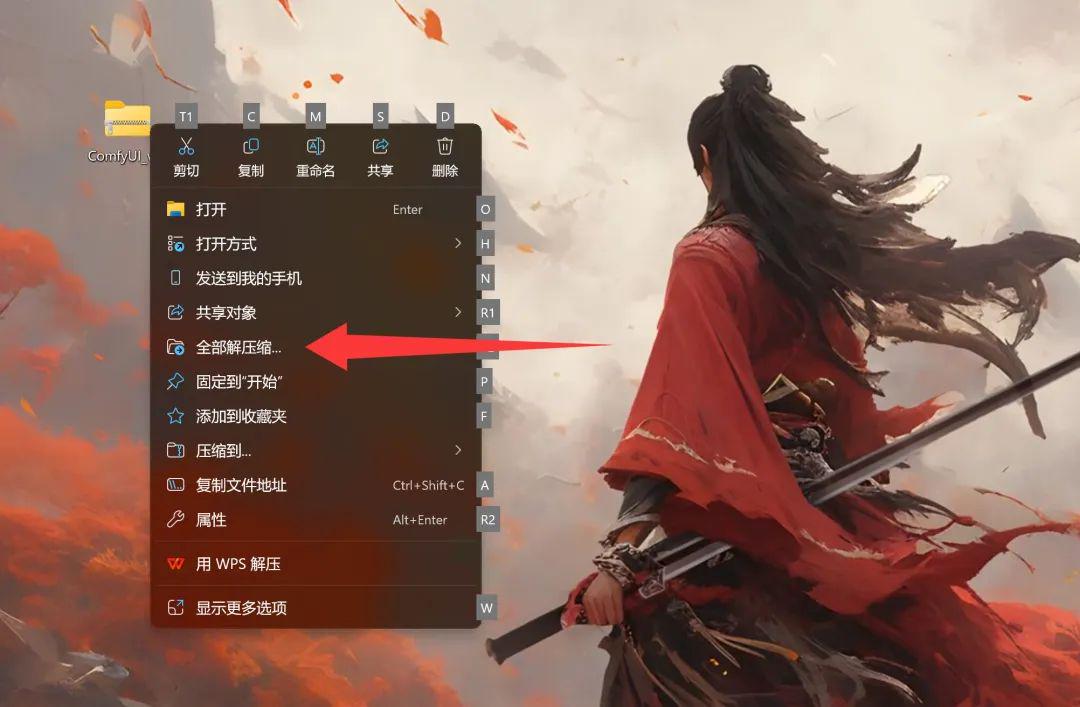
To decompress, the recommended way is to use 7-zip, a free and ad-free compressed package management software. If you don't want to install it, you can use the decompression function that comes with Windows.
Right click on the zip file and click Unzip All.
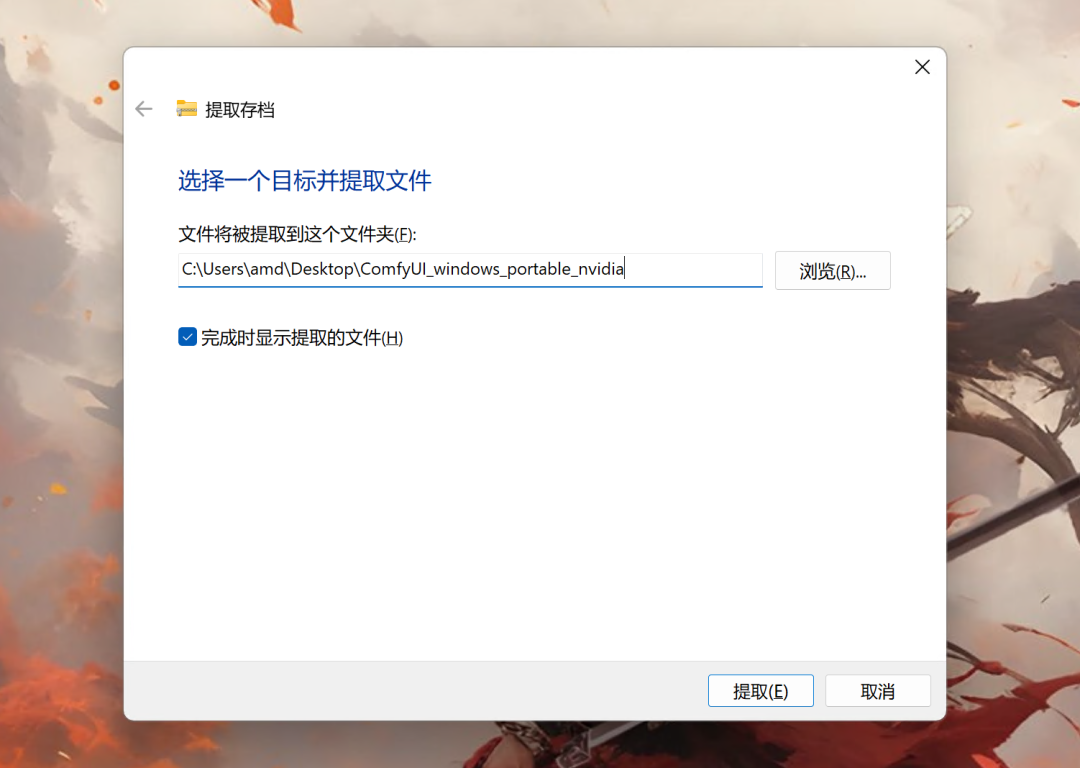
Select a path by browsing, and then click Extract and you're done. The tool that comes with it, extracting will consume more resources and enter a fake dead state, you need to make sure that you have enough space on your C disk.
Click run_nvidia_gpu.bat to start the software.
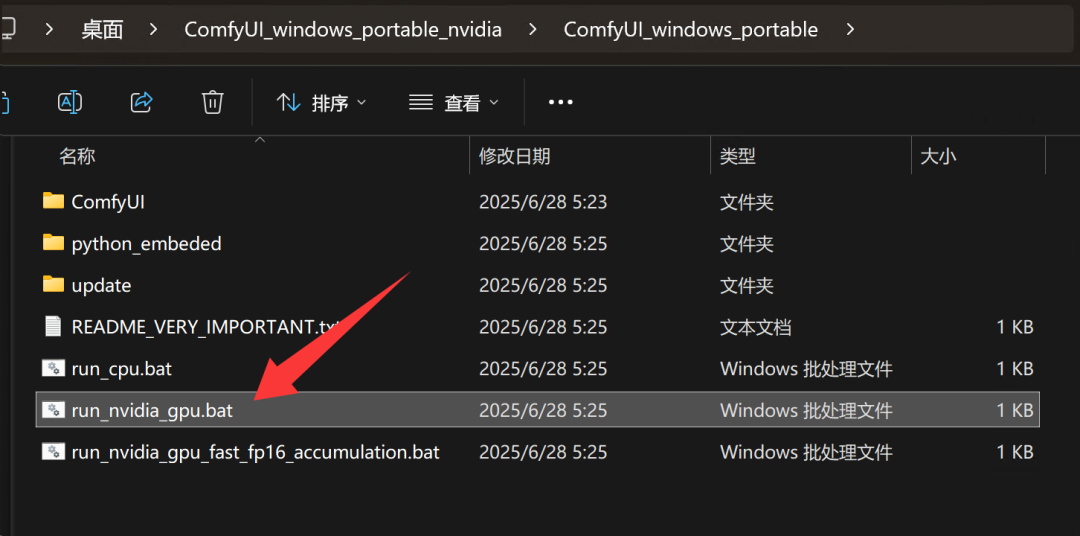
This is a complete package and there is no need to configure anything yourself. Once you have unzipped it, go toComfyUI_windows_portable folder, click on the Bat script in the picture above to start the software
The startup log is as follows:
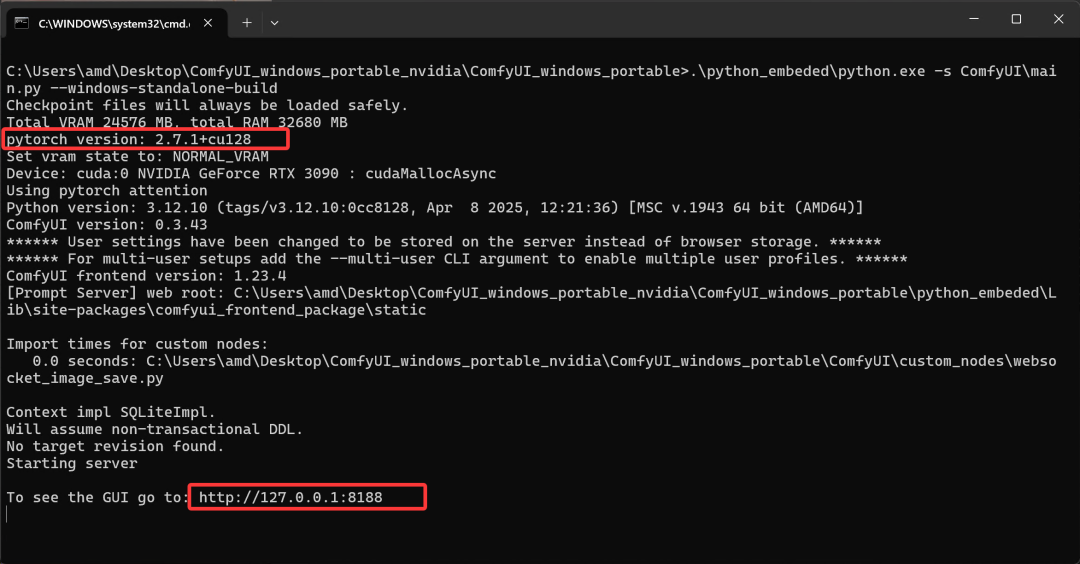
You need to check the Pytorch version here, only 2.7+cu128 supports RTX50 series cards. The latest version of the zip, the default support 50 series. After http... appears, it means the startup is successful, and then the program will automatically call the local browser to open this address.
Old version upgrade
If you have previously installed ComfyUI on your computer and don't want to download and install it again, then you can choose to upgrade the local version.
Locate the directory where ComfyUI was extracted and find update.
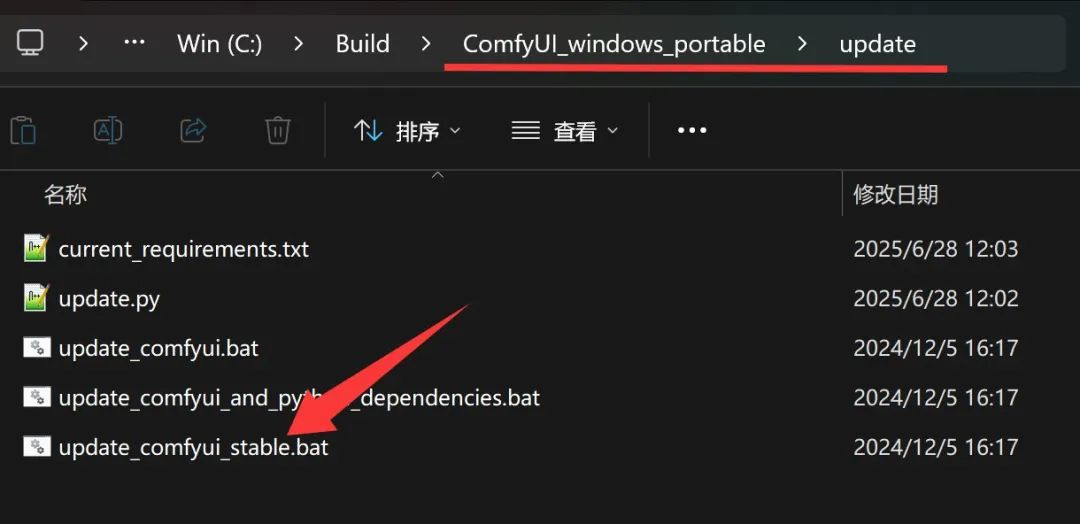
Then click on updat_comfyui_stable.bat and wait for the run to finish!
Normally, this would be fine. But since the corresponding CUDA version for 50 series cards like rtx5060 has been upgraded. So you need to upgrade the version of Pytorch to adapt to the new cards.
To do this, open the folder python_embedded.
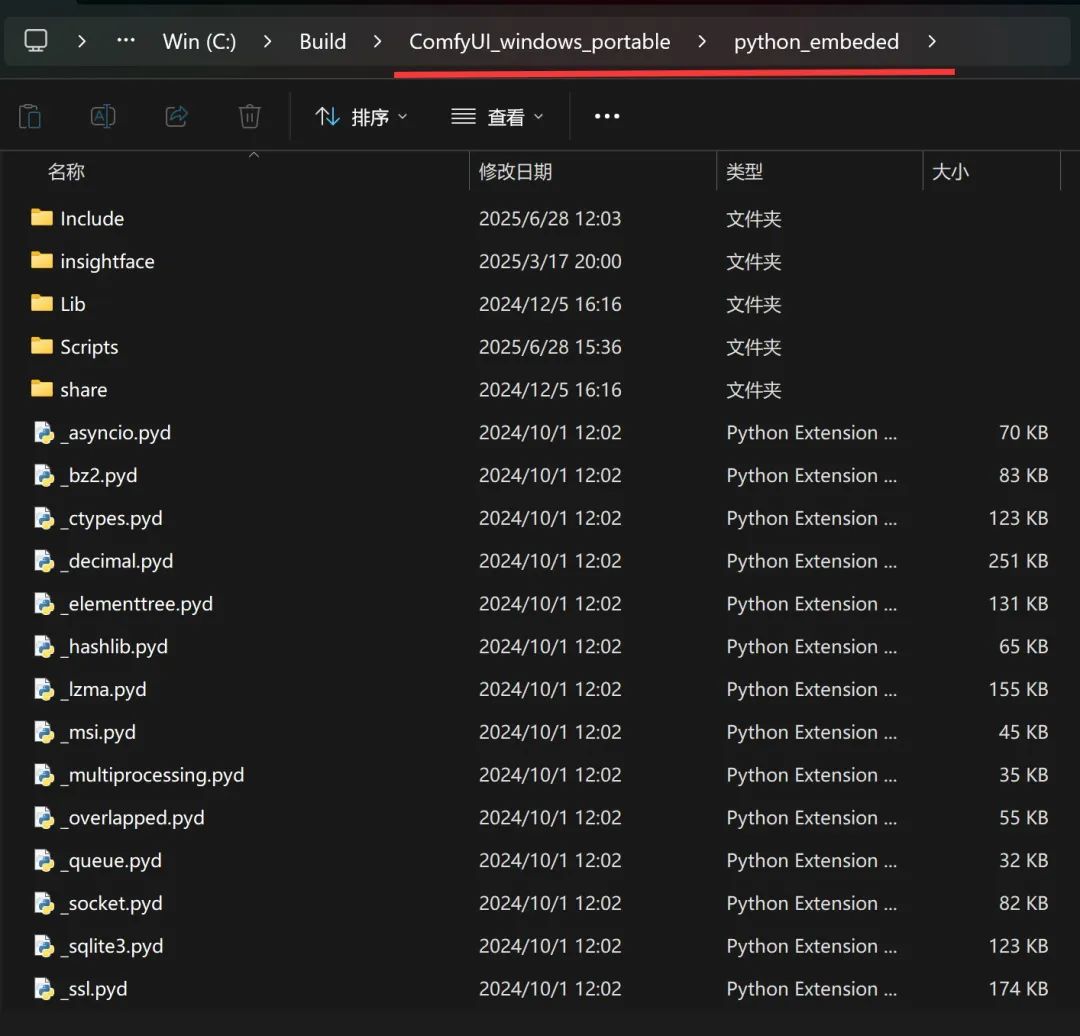
This has a separate Python environment in it, and the pytorch dependency packages for this environment need to be updated.
You can type CMD in the address bar of File Explorer and press Enter to open CMD and automatically locate the folder.
Then enter the command:
python.exe -m pip install -U torch torchvision torchaudio -index-url https://download.pytorch.org/whl/cu128
The command will be executed, you need to download a few G files online, the download is complete, it will be automatically installed. After the installation is complete, you can normally use the latest version of ComfyUI, the new version of the default support Flux Kontext image editing features.
Open Workflow
All operations in ComfyUI are based on workflows. fluxKontext, the Paint model, has its own workflow, and it comes with the official software.
See below how to open this workflow.
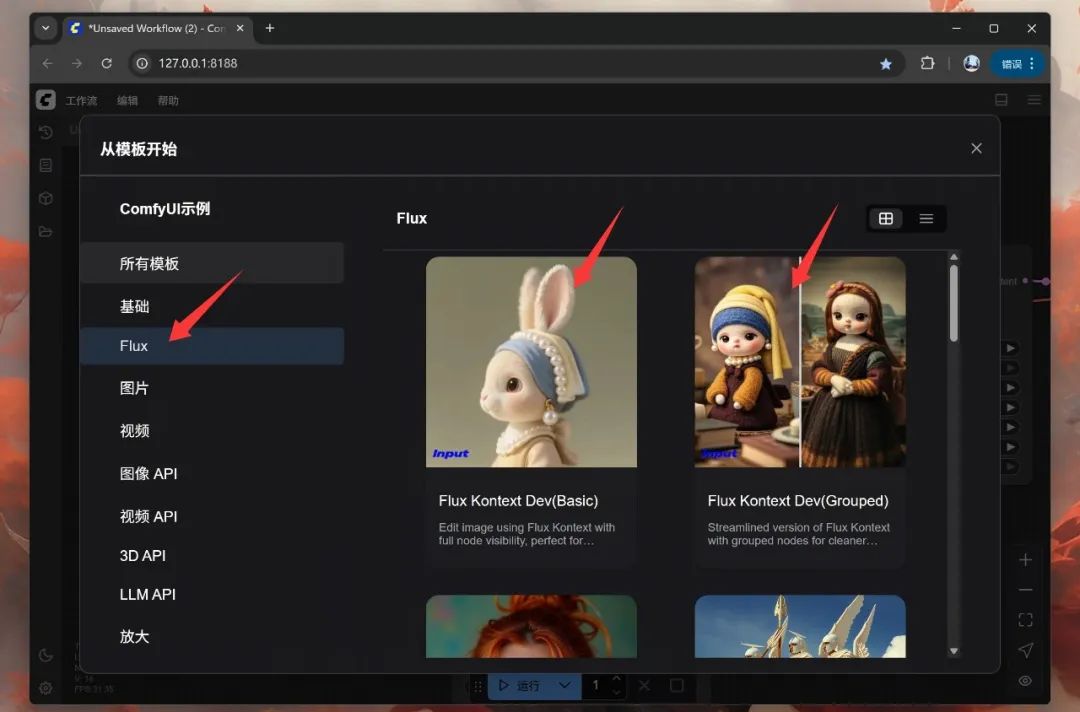
Find the Workflow menu in the web page, open the menu, find Browse Templates and click on it.
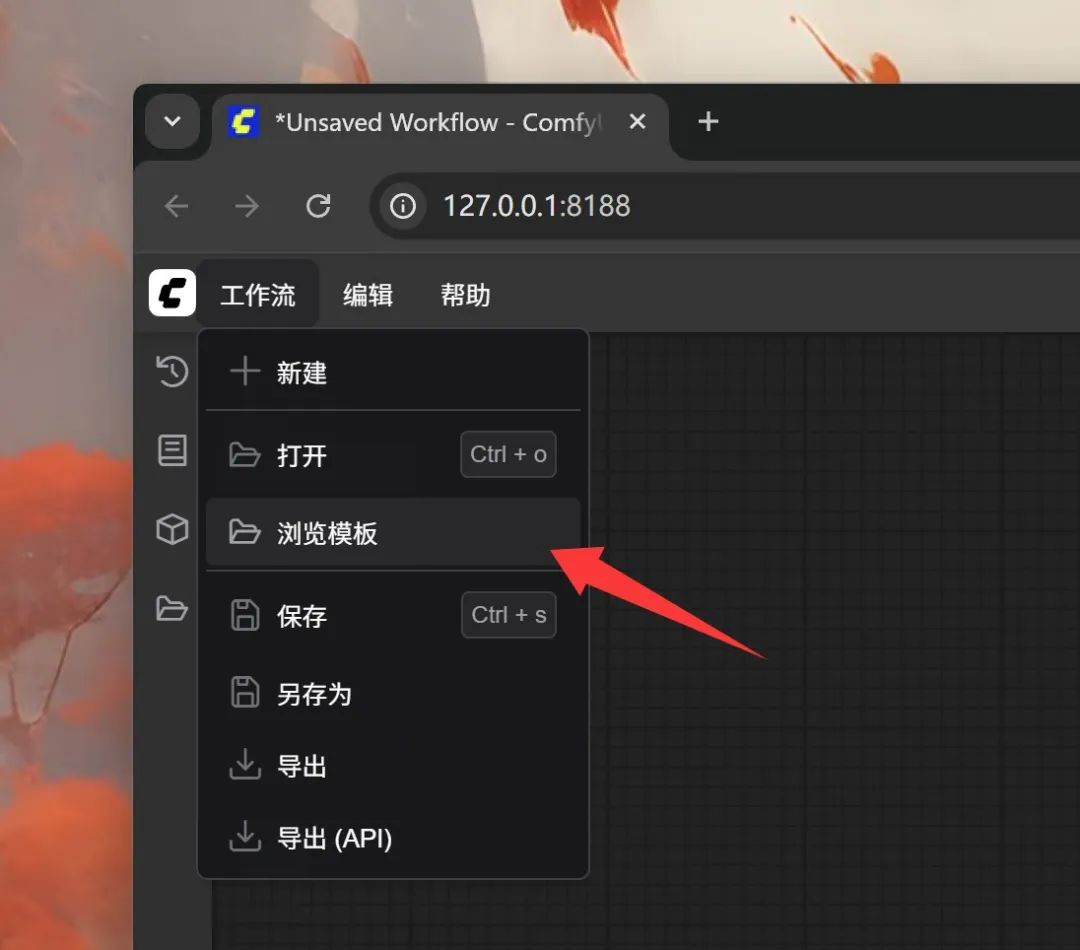
Find Flux and click on the first "bunny" workflow. There are two workflows for Kontext, so let's start with the first one.
Once loaded, the workflow is as follows:
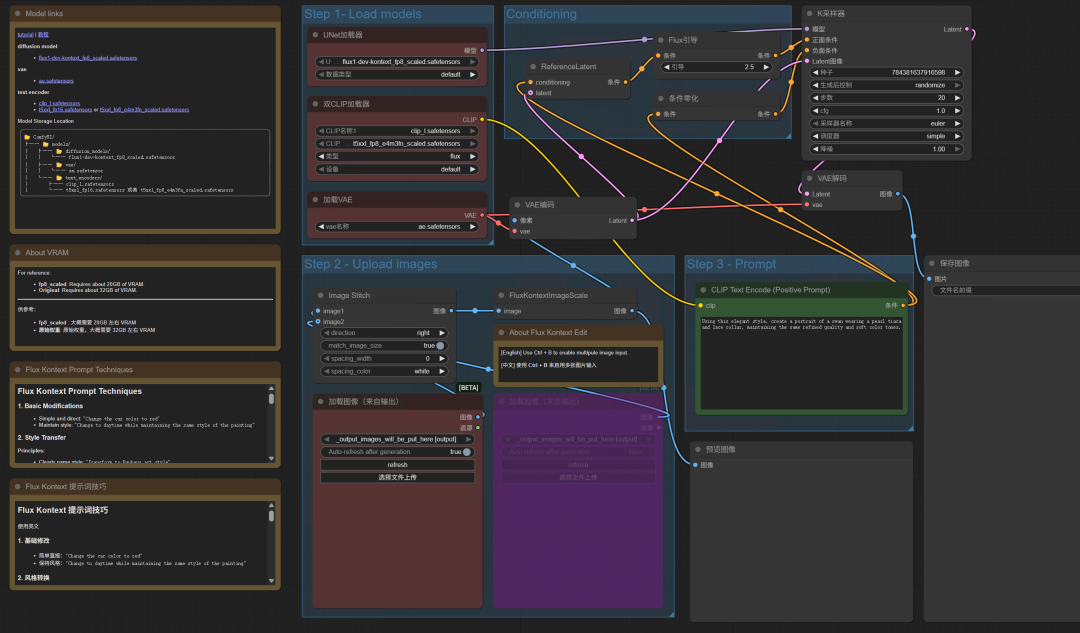
Then just select the reference image, enter the modification cue word, and click Run.
Download the model
Since this is the first time you use this template, there is no corresponding model locally. So when you open the workflow, you are automatically prompted to download the model.
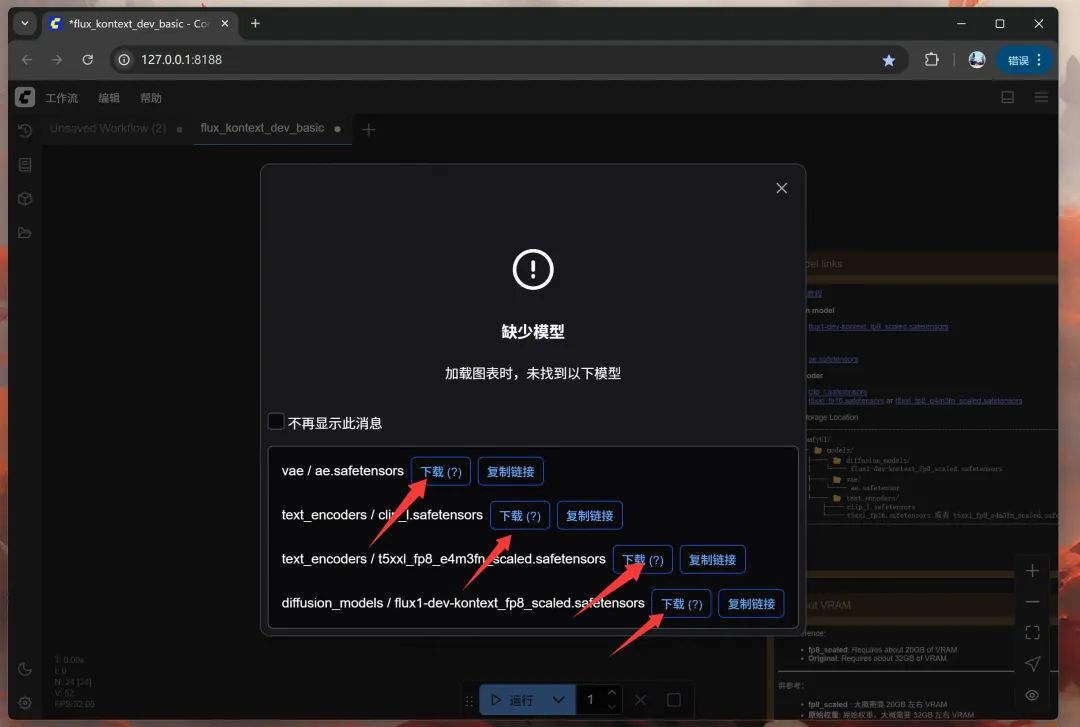
There are four main models involved here, you can click the download button to start downloading. After downloading, put them into the corresponding folder.
See below for tips on exactly where to put it:
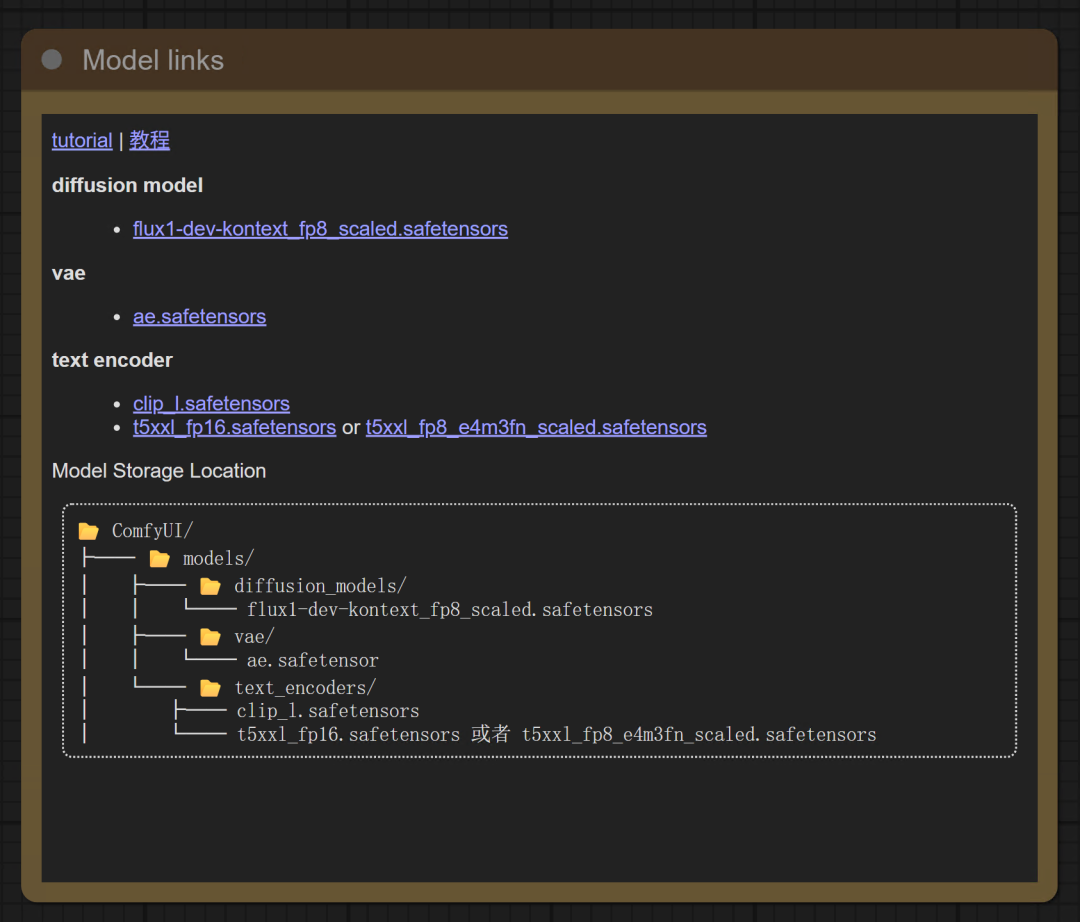
Find ComfyUI under the directory of the software we unzipped, there is a models folder under it, and the models file has a lot of word subfolders. All models are categorized in these subfolders.
Setting up workflows
After the model is placed in the corresponding path, we need to set up the workflow in some way.
The first step is to refresh the node definitions, and after the refresh the workflow, in order to recognize the model.
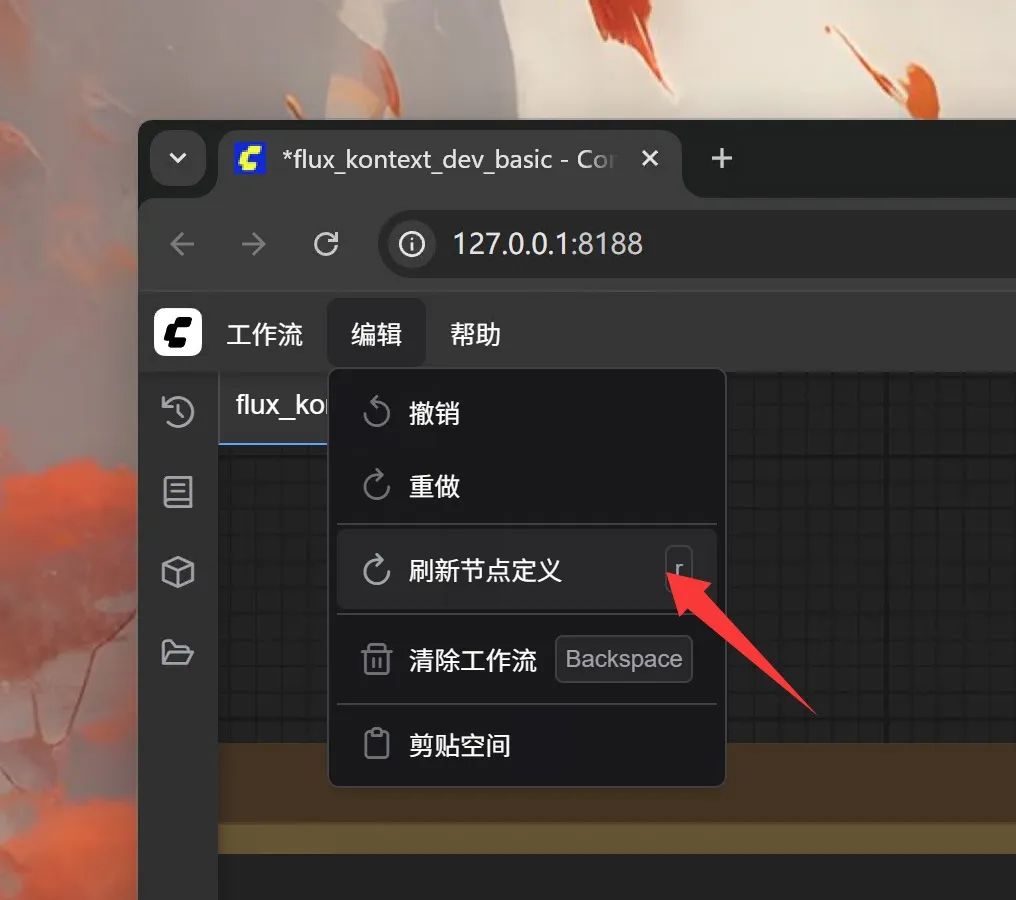
Click the Edit menu and then click Refresh Custom Node.
Then comes the selection of the model
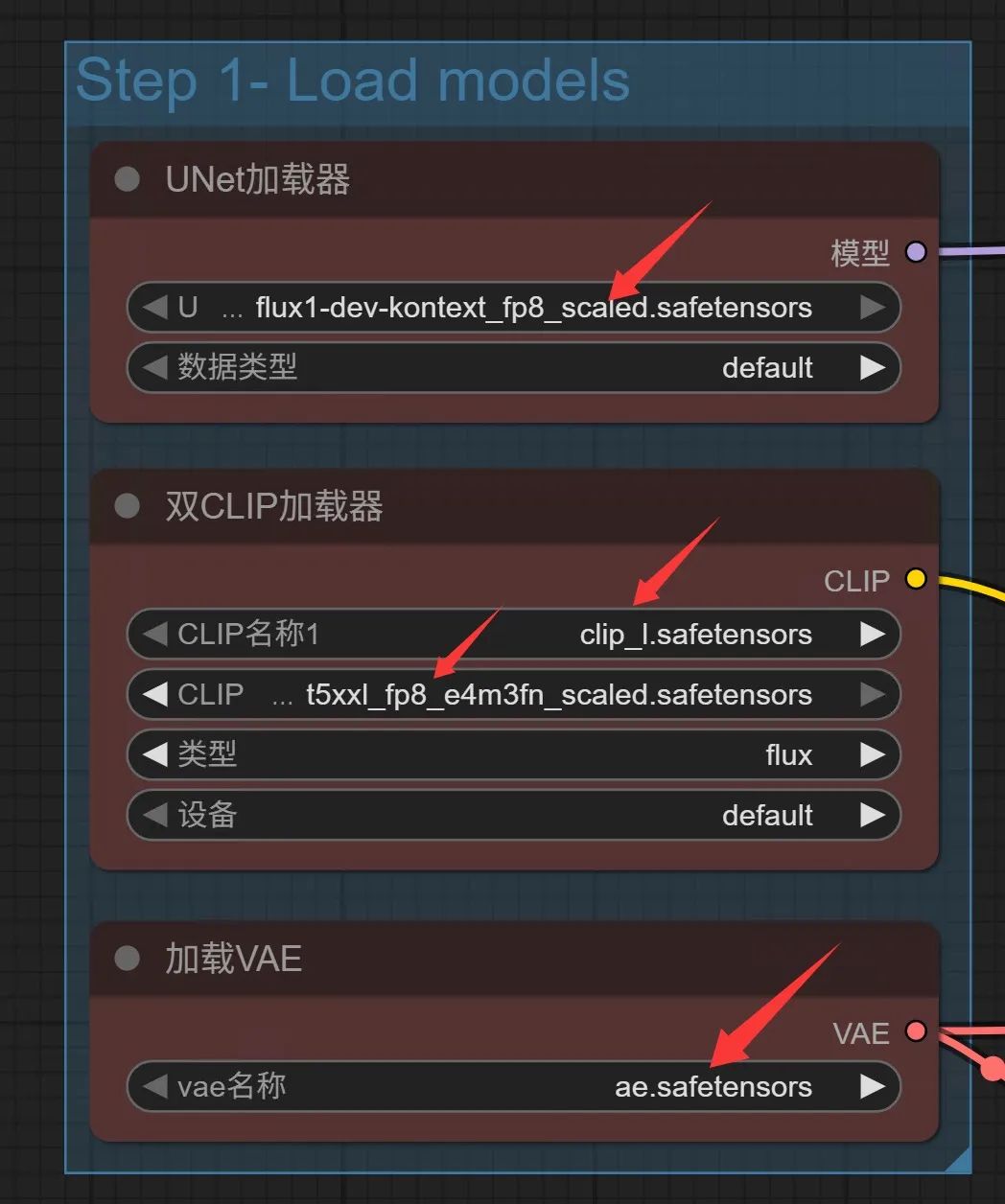
Since we are downloading the model exactly as it is preset in the workflow, it is basically ready to use without modification as soon as we have placed the model in the corresponding path, after refreshing the node.
If you need to change the model, it's a drop down in the area above to select the model.
Upload a reference image
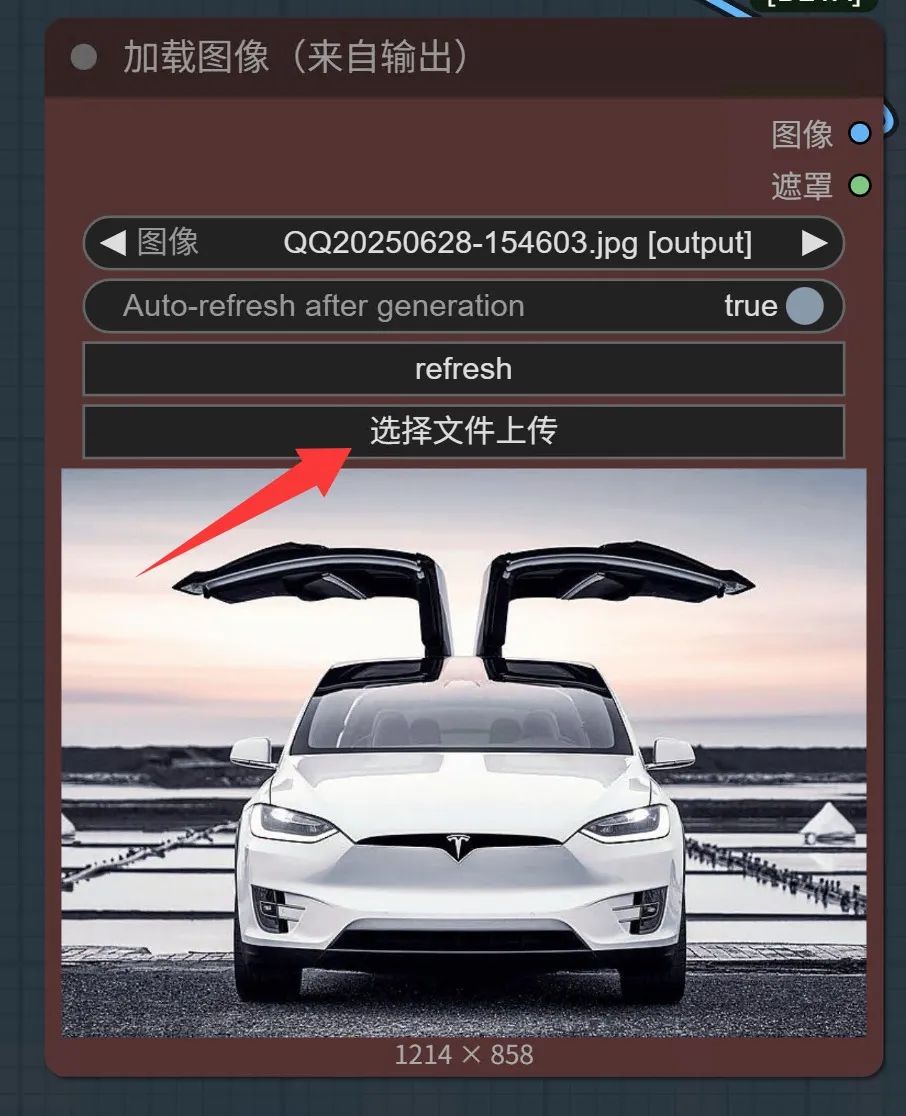
Since this is a Pic, there must be an original image, also called a reference image here. Click on Select File Upload and choose a pre-prepared image.
My choice here is a picture of a Model X with its wings spread.
Setting Cues
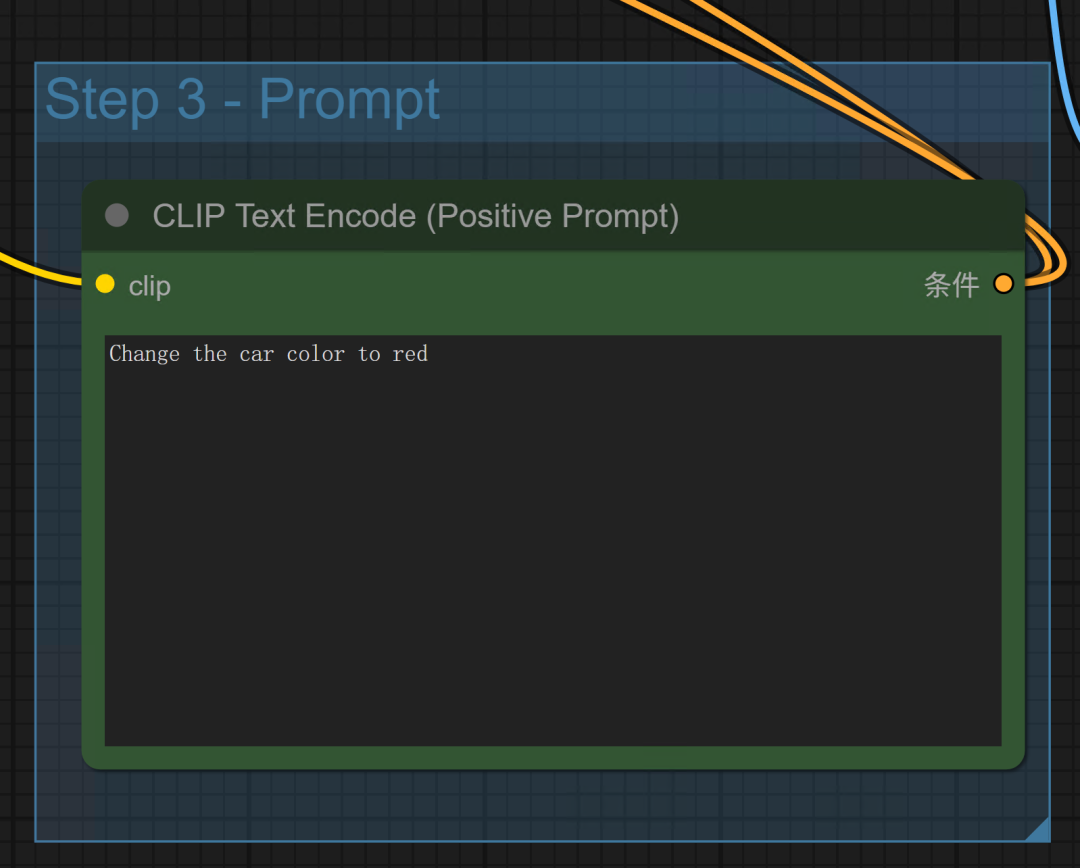
Once you have the picture, you need to describe what the Pic is about. For example, change the color of this car to red.
Model, image, cue word, all set up, the workflow setup is complete.
Running a workflow
Once everything is in place, you can click Run.
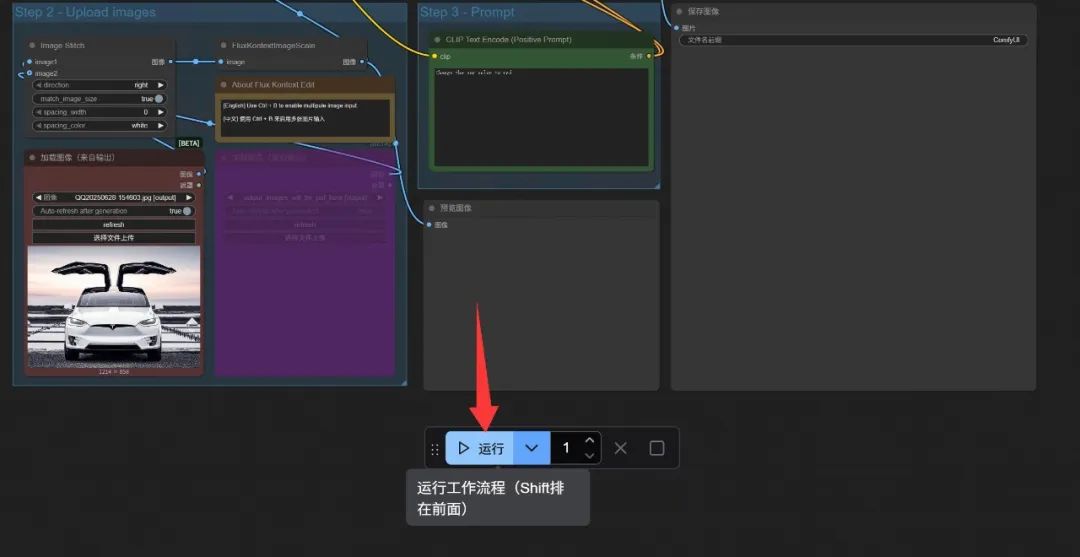
After clicking have run, it will load the image, model, and cue word in turn, and then generate a preview image of the original image and the final image.
The results are as follows:
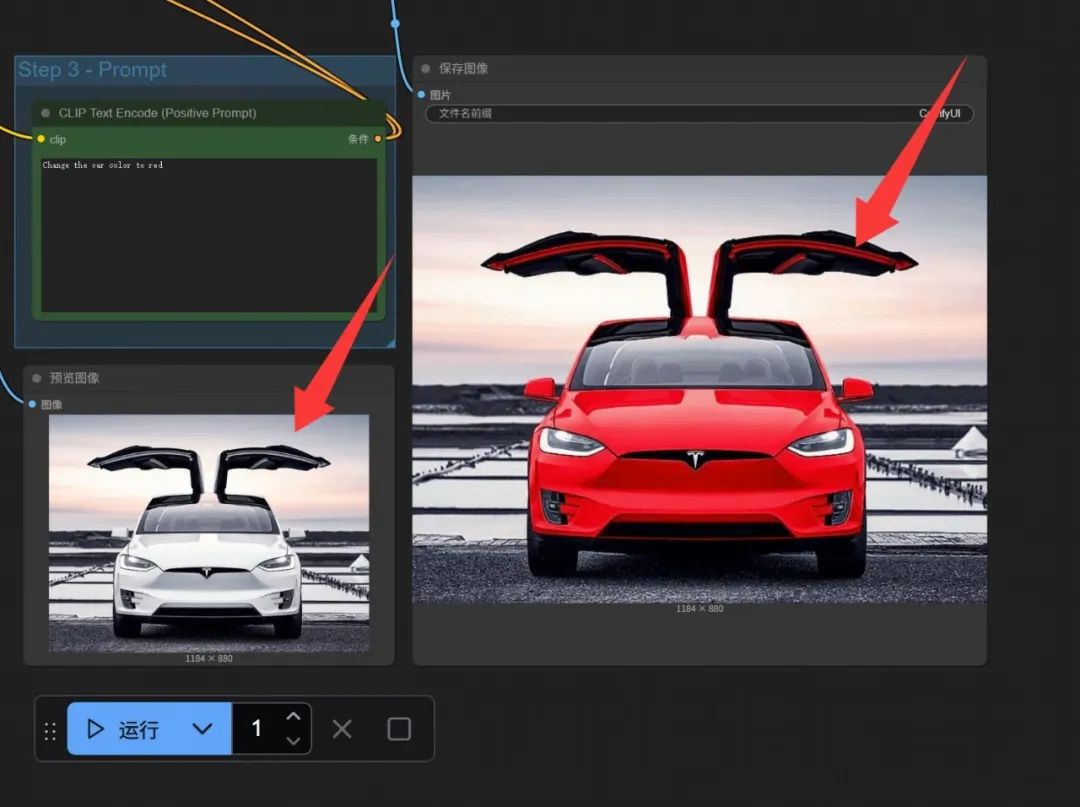
The effect is pretty awesome!
I specifically chose a picture with a snow-white background, it successfully identified the vehicle, and color replacement , modify the color of the subject target area at the same time, all the other does not move. This kind of consistency is the key to the P picture. If you let gpt4o to P picture, often the subject will change a little.
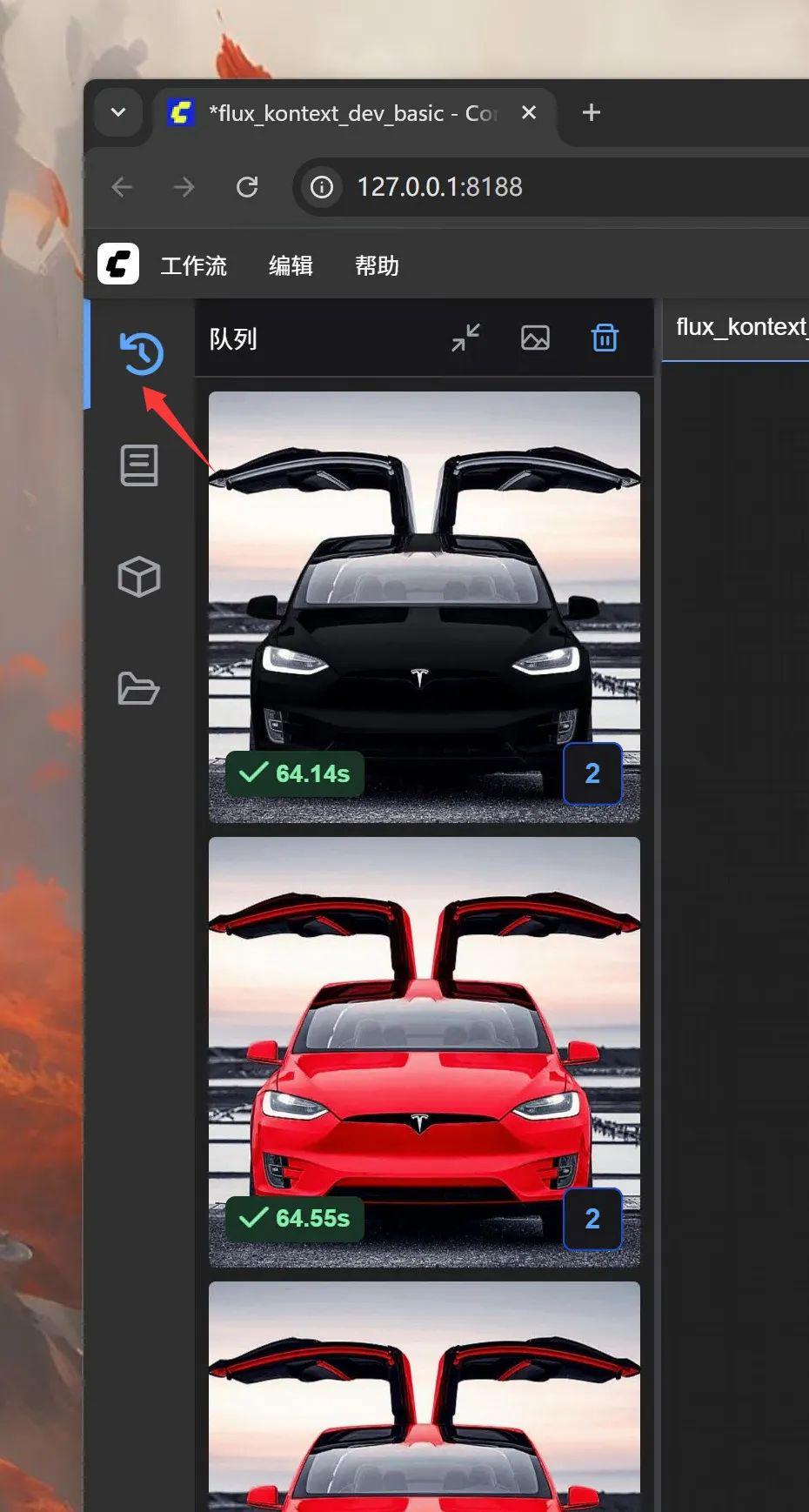
Records during the run and after the run is complete can be viewed in the queue.
The video memory usage during the run is as follows:
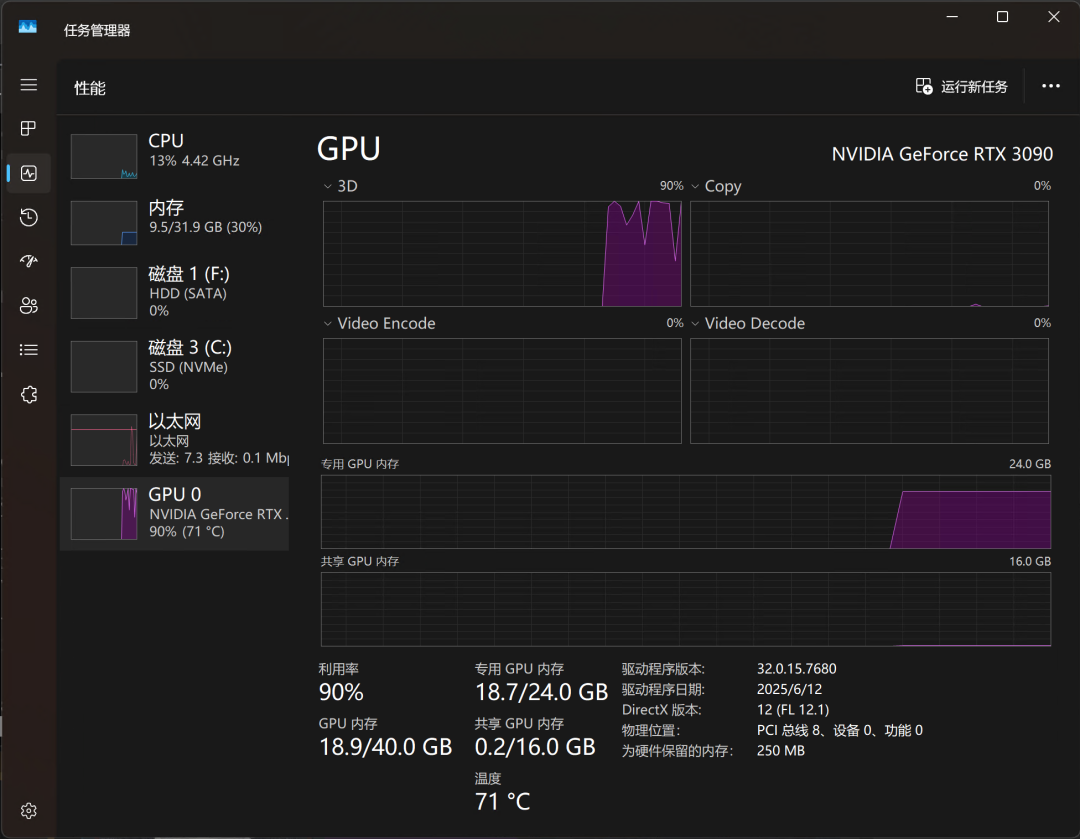
18.7G for 24G on a 3090.
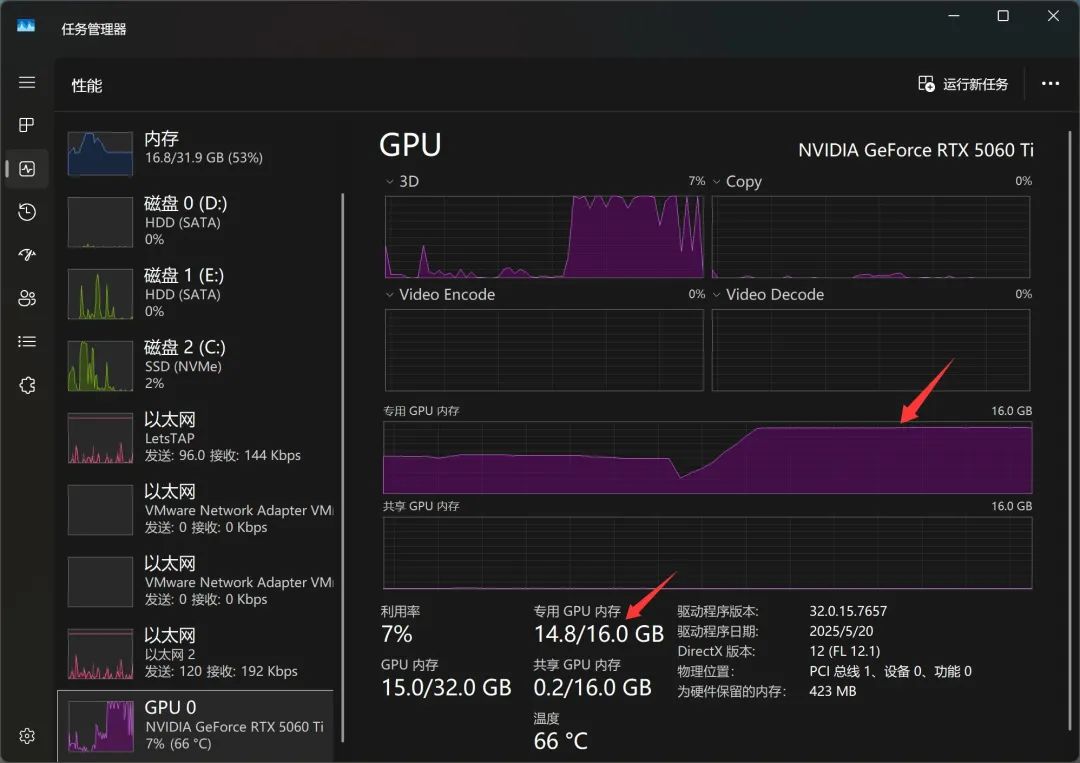
14.8G on 5060TI with 16G video memory
Since neither uses shared GPU memory, I'd reasonably assume that the 16G of video memory that the 5060TI is is probably enough to run this fp8 model, and didn't step back and put it on the CPU to run it.
The time to generate the image is as follows:
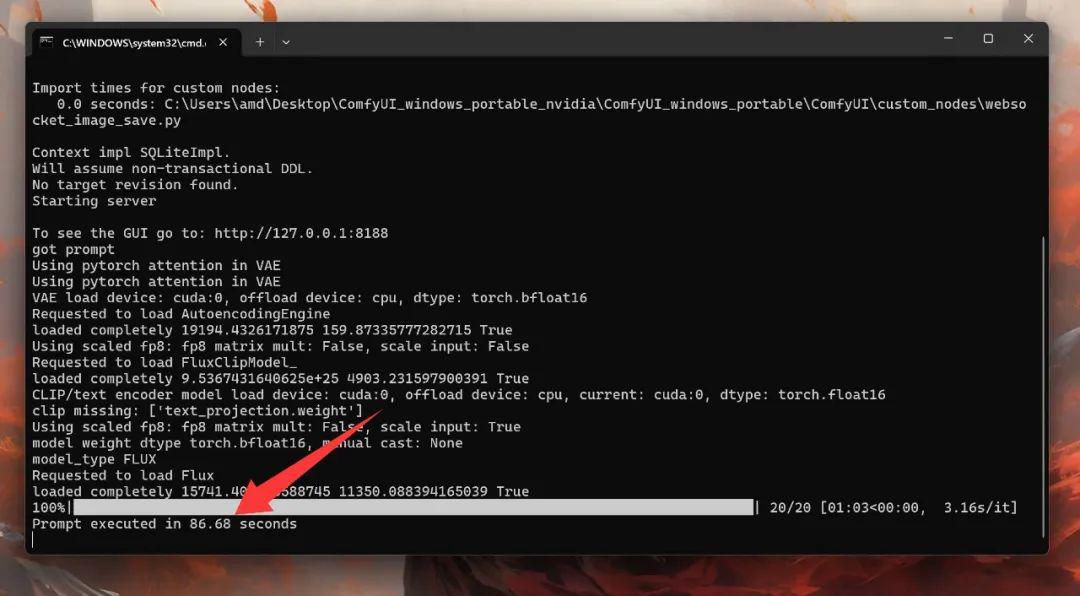
3090 The first run took 86 seconds, of which 63 seconds were spent producing images.
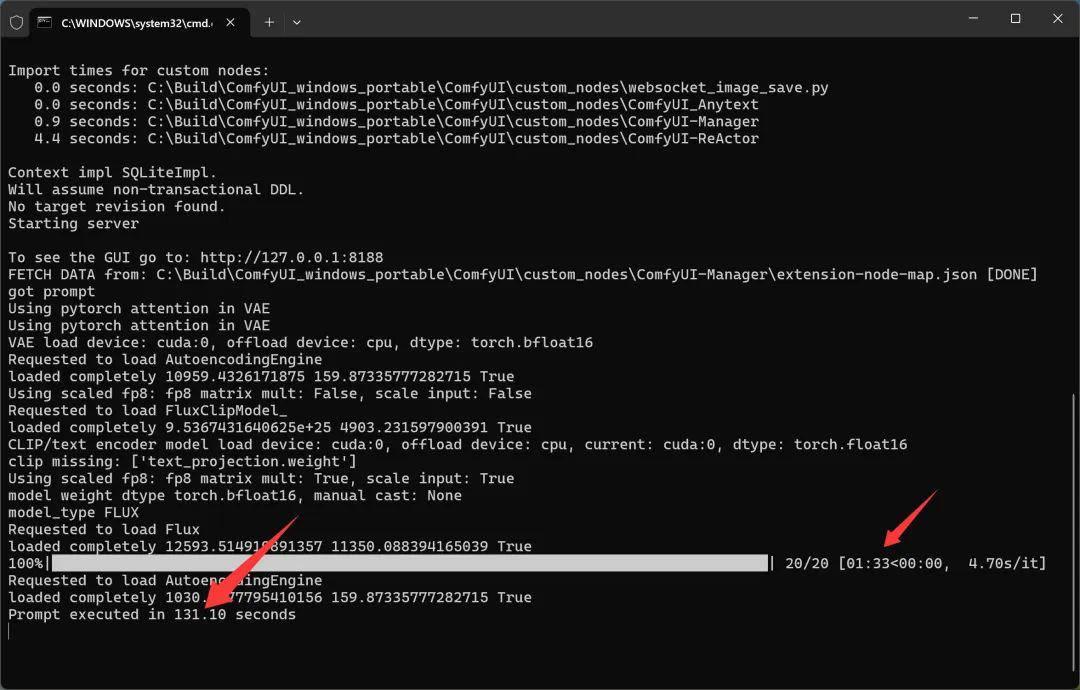
The 5060ti took 131 seconds to run for the first time, of which 93 seconds were spent producing images.
P a picture in about a minute out, the effect is better than I P, less time than I use, and do not need to spend money to call a third-party API, purely local operation. It's pretty good!
With the above tutorial, I am sure most of them can be easily done. This way we have a completely offline AI Paint tool locally. Once the workflow is set up, it's easy to just drag an image, describe the operation, and you're done with the batch image.
Finally, the relevant software and models, have been placed on the web site!
Flux Kontext software, models, workflows: https://pan.baidu.com/s/1Xy_Q8WT37bNCjcF5lsBCHw?pwd=tony
Reference Links:
https://blog.comfy.org/p/flux1-kontext-dev-day-0-support
https://docs.comfy.org/zh-CN/tutorials/flux/flux-1-kontext-dev