



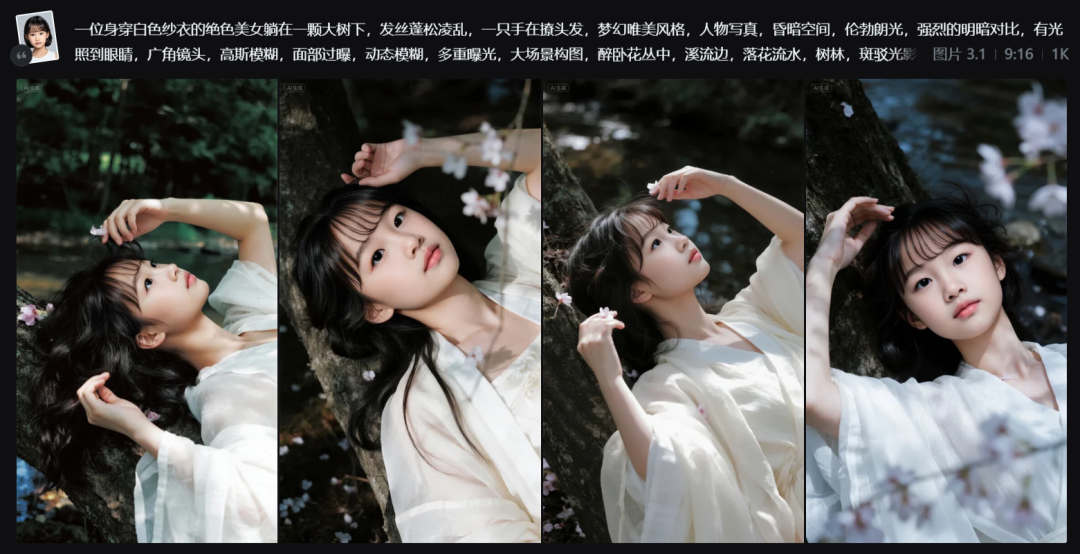
Today I saw a picture of a stream portrait under a tree giving it a dreamy and beautiful feel.
After some testing and verification, the reference portrait made the desired effect, you see if you like it.
Subject: Streams under treesAesthetic Portraits
Cue word: [Reference image - Portrait] + a stunning beauty in purple gauze lying under a big tree, hair fluffy and messy, one hand teasing her hair, dreamy aesthetic style, portrait, dim space, Rembrandt light, strong contrast between light and dark, there is a light shining into the eyes, wide-angle lens, gaussian blur, overexposure of the face, motion blur, multi-exposure, large scene composition, drunkenly lying in the flowers by a stream. Falling flowers, woods, dappled light, dark tones, black soft filter, high contrast.
PS: Bolded parts can be changed by changing costumes.
Raw graph model parameters:I.e. Dream Picture 3.1 , 9:16.
If you want to make a similar effectPortrait PhotosYou can follow this tutorial step by step.
How to quickly batch generate beautiful portrait photos of a stream under a tree?
OpenDream AIOfficial website, click the [+] to the left of the center input box.

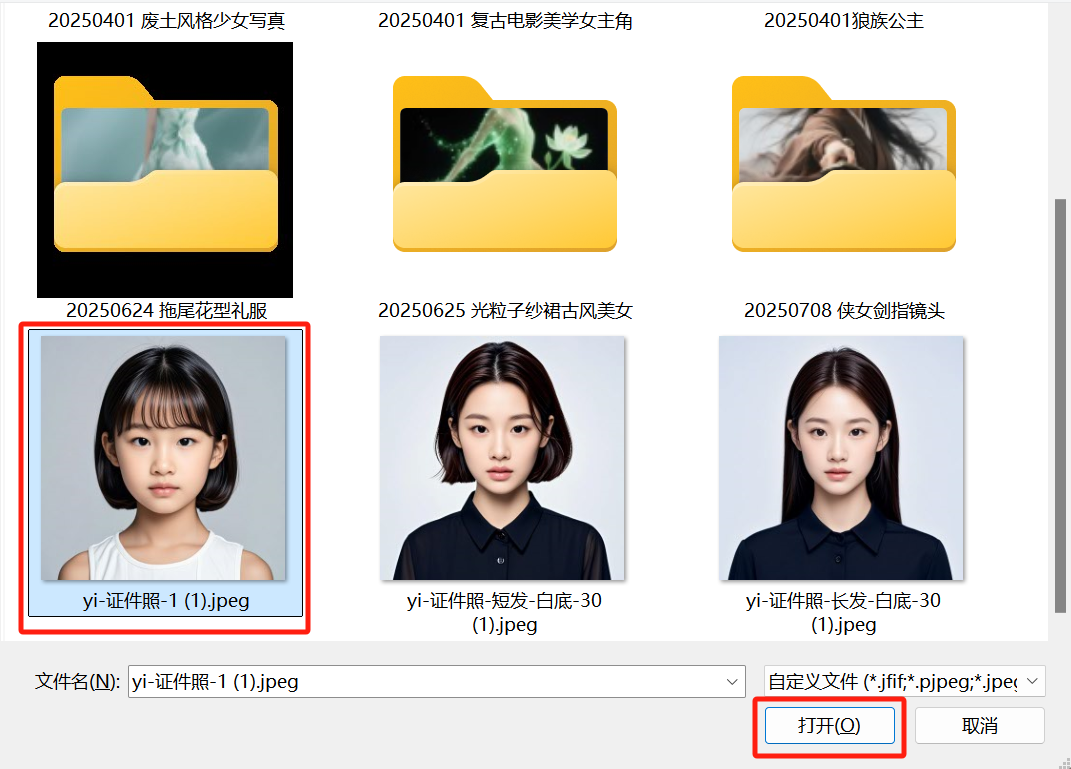
Select the image you want to refer to and click [Open].
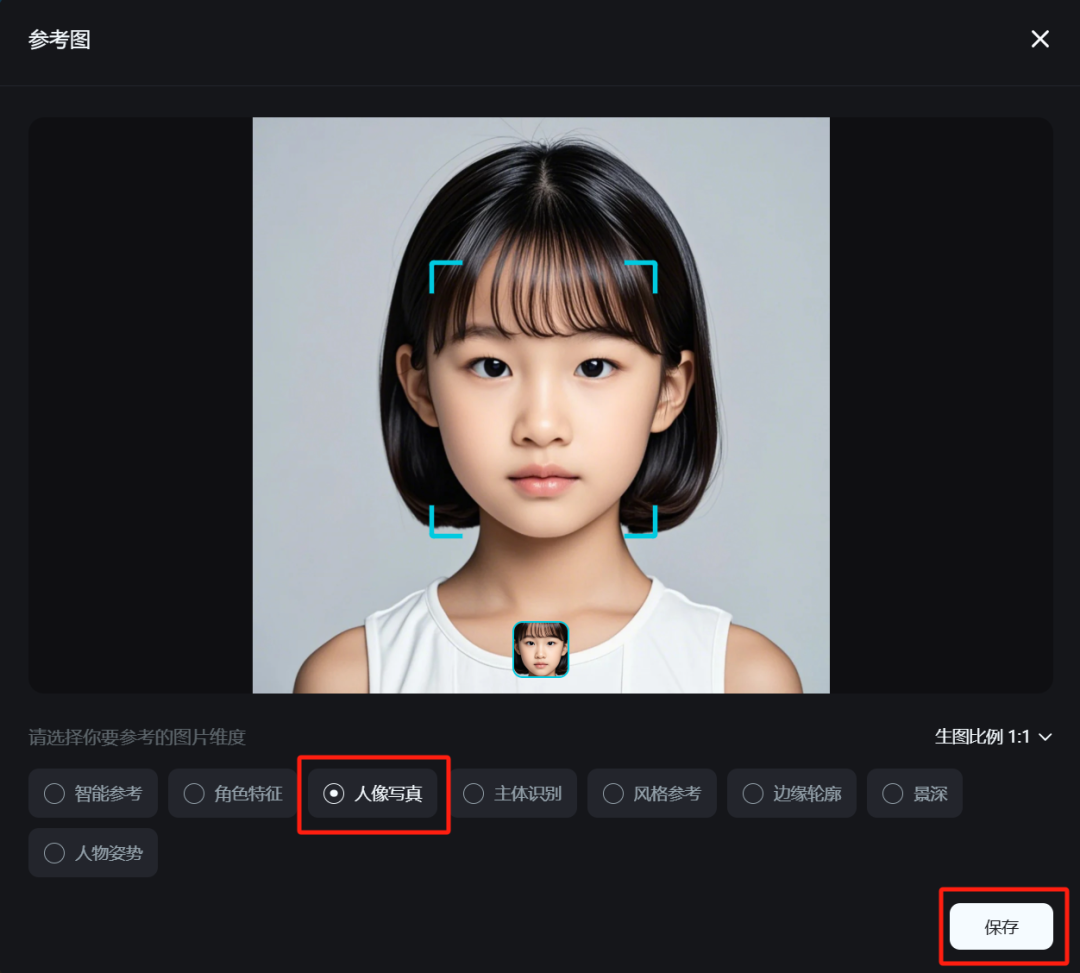
Enter the reference image interface, select [Portrait Portrait] and click [Save].
After selecting the reference picture, select "Picture Generation" for the creation type, select "Picture 3.1" for the model, select "9:16" for the size, enter the prompt word for picture generation, and click [ ]. Generate Icon].
Cue word: a stunning beauty in a purple sarong lying under a big tree, her hair is fluffy and messy, one hand is ruffling her hair, dreamy aesthetic style, people portrait, dim space, Rembrandt light, strong contrast between light and dark, there is a light shining into the eyes, wide angle lens, Gaussian blur, facial overexposure, motion blur, multiple exposure, large scene composition, drunkenly lying in the bushes of flowers, by the stream, the falling flowers, the woods, dappled light and shadow , dark tones, black soft filter, high contrast.

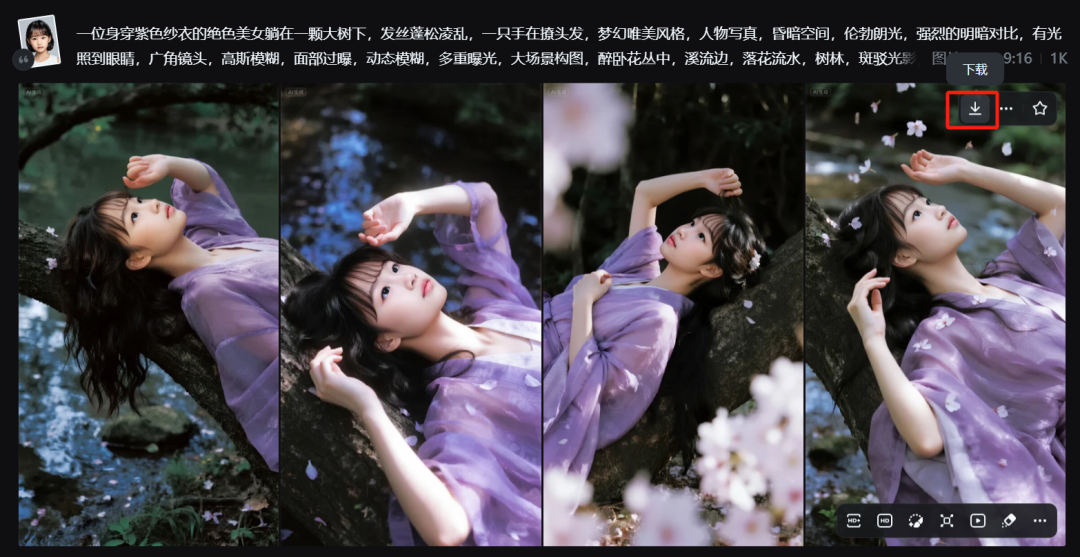
Wait for the picture generation to finish, move the mouse to one of your favorite pictures and click [Download icon] to download the picture to your local computer.
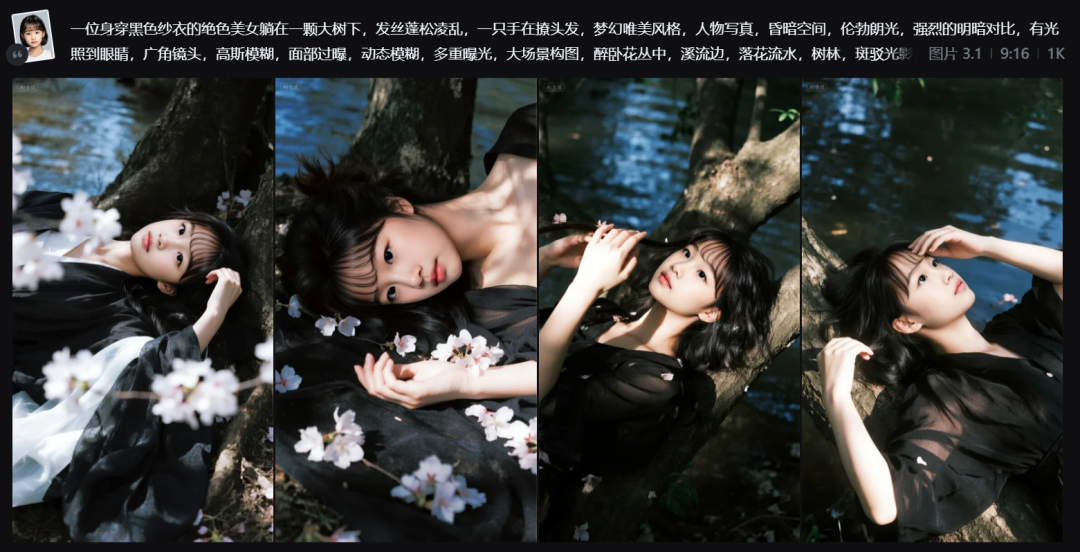
Similarly, input other different color dress prompt words to generate the desired different dress and background images.

Here, let's complete the Rudraksha tree under the stream beautiful portrait photo creation, have you learned?
Learning Summary
Let’s review and summarize what we have learned:
① Study the article's beautiful portrait photo of the stream under the treeAI PhotoCue word.
②Using is dreamingAI Image 3.1 Model, portrait reference to generate images.
③ Change the background according to your needs.
This wave goes down, we can quickly use AI to generate a beautiful portrait photo of Rudra under the tree by the stream.