



First things first.Figure 1It's about generating another map based on one map, so what is its purpose?
Let's take the Kontext function we talked about last time as an example.
ComfyUI guide, hands-on teaching you to use Flux Kontext to write prompts to generate images
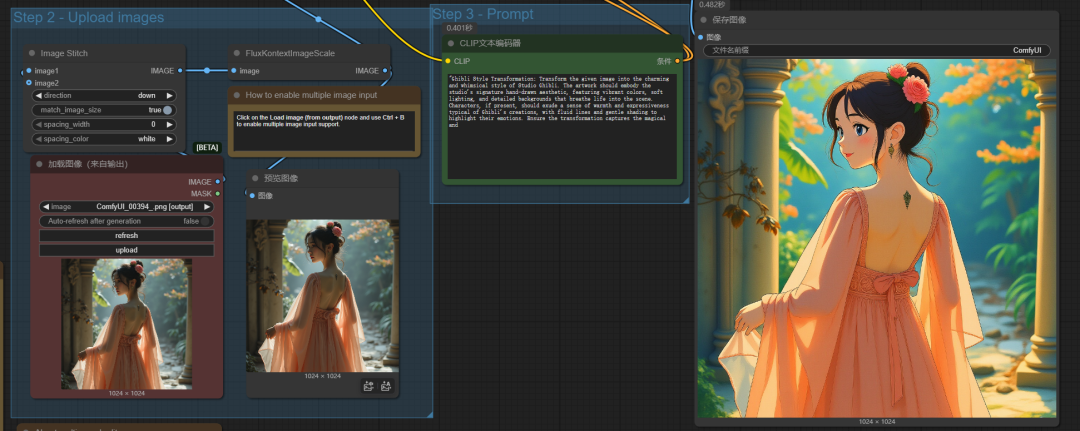
Kontext can remove watermarks from a picture, extract elements from a picture, make precise local modifications, transform the style of a picture, change the angle of a person in a picture, etc. in a single sentence.
Of course, Kontext is a very powerful model, and its features have been described in detail in previous articles, so we won't repeat them today.
Our normal Toussaint chart.WorkflowIf you want to realize these functions you need big models, lora, cue words, etc. to work together to realize them.
Today we're going to explain ComfyUI What functionality is possible with a basic diagram-generated workflow.
The Role of Tupelo
Simply put, the functions of Tupelo can be summarized as follows: transforming styles, high-definition restoration, local redrawing, and referencing raw images
First of all, we first roughly introduce the implementation of these functions of the case, and then detailed introduction to the specific use of the method.
I. Introduction to the graph-generating function:
1. Change of style
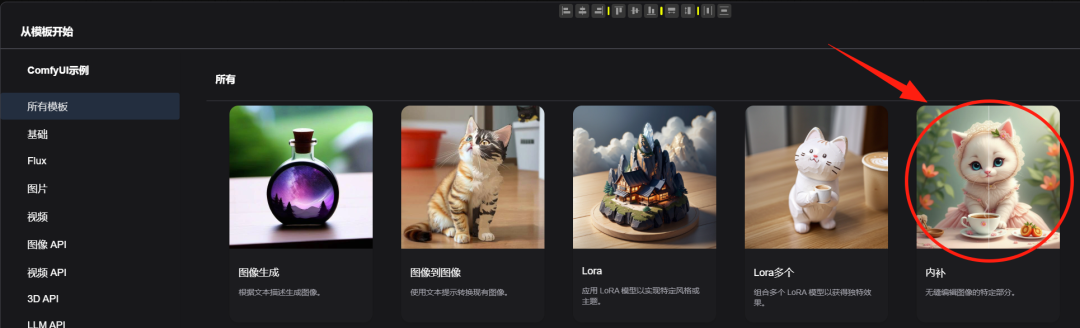
Open the image in the comfyUI template to the image workflow
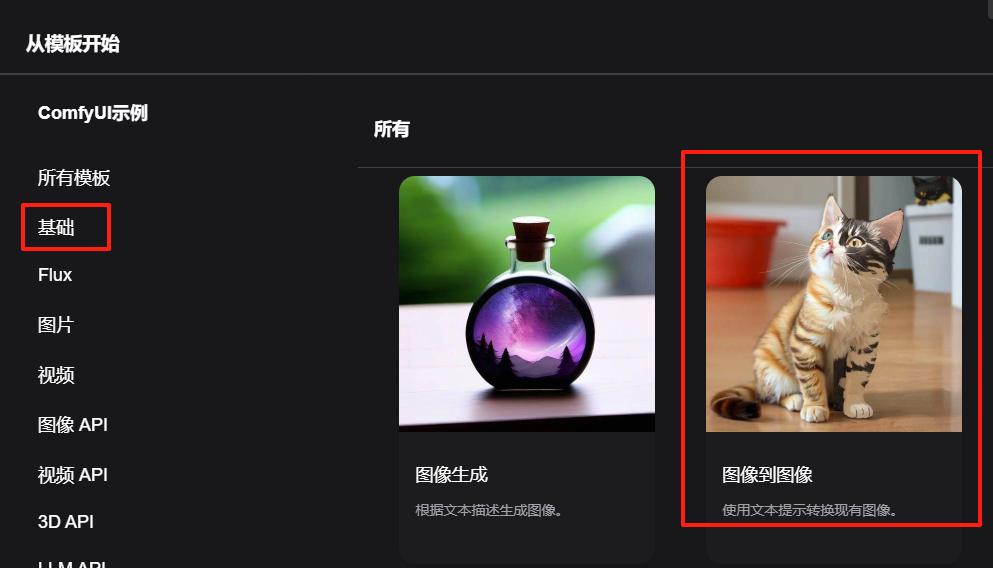
Upload an image, and then choose a secondary style of large model, the description of the prompt word as much as possible to be consistent with the original picture, so that the generated secondary style of the picture and the original picture is very similar to the original picture.
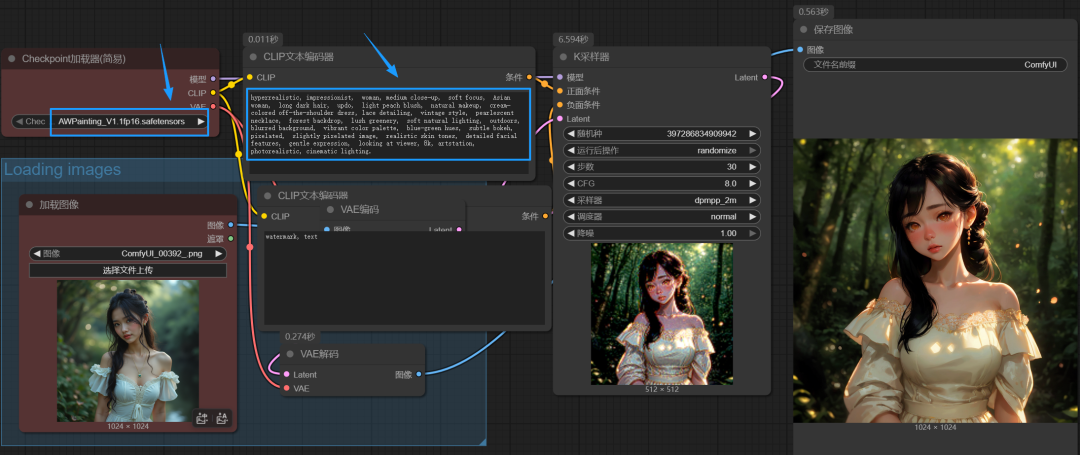
The cue words on how to get and stay close to the original image will be covered later in the article.
2、High-definition repair
HD restoration is in fact essentially a kind of graphic birth, and here is a relatively simple workflow for zooming in on an image through a model.
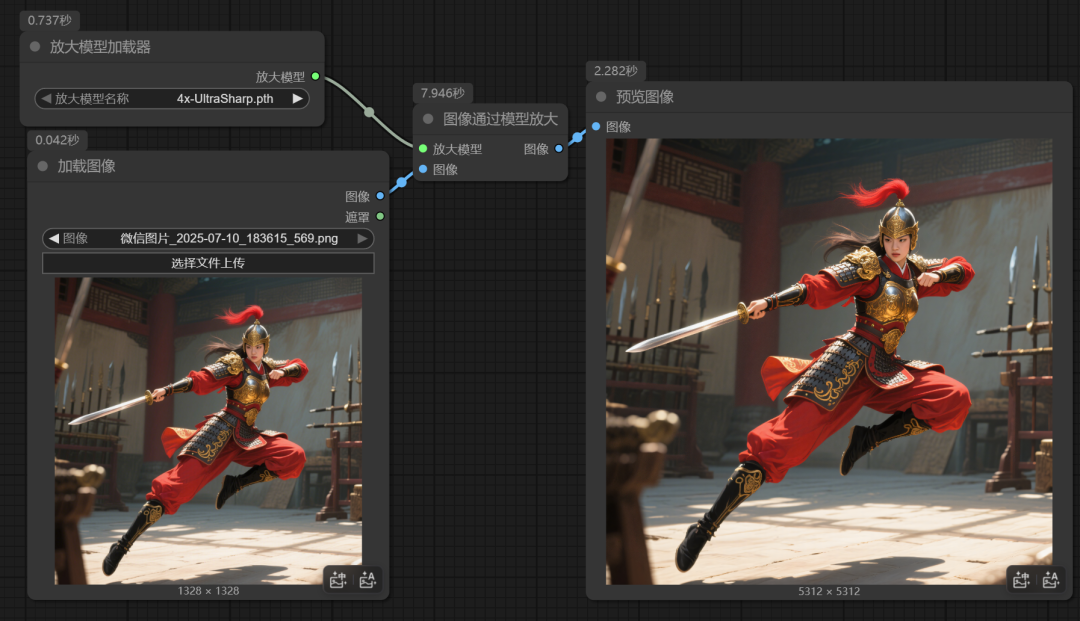
If you still want to know more about how to use the image enlargement workflow, you can take a look at the following article:
4 methods, ComfyUI's strongest picture HD enlargement workflow, non-destructive enlargement, detail complementary , easy to perfectly repair the picture to 4K8K wallpaper level!
3、Localized repainting
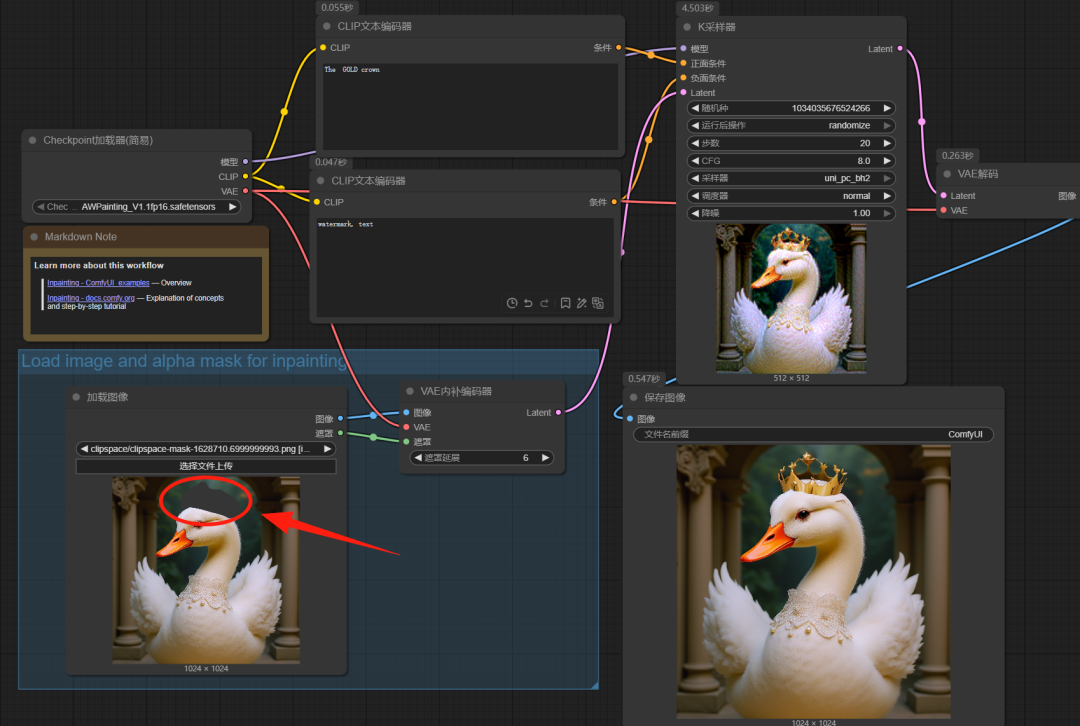
This time we'll open the 5th workflow inside the template
Load a white goose picture, we draw a mask on top of the goose's head, give a keyword "the glod crown", so that a golden crown can be generated in the mask.
4、Style transcription
Style transpainting is similar to the workflow we talked about last time in Kontext, e.g. we have a picture of a cat in a particular style, and we don't want the cat, but we want to generate a picture of a female warrior in the same style as this one.
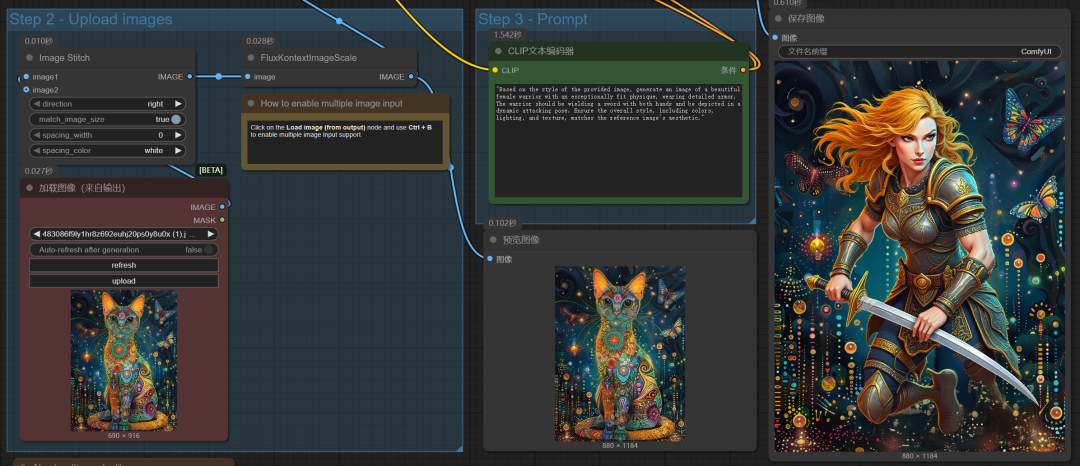
II. Explanation of diagram workflow
Going back to the official default graph generation workflow just now
1、Size control
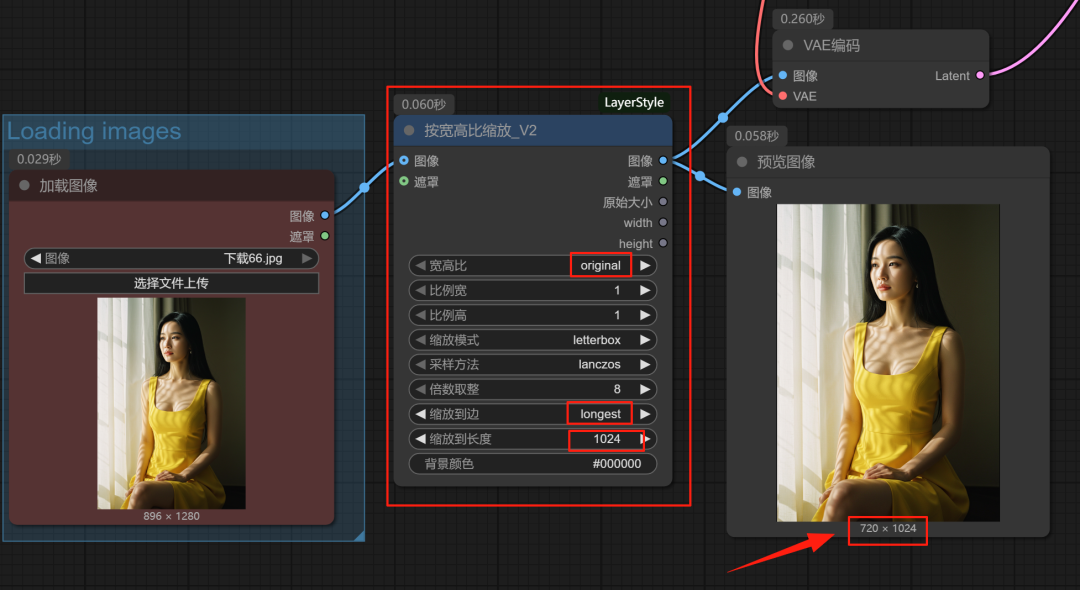
There is no control over the image size in the default workflow, the size of the generated image depends on the image size of the original image. If we want to control the size of the image, or the size of the original image uploaded is too big, it will affect the time of generating the image very much.
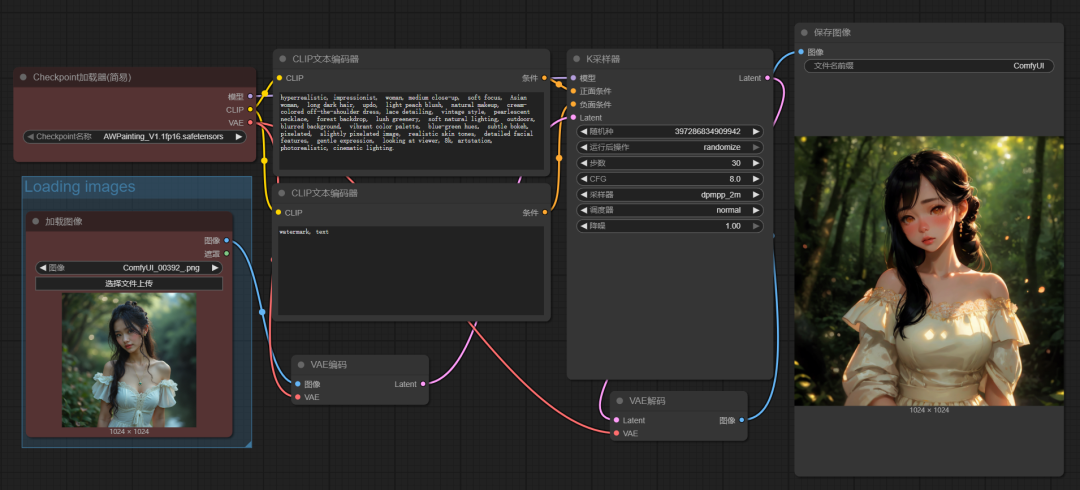
We can add a "Scale_V2" node between the loaded image and the VAE encoding.
For example, if the aspect ratio is set to primitive and the longest side size is 1024, then the longest side generated on the right is 1024.
2、Noise Reduction
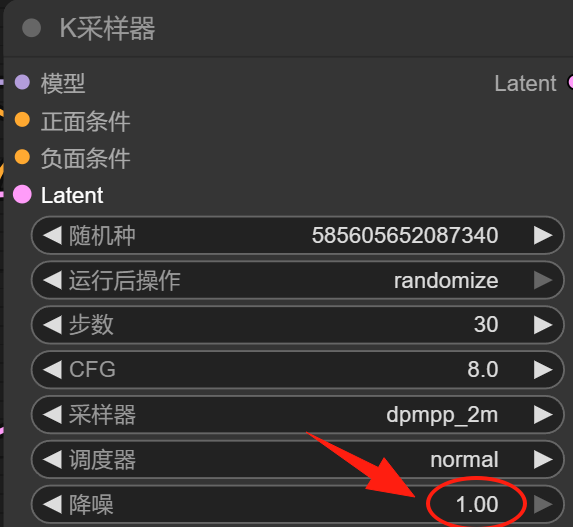
The other parameters in the K sampler are pretty much the same as in the Vincennes video, the more important one is this noise reduction parameter.
The noise reduction value here can be interpreted as the similarity.
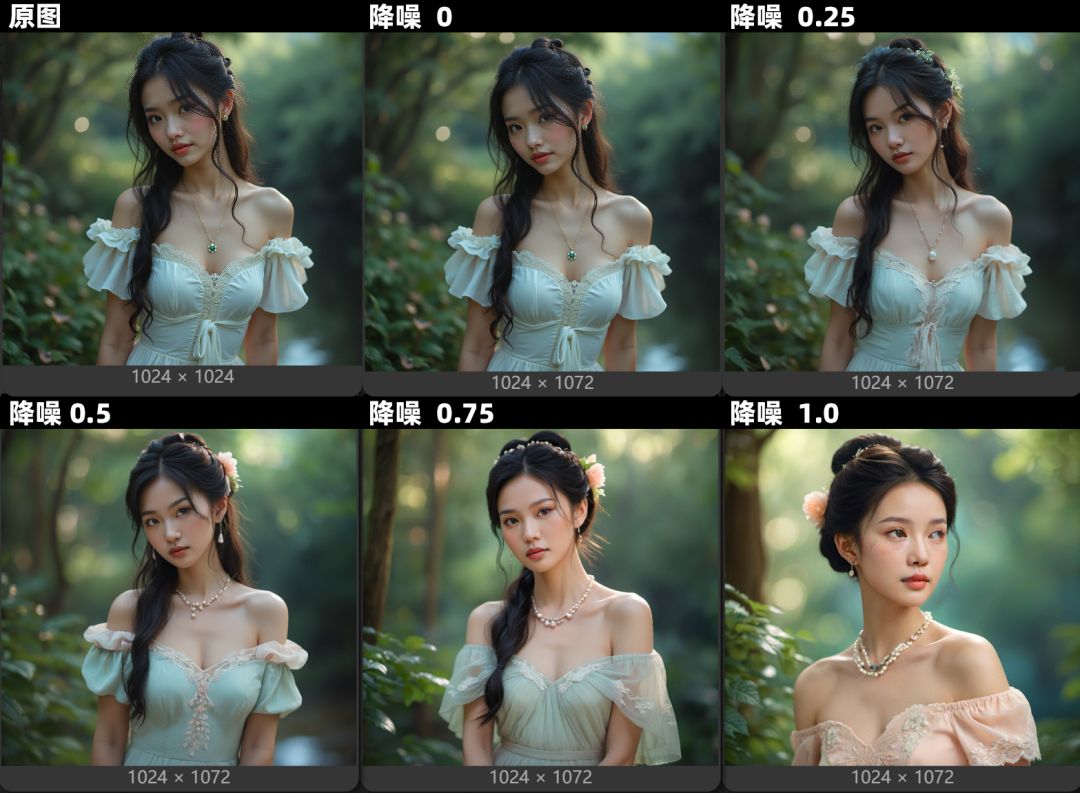
The larger the noise reduction value, the lower the similarity between the generated image and the reference image, and if the value is 1, then the image it generates will be largely unaffected by the reference image.
The following comparison between different noise reduction values and the original image will facilitate your understanding of the noise reduction values.
As the noise reduction value increases, the resulting image becomes less and less like the reference image.
5. Cue word backpropagation
To get a cue word that is closer to the original image, you need to use the backpropagation function.
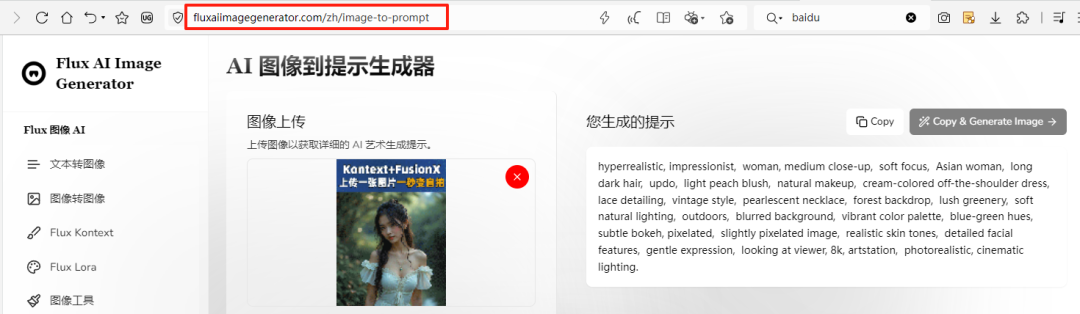
Method 1: Backpropagation through websites
We can backpropagate images through the following pages.
https://fluxaiimagegenerator.com/zh/image-to-prompt
Just upload the original image and it will be able to backpropagate the original image for you for free, and then you can copy those cue words.
Method 2: Backpropagation with backpropagation models
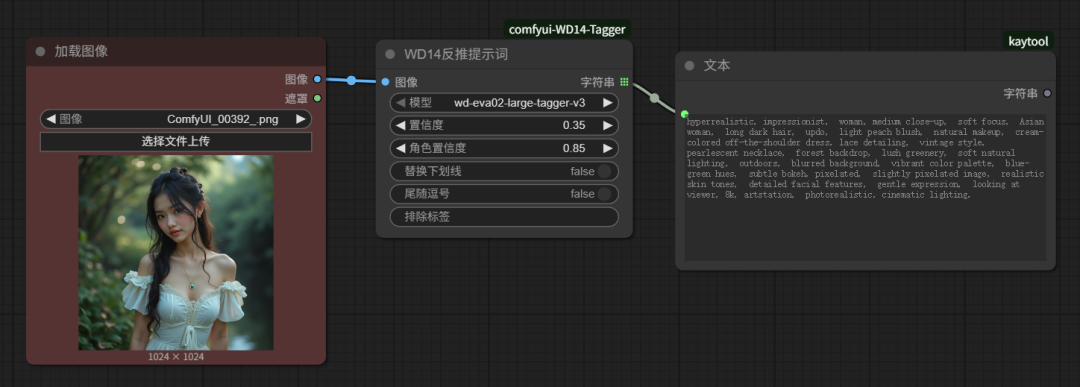
In case of 1.5 model: backpropagation with WD14, backpropagation is done for a single keyword.
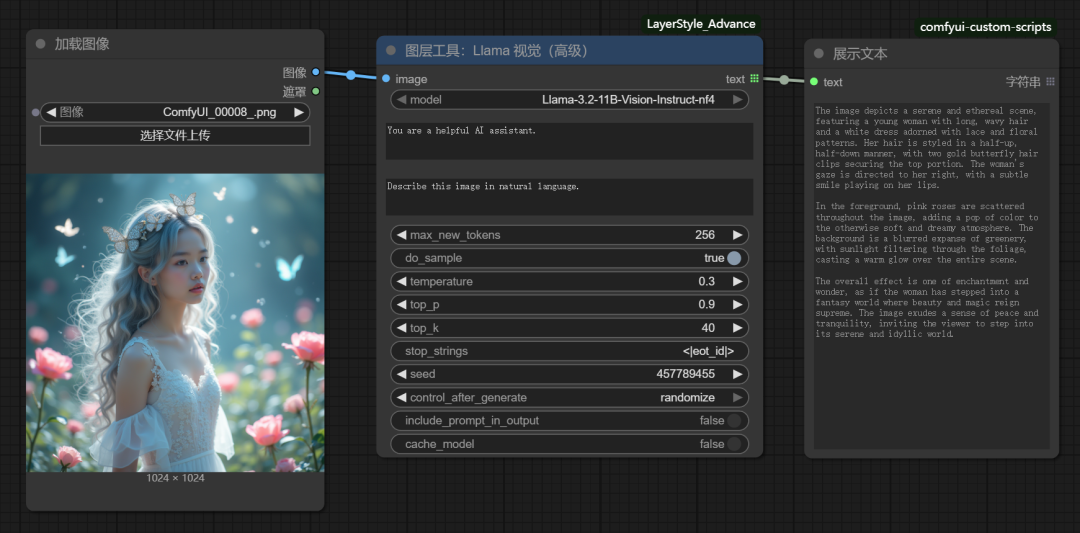
Flux modeling: backing out natural language with JOY2/JOY BETAI etc.
So what's the point of Toussaint?
In addition to the advanced features of Kontext mentioned earlier, we have a lot of other advanced models that allow for really amazing functionality, but comfyUI's basic graph-to-graph functionality really doesn't do much.
However, if you turn on image cue word backpropagation and then adjust the noise reduction values, along with different styles of macromodels and lora, you can generate similar images that look a lot like the originals, but have a lot of differences.
Previously very hot anime commentary video, many people see others more hot video, is the method of using this method directly to take other people's video for backpropagation to get .
III. Completion of missing workflow nodes
The workflows we download from the web often have missing nodes, these red boxes below are the missing nodes.
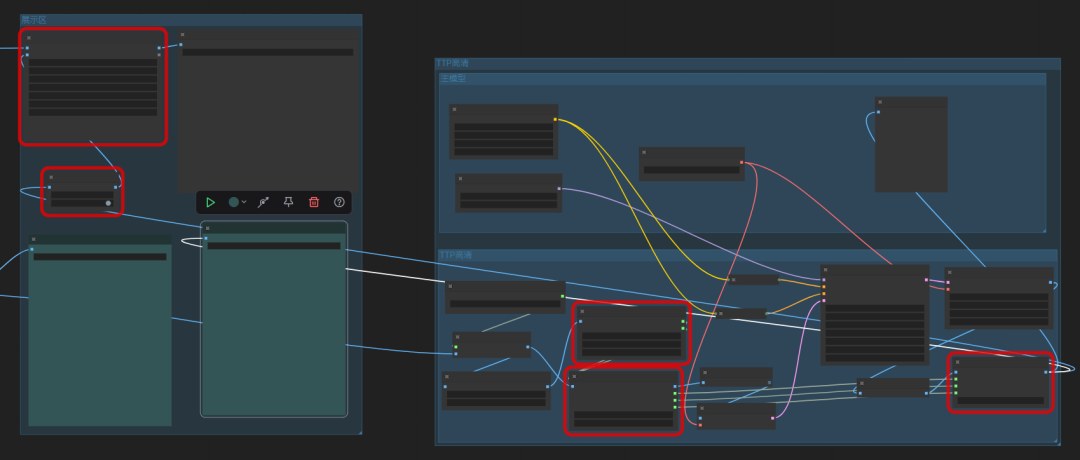
At this point we open the manager and click on "Install missing nodes".
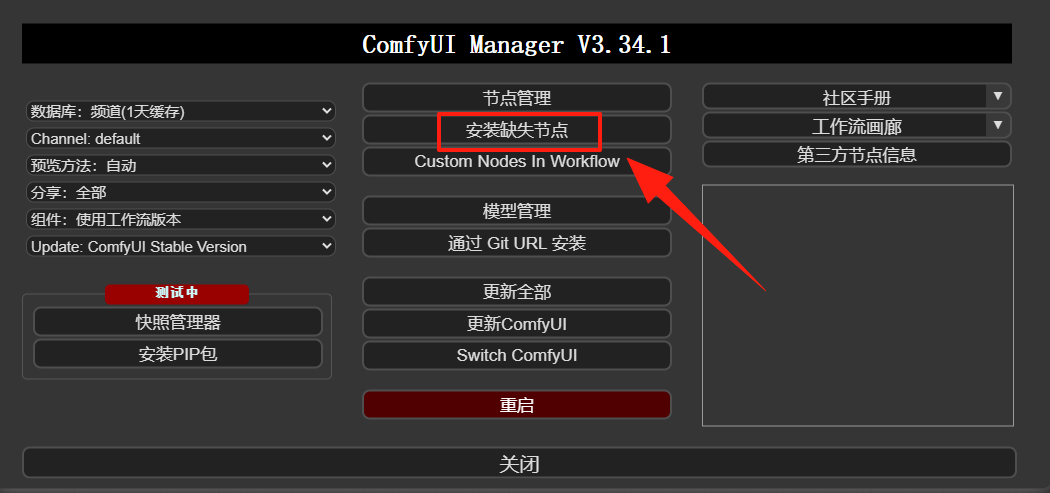
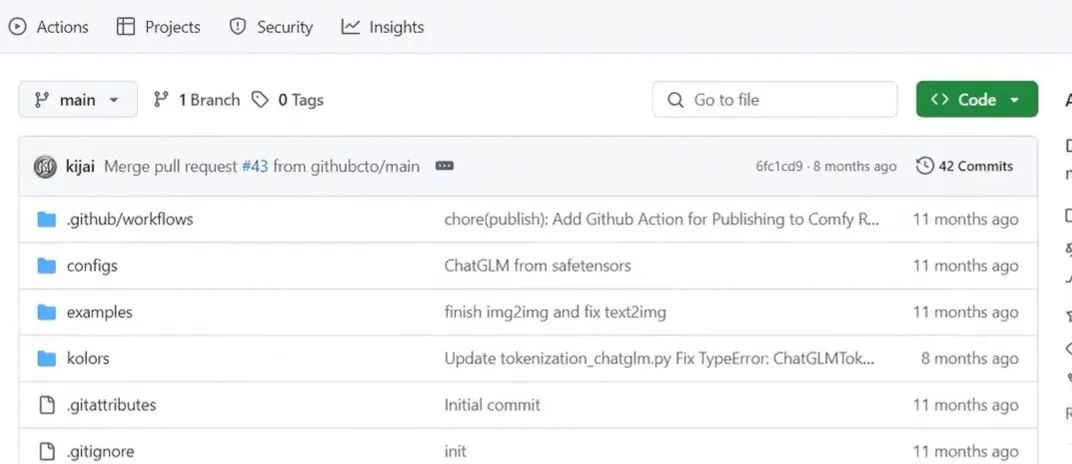
When the node comes out, don't click "Install" directly, but first click on the node to jump to the github page of the node (you need to open the scientific Internet).

Because if we install directly from the manager, there is a possibility that the installation will fail, then if we open the github page of this section at the same time, even if the manager installation fails, we can still install the plugin through git or directly download the way.
For more information on how to install the plugin, take a look at this article:
AI Painting ComfyUI Getting Started Tutorial, ComfyUI Workflow Custom Node Installation