



Do you always cut back and forth between different tools when you make pictures and videos every day?
General flow from text to graphics to video:
- Open the Big Model tool, paste the expanded cue word, and enter the requirement to get the complete raw map cue word.
- Open the image generation tool and enter the prompt word to generate the image.
- Open the video tool, enter the action cue words and upload the reference image to generate the video.
An idea is distracting enough just copying and pasting, from writing prompt words to generating graphics to making a video.
Of course it can be slightly easier if your augmentation, raw graphics, and video are one tool, but it has to be manipulated many times in between.
This time.sheetobscure or illegible writingMulti-dimensional forms that tie up this long list of processes all together.
Significantly reduce the cost of establishing batch generation of images and video footage.
Vincent Figure
First.Creating a Flying Book Multi-Dimensional Form.
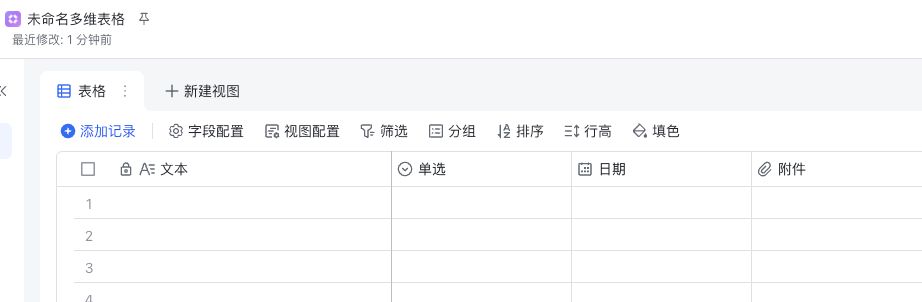
1. Input
change intotext typeThis column is named "Input". This is the column we use to enter the initial word or description.

2. Expansion of cue words
Change the name to "Cue Expansion", then select"Field Shortcut Center".
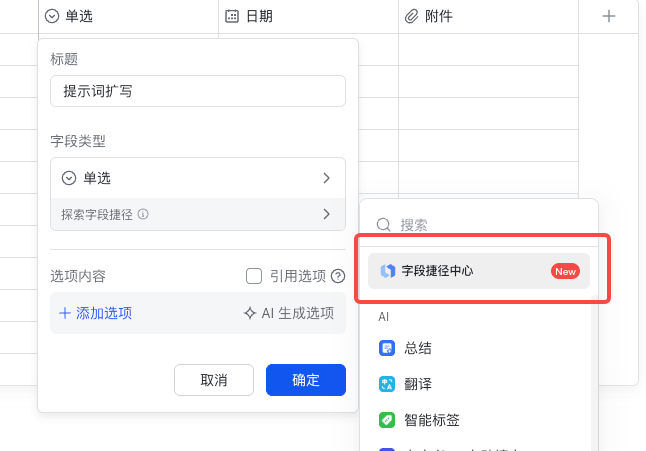
I chose this time to useBeanbag 1.6Perform an expansion.

DeepSeek is also available in the shortcut, so you can choose it according to your preference.
Once selected, we put the preparedExpanded command inputGet in there.
Finally, in the prompts you need to obtain eachdescription variableThe location of theClick on "Reference Fields" and select "Input" in column 1.
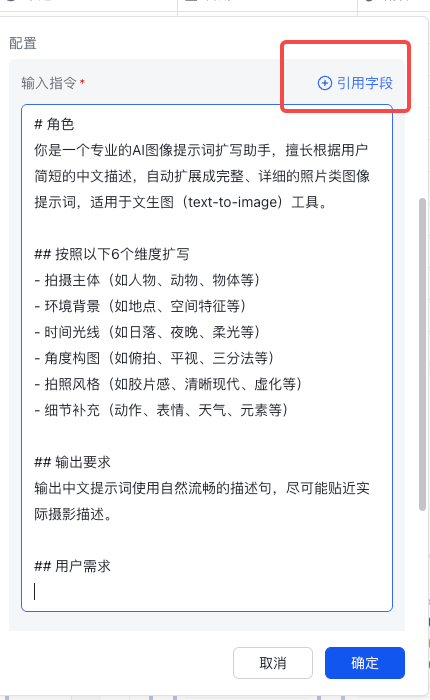
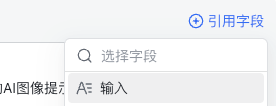
Open "Get more information", check the output results, and turn off "Automatic update".
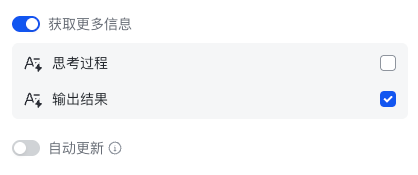
Auto-update means that as soon as you enter text in the input column, column 2 will start expanding.
It is recommended to turn it off at first to avoid wasting tokens. turn it on later when you need to run in bulk.
Column 2All configured like this:
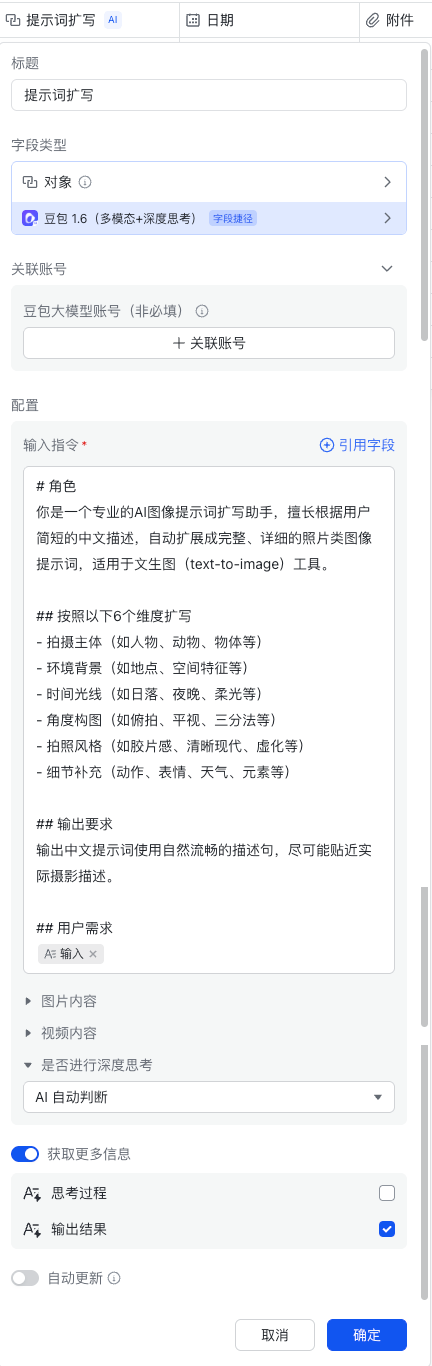
3. Cue expansion. Output results
As long as you, in the previous step, chose to get the output, this column automatically appears.

4. Generation of images
Rename it to "Generate Picture" and select"Field Shortcut Center".
I used it."AI-generated images (beanbags)", I measured this shortcut generation pretty well.
at present"Doubao-Seedream-3.0-t2i"Visual modeling.

Like don't forget.In "Picture Description", add a citation field and select "Cue Expansion. Output Results".
I chose 3:2 for the image ratio.
All configured results:
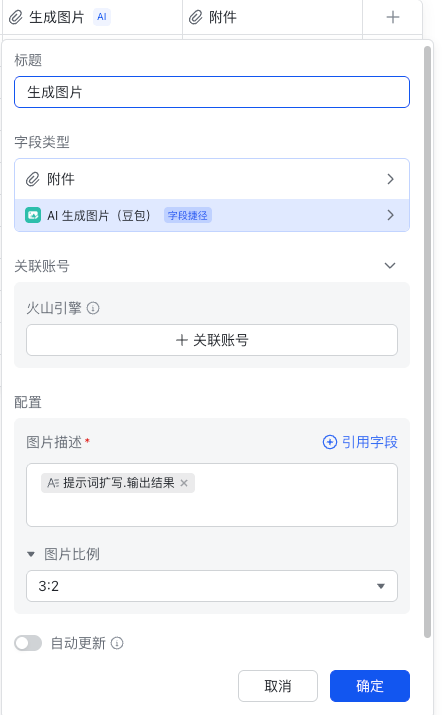
Note that when configuring this shortcut column save, you generally select the"Save configuration only"That's all right.
To not trigger all rows to run through, very wasteful of tokens.

Vincent Figure
Enter "Sunset by the Sea" and click the Update button on the right side of the 2nd column.

A small blue dot will appear at the top of the cell, wait a moment and you will get the result after the expansion.

We continue to work on"Generate picture" The right side of the cell in the column alsoClick to update. After a while the generated image will appear in the grid.


Figure video
Next we move on to the part where we configure the graphic raw video.
Two new columns have been added: action description, and graphic raw video.

5. Description of actions
Text description, which is used to manually enter some shots, descriptions of actions.
6. Toussaint videos
option"Field Shortcut Center".
No need to beanbag the video, weoptionVidu.

Put the previous column's"Action Description" added to "Custom Command".
"Generated as per the picture" Choose UsGenerate ImageThat column.

Test-Tusheng Video
meenterA simpleAction Description.
after that"Generate video"column selectionrenew.
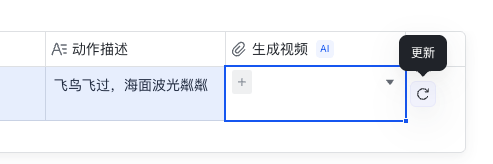
Wait a little while for the video results.


If you want this process to run fully automated:
- Edit and fill in the "Input" and "Action Description" columns first.
- thencein successionTurn on "Auto Update" for all the shortcut columns of Expanded, Graphic, and Video, and "Generate All Columns" when you save.
Note that it's sequential, waiting for the cue word expansion to finish before turning on the raw image, and then turning on the raw video when the raw image is finished. Ensure that the input material from the previous step is completed first.
Shortcut Linked Accounts
Most of the current shortcuts offer a couple of trials, followed by a paid one, which after all saves a lot of trouble in switching tools.
I used the beanbag 1.6 shortcut to demonstrate the process of associating accounts.
First, let's still open the column editor and see that there is a "Linked Accounts".
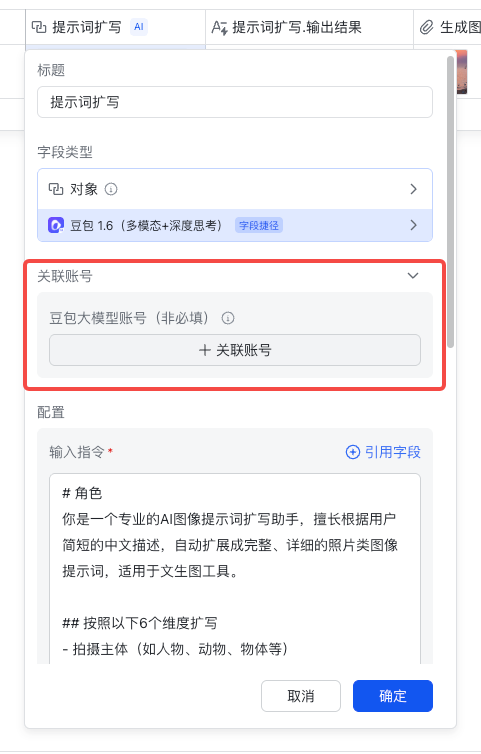
After opening it, we see that the beanbag one requires us to fill in the API_KEY and the access point ID.

Register Volcano
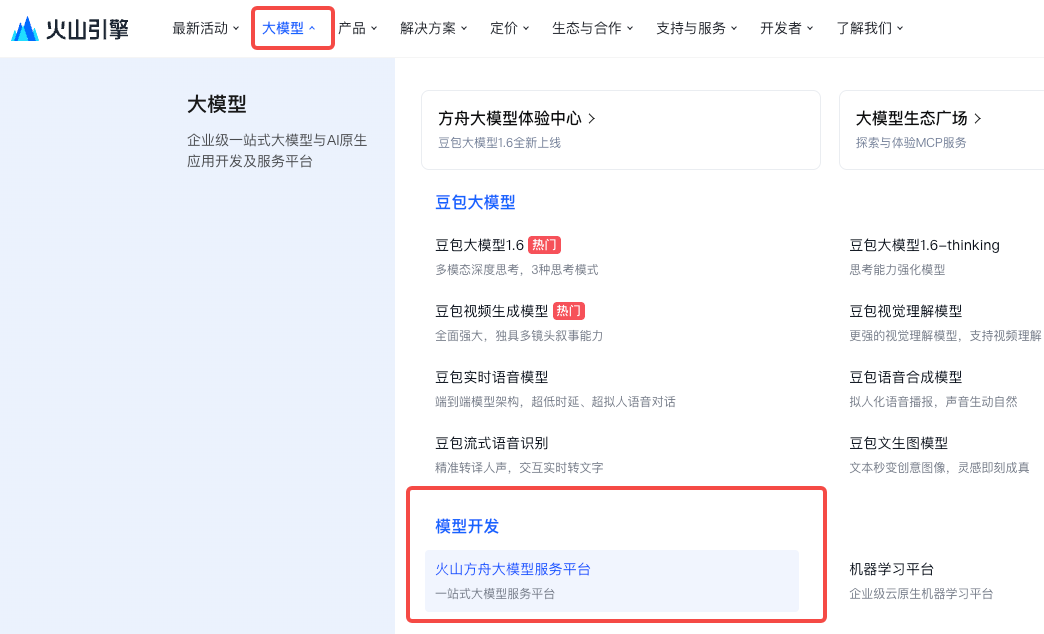
All the modeling payments under the byte are taken care of with Volcano.
Let's start by opening the link to the Volcano Engine https://www.volcengine.com/
Go ahead and open the Volcano Ark platform and sign up.
Opening the model
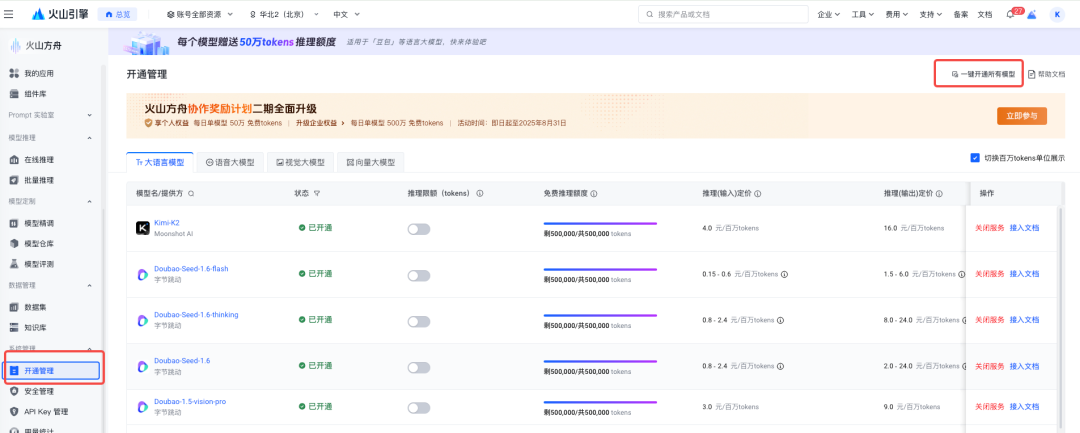
After registering in, from the left hand side find"Opening management" . All models, prices, can be seen here.
It is recommended to "open all models with one click" to save repeated operations.
You don't pay to open it, you pay to use it. Or, you can choose "Doubao Seed 1.6" which is used this time, and open it separately.
Create API_KEY
Next, go into the"API Key Management"Click on "Create".
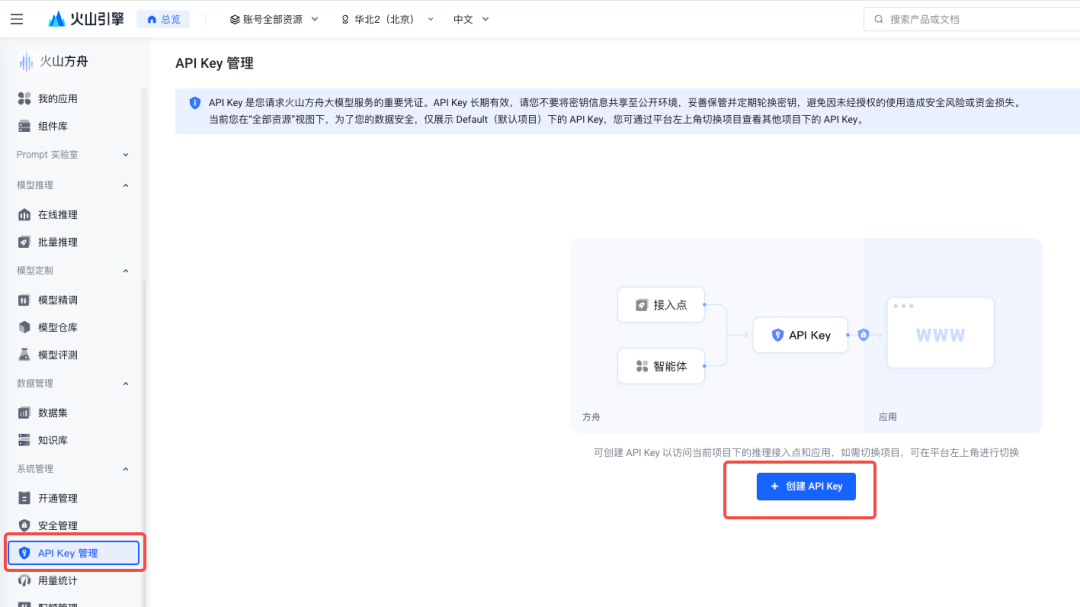
The name doesn't matter, just create it.
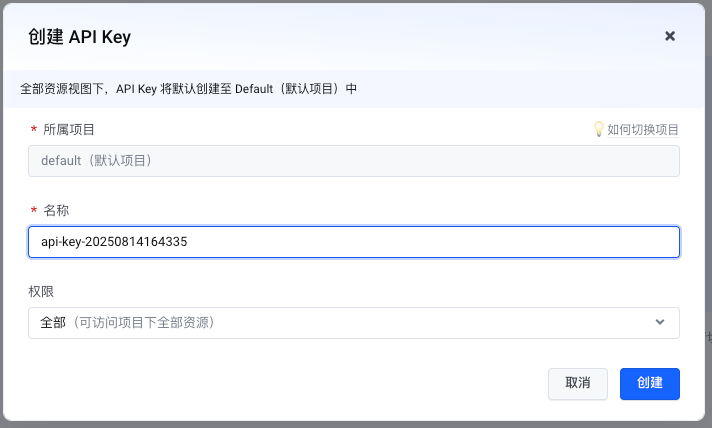
The API Key is obtained, and copied out for backup.

Creating Access Points
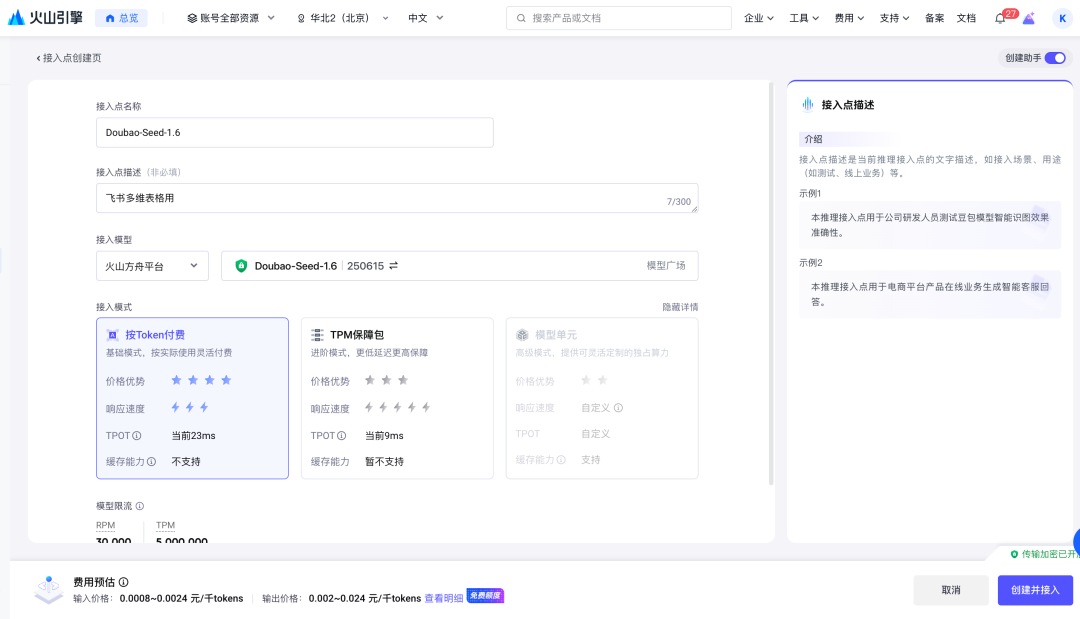
left selection"Online Reasoning" - "Custom Reasoning Access Point" - "Create".

Fill in the information, take a name, describe it, and make it easy for you to remember what the access point is for.
access modeling.Select "Doubao-Seed-1.6|250615"..
Nothing else needs to be changed, click"Create and access".
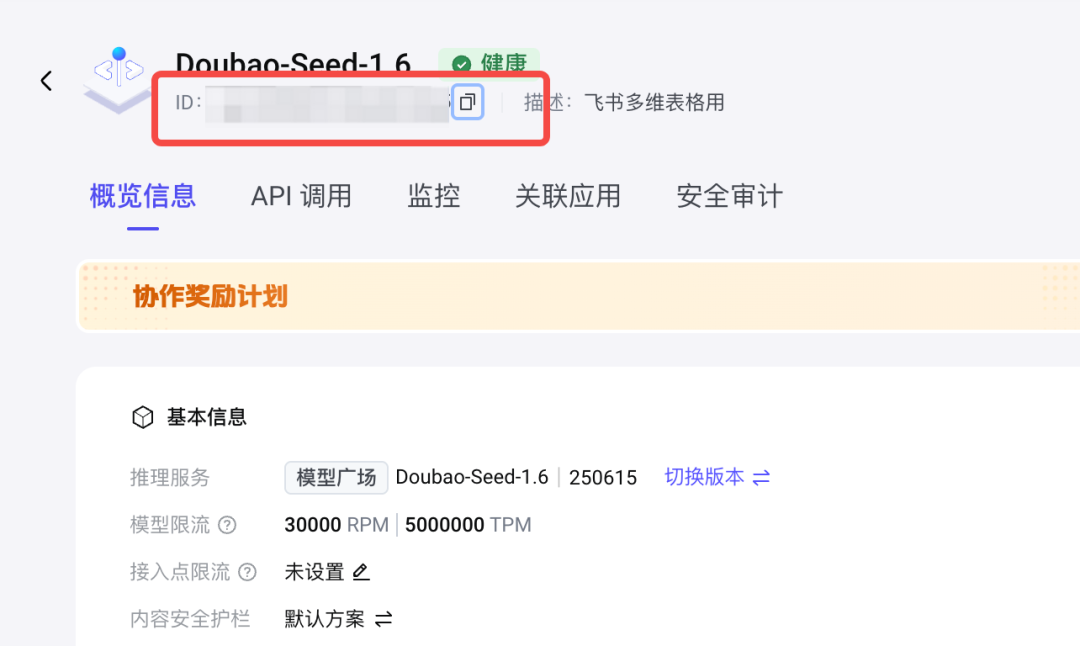
Once created, under the name at the top there isstring of charactersThat'sAccess Point IDWe're copying it.
Related Accounts
Back to the multidimensional tables.Fill in the two information and click "Associate".

It's just a matter of correlation.
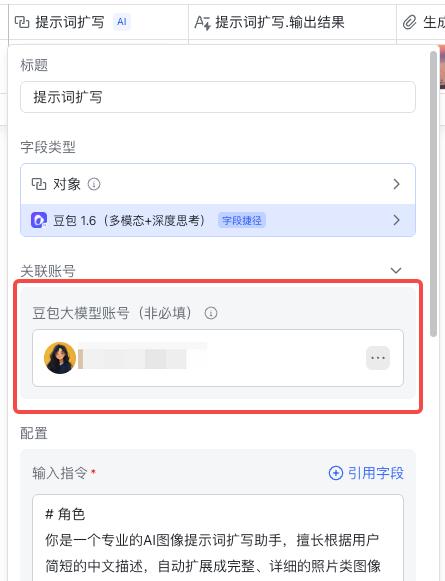
After the association, for the same account type shortcuts, you are able to reuse them yourself, so you don't have to go through this process every time later.

Check the margins
Still in the opening management just now, you can see how much free usage is left for the model.
When the free ones are consumed, it's time to start paying for them.

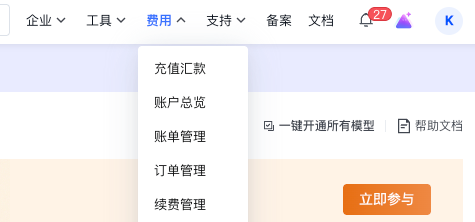
View Fees
At the top there is a"Costs"You can find basically anything that has to do with money here.
Other shortcuts
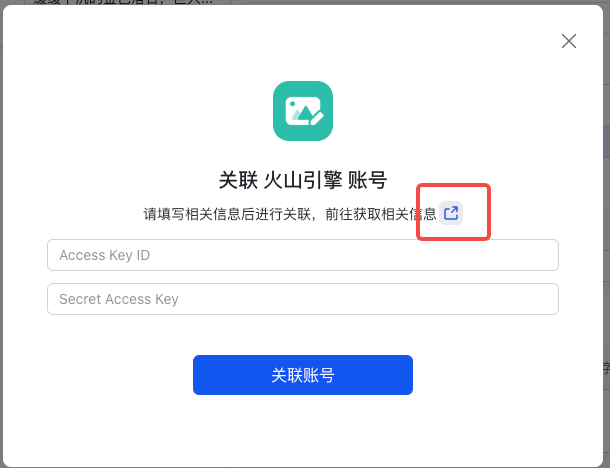
Every shortcut, here at Associated Accounts, has aLittle Blue ButtonThere are official instructions inside.
People use other shortcuts and look up the method directly from here. It's simple and straightforward.

at last
I'm sharing this sample form with you first, so you can create copies to see it in action.
https://x2533knpng.feishu.cn/base/Zqhyba49Ta6TFas5IVfcYHkWnTf?from=from_copylink
You can complete the whole process of cue expansion → generating images → generating videos in a single Flybook multidimensional form, saving you the trouble of switching tools frequently and producing materials in bulk.
Whether you're doing video splits, operational matchmaking, or content material, this method will help you get ideas off the ground faster and with less effort.
I'm sure you'll be able to build your own "assembly line" in no time.