



Treasured old videos hold countless memories, but the blurriness, noise, and low resolution left by the years are regrettable.
Professional video repair software is often expensive and complicated to operate. The good thing is, thanks to the development of AI technology, there are now a number offreeor providePowerful Free FeaturesThe tools that can bring your old videos back to life! Here are 4 great tools to bookmark, there's always one for you:
Topaz Video AI (Win/Mac)
Benchmark professional-grade restoration with a free trial
Keywords: Professional, powerful, top-notch results, rich models
platform: Windows & macOS (Desktop Software)
Free of charge: free trial version available (No watermark, you can experience the core functions, but the processing video length is limited or with a trial logo, depending on the version), the full version needs to be purchased.
advantage:
①Industry-recognized benchmark for video enhancement and restoration with extremely good results.
②Using advanced AI models, it can significantly increase resolution (e.g. 1080p to 4K), remove severe noise and blur, reduce jitter, fix interlacing issues, and even intelligently interpolate frames to improve smoothness.
③Provide a variety of AI models optimized for different scenes (e.g. optimized for old movies, animation, natural scenery, faces, etc.).
④Support highly customized parameter adjustment to meet professional needs.
Good for the crowd:
Professional users/deep enthusiasts who demand the highest level of restoration results, are willing to invest the time to learn, or need to work with precious footage.The free trial is a great opportunity to experience its powerful features!
Get/Official website:
https://www.topazlabs.com/topaz-video-ai (download trial version from official website)
Wink (App/Web version)
Free HD Savior for Cell Phone Party

Keywords: Mobile APP, easy operation, free HD restoration, portrait optimization
Platform: iOS & Android App (core functionality is free) + Web version (Functionality may be slightly less)
Free of charge: the core HD restoration function of the APP is free to use! (Usually there is a limit on the number or length of times you can watch the ads to increase the number of times). Some advanced features (e.g. higher resolution output, no watermarking, etc.) may require a subscription.
advantage:
① Extremely friendly to cell phone users! The app is simple and intuitive to use, and the repair can be completed in a few steps.
② Free HD restoration is a core strength. Focus on improving video clarity and resolution, the effect is remarkable, especially for face optimization is better.
③ Fast processing speed, suitable for daily short videos, old videos shot by cell phone to repair.
④ In addition to fixing, it often comes with some useful gadgets (such as video compression, format conversion, watermark removal, etc.).
Good for the crowd:
Ordinary users, cell phone party, people who need to quickly fix their cell phone videos or short videos, and people who have high requirements for ease of operation.
Get:
App Store / Major Android App Market Search for "Wink - Video Beauty Fix" or similar name to download.
Web version: https://wink.veed.io/ (may not be as full-featured as the App)
AnyEnhancer
Easy to use online, no downloads required
Keywords: Online tools, no installation, minimal operation, basic enhancements
Platform: Web version (accessed via browser)
Free of charge: provision of free usage credits (e.g. free processing of the first few minutes of video or a few pictures). Fees may apply for exceeding the limit or for higher definition output.

advantage:
①Fully online operation! No need to download and install any software, open the web page can be used, no requirements for computer configuration.
② The interface is extremely simple, upload video -> select enhancement options -> processing -> download, three steps.
③Focus on the basicsPicture Quality EnhancementIt can effectively improve clarity, reduce blurring and some noise.
④Picture enhancement is usually supported as well.
Good for the crowd:
Users who only need a quick basic clarity boost, occasional use, don't want to install software, and have limited computer configurations. The free amount is suitable for processing short video clips.
Get/Official website:
https://anyenhancer.com/ (note: access may be unstable at times)
HitPaw Video Repair (Win/Mac)
Totally free and good surprise choice!
Keywords: really freeFriendly, watermark-free interface
platform: Windows & macOS (Desktop Software)
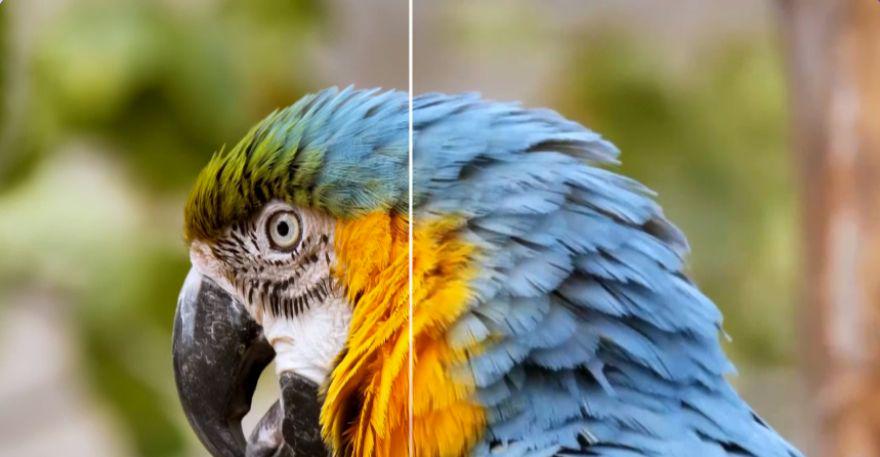
Free of charge: A fully functional free version is available! (Usually the free version may have export video length limitation or resolution limitation, but the core repair function is available and the effect is visible.The key thing is that there is no watermark). Paid upgrade options are also available.
advantage:
① The free version is powerful and useful! is recommended in this articleDesktop software that is truly free to use(within limits).
② The operation interface is intuitive and friendly, easier to get started than Topaz.
③Provide a variety of AI models forFace Repair, General Video Repair, Animation Repair, Black and White Coloringand other scenarios have been optimized with significant results.
④ The processing speed is relatively fast.
* Free version export video usuallyno watermark(Be sure to confirm that you are downloading the official free version).
Good for the crowd:
A wide range of users who want to experience near-professional results but have a limited budget, who are looking for a stable free desktop tool, and who require ease of operation.One of the best free alternatives to Topaz free trial.
Get/Official website:
https://www.hitpaw.com/video-enhancer.html (download from the official website, be careful to choose the free version)
💡Using tips
AI repair is "enhancement", not "creating something out of nothing". Extremely blurry and badly damaged videos may have limited repair results. Set reasonable expectations.
Try to provide the clearest version of the original video you can find, the AI restoration will be better.
② AI repair especially HD and complex processing, very consuming arithmetic power, processing time may be longer (a few minutes to a few hours), wait patiently.
③ Keep an eye on the free policy of each tool (duration, number of times, resolution, watermarks, etc.) and choose the one that best suits your needs. the Topaz trial and HitPaw free version are very good starting points.
④Privacy security: for online tools
(e.g. AnyEnhancer), be cautious about uploading videos that contain sensitive or personal information. Desktop software is relatively safe.
⑤ The same video processed with different tools or different models of the same tool may have very different results, try more to find the best solution.