



Google's Nano Banana has been on fire for a while now.
It pretty much redefines the workflow of image editing, but a lot of students are still unclear: what exactly to writePrompt wordThe advantage of "multiple rounds of refinement + role consistency" can only be used to its true advantage.
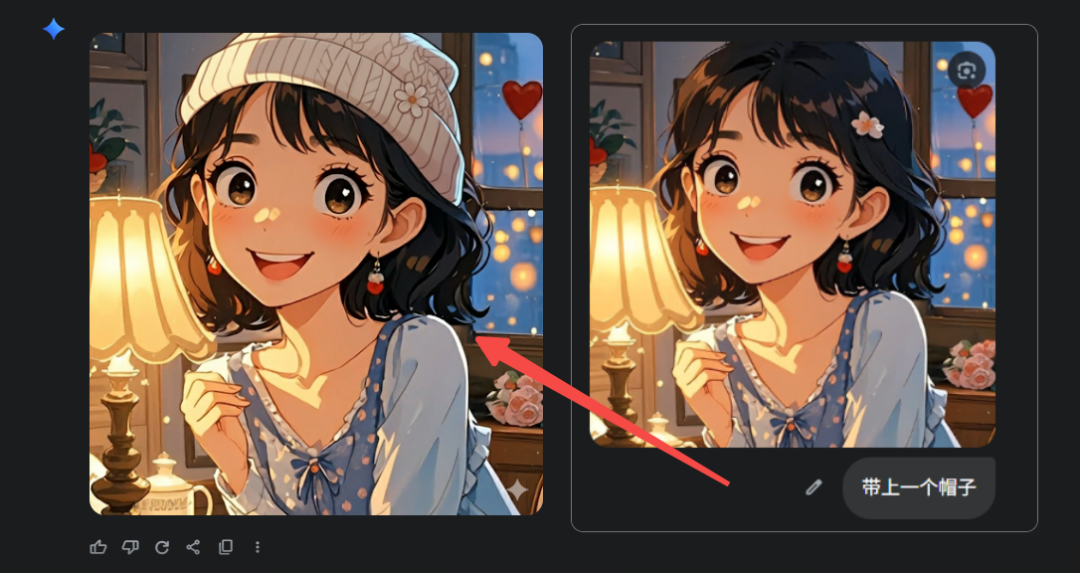
This list below summarizes the common Prompt ideas I've compiled (in English, which also works seamlessly with translation tools).
Core findings (synthesized official and media/community real-world tests):
- Strengths: multiple iterations, subject/character consistency, two-image fusion, controlled rendering of text.
- Boundaries: Pixel-level cropping/scaling is sometimes not "smooth" enough, and it is recommended to make the composition/white space clear at the generation stage.
- The key to realistic compositing: light source direction, color temperature, and focal length consistency are more important than anything else.

I. Subplotting is consistent with the character
Ideal for "upload character/virtualization → directly pull out multi-scene split".
1. Transform the uploaded portrait into a collectible character figurine. Place a branded box behind (with the character image), a side monitor showing a Blender modeling viewport, and a round plastic base. Place a branded box behind (with the character image, a side monitor showing a Blender modeling viewport, and a round plastic base. PVC finish, indoor studio, realistic lighting, cinematic tone, preserve facial identity.
2. Keep the same character. Scene 1: subway platform, cool-blue ambience, back rim light; chest-level camera, medium shot.
3. Same identity, coffee shop close-up, shallow depth of field (bokeh), warm golden-hour light; hands holding a paper cup with subtle steam; maintain hairstyle.
4. Same character, office at night, glass reflections, city-lights bokeh, classic three-point lighting, medium-wide.
5. Same character, warehouse with volumetric light rays through windows; dust motes, slightly desaturated cinematic look.
6. Storyboard (6 frames): hero intro → establishing shot → hands close-up → over-the-shoulder UI → product hero → end card. Preserve identity and wardrobe Preserve identity and wardrobe across frames.
7. Change pose to a forward-walking action; slight motion blur on legs; facial details intact.
8. Rainy street, wet asphalt reflections, neon signage; keep eye color and freckles.
9. Neutral studio packshot background; soft top light, fill card from camera left; neutral expression.
10. Shot list for unboxing (8 frames): box on table → hands open → figure removed → detail macros → turntable spin → final hero; maintain product scale and branding.
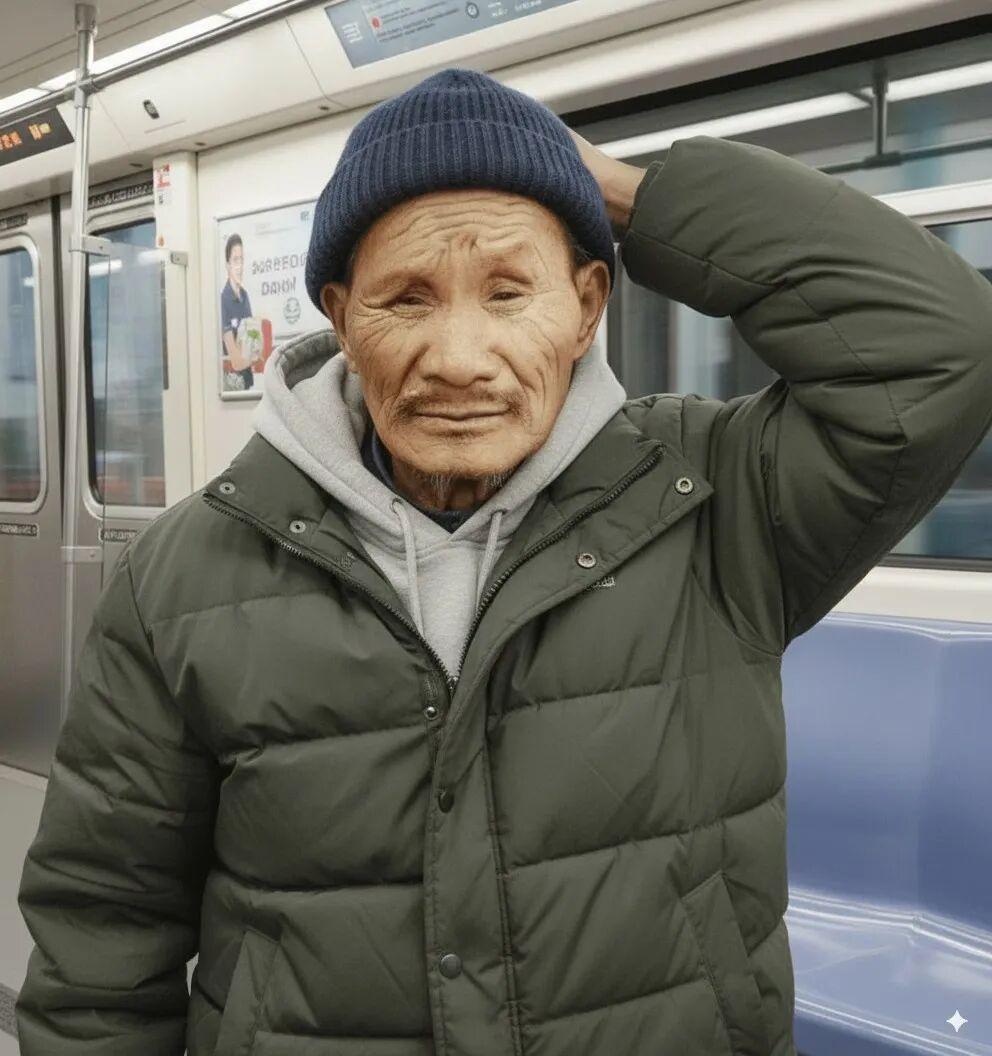

II. E-commerce synthesis/commodity upscaling
1. Merge image1 (product) with image2 (modern kitchen). Place on marble countertop, realistic reflections + shadows; ~5000K color temp, gentle vignette.
2. Cosmetics bottle on acrylic pedestal, seamless paper backdrop; right-side softbox; subtle gradient background; controlled speculars.
3. Sneakers on concrete block, low-angle hero shot, studio rim light, faint atmospheric haze.
4. Smartphone floating exploded view: separate screen, mid-frame, camera module; dark studio, managed glossy reflections.
5. Watch macro, 90° top-down, soft diffused light; brushed metal visible; dial text anti-aliased.
6. A/B variants: keep layout identical; swap only background material (wood / stainless / terrazzo); product color constant.
7. Lifestyle placement: living-room sofa; daylight from window (camera left); product on side-table; white balance matched.
8. Promo trio within one session: front / 45° / top; consistent brand palette and shadows.
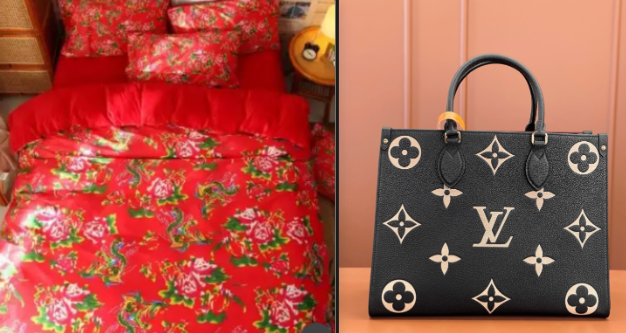
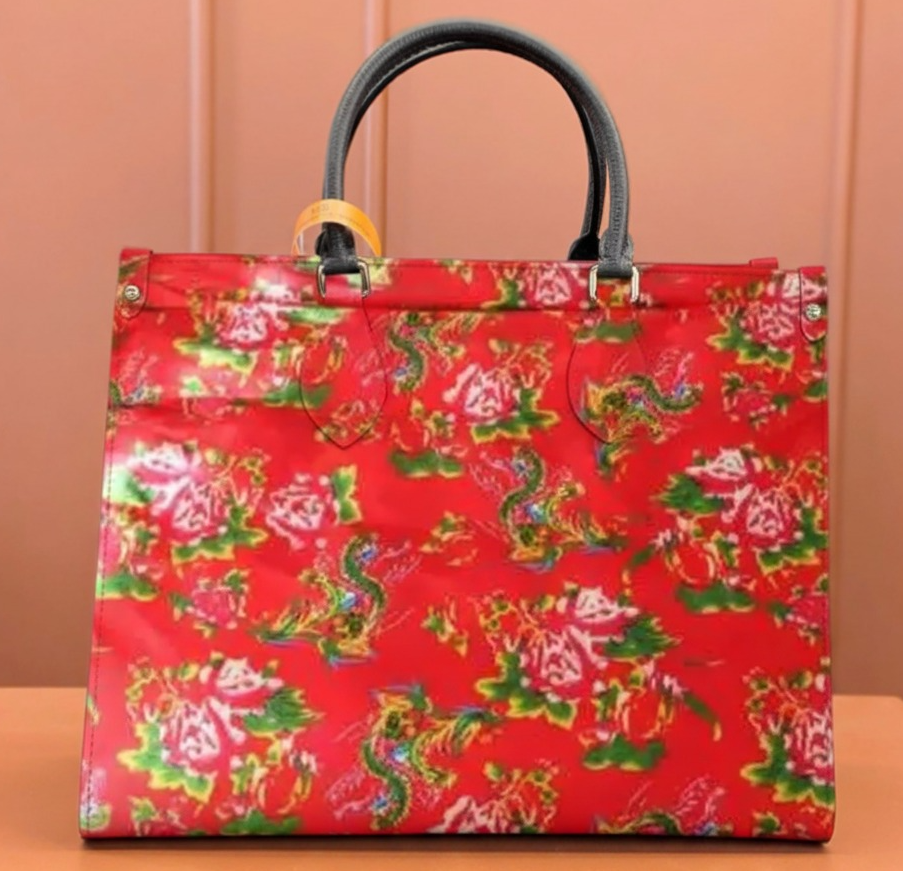
III. Portrait makeup/clothing replacement to maintain identity
1. Preserve face identity; change hairstyle to retro bob; thin eyeliner; soft retouch while keeping skin pores; realistic flyaway strands.
2. Outfit swap to streetwear (oversized hoodie + cargo pants); neutral studio background; soft Rembrandt pattern.
3. Add sunglasses with subtle reflections; eyes faintly visible through tint.
4. Formal portrait, key at 45°, fill -1EV; seamless #EAEAEAEA background; color-accurate skin tone.
5. Outdoor candid, overcast sky as a giant softbox; slight film grain; keep freckles/moles.
6. ID headshot: straight-on, neutral expression; flat even light; neutral background; exact facial geometry maintained.
(This case is from Goonies because I'm a guy and can't cosplay Lolita Berserk 😂)
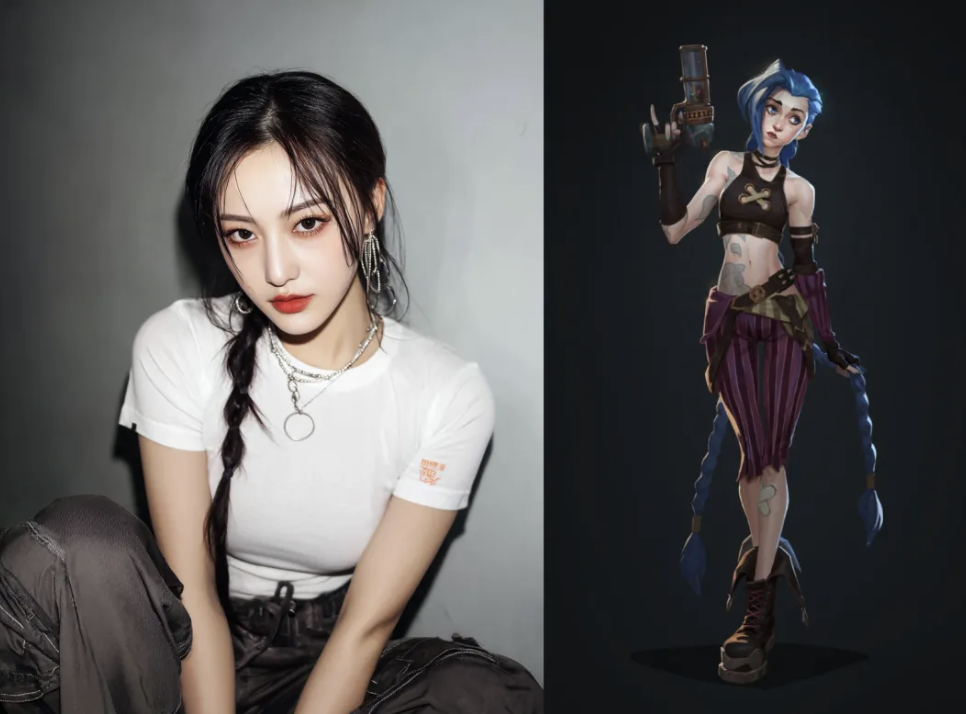

IV. Talk like a photographer
1. Film noir: hard key from high angle, deep shadows, a practical lamp in the back, light smoke for volume.
2. Golden-hour backlight: rim light on hair, subtle flare streaks, warm highlights ~5600K.
3. Top-down softbox + negative fill on both sides shaping the face; subtle catchlights.
4. High-key beauty: near-white backdrop, low contrast, controlled speculars.
5. Rain reflections: wet-down street, neon glow, long-exposure light trails.
6. Product hero: flagged highlights, gradient card for polished metal, tight base reflection.
V. Materials and Textures
1. PVC plastic: slightly translucent edges, smooth specular roll-off, no micro-scratches.
2. Anodized aluminum: fine linear brushing, soft anisotropic highlights.
3. Matte ceramic: soft diffuse, micro-pitting visible only in macro.
4. Brushed stainless with subtle fingerprints near buttons, realistic.
5. Frosted glass bottle: internal light scatter; bright meniscus line on the liquid.
VI. Text/posters
Officials emphasize that text-containing images have been specially optimized for posters, logos, covers, and more.
1. Poster: bold headline "AI VIDEO STUDIO", small-caps subheadline; clean sans serif; centered layout; hero product at bottom-right; strong grid with optical margin alignment.
2. Minimal event flyer: big date "09-10", venue in a small line below; keep text sharp and aligned.
3. App mock poster: phone frame with screen UI; headline 5-6 words; badge "NEW".
4. Brand logo lockup on dark background; subtle glow; high legibility; no distortion.
5. YouTube thumbnail: big face close-up + 3-5 word punchy title; high contrast; rule of thirds.
VII. Compositing and Changing Scenes
Fusion of two images + multiple rounds of refinement is the highlight; realism comes from consistent light source/focal length/color temperature.
1. Replace background with a snowy mountain; match key from camera right; faint footprints in snow.
2. Museum gallery: polished floor reflections; soft track lighting from ceiling.
3. Night-city rooftop: wind-blown hair; cool key light; warm practicals behind.
4. Product + bathroom marble vanity: soft window light; consistent mirror reflections.
5. Library: warm tungsten practicals; lens fall-off consistent with a 50mm look.
6. Declutter a desk: keep laptop and mug; fill missing areas with plausible textures.
VIII. Camera language/composition
1. 35mm equivalent, eye-level, medium shot, rule of thirds.
2. 85mm portrait, shallow DOF, strong background separation.
3. Top-down flat-lay, grid-aligned objects, tidy spacing.
4. Low-angle hero, leading lines converging to subject.
5. Tilt-shift miniature, thin focus plane across subject.
IX. Special effects and atmosphere
1. Light fog + god rays from a window; particles only visible against backlight.
2. Fine film grain, minimal chromatic aberration, letterboxed.
3. Rain streaks + surface ripples on puddles; reflections preserved.
4. Fireflies / bokeh spheres floating; depth-based size variation.
5. Confetti burst, shallow DOF; motion blur only on confetti.
X. Multi-Round Dialog Scripts, Official Recommendations
Script A|Figure Setting (3 steps)
- Round 1: Upload the portrait; place the same person on a sunlit café terrace; warm golden-hour, shallow DOF, cinematic.
- Round 2: Keep identity; add a laptop with a code editor on screen + a steaming cup; cool the white balance slightly.
- Round 3: Tighten to a medium shot; brighten catchlights; add gentle film grain.
Script B|Three views of products (3 steps)
- Round 1: Front hero on a neutral backdrop; soft top light; clean shadows.
- Round 2: Add a 45° view; match exposure and shadow direction.
- Round 3: Add a top view; assemble a three-panel layout with consistent margins.
Script C|Characterization (3 steps)
- Round 1: Turn the subject into a PVC figure on a round base; indoor studio; filmic tone.
- Round 2: Add a branded box behind + a monitor showing a Blender viewport.
- Round 3: Refine hair/finger edges; ensure smooth specular highlights.
XI.n8n Integrated field templates (directly reusable)
{ "prompt": "Turn the uploaded portrait into a collectible character figurine on a round plastic base; branded "style_notes": "cinematic, shallow DOF, subtle film grain", "consistency_notes": "fix face notes": "fix face geometry, eye color, hairstyle", "scene_alt": [" sunlit café terrace", "office at night", "rainy neon street"], " product_merge": { "bg": "modern kitchen marble countertop", " shadows": "match key from camera right", "reflections": " controlled, realistic" } }
Practical points (refined review)
- Scene first, then details: describe the image in complete sentences, then add light/depth of field/materials; fewer words, more "relationships".
- Iterate in small steps: change only 1 or 2 variables per round (e.g. "only light direction/only depth of field").
- Consistency trio: clear reference charts, fixed face/hair/complexion descriptions, and avoiding major changes at once.
- Avoid the cropping pain point: the composition, white space, and layout are made clear at the time of generation, reducing the need for hard cropping at a later stage.