



By chance, invideoA HEALING LITTLE VIDEO, SWEET MUSIC, GENTLE WORDS, HIT ME IN THE HEART AT ONCE, MAKING ME FEEL LIKE A SPRING WIND。
And again, good boy, this video has been praised 1146,000 times, and the traffic in this shed has given me the spirit。
THE ANALYSIS VIDEO FOUND THAT IT WAS TOO SIMPLE TO USE AI, AND WHITE COULD DO IT IN 10 MINUTES。
Here we goVideo DisassemblyPlease follow my footsteps and see how it works。
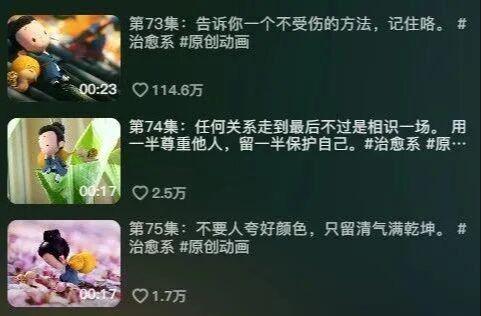
(i) Analysis of explosive cases
In the fast-paced life of the present generation, everyone is under different pressures, from work, from life, from family..
In the face of these pressures, everyone wants to have a source of the world, but with reality they have to move on。
In such an environment, the cure of short video becomes a net soil。
The short video uses light and beautiful bystanders, with a warm and curable background music, combined with a morbid image of the little monk, and with a soft environment of nature, which provides a short break for viewers
At the same time, wise words are inspiring, perhaps in the alternative, so that we can see the different beauty of life and the insinuation of it。
THE USER OF THIS VIDEO, 233, WITH 642,000 FANS, WAS PRAISED FOR 5118 MILLION, AND THE OUTPUT WAS SIGNIFICANT

We'll analyze the blogger's video, mainly on the theme of healing and consciousness.
This type of content is more easily found on the web and can be produced over the long term
Second, the main track is vertical, high-eat, and the fans are sticky
Finally, the unified use of the image of small monks as the main subject of the video facilitates the subsequent expansion of the perimeter and the realization of cash。
So, we're going to decompose the production of the healing video。
1. Use of bean buns to generate case
2. Use bean bags to generate pictures and videos
3. Use of mammograms
(ii) Use of pulse packs to generate case
Step 1: Access with bean bagsHot VideosCopywriter
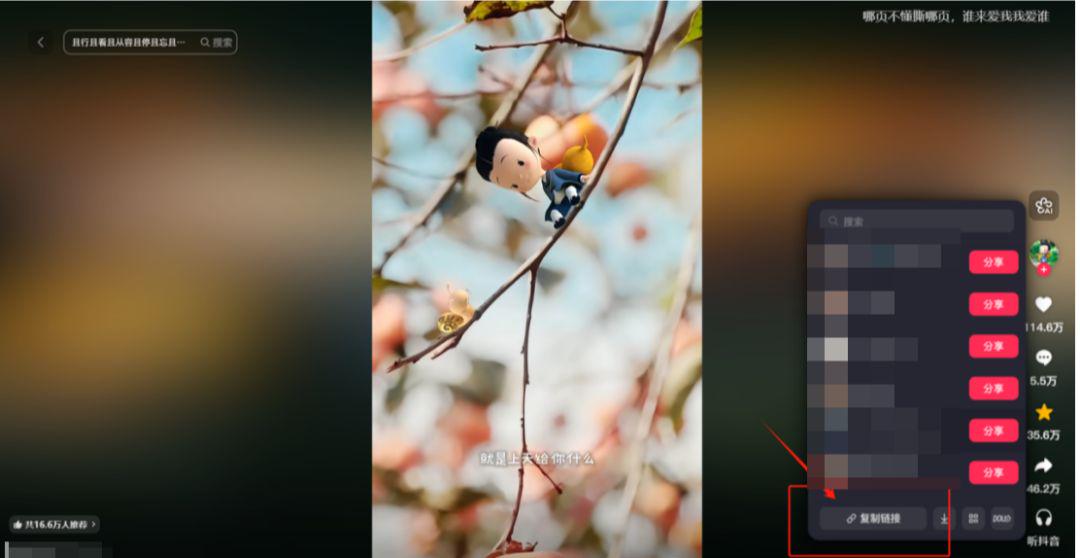
We're looking for a little healing video of the mark, copying the link to the bean bag and adding at the end the words “Please help me extract the video file” for extraction。
The bean bag is extracted as follows:
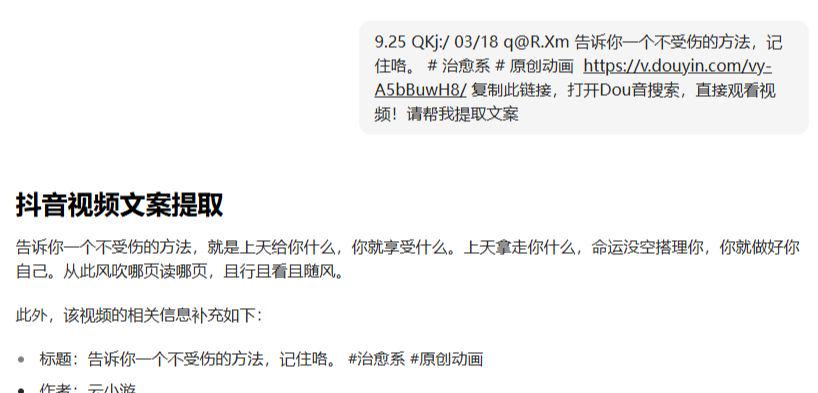
Step 2: Recreate the bean bag with a reference text
Bean bag:
You're a writer of the little video
Request: Simplicity, within 100 words
Example:
…
Based on the text, we can get a new text
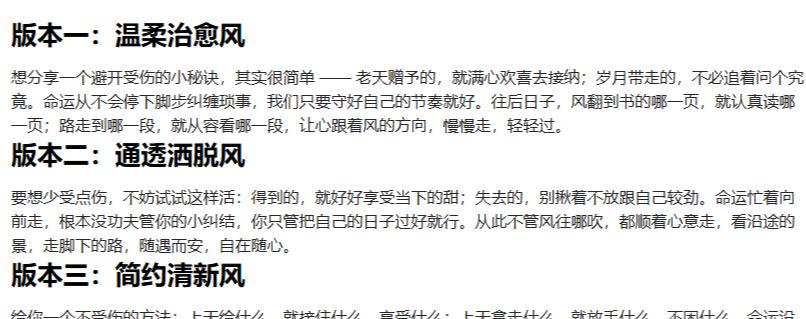
The smart bean bag also provides a number of packages that can be adapted to preferences。
At this point, we'll be finished
(iii) Access to pictures and videos
When we have the paperwork, we can start making pictures
There are two types of production:
1. Scripts are generated using bean bags, and pictures and videos are generated from scripts
2. Screenshot in original video, then regenerated in legumes based on the screenshot
As the second mode of operation is easier to do than the first, and for a short period of time, the second is the case. If the young people want to learn the first, they can leave a message under this, and we'll follow up with a detailed lesson based on your feedback
We started making pictures
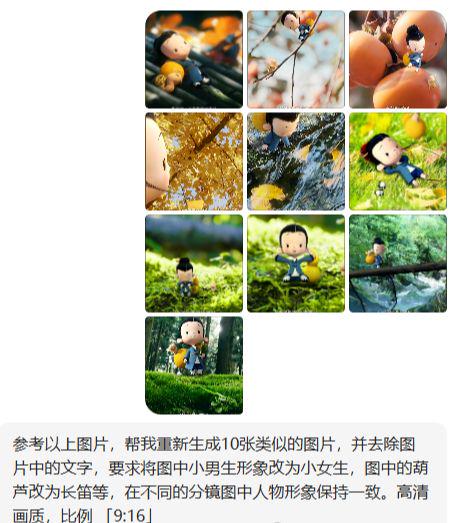
Step 1: Generate new pictures in bean bags using the original video screenshot
A screenshot of each scene is made according to the structure of the original video. Then you upload the screenshot to the bean bag and enter a hint to generate a new picture。
Tips:
With reference to the above-mentioned pictures, help me recreate 10 similar images, remove the text from the picture and request that the image of the boy in the picture be changed to that of the girl child, and that the tungsten be changed to the flute in the picture, which is consistent with the image of the person in the different simulations. High-level graphics, ratio "9:16."
And then we get the new ones, and if we're not satisfied, we can adjust the separate ones。
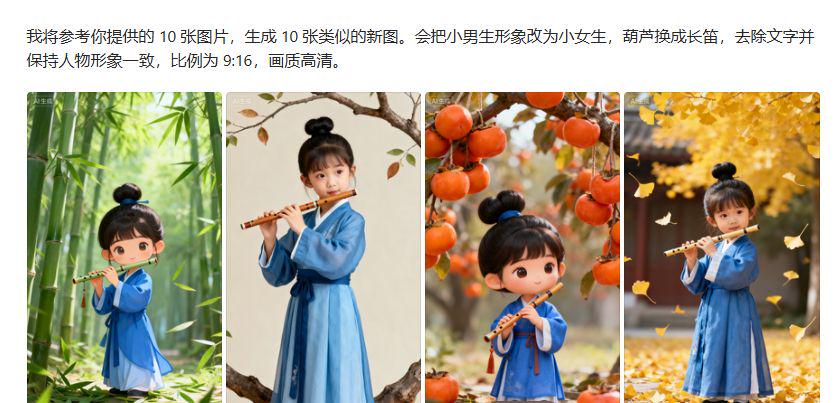
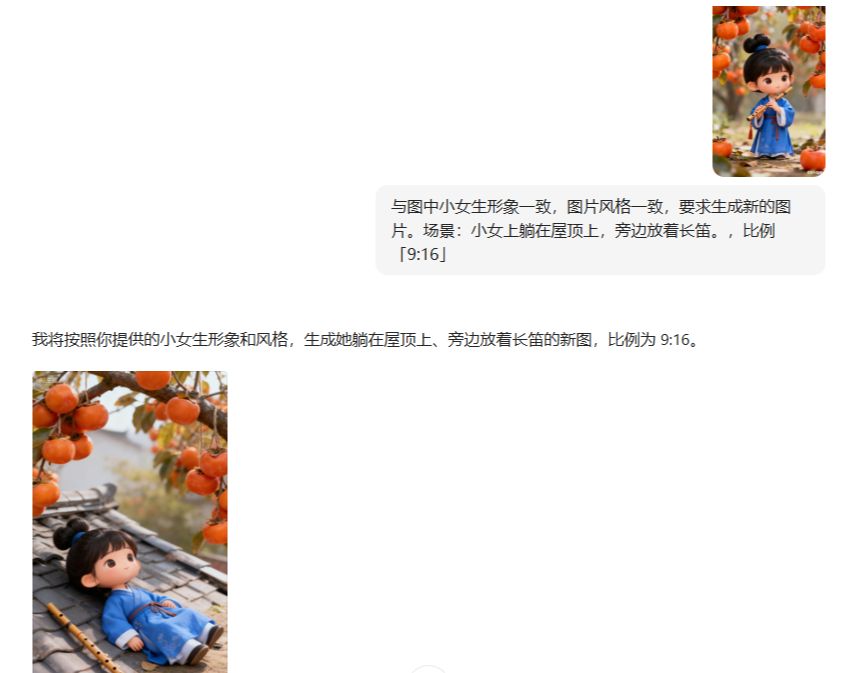
As you can see, in the pictures above, there's a pattern that doesn't match the style, and then we can generate a single picture。
Step 2: Video production using bean bags
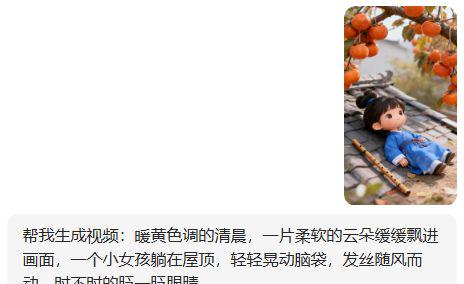
Use video generation in bean bags, upload reference maps and enter hints to generate videos。
Here is one example of this video。
Tips:
Help me generate video: warm, yellow mornings, a soft cloud slowly drifting into the picture, a little girl lying on the roof, shaking her head gently, moving with the wind and blinking from time to time
We use the above to generate the rest in turn。
(iv) Short video clips
When there's a case and a video, we can do it in a clip。
Step 1: Add video material
We import the generated video material into the clip, and then click on the "+" on the lower right corner of the material and add it to the video layer。
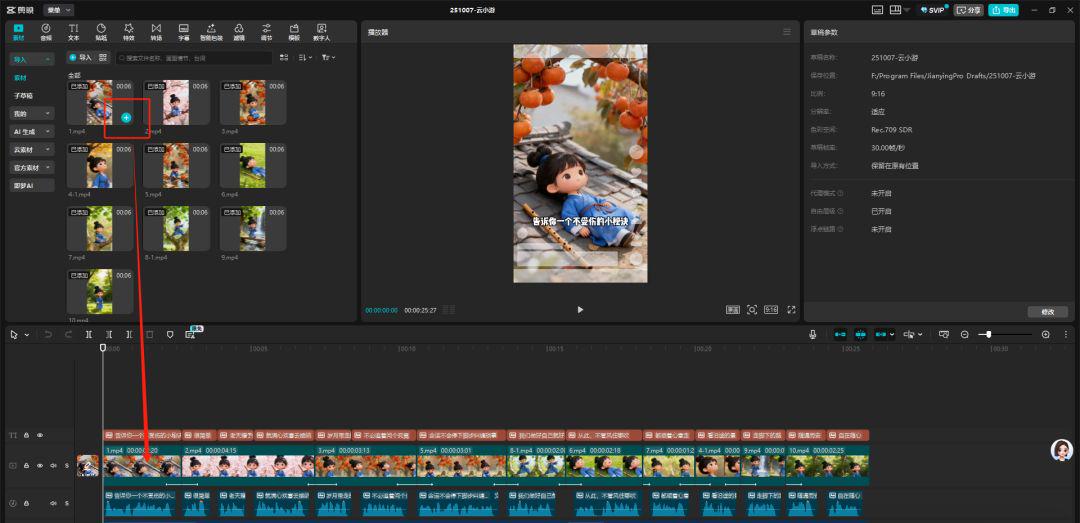
There is a small technique that allows for the transition of animated entries, appearances, combinations, etc., if multiple video middle links are more dramatic。
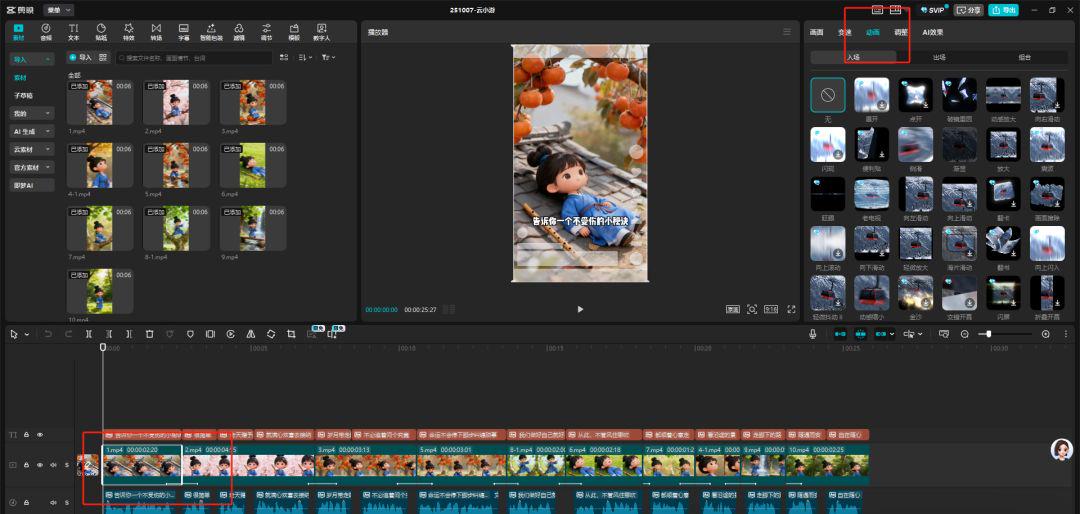
Step 2: Add text and effects
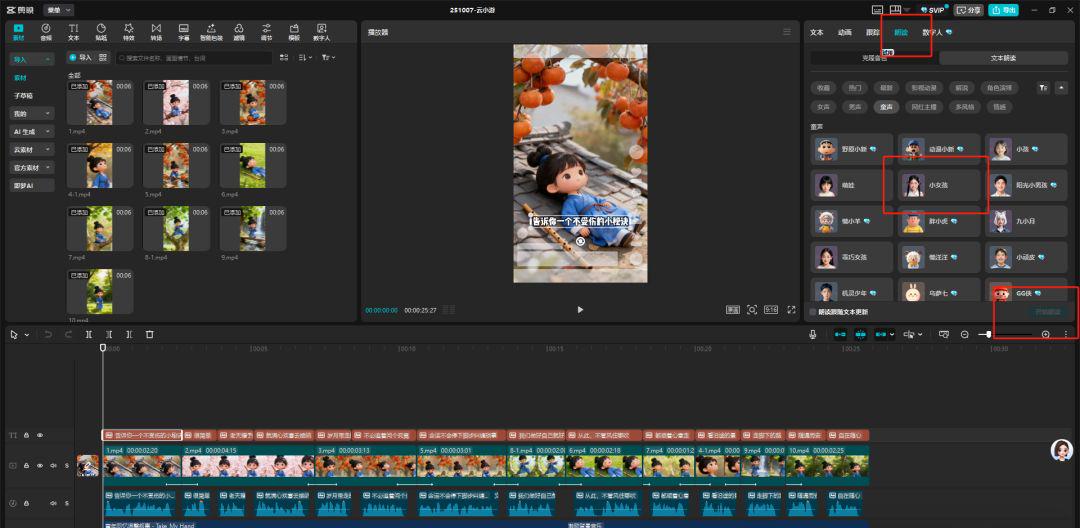
Adds the text and selects the tone for the text。
Considering that the video cures the little video, the little girl's voice is pure, so here I choose the sound of the little girl。
You can also choose among your own friends。
Step 3: Add Sound
Finally, the background sound is added。
The video was analyzed to show that the background music was divided into two parts
Part 1 focuses on current dilemmas and the adaptation of mindsets, and the music used is softer and more relaxed; part 2 is an uplifting, reflecting a obstinate mind, and the music used is stronger。
So, I'm also adding two musics here. The first half is relief, the second half is inspiration. Let's just make the choice。
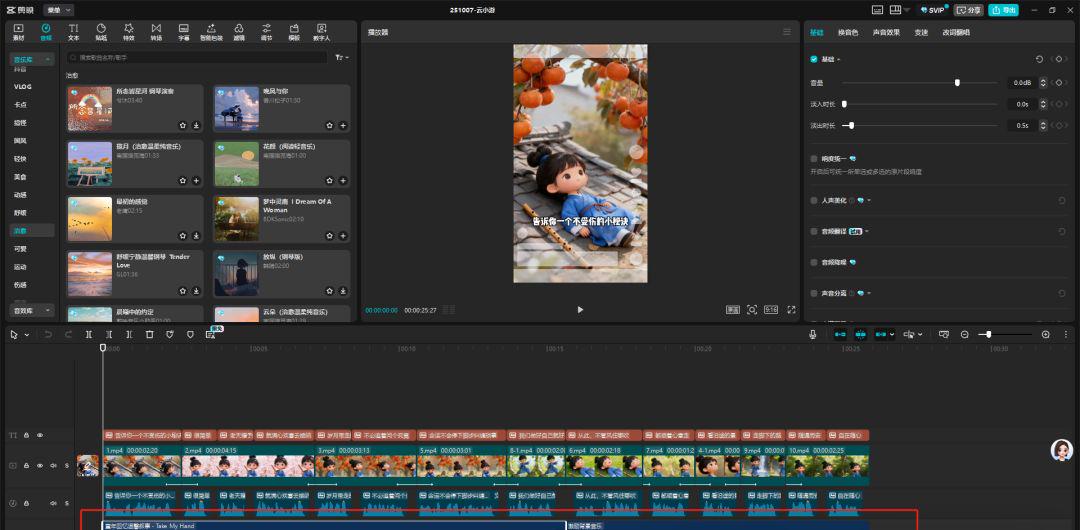
So the video is finished
Isn't the production simple? White can do it easily. Try it hereAI TutorialsI'll leave the details to you