



Two days at the Hollywood studioAI VideoIt's really hot. Big guys like Fusheng are playing。
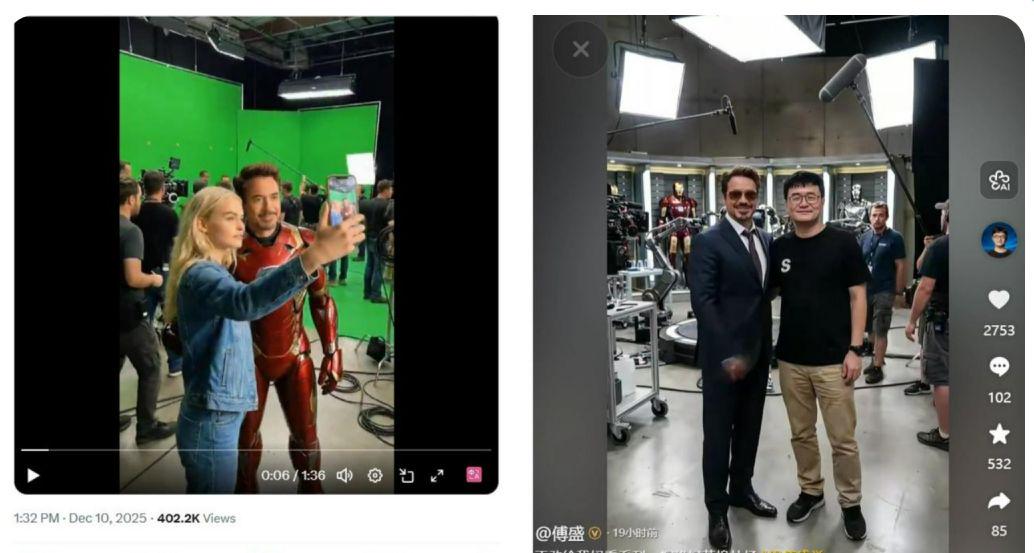
The original author, Brian Roemmele, was released on 10 December and currently has more than 400,000 airs, 5,000 + and 1100 +, which are highly interactive and quickly disseminated on the platform。
A blonde with her mobile phone went through several of the classic Hollywood movies, like Star Wars, Titanic, Ring King, Hacking Empire, Avatar, etc。
She's walking in the background of the iconic scenes and actors of these films, with the lens flowing, the end of the lens, the transition nature, which looks like she's "influencing" herself in different arenas。
AS AN AI VIDEOMAKER, SEE THISHot VideosMy first reaction is..Dismantling and recapitulating.
After a half-day study on the weekend, the nanny course was shared today。
Production Process
This video is very fixed "The running field, the meeting role, the self-portrait." is the three-part cycle structure。
Making it difficult: how can one person, with different scenes and different light, maintain the same facial features, dress details, and style of action
Production Process:
- 1. Generate a set of scenes using bean bag smarts
- 2. Generate pictures using Nano banana Pro
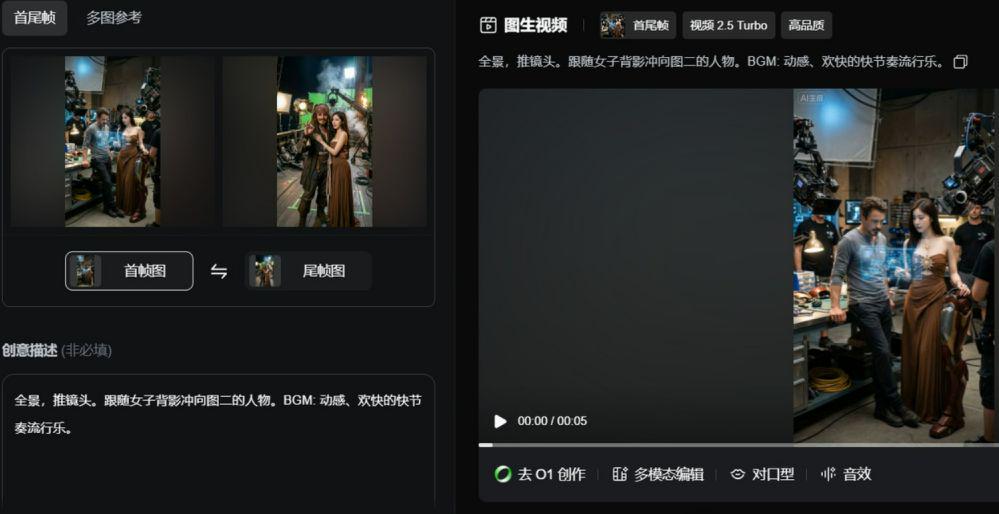
- 3. Use of front-end frames to generate removable videos
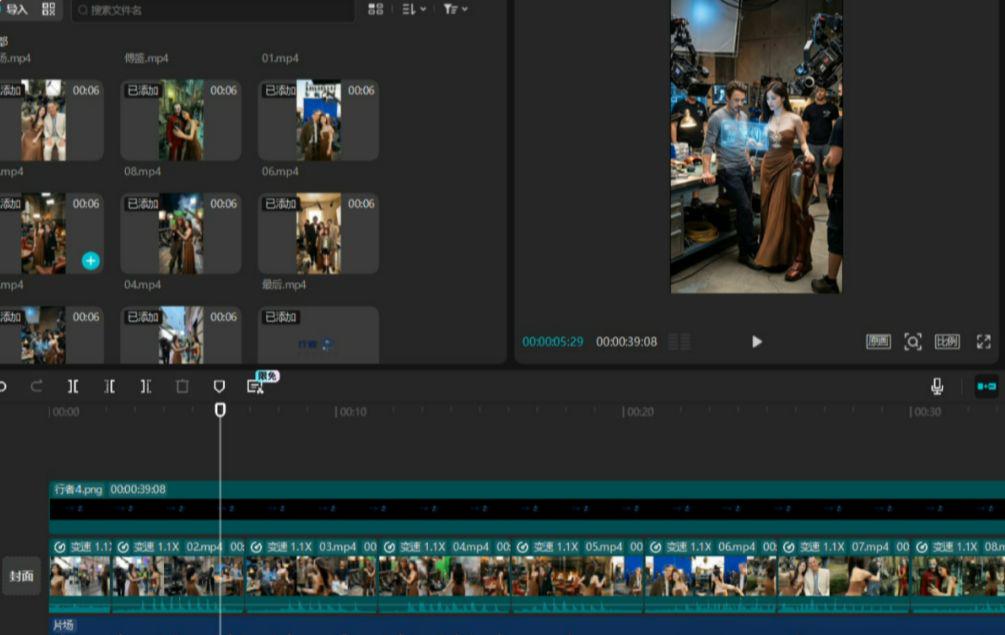
- 4. Follow-up in the cut
I. Generating the set Prompt
This step is at the heart of the whole process -It's a scenery.
ii. Generating pictures of the Hollywood expedition
And the next step, with the hints, is to generate a picture of the scene。
Use any of the AI tools that can support Nano Pro: Lovart, conch AI, etc。
Operating process:
- Upload a character reference map
- Paste initial bean bag-generated hints
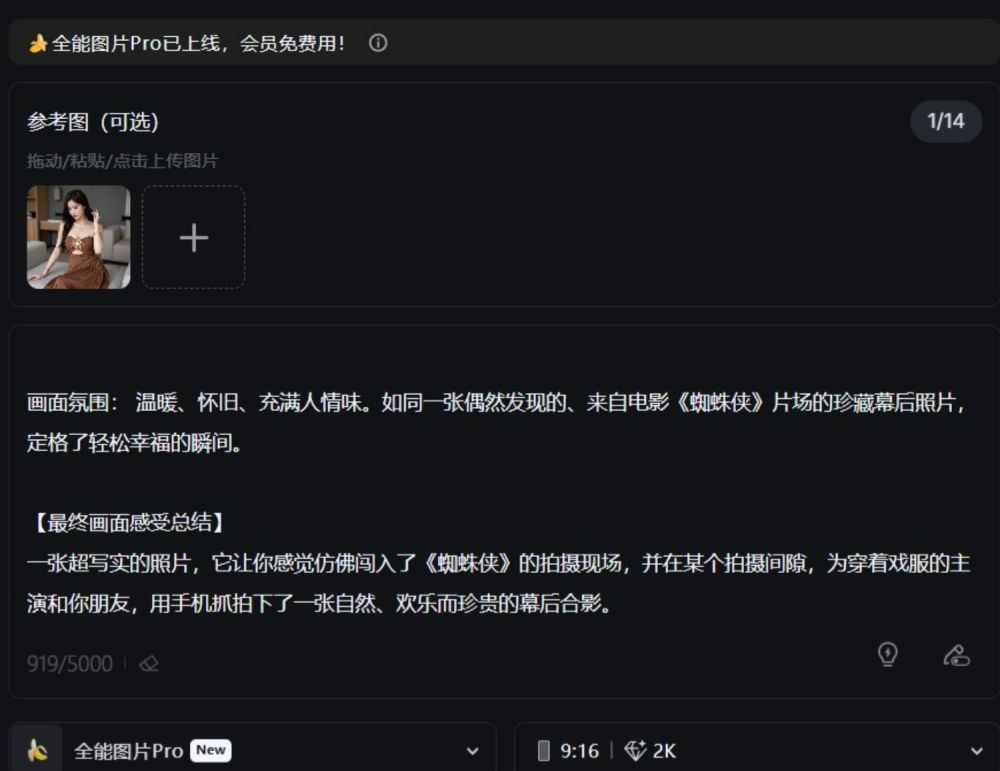
3. Selection of the Nano Banana Pro model
4. Click generation
This hint is quite stable. Basically, at one point, you can produce a picture that meets the requirements — a uniform image of the person, a realistic picture of the scene and a natural light。
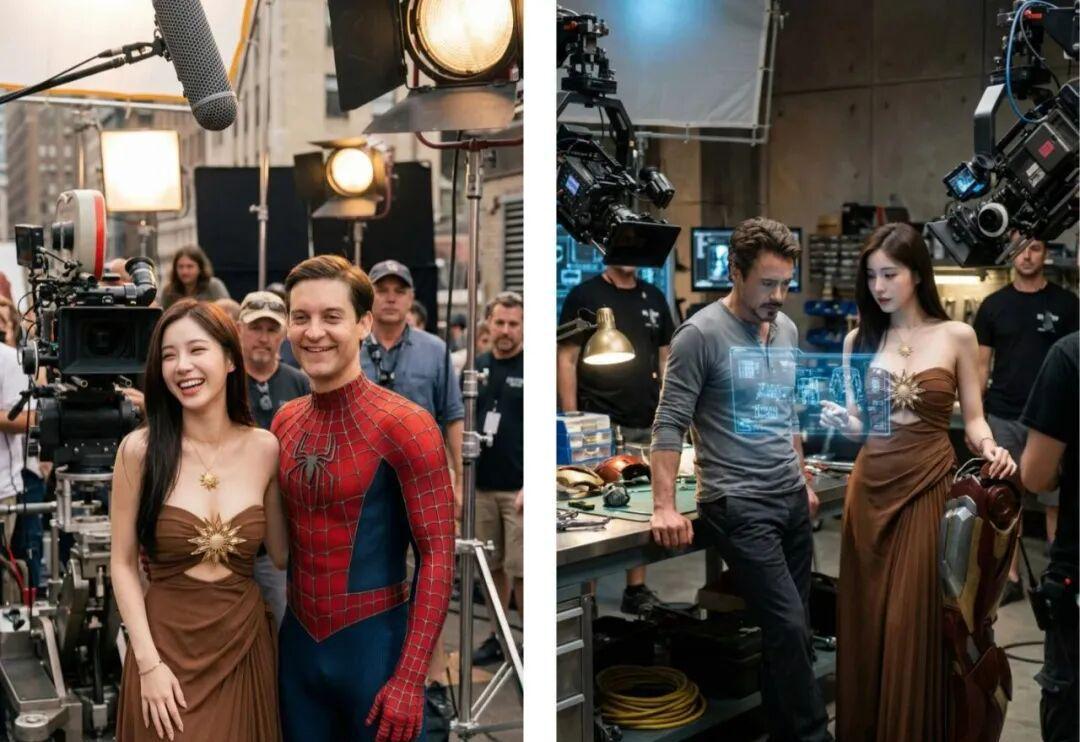
III. PRODUCTION OF TRANSPORT VIDEO
When the picture is fully generated, the first frame is used to generate the video。
Vidu Q2, Veo3.1, or Dream Video 3.0. The original author was created with Veo3, but now Flow limits the IP (e.g. Agan) generation。
My video was made with a resource of 2.5。
Here's the main point: let's just sort out a little bit of the sequence, like me
Story 1: Wonder Woman - Iron Man
Story 2: Iron Man - Caribbean Pirates
3: Caribbean Pirates - Titanic
The set is 4:..
The last line is:
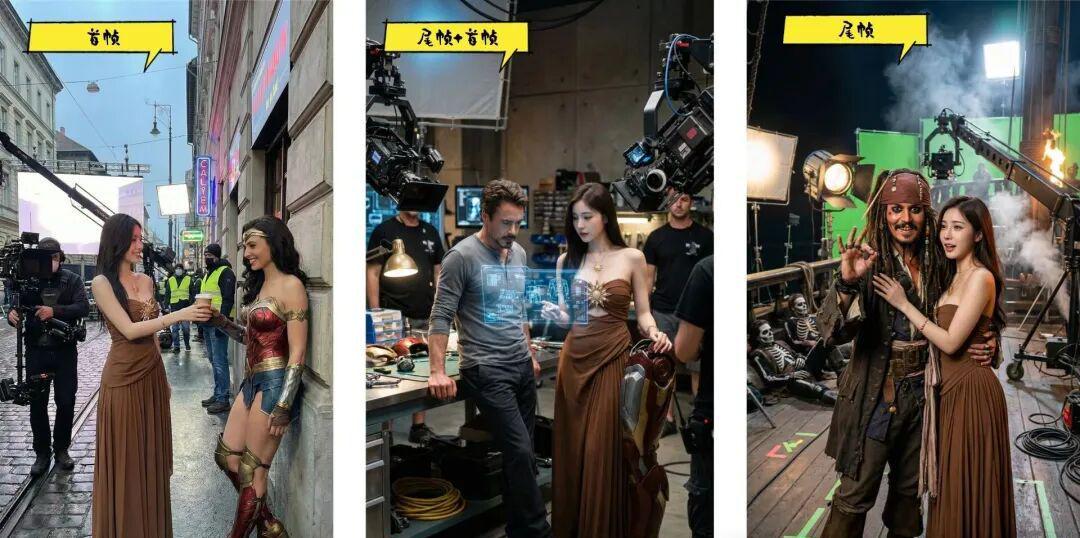
The logic is simple: the front frame follows the end frame of the next part, the next part makes the starting frame of the second lens, and so on
- THUMBNAIL VIDEO TIP: PANORAMA, PUSH LENS. FOLLOWING THE WOMAN'S BACK TOWARDS THE FIGURE TWO. BGM: MOVING, JOLLY FAST POP。
IV. Clipping synthesis
Once all the video clips were produced, they entered the final clip。
Operation:
- Import all video clips into the clip
- Ordered in the sequence
- Adjusting the transition (with a little diversion effect, but not too much)
- A MOVING BGM
- derive
BGM'S RHYTHM HAS TO MATCH THE PACE OF THE SCENE, SO THAT THERE'S A "ONE SHOT AT THE END."。