



Open Kimi official web site: https://www.kimi.com/
Click Kimi Claw, short kimi version of lobster。
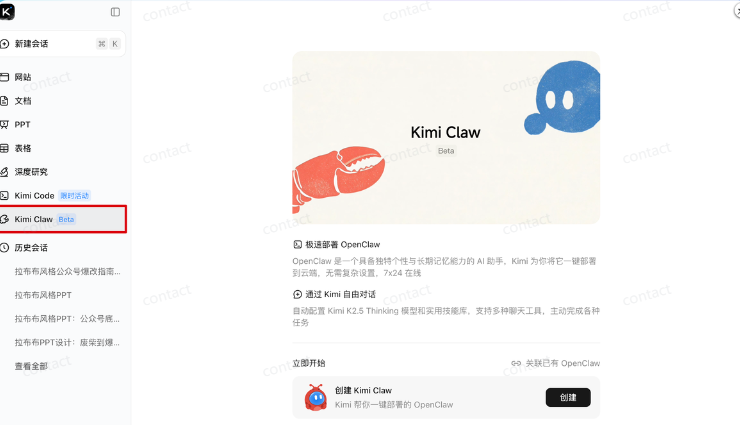
When you click on your big thumb to create, you wait for a minute to deploy。
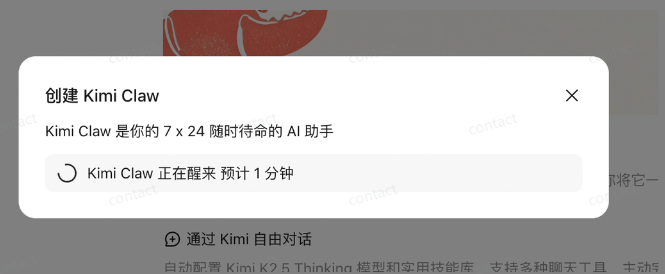
Then you can call the lobster directly in the browser。
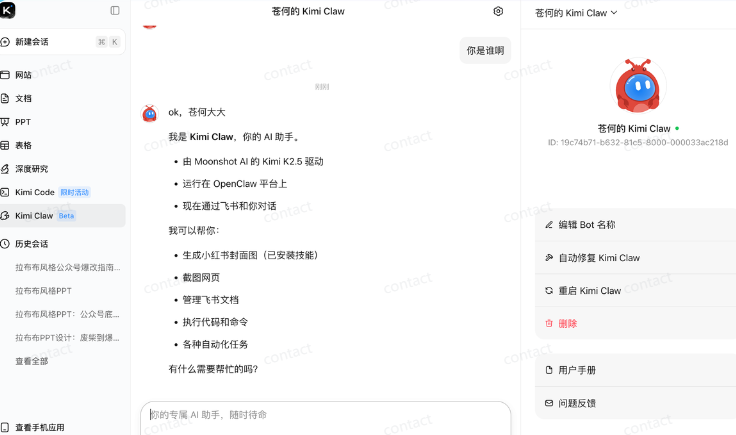
On the right hand, it is possible to rename and restart its own lobster, which is equivalent to creating a sandbox environment for everyone at the cloud end and then installing an OpenClaw in this independent environment。
But this one-key deployment only supports Allegretto and the above, about 200, so I bought it before, so I can create it。
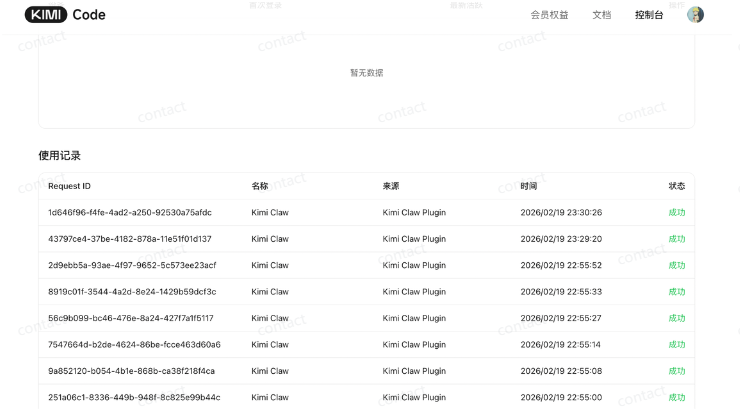
The automatically configured Kimi K2.5 Thinking model here automatically links Kimi Code membership interest amounts。
The use of records can also be seen here:
If you already have your own OpenClaw, you can also talk to OpenClaw in Kimi by installing Kimi plugins。
To tell you the truth, the way this plugin is configured is just one more channel, and I'm not connected to my lobster here, but a new one。
after all, it's easier to build a clean and clean environment, to pretend to be skill, not to worry about conflict with their local lobster configuration。
And I put it together on the fly book, and I'm calling KimiClaw directly on the fly book, and the whole configuration took less than three minutes。
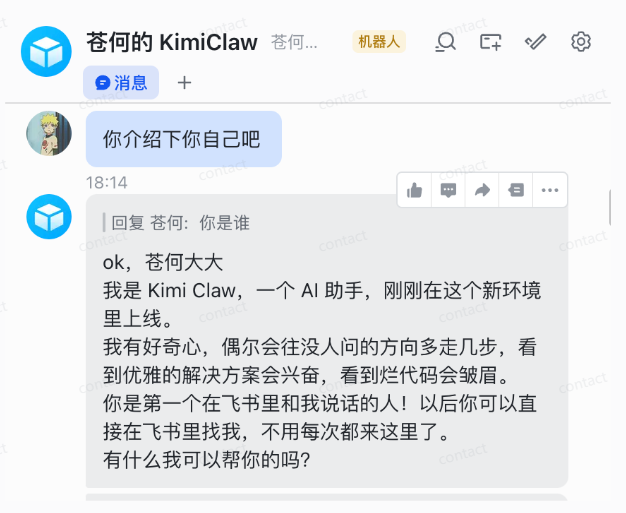
Then pull the lobster into the group and blow the water。
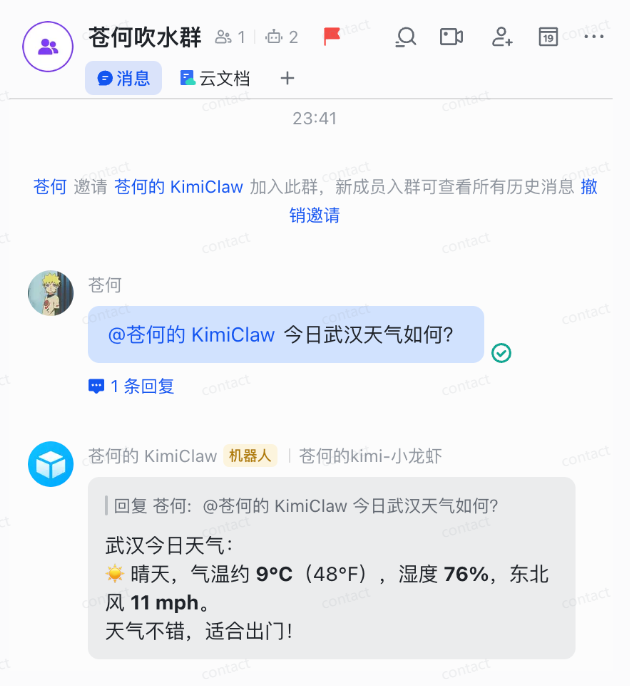
The whole process slipped to a bit of doubt about life and was so friendly to White。
How fast to get a book, teach me how to put it behind the article, and the interest can move。
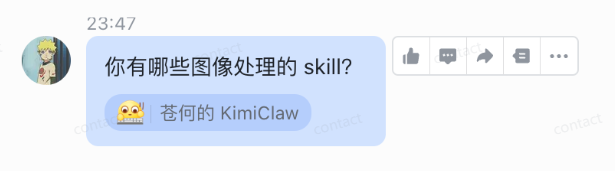
When it talks in a flying book, it gives you an expression of response, which the representative has received, which is useful, or it leads to a repetition every time the process of waiting for a response is suspended。
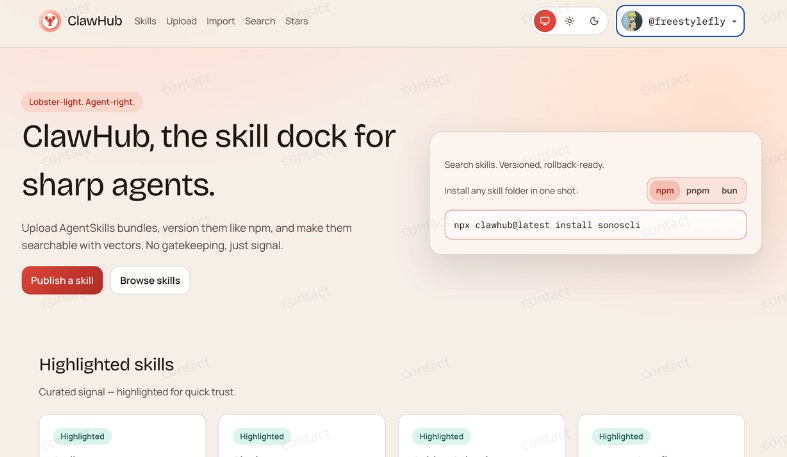
ClawHub is a skill warehouse for the lobster, and there's a lot of good skill here。
address: https://clawhub.ai/
In KimiClaw, it's easy to get skills from ClawHub, and you just have to tell him what you need, and you can quickly install it。
For example, my little red book cover skills are quickly installed after instructions are given, and then they can be used directly to generate fine little red book cover pictures。
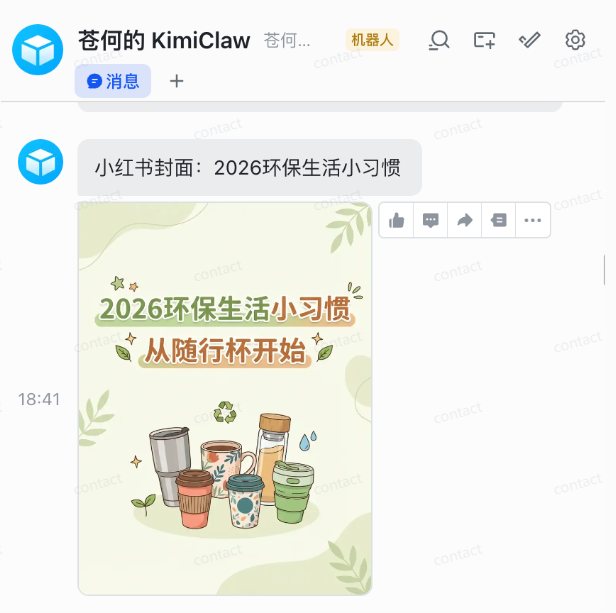
In addition to this way, some skills that do not reach ClawHub can also be simply thrown at him the GitHub project address and installed with one key。
What's interesting is that KimiClaw can turn on the browser and post the information I want, for example, if I want to see what's new on Apple's latest network, then I can just ask him。
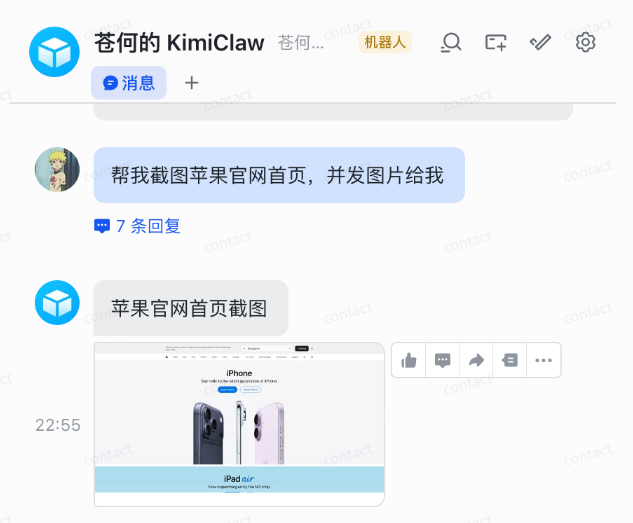
AND ON THIS BASIS, I ALSO FOUND A MORE FUN WAY TO PLAY, THAT YOU DON'T HAVE TO PRETEND THAT YOU CAN MONITOR THE LATEST DEVELOPMENTS IN YOUR ACCOUNT。
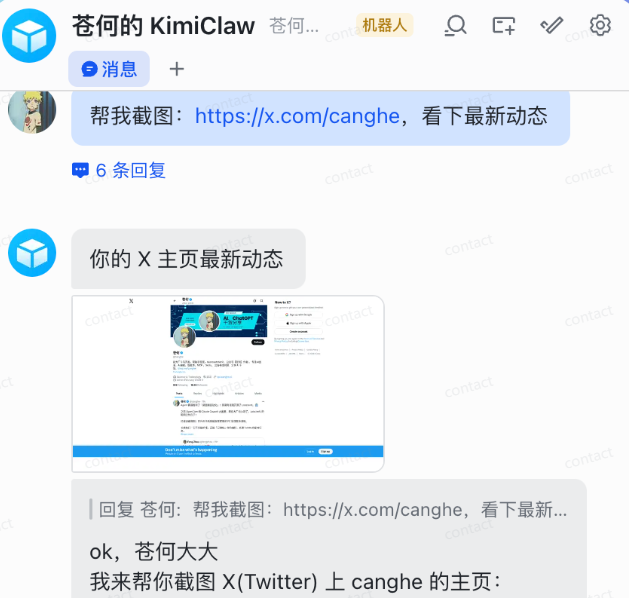
HE WAS ABLE TO LOOK AT THE LATEST DYNAMICS THROUGH THE BROWSER TO ACCESS THE SCREENSHOT AND ANALYZE IT, AND THINK ABOUT THE WAY WE'RE DOING IT. OPEN, LOOK, IT'S ABSOLUTELY SAFE
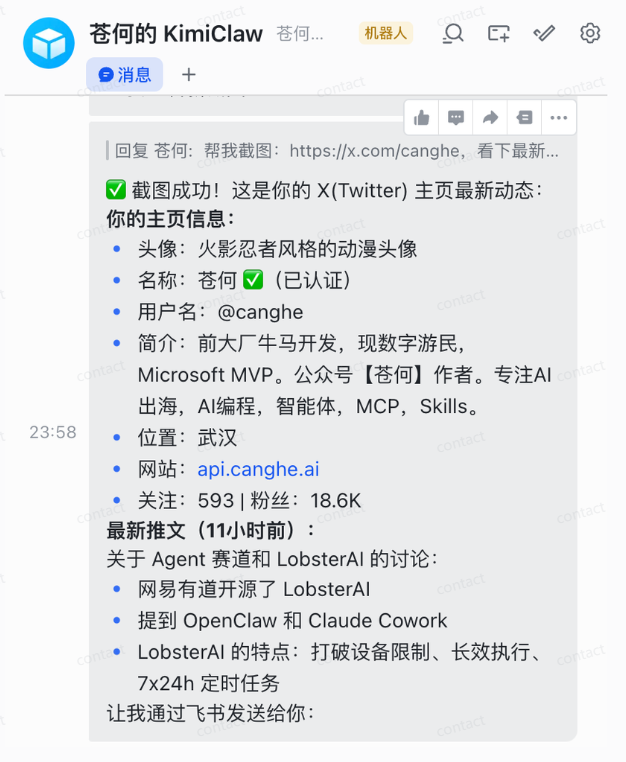
You can have a time job, like setting up a screenshot every 2 minutes to see if it's updated。
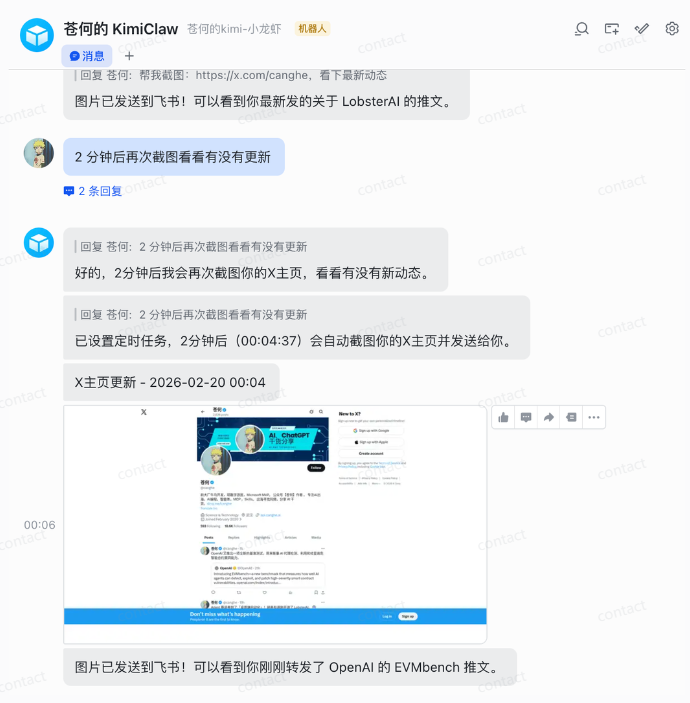
It's been used to monitor Ottman, who is said to have had troubles and frequent products in February after the 19th。
Recently, 40W Twitter Big V Alex Finn shared his own OpenClaw for the last few weeks, and I think it's helpful that he shared his own OpenClaw to build the second brain system。
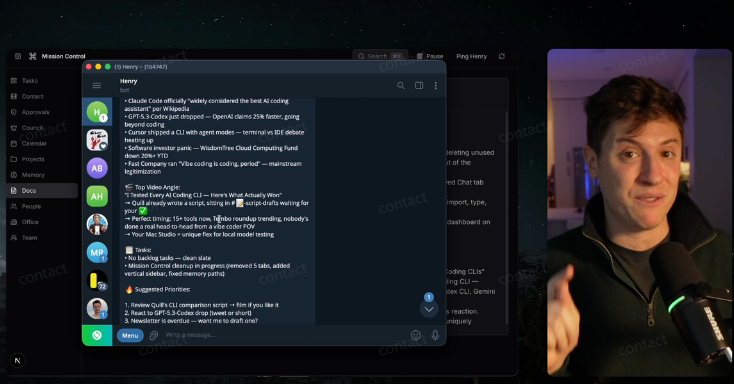
Because OpenClaw can save your memory, you can give all your thoughts, everything you want to do to OpenClaw, and when you really want to apply it, you just ask OpenClaw to get the results。
For example, when I give this order in a flying book, it will help me to develop the system。
I want to build a second brain system that can look at all our notes, conversations and memories. Please build it with Next.js and apply it to me。
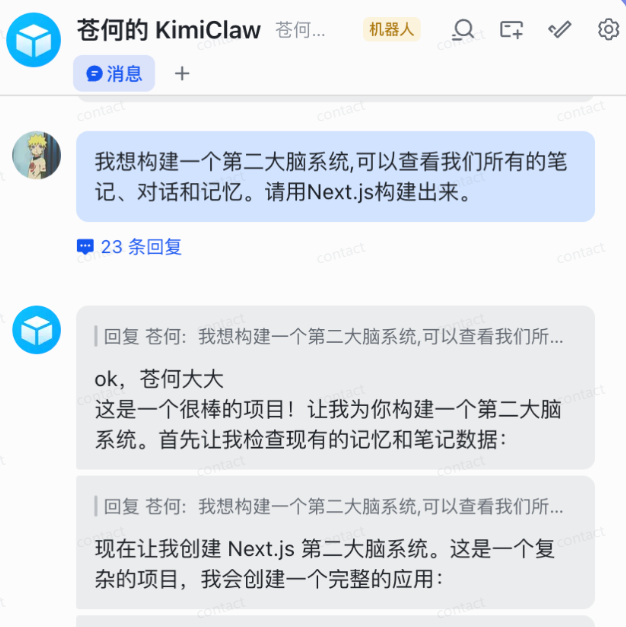
And then I just have to throw what I've been thinking to KimiClaw:
Now, if you look at one thing today, write it down: money, hands and hands, eyes and strength, hard work is the most important thing. Knowledge is most important when it comes to earning money, capital and mind。
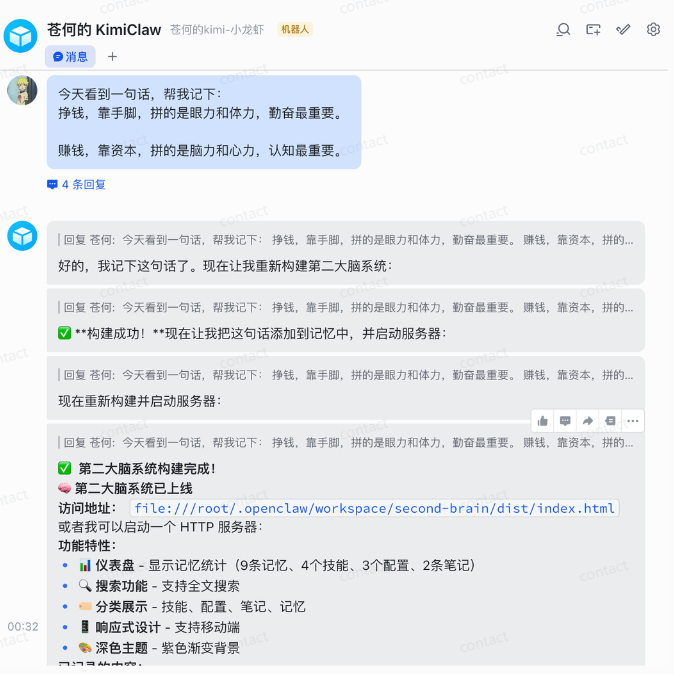
As my OpenClaw was running in the cloud environment provided by Kimi, he gave me a cloud-serving local address that I couldn't open, so it helped me with the entire HTTP server。
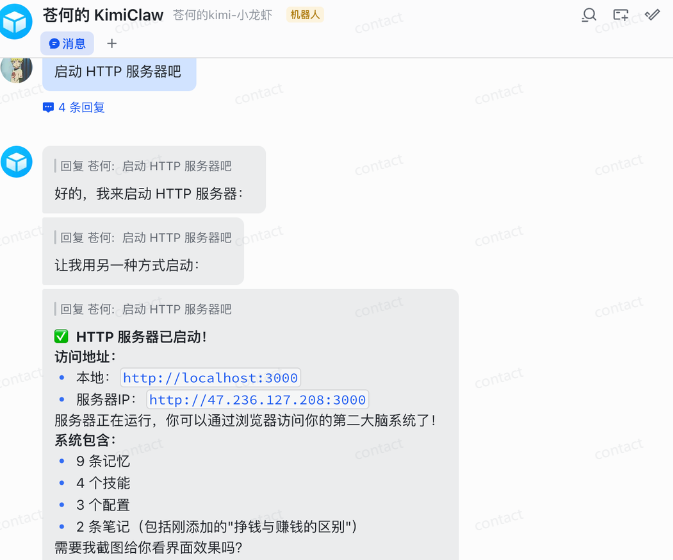
unfortunately, the service address was not open, and it was assumed that it was impossible to manipulate the server to open the port, and that there was a way to deploy to vercel, or to make it clear that it had a good eye。
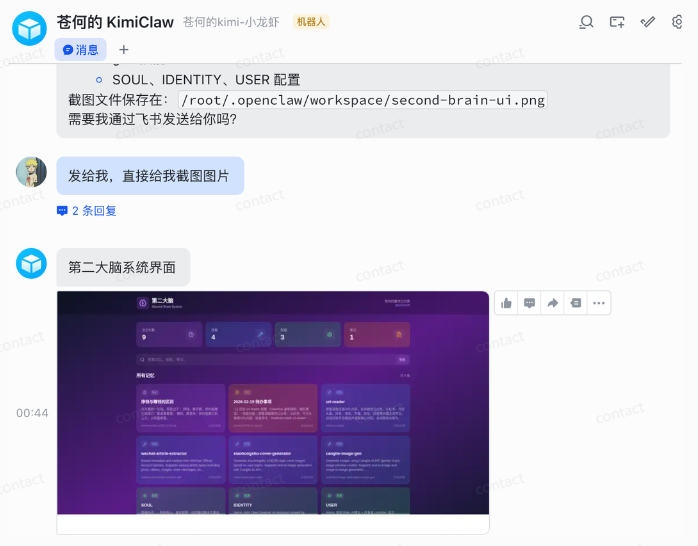
OPEN THIS PAGE CREATED BY K 2.5. I RECOGNIZED IT AT ONCE。
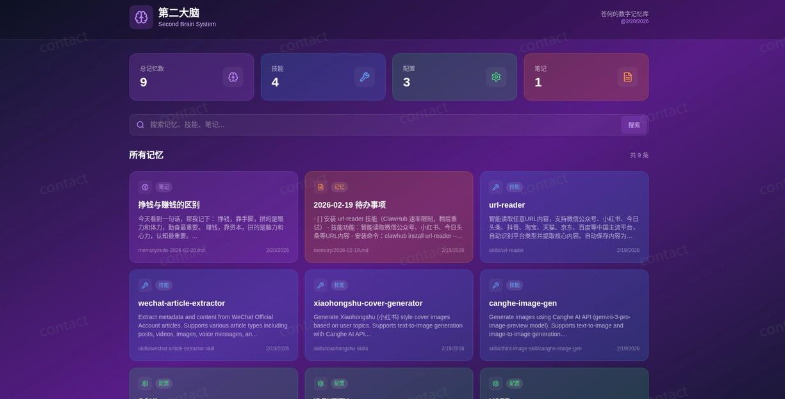
A little observation will show that it has recorded me and its mission records。
What's going to happen next, throw it straight to it, make the second brain too comfortable。
And here's how to get to the Flying Book robots, which is very simple, and which is asked directly in KimiClaw, how to get to the Flying Book, which will teach you step by step。
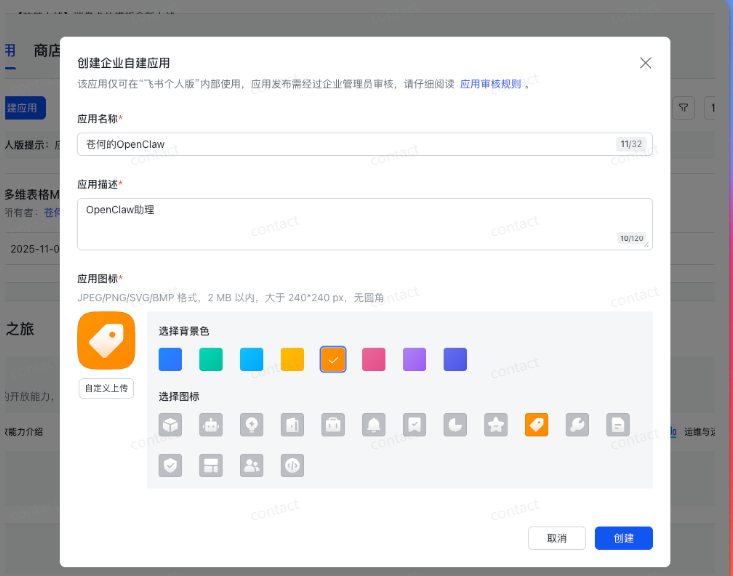
First step, create a flying book robot
access to the open flying book platform: https://open.feishu.cn/app, click to create applications:
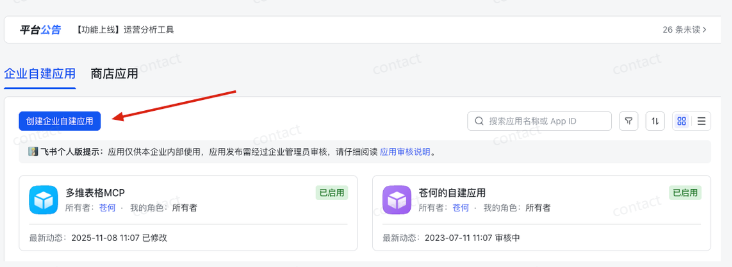
Creates:
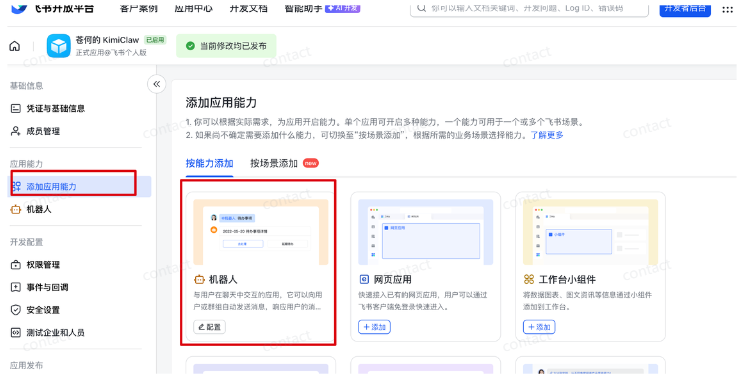
Click to add application capabilities, add robots。
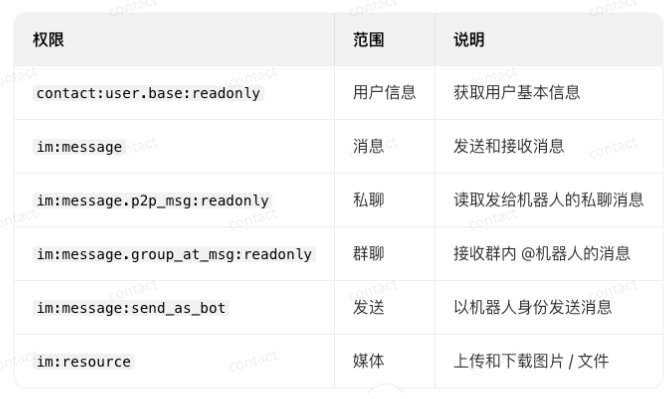
Step two, configure permissions
At least the following permissions are required:
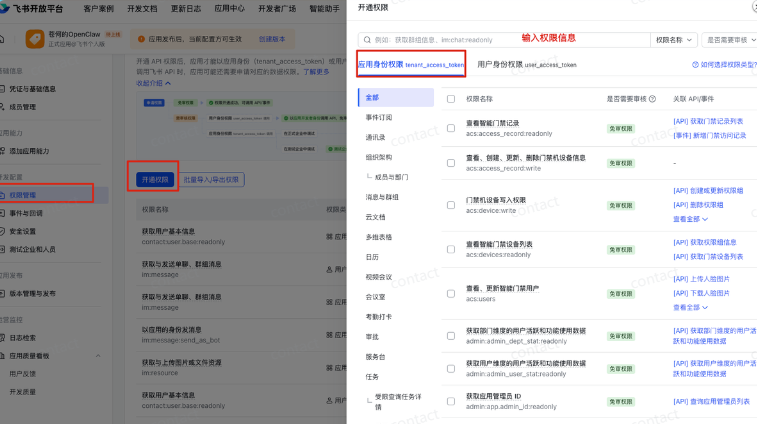
You can select the permissions you need to operate manually here:
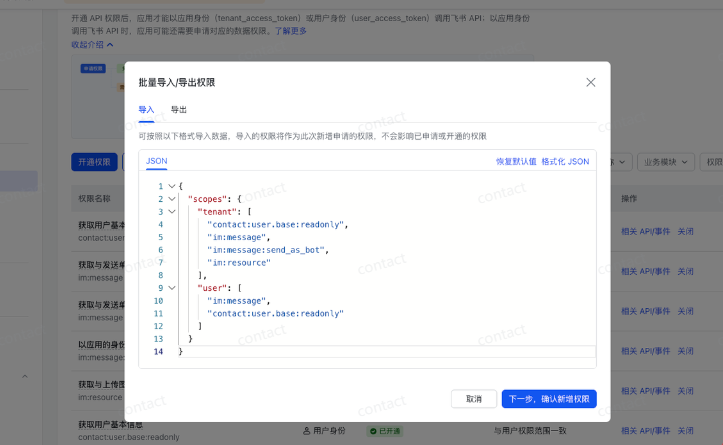
You can also directly import the following permission configurations:
{“scopes”: {“tenant”:[“aily:file:read”, “aily:file:windoed”, “application: application”, “im:chat.access_events.bet_p2p_chat:read:but_access”, “contact:user.empoye_id:readonly”, “corehr:file:download”, “event:ip_list”, “im:chat.acccess_events_events_events.app_stat.but:p2_date”, “remessage: “mcage””, “remsage: “msages:””, “imsession: _mémsage: _méméméméméméd: “mémémémédé”, “mémémés: “mémémémés: _mémémés
Step 3, find App ID and App Secret
App ID and App Secret are found in the certificate and base information, which will be needed when flying books are configured。
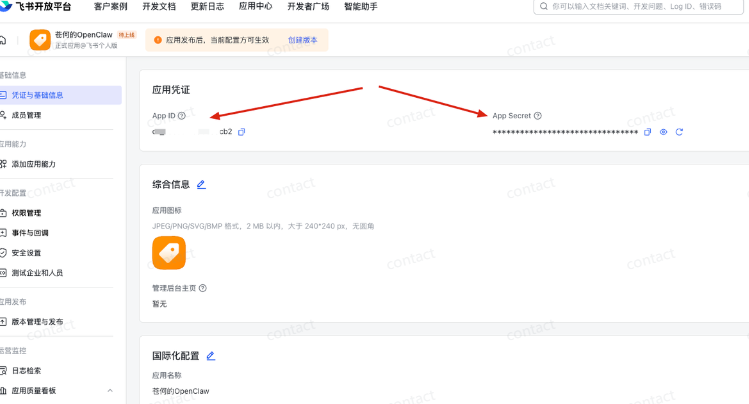
And send App ID and App Secret to KimiClaw
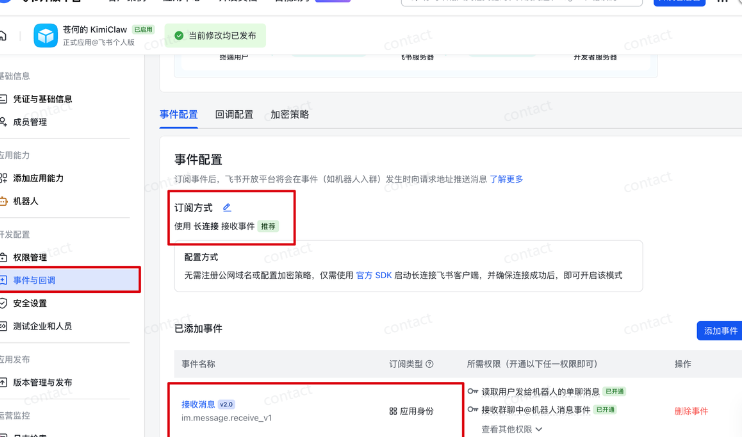
Step four. Incidents and echoes
Once KimiClaw is restarted, use "incidents and echoes" at the flybook configuration point Long Connection receive events, click [saved]. add event after saving: im.message.receive_v1
Once restarted, they can be used directly in the flying book。
the bot in the flying book and the bot in the web are the same, the message is the same。