



好多人问我为什么要浪费时间在cell phone搞 OpenClaw (Clawdbot)
如果旧手机就能跑 AI 管家,那为啥我们还要浪费钱去买 PC / MAC 呢?API Tokens 本来就烧钱,为什么不先在多余的设备跑起来尝鲜再投资新设备呢?
相信最近大家都看到好多人说安装了 Clawdbot 改变了人生,有的说赚了好几倍对吧? 是的,我就是看太多了所以没忍住也想尝试部署起来其实根本不需要很牛的 PC / Mac…
这次新部署方式能像 PC/MAC 一样能有一个后台操作平台,更稳定,更简单的去处理你的 OpenClaw 设置。不会轻易中途被手机系统杀停我们的 AI 助理
这次的新教程我会用另一个手机重新安装,每一步都会写出来
部署前必须做的事
手机清除所有数据,或者重置出厂设置
OpenClaw 怎么说也是在开发阶段,而且给的权限太多了,不要链接任何跟自己有关的信息,保护好自己的隐私。
先部署 Ubuntu Linux 系统
1.下载 TERMUX app,在 google play 或者 App Store 都能找到
2.更新系统
pkg update && pkg upgrade -y3.授权文件夹权限
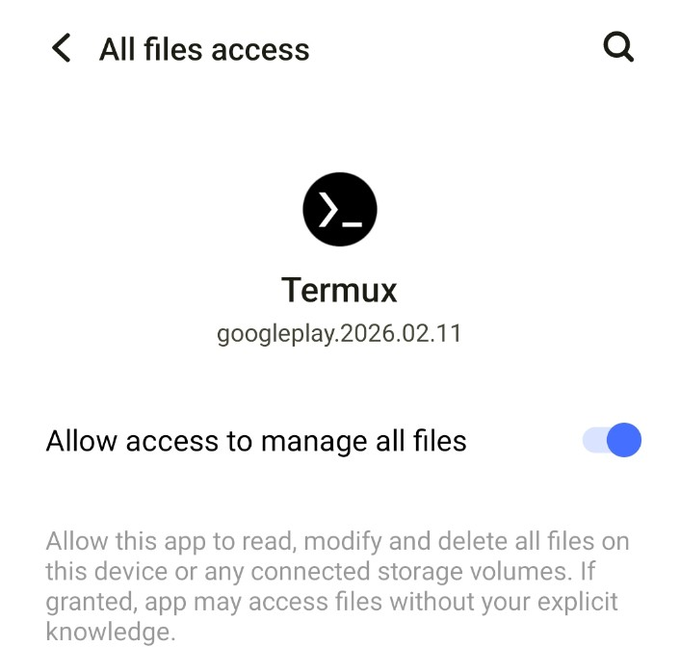
termux-setup-storage输入后会自动跳出授权设置,如图:
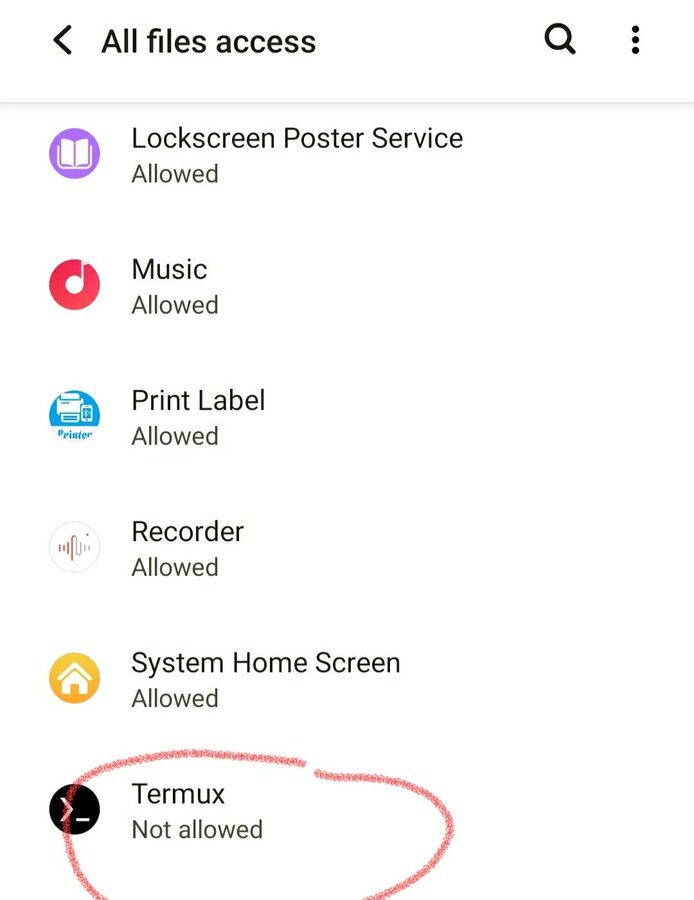
找到 Termux 然后点开授权
4.开始安装 Ubuntu Linux 系统,之前的教程没这一步,所以有时候会被系统杀停二进制的模型,现在有了 Ubuntu Linux 就不会被杀停了
pkg install proot-distro -y看到 Installing:8 代表成功了安装了,下一步:下载 ubuntu 本体
proot-distro install ubuntu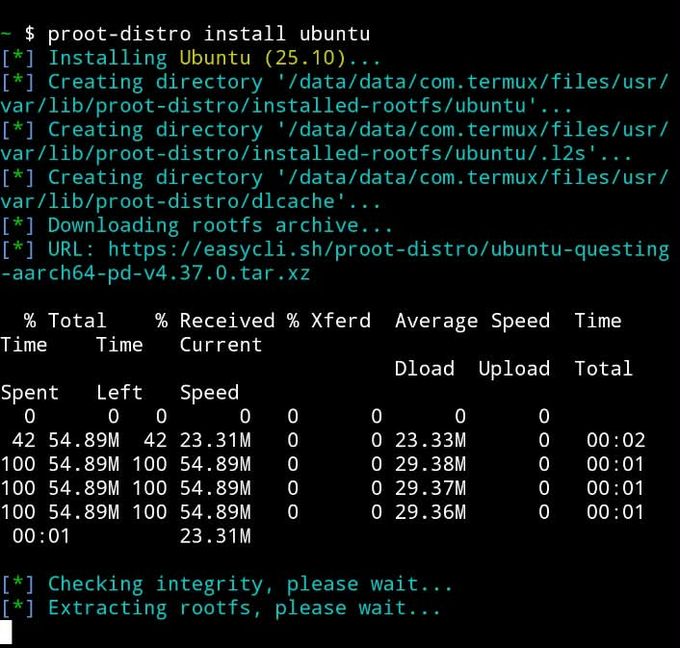
过程可能会比较慢 1-3分钟,看手机配置而定
5.开启 Ubuntu Linux | 注意:如果你重启了手机或者重启Termux了都要输入这个指令 开启 Ubuntu
proot-distro login ubuntu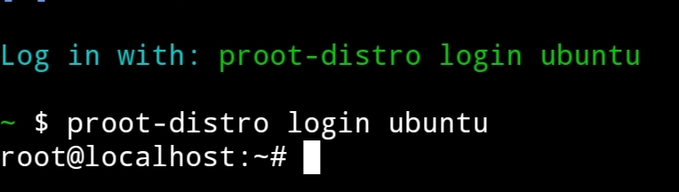
6.更新 Ubuntu 系统
apt update && apt upgrade -y7.安装 OpenClaw 必须插件与技能
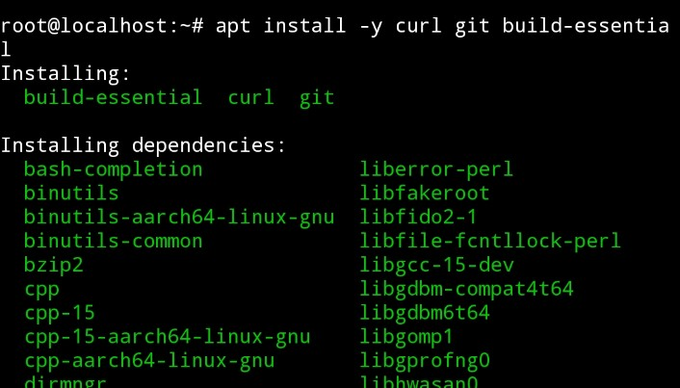
apt install -y curl git build-essential输入了指令就会列出一大堆的插件需要安装
8.安装 Nodejs
curl -fsSL | bash –
https://deb.nodesource.com/setup_22.x
after that
apt install -y nodejs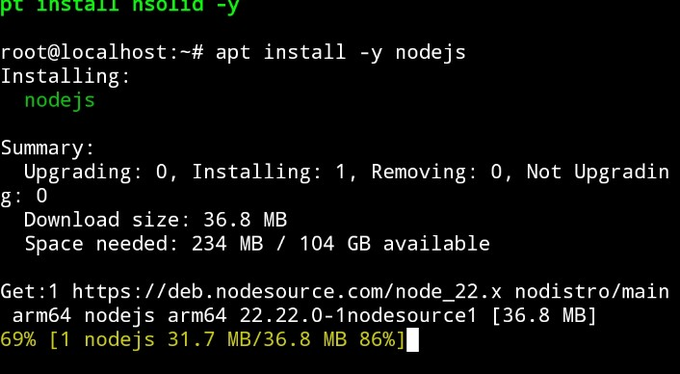
到这里我们的 ubuntu linux 系统基本好了,接下来就是部署 OpenClaw 主体
部署 OpenClaw 主体
1.下载 OpenClaw 过程大概3-5分钟 (旧版本下载需要15分钟)
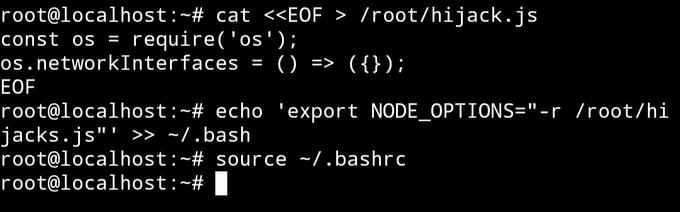
npm install -g openclaw@latest2.下载完毕后不要急着开启,我们先输入几个指令让手机系统不要杀停我们的二进制模型,顺序很重要不要反了
cat <<EOF > /root/hijack.js
const os = require('os');
os.networkInterfaces = () => ({});
EOF
echo 'export NODE_OPTIONS="-r /root/hijack.js"' >> ~/.bashrcsource ~/.bashrc输入完如图
3.启动 OpenClaw
it's an openclaw onboard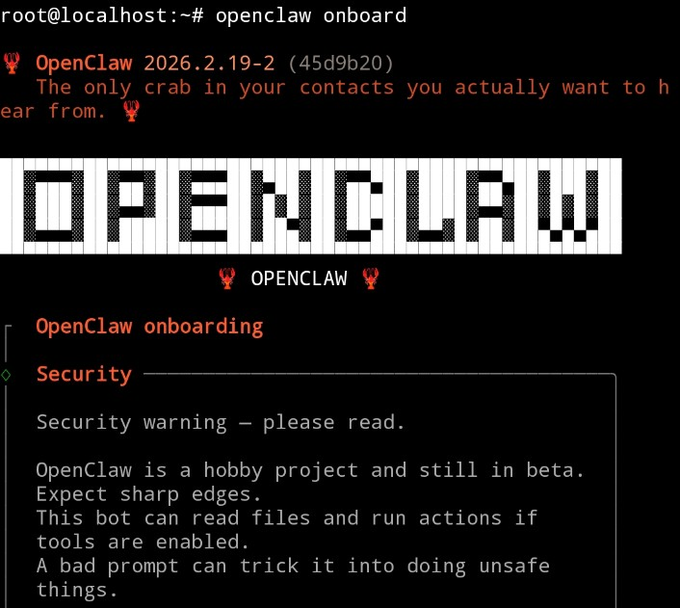
这版本是不是很像 PC 啦?能显示 Linux 系统中的 OpenClaw 样子了😆 接下来就是设置部分了
设置 OpenClaw
1.风险提示选 YES

2.Onboard 模式选 QuickStart
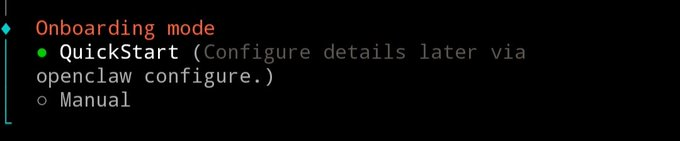
3.选择你的模型 (我这里是使用 Claude )
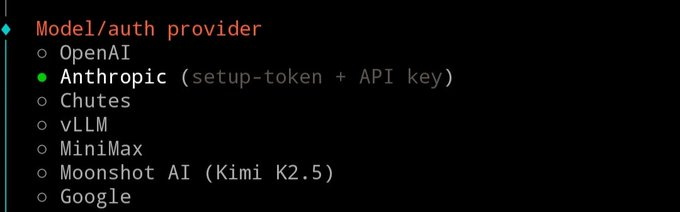
4.选 API KEY 然后输入你的模型 API KEY 进去

5.选择你需要用什么模型,后期可以改随便就好
- Sonnet 4.5 基本够用 – 小贵
- Haiku 4.5 for common tasks, non-coding, revolving – super cheap
6. Select your mode of communication, let's just say Telegram
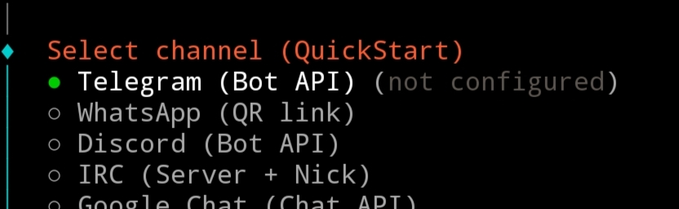
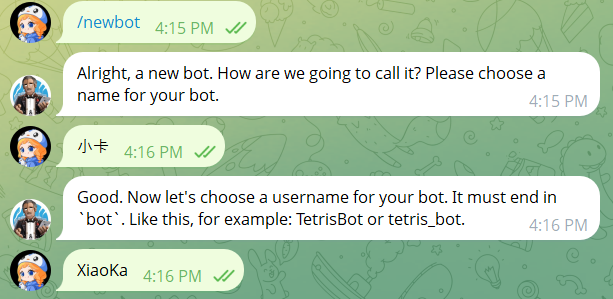
First go to Telegram for @BotFather
- enter /newbot
- It's for you, Bot. Name it
- The name of the account must be followed by the words "Bot"
After successfully creating Bot, he will automatically give you Bot API Key, as illustrated by:
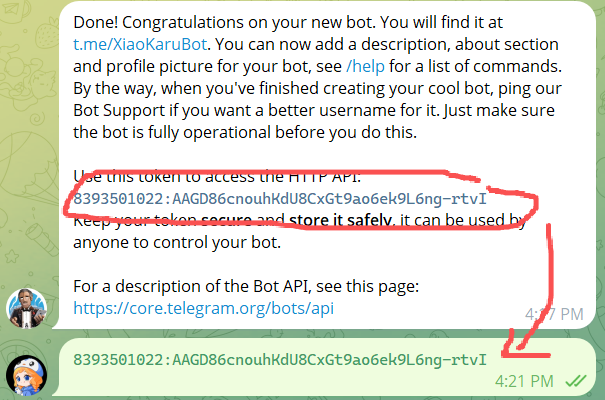
Put APIKEY in our OpenClaw
7. SKILLS DEVELOPMENT
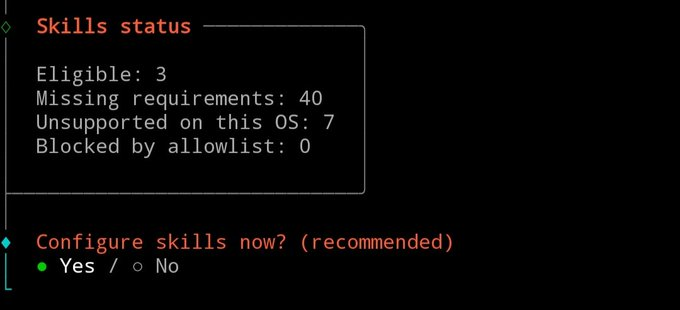
Skip for now
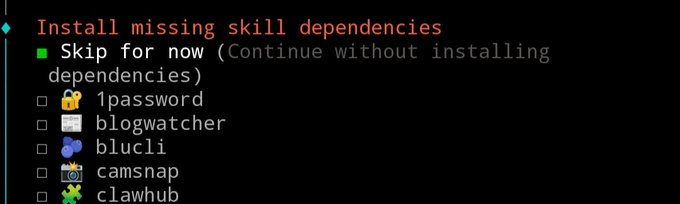
THEN HE ASKED YOU FOR ANOTHER SERVICE. API KEY, ALL OF THEM
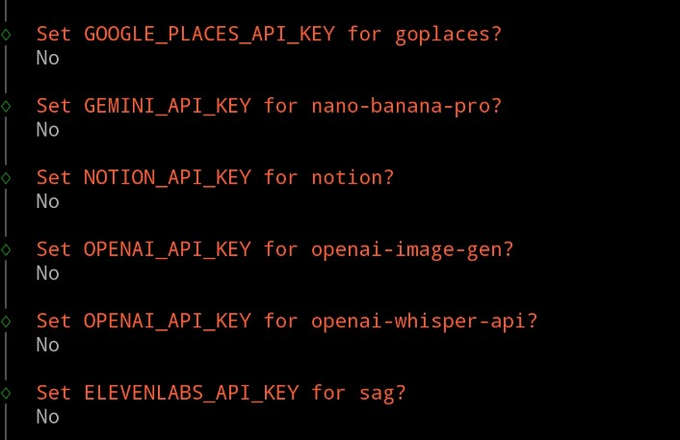
8. Do not jump-start the gateway, pull up to find Dashboard ready, copy the paragraph below: xxxxxxxxxxxxxxxxxxxxxxxxxxxxxxxxxxxxxxxxxxxxxxxxxxxxxxxxxxxxxxxxxxxxxxxxxxxxxxxxxxxxxx
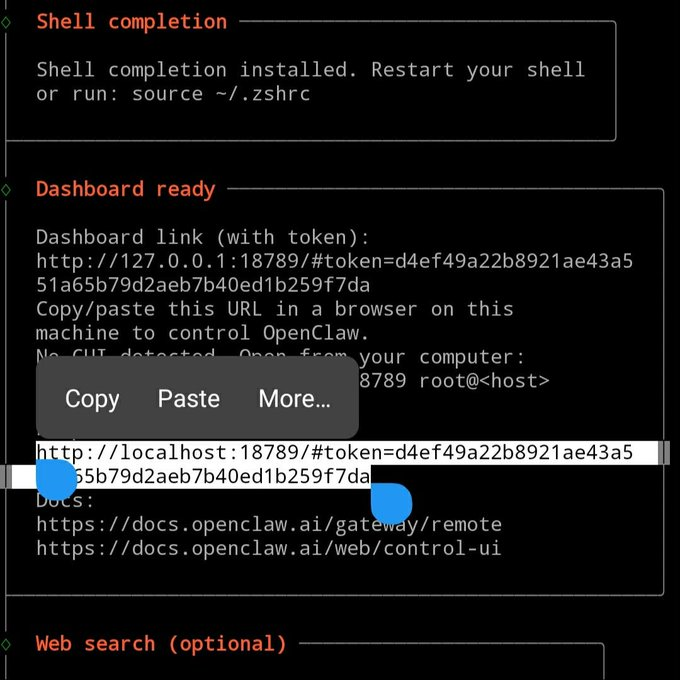
Note: When you copy, you'll copy both of them, and then you'll need to manually delete your numbers
9. start gateway
openclaw gateway-verboseSo our OpenClaw is basically on
open the mobile browser and throw in the previously copied local lobster workstation
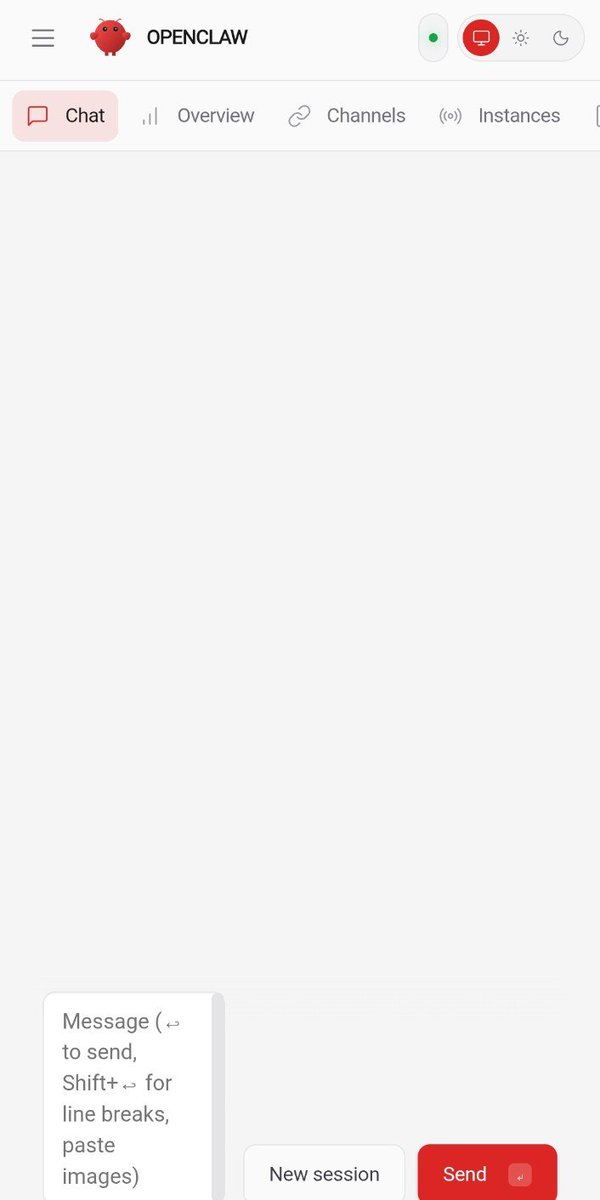
Last step: Tie Telegram Bot
Open Telegram to find just created Bot and search his account, for example: @XiaoKaKa_bot
- POINTS
- He will reply to you, "openclaw paiing approve telegram XXXXXX."
- Copy that line
Go back to our Termux app
- Top Left Slide Right
- ♪ Will jump out a window ♪
- Point +
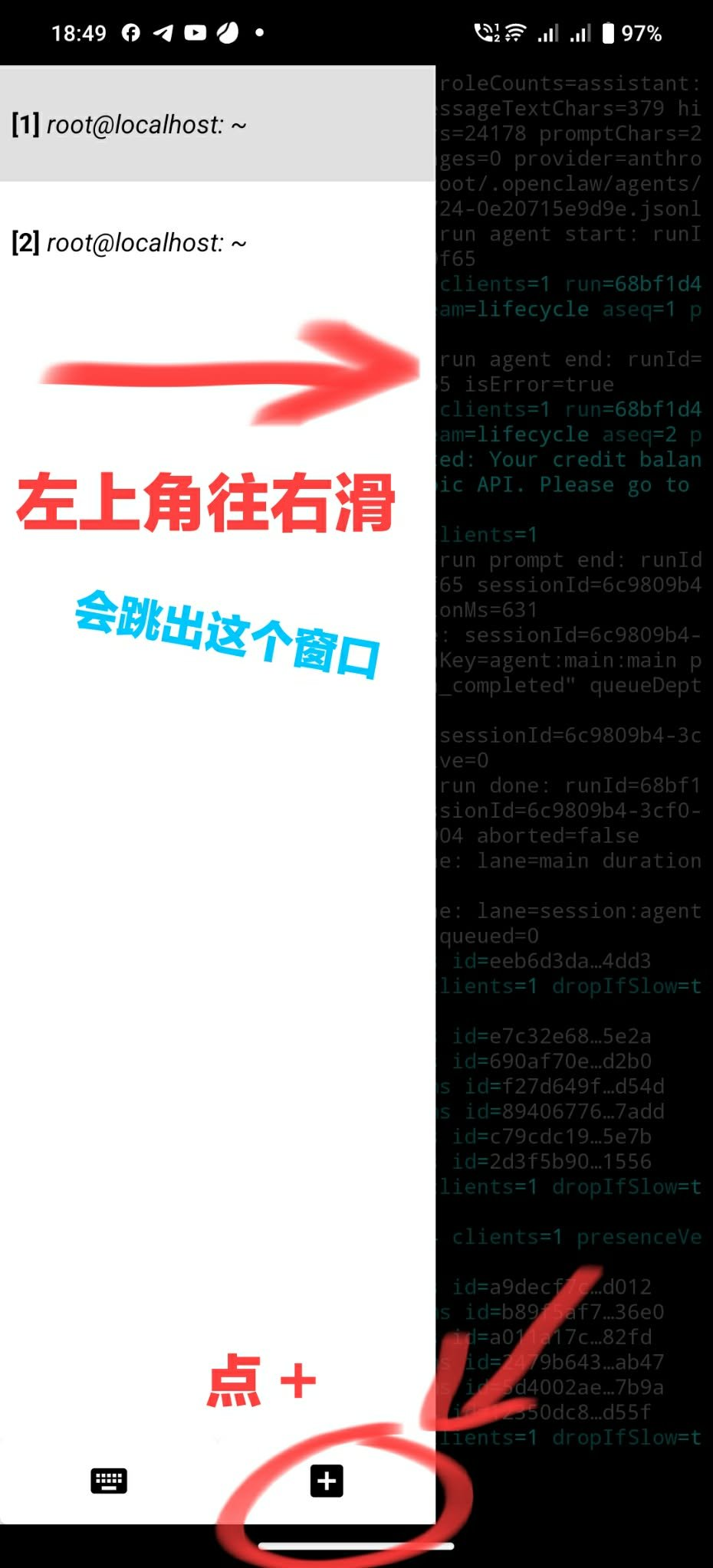
3. commence binding after entry
- input: proot-distro login ubuntu
- Write in Telegram Bot, "openclaw paiing approte telegram XXXXXX"
- Back to the car, waiting for verification
When successfully bound, it will be shown as it is
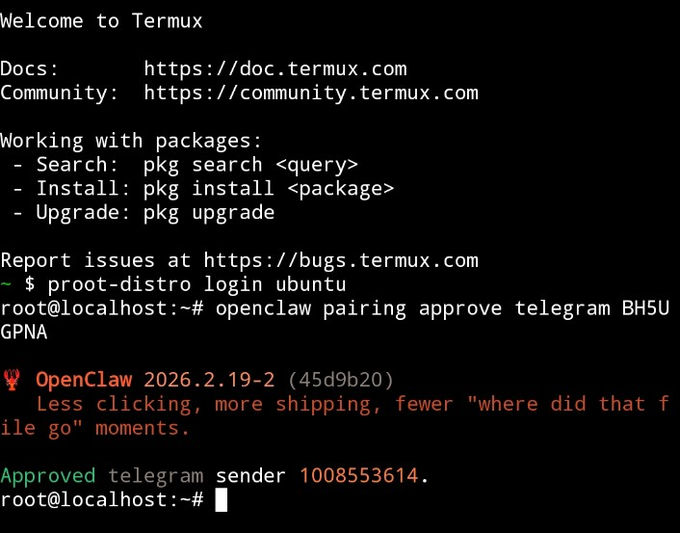
Congratulations! OpenClaw has been successfully installed
OpenClaw now
If you think this lesson will help you, share it with your friends