



A Plus account is not enough, a Pro account is often idle? Three minutes to build your own localAgent poolI don't know. After the operation, you'll be able to open the stop! And all you have to do is prepare one Codex.
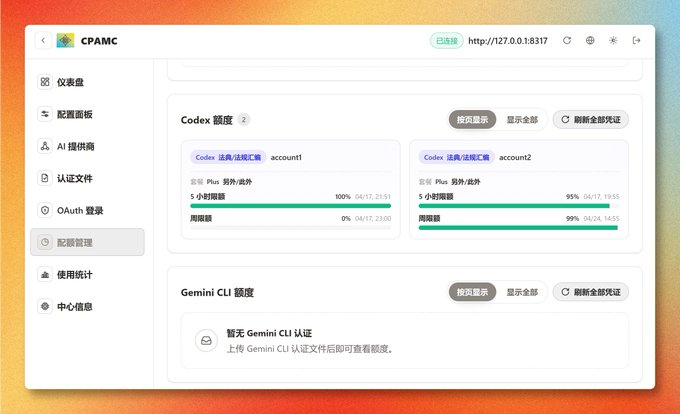
Overview of proxy pool
Rationale and strengths and weaknesses
Principle: Client - > CLIProxyAPI - > Account Schedule - > OpenAI
Advantages and disadvantages:
- The front-end configuration will only be available once, and every client will not be required to change account numbers in the back
- Multiple accounts can be maintained centrally
- It's a bit of a bit of a scratch, but if it's just an introvert that's used in Codex, the risk is much lower
Let Codex help you deploy locally
It's the simplest part, just handing it over to Codex。
You can just send this:
https://github.com/router-for-me/CLIProxyAPI is being deployed to my local location instead of Docker。For those without a basis, it can be emphasized that it is not the Docker's experience to make the decision。
This way, Codex usually helps you to download, install, configure, start up。
Once the service runs, it usually gives you a confirmation similar to the following:
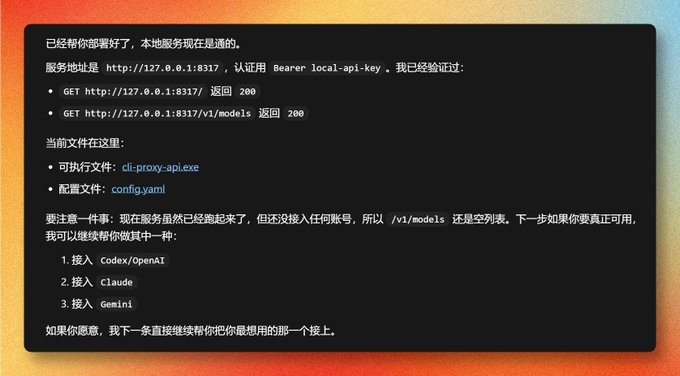
CLIProxyAPI local service started successfully
There are at least two things you have to confirm from this picture:
- the service address is up, e.g. http://127.0.0.1:8317
- /v1/models returns normally, not 500 or not connected
If this step is not successful, let's not go back, let Cordex continue to repair the service until it can be accessed。
Open account authorization switch
CLIProxyAPI wants access to your ChatGPT/ Codex account, provided the account number allows the device code authorization。
Log in to your ChatGPT account, access: https://chatgpt.com/#settings/Security
Enabled data code access for Codex and opened。
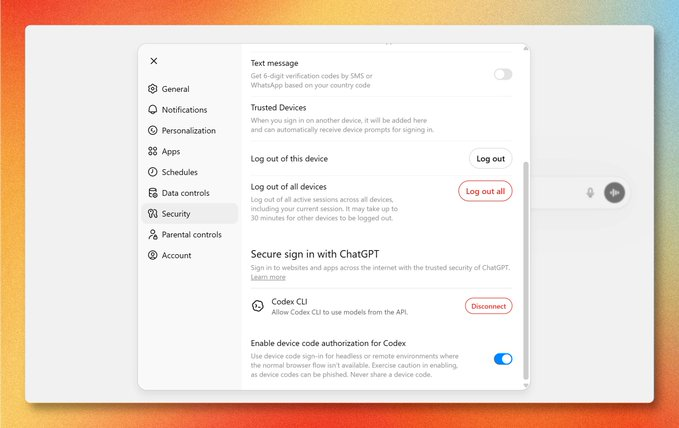
Enable Codex device code authorization in ChatGPT security settings
This step is made once for each account to be accessed. If you don't, the back device code will be stuck。
Let Codex tie your first account
Once the service is deployed and the authorized switch is open, the account number can start。
Directly to Codex says:
Configure Codex accounts for meIt usually returns a device code authorized link and authentication code to enable you to go to the browser to confirm:
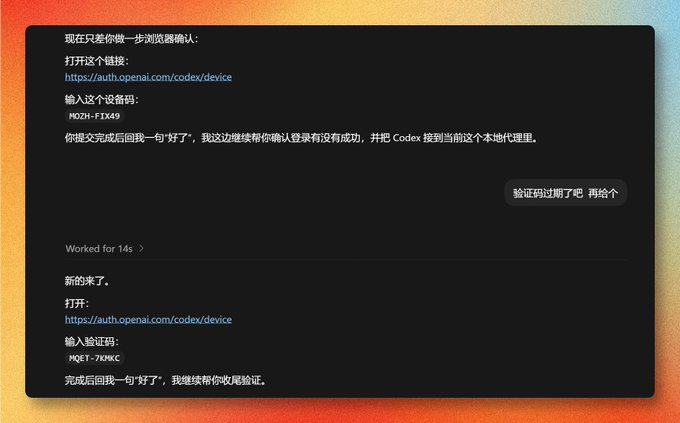
Codex returns the device code authorized link and authentication code
If the device code authorization fails, it's out of date。
Open Mandate Page
access to browser: https://auth.openai.com/codex/device
Normally, you'll see the login page:
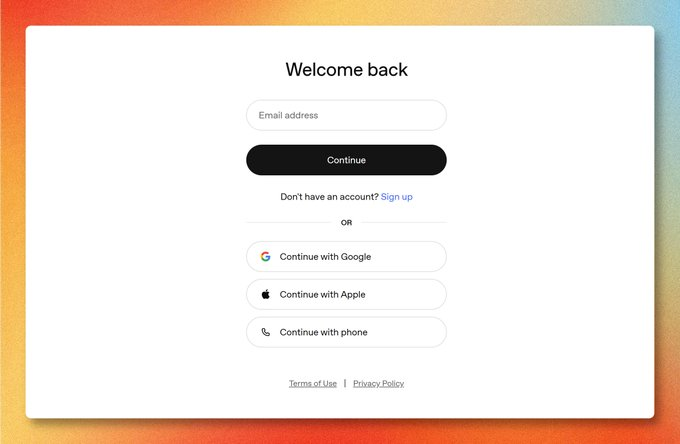
OpenAI Login Page
Enter your account code to continue。
Don't panic if you run into Ops
The easiest thing in this process to talk people out of is that every once in a while the authorization page is going to give you a wrong answer:
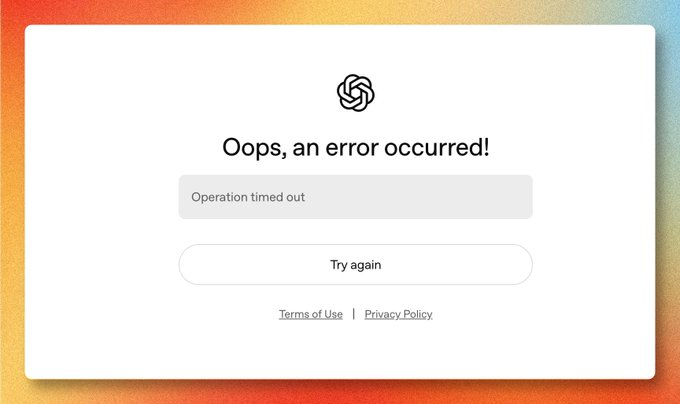
Ops Error on Device Code Authorization Page
It's not a failure. There's a way around:
Try again, enter any wrong account and move the process to the next page:
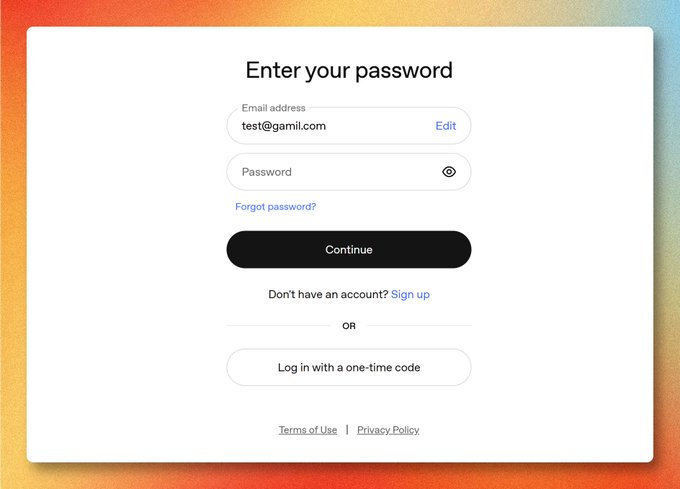
Click Edit to resume login
Click Edit to change the mailbox to the correct account number and enter the password to continue。
Enter Device Code
After login is completed, the page will require you to enter the nine-bit device code just provided by Codex:
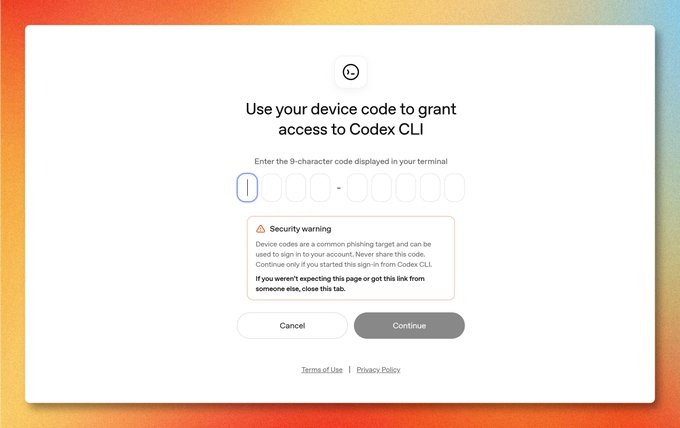
Enter device code complete Codex device authorization
Finish it, Continue。
Confirmation of authorization
Then there will be an authorized confirmation page, meaning that the ChatGPT account will be allowed to share the identity with Codex CLI:
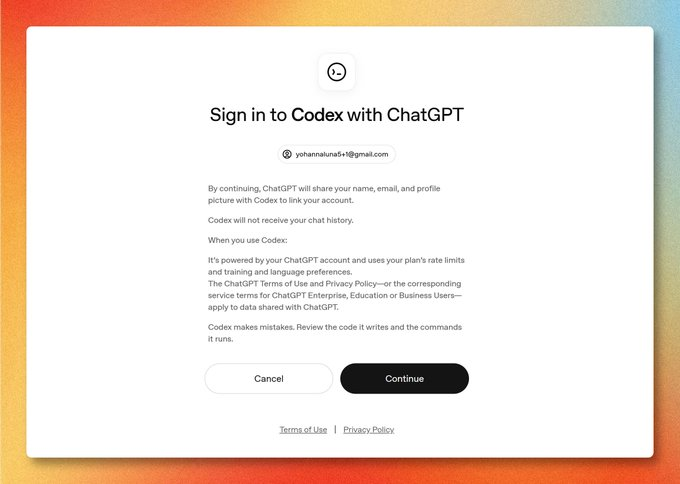
Confirms that the ChatGPT account is authorized to be used by Codex
Let's just go straight here, Continue。
And when it's done, go back to Codex and tell it, "Okay, it'll finish, and it'll actually access the CLIProxyAPI。
Continue adding more accounts
If you have more than one account, repeat the authorization process above。
You just have to say to Codex:
We have to keep adding the account numberThen we can repeat the steps ahead。
Check management backstage
once the account number is completed, open: http://127.0.0.1:8317/management.html
If it doesn't open, just let Codex help you check。
default management password is local-manage-key。
The first time you open it, you see the login page, you fill in the default management password:
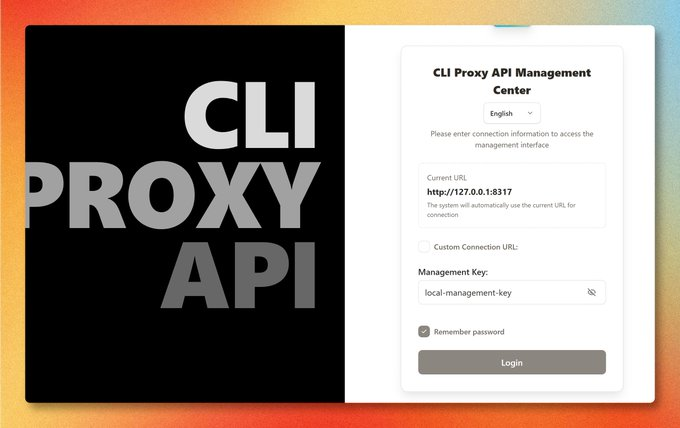
CLIProxyAPI manages background login pages
Once the login is successful, the following background overview page will be found:
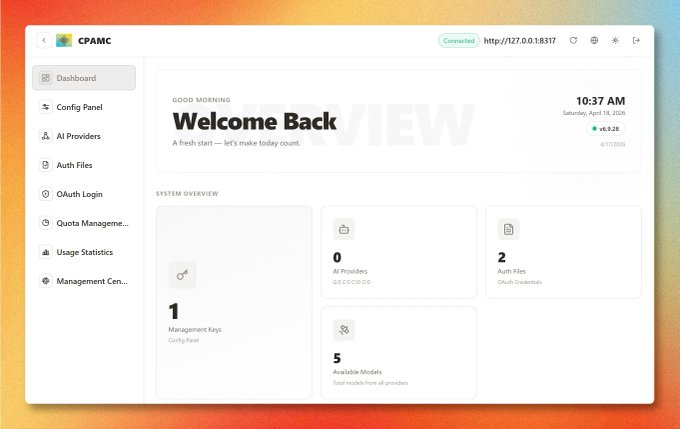
CLIProxyAPI administration backstage overview page
If you want other devices in the same LAN to be called, you can also say to Codex:
Configure CLIProxyAPI into a local area network (LAN) accessible。In Codex, replace it with a local API
When both the agent level and the account number are ready, the Codex front end can be delivered to this local interface。
Let Codex change you directly to config.yaml, the core configuration is these two values:
openai_base_url: "http://192.168.3.6:8317/v1" # of which ip corresponds to your own ip
api_key: "local-api-key"
If it's only for your own use, you can write the address as follows:
openai_base_url: "http://127.0.0.1:8317/v1"
api_key: "local-api-key"
Among them:
- openai_base_url points to your CLIProxyAPI service
- api_key default is a local-api-key
It is recommended that these two lines be copied directly to Codex to fill them in for you。
Select API Key Access in Codex Welcome Page
After reopening Codex, do not leave the official login and select Enter API key (if the account has been entered first):
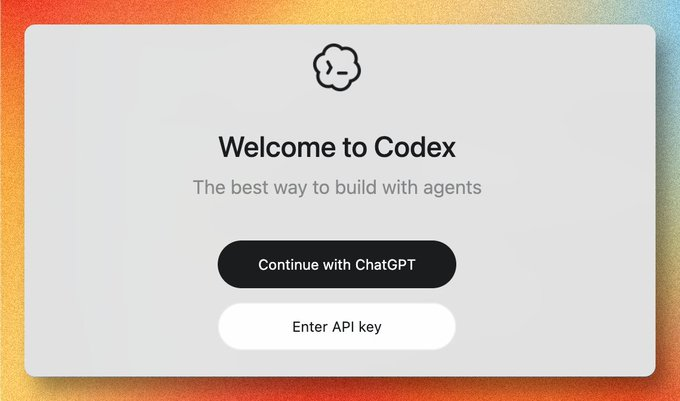
Enter API key
To enter API Key interface, fill in: local-api-key
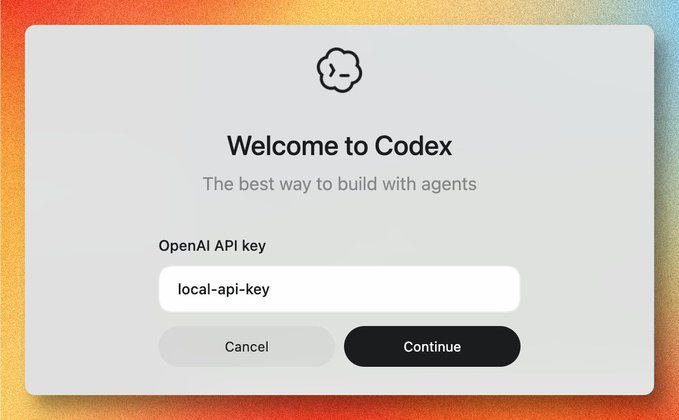
Codex Enter API Key
Summary of frequently asked questions
1. What if the authorization page is always wrong
- Try again
- Wrong number first
- More, Edit
- Change the correct account number
2. What about the management page
- Is the service out already
- Port 8317. Has it changed
- Did you tie the service to another address
If you don't want to find out for yourself, just let Codex help you restart and check。