



Many videos have done well, but the results are often lost to the sound. Images can be modelled and optimized by clippings, but the sound is often simply treated as “a single music” or “a little environmental sound ends”。
The problem is that when most people make videos, the sound is the last step, not part of the design。
WE DON'T GO THROUGH THE MUSIC LIBRARY AND THE SOUND LIBRARY MANUALLY, AND WE DON'T RELY ON FEELING TO FIND A PROPER BACKGROUND MUSIC. WE'RE GOING TO CHANGE IT IN A MORE STRUCTURED WAY: LET AI FIRST UNDERSTAND THE VIDEO'S CONTENT AND RHYTHM CHANGES, AND THEN, BASED ON THAT UNDERSTANDING, AUTOMATICALLY PLAN THE MUSIC STRUCTURE, DISMANTLE EVERY ACTION THAT CAN PRODUCE A SOUND, AND FURTHER GENERATE A HINT THAT CAN BE USED DIRECTLY。
IN OTHER WORDS, WE'RE NOT GOING TO "PUT THE VIDEO WITH THE SOUND," BUT LET AI READ THE VIDEO FIRST, THEN DESIGN THE SOUND."。
Preparation Tool
seed Auto 1.0 https://ark.volcengine.com/ (volcanic ark can be generated for a few minutes)
seed Music 1.0 https://jimeng.jianying.com
First, understand what sound a video needs
NOW USING AI TO MAKE VIDEO, THE IMAGE IS BECOMING MORE EFFICIENT。
We can generate characters, scenes, spectroscopy, then we can do action, mirrors and lens interfaces with video models. A 10-second or even a dozen-second video will soon be able to achieve a more complete visual effect。
But when it's done, there's always another problem:
What about the sound
The simplest way is to find a background music set underneath。
This can certainly be played, but if you look closely at video commercials, films or short films that are more than complete, you find that there is more than one music。
People walk and make footsteps。
The movement of clothes creates friction。
Impacts occur when objects fall on the ground。
When the car passes through the lens, the sound of the engine and tire changes with the position。
The landing of a large object may also be accompanied by low-frequency vibrations, rubble and feedback from the surrounding space。
At the same time, background music will not always be the same。
For example, a 20-second video:
In the first few seconds, the characters were walking normally。
An anomaly was subsequently discovered。
Suddenly into the middle of a quick move。
Finally, the danger ends and the picture is quiet again。
If the same intensity of music is used from the first to the last second, then even if the music itself is good, it is difficult to really match the changes in the picture。
So you can break the video into two parts。
The first part is background music。
It is primarily responsible for the mood, rhythm and paragraph changes of the whole video。
The second part is audio。
It is responsible for the movement of people, the movement of objects, environmental change and space relations。
Once these two issues are separated, the original complex sound design becomes much clearer。
And then we just have to do it in both directions。
II. LET AI READ THE VIDEO AND THEN GENERATE BACKGROUND MUSIC
The background concert directly affected the mood and the rhythm of a video。
Here's a simple comparison。
We're preparing two versions of the same image:
Video 1: No background music added, only the action of the video itself and the sound of the environment。
Video 2: Add background music to the original voice。
When compared, it turns out that each of the actions in Video 1 has a corresponding voice, but the lens is relatively independent, and the whole is more like a set of continuous images。
Video 2 added to the background music, and the different lenses began to be linked to a single rhythm, and the movement of people, the changing of scenes and the emergence of the final product became more complete。
So background music doesn't just make the video "better."。
It is truly responsible for:
Threads, direct emotions and control the viewing rhythm of the whole video。
But here's another problem。
IF WE JUST GIVE AI INPUT:
"Advanced, film-sensitive, rhythmic advertising music."
The model does generate a music of the right style, but it does not know when the video will switch the lens, when the person will appear, where it will come to orgasm。
In the end, it's easy:
The music is good, but it's not on the screen。
SO THE FIRST STEP BEFORE CREATING BACKGROUND MUSIC IS NOT TO WRITE IT DIRECTLY, BUT TO GET AI TO READ THE VIDEO。
Step 1: Analyzing the mood and editing rhythm of the video
SEND THE EDITED VIDEO TO AI, WHICH CAN UNDERSTAND THE VIDEO CONTENT, SO THAT IT CAN ANALYSE THE WHOLE VIDEO ACCORDING TO THE REAL TIME AXIS。
Five main types of information are analysed here:
When will the video switch the lens. Every shot of what happened. What's the mood in the current picture? When will the rhythm change. Where are the orgasms and endings of the whole video。
So what we get is not just a summary, but a simple musical time map。
For example:
0-4 seconds: Steady mood, environment。
4-8 seconds: the lens begins to advance。
8-14 seconds: increased action, increased rhythm。
14-18 seconds: into orgasm。
18-20 seconds: Emotional confinement。
Video Analytic Tips
Please analyse the video that I uploaded and organize it according to its real time axis for the purpose of “follow-up generation of background music”. Please analyse:
1. The total duration of the video
2. Start and end of each major shot
3. Major actions and scene changes in each shot
4. The emotional state of the current picture
5. Whether the cut is slow, medium or fast
6. Visible emotional or rhythm turning points
7. The height of the video
8. Which positions are suitable for music enhancement, reduction or appropriate retention
9. At the end of the video, what should be the mood。
Finally, a summary of the emotional development curve of the whole video, such as:
The serenity creates a rhythm that advances the mood to increase the climax to the end。
This step only analyzes videos and does not generate music for the time being。
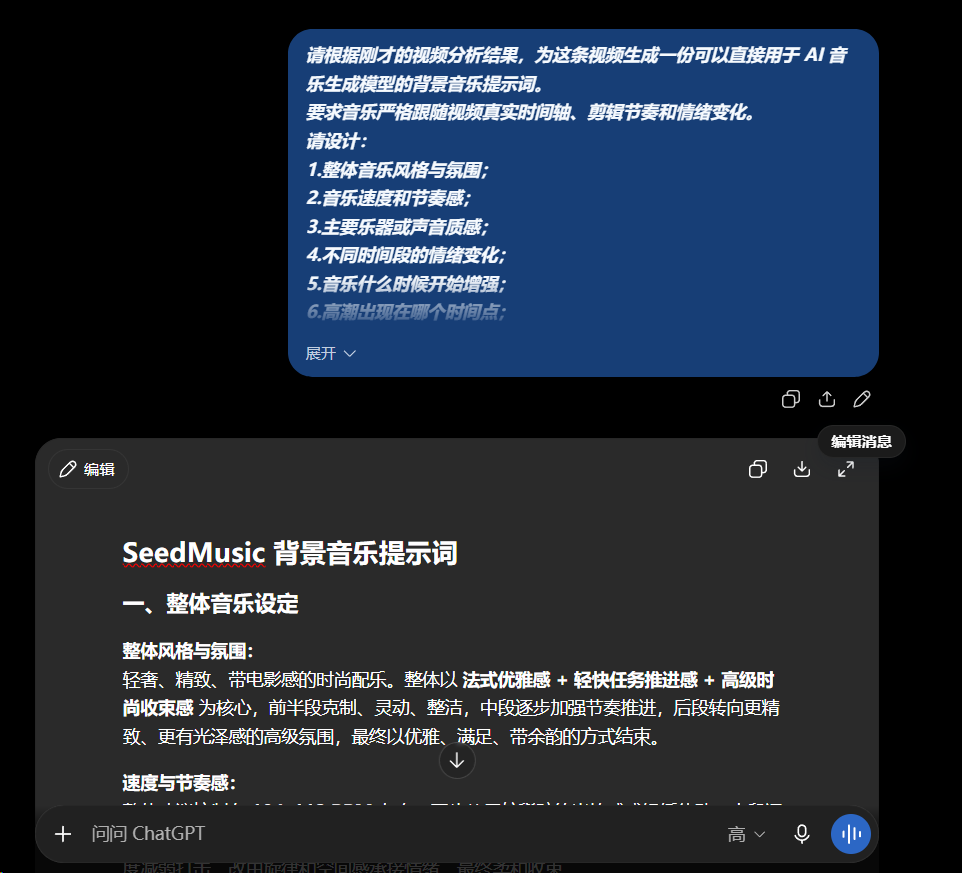
Dialogue Interface
STEP 2: GENERATE BGM HINTS BASED ON ANALYSIS
AFTER THE VIDEO ANALYSIS, WE CAN THEN GET AI TO TRANSLATE THE VIDEO INFORMATION THAT JUST CAME IN INTO MUSIC。
Attention is needed here:
Do not continue to describe “what happened to the picture”。
It's about telling music models:
When the picture changes, the music changes。
For example, when people start moving fast, music can gradually increase the rhythm。
The images reach the climax, and the music density and strength can continue to increase。
And when you end up in a product or brand image, you're going to put music down。
So the music that comes out is really following the video。
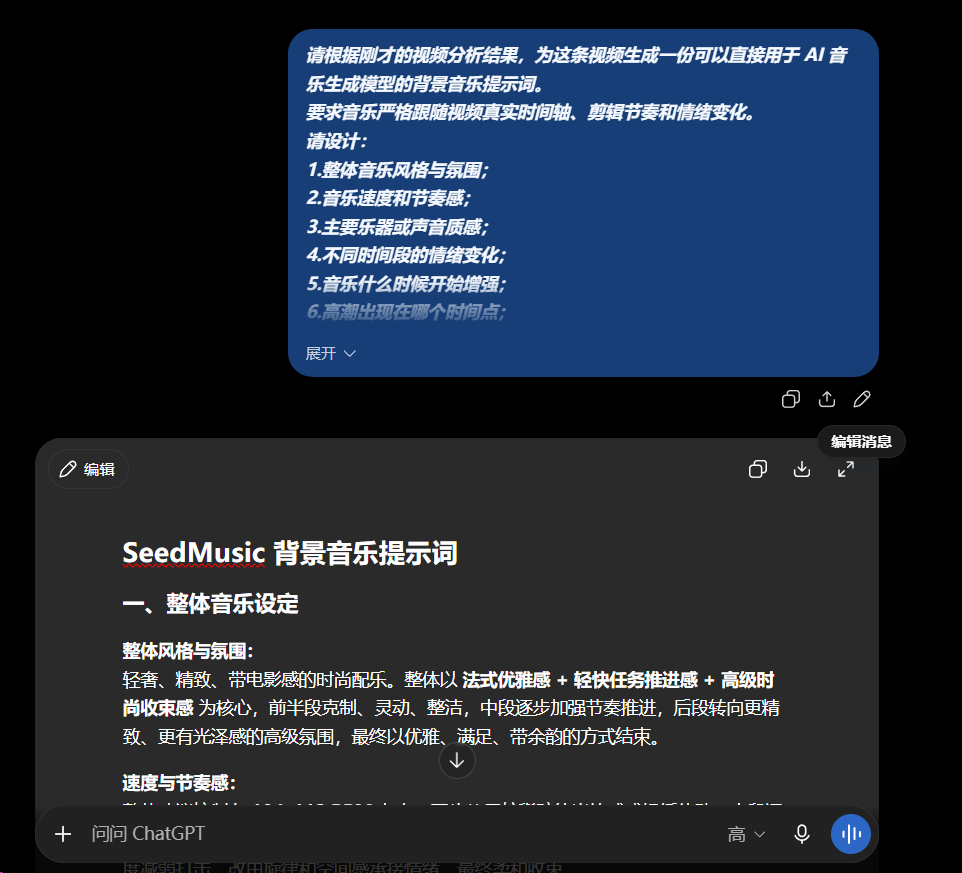
Dialogue Interface
BGM GENERATE PHRASING
PLEASE GENERATE A BACKGROUND MUSIC ALERT FOR THIS VIDEO THAT CAN BE USED DIRECTLY IN THE AI MUSIC GENERATION MODEL。
The music is required to follow strictly the video's real time axis, editing rhythm and emotional changes。
Please design:
1. The overall music style and atmosphere
2. Musical speed and rhythm
3. Main instruments or sound quality
4. Emotional change over time
When does music start to grow
6. Time at which the orgasm occurs
7. Which positions need to be reduced or retained
8. How should music end。
Please design the music structure according to the actual time of the video, for example:
00:00-0:05 Music status:
0:05-0.10 Musical change:
00:10:15 rhythm and emotion:
Continue to follow the actual time frame of the video。
Finally, the content is integrated into a complete, natural, musically generated message that can be used directly for the SeedMusic。
Do not repeat the video drama, but only the music itself and its changes over time。
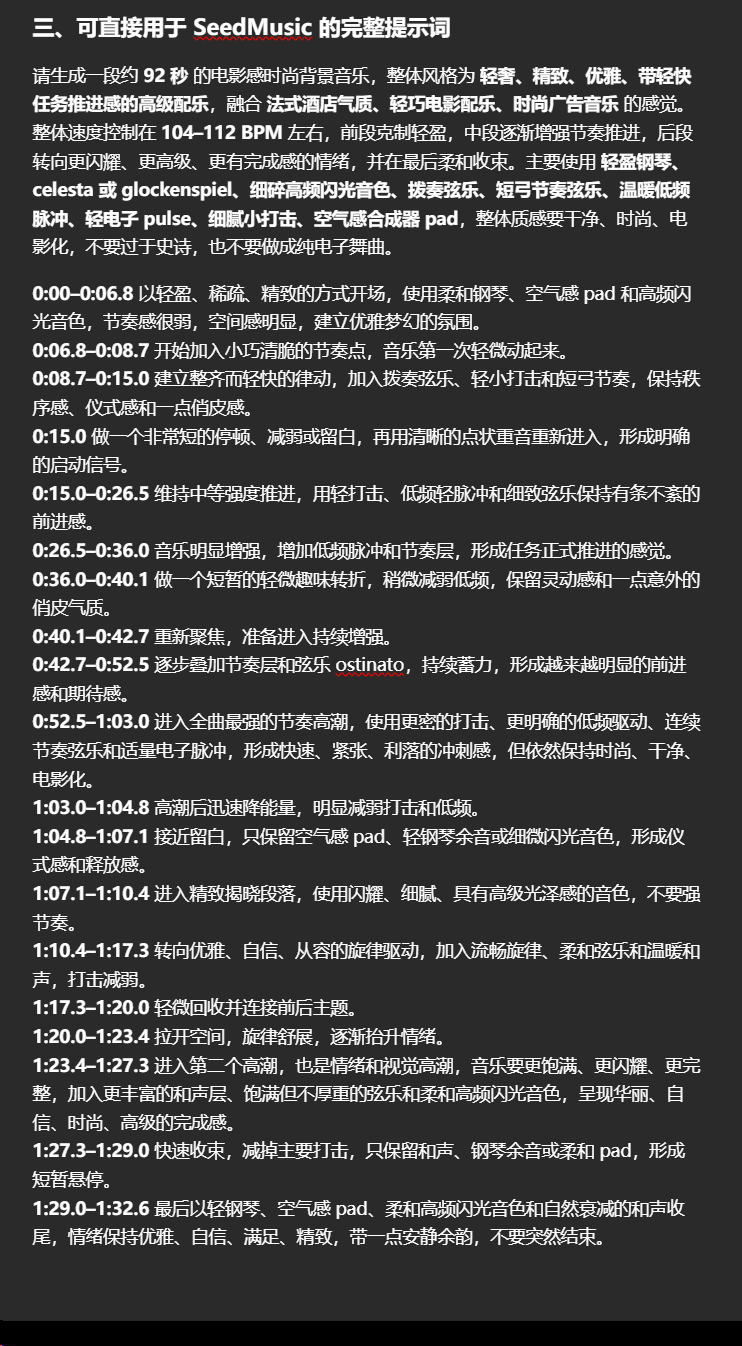
A.I. GAVE ME THE AUDIO
When you get this hint, you turn it over to Seed Music 1.0 for background music。
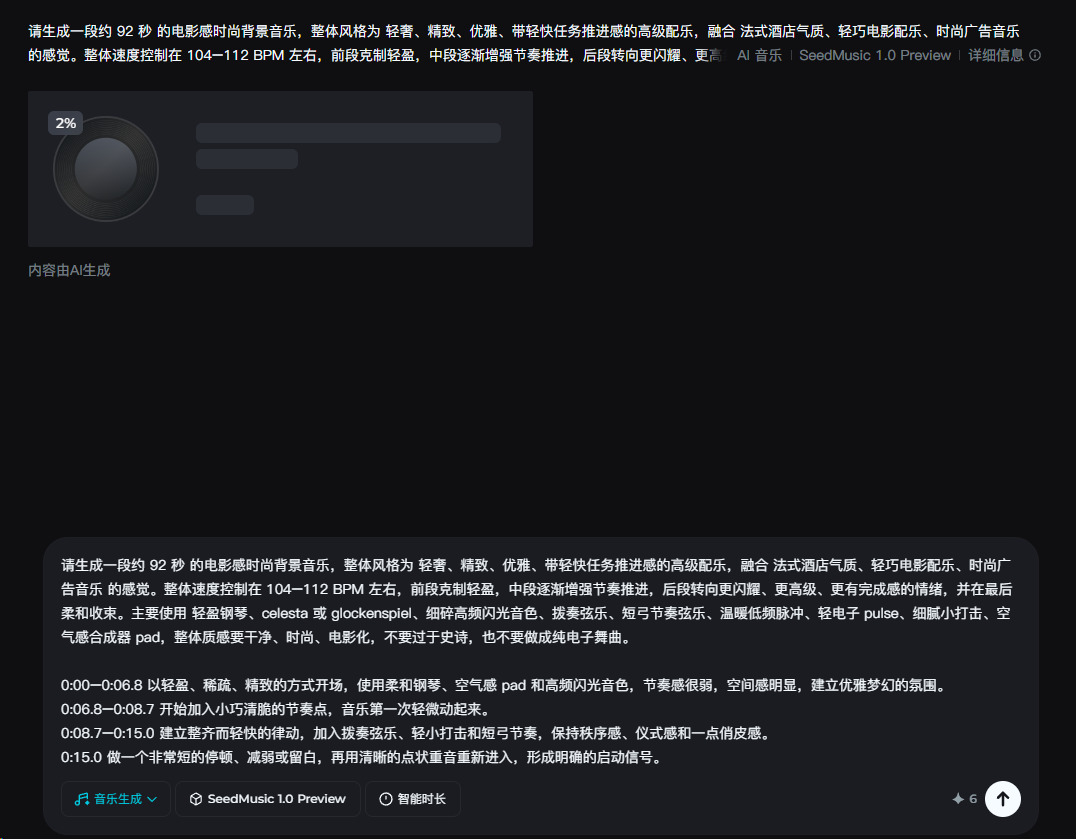
IF YOU HAVE A COMPLETELY DIFFERENT STYLE, YOU CAN MAKE YOUR OWN RECOMMENDATIONS AND AUDIO STYLES TO KEEP AI GOING
After the generation is completed, the music is replayed for an audition。
Three issues are highlighted here:
The rhythm of music and the lens is not the same。
When the picture came to the climax, there was no synchronized enhancement of the music。
At the end of the video, the music was not properly captured。
If the overall style is correct, just one location is not relevant enough and there is no need to regenerate the package。
“The first 12 seconds of restraint, 12 seconds from now, begin to enhance the rhythm and enter into the main emotional paragraphs after the official appearance of the person.”
This time-based approach is much more accurate than “better music”。
It is not possible to generate music that is exactly the same as the video rhythm, so when the music feels like it, a second clip is made。
So the whole set of background music is actually a clear process:
Upload video →AI analyzes rhythms and emotions Generates BGM hints → Seed Music Generates music → Play back video audition adjustments。
So what we're generating is no longer a simple "similar style" music, but a really video-based background music。
III. LET AI FIND OUT WHAT REALLY NEEDS TO BE ADDED
Once the background music is finished, you can then handle the video sound。
But there's no need to recreate all the voices in the video。
MANY OF THE AI VIDEO MODELS THEMSELVES ARE NOW ABLE TO GO STRAIGHT TO BASIC ACTION SOUND AND ENVIRONMENTAL SOUND, SUCH AS FOOTSTEPS, CLOTHING FRICTIONS, SIMPLE COLLISIONS, CLOSING DOORS, ETC。
If these voices already exist, they can be retained directly。
What really needs to be added are voices that have not been generated, that are not strong enough, or that are very important to the image。
For example, the person had a voice when he landed, but the impact was too weak to add a lower sound。
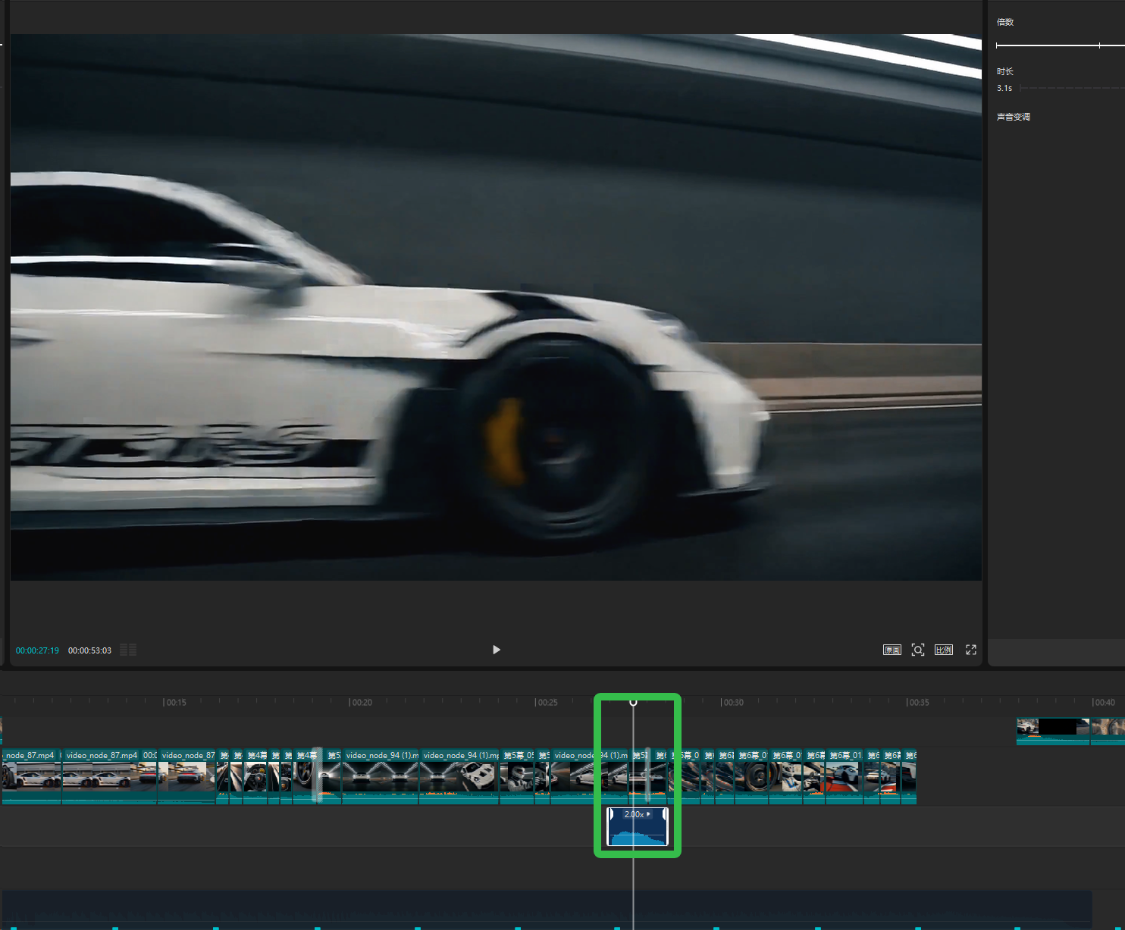
The car is moving from left to right at a high speed and the original video already has an engine sound, but without a clear sense of space movement, it can be supplemented by a separate sound。
So instead of reproducing the sound of the whole video, this stage:
First, to identify what is missing and then to complement the key voices。
Step 1: Sir, a supplementary sound form
WE CAN GIVE THE WHOLE VIDEO TO AI TO DETERMINE WHICH VOICES ARE READY FOR DIRECT USE AND WHICH LOCATIONS NEED TO BE STRENGTHENED。
Supplement to Sound Analysis Tips
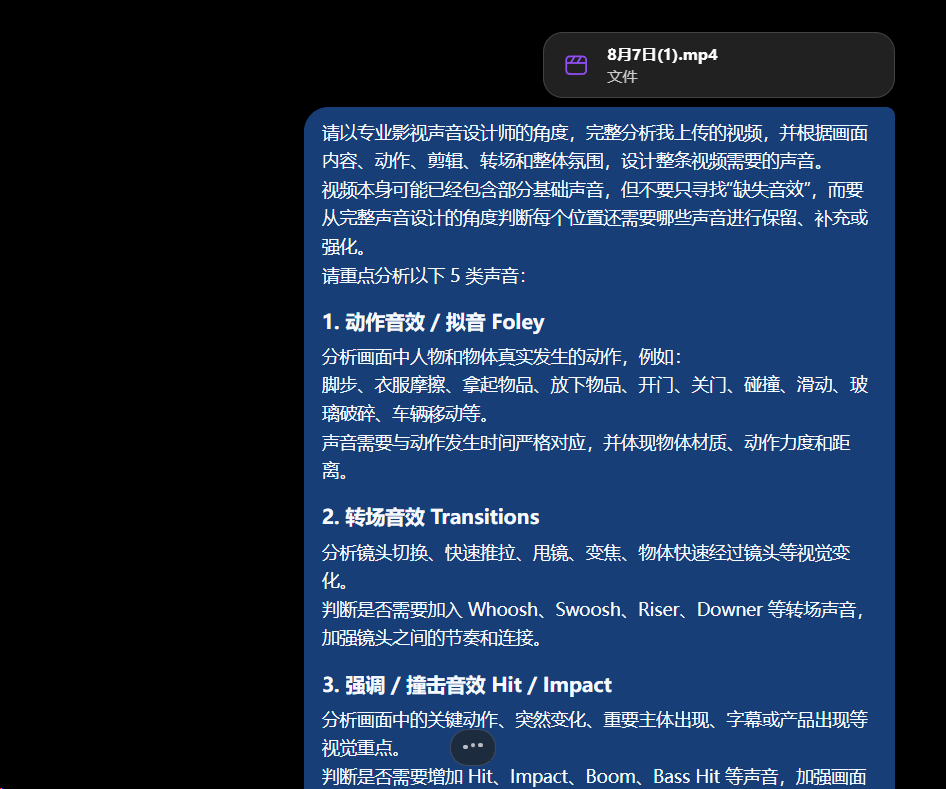
Please analyse the video that I uploaded in its entirety from the point of view of a professional video sound designer and design the sound that the whole video needs, based on the content, actions, clippings, turns and the overall atmosphere。
The video itself may already contain part of the underlying sound, but not simply looking for " missing sound " , but judging from the point of view of the complete sound design what sound is required for each location to retain, supplement or enhance。
Please focus on the following five types of sound:
#1T#1. Action Sound / Pronunciation Foley
Analysis of the actual actions of persons and objects in the picture, such as:
Footsteps, clothing frictions, pick-up of items, laying down of items, opening of doors, closing of doors, collisions, slides, broken glass, moving of vehicles, etc。
Sound needs to correspond strictly to the time when the action occurs and to reflect the mass, strength and distance of the object。
#1T#2 transmutation
Analysis of visual changes such as camera switching, rapid push, shuffle mirrors, focal points, and rapid passage of objects through the lens。
To judge whether it is necessary to add the voice of Whoosh, Swoosh, Riser, Downer, etc. to enhance the rhythm and connection between the lenses。
#1T#3 Stress / Impact sound Hit / Impact
Analysis of the key actions in the images, sudden changes, the emergence of important subjects, subtitles or the appearance of products。
To judge whether there is a need to increase the sound of Hit, Impact, Boom, Bass Hit, and so on, to strengthen the image and emphasize it。
#1T#4 Special / Design Sound Design
The analysis of what the real voice is not enough to show。
For example:
Science-fiction energy, mega-organisms, superreal changes, magic, dreams, time changes, space distortions, object creation, disappearance, etc。
An imaginative voice based on image style, but do not add effects unrelated to the image。
#1T1T5T5T5T2Drone / Pad
Analyse whether different scenarios require a continuous environment or emotional background。
For example, under-city noise, indoor sense of space, wind, low frequency Drone, mystery Pad, mechanical sound。
The sound of the atmosphere does not take over the action of the subject, but is responsible for increasing the sense of space and the overall emotion。
—
Please follow the video's real time axis output。
Each sound is listed separately and no multiple voices are merged into one。
The format is as follows:
** Time:**
** Sound type: ** Foley / Transtion / Hit / Sound Design / Drone
**Voice required:**
** Corresponding image:**
**Voice source:**
**Actions or changes:**
**Voice strength:**
** Distance and direction:**
** Duration:**
** Designed for:** Why this sound is needed here
If 3 different sounds are required at the same time point, break down to 3 separate entries。
For example:
2.40 seconds |Foley | soles quickly rub the ground
2.55 |Transion Quick Cross-Screen
2.90 seconds |Hit|s instant increase of low frequency
** Do not merge the above three voices into a “persons fall back”. **
Ultimately, please check the whole video in its entirety to ensure that key actions, camera rotations, visual emphasis, special images and scene environments are matched by sound designs。
This step is only for the analysis and planning of sound, and does not produce all sound alerts at once。
Step 2: Separate each sound
Once additional sound forms have been obtained, it is not recommended that all sound be given to the sound model for generation。
Each sound should be generated separately。
For example, a character falls and needs to be added:
Shoe bottom rubbing。
Clothes swinging。
Body impact。
The three sounds should be generated three times, not one in the same hint。
Because different voices appear at different times, in different volume and in space。
Once they are created separately, we can adjust them separately in the editing software:
When does it show up。
How loud is that。
How long。
From left or right。
If multiple voices are generated at a time, they are easily mixed in the same audio and it is difficult to continue fine-tuning at a later stage。
So here's one thing to remember:
The analysis can be completed at once and the sound must be generated article by article。
CONTINUE DIALOGUE WITH AI
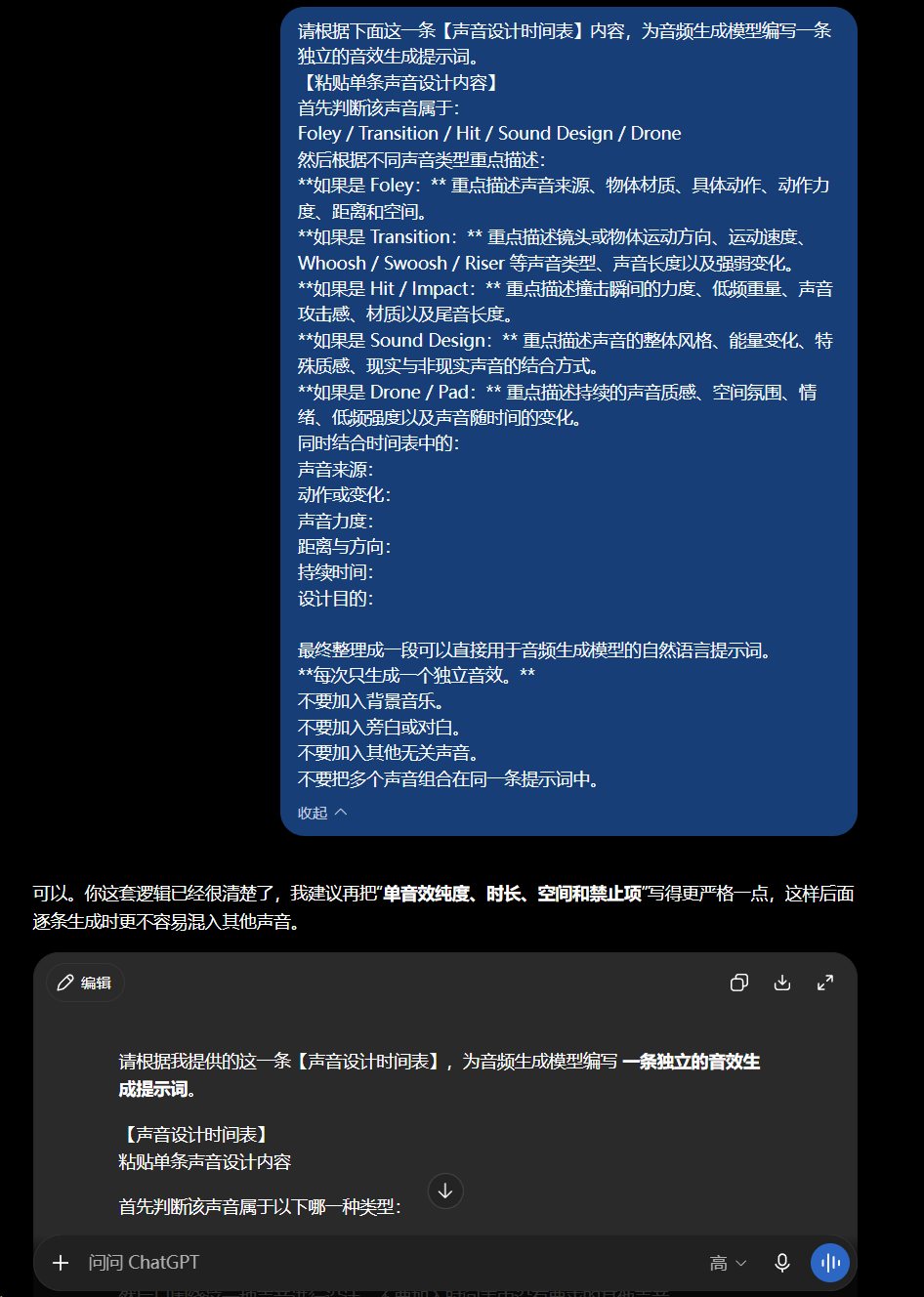
Dialogue Interface
Single Audio Generate Phrasing
Please prepare a stand-alone audio-generated reminder for the audio generation model based on the following [sound design schedule]。
[Attached sound design]
First of all, the sound belongs to:
Foley / Transtion / Hit / Sound Design / Drone
Then, according to the different sound type, emphasis is given to:
** If Foley: ** Focus on sound sources, object materials, specific actions, movement strength, distance and space。
** If Transtion: ** Highlights the sound type, voice length and strength change of the lens or object 's movement direction, speed of movement, Whoosh / Swoosh / Riser。
** If Hit / Impact: ** Focuss on impact instantaneous force, low frequency weight, sound attack, material and tail length。
** If sound Design:** highlights the overall style of sound, energy change, special sense of quality, and the way in which reality is combined with non-realistic sound。
** In the case of Drone / Pad:** Emphasis is placed on the continued sound quality, spatial atmosphere, emotions, low frequency intensity and the change of sound over time。
Together with:
Sound source:
Action or change:
Sound strength:
Distance and direction:
Duration:
Design purpose:
It is eventually organized into a natural language hint that can be used directly in audio generation models。
** Only one independent sound at a time. **
Do not add background music。
Don't add citation or confidance。
Do not add any other irrelevant voices。
Do not group multiple voices in the same hint。
Step Three:
Then just check the results of the first step
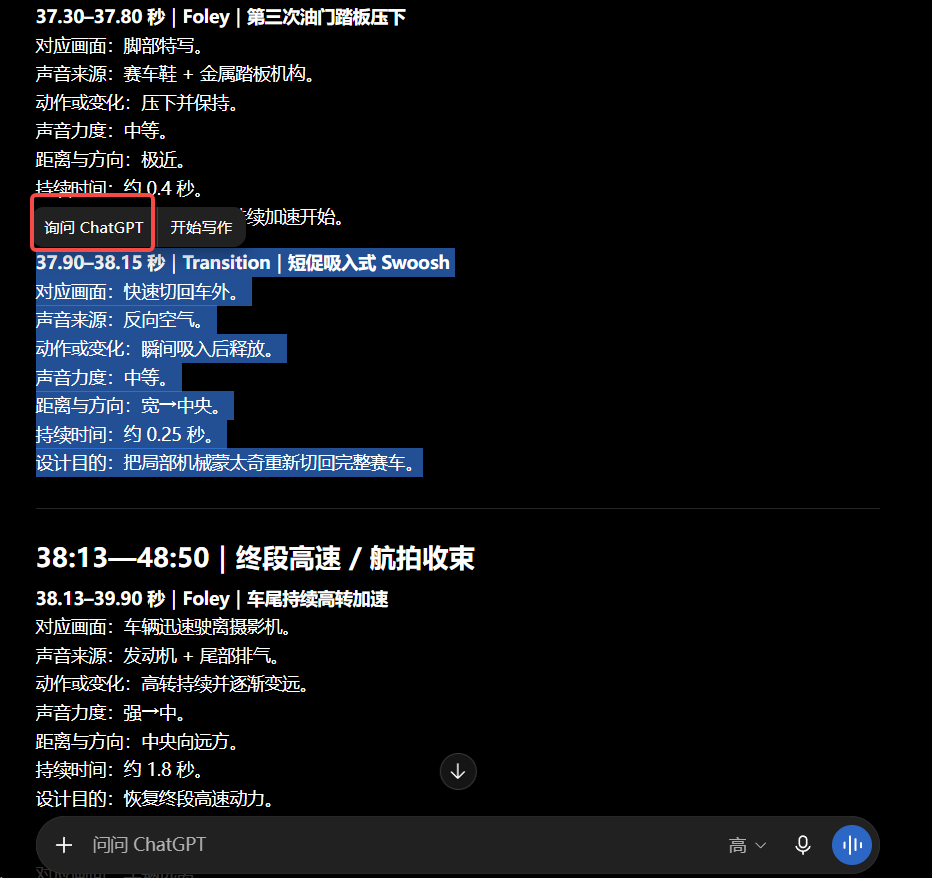
So GPT will give you a sound alert, but the time that's generated can be adjusted directly to a longer, three to fives
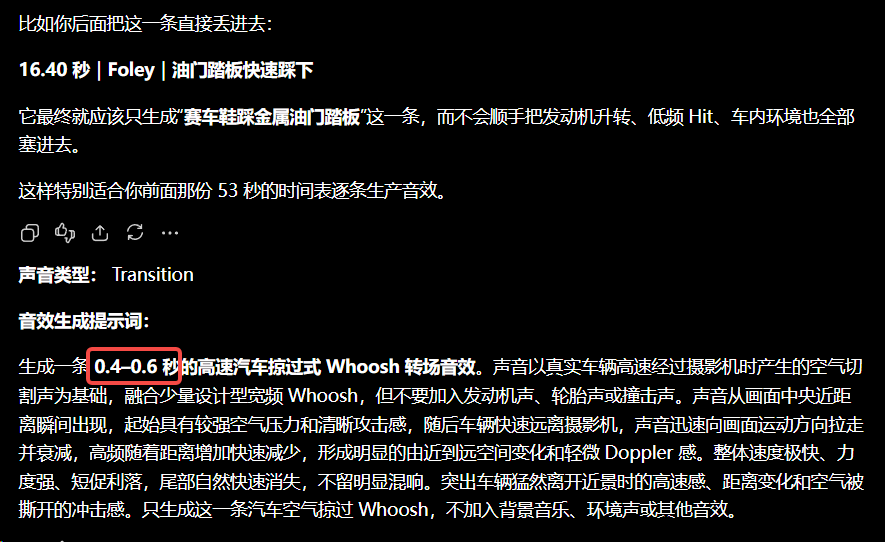
Then go and use feed Audio1.0 to generate sound
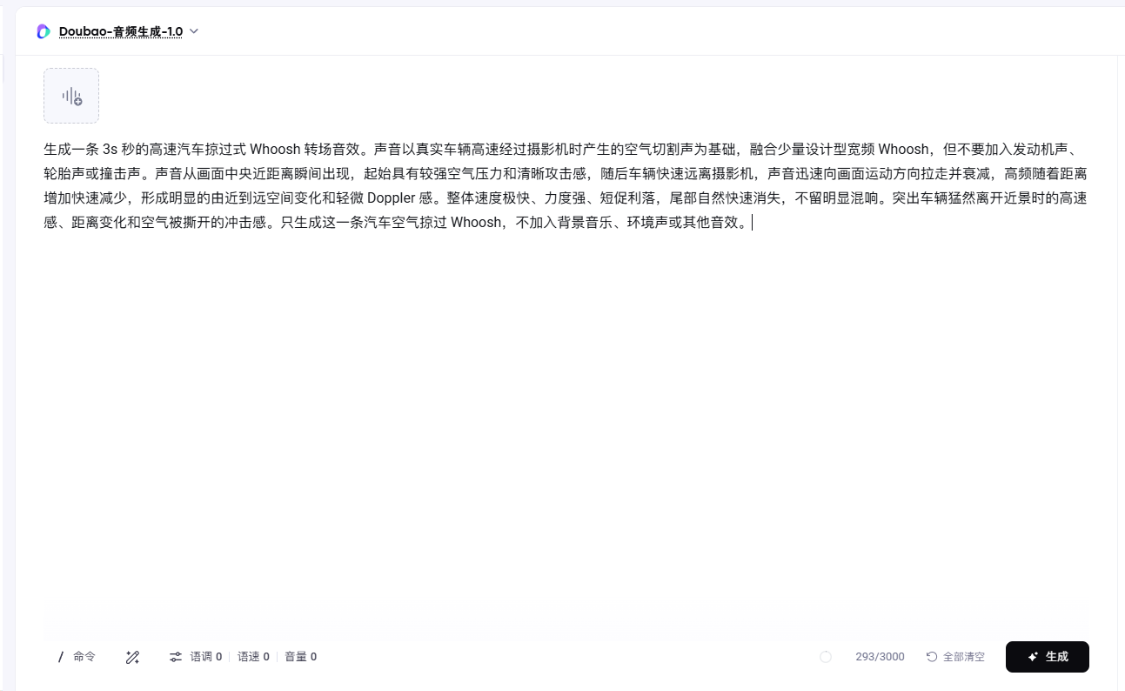
Add the resulting sound to the video in the clip
And finally, remember this sound-design workflow
It's not that complicated to clean up the whole process。
We just have to finish four things。
STEP ONE, LET AI READ THE VIDEO FIRST。
We'll analyze the rhythm of the camera, the movement of people and the emotional changes。
Step two, generate background music based on video structure。
Instead of just writing music styles, let music follow video time。
STEP THREE, GET AI TO CRACK THE SOUND IN THE PICTURE。
Turn complex actions into a sound table with time nodes, and then generate important voices。
Step four, put back the music and the sound。
The video highlights the volume, time, proximity and position。
And you'll find that it really saves more than just the time to make a sound。
It reduces one of the hardest things before:
Look。
The tools will continue to evolve。
The model will also be updated。
But the method at the core of the sound hint will not change much:
Read the images first, then translate them into sound。