



This guide will guide you Midjourney The face-changing process is completed in , which can be used to create more personalized and unique characters.
Step 1: Make a basic character
First, we need to generate an image as the base image for face swapping. Let's create the following character and scene:A gorgeous woman is enveloped in the fantasy atmosphere of a rainforest, with soft shadows swirling across her features, depicted in cool tones.
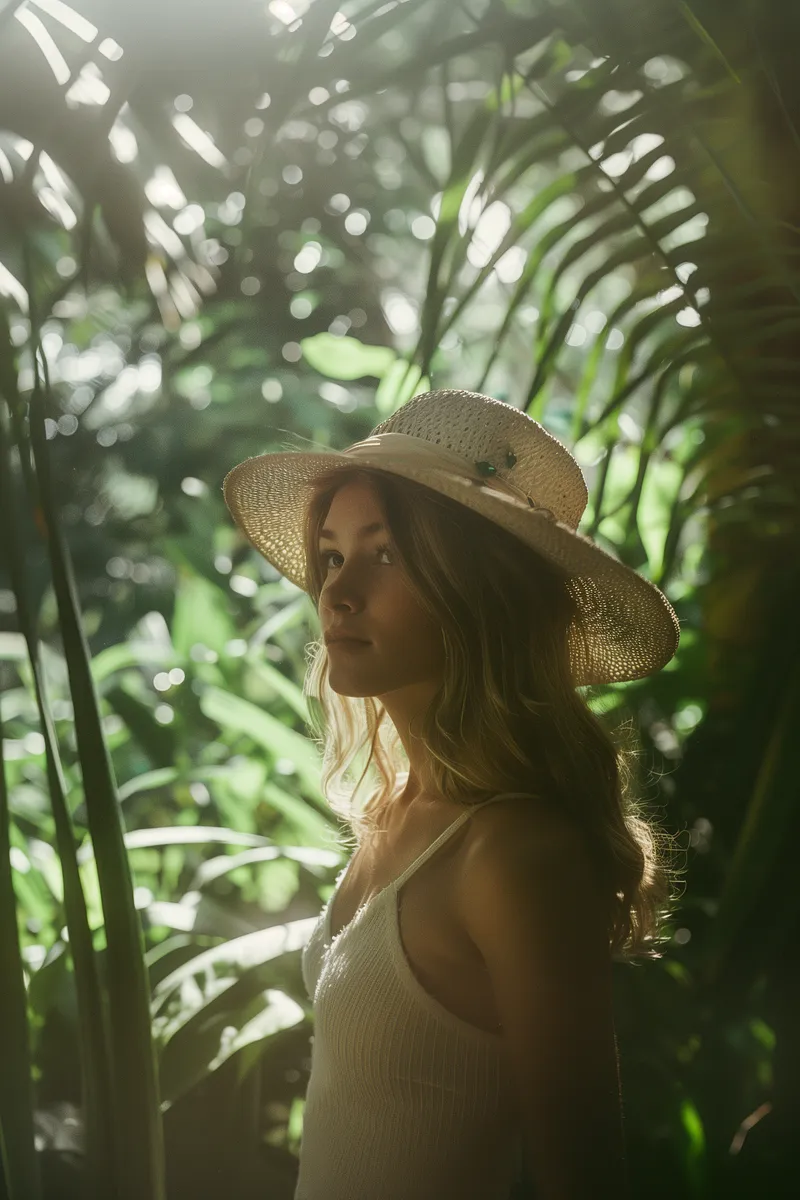
Prompt: 35mm photo capturing a gorgeous woman in a whimsical rainforest, gently revealed by soft shadows. Cool tones. Shot during the day on slide film-ar 2:3 -style raw -v 6
FYI: 35mm photo capturing a beautiful woman in an exotic rainforest with soft shadows gently revealing themselves. Cool colors. Shot in daylight with slides -AR 2:3 -style raw -V 6
Step 2: Create a new character (we need a face for this character)
Now, we need to create a new character, and we need to use this character's face to swap with the previous character.
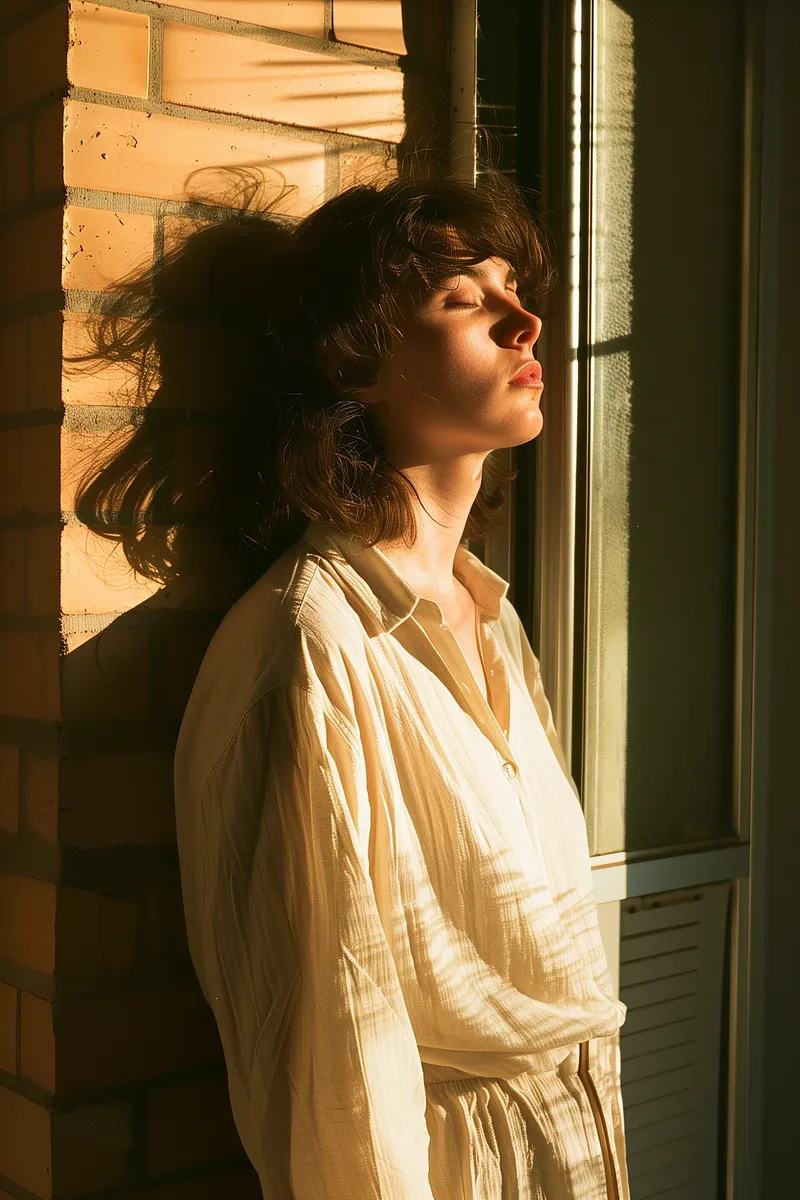
Prompt: 35mm Fujifilm superia exterior photo capturing a woman leaning by the open window of her apartment. Minimalist shot in the afternoon during golden hour. The sun directly hits the woman's body and face-ar 2:3 -style raw -v 6
FYI: 35mm Fujifilm superia location photo of a lady leaning against an open window of her apartment. Minimalist style photo taken in the golden hour of the afternoon. The sunlight hits the woman's body and face directly -AR 2:3 -style raw -V 6
You can also consider using real images for this step, but be aware that Midjourney tends to distort real images to protect privacy and maintain its creative nature.
Step 3: Regional Changes
Once the character is set up, we’ll dive into the heart of face swapping: regional changes. This feature of Midjourney allows us to specify the part of the image we want to modify by introducing a new element (in our case, another character’s face).
Going into "Change Area" mode, we select the subject's face from the base image and direct Midjourney to merge it with the character of our choice. The subtlety of the production is in the details; you can control how much the new character affects the final image with the "cw" (character weight) value. Lower "cw" values focus on the face, while higher "cw" values allow for the introduction of clothing and accessory elements for a full character transformation.
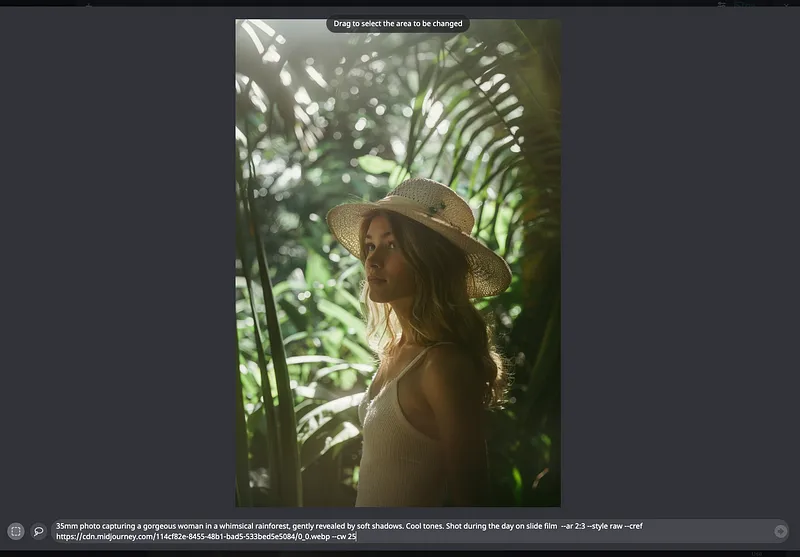
Select the Change Region option
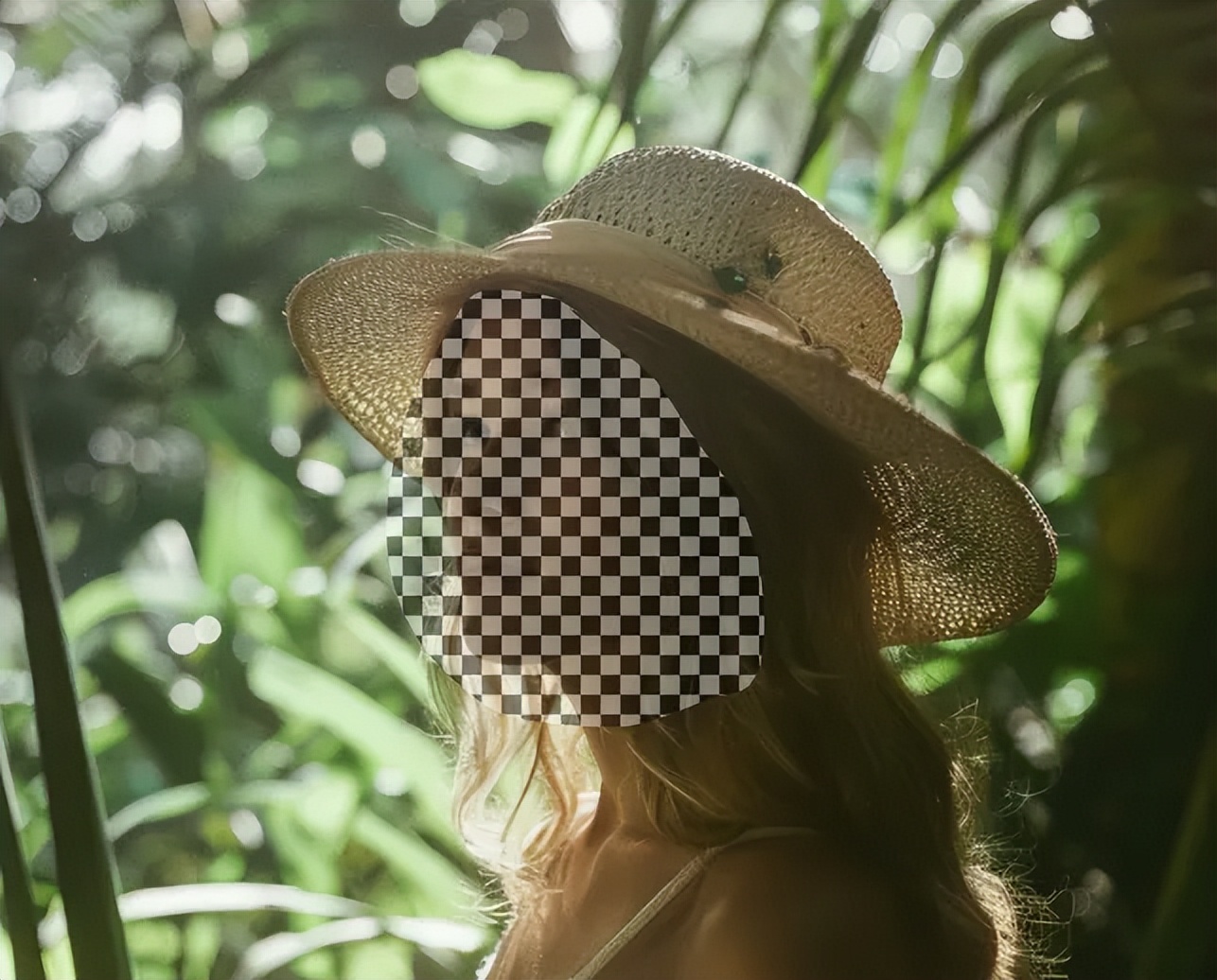
Also select "marquee" and click on the subject's face
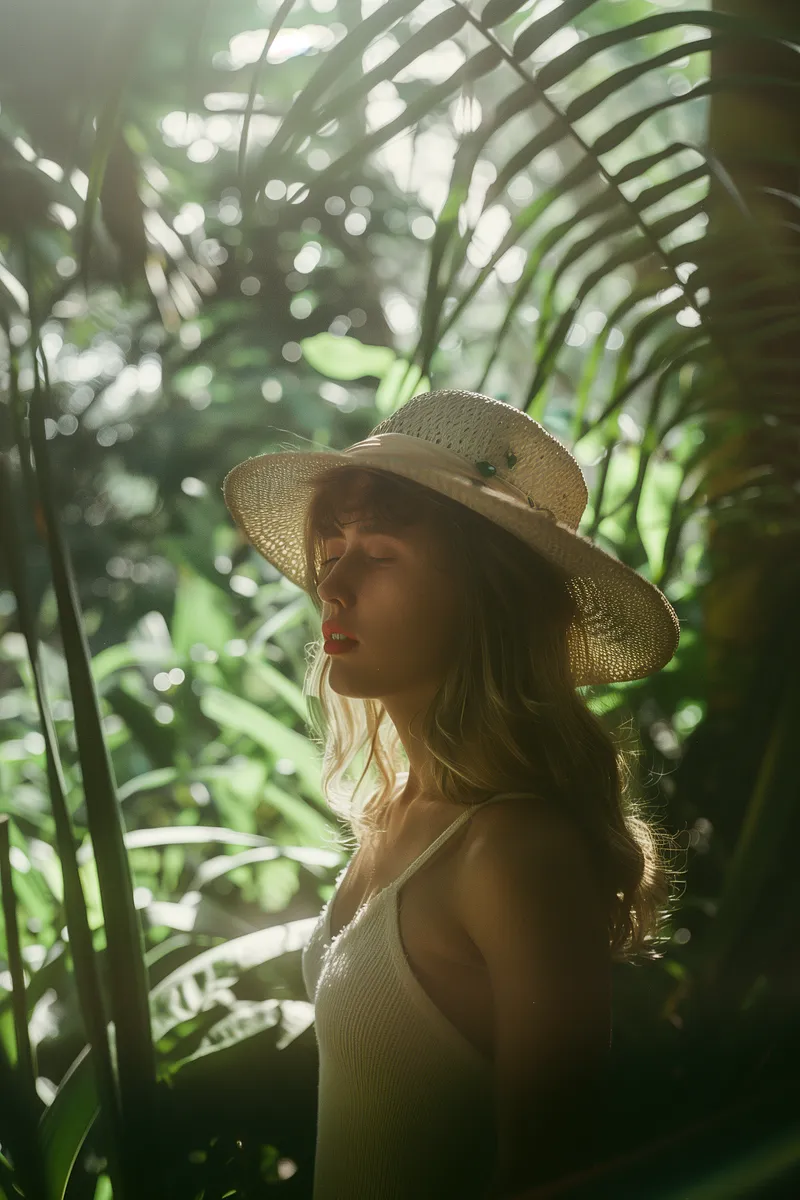
Prompt: 35mm photo capturing a gorgeous woman in a whimsical rainforest, gently revealed by soft shadows. Cool tones. Shot during the day on slide film-ar 2:3 -style raw -cref -cw 25 -v 6
FYI: 35mm photo capturing a beautiful woman in an exotic rainforest with soft shadows gently revealing themselves. Cool colors. Shot on slide during the day -ar 2:3 -style raw -cref-cw 25 -v 6
Just like that, with the magic of AI and a touch of creativity, you have successfully changed a face in Midjourney. This process not only opens up a whole new artistic field, but is also easy, fast and fascinating to operate.