



Some students asked how to make the recently popular animal-to-human videos. Try to do a few animals into people video, the effect can barely work, for reference.
Solution
1、Use the first and last frame function to realize the special effect of animals changing into people.
2, to keep the video attention on the change, you need to try to keep the background consistent, the change is the subject.
AI tools
Below, learn together how to create an animal to human effects video with Instant Dream AI?
▌Creating a special effects video of animals turning into people with instant dreams
Open the homepage of the official website of Instant Dream AI and click [Image Generation].

Enter the picture generation interface, enter the text to generate the prompt word, select the model [Picture 2.0 Pro], select the picture ratio [9:16], click [Generate Now].

Enter the text-generated video interface, enter the text-generated video description content, the video model here pothead directly select the default video S2.0, click [Generate Video].
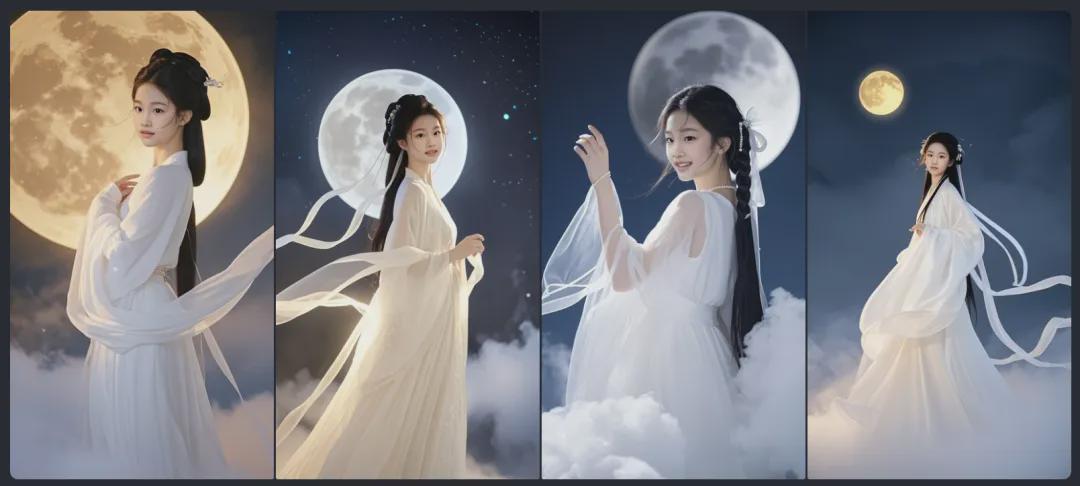
Cue word: Chinese portrait photography, close-up, ancient style absolute beauty, a fairy-like 20-year-old girl wandering under the moon, beautiful cheeks, delicate features, smiling face, rich details, long white dress, in the clouds, the foreground is defocused, the dress is floating, white translucent ribbons fluttering, looking back, the clouds and foggy, just like a fairyland, in the background is a huge round of the bright moon, the lower part of the picture was white mist, bright environment, high quality, ultra high definition, 8k, excellent photography, masterpiece!

Generate images to completion, four at a time.
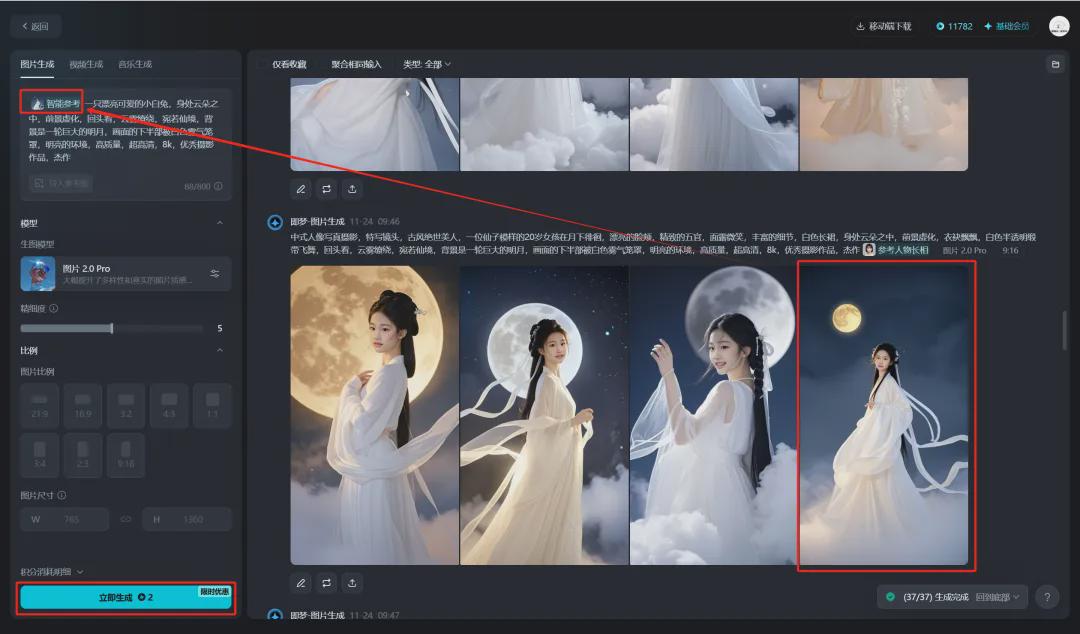
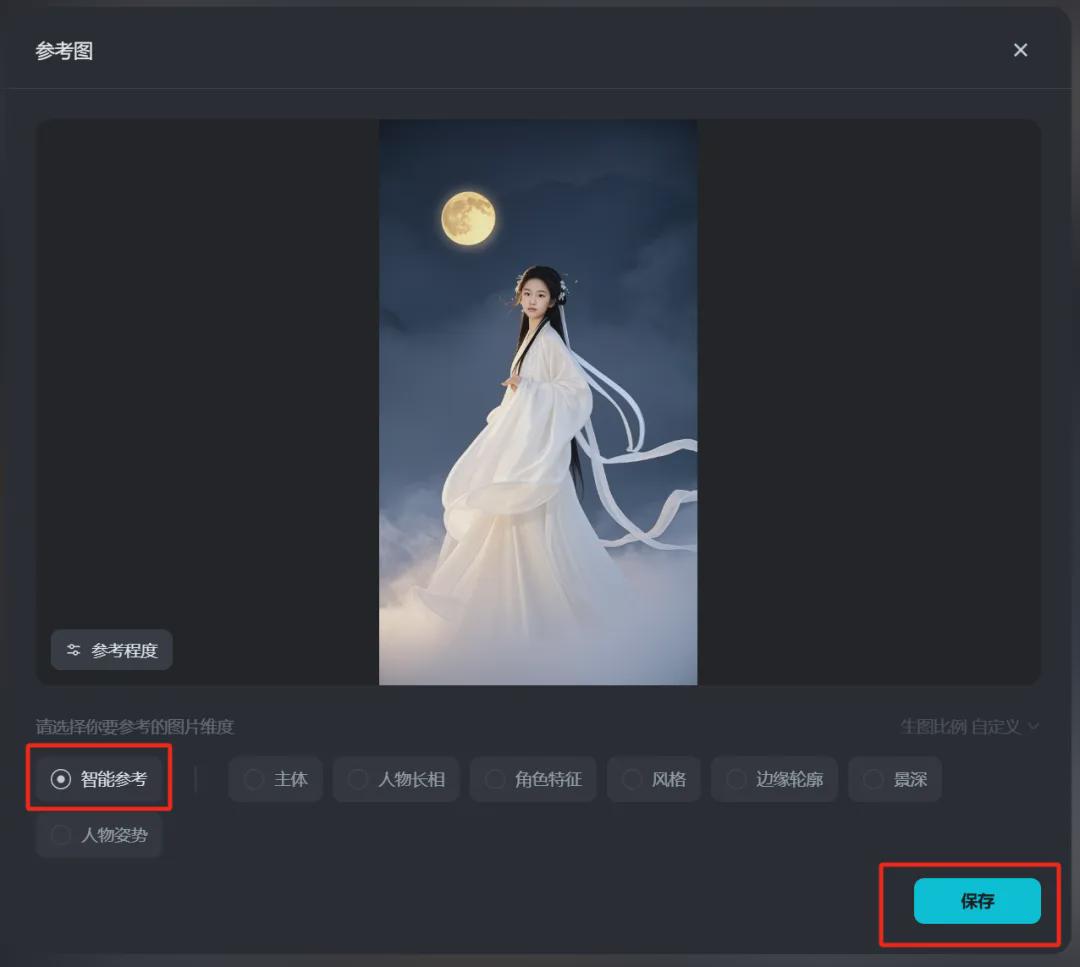
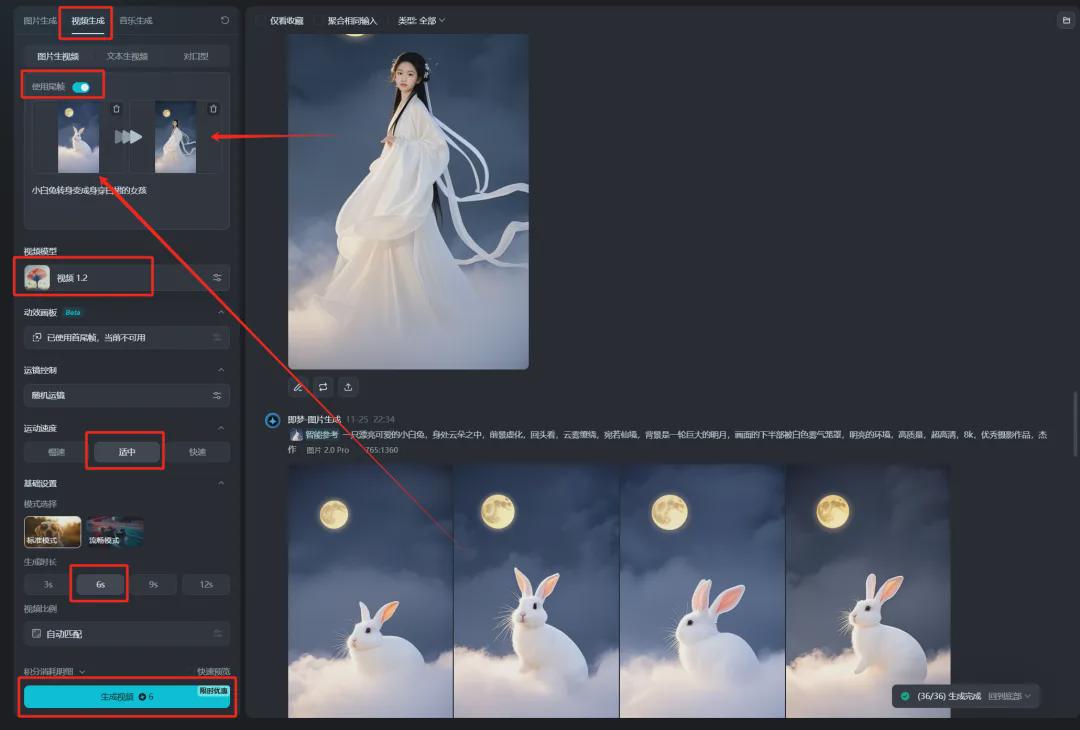
Drag and drop one of your favorite pictures to the picture description input box with your mouse, enter the prompt word and click [Generate Now].
Cue word: a beautiful and cute white rabbit, in the middle of the clouds, the foreground is defocused, looking back, the clouds are like a fairyland, in the background is a huge bright moon, the bottom half of the picture is covered by white mist, bright environment, high quality, ultra high definition, 8k, excellent photography, masterpiece
Raw charts are completed.
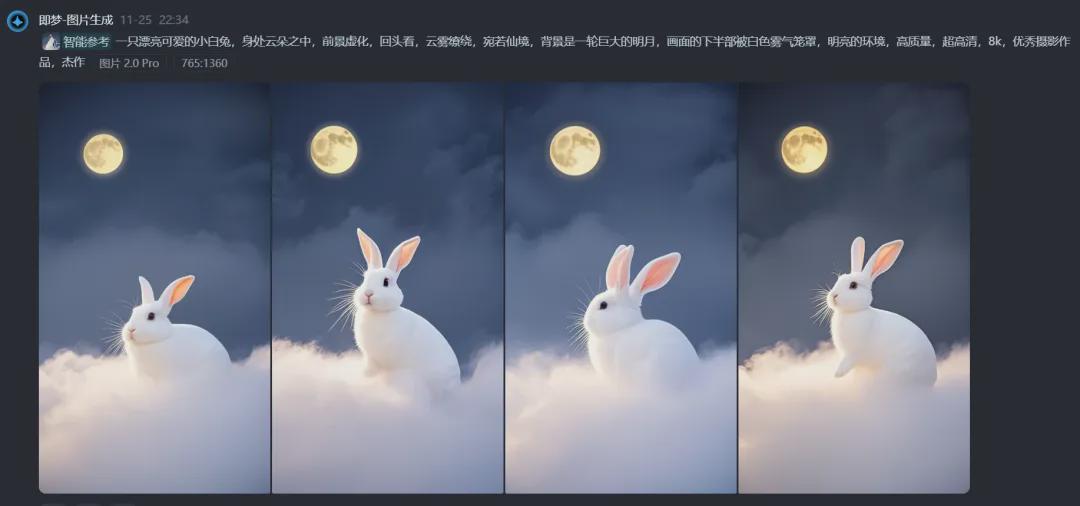

Similarly, other animal images are generated by smart reference generation.
Click Video Generation, turn on the "Use Tail Frame" switch under the Picture Generate Video interface, drag and drop the rabbit picture and the picture of a girl in a white dress to the first and last frames of the picture, enter the prompt word "The white rabbit turns into a girl in a white dress", select [[Video 1.2], select "Moderate" for the motion speed, select "6s" for the generation duration, and click [Generate Video]. Video 1.2], select "Moderate" for the motion speed, select "6s" for the generation duration, and click [Generate Video].
PS: At present, only version 1.2 of Dream Video Model supports the first and last frame function.
Video generation is complete, click [Download Icon].
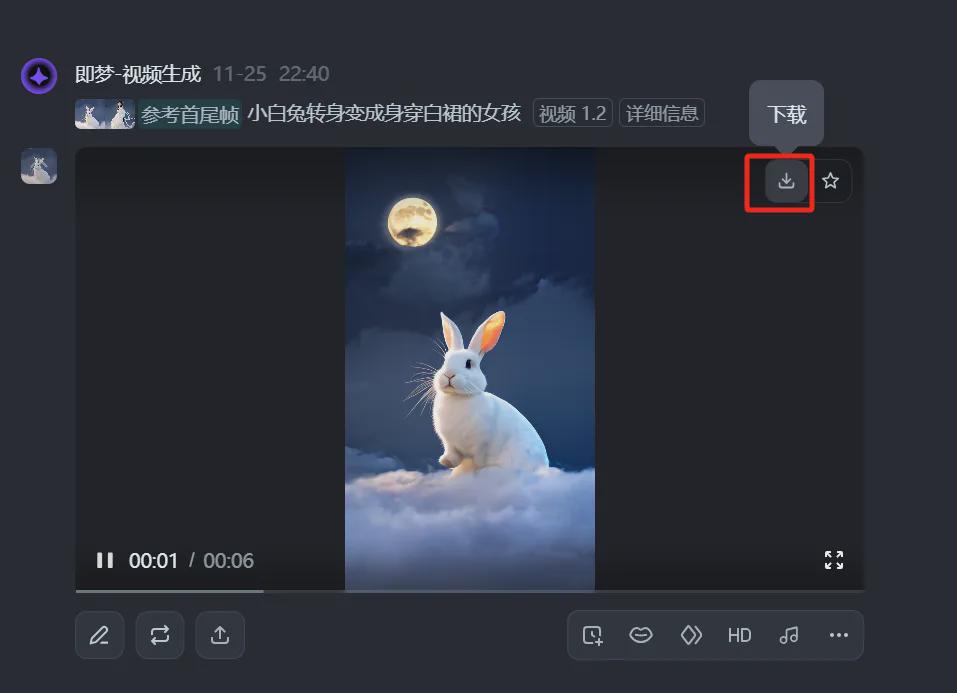
The video is saved to your local computer after the download is complete.
Similarly, drag and drop other animals as the first frame images to generate different animal to human special effect videos.

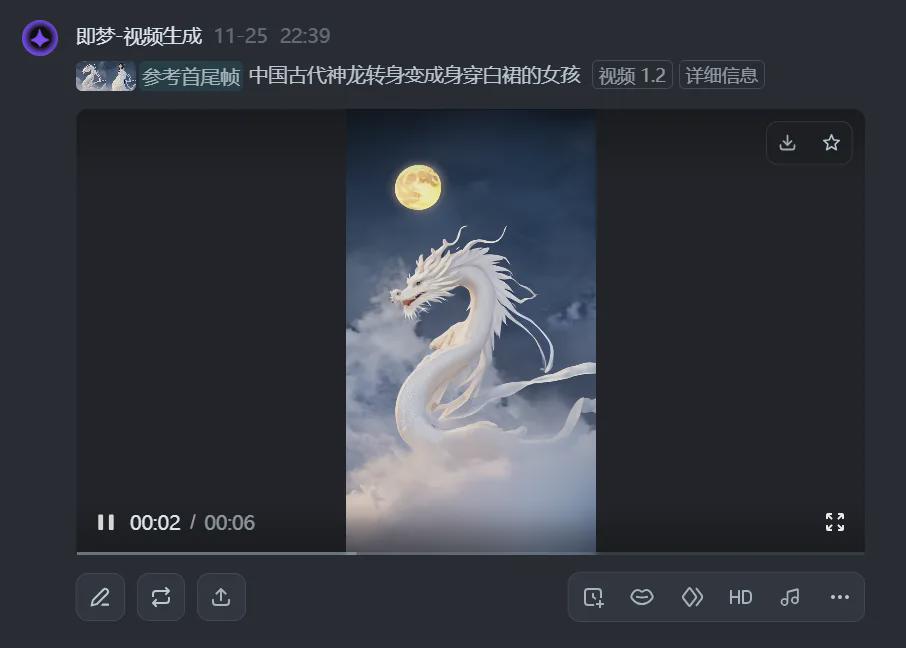
Here we are, let's create a special effects video of animals turning into people with Instant Dream AI, have you learned it yet?
▌Learning Summary
Let’s review and summarize what we have learned:
- Open the official homepage of Instant Dream AI and click [Image Generation] to enter the image generation page.
- Enter the Generate Character prompt word to generate a character picture.
- Based on the character image as a reference image, select Smart Reference and change the character subject of the cue word to an animal to generate an animal image.
- After entering the video generation page, use the first and last frame function to generate the video by using the animal picture as the first frame image and the character picture as the last frame image.
- Click [Download] to save the video to your local computer.
This wave went down and we learned together to quickly generate animal to human special effects videos with Instant Dream AI.