



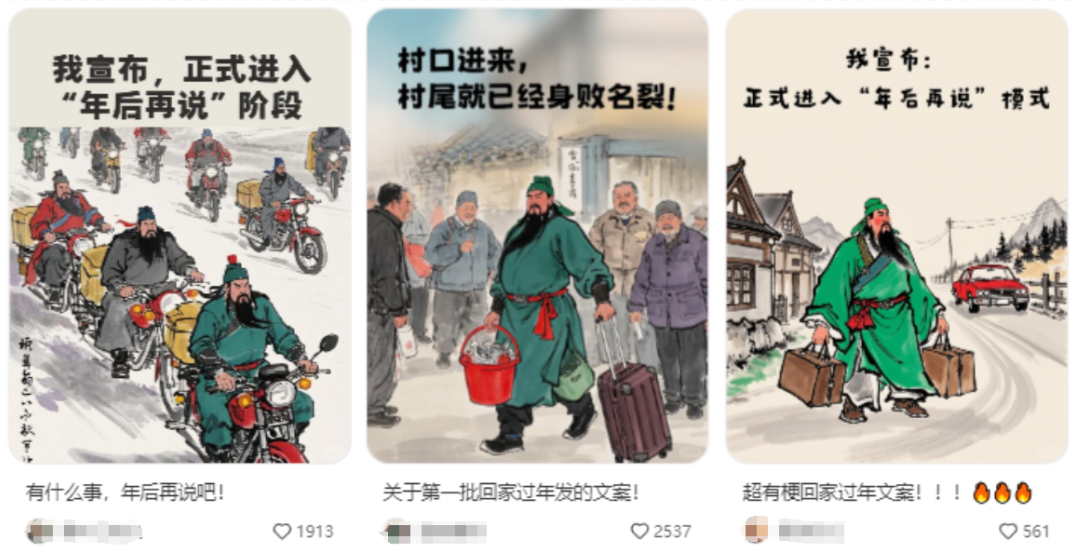
Near the New Year there is a new burst of content, ink painting style of ancient celebrities + modern elements + contemporary cattle and horses to fight workers to go home for the New Year's heartfelt text, often seen on the small sweet potato and small green book.
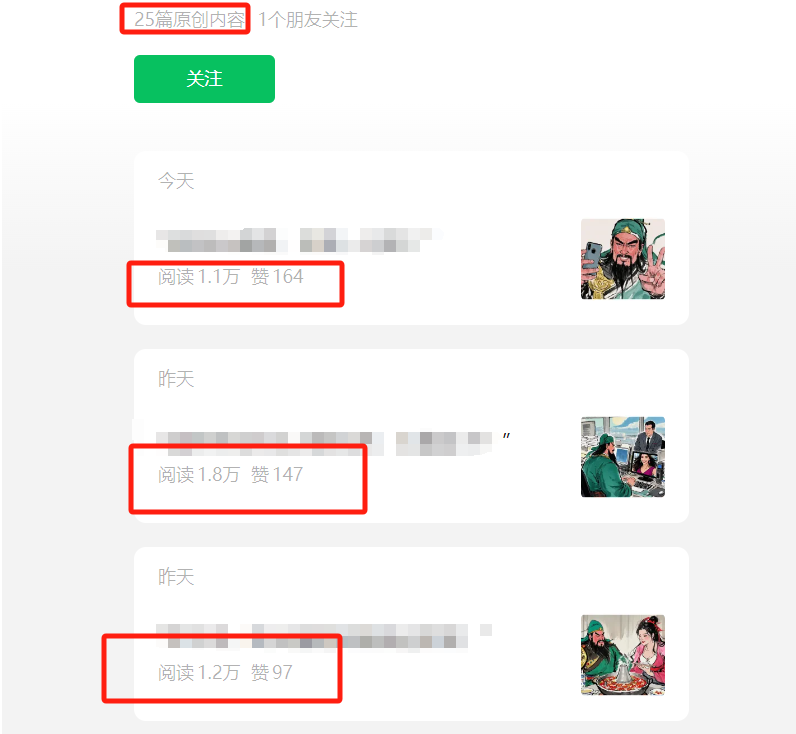
this isPublic AccountThe data, only 25 pieces of content were posted and each one was a hit, a proper traffic code.
Today, we're going to explain in detail how to make this kind of graphic, which is super easy and can be quickly mastered by beginners.
practical step
Step 1: Get the copy
For copywriting that hits home in the heart of the laborer, you can find it on theLittle Red BookOn first collect a few seizure texts and save them, then create them with the help of AI, such as Kimi, at https://kimi.moonshot.cn/
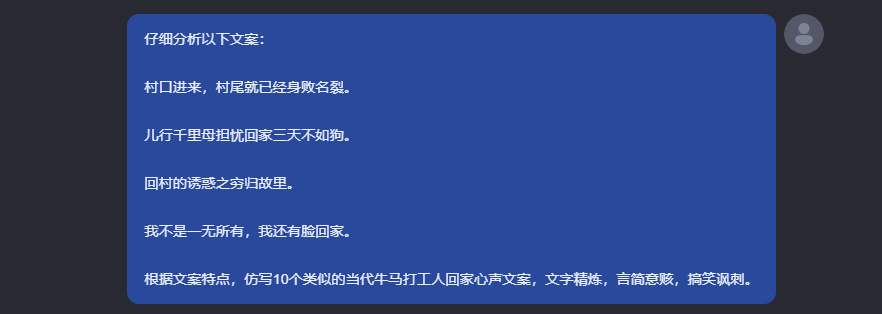
Open Kimi and enter the cue word:
Analyze the following text carefully:
The village entrance came in, and the village end was in ruins.
Children travel a thousand miles and mothers worry about coming home for three days is not as good as a dog.
The Temptation of Returning to the Village of the Poor Returning to their Homeland.
I'm not nothing. I have a face to go home to.
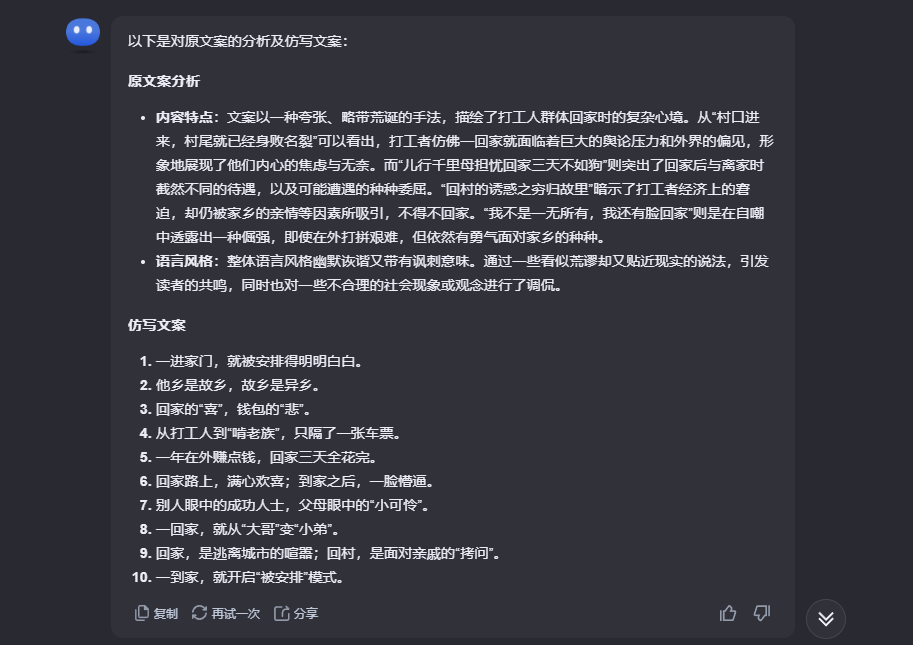
Based on the characteristics of the text, imitate 10 similar contemporary cowboys and horses beating workers home heartfelt text, concise, concise, funny and satirical.
Kimi analyzes and gives parody copy.
Step 2: AI drawing
Open Instant Dream AI at https://jimeng.jianying.com/ai-tool/home
Select the AI mapping area of the home page[Image Generation]Function.

Enter the following prompt words in the Description field.
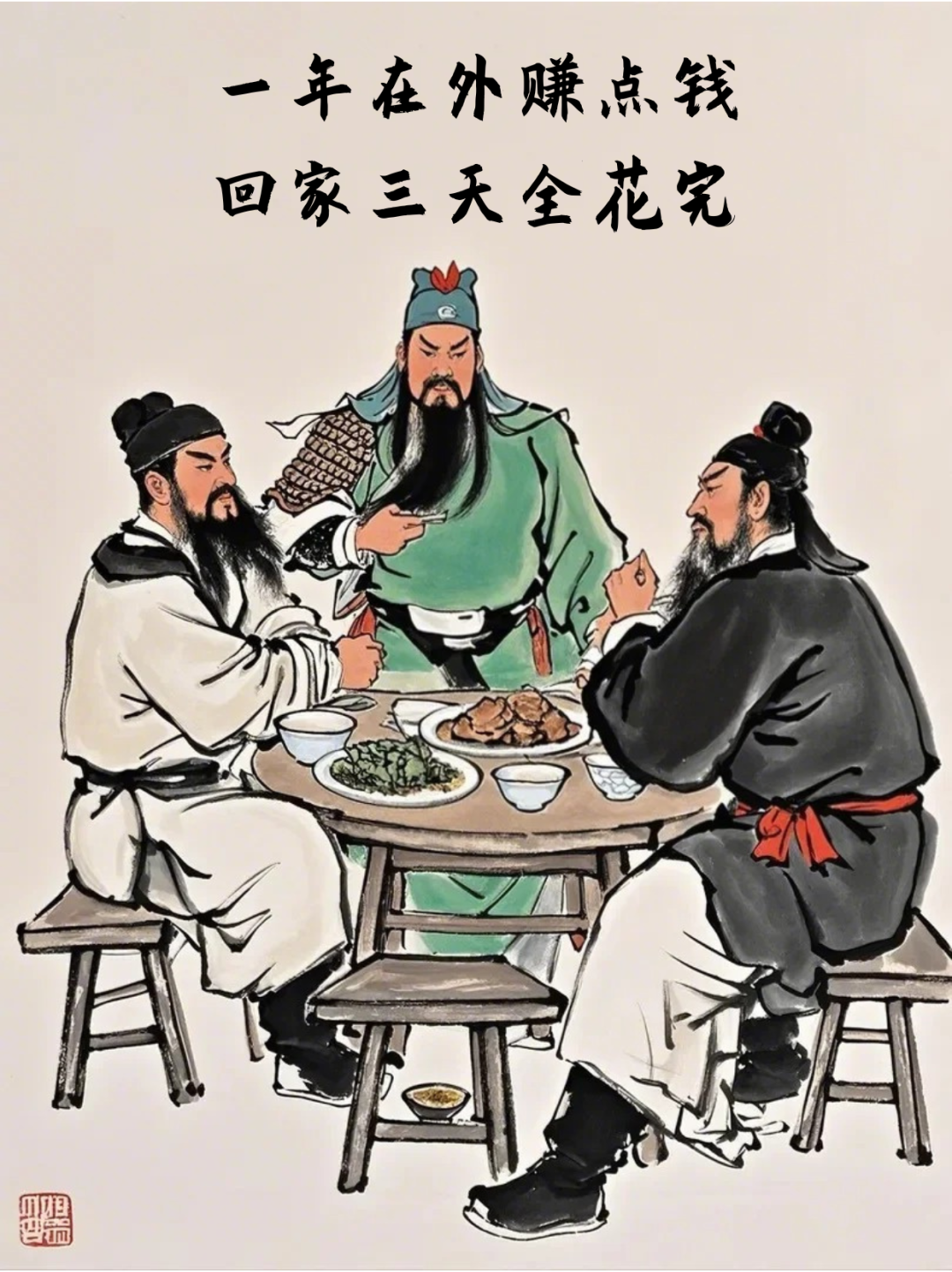
Three brothers, Guan Yu, Zhang Fei and Liu Bei, eating at a roadside stand, a table of dishes, pure white background, Chinese painting, Xu Beihong, absurd picture, rough brushstrokes, pure white background, Chinese painting, Xu Beihong, absurd picture, rough brushstrokes
Graphical model selection [Image 2.0 Pro], the fineness is pulled straight to full, and the proportion of the picture[3:4]Click[Generate Now]
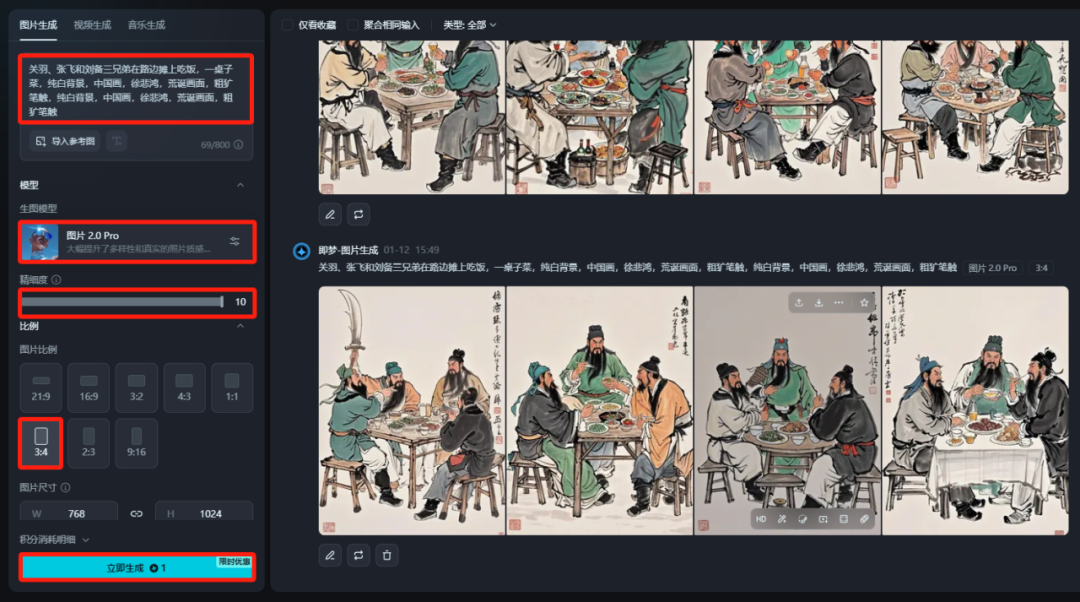
Four images at a time, click on the one you like to see a larger version, no problem clicking on the[Ultra HD]If you are not satisfied, generate a high resolution image, and then generate it a few more times.
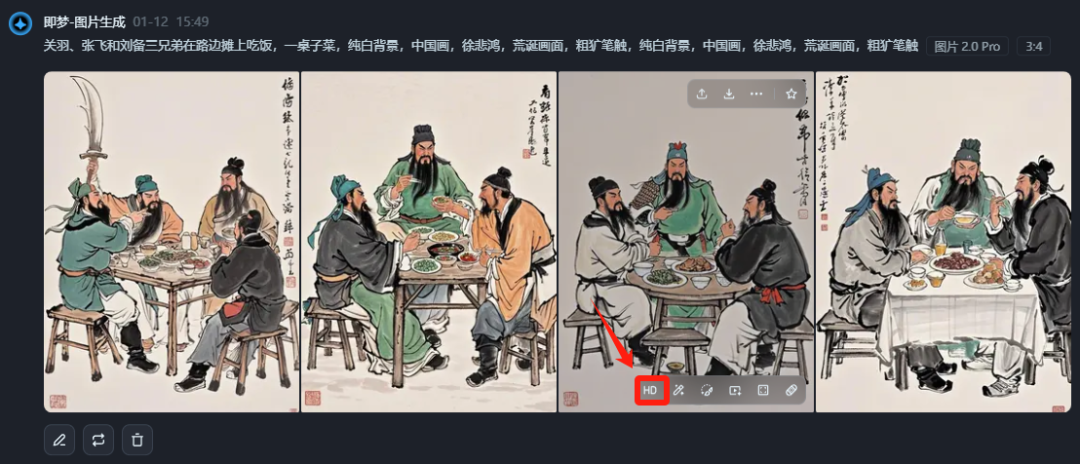
After the HD image is generated, then click above the image on the[...]icon, select[Goes to canvas for editing]
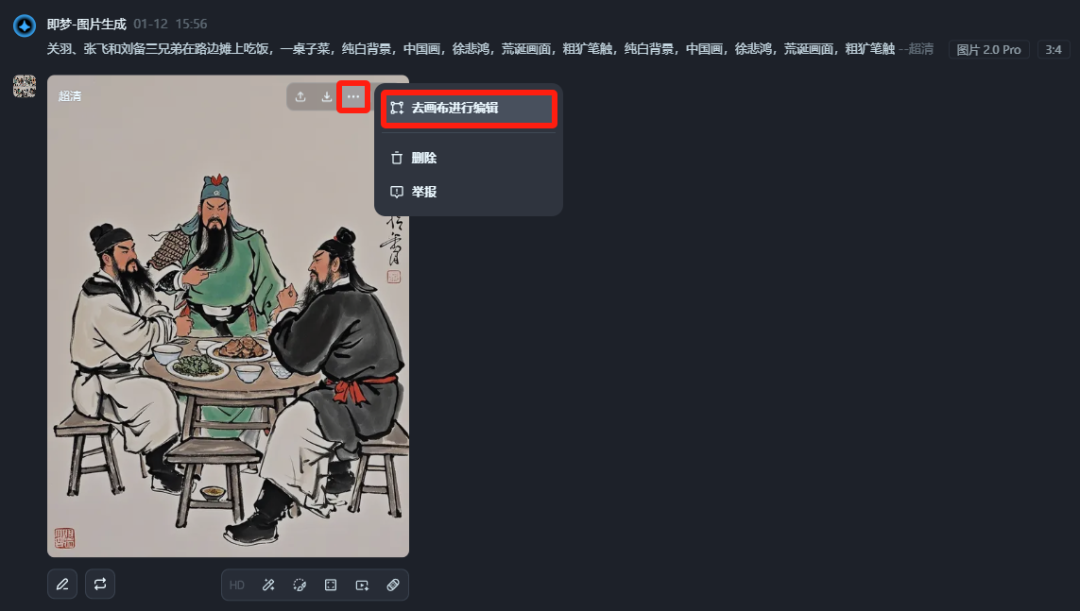
Go to the canvas and select the top[Elimination pen]tool.
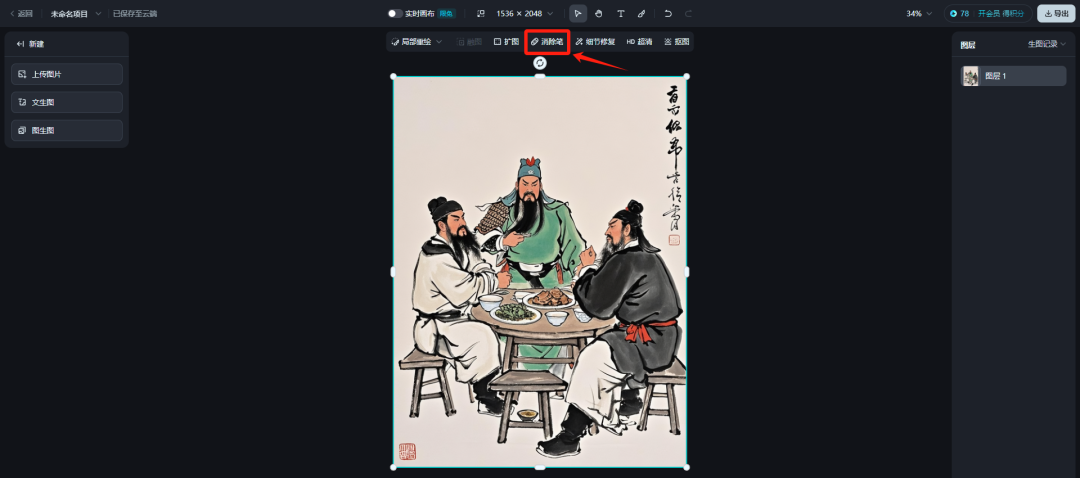
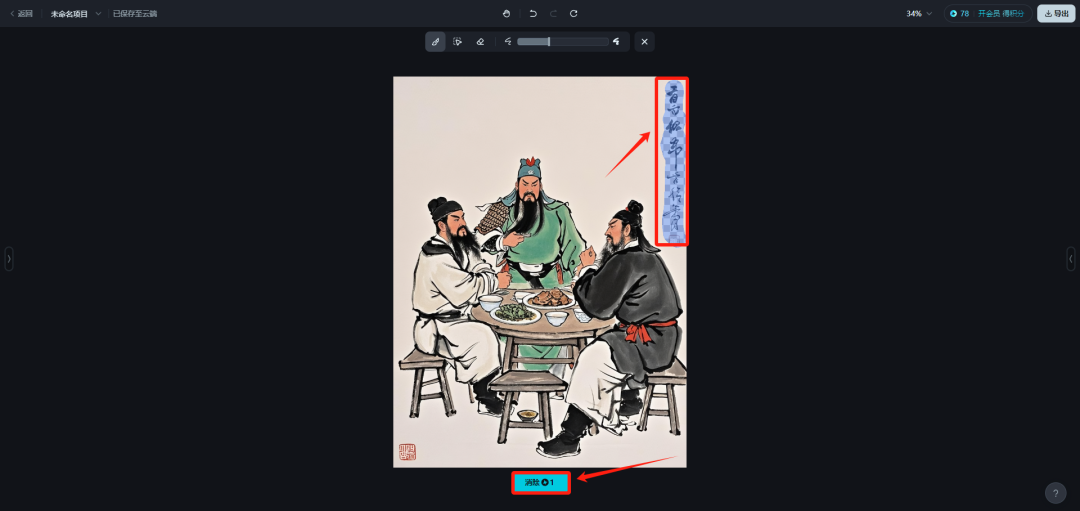
Paint the part of the text you don't want, and then click the[Elimination]
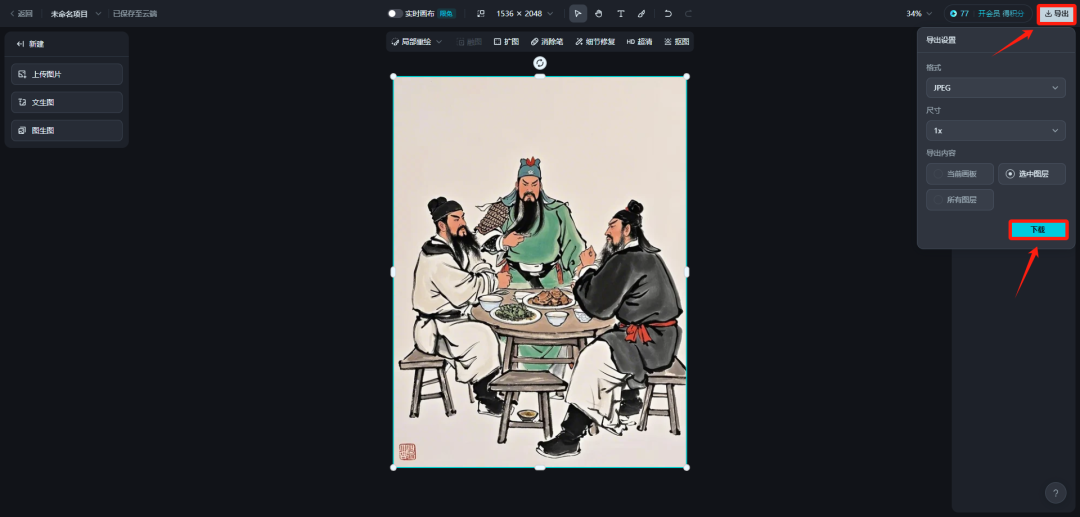
After processing, click directly on the upper right corner[Export] - [Download]Save locally.
Step 3: Graphic Editing
Next, using PS, can draw or handle the design, or even beauty show, PPT and other tools that can edit graphics, add the copy generated by Kimi before, make a reasonable layout, so it is done!
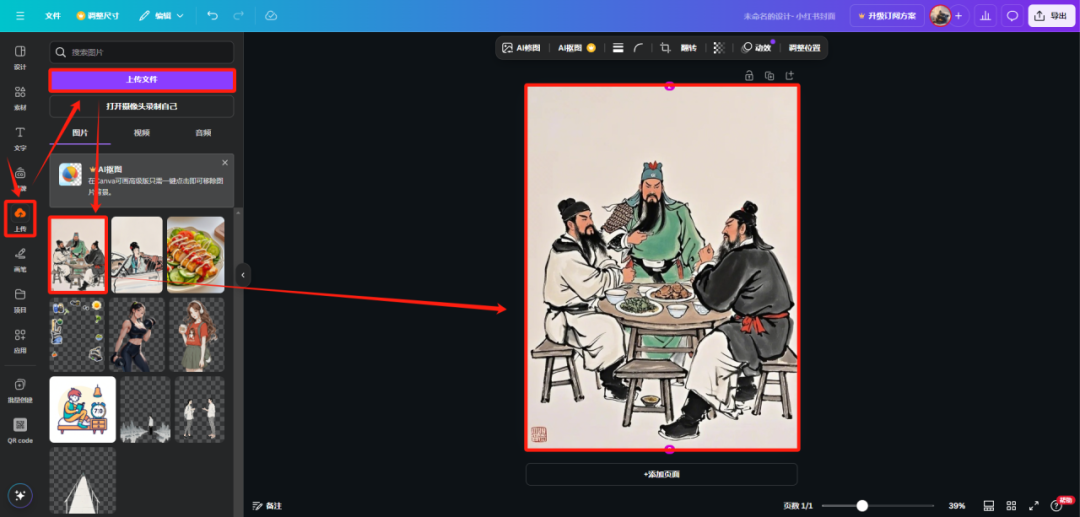
I'm using paintable here: https://www.canva.cn/
Select the home page of the[Little Red Book post]
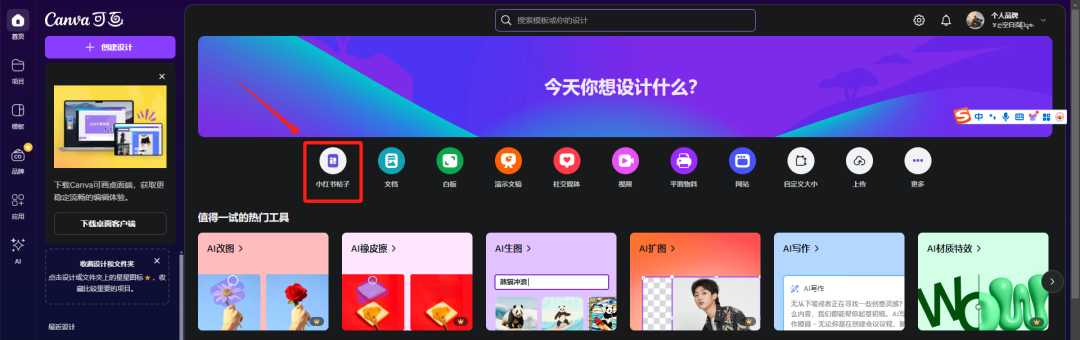
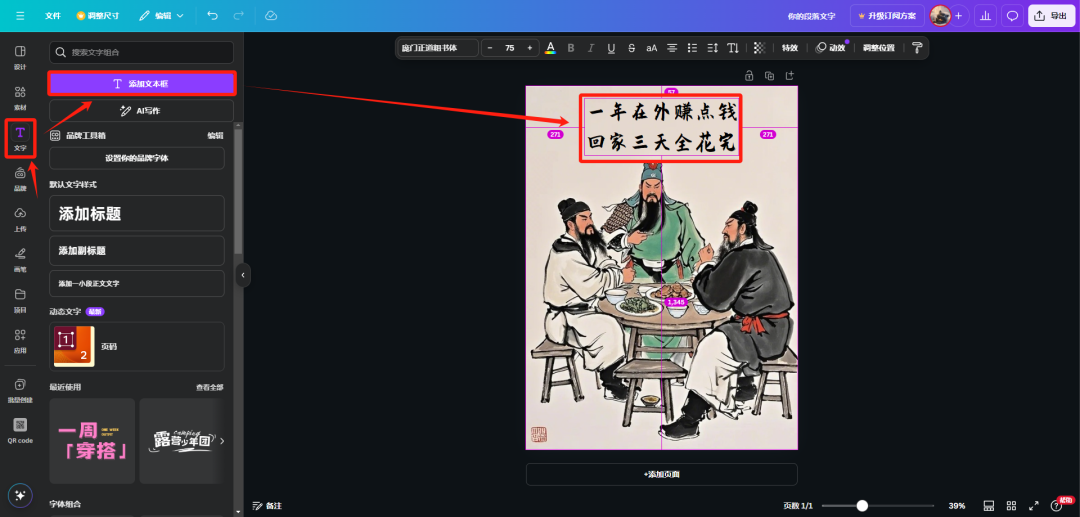
Upload the image and add it to the canvas.
Create a new text box, copy the copy into it, and then adjust the font size and position.
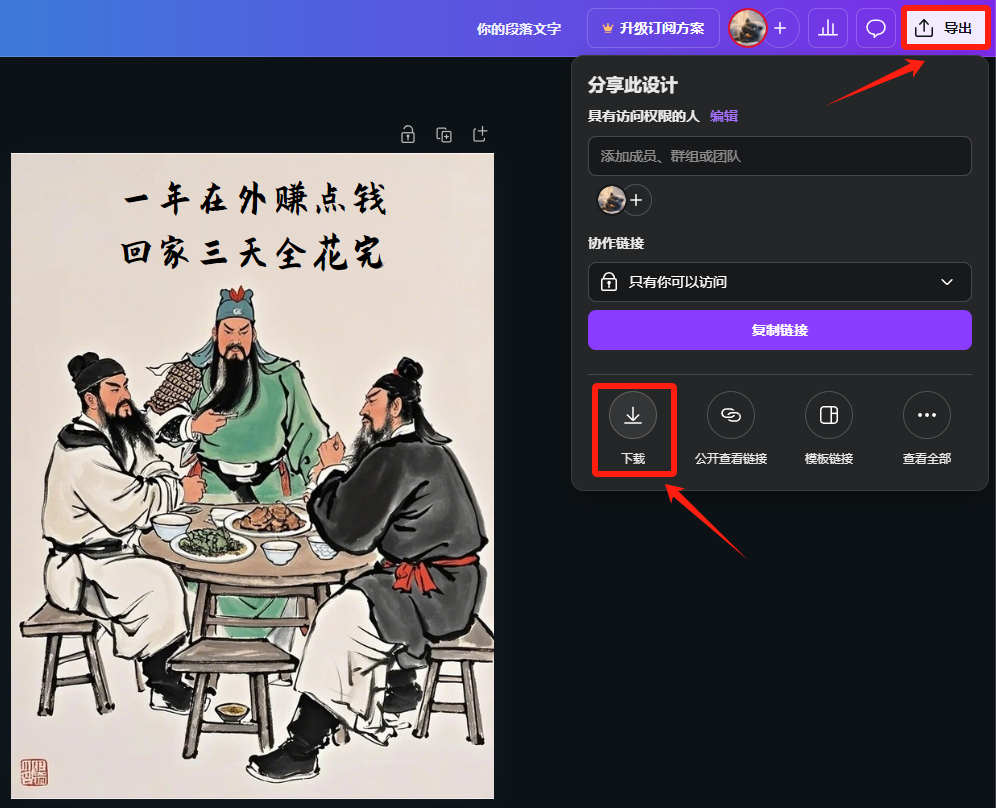
When you are done editing, click on the top right corner[Export] - [Download]Save locally.
These are today's shares, if you have learned or inspired, remember toFollow, Like, RetweetI'll support you, Sanlian.