



In this section we'll dive intoStable DiffusionFigure-born technique to learn how to convert a third-dimensional photo into a second-dimensional anime avatar.
This is not only a technical challenge but also a creative leap. If you've ever seen a $9.99 avatar conversion order on Taobao, on Pinduoduo, or on Idle Fish, then today's content will help you understand the workflow behind it and realize the initial avatar conversion.
I. The origin and principle of the diagrams and graphs
Before we dive into the hands-on practice, let's first understand the origin and principles of the graph-born diagram. In the previous study of text-to-graph, the information expressed in text was limited. The emergence of the graph-generated diagram function provides us with a new dimension, allowing us to transmit more information by referring to the picture, so as to obtain a more satisfactory generation result.
The core of the graph-generated image technique is the combination of textual cues and reference images to generate new images. This process can be broken down into the following key steps:
- Noise additionFirst, a layer of noise is added to the reference image. The density of the noise is determined by the "redraw amplitude" parameter, which controls the degree of noise distribution. When the redrawing amplitude is small, there is less noise and the picture retains more features of the original picture; when the redrawing amplitude is large, there is more noise and the picture changes more obviously.
- denoising process: After adding noise, the system goes through a denoising process to generate a new image. This process is guided by textual cues that determine the final style and content of the denoised image.
- Impact of parameters: The redraw magnitude and the random seed together determine the noise distribution, while the cue word guides the direction of image generation. This process is similar to adding a dimension of control to the Vincennes map, making the generated image more in line with the user's expectations.
- Fine-tuning of images: By adjusting the magnitude of the redraw, we can control the degree of change in the image, thus finding a balance between preserving the characteristics of the original image and innovating. This gives Tupelo technology great flexibility between reproduction and innovation.

II. Why use Tupelo?
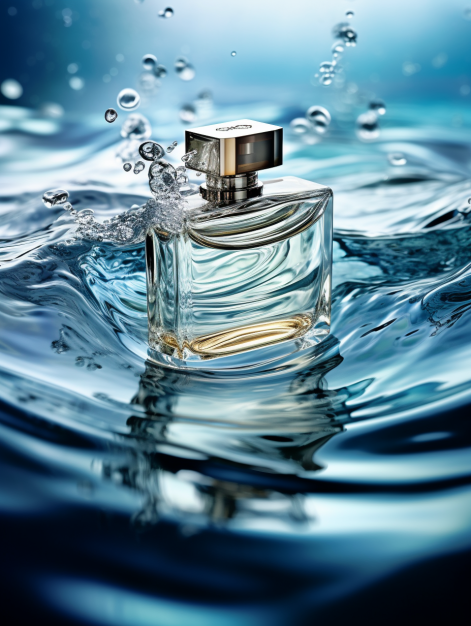
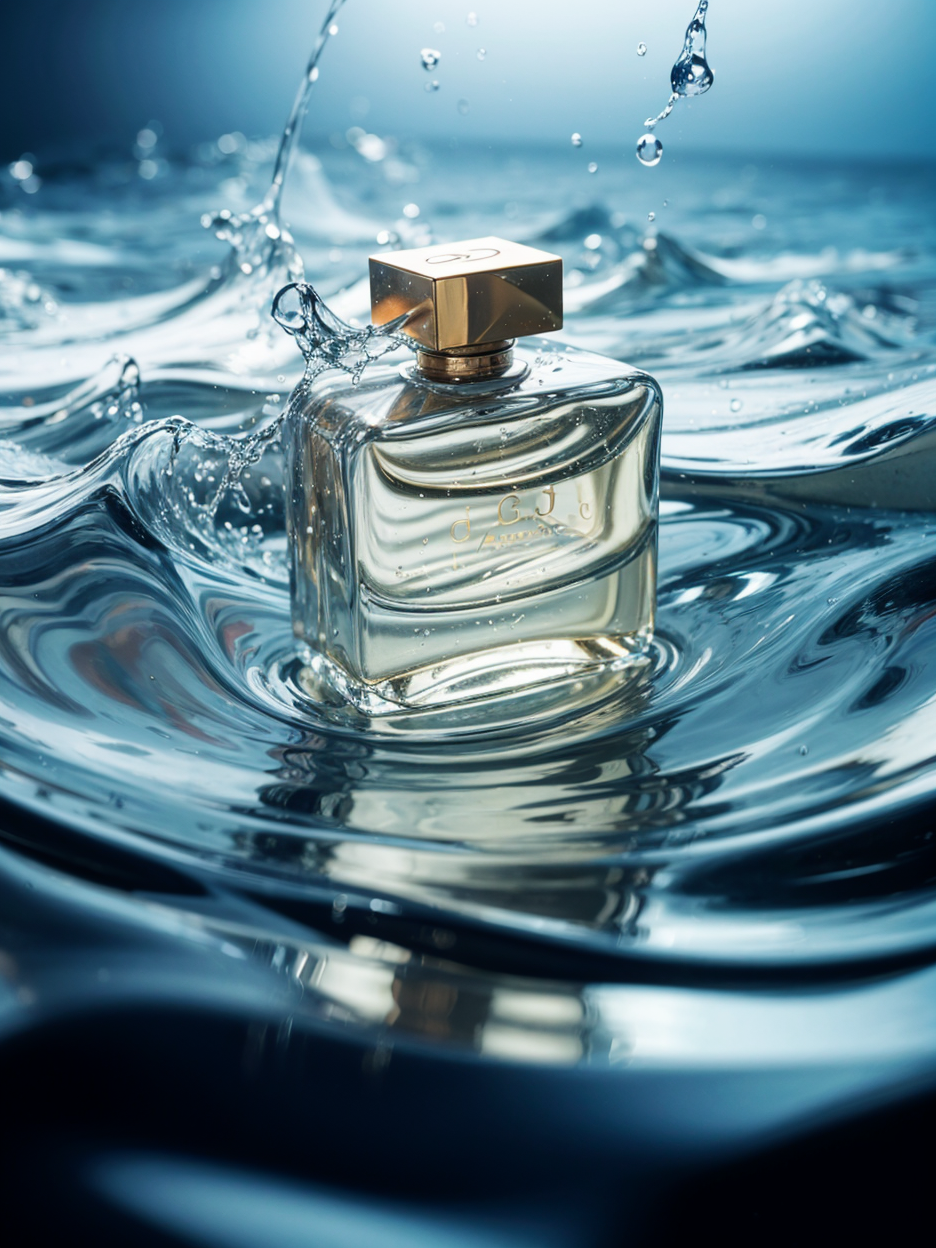
Using the luxury perfume still life image as an example, we can see that it is difficult to replicate complex compositions using only Vincentian drawings.
However, with the graph generation feature, we can combine reference images and cue words to generate higher quality images.
This not only improves the clarity and texture of the images, but also provides a unique design based on the cue words.
III. Parameter Settings for Figure Generation
Next, we will learn the key parameter settings for the graph-born graph:
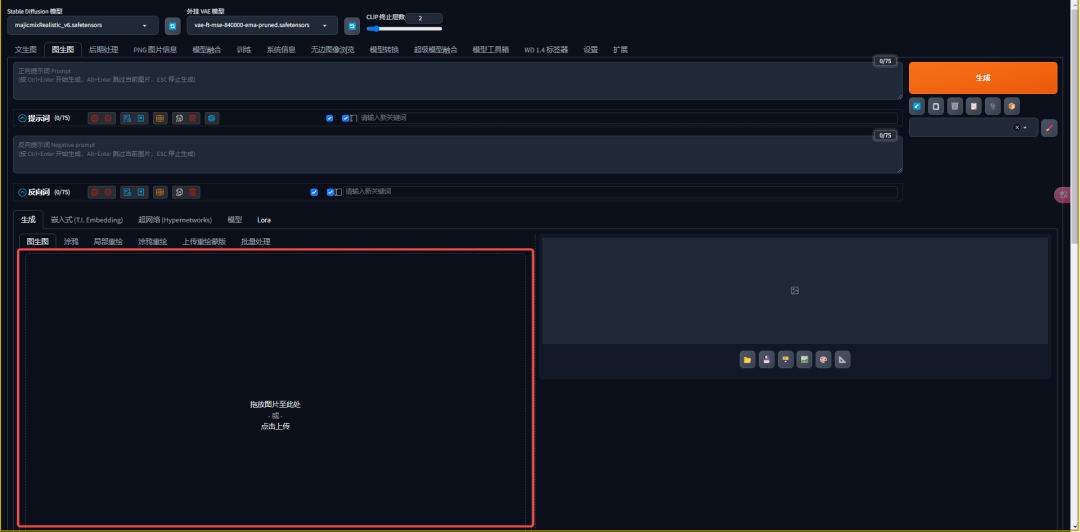
1. Reference pictures
Select the image you want to generate results close to.
2. Map-to-map cue words
Write cue words based on reference images or use the AI backpropagation feature to assist in writing.
- Clip backpropagation: Cue word to reverse sentence type

- DeepBooru backpropagation(Elimination): Cue words that back out word types

Notice
Regardless of the type of backpropagation, there is no way to avoid incomplete and inaccurate backpropagation. Adjustments and additions need to be made manually.
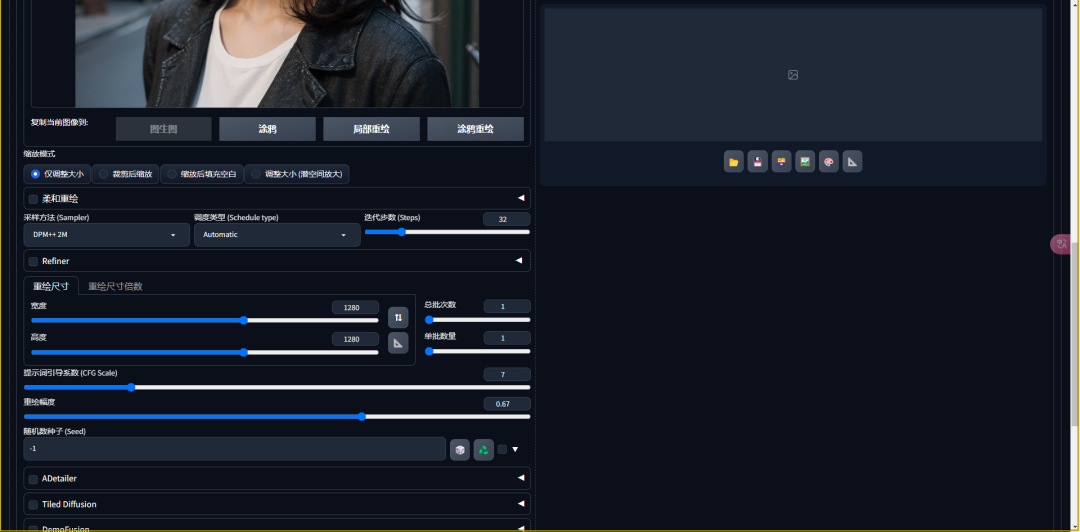
3. Zoom Mode
Resize the image as needed, with options to resize only, crop and then zoom, and zoom and then fill in the blanks.
- Resize only: images are stretched and compressed, resulting in distorted images
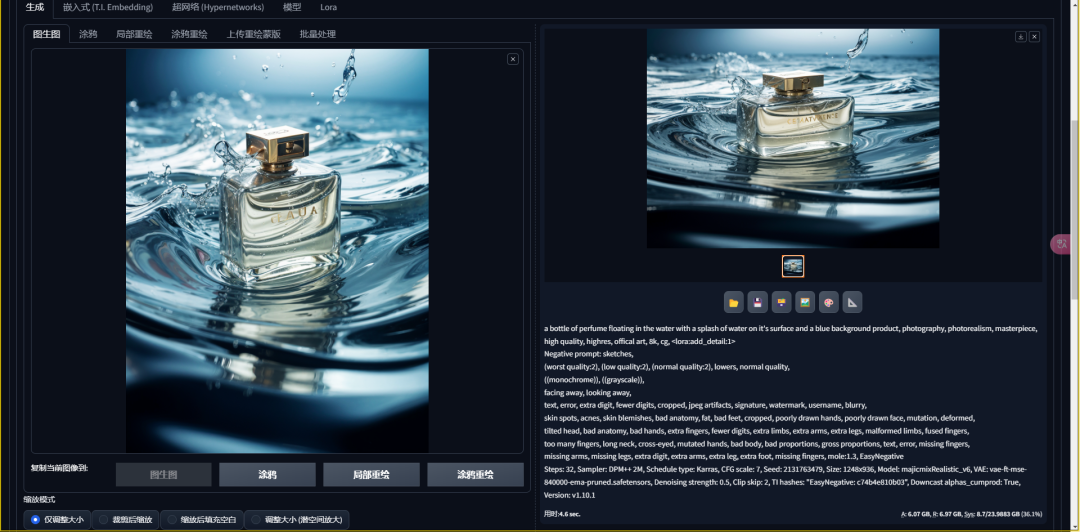
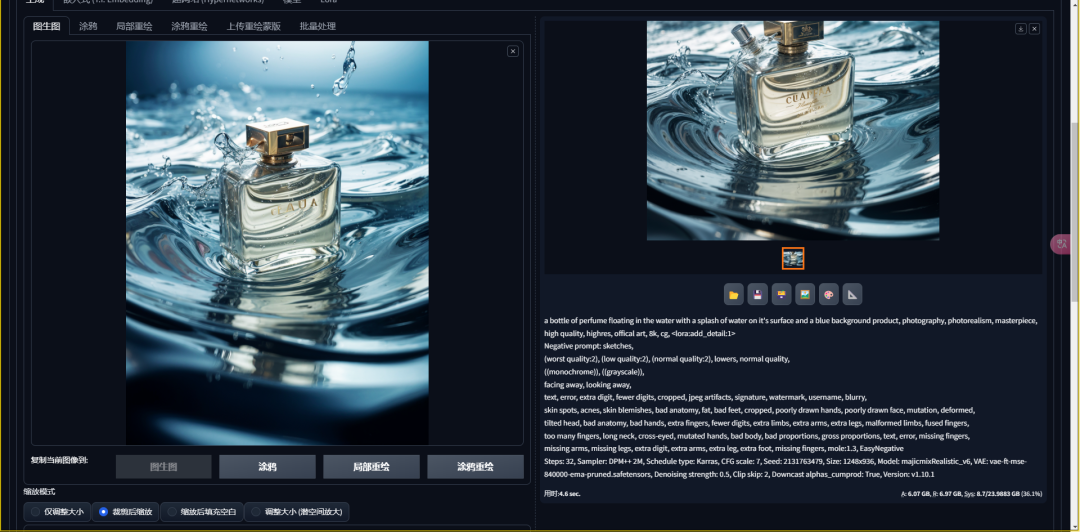
- Scaling after cropping: Crop the reference image to display only the content within the corresponding size
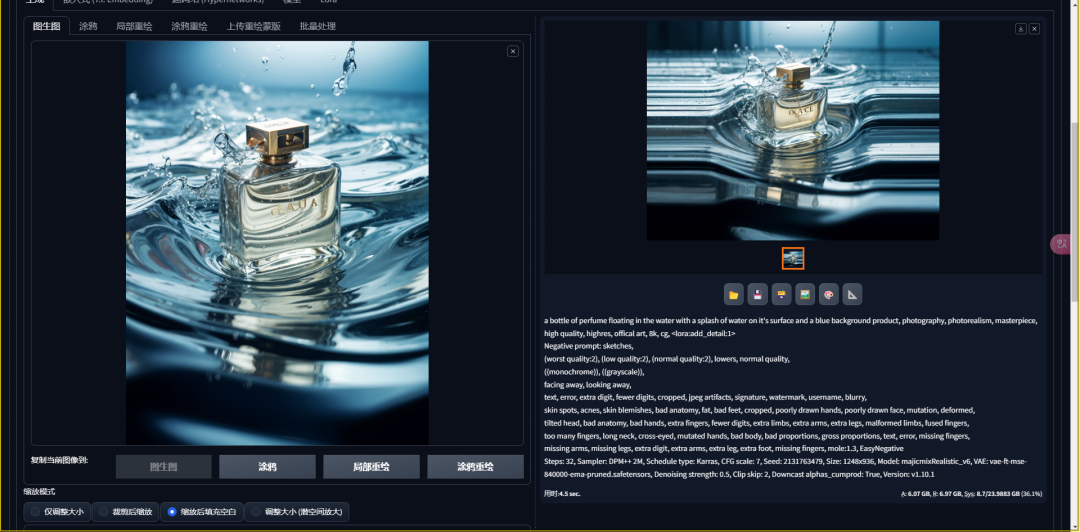
- Fill in the blanks after zoom: the whole picture of the reference chart is reduced to encompass, and then automatically fill in the blank parts
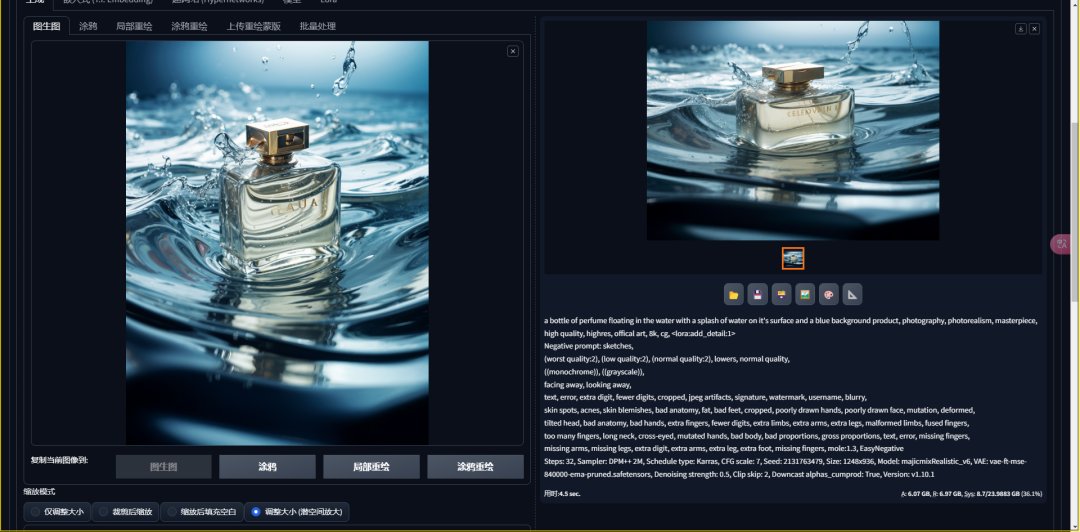
- Resize (latent space enlargement): picture stretching and compression, resulting in distortion of the picture
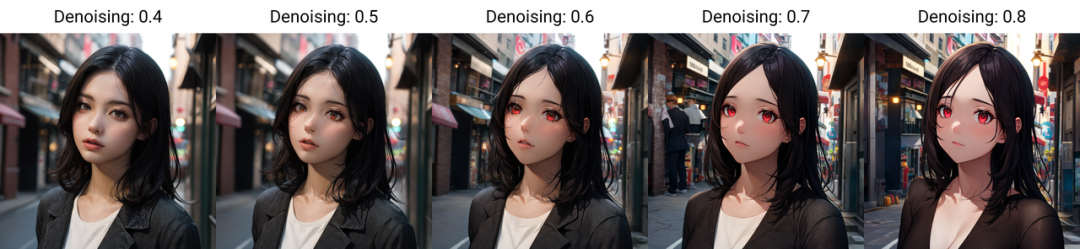
4. Redrawing magnitude
Controls the density of noise, which affects the degree of variation in the resulting image.
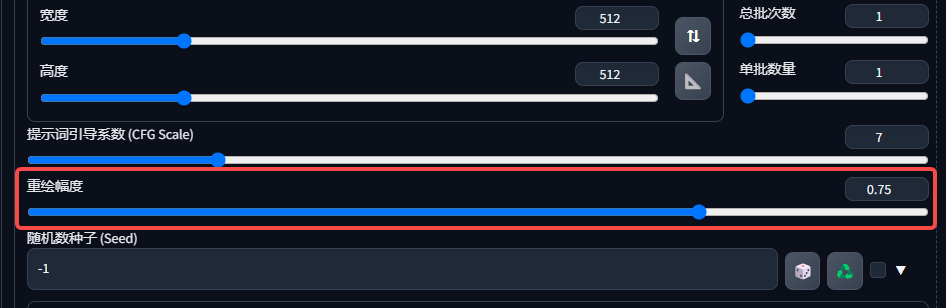
0.1-0.4: no change overall
0.4-0.7: screen overhaul
0.8-1: Reinventing the wheel

5. Redraw size/redraw size multiplier

Four, three-dimensional photos into two-dimensional anime avatar
Now, let's see how to convert a third-dimensional photo into a second-dimensional anime avatar:
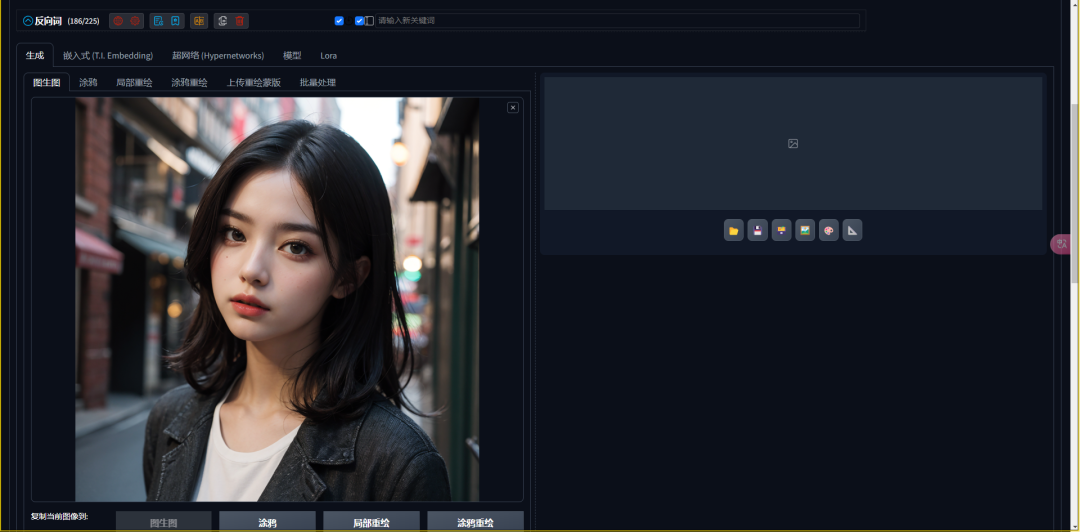
Upload a picture: Upload client photos to the Stable Diffusion interface.
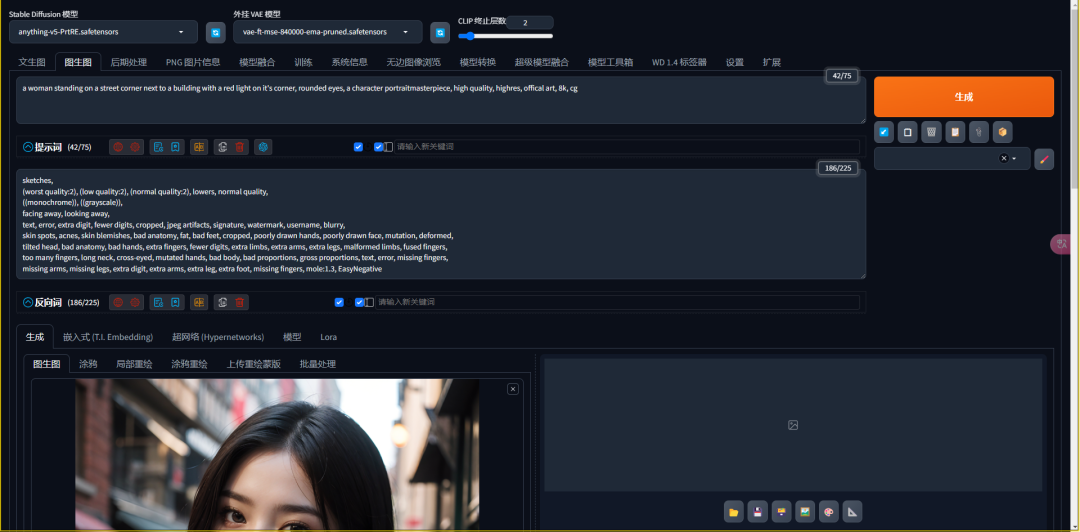
Select Large Model: Choose a large model that fits the secondary style, such as ANYTHING v5.

Developing Positive Cues: Use the backpropagation function to obtain cue words and adjust them as needed.
Setting parameters: Select the appropriate zoom mode and adjust the redraw magnitude to maintain the composition and color of the original image while achieving a cartoonish effect.
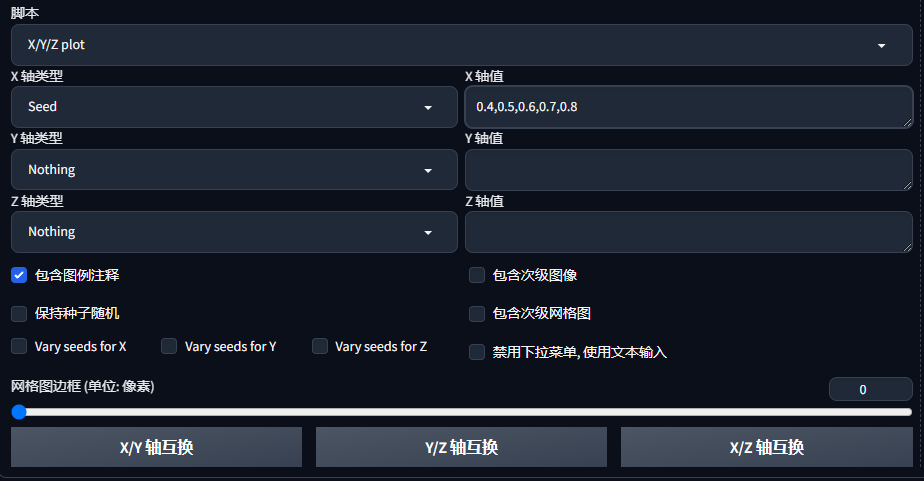
Generate Avatar: Choose the most satisfactory avatar by trying different repainting magnitudes several times.
V. Summary
Through today's study, we have mastered the basic method of converting a third-dimensional photo into a second-dimensional anime avatar.
Of course, this is just a starting point, and we can subsequently incorporate more plugins and technologies to further enhance the generation results.
I hope this article has helped you better understand Stable Diffusion techniques and inspired your creativity.