



Recent useDeepSeekI still hit "system busy" eight times a day! (mind blowing 💢), it's hard to analyze the problem further and get the answer you want all at once.

Tiangong AIOn February 8th the officialLaunch of DeepSeek R1 + Networked SearchThis feature is a good solution to the problem of DeepSeek's busy server and unstable networking function.

Immediately after seeing it, I opened the official website of Tiangong AI PC to have a real test experience.Excellent results, currently free, no lag, unlimited usage.
Next, let’s learn togetherHow to Think Deeply with Skyworks AI Advanced Mode + DeepSeek R1 Bar.
▌How to Achieve Superb Reasoning + AI Search Functionality with Skyworks AI + DeepSeek R1?
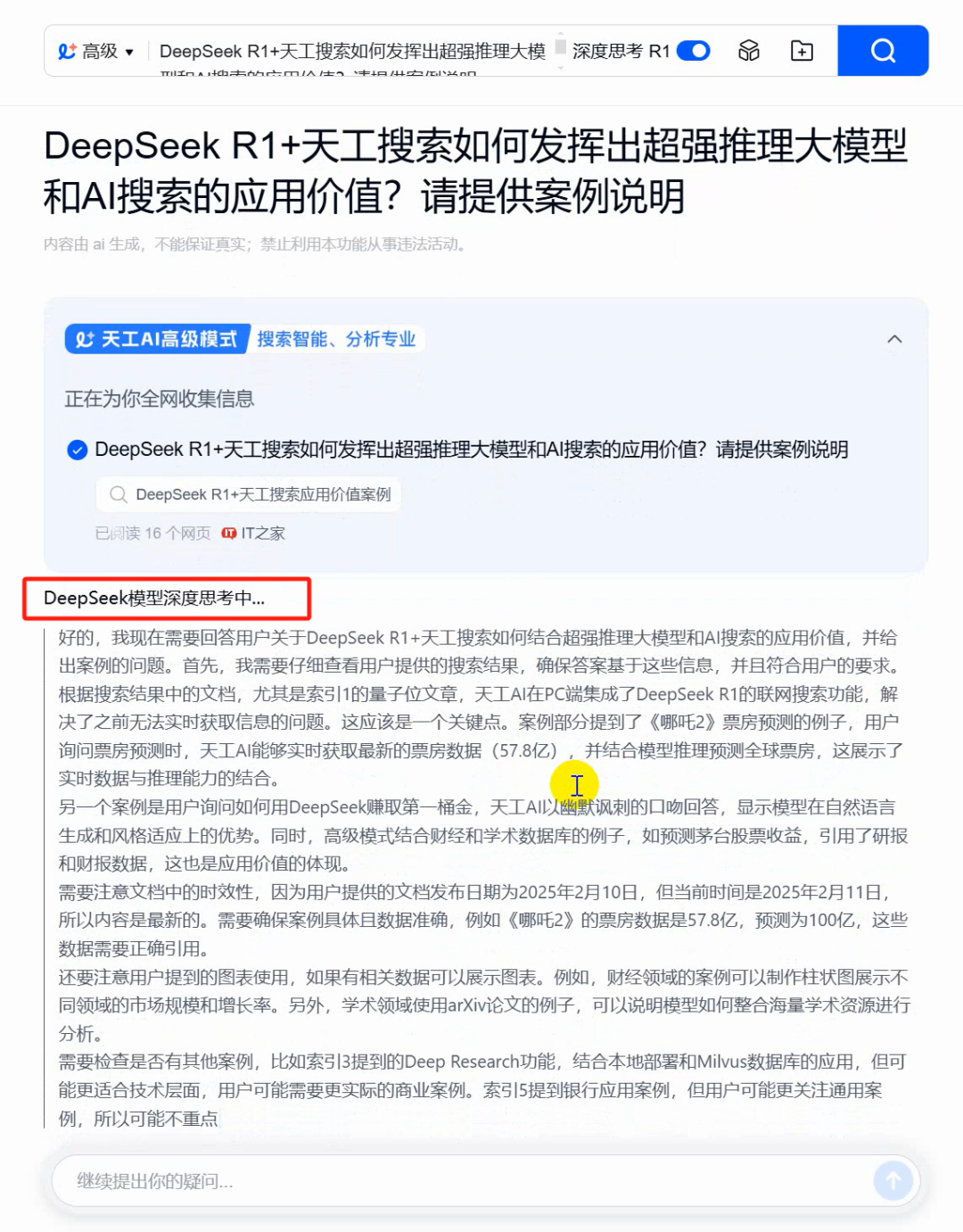
Enter the official website of Tiangong AI, the default search page, pot head directly enter the content to be searched, open the "Advanced Mode", open the "DeepSeek R1" using the full-blooded version of DeepSeek R1, and then click on [Search].
Pothead searches for textual content here as: how DeepSeek R1 + Skyworks Search can leverage the value of superb reasoning big models and AI search applications? Please provide a case study to illustrate

Go to the search page and you can see that DeepSeek is in deep thought.
After the search is completed and you get the results.Based on the case study, DeepSeek+Tiangong Search runs through the whole process of "data acquisition-knowledge integration-decision-making deduction-results delivery", realizing exponential improvement of decision-making efficiency while guaranteeing professional depth.Also, check out the relevant coloring pages and ask follow-up questions.
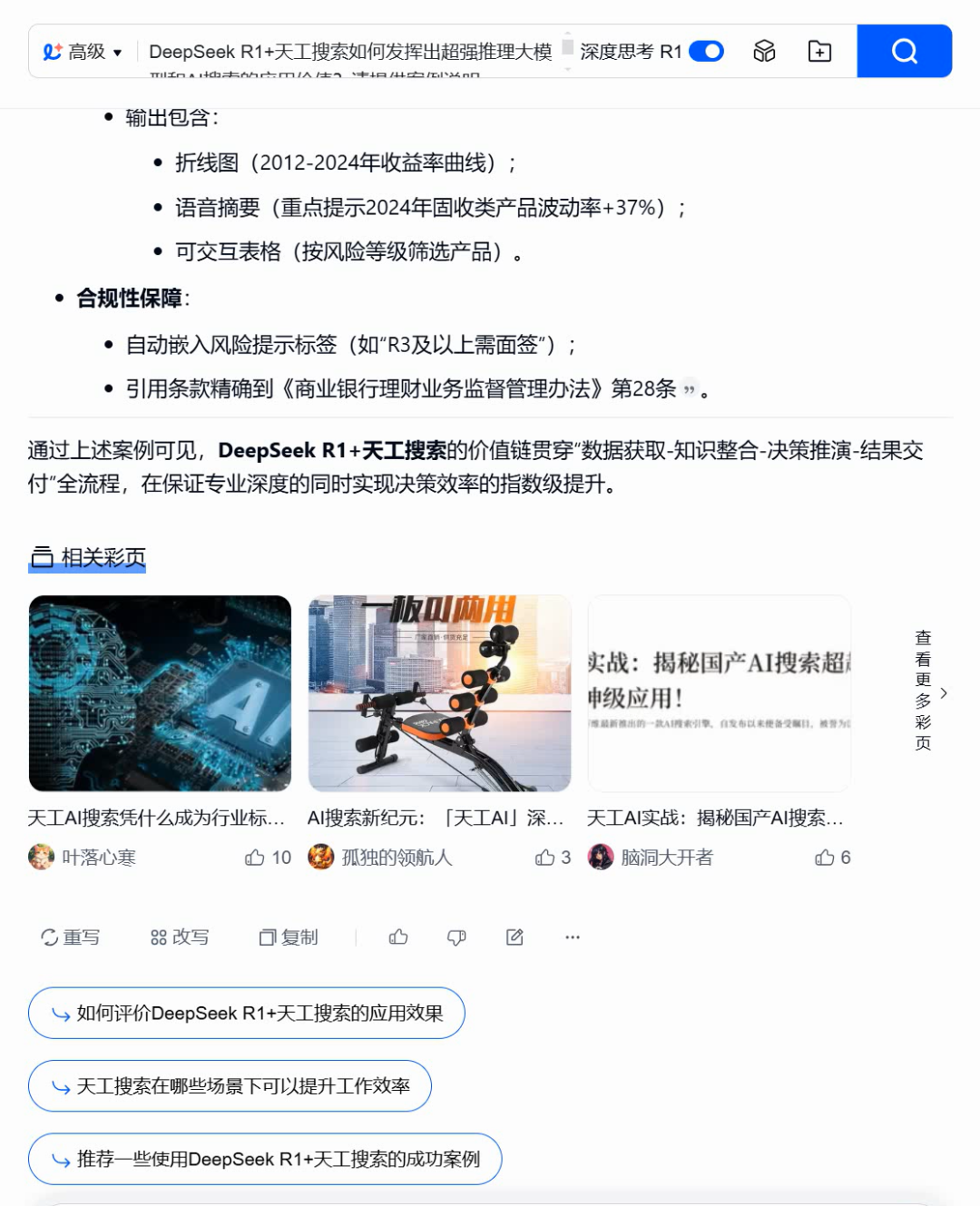
By this point, we got a better quality answer with Skyworks AI Search Advanced Mode + DeepSeek R1 Deep Thinking.
I also found that Tinker's thesis web page parsing function works well.
Tiangong already has a high-quality financial database, academic databases (200 million arXiv English papers) can also be called, to give R1 bonus!In other words, "Advanced Mode" and "Deep Thinking" are turned on at the same time.
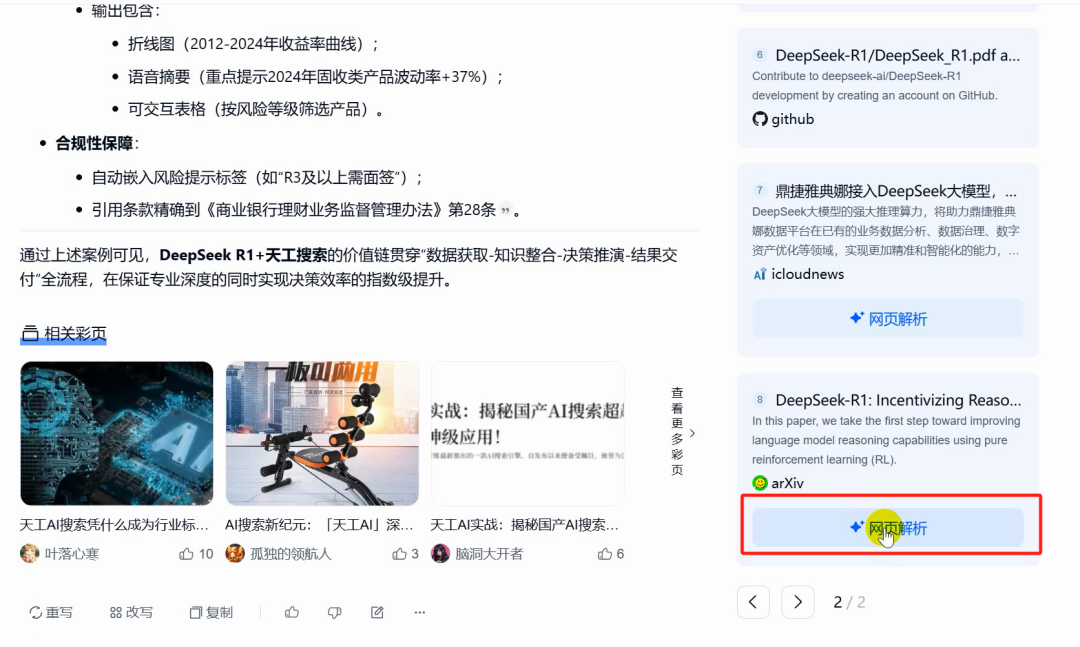
When DeepSeek flashed x references in the arXiv thesis library, it was as if I saw my master's degree friend who reads the literature sticking a film on the flyover - some of the work should have been digested by AI a long time ago.
As shown in the figure below, after seeing the arXiv paper URL, the pothead clicks on [Web Parsing].
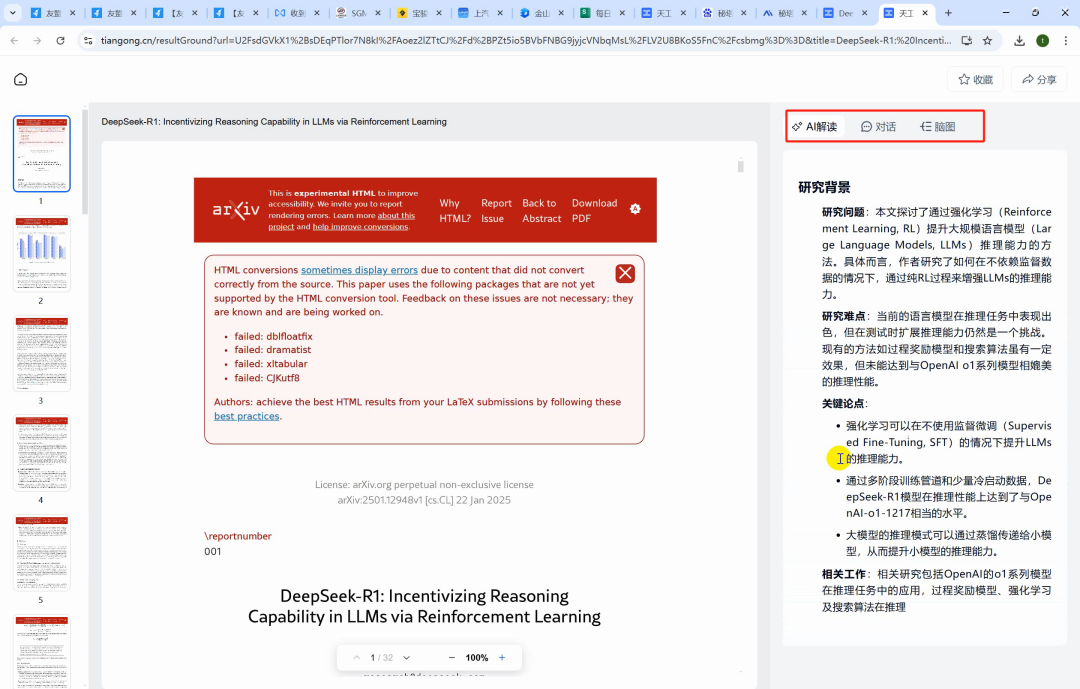
After parsing to enter to view the specific content of the arXiv paper, the right side also provides a thoughtful parsing, dialog, brain map function, the experience is great.

What's more, all deepseek's answers support one-click download word/pdf, no longer need to use the original version as before, need to be converted to Markdown and then copy and paste, the efficiency has been further enhanced.

Additionally,Tiangong AI accesses several authoritative global financial databasesSynchronized excavation within ChinaMore than 5000The official websites of listed companies and all U.S.-listed Chinese stocks, professional financial websites and stock forums, the first time to include company information, financial reports, research reports and other professional data, focusing on the reports of senior analysts of major brokerage firms, to make Tiangong the best financial and financial assistant. At the same time, it also introduces the chargeable data of enterprises, such as real-time information of stocks, so that the information is more timely and accurate, and it is very worthwhile to try it for students who have the need to search in finance.
▌Learning Summary
Let’s review and summarize what we have learned:
① Open the official website of "Tiangong AI".
② Input the search contents, open "Advanced Mode" and "Deep Thinking R1", and click Search.
③ Get inference + networking search results.
④ Conduct follow-up questions as needed or refer to the resource page for further insight.
This wave went down, we learned together to use the advanced mode of Tiangong AI search + full-blooded DeepSeek R1 deep thinking to complete a better than ever AI connected search experience.
at presentFree, lag-free, unlimited useDuring useStable and smoothYou've got to try it out.
PC version of the webpage:https://www.1ai.net/10467.html