



In this section, we'll explore in depth theStable Diffusionof the plugin world, learn how to download, install, update, uninstall, and backup and restore plugin status. With this knowledge, you will be able to customize as many powerful features as you want.
I. Definition and importance of plug-ins
First, let's clarify what an extension plugin is. Extension plug-ins are programs written by unofficial people to extend the functionality of Stable Diffusion to do things that the basic Stable Diffusion cannot do. This is due to the fact that Stable Diffusion is open source software, and experts around the world can expand the code of Stable Diffusion, making it infinitely more powerful.
Second, the actual effect of the plug-in show
By demonstrating the effects of the Roop plug-in and ControlNet plug-in, we can see the importance of plug-in functionality.
The Roop plug-in enables face replacement, while the ControlNet plug-in allows precise control of motion generation, which is not possible with the SD base functionality.


Third, the download and installation of plug-ins
1、Extension tab page direct installation
Take the example of installing the OpenPose editor as a guide on how to install a plugin from the Extensions tab:
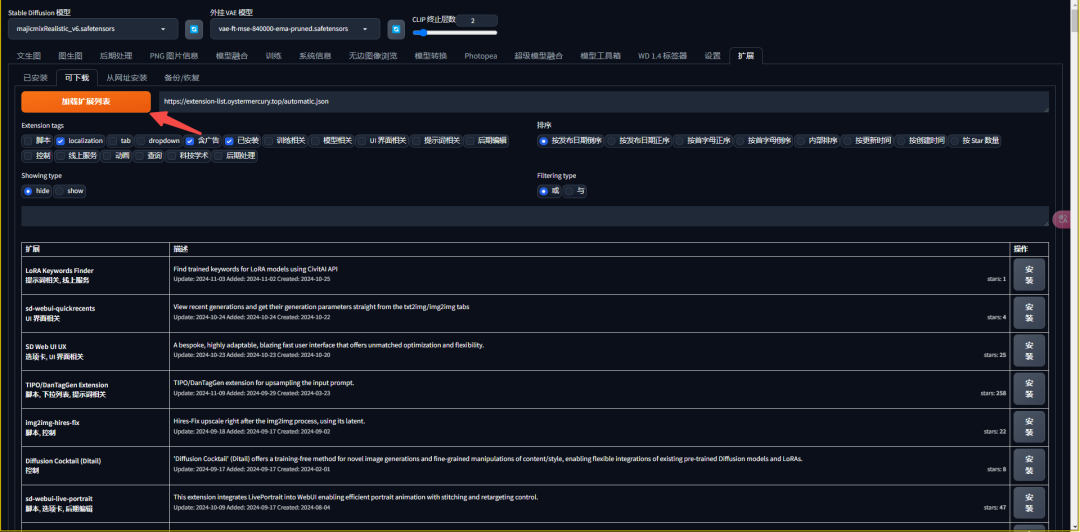
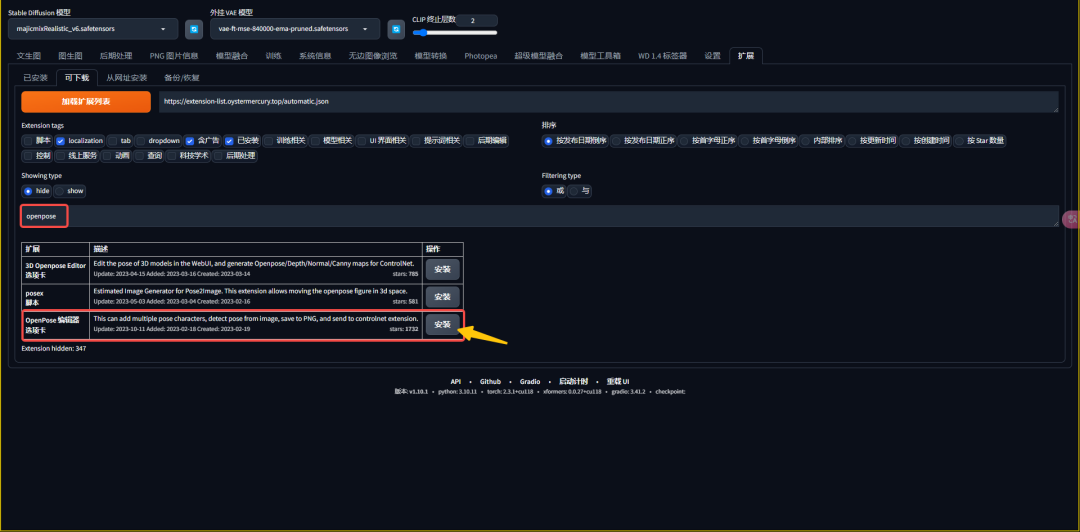
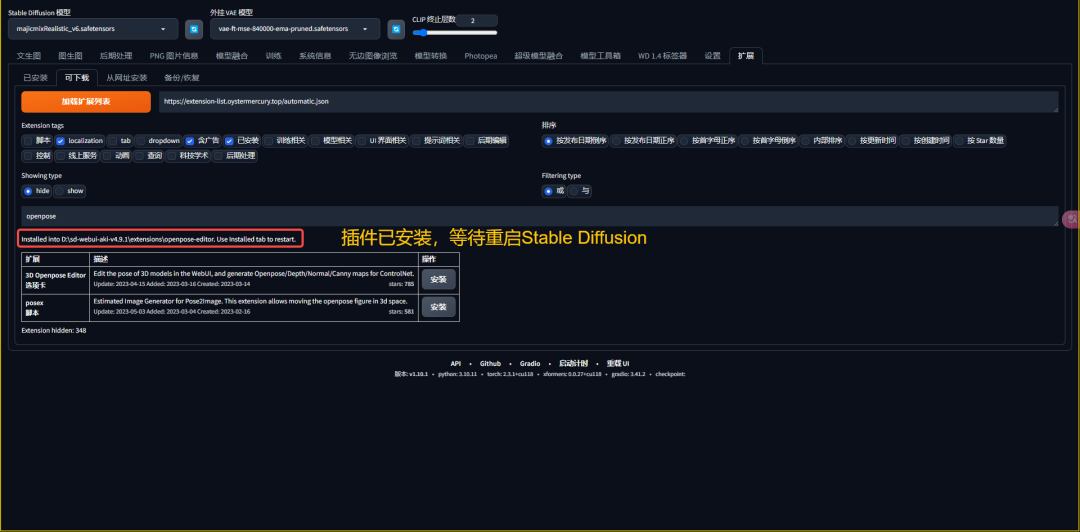
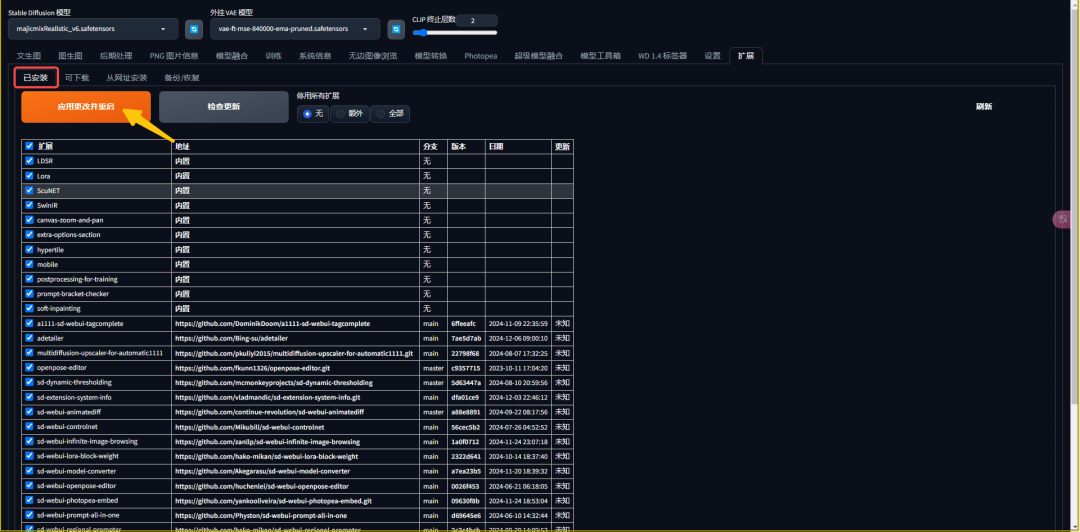
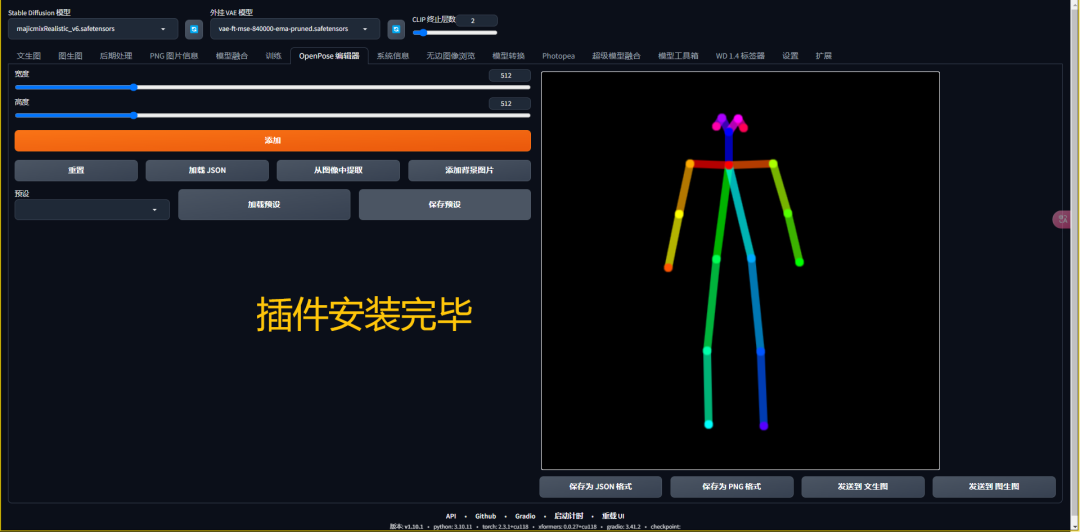
2. Installation from URL
Take the example of installing Photopea as a guide on how to install a plugin from a URL:
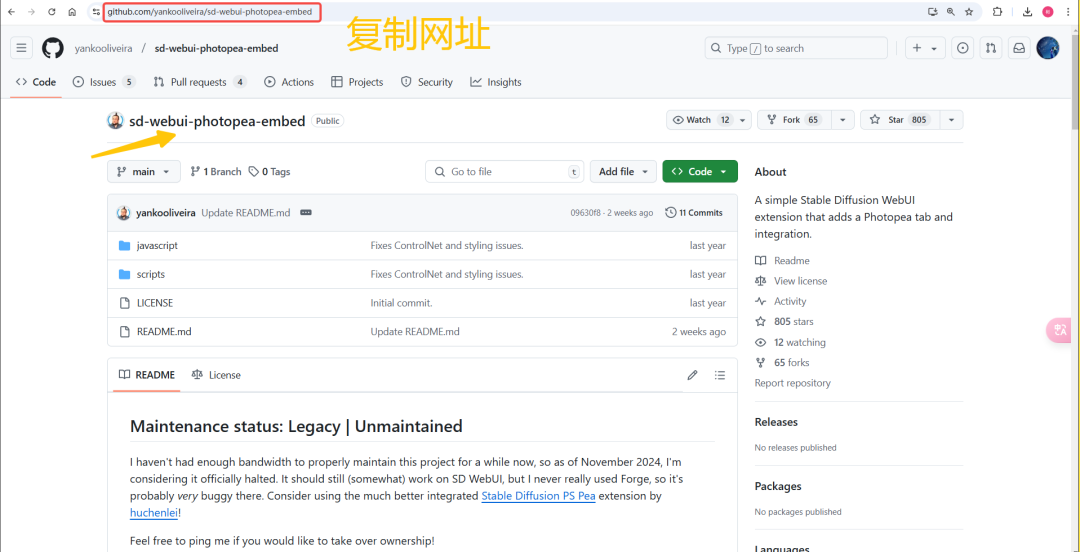
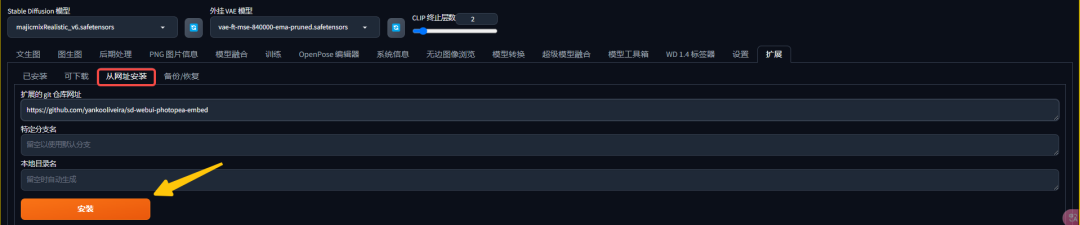
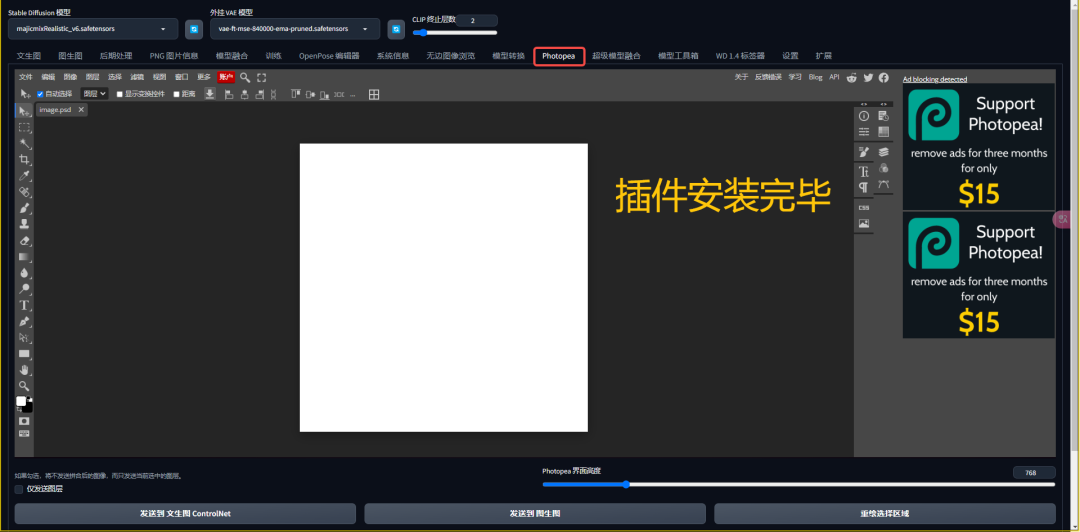
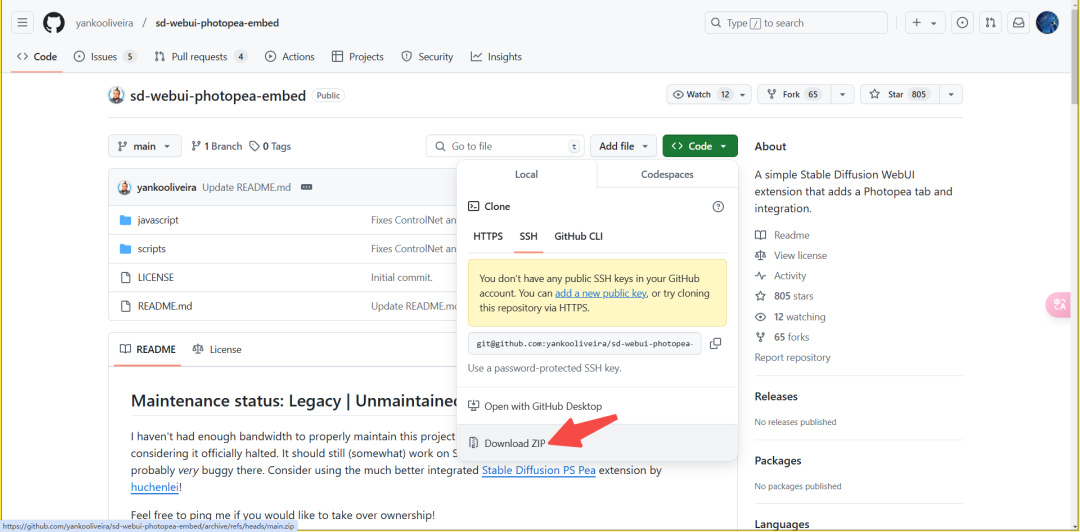
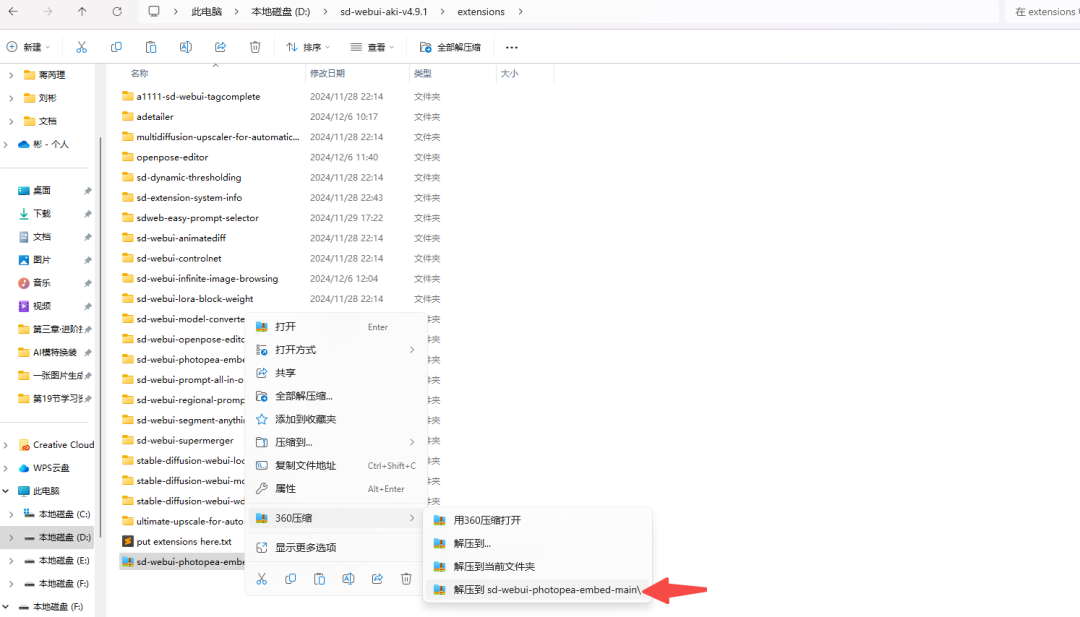
3, Github download zip package decompression
Again, using the example of installing Photopea, we will guide you on how to install a plugin by downloading the zip from Github:
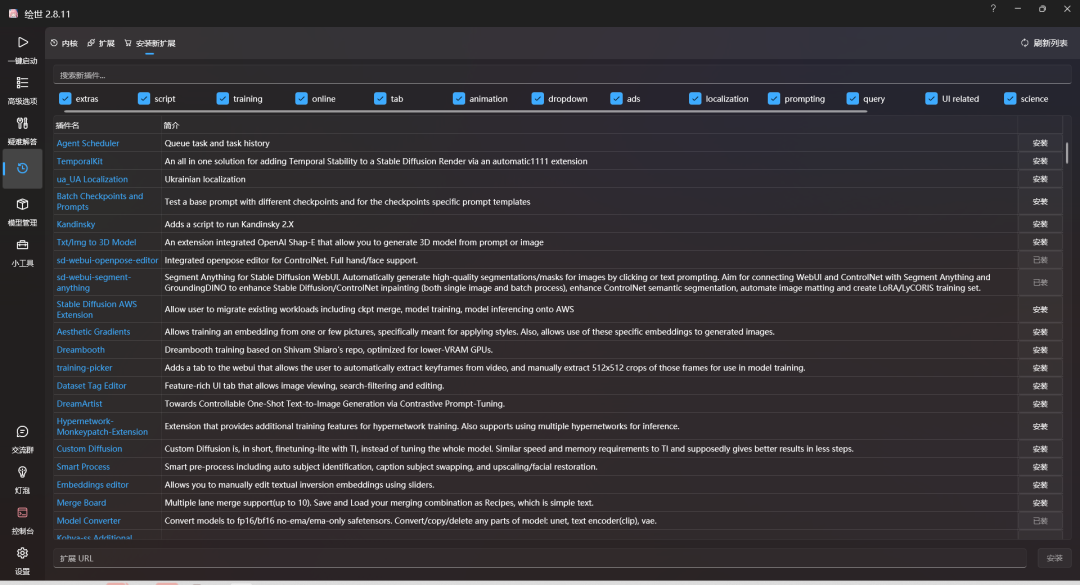
4. Installation from the starter
Precautions
Some plugins, after installing them as described above, are still in an unavailable state and report errors.
The reason is that the plug-in there are some pre-requisite environment needs to be installed, such as: Python environment must be installed package (need to install the plug-in environment via pip requirement.txt), as well as plug-ins need to be modeled and so on, here will not expand the explanation, different plug-ins are different, you need to carefully read the instructions for the use of plug-ins.
**Note: **Roop plug-in installation is more cumbersome, if you encounter errors, follow the method of installation as follows: SD face swap plug-in installation process.docx
IV. Use of plug-ins
1. Extended tabs do not enable (enable) plug-ins
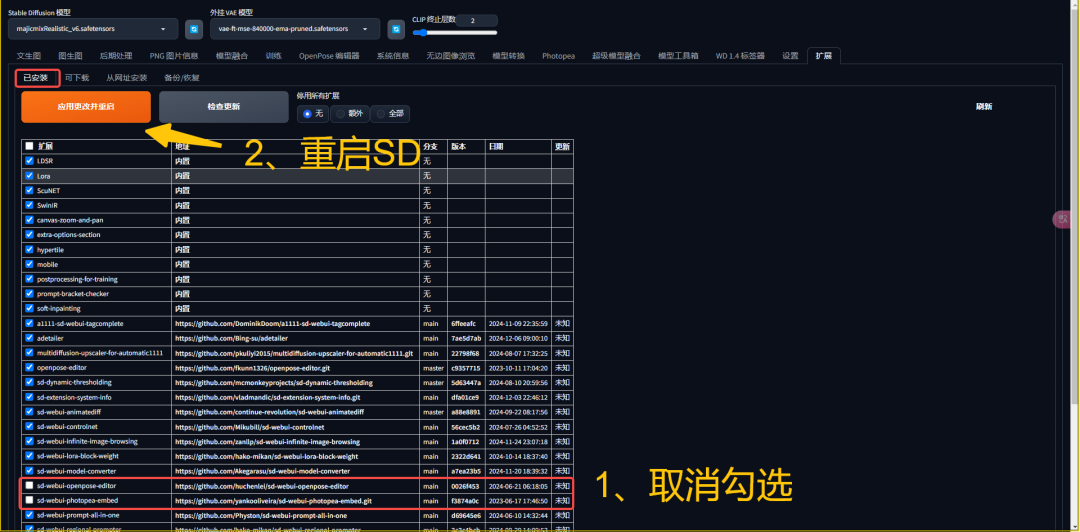
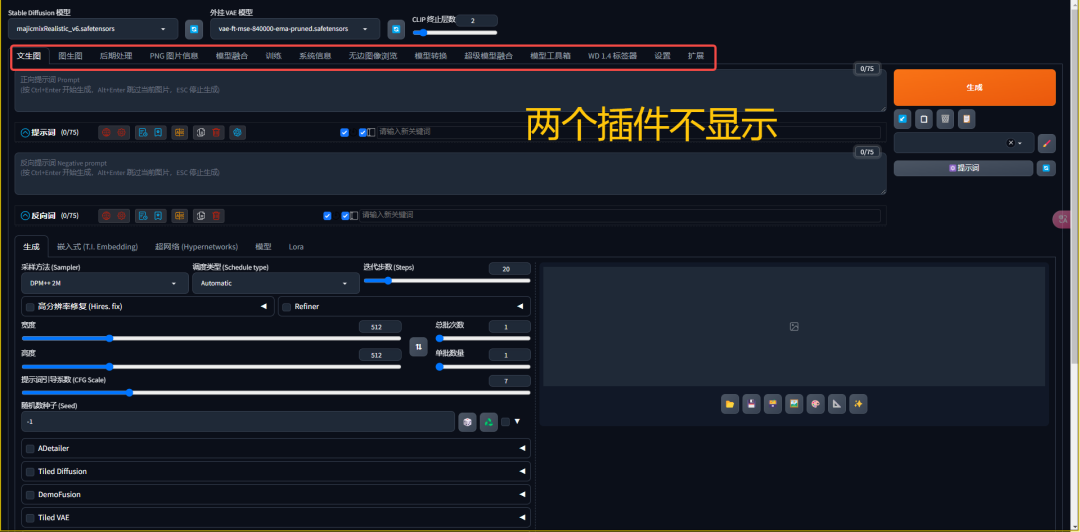
2. Enable (disable) plug-ins in the launcher interface
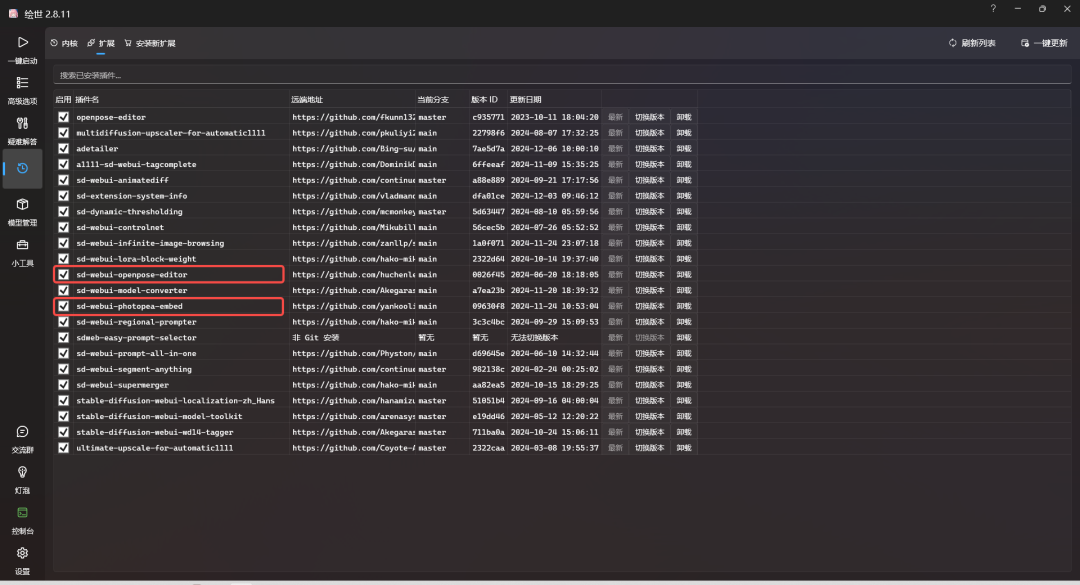
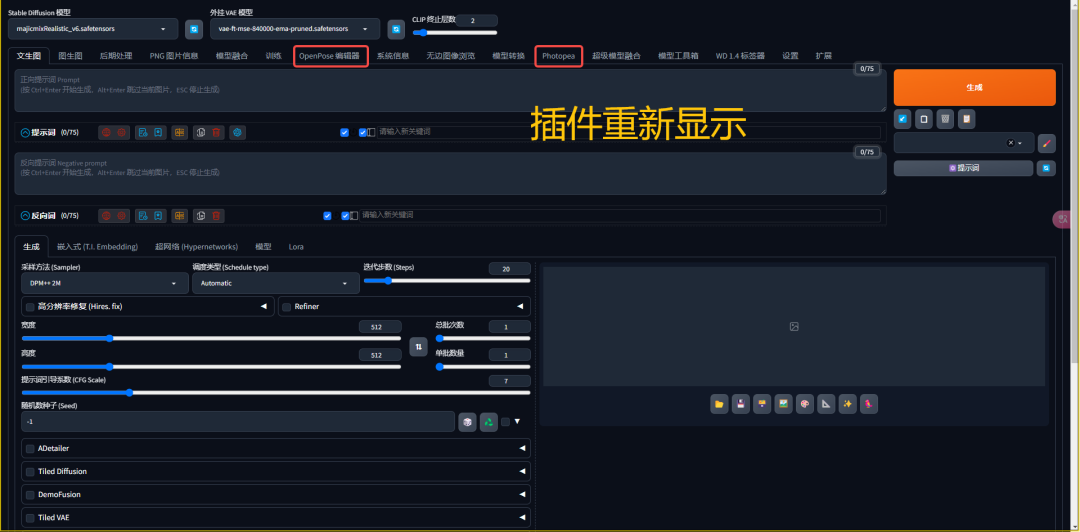
V. Plug-in updates
1. Check for updates in the Extensions tab
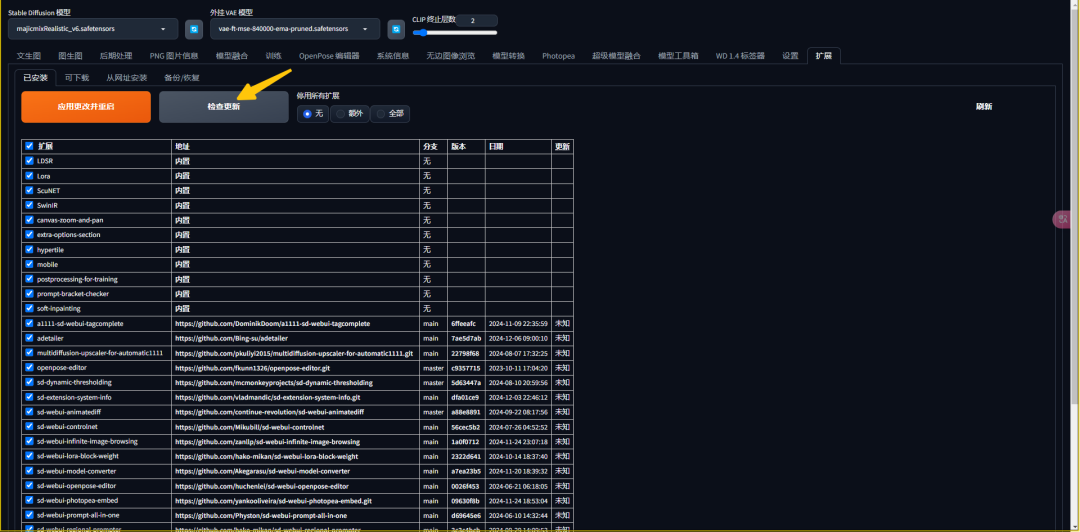
2. One-click update of the launcher interface
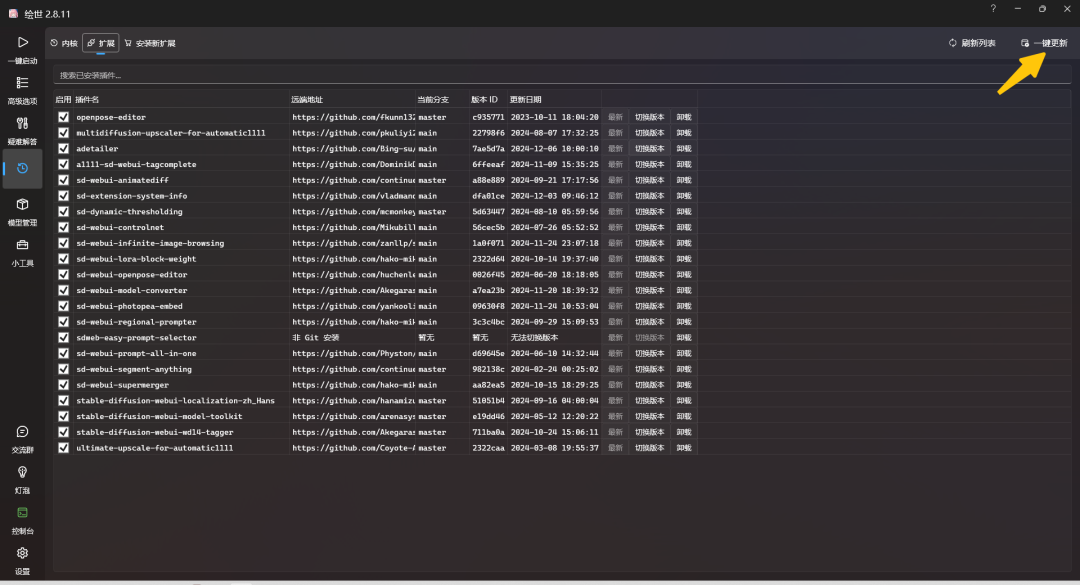
Six, plug-in uninstallation
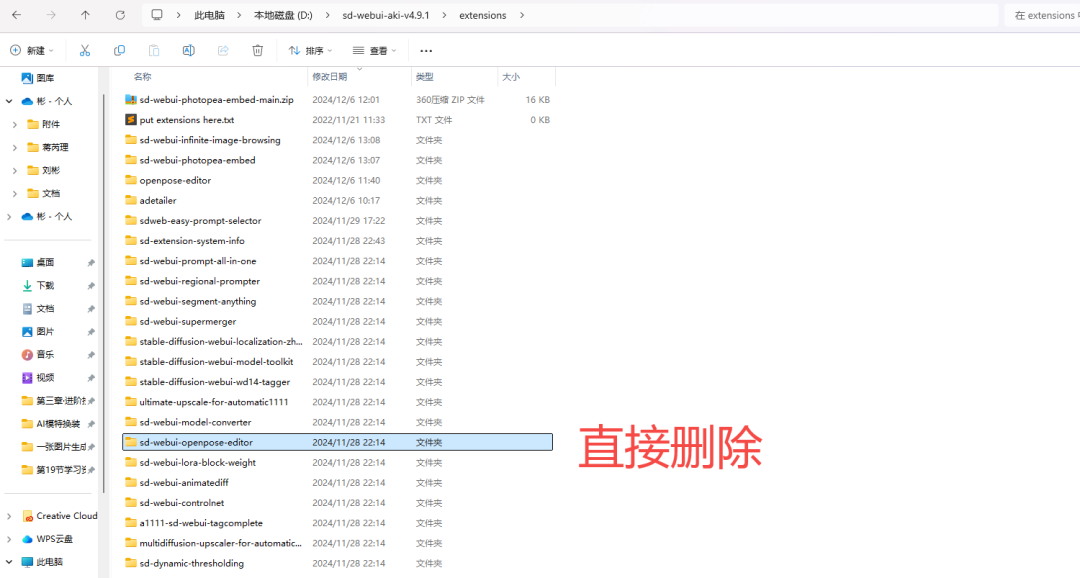
1, extensions folder directly delete plug-ins
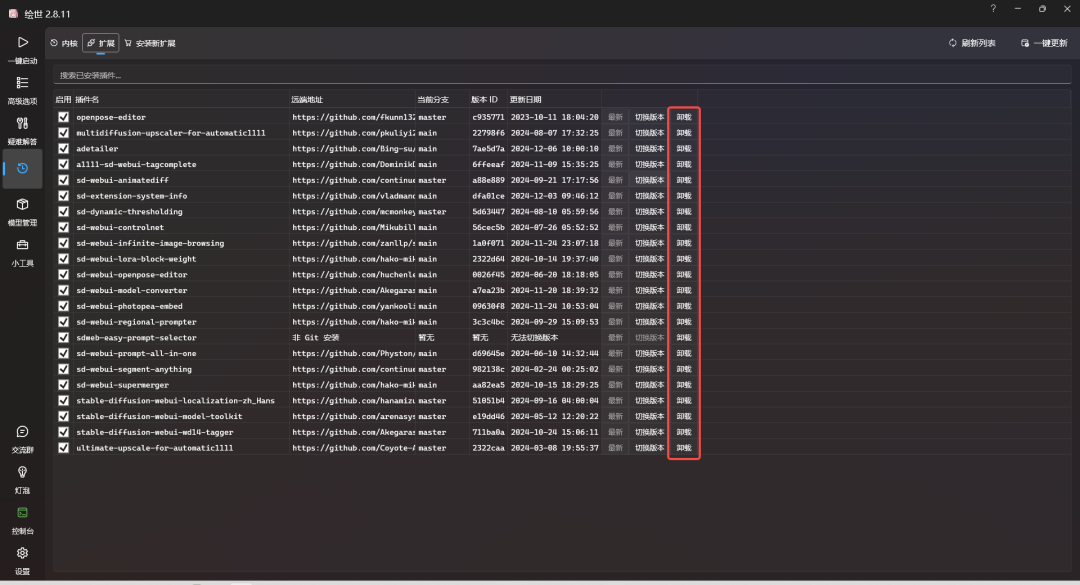
2. Launcher interface to uninstall plug-ins
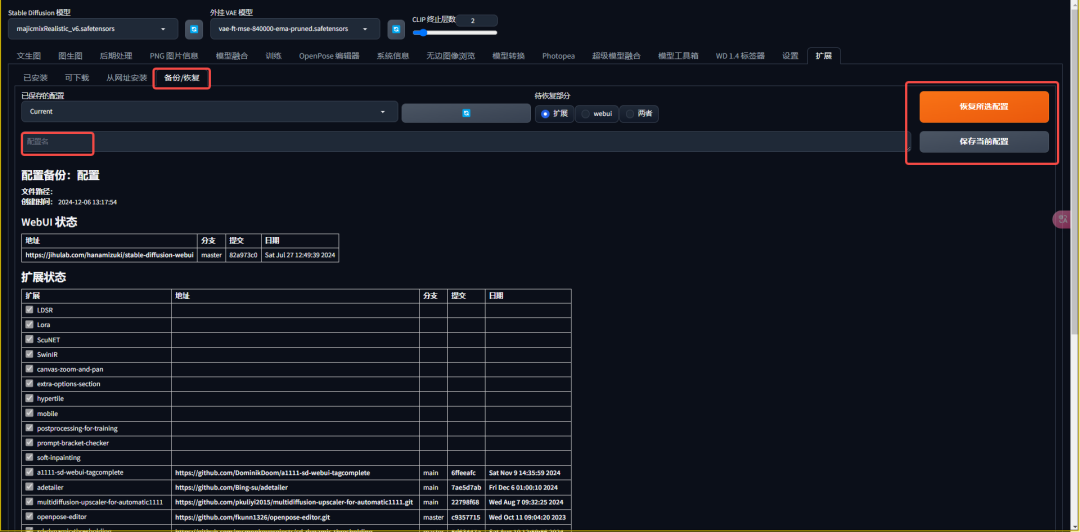
VII. Backup and restoration of plug-ins
Plugin backup and restore is a very useful feature for users who need to switch between different plugin settings for different projects.
VIII. Summary
In this section, we have mastered the entire process of downloading, installing, updating, uninstalling, and backing up and restoring Stable Diffusion plugins. These skills will help you manage and use Stable Diffusion's plugins more efficiently and to their fullest potential.
I hope this article has helped you better understand and use Stable Diffusion's plugin system.