



Every time I click on it latelyDeepSeekAll have to pray first that the system does not crash, want to deploy locally and have graphics card anxiety. However, I recently found a Tencent site even hiding 1.5b-70b DeepSeek R1, one-click foolproof deployment, the key is free for free~!
DeepSeek's servers are really crashing to the point of disbelief! Every time I hit the official webpage 10 times, 8 times it says _"Server is busy, please try again later." Every time I see that, my blood pressure goes through the roof.
Every now and then the idea of deploying DeepSeek locally arises.
Pseudo-program trolling:
"Local deployment? Try it then..."
-- and then realized that deploying the 671B version requires 1300G video memory ≈ 16 A100 cards (~200W)
Kryptonite players, like Musk, say it's all small potatoes.
Regular player: farewell!
As opposed to the more complex and dirt-cheap solution of locally deploying a full-blooded version of 671b.
For us regular folks I'd just like to see what DeepSeek R1 versions (1.5b/7b/8b/14b/32b/70b) look like after local deployment.
Especially the 32b and larger 70b DeepSeek R1 that my computer can't take with it
It is best not to go through those complicated to explode the deployment operation, simple two or three clicks on the page can be completed. I recently discovered that Tencent's CNBcloud-native constructionIt is possible to achieve this effect.
Aroma program
5 seconds to launch DeepSeek R1 with 70b parameter count.
➡️ Direct whoring on CNB platforms
CNB Cloud Native Build is Tencent Cloud's self-developed DevOps platform, which supports full-process DevOps (one-stop from coding → compiling → deploying) with an embedded AI code assistant.
The official website address is posted for you, you need to pick it up. I will take you through the whole process quickly next.
https://cnb.cool/examples/ecosystem/deepseek
The domain name of this official website is also quite interesting: cnb.cool (超牛逼.酷). Cool)
Next, I'll use the example of deploying a 70b parameter count DeepSeek R1 model with a single click.
1. First, open CNB's address (the one above) and click on the login button, here you need to log in with your micro-signal.
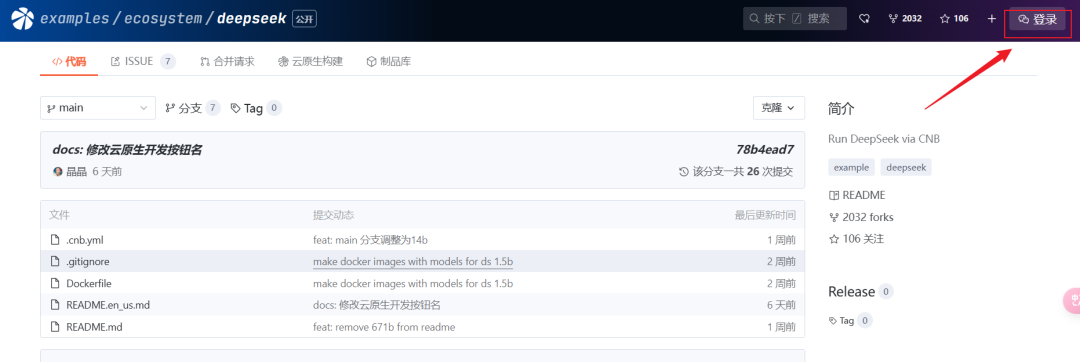
After logging in you can see your WeChat avatar in the top right corner.
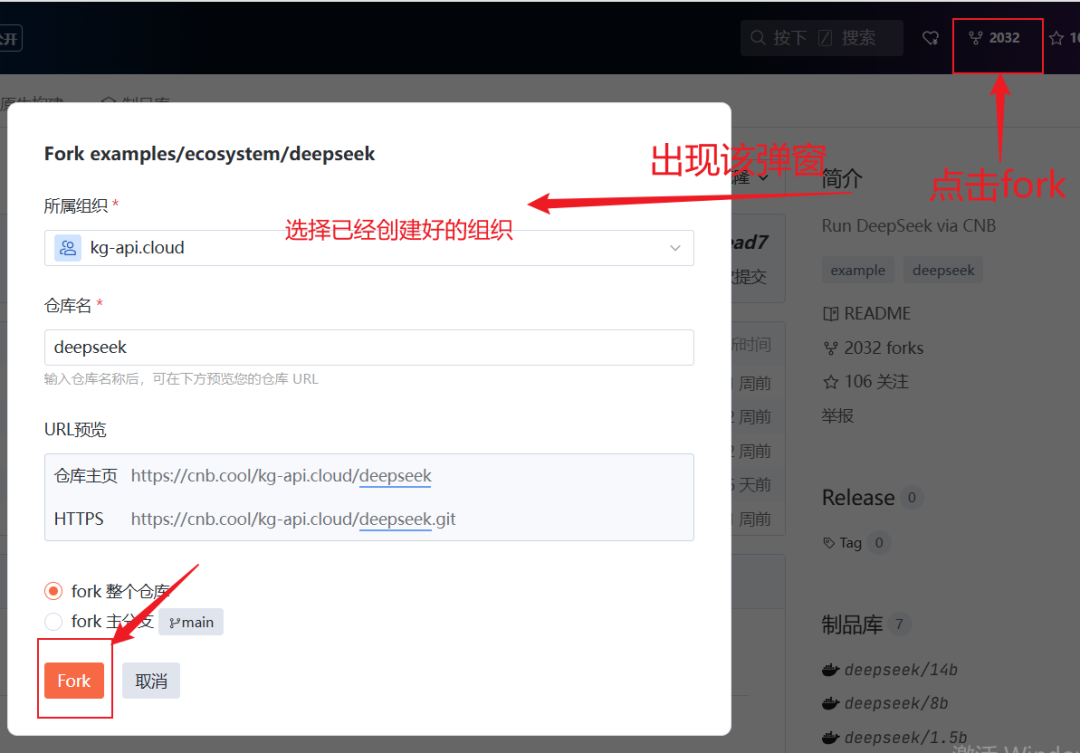
2. Click fork in the upper right corner, the following pop-up window appears, in which you can select the organization that has been created.
ps: this operation is to create a copy to your own repository
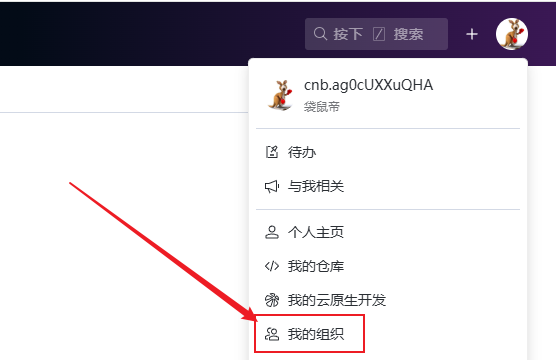
If you don't have an organization to choose from, you need to click on your avatar in the upper right corner and select My Organization from the list of options. Go in and create a new organization.
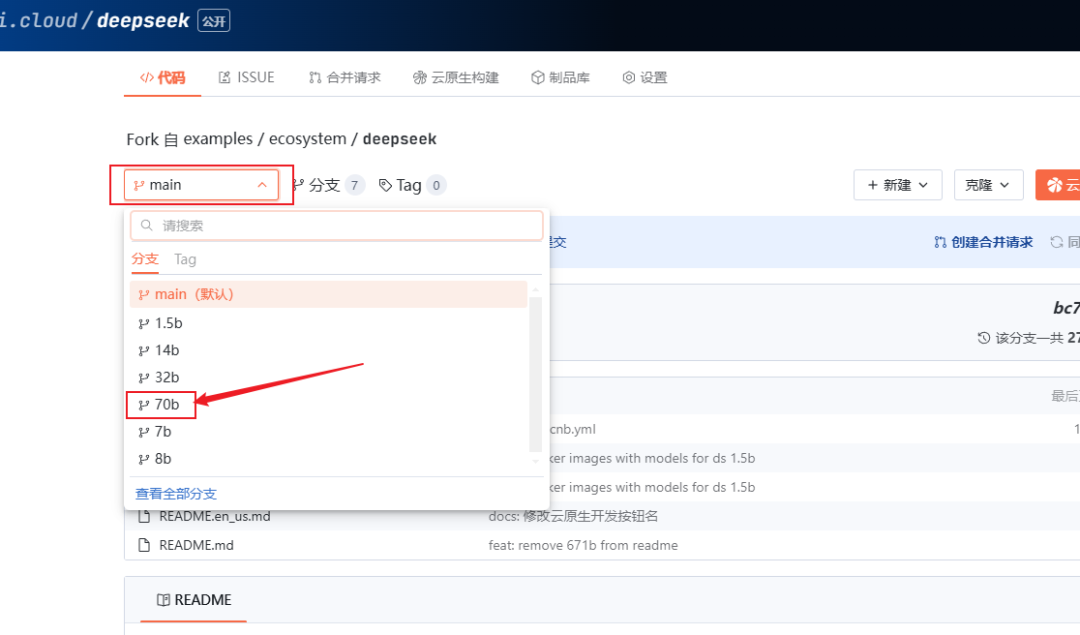
3. After the fork, it will automatically jump to the repository that was successfully forked.
We click on the branch drop-down box and choose to switch to the branch 70b
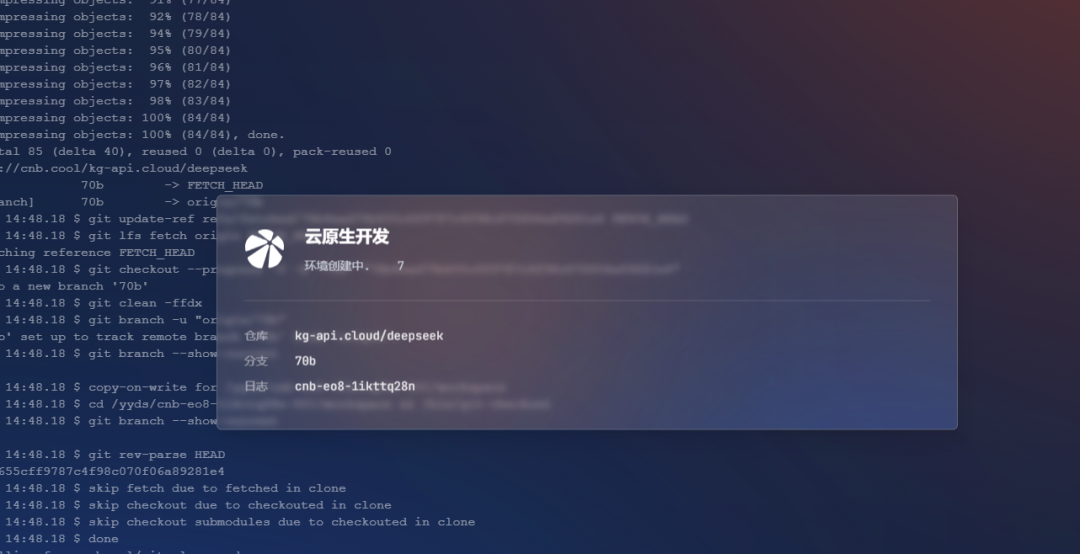
Click on the top right corner Cloud Native Development

Wait a few seconds.
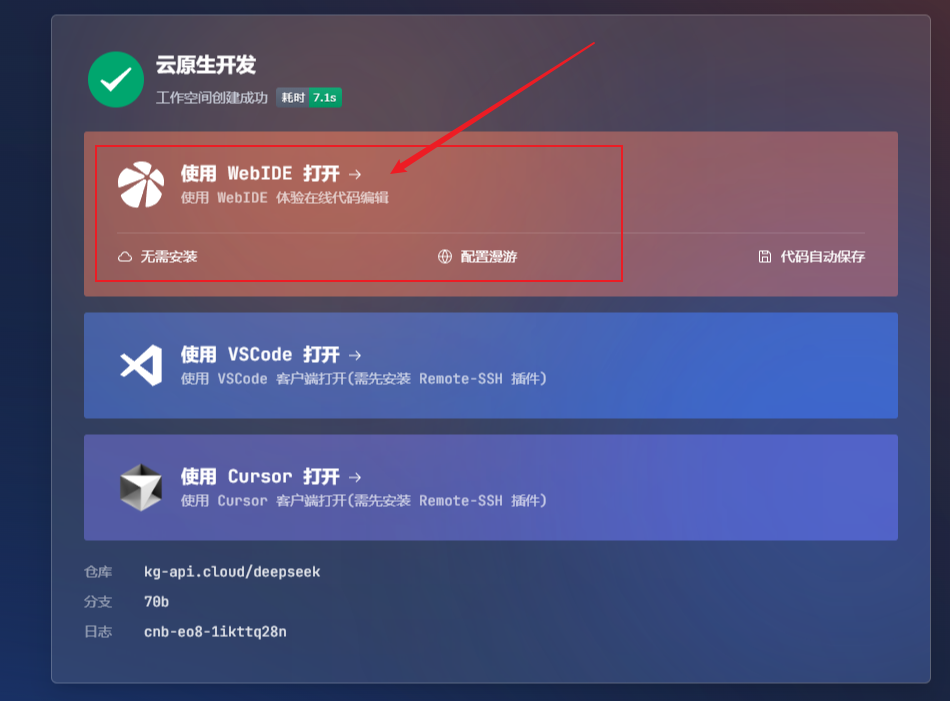
Click Open with WebIDE
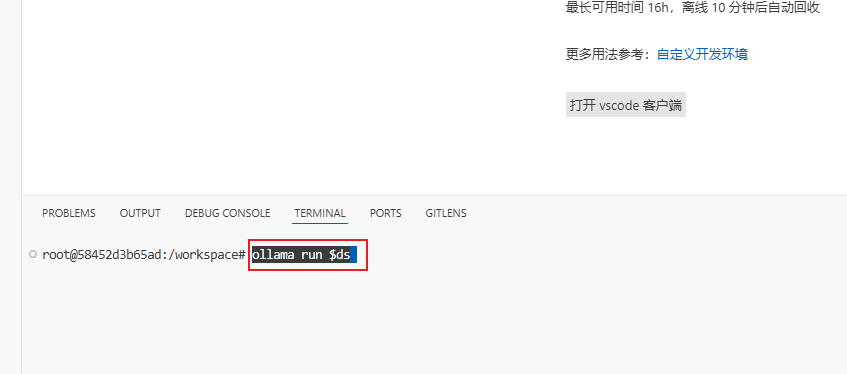
Enter the following commands at the command line of the WebIDE page that opens:
ollama run $ds
In less than 5 seconds, the 70-bit DeepSeek R1 will be up and running, so just type in the question and enter.
The test results are as follows
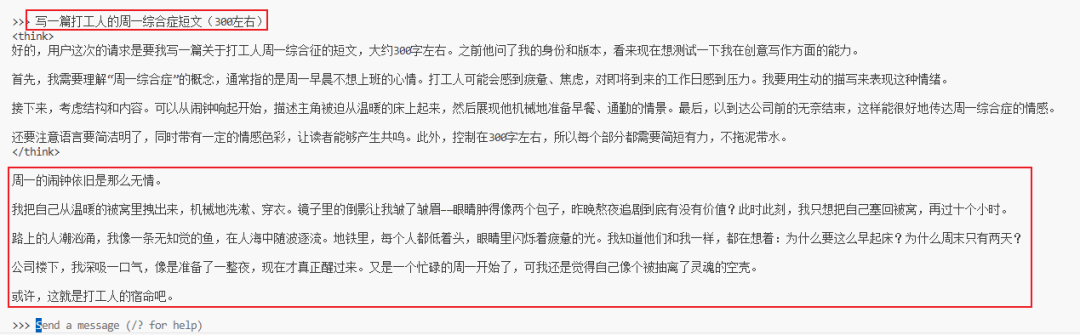
Type /show info to see the current model information, which is the number of 70b parameters.
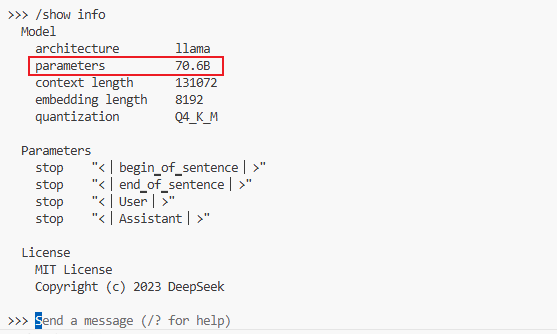
The DeepSeek R1 with 70b parameters is already the largest one under the full-blooded version of 671b, which normally requires a GPU with about 80G of video memory to carry, and through cnb, we can deploy it without downloading the model, and experience it for free with a single click~.
It's the equivalent of having the hardware all to yourself, with no one to steal it from you, and it's fast as hell and very stable!
If you want to switch to DeepSeek with other parameter counts (1.5b/7b/8b/14b/32b), you can do so by switching to the branch with the corresponding parameter count in the forked repository and clicking on Cloud Native Development again.
At this point you can experience DeepSeek with any parameter with one click!
💡 Pit Avoidance Guide
⚠️ Local Deployment What's the best way to choose between the light version vs. the big cup version?
- Touchdown option 1.5b (response <1 second)
- Code must be on 70b (quality ⬆️300%)
Well the above is all for this issue, I hope it's inspiring and helpful to you, we'll see you next issue~!