



I've shared a lot of previously usedDream AITutorials for making videos from raw images are often asked how to get to thewatermarksI was dumbfounded "how to remove the watermark you actually do not know?" I believe that there should be a lot of treasures also do not know, I come today to share with you the method of saving pictures without watermarks to download the video (web version), I only demonstrate here to download the video that dream AI, other platforms can not I do not know to say.
Picture watermark removal: Official Hidden Channel
Applicable scenarios: Want to save single high resolution designs, posters, illustrations.
Core logic:Utilize the editing features that come with Instant Dream AI (web version) to bypass watermark restrictions!
Procedure:
1. After generating (ultra clear) picturesClick on the picture;
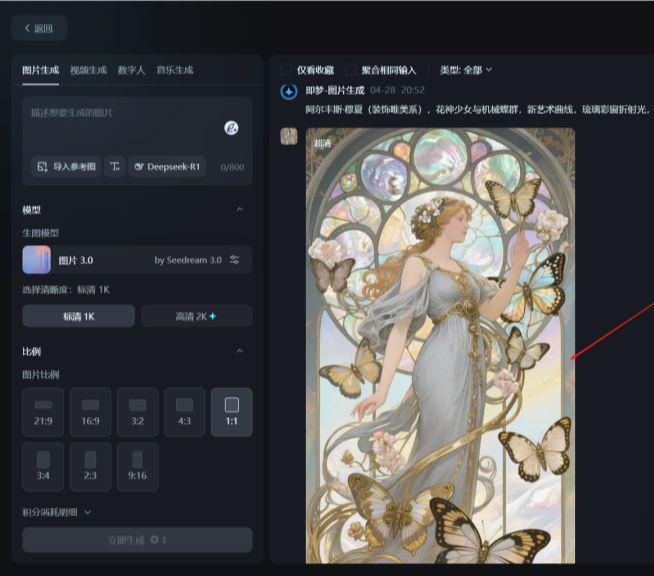
2. Find the "¡ÓGo to the canvas for editing" button, click;

3. After entering the editing interfaceDirectly click on "Export" in the upper right corner;
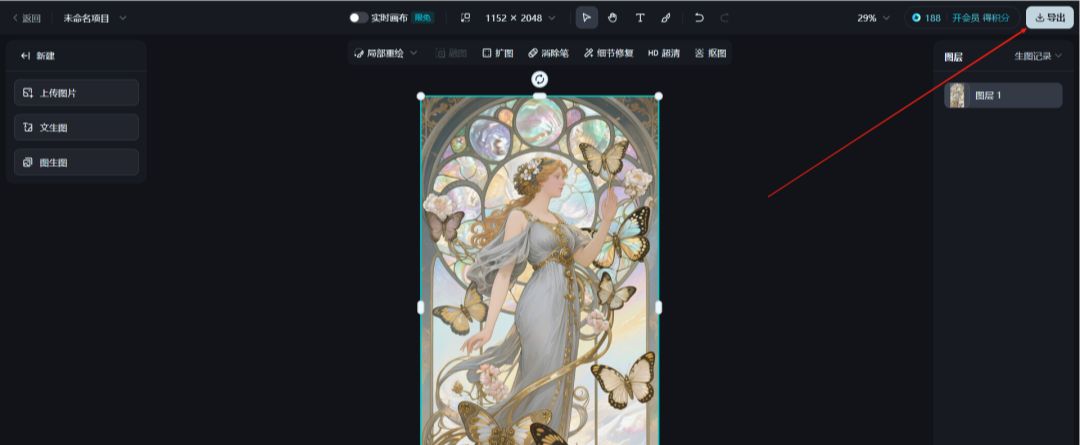
4. Select the format (PNG/JPG) and size of theSeconds to the original image without watermark!

✨ Emphasis added: no third-party tools required throughout.Official Functions of Instant Dream AIIt's safe and risk-free.
Video Watermark Removal: The Great Plugin
Applicable scenarios: Download the dynamic video and animation works generated by Dream AI.
point of pain: i.e. Dream AI's video watermarks are big and conspicuous, and the recording screen drops the picture quality ......
Solution:Put a "plug-in" on your browser and just strip out the original movie!
Step 1: Install Video Download Plugin
Recommended two pro-tested and usable artifacts (Free, no ads):
- FetchV(Minimalist in the plugin world):
- Supported browsers: Chrome, Edge;
- Support video download preview, more accurately locate the video you need to download;
- Supports displaying the number of acquired videos;
- Support for recording videos;
- Features: Automatically sniff web videos and download the highest definition version in one click.
- Video DownloadHelper(Veteran all-around player):
- Supported browsers: Chrome, Edge, Firefox;
- Support for downloading audio and video;
- Support video format conversion;
- No need to jump, already downloaded ones will be labeled;
- Features: greater compatibility, can capture video in many formats.
Installation: (only demo FetchV, Video DownloadHelper operates the same)
- Chrome users: Browser Settings → OpenChrome App Store → search for the plugin name → click "Add to Chrome"; (remember to go to Manage Extensions and turn on Developer Mode)
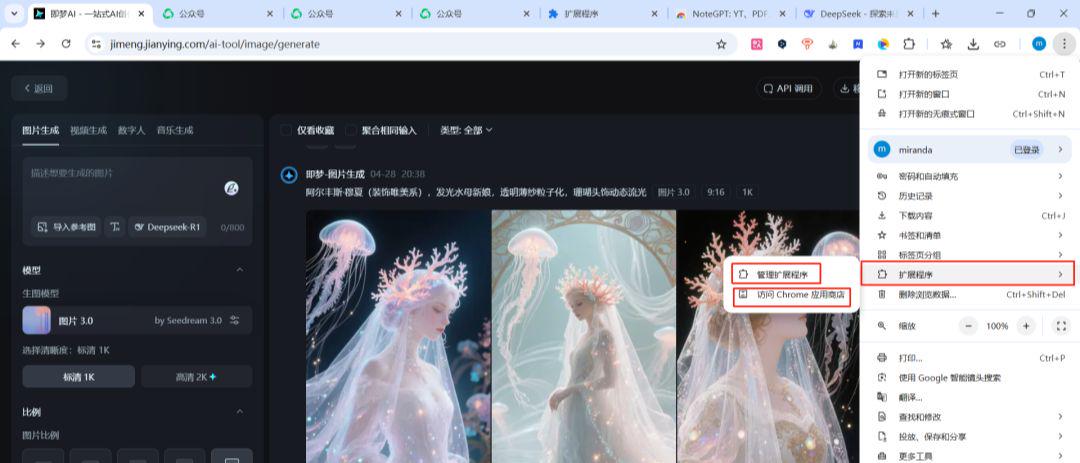
If you don't see the "chorme app store" in the settings, you can find it by going to Manage Extensions, and remember to turn on Developer Mode:
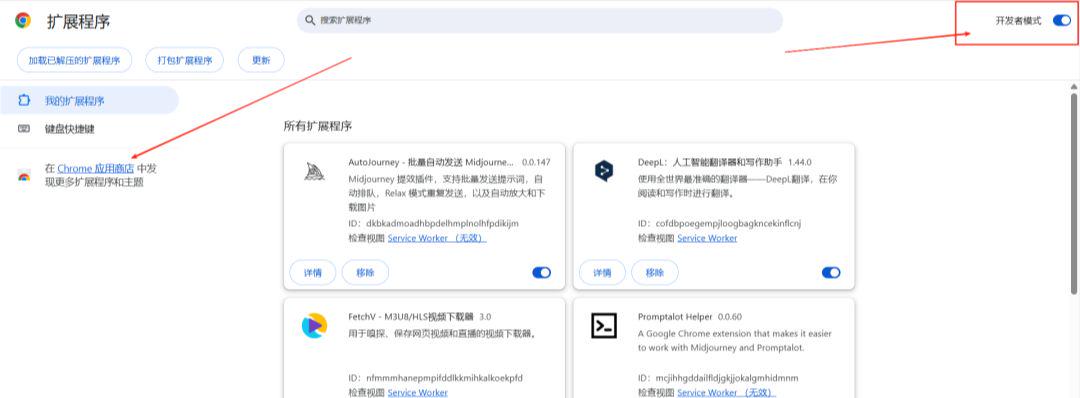
Search for the plugin name:

After searching, click to enter the detail page, click "Add":

Then click "Add Extension":

You can see it by clicking on the extensions icon:
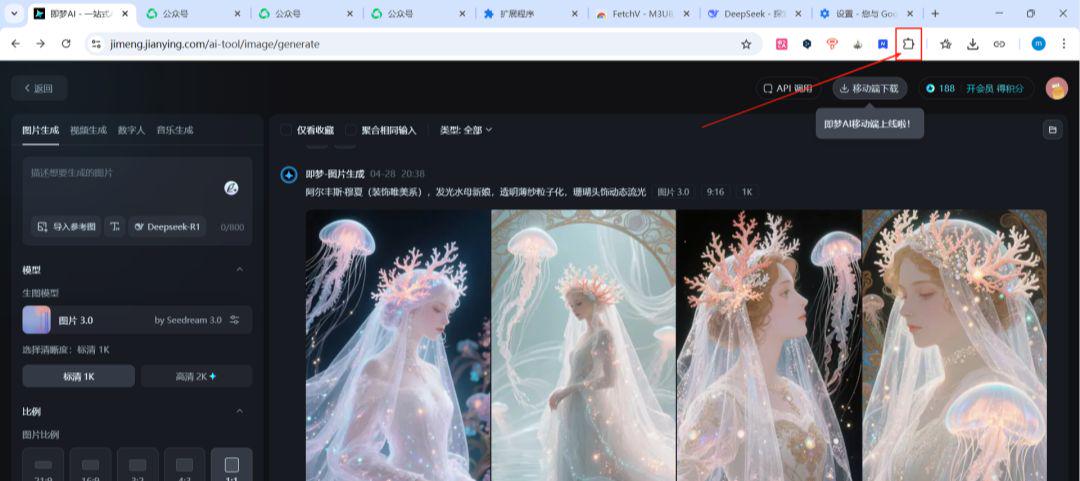
You can also click on the pin icon on the right to fix the display:

- Edge users: openEdge External Program Store → Ibid;
- If you cannot access the store, you can install it by searching directly for the plugin name + "crx file".
Step 2: Download watermark-free video
- After the video was generated by Instant Dream AIKeep the current page open;
- Click on the plugin icon in the upper right corner;
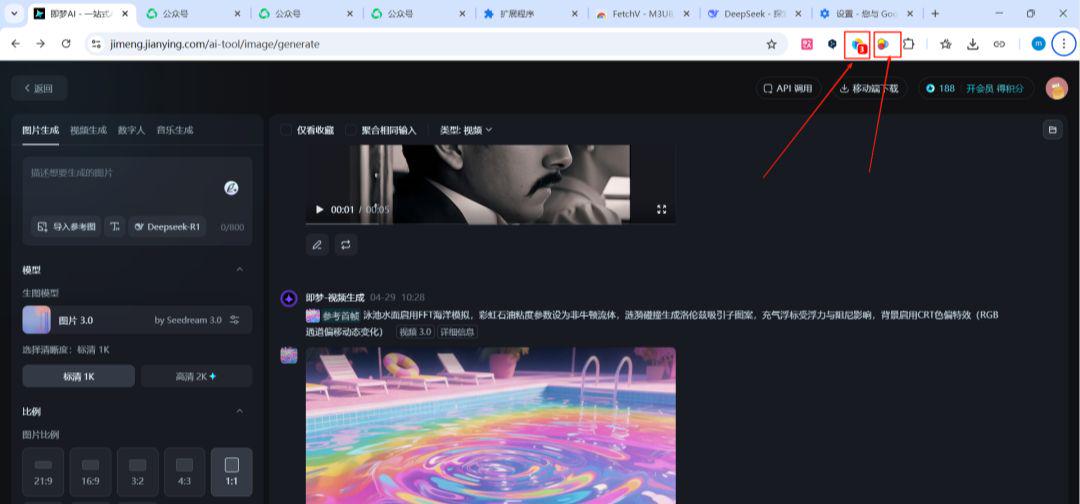
3. The plugin will automatically get the video files on the page, sort them in reverse order, and find the video you need to download;
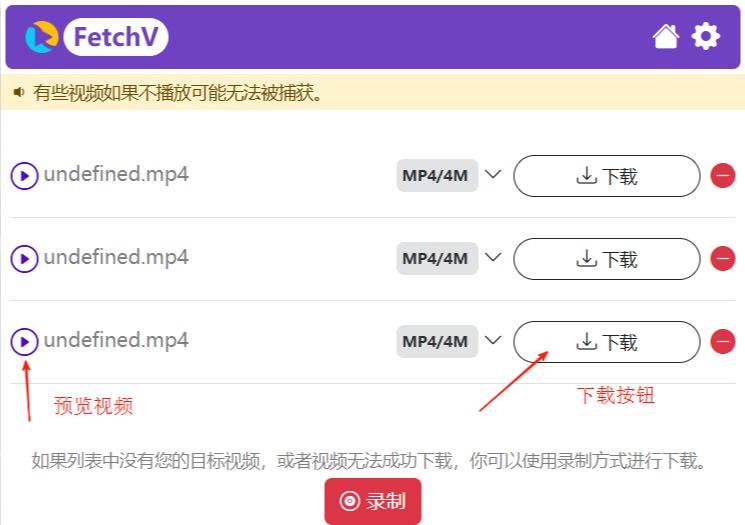
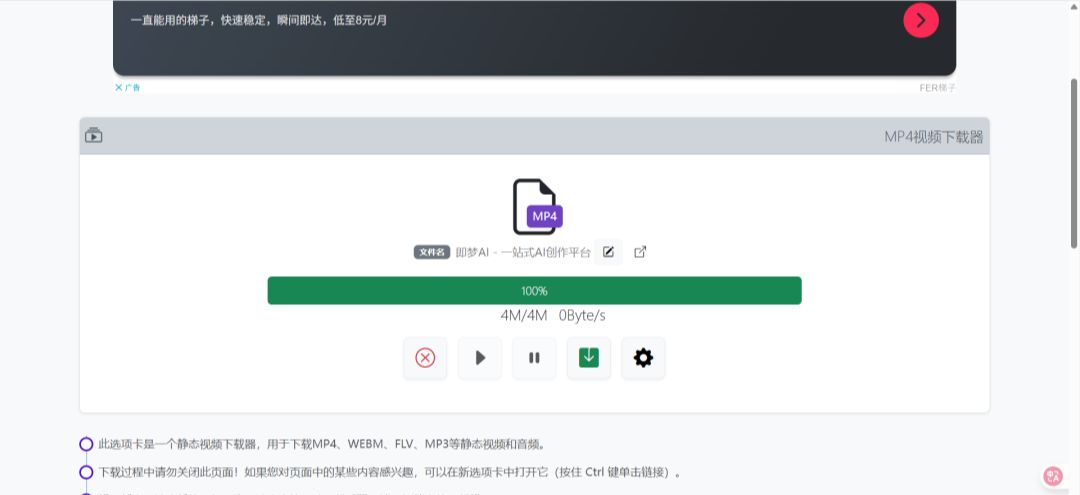
4. Click download, it will jump to the loading page, click downloadSave the original movie directly to your computer in MP4 format without watermarks!
⚠️ Notes:
- If the plugin doesn't respond or doesn't get the video.refresh pageTry again;
- If you still don't get the video, you can click Record;
- The name of the downloaded file, by default, is the site name.
Self-cultivation of white johns
While the method works well, theElegant white johns are never greedy.!
✅ Respect the rights of creators by appropriately labeling sources of inspiration;
✅ Personal study/non-commercial use is more secure;
✅ Use low profile to avoid official blocking of access ......
Never be a "watermark slave" again!
I.e. Dream AI is supposed to be your creative wings, don't let the watermark be a stumbling block!Hurry up and follow the tutorial.Download→Watermark Removal→Wow Everyone!