



Recently, have you noticed a new craze on short video platforms? After the cat cooking, panda cooking and other cute pet video fire, and now "animal martial arts AI blockbuster" has become a new explosive content.
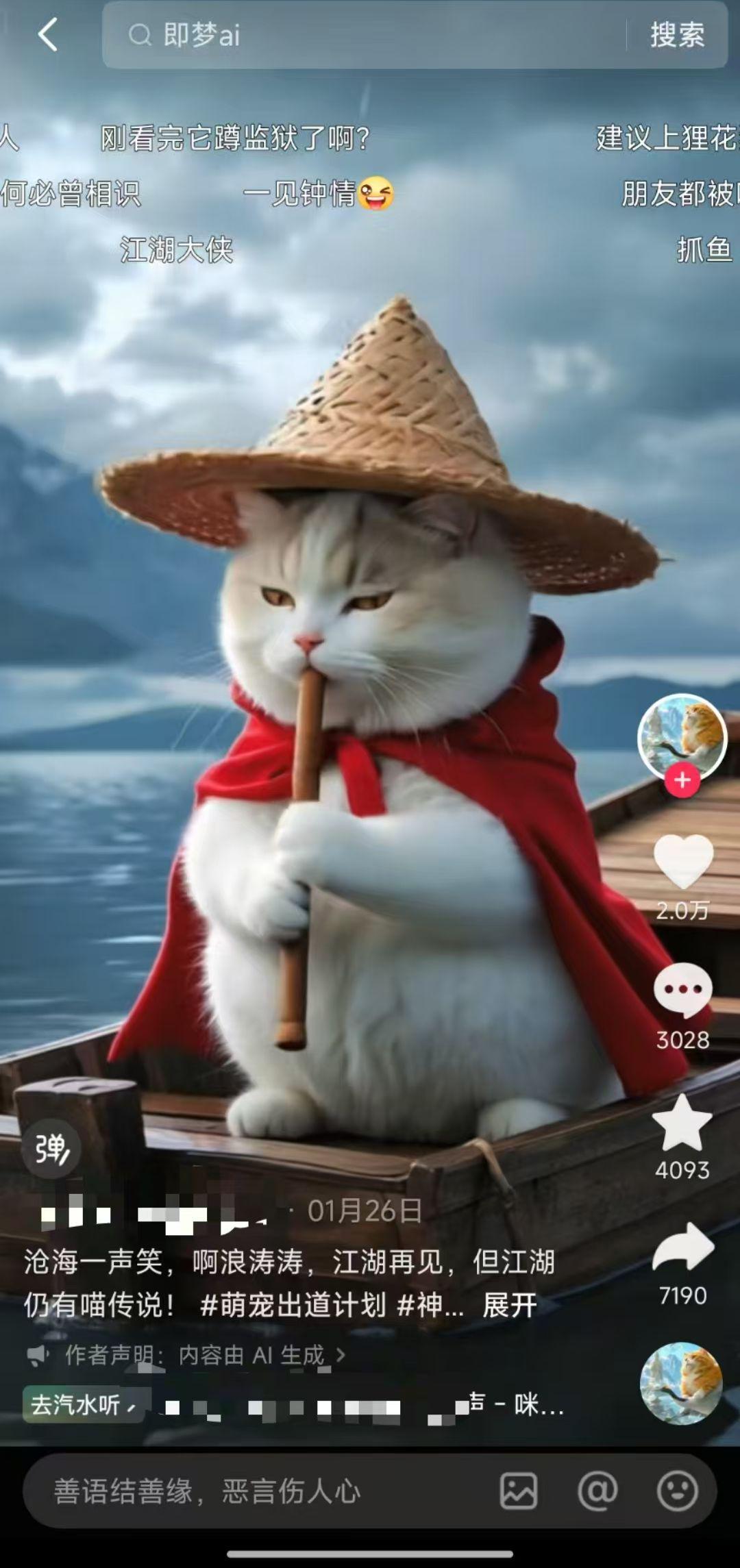
There are creators with only 6 animalsWuxia VideoThe company's ability to attract 100,000+ fans in just a few days is really enviable!
Today, I'm going to take you with me to learn how to make these kinds of super hot animal martial arts videos at zero cost, even if you are a beginner! Such videos not only attract eyeballs, but also trigger user interaction and sharing. I'm going to show you how to make them by hand.
Introduction of production tools
This tutorial focuses on using the Instant Dream AI tool, which is completely free and easy to use, perfect for newbies to get started. All you need is a cell phone or computer and you can easily create professional-grade AI videos.

Step 1: Generate AI image material
1、Open the official website or APP of Dream AI, register and log in to enter the home page
2、Click on the "AI graphic" function

3. After entering the creation interface, click DeepseekR1, and in the prompt word input box, enter the description of the scene you want, for example:
Take the fat orange cat as the main body, design three sets of meow version of jianghu character images in different scenes:
1. Wearing a blue costume and holding a long sword, standing in a bamboo forest in a majestic posture
2. wearing a Taoist robe, sitting on a cliff and playing the zither, surrounded by clouds and mist
3. Stalking on rooftops in black night clothes, moonlight


4、Click the "Generate Now" button, wait for about 20-30 seconds.
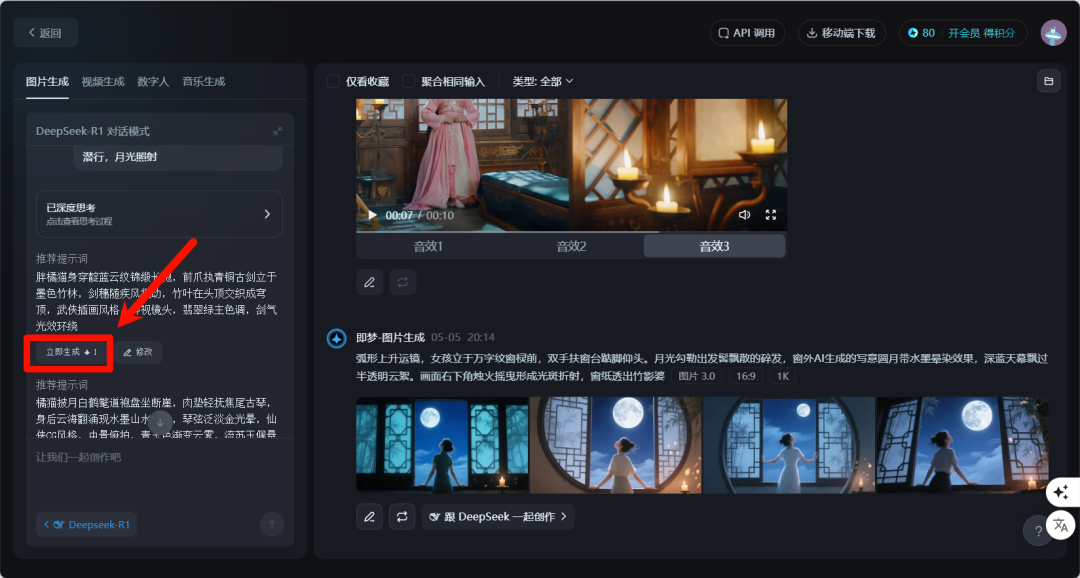
Once the generation is complete, you'll get multiple AI images that match the description. Choose the ones you're most satisfied with and click Download to save them locally.
Step 2: Convert still images to moving video
1, in the dream AI, click on the "video generation" function
2. Upload the picture you just saved
3, in the description box, enter the action effects you want, for example: handheld camera advancement, the cat swinging the sword, bamboo leaves swaying in the wind, light and shadow changes naturally
4、Select the video model "3.0″.
5. Click the "Generate" button.

Repeat the above steps for each image to generate multiple short video clips. Remember to design different action descriptions for each scene to make the video richer and more diverse.
Step 3: Edit and synthesize the final work
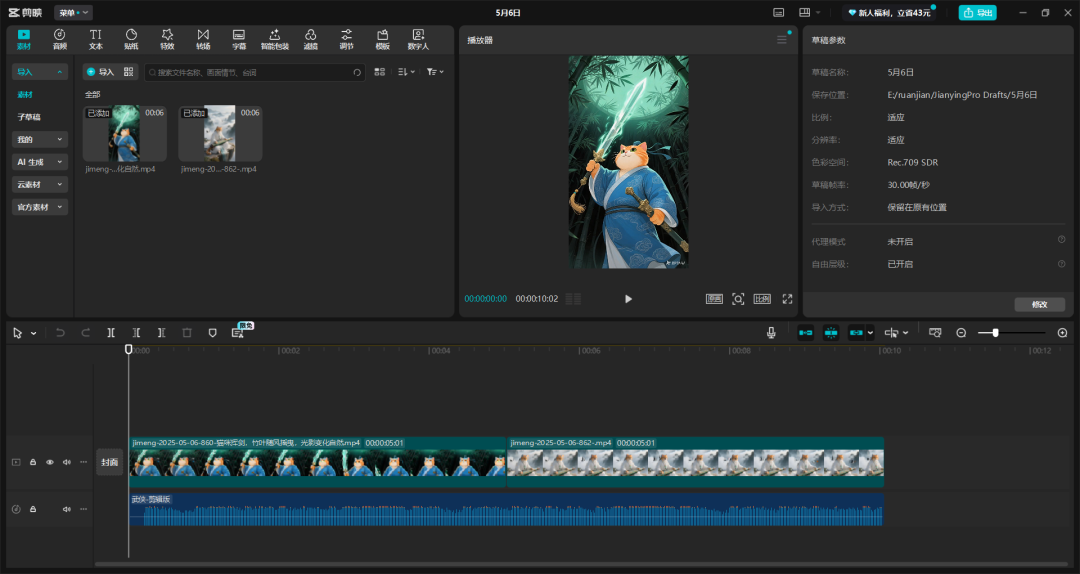
1、Download and install Cutting Screen APP
2, import all the video clips just generated
3. Add background music and sound effects suitable for martial arts style
4, export the final work (it is recommended to choose high-definition quality)
Tips to improve the quality of your work
- Cue word optimization:The more detailed the description, the more the generated image meets expectations. Specific clothing colors, scene elements, lighting effects, etc. can be specified.
- Diverse scenarios:Try different scene settings, such as "Cat practicing sword in front of waterfall", "Cat drinking at inn", "Cat dueling in snow", etc.
- Sound Effects Plus:Adding sound effects such as sword breath, footsteps, and ambient sounds will greatly enhance the immersion of the video.
- Quality Improvement:If you have higher requirements for video quality, consider using a paid tool such as Koring or Vidu, which will generate higher quality videos, but the basics are the same.
With these three simple steps, you can easily create eye-catching animal martial arts AI videos. The whole process is completely free, and it only takes about 30 minutes from zero to finished video. This kind of content is novel and interesting, perfect for publishing on short video platforms to attract fans and traffic.