



When I was in school, the most painful thing was the literary language. I always felt that I couldn't understand it, there was no sense of picture, and it was very hard to learn.
If there had been AI technology at the time that could have produced ancient poems from language textbooks asAI VideoThen I must be interested in learning.
Now a treasure blogger, using AI to redo the content in the ancient text, just posted 11 entries, it rose 260,000 fans, 100,000 + likes of the video everywhere, the traffic is outrageous.
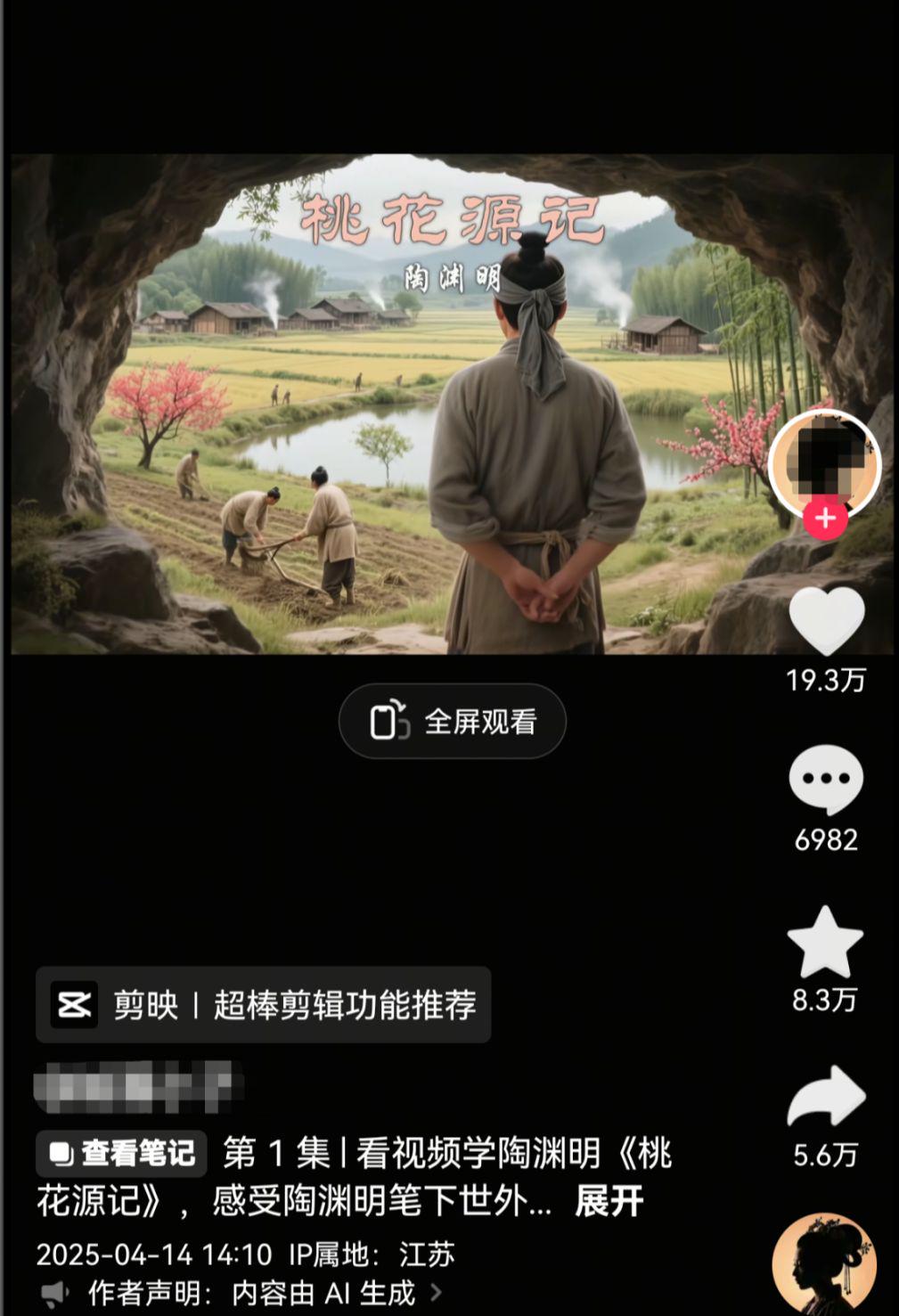
Many partners always complain about the lack of traffic to the AI work they do. Instead of dumping the pot on AI, put some effort into studying how other people's quality work is produced.
Today, we will take the classic "Inscription for a humble room" made by Liu Yuxi, a literati of the Tang Dynasty, as an example to teach you how to make this kind of video.
Without further ado, let's get straight to the dry goods!
Step 1: Kimi creates split script content
Here I need to generate long text content, so Kimi is preferred, of course, you can also choose DeepSeek or Beanbag and other conversation tools according to your own habits.
Cell phone operation to download the App, computer operation directly open the official website to use, the operation method is similar, we go to choose by themselves
Kimi Address:
Open Kimi.
Dialog Box Input: I want to make an AI video of "The Inscription of the Ugly Room" made by Liu Yuxi, a Tang Dynasty literary scholar, and will help me to make a split-screen script of the corresponding literary content, requesting that one sentence corresponds to one scene, write detailed text-to-diagram and diagram-to-video cues, scene, corresponding translation of the literary text, recommended sound effects, background music, etc., and output it to me in the form of a table.
Open networking and long thinking
Click to send
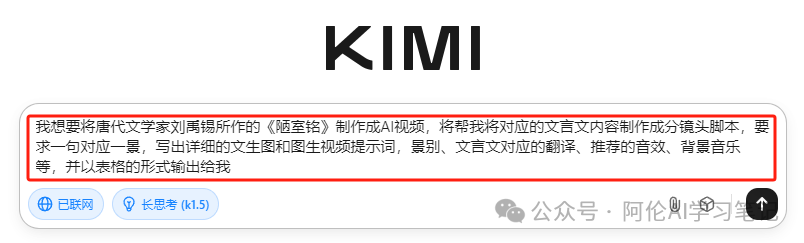
Getting the Conversation
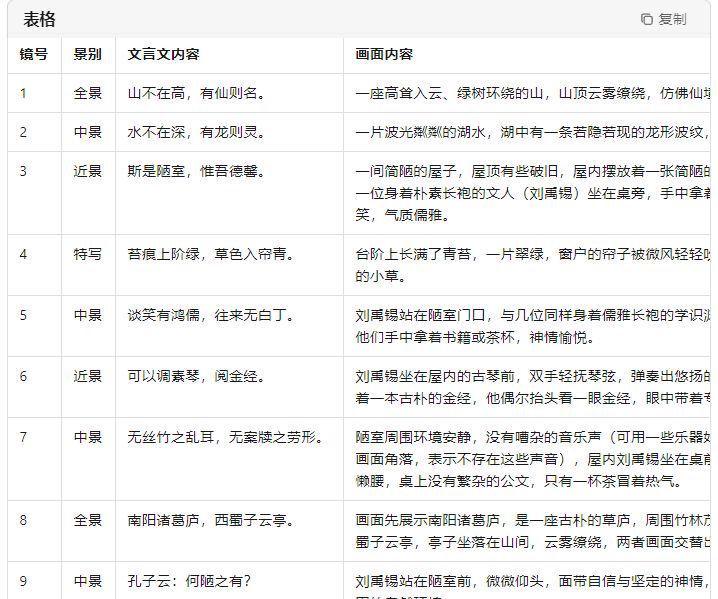
Step 2: That Dream AI text-generated diagram diagram-generated video
Limited space, Aaron here in order to select the number 1 to demonstrate, the other contents of the same operation method, leaving you to practice on their own.
Content of the text: A mountain is not high, but a fairy is famous.
Scene:Panorama
Content of the picture: a towering mountain surrounded by green trees, the top of which is surrounded by clouds and mist, as if it were a fairyland.
Tusheng video: clouds flow slowly in the mountains and sunlight gradually pours down to form beams of light
Translation: A mountain is not high or low; it is famous if it is inhabited by immortals.
Sound effects: Rustling of leaves in the wind
Background music: fresh and melodious ancient style music with a soothing rhythm
The specific operations are as follows:
Open Dream AI
Copy the prompt above
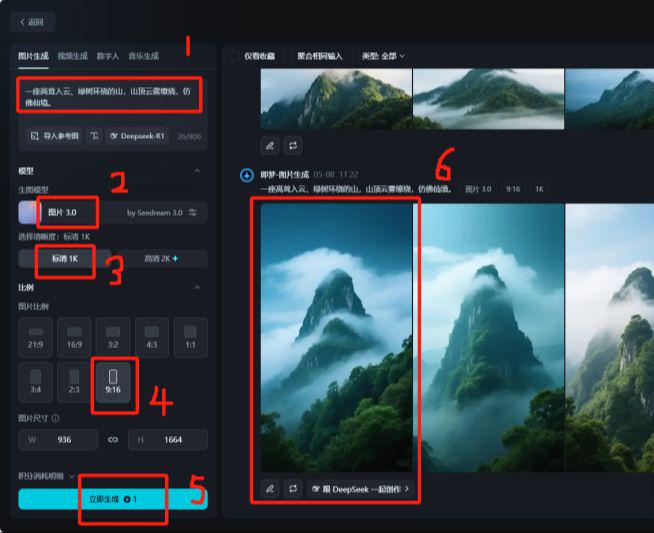
Select Image Generation
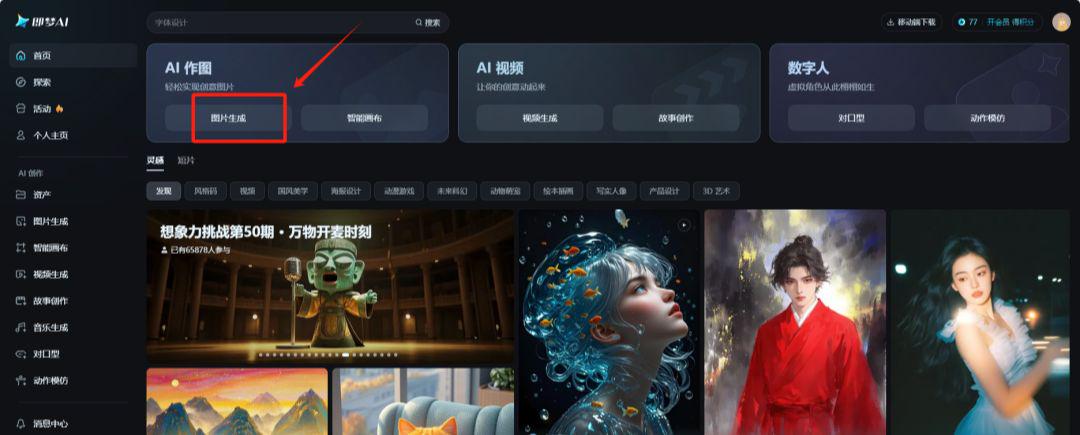
Dialog box to enter the prompt word: A towering mountain surrounded by green trees with a cloudy summit that looks like a wonderland.
Select Image 3.0 Model
Picture quality 1K (2K optional for members)
Ratio 9:16
Generate Now
Select Favorite Image
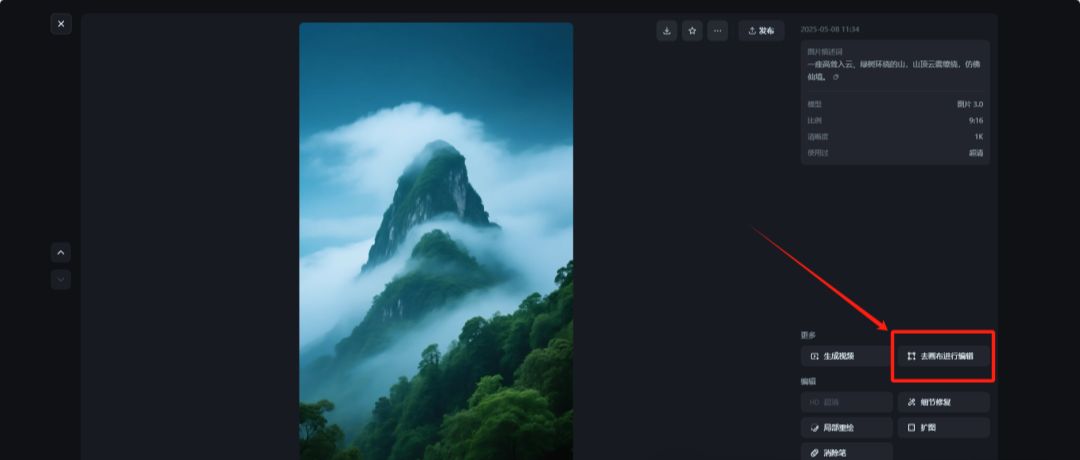
Picture Quality Ultra-High Definition Processing
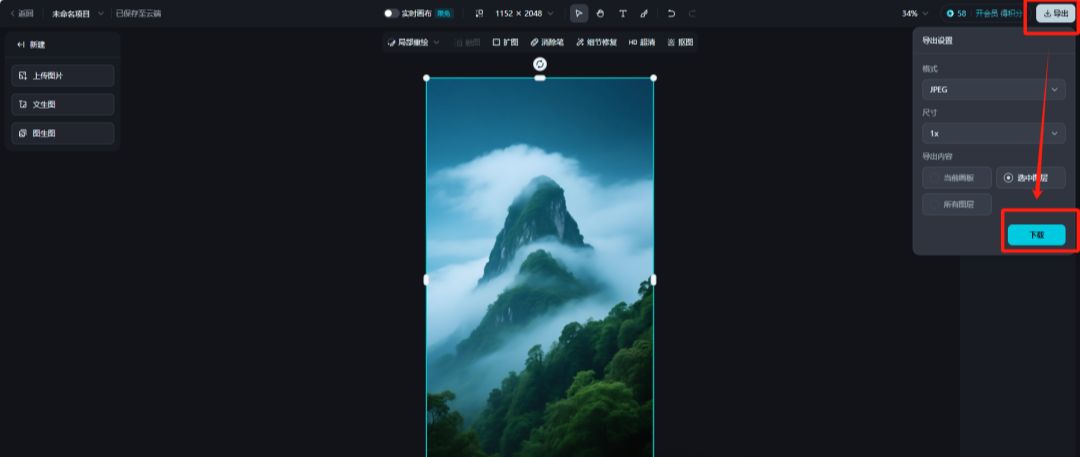
Canvas Edit Watermark Removal
Download and save
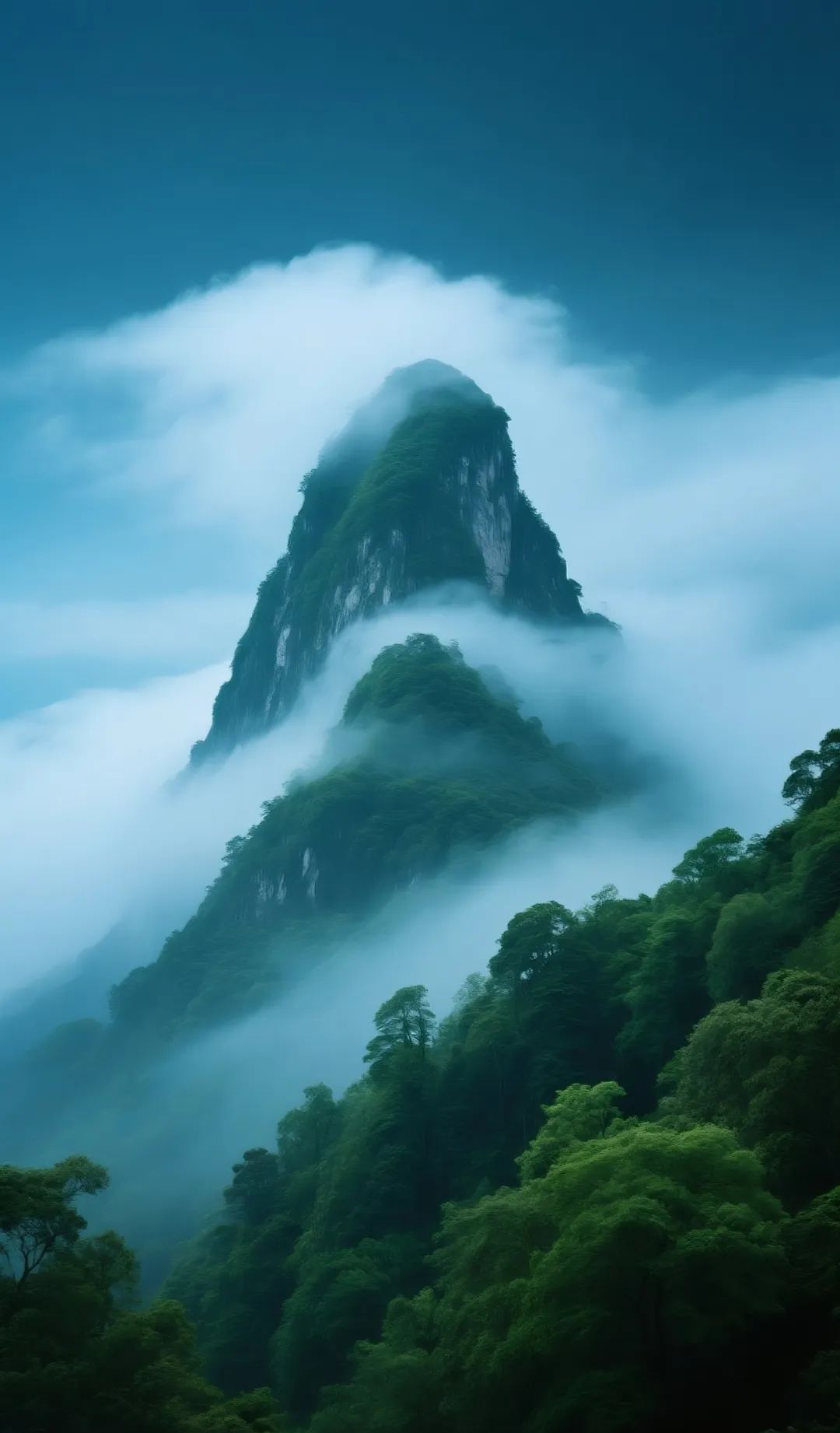
The downloaded image is below:
Return to the Imagine Functions screen
Click on the video to generate
Upload the image you just downloaded
Fill in the descriptors:
FPV first view advancing rapidly, clouds and mist flowing slowly in the mountains, sunlight gradually pouring down to form beams of light
Select Video 3.0 Model
Duration 5 seconds
Click to generate video
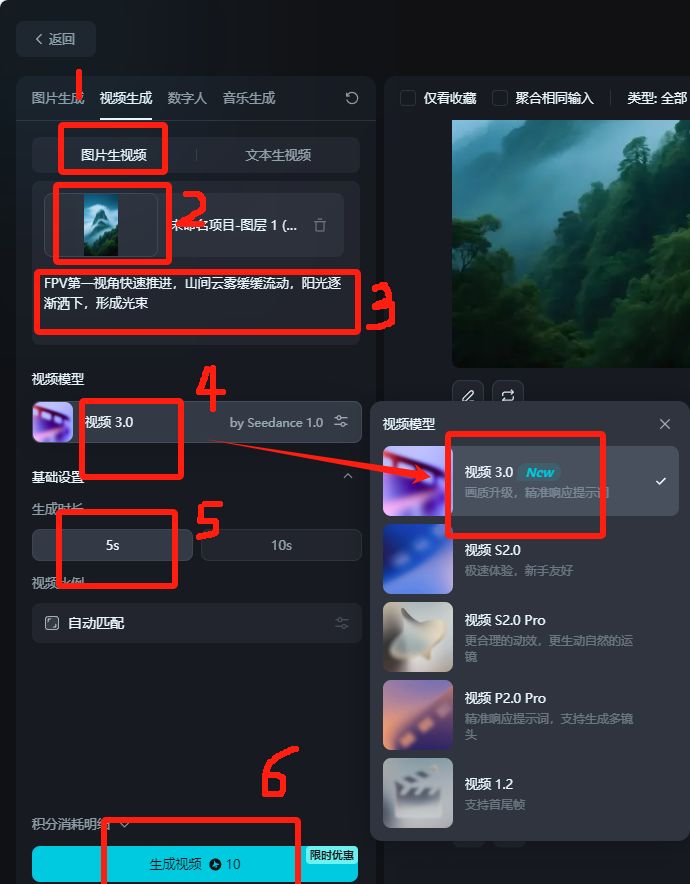
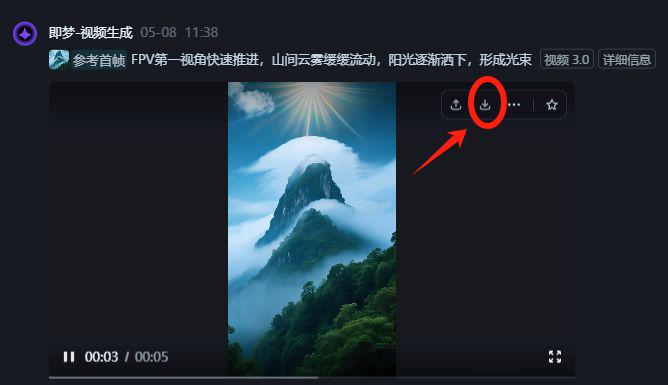
Waiting for generation
Download and save
Use the same method of operation to generate other video clip content.
Space is limited, and the emphasis is on teaching the method, detail polishing and other bits and pieces, so you can go practice on your own. Do not understand the place, welcome to leave a message at any time in the comments section.
Step three. Cut the movie. Cut the movie.
Import all the generated video clips into Cutscreen.
Voice-overs according to the content of the text
Add background music, sound effects and other elements
Finally adjust the details and export
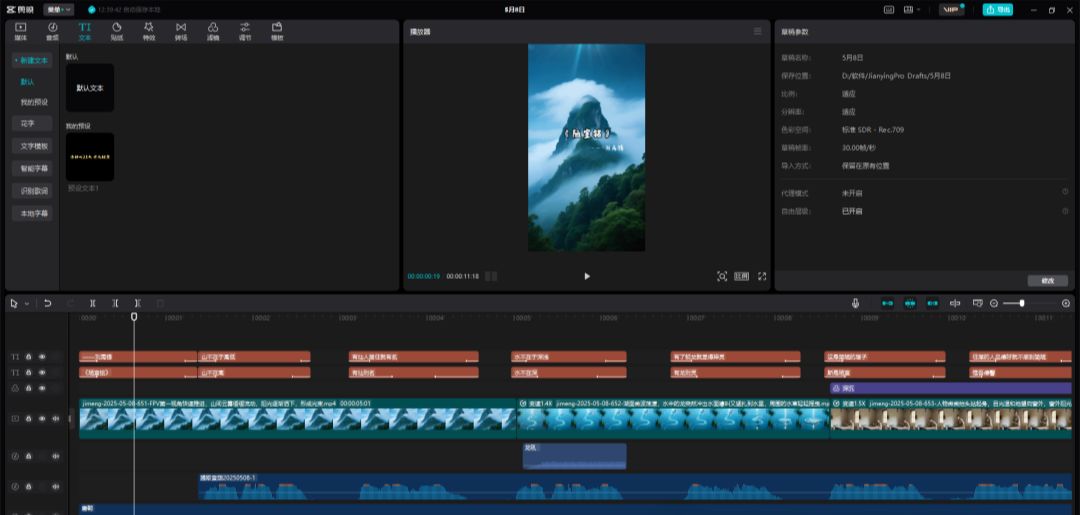
In this way, an ancient text "Inscription in a humble room" has been made into an AI video! We will polish the details by ourselves, and focus on the demo, that's all we have to share today.