



Recently, there has been a lot of content on the internet explaining the effects of Instant Dream Video 3.0 lens transportation. After reading the articles and videos, people have their own focus on lens knowledge. Before the production of a variety ofvideo clip, are at liberty to give the AI a free hand on theKnowledge of mirror operationThere is no in-depth understanding. In order to write this article, deliberately consulted the relevant books. Organized these theoretical basics, I hope it can help you .
AI Tools
Beanbag: https://www.doubao.com/chat/
i.e. Dream: https://jimeng.jianying.com
Screening: PC Professional
one,microfilmLens Classification
Different types of lenses serve different purposes. A mind map was created based on the information found in the books.

Notes:
The way microfilm lenses are used can be applied not only to AI videos, but also to expand the boundaries of traditional lenses through technological innovation.
Whether it's the detail focus of a fixed lens, the dynamic narrative of a motion lens, or the switching of subjective and objective perspectives, the core logic applies to AI-generated content.
At the same time, the automation and intelligence of AI can break through the limitations of physical shooting to create a more imaginative lens language.
Second, beanbag batch generate images
Ever since Beanbag Images upgraded, I've fallen back in love with Beanbag's raw image feature. The batch raw image results are simply not good enough. And it's free and unlimited. Recently, I also found that the beanbag generated character images, the effect is very satisfactory.
Here, I generated several sets of character photos, both randomly and using reference images, respectively.

Lots of images to like, but namely Dream Video 3.0 generates once and spends 10 points. After the membership card expires, it generates up to 8 videos per day. Took 2 days to get this video together.
III. Dream Video 3.0 Generate Video Clips
Open Imagine Dreams, click [Video Generation] and upload the image generated in Beanbag!
Video Model: Video 3.0
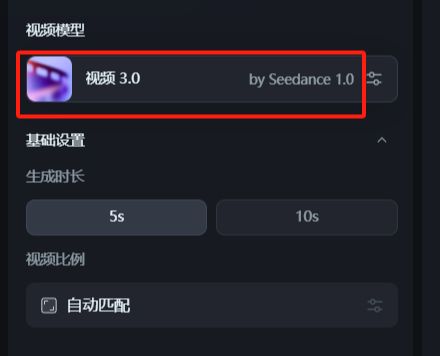
Only a few images have been selected here, using several types of lens transportation.
Cue word 1: long shot, propulsive shot, the camera rapidly advances to a close-up of a character's face Framed close-up, focusing on facial details

Cue #2: Fixed shot, camera position stays the same, character turns around and looks into the distance

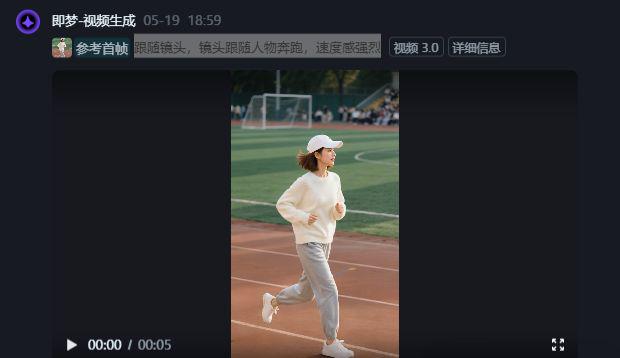
Cue #3: Follow the camera, the camera follows the character forward

Cue #4: Push the camera, the camera slowly pushes in close to the book, framing close-ups

Cue #5: Roaming long shot, the camera moves forward, the camera goes through the window, and outside the window is a railroad view
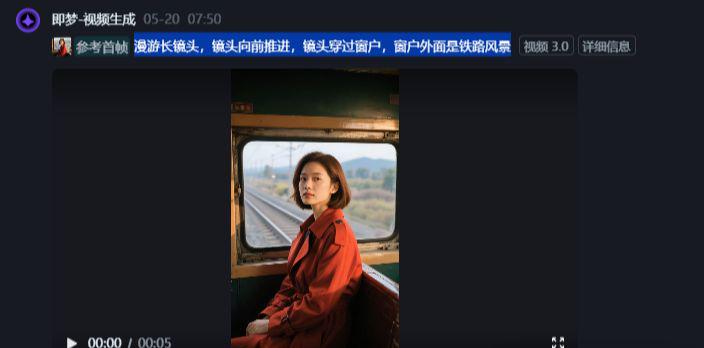
Tip #6: Movie Portrait Surround Lens Perspective

Cue word 7: follow the camera to push close close-up skis, skating action, character action dashing handsome

Cue #8: Fixed shot, camera position stays the same, character turns and looks into the distance

Cue 9: roaming long shot, camera moves forward, camera goes through window, outside window is beautiful city at sunset

Cue #10: Follow the camera, the camera follows the character running with a strong sense of speed
IV. Cutting and editing
Open Cutscene, import video clips, add music, subtitles, and set transitions.

That's all for today!