



Let's continue today.Digital Human.
This product today is one of the simplestDigital Human ToolsHumva(Official description: Your easiest Avatar tool)
Here in advance to clarify: this is only to provide a tool, way or technology to realize the digital person, you can go to the trial, and then to assess whether it is suitable for you, whether to meet their own. After all, most of the domestic and foreign software and then use the advanced features to cost, so we have to be careful, careful and careful. Do not spend money not spend money in vain.
The usual rules, no bullshit, no ink, just start the whole thing.
I. Use of tools:
AI tool name: https://www.1ai.net/32178.html
II. Operational steps:
1. Open the official website and enter the homepage interface
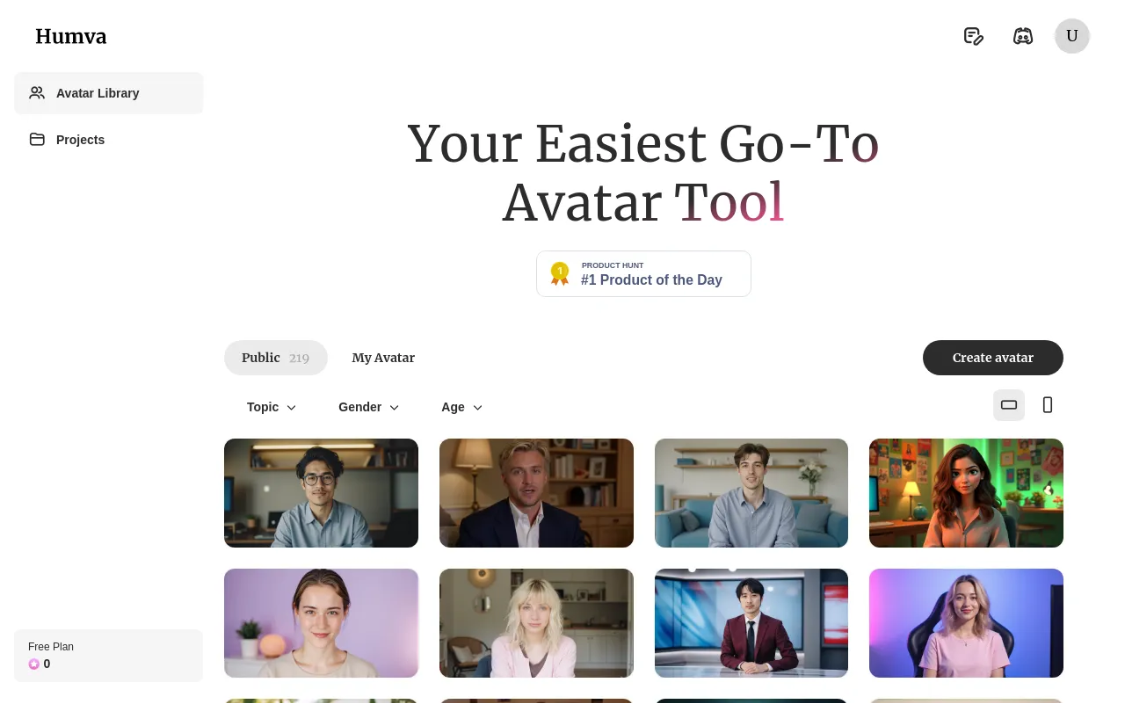
As the Humva website says it is the simplest. Yes, this homepage interface is simple too.
Avatar tool: virtualized body tool ("Avatar" common meaning of the movie "Avatar", but also virtualized body, avatar, etc., here combined with the "tool", the translation of the above two meanings is more appropriate)
Click the "Create Avatar" button in the upper right corner to create your own avatar.

Here you can choose between: customized avatar and photo avatar

Here you need to upload your photo and upload your voice

Once set, click the "Next" button to proceed.

Here to set the basic information, such as: name, video size ratio, etc., and then click the "Next" button to generate an avatar, you need to wait for ...... wait 30 seconds, the results are as follows
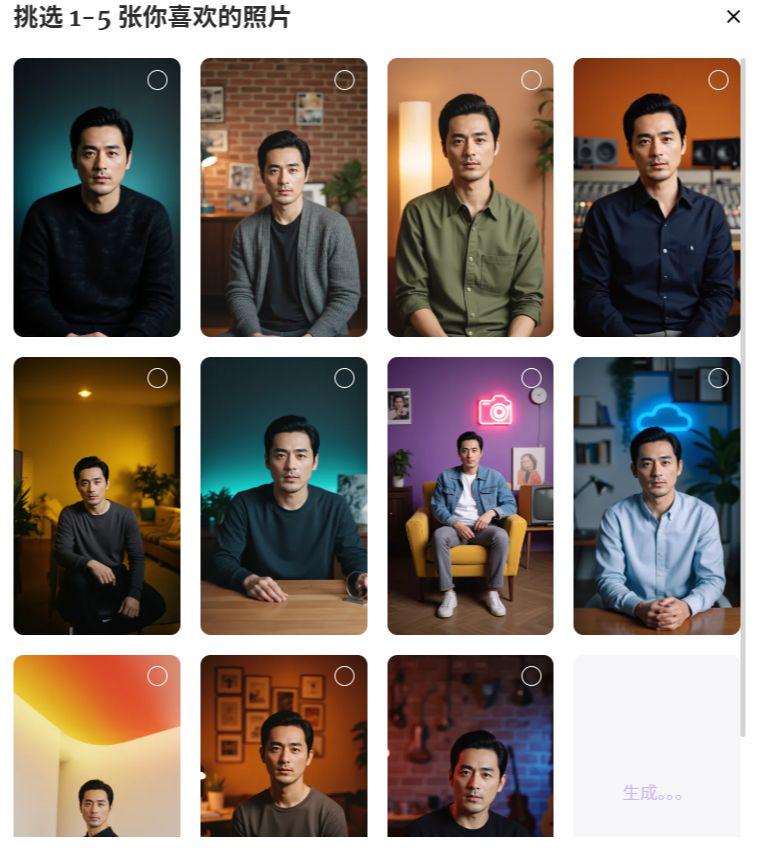
It will generate a total of 12 pictures with different backgrounds, poses. You can choose from 1-5 pictures. Then go to "My Avatar" to see all the information.
This one takes a bit longer and requires patience ....
When the generation is complete, click on the video file, you can download and try to see the effect ~~~

The generated video interface is still relatively sober and good. Click on the upper right corner of the "export" export video can be. Everyone try it~~