



Office three-piece suite: Word, Excel, PPT, hit workers suffer this for a long time.
Earlier, Kunlun Wanwei released a program calledSkywork【Heavenly CraftsmanshipsuperAgentAgent], after my in-depth experience, I just want to exclaim: the workplace is blessed.
Today, I will tell you more about this [Tiangong Super Intelligent Body].
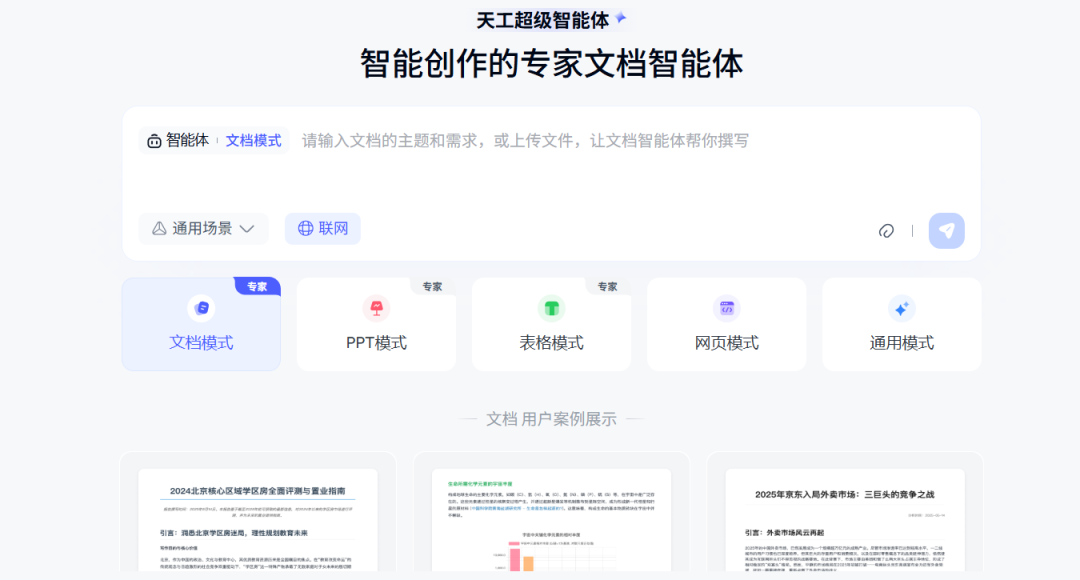
It is a Super Agent that is smart and flexible for office scenarios and really delivers results.
Let's start here by popularizing what an intelligent body (Agent) is.
Intelligentsia are computer programs or robots with autonomous decision-making and self-learning capabilities. Intelligent bodies can complete tasks by sensing the environment, analyzing information, making decisions and executing actions. Intelligent bodies usually include a perception module, a decision-making module, and an execution module, in which the perception module is used to acquire environmental information, the decision-making module is used to analyze information and make decisions, and the execution module is used to carry out the decisions and complete tasks.
So why does the Tiangong Super Intelligence dare to call itself [Super]?
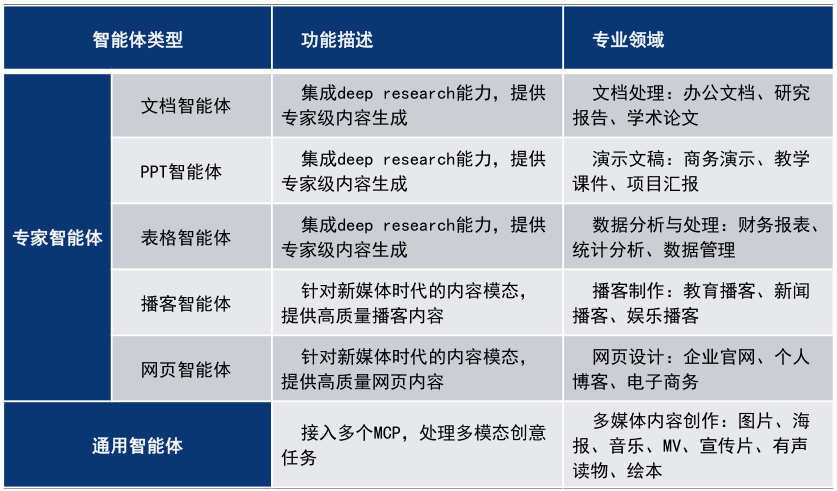
It is 1 General Mode + 5 Expert Mode AI Agent:
Universal mode, which effectively integrates different modal contents such as text, pictures, video and sound, can generate richer products such as music, MV, promos, picture books, audiobooks and so on.
Expert mode, providing Deep Research services for work and study high-frequency usage scenarios, which can be used to generate Office three-piece suite (documents, PPTs, forms), podcasts, and web pages.
In a nutshell: multimodal content generation and deep task processing capabilities.
Isn't that too strong!
Here are two examples of applications to give you a taste of what it can do, okay?
Case 1: Creating a PPT
I recently had to do AI training for a public kindergarten and had to create a PowerPoint for the training. sent the requirement to Skyworks:
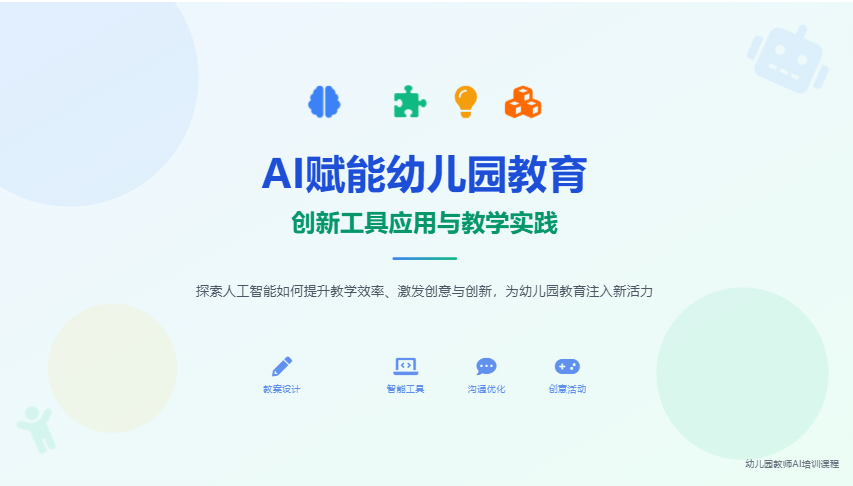
[Please help me to create a PPT with the theme "AI empowers kindergarten education-innovative tool application and teaching practice" for AI training to kindergarten teachers, the style should be in line with the education/training industry, and the PPT should leave a place for me to insert the case study demonstration].
This is how it unfolds its work when it receives instructions:
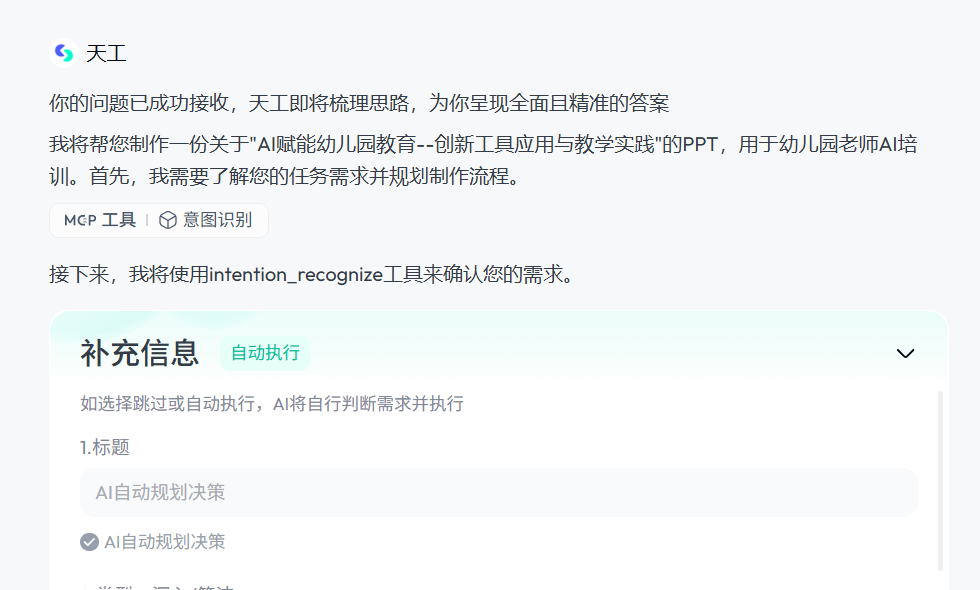
Step 1: Sort out my thoughts, understand the needs of my task and plan the process.
That is to say, through the debut of the "clarification card" function, it will fill in the blanks and choices to ask the user's goals, background and constraints in advance, and clarify the core needs and key details. If we don't answer it, it will automatically plan the decision.
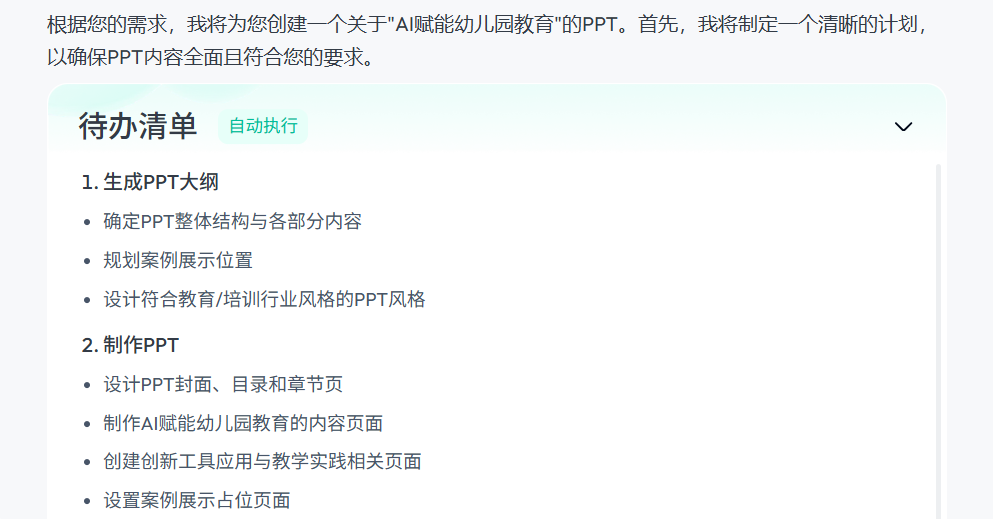
Step 2: Make a plan to ensure that the PPT meets my requirements (Planning PPT Outline). Here then, it allows us to confirm the PPT outline and modify the PPT outline if we are not satisfied with the outline.
Step 3: Make a PPT.
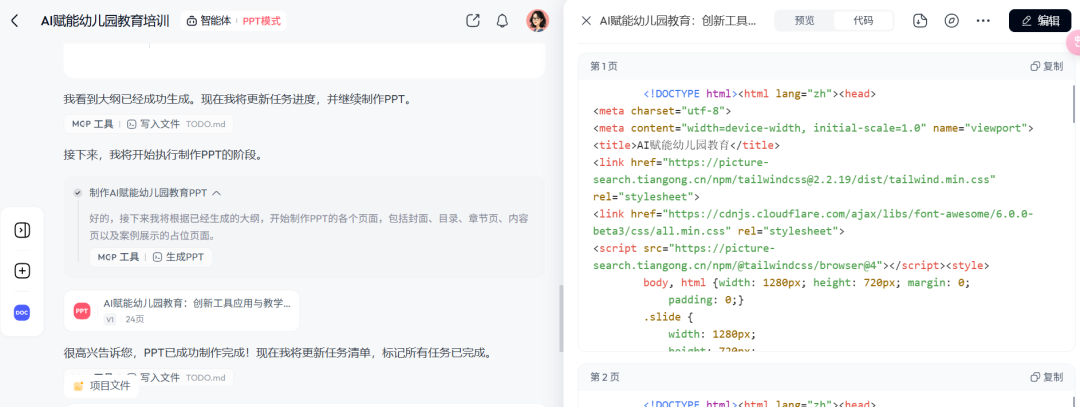
A few minutes down the road, a professional and beautiful PPT was presented to us.
Case II: Generation of analytical reports
Send instructions:
I am an AI business instructor and want to have a comprehensive understanding of what stage of development AI painting has reached, what are the specific application scenarios, what are the prospects for future development, and so on. Please help me make an analysis report of AI painting applications.]
After the Skyworker received the instructions, it still confirmed the specifics of the task first in order to make sure that the report met my needs. Once it was confirmed it launched the next step.
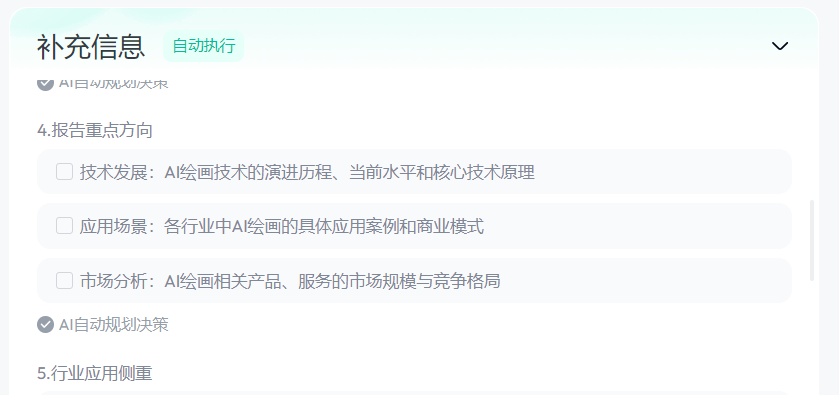
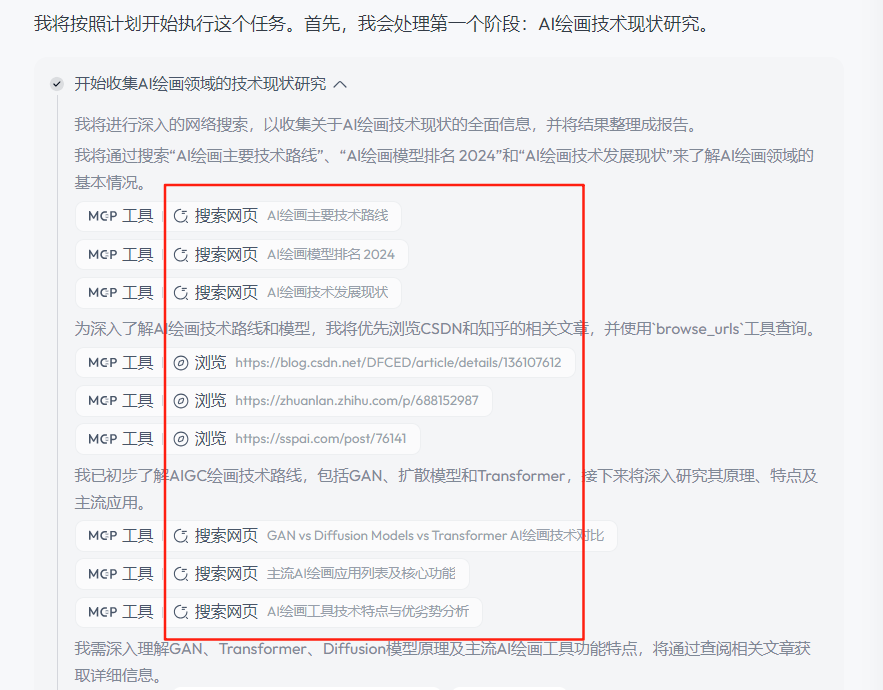
Here we can see that it will be noted in the search so that it can be traced back to the source and avoid the appearance of codified information due to hallucinations.
Let's all take a look at the analysis that Tiangong eventually did for me (some screenshots).
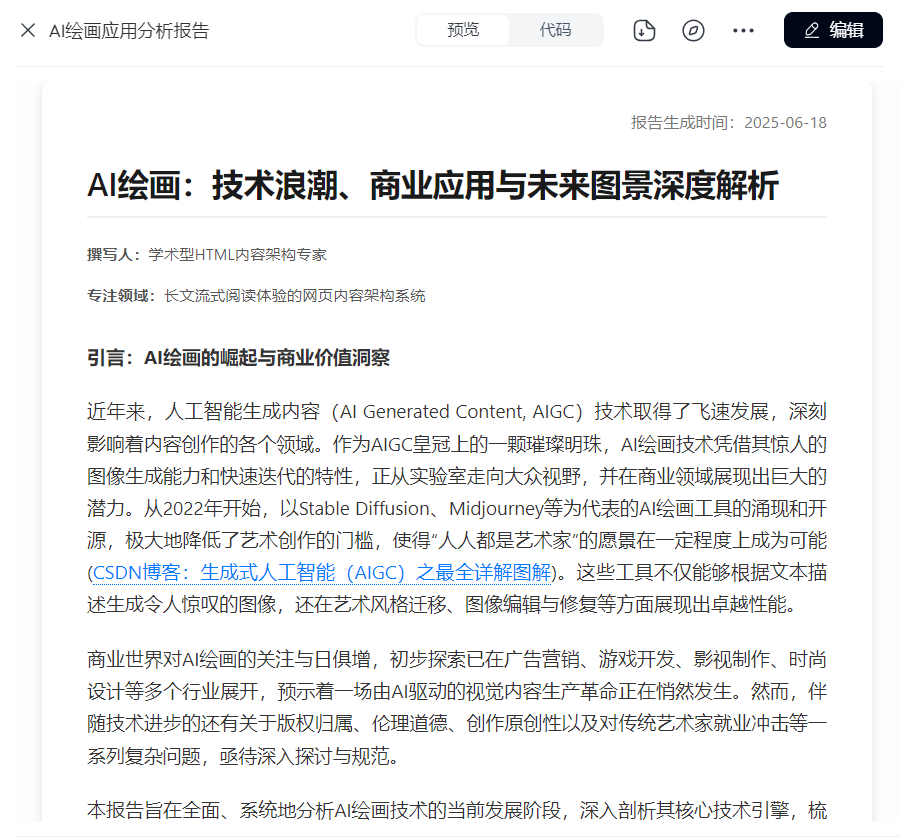
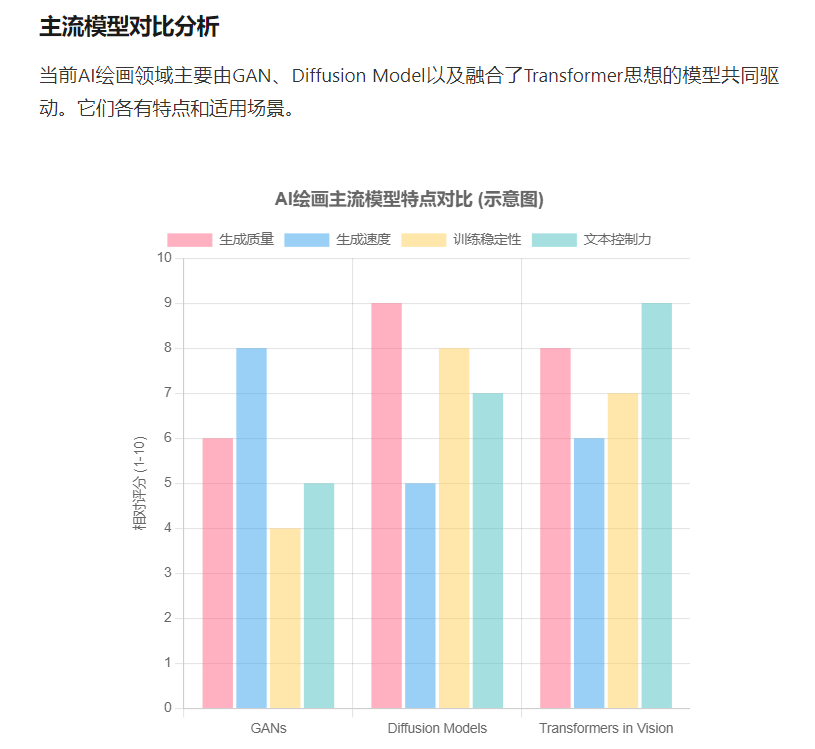
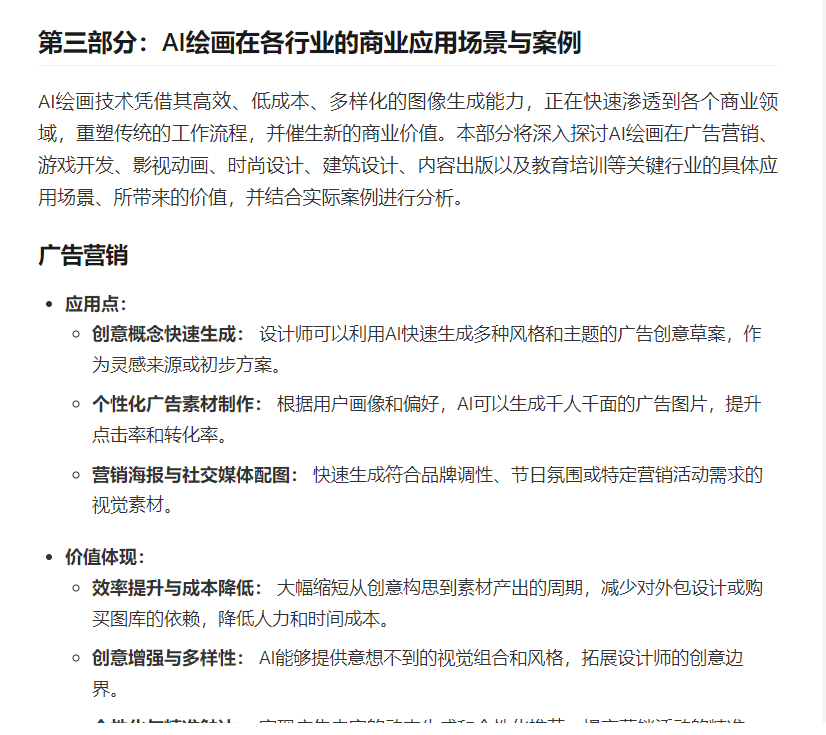
It really works so well! A sprawling 20,000 word analysis report was completed, and the content it generated was very relevant to my needs! It's the kind of level that working professionals can submit to their leaders, and it's the level that can be delivered to clients!
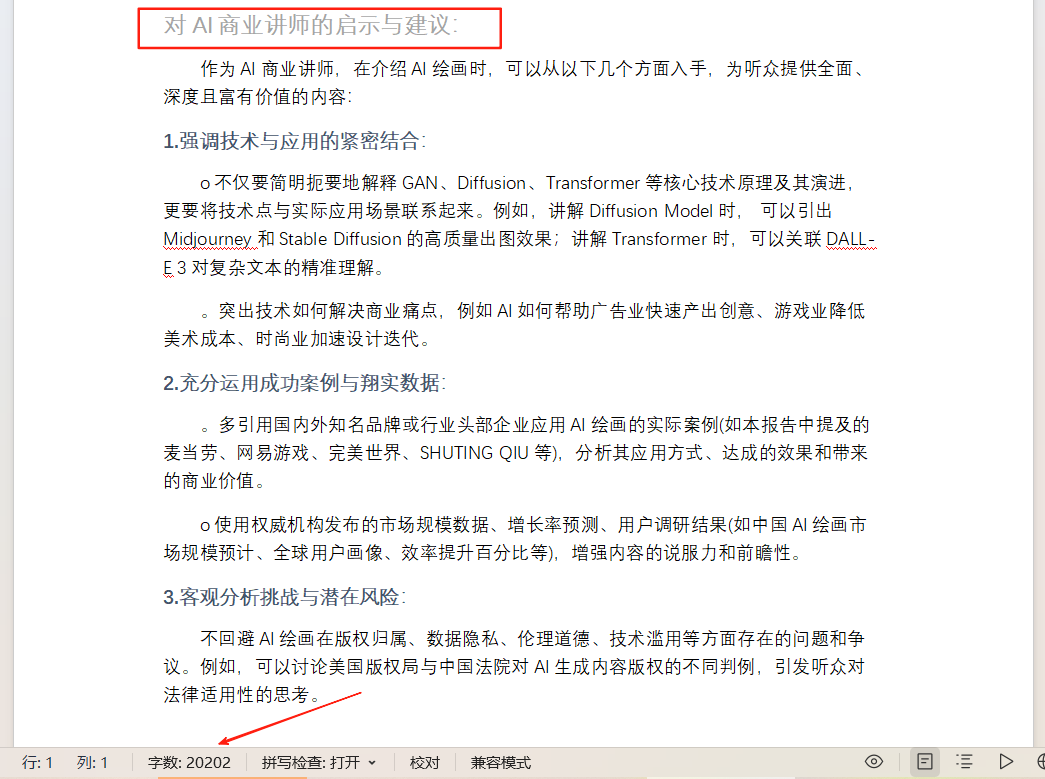
In addition, to my surprise, it also fit my identity to put forward [insights and suggestions for AI business lecturers], which is really thoughtful, and this moment I deeply felt the [intelligent body with autonomous decision-making ability and self-learning ability] mentioned at the beginning of this article.
Let's conclude by summarizing the application scenarios of the Tiangong Super Intelligent Body.
1. Office scenarios
- Content creation: one-click generation of industry reports, competitive product analysis, business plans, academic papers.
- Efficiency Improvement: 8 minutes to complete the work that would have taken 8 hours (e.g., the whole process of financial analysis report → PPT → podcast).
- Data management: financial statement analysis, market data visualization.
2. New media and marketing
- Multi-modal content production: production of promotional videos, social media posters, official corporate websites.
- Podcasts and web pages: quickly generate high quality audio programs and responsive web pages.
3. The field of education
- Teaching support: automatic generation of courseware, exercises, interactive session design, integration of teaching resources.
- Academic research: assisting with literature review, data visualization, thesis writing.
4. Business decision-making
- Marketing Programs: Developing promotional strategies, generating marketing copy and promotional materials.
- Data Analysis: Generate insight reports based on user uploaded data to support business decisions.
5. Individual efficiency
- Daily assistant: resume optimization, multilingual translation, code debugging, creative writing.
- Knowledge Management: Build a personal knowledge base and quickly call up information to generate content.
Don't miss out on such a powerful and resistant tool.
Tiangong Super Intelligentsia Domestic Version Direct Portal:https://www.1ai.net/35913.html