



Today's Top StoriesAI short videoDeconstructed - man/woman's life (of course we can make other character's lives)
In fact, many times AI gives us unlimited creativity, as long as our own ideas and thinking can skyrocket, as in the recent very hot man woman's life. Here purposely went to find a blogger's work.
A single girl's life and a boy's life add up to 500W likes and plays are measured in billions.
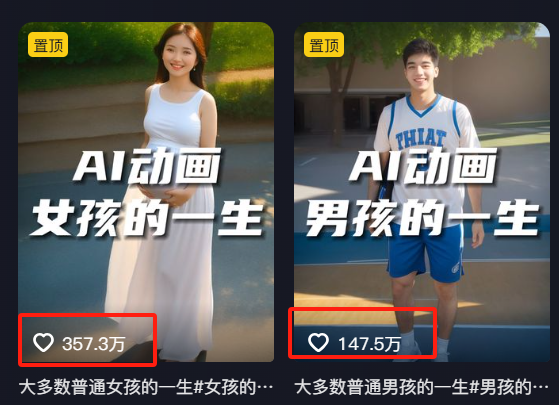
From the time of release, it was realized in 23 years time. Also one of the first AI pioneers. From the whole video at least use dozens of pictures, 2 seconds or so a shot. To this day, it is still a pop video level, so today we will dismantle this play.

In fact, the core of making this kind of video is actually the first and last frames of the AI.
At present, namely dream 3.0 first and last frames are still good, although and can be Ling than, poorer, but has caught up, the core can be used for free. Of course VIDU is also a good choice, you can go to experience.
The whole practice is only 3 steps: 1. text born map, 2. map born video (first and last frames), 3. editing synthesis
step by step
Step 1: Vince's graphic cue words
This character's whole life will require a lot of pictures, we directly generate a sheet is still very time-consuming, here we can use the beanbag batch out of the picture, but also better control of the consistency of the character.
Open Beanbag AI: https://www.doubao.com/
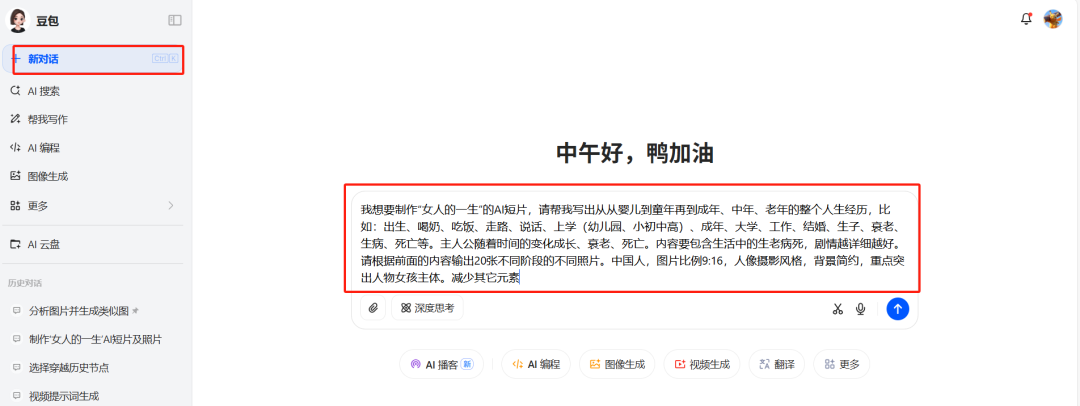
Enter the following prompt words: (here you can modify the male, female and experience as you wish)
I would like to create an AI video on "A Woman's Life", please help me to write the whole life experience from baby to childhood to adulthood, middle age, old age, such as: birth, milk, eat, walk, talk, go to school (kindergarten, elementary, middle school, high school), adulthood, college, work, marriage, birth, aging, illness, death, etc. The main character grows, aging and dying with time. The main character grows, ages, and dies over time. The content should include life's birth, aging, sickness and death, and the more detailed the plot, the better. Please output 20 different photos of different stages according to the previous content. Chinese, image ratio 9:16, portrait photography style, simple background, focus on the main character girl. Reduce other elements
The simpler the background and elements can be, the better, because we are trying to emphasize the characters, which is what the teacher measured out after the experience.
Then we add a new dialog, enter a prompt word, and if we feel completely in control, we can just choose image generation.
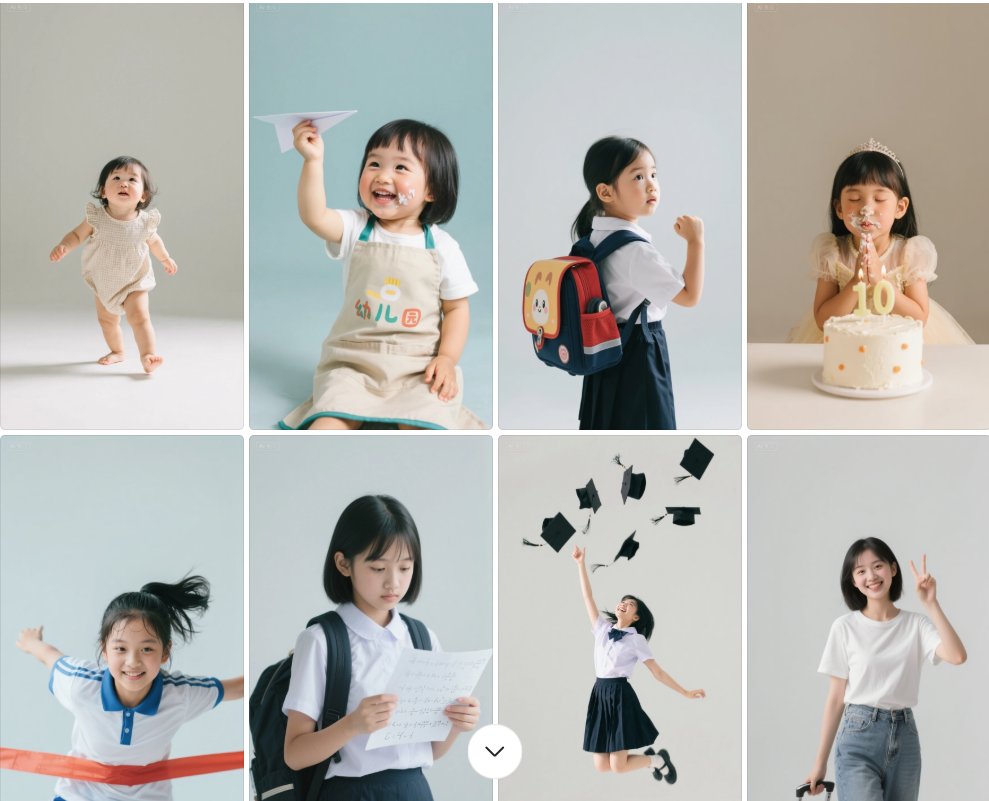
Wait a minute, and right away all the episodes of a woman's life come out.

Picture scenes are also generated well for us.

Next we can enter the command let: please help me generate the images for each stage

In this way we get all the pictures, of course, which picture effect is not satisfied we directly re-generate. Pick out until you are satisfied.
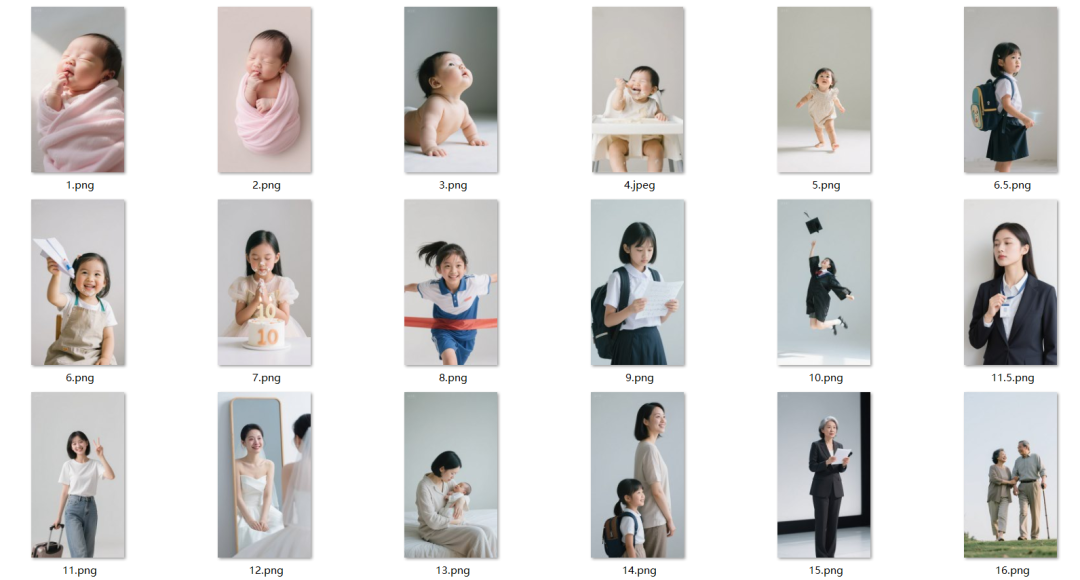
Then we download and save it locally, beanbag currently download is free of watermarks, after the download we lined up the serial number standby.
Step 2: Graph Generation Video
In the spirit of taking everyone for a free jerk, let's just go straight to using i.e. Dream 3.0 first and last frames.
i.e. Dream AI:https://jimeng.jianying.com/
Open that dream, select the video generation, upload two images in order, video model 3.0 (all subsequent images in accordance with the serial number, 12.23.34.45.56 .......1920 first and last effects)
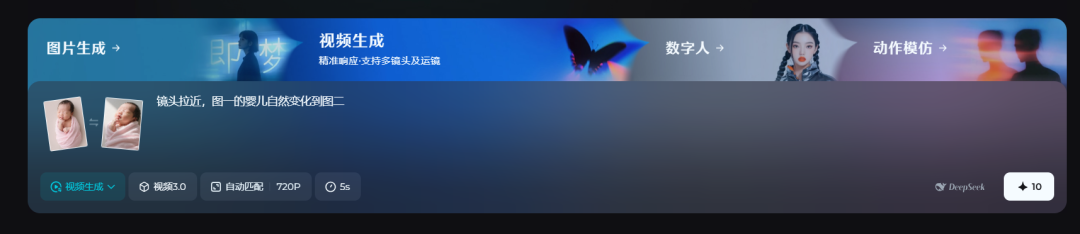
Dialog box to enter descriptor: camera zooms in and the baby in Figure 1 naturally changes to Figure 2 (it's actually okay to leave it out)

Click Generate
All the rest of the pictures we generate in turn, just a finished product will consume more points, we prepare a 2-3 number production on it.
All of the video descriptors shared for you to learn are basically simple character change movements and camera runs.
The camera closes in and the baby in figure 1 crawls up to change naturally to figure 2
The camera closes in and the baby in figure 1 stands up and changes naturally to figure 2
The camera closes in and the baby in figure 1 walks down the natural change to figure 2
The girl in Figure 1 moves forward to change naturally to Figure 2
Figure 1 of the girl stood up sideways and walked forward naturally change to Figure 2, the character natural silky smooth transition
The girl in Figure 1 moves forward to change naturally to Figure 2
The girl in Figure 1 gets up and runs forward changing naturally to Figure 2
The girl in figure 1 runs forward and slowly and naturally changes to figure 2
Figure 1 of the girl walking forward to jump up the natural change to Figure 2, the character natural silky smooth transition
The camera pulls in close, the girl in Figure 1 jumps to the ground and walks forward naturally changing to Figure 2, with a natural silky smooth transition of the character
The camera pulls away and the figure in Figure 1 moves forward to change naturally to Figure 2, where the figure transitions naturally and silky-smoothly
The camera rotates, the figure one figure walks forward, sits down and watches the camera naturally change to figure two, the figure naturally silky smooth transition
The camera rotates, figure one figure forward natural change to figure two, figure natural silky smooth transition
The camera rotates and the figure in figure 1 changes naturally to figure 2 with a natural silky smooth transition of the figure
The camera rotates and the figure 1 figure lying down naturally changes to figure 2, the figure naturally silky transition

Step 3: The finished clip is complete
at lastImport all our clips, then we add background music, and sound effects, adjust the speed, simple editing is basically ready.

In fact, the basic logic of each play and practical understanding, we should go to the innovative production of some features of the video, to maintain a continuous release, fire is a problem sooner or later. Don't start looking at others fire, thinking that can be too explosive.
Tools and methods have the last is also a test of perseverance and creativity, the lack of one can not~
That's what I'm sharing today.Everyone can get hands-on, easy to learn, hurry up and try it~!