



Recently, it has been found that many small, cold tracks, especially in the AI+education industry, have run out one traffic dark horse after another!
The case study I'm going to share with you today is the use of AI tools to bring theEnglish language teaching materialsThe knowledge in it is redone to visualize the knowledge on paper.
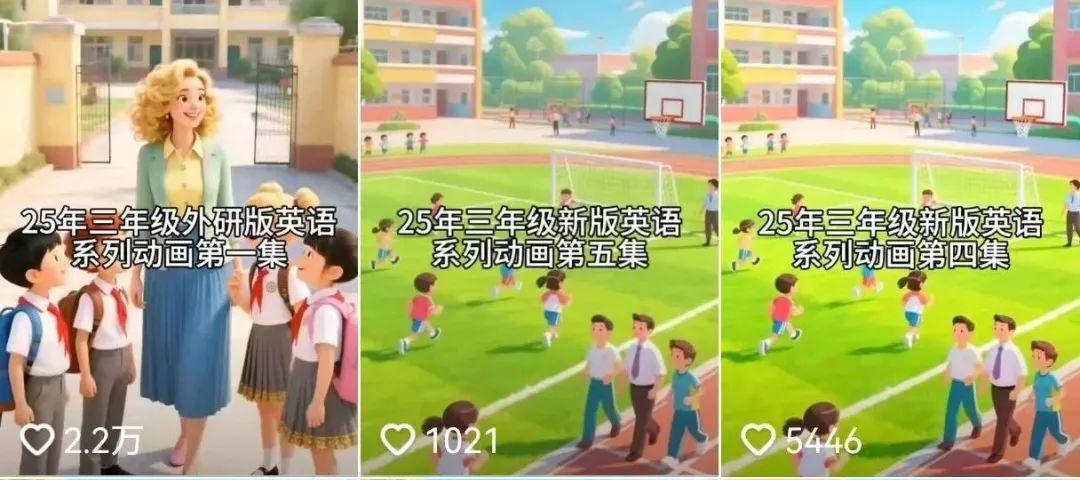
This blogger has only posted a total of 13 entries and has gained 260,000 followers, the videos are very easy to make, the 10,000 likes are countless and the numbers are very good.
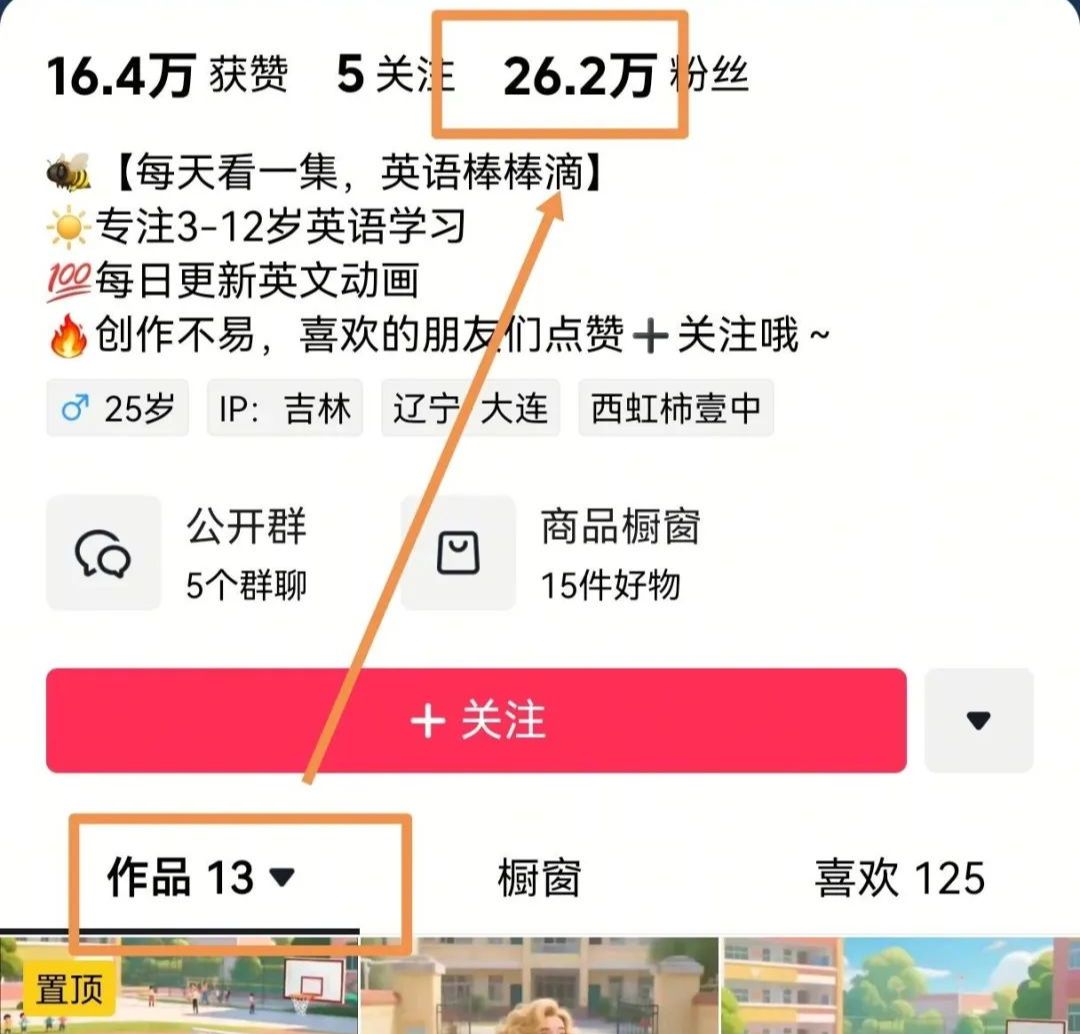
Today we will share with you how to make this kind of video? After you learn it, remember to learn by example, through the application of AI technology, and use good methods to stimulate children's interest in learning.
Without further ado, let's get straight to the dry goods!
Step 1: Beanbag AI to create plot dialog and batch out pictures
There are two scenarios here: with and without tutorials.
If there is ready-made tutorial content, then it is sufficient to generate the subplot screen directly from the tutorial content. If there is no tutorial content, you can use the AI dialog tool to generate the desired plot content.
There are also more AI conversation tools to choose from, with DeepSeek, kimi, ChatGPT, and Doubao all available.
The above tools, in addition to the beanbag, can not batch generate comic strips and videos, here we choose the beanbag AI to create the plot and batch out of the picture.
Beanbag AI: https://www.doubao.com/chat/
Open the beanbag AI
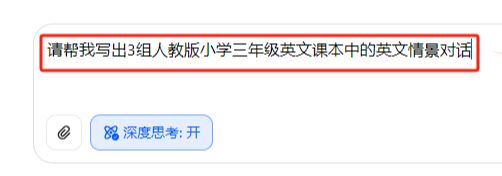
Dialog box input prompt word: Please help me write 3 sets of English situational dialogues in the English textbook of the Renjiao version of the third grade of elementary school.
Getting a dialog message
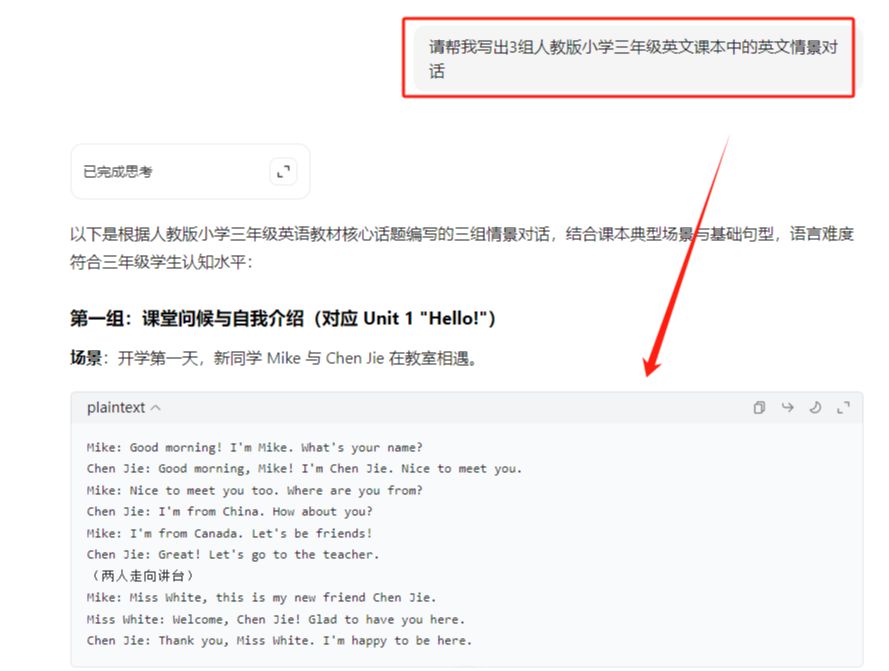
From the three sets of English situational dialogues you have been given, choose a favorite set and create a screen-split script. For example, I think the third set of dialog conversations is pretty good.
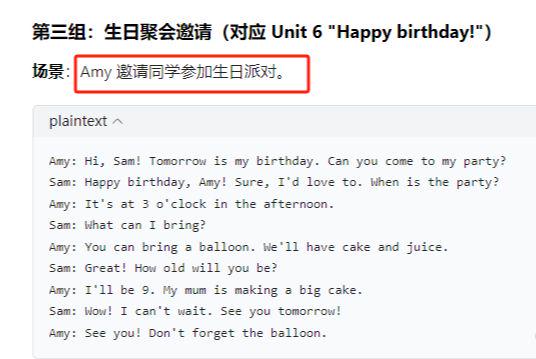
dialog box again and type
Please help me write the corresponding split screen prompt words according to the birthday party invitation content of the third group. Requirements: 1. Consistency of character images, 3D anime style; 2. Images in line with the image of third-grade elementary school students in China; 3. Aerial aerial footage as the opening screen, with the school in the background
Getting a split-screen script
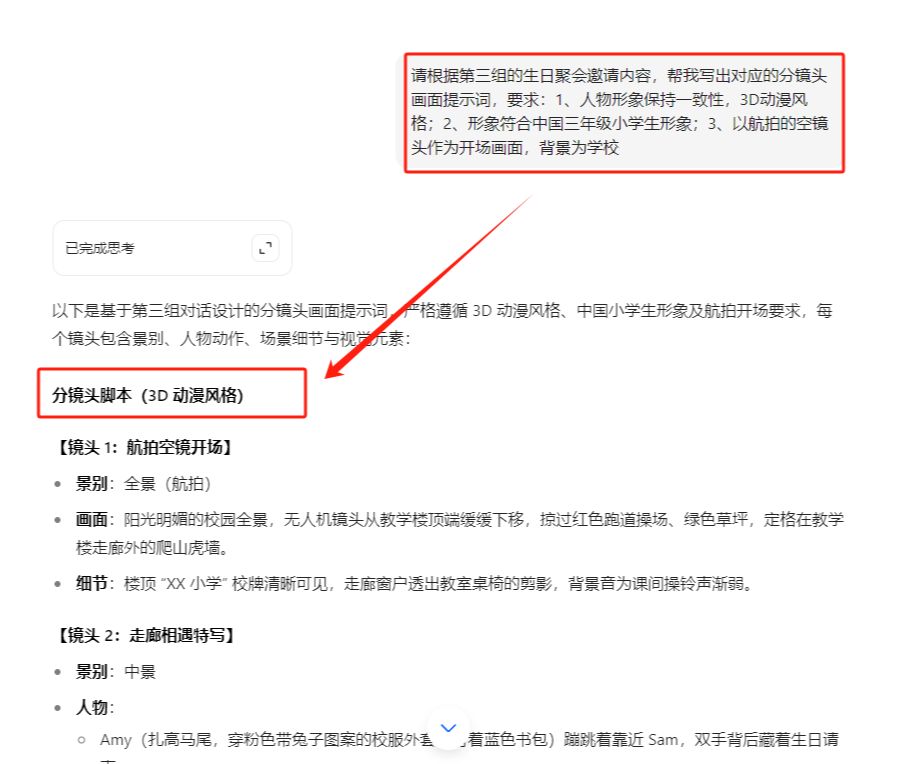
According to the content of the sub-script, utilize the batch graphic generation function of Beanbag AI to convert the script into a screen.
Dialog box clicking skills
Select Image Generation
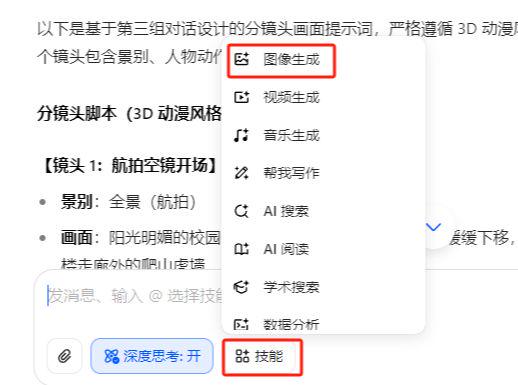
Copy and paste the generated split screen script into the dialog box, and make settings for character image consistency and raw scale.
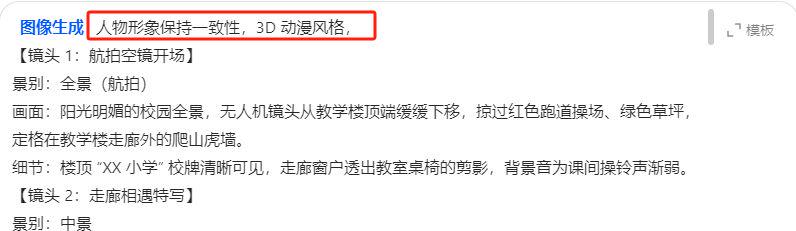
Get images in bulk
Download and save in order
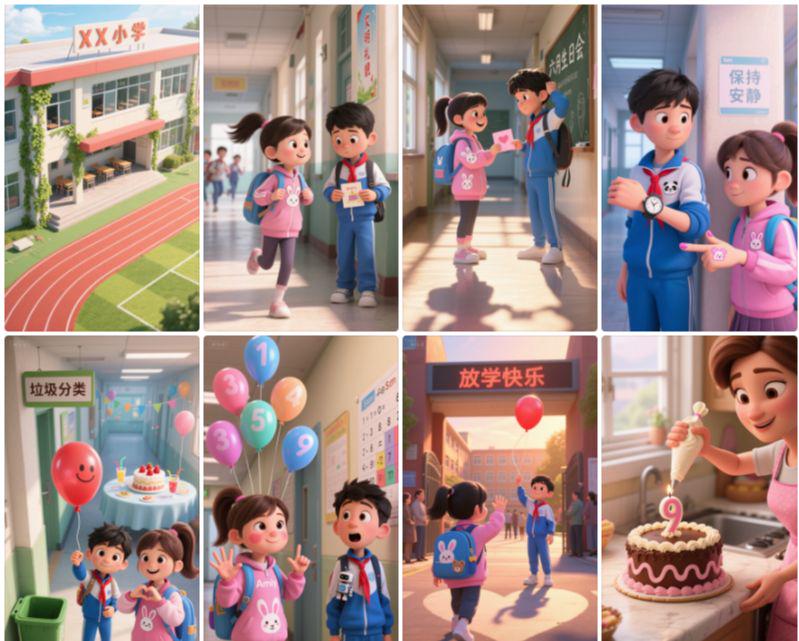
Step 2, i.e. Dream AI Tupelo Video
i.e. Dream AI.
https://jimeng.jianying.com/ai-tool/home
(80-100 bonus points per day for woolgathering)
Open Dream AI
Upload a picture
Dialog box to enter cue words: fixed shot, little girl in pink dress talking, little boy quietly looking at little girl
Model Video 3.0
Duration 5S
Click Generate
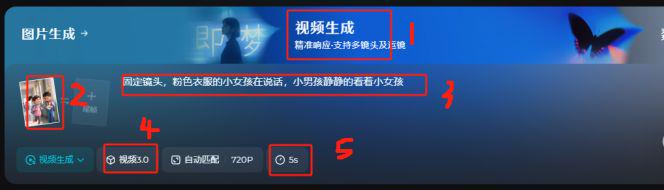
Video generation complete
Click to download and save
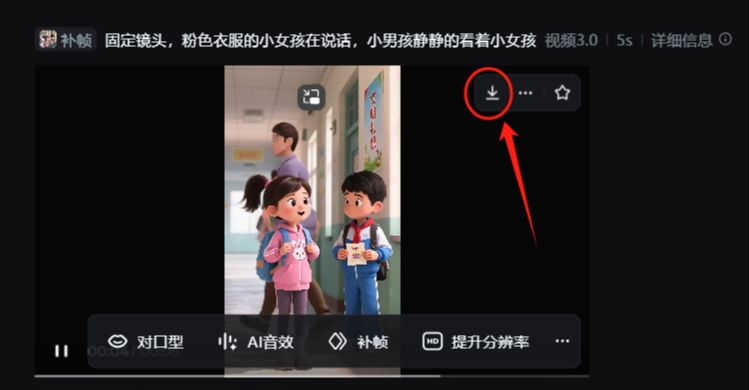
Using the same method, make the rest of the video clips.
Step three. Cut the movie. Cut the movie.
Open the cutscene.
Importing video clips
Voiceover of characters
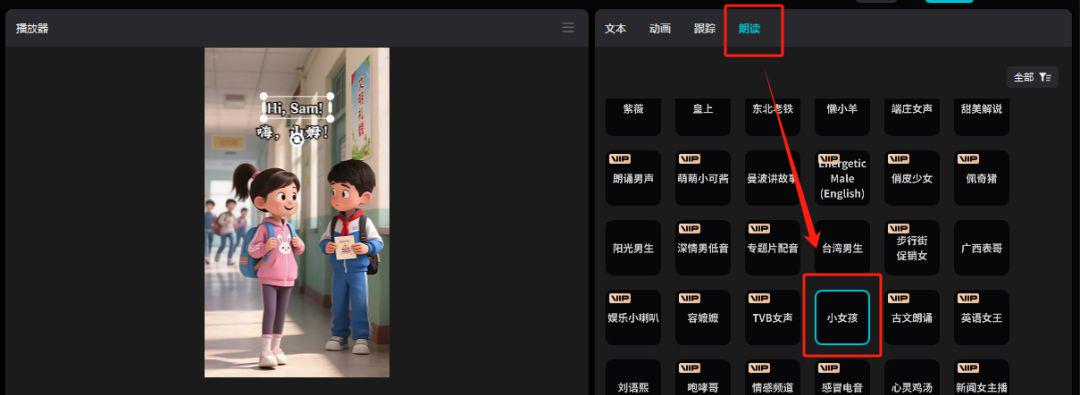
Add subtitles, background music, sound effects and other elements
Adjust the details and export it.
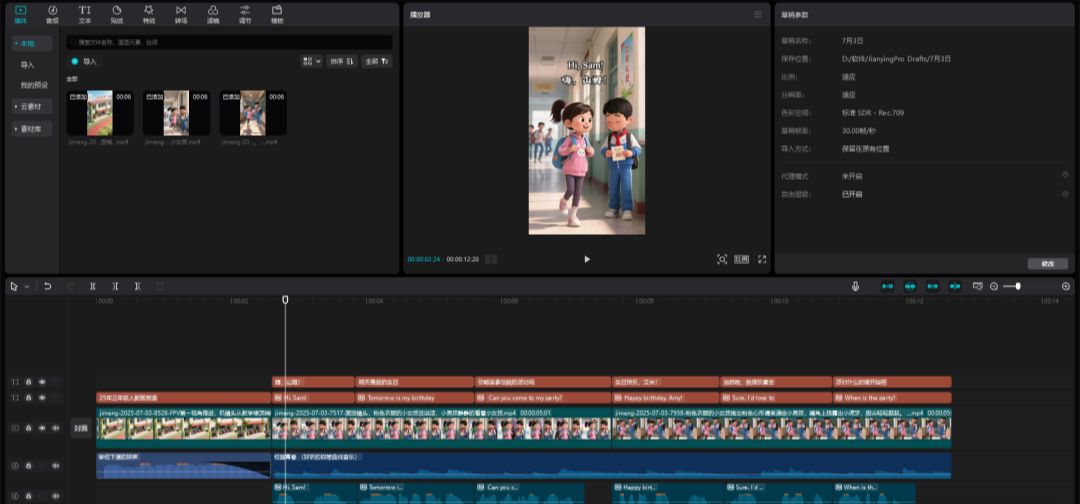
Space is limited and the emphasis is on teaching the method, so only the first 3 images have been chosen as a demo, so you can polish the details on your own.