



A small group of people often ask AIVoice cloningHow to get it, today with the popular movie and television characters dubbed covers of the second creation of theAI Video Tutorial, giving you a brief share of how to do it.
Explosive case
Let's take a look at this type of content first 👇 Cao CaoSingHow hot it is, I don't need to tell you, a casual search, the likes are in the tens of thousands.

This kind of content that is on the side of spoof abstraction is more catering to the public taste, men and women love to watch it, and the crowd is circling a lot in the first place. Plus the movie and TV dramas and popular celebrity characters bring their own traffic, so you can't even think of keeping a low profile.
Without further ado, let's get to the practical exercises.
practical step
Step 1: Download movie and TV footage and audio
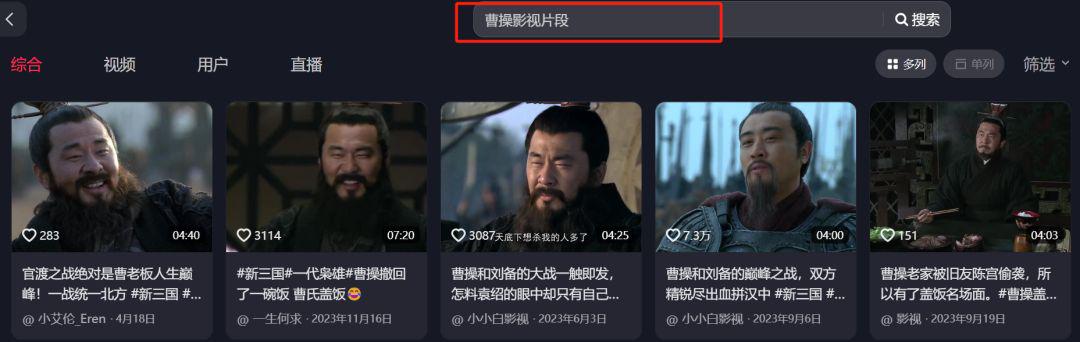
Open Jitterbug, there are a lot of mashups of popular movies and TV shows, just search for keywords and find the right clip. Share the link and use some watermark removal applets to download it.
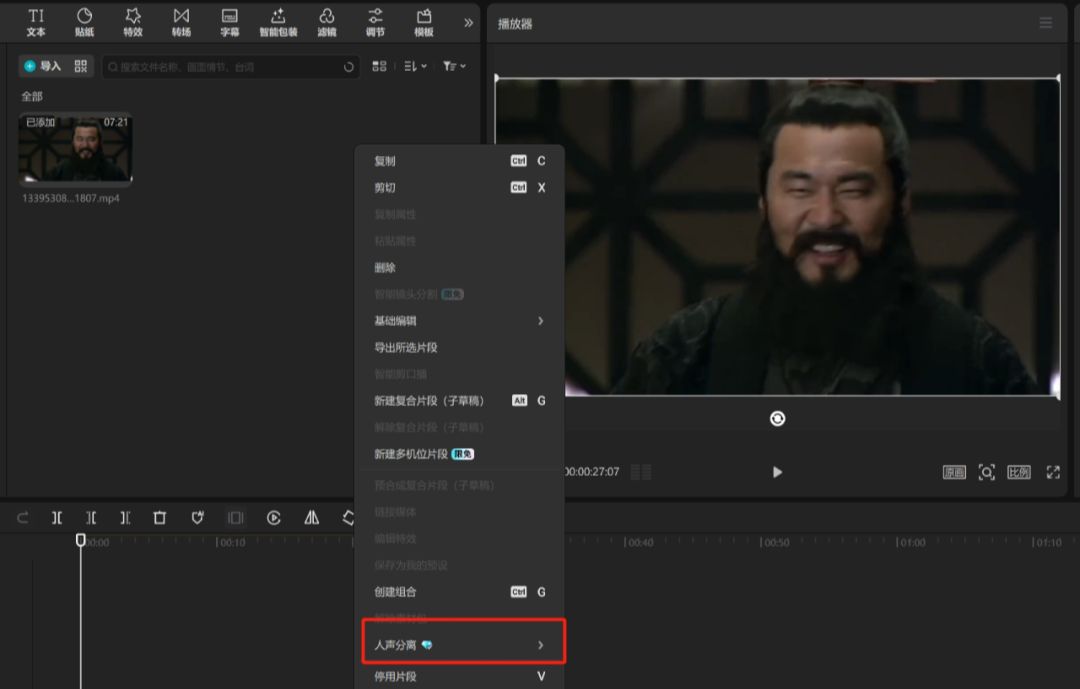
Download the material and import the cutscene. Get Cao Cao's original voice by vocal separation first.
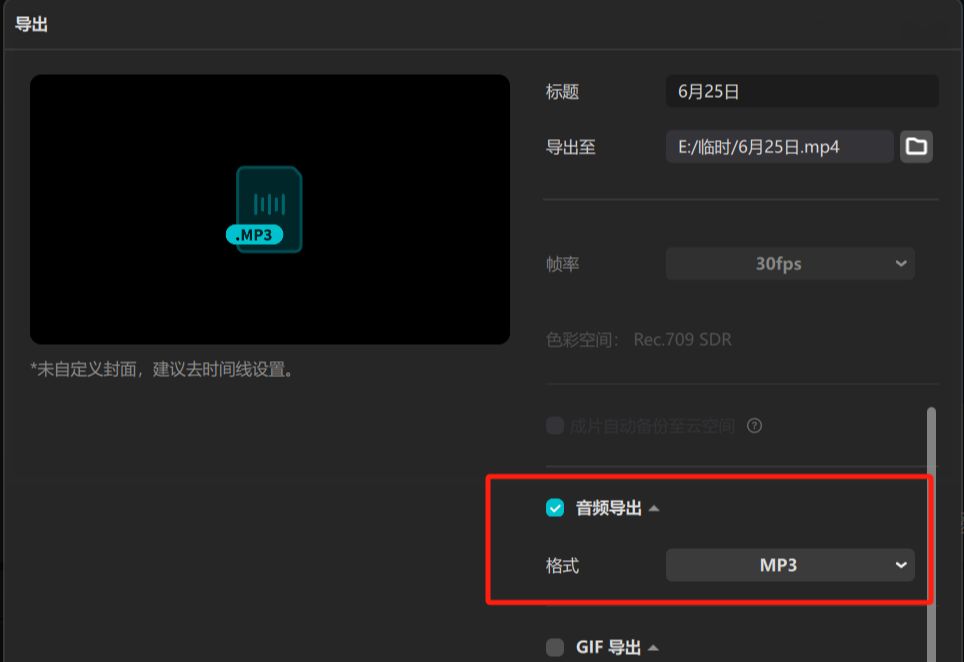
Direct audio export in MP3 format, 3 minutes or more of audio required is preferred.
Step 2: Voice cloning and matching song
Sound clone site (requires magic to open):
https://www.1ai.net/39787.html
weights is a foreign website, you need scientific Internet access to log in, this piece of everyone to solve their own problems, not to mention more.
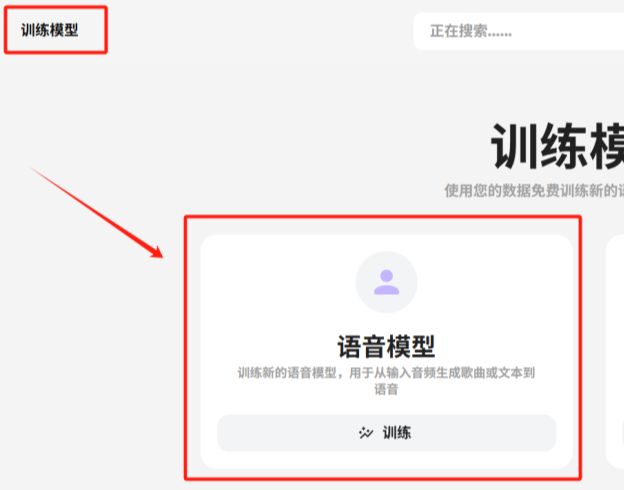
Open the website, register and log in with your Google account, click [Training Models] in the upper left corner, select [Speech Models] and train.
Simply enter the model name, profile, and picture, then below, enter the audio location and upload a previously prepared voice clip of Cao Cao. Click to start training.
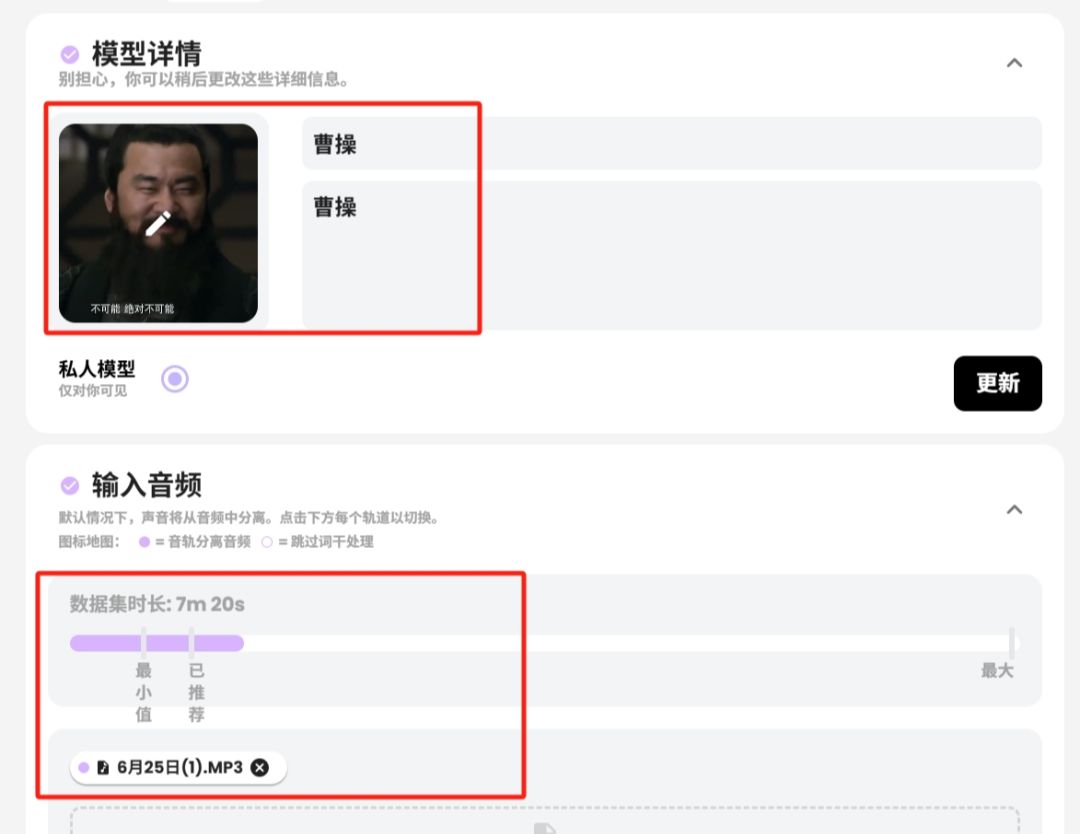
Wait a few minutes, and inside [My Models], you will find the generated Cao Cao tones.
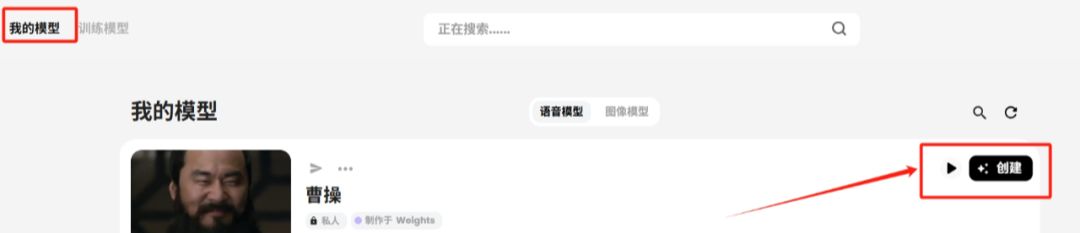
Click [Create], the next step, upload the original sound of the song you want to adapt, for example, here nine encounters do is Lin Junjie's "Cao Cao", prepare a piece of audio in advance to upload on the OK.
Keep tapping next and wait for the song to be generated and downloaded.
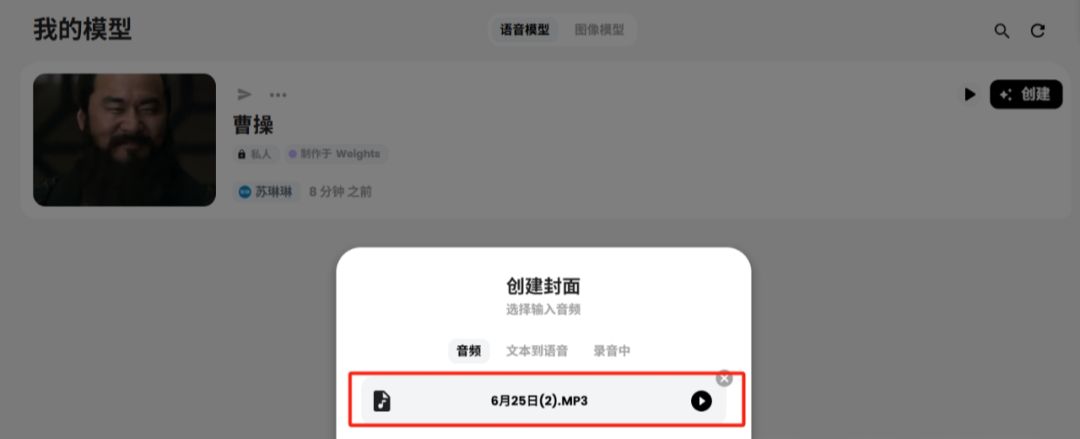
At this point, our Cao Cao tone is cloned, and you can change it to this voice in the future, whether it's singing or normal voice, just do it once for a bit of trouble~
Step 3: Counterpoint with Instant Dream AI
i.e. Dream AI (image generation):
https://jimeng.jianying.com/ai-tool/image/generate
Open Instant Dream AI, select [Digital People], and upload the video clip prepared in the first step and the audio of the adapted song you just cloned respectively, and it should be noted that the length of these two pieces of content should be consistent.
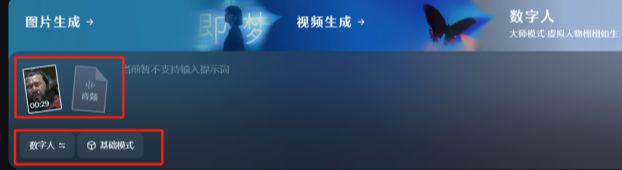
Click to generate, wait a few minutes, think the effect can be downloaded on the line, not good, if the video clip for a change, try to choose the character's face to do a little better, and again to generate until satisfied.
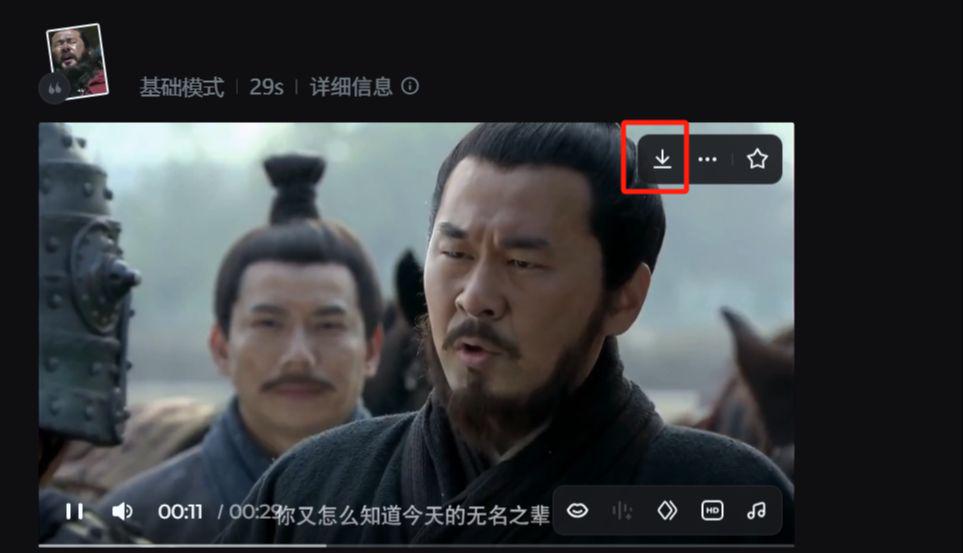
This type of video + audio lip-synching, 29 seconds only spent 14 points, if the direct picture of the lip-synching, that is, the dream to spend dozens of points, so the video lip-synching is still relatively provincial, a little trick it, free points enough.
Final Thoughts
This kind of film and television second creation content, generally is to rely on the traffic revenue, as well as later to pick up the wide cash, and then there is the apprentice teaching is also OK.