



When I swiped my friend's circle in the past two days, I was pulled full of all kinds of detailshand puppet modelPhotos to the hog screen! If you take a closer look, not only AI players, but also anime fans ...... hand puppet really play crazy ~!
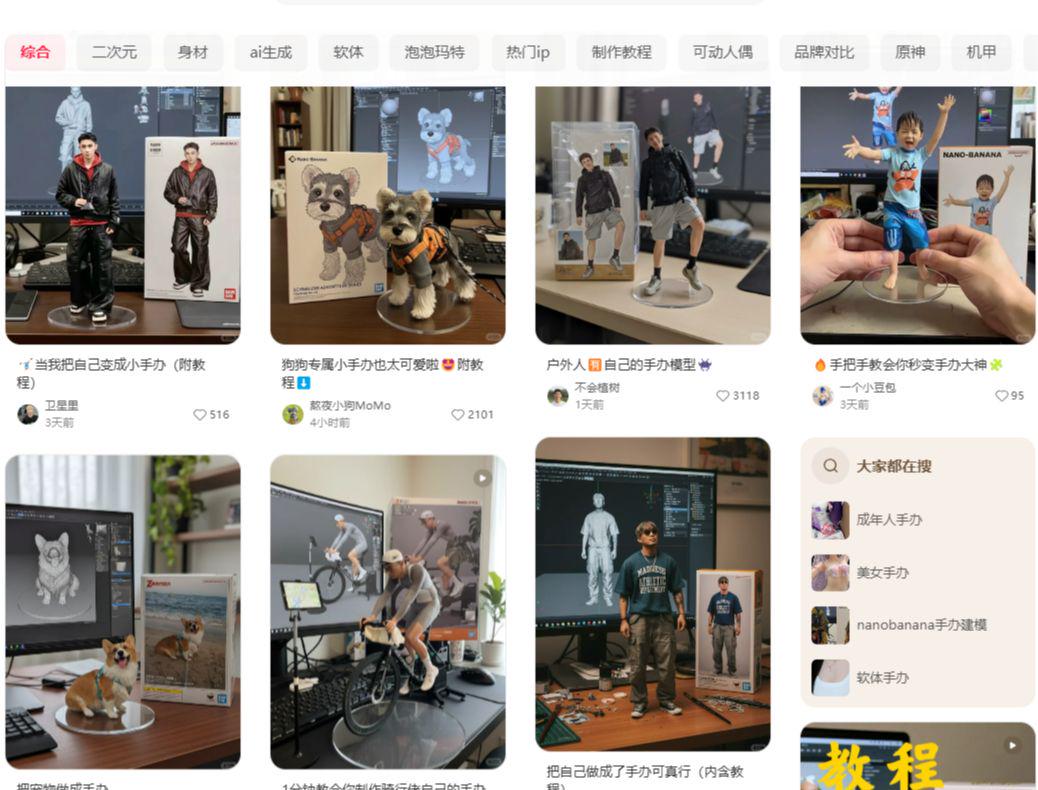
After checking it out, it turns out that everyone is playing with a super hot image editing tool these days - Nano Banana!
From now until September 2nd, you can play Nano Banana at Lovart for free with no points required (Google aistudio is also available, but you need to have scientific internet access).
address:https://www.1ai.net/35218.html
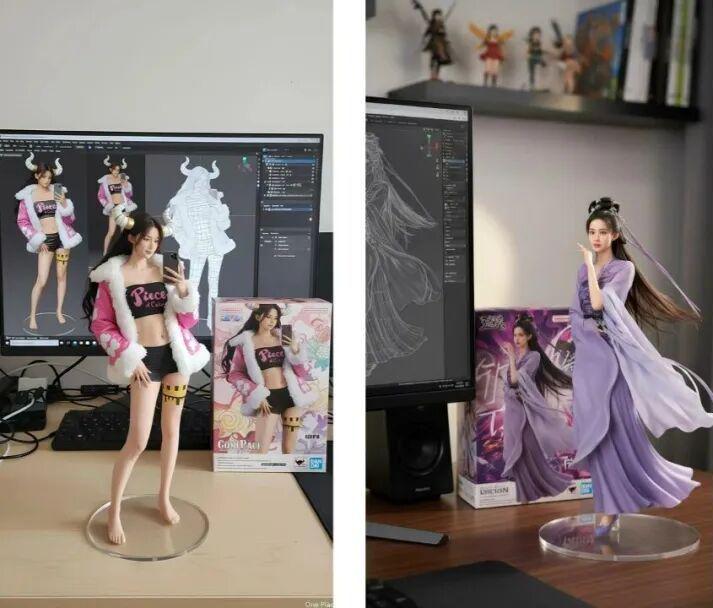
"Girlfriend" action figure.
Since it's free, this wave of wool had to be pulled! After 2 days of swiping, I made a compilation of how to play with the handkerchiefs.
Step 1 Photo to Secondary COS
First, prepare a frontal photo of your girlfriend (try to find a full body shot). Upload a picture and a secondary character picture and enter the prompt words:
- Make the character in Figure 1 look exactly like the character in Figure 2, including the clothes, makeup, and props in hand.
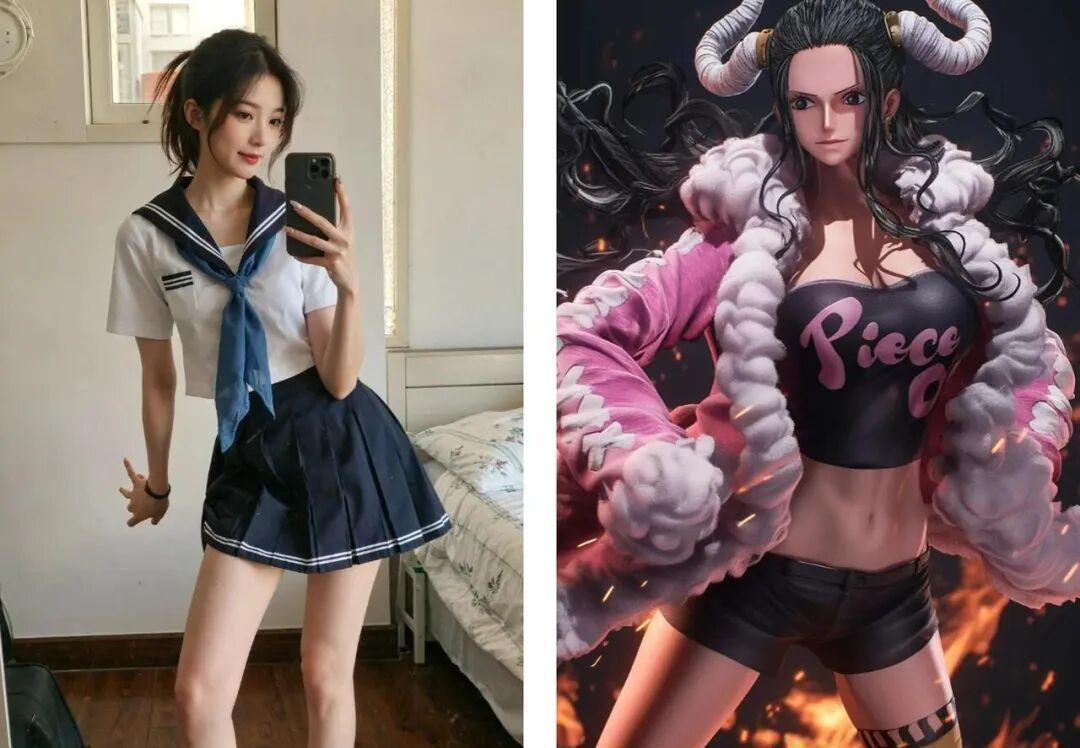
Run it, wait 2 minutes, and your girlfriend becomes a real life COS picture. (Draws cards a couple times)
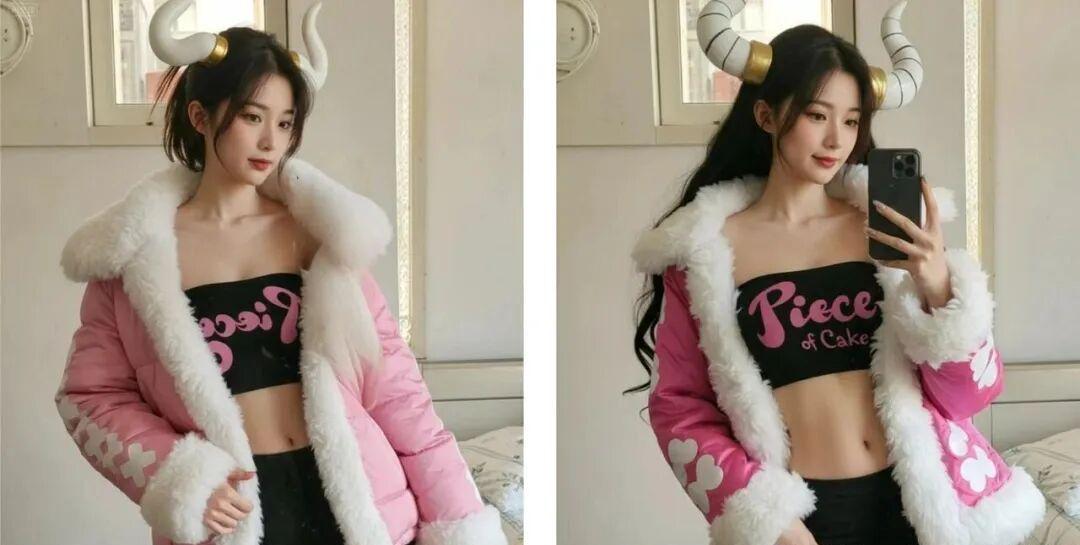
Character pose and dress is generally right, although there are still some flaws, this article is to write a tutorial, see the officers to the girlfriend out of the picture have to catch the details.
Step 2 Generate the artifacts
Next, upload the image generated in the previous step and enter the following command in the input box:
Hint word: Using the nano-banana model, create a 1/7 scale comm:rcial fiqure of the character in the image, in a realistic style and authenticenvironment. The fiqure is placed on a computer desk, with thee computer screen displaying the C4D modeling process of the figureBeside the screen, there is a BANDAl-style figure. fiqure is placed on a computer desk, with thee computer screen displaying the C4D modeling process of the figureBeside the screen, there is a BANDAl-style plastic toy packaging box printed with the original artwork.
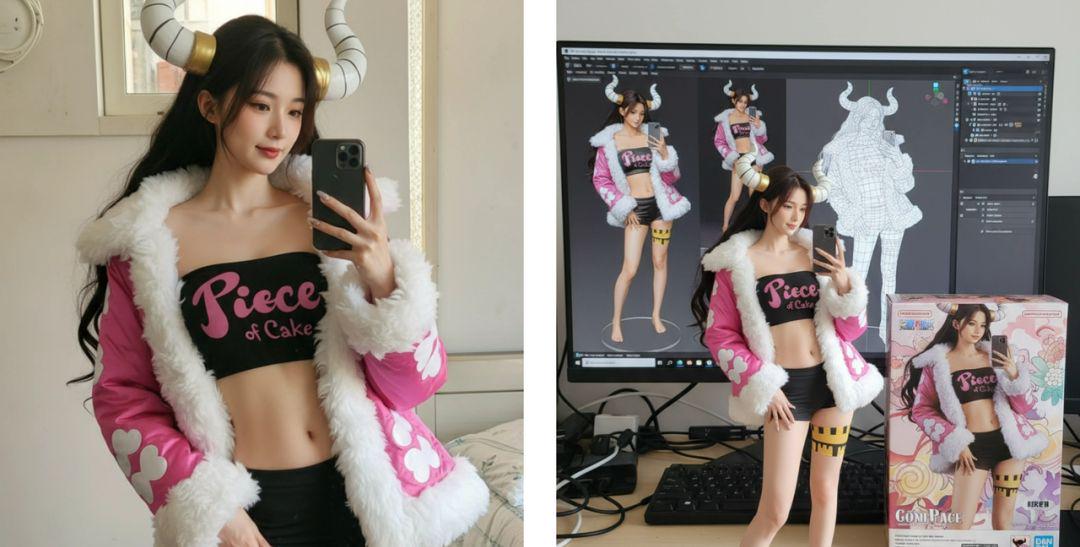
The nano-generated artifacts have good character consistency and material representation of the artifacts.
Step 3: Let the hand puppet "live"!
Use the AI video tool to get the manual moving. Open Instant Dream AI, select Video Generation, and upload a picture of the manual.
- Cue word: a pair of clean, slender hands picks up a hand puppet on the table and shows it to the camera in a 360-degree circle
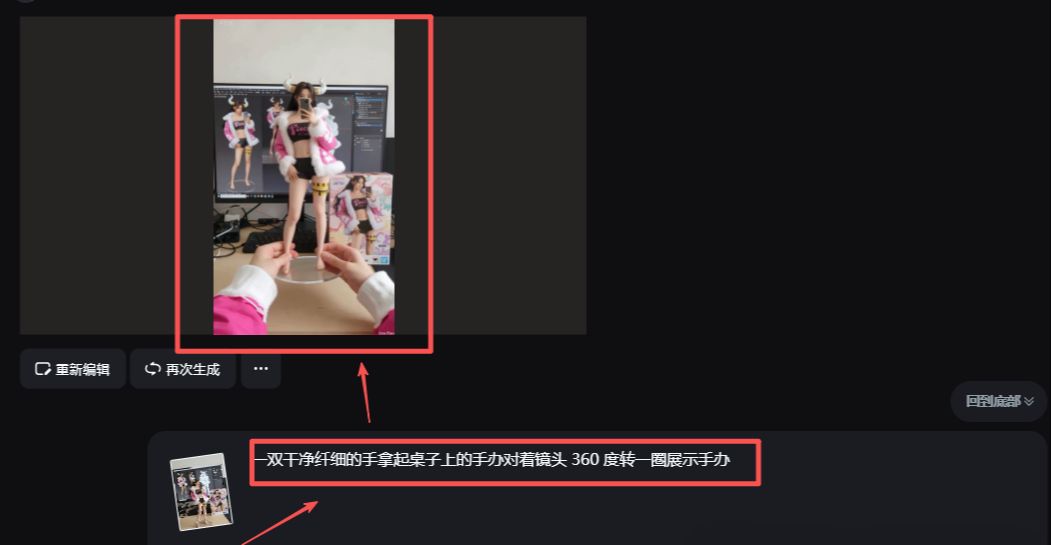
How about that? Isn't that realistic?
Other ways to play with hand-me-downs
Let's get the secondaries to real people
The first playstyle is the anime-to-live-action playstyle that LSPs are particularly fond of in the AI era.
- Cue word: change the image to a realistic style and set the background to Comic-Con
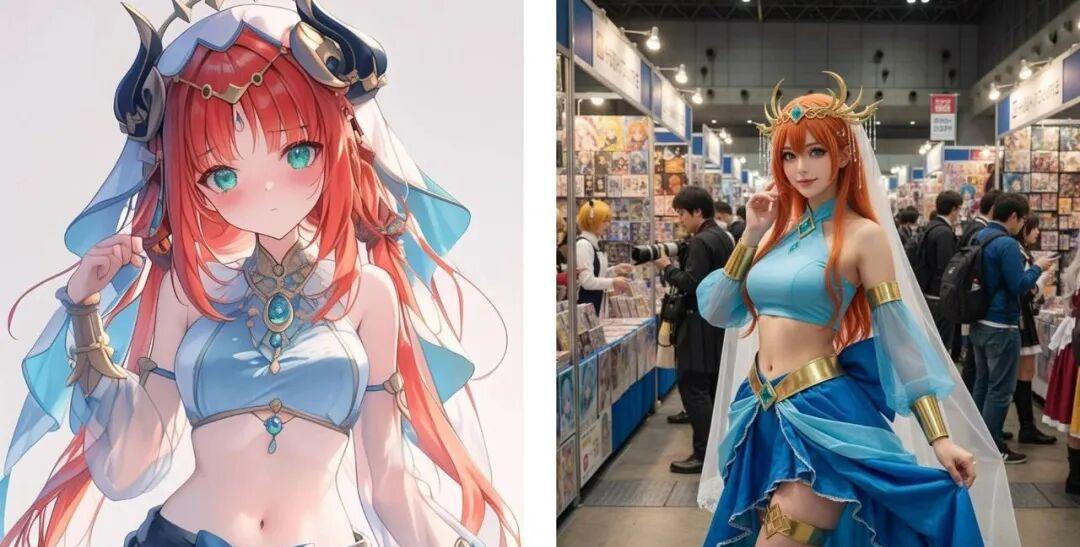
Then, it's converted to video.
real-life hand-me-downs
Real pictures can also be used to generate hand puppets with one click:
Cue word: create a 1/7 scale commercialized figure of thecharacter in the illustration, in a realistic style and environment.Place the figure on a computer desk, using a circular transparent acrylic basewithout any text. Place the figure on a computer desk, using a circular transparent acrylic basewithout any text.On the computer screen, display the ZBrush modeling process of the figure. Next to the computer screen, place a BANDAl-style toy packaging box printedwith the original artwork.
Recently very hot mortal cultivation fairy heroine Nangong Wan:
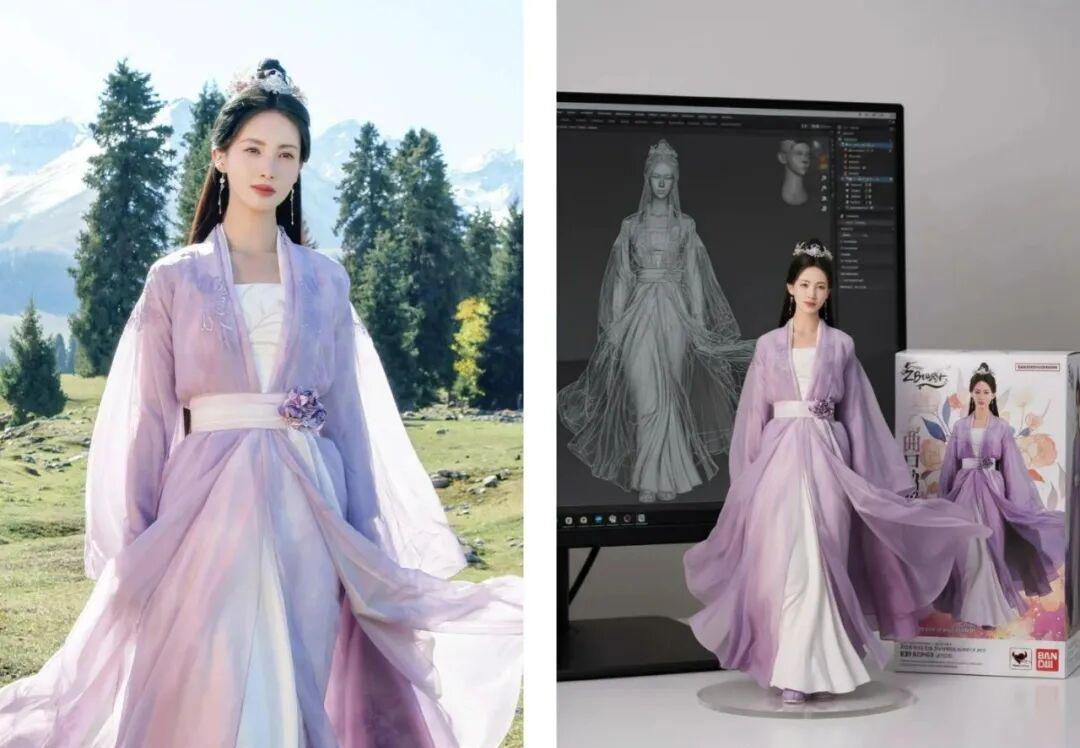
The effect is too real! From now on, you can make any kind of hand puppet by yourself!
Pet Figures
There are many pet hand puppets on Little Red Book, and the walker uses Labubu for demonstration, the prompt word is the same, upload your pet picture.
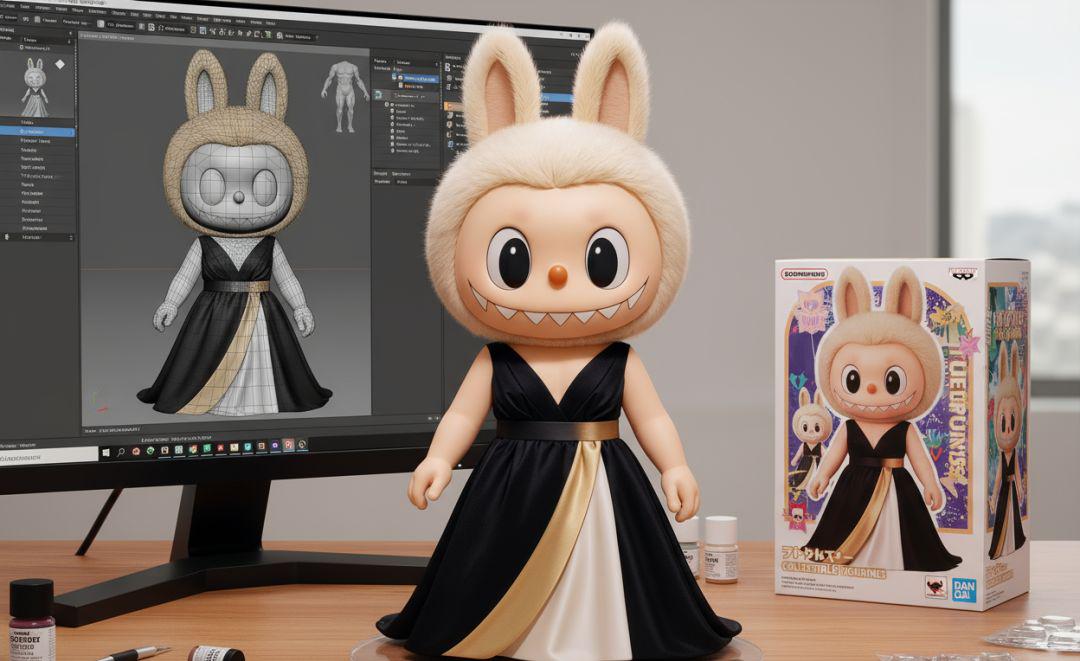
Anime Characters to Nendoroid
Naruto's main characters: Naruto and Sasuke (taking care of the female fans)
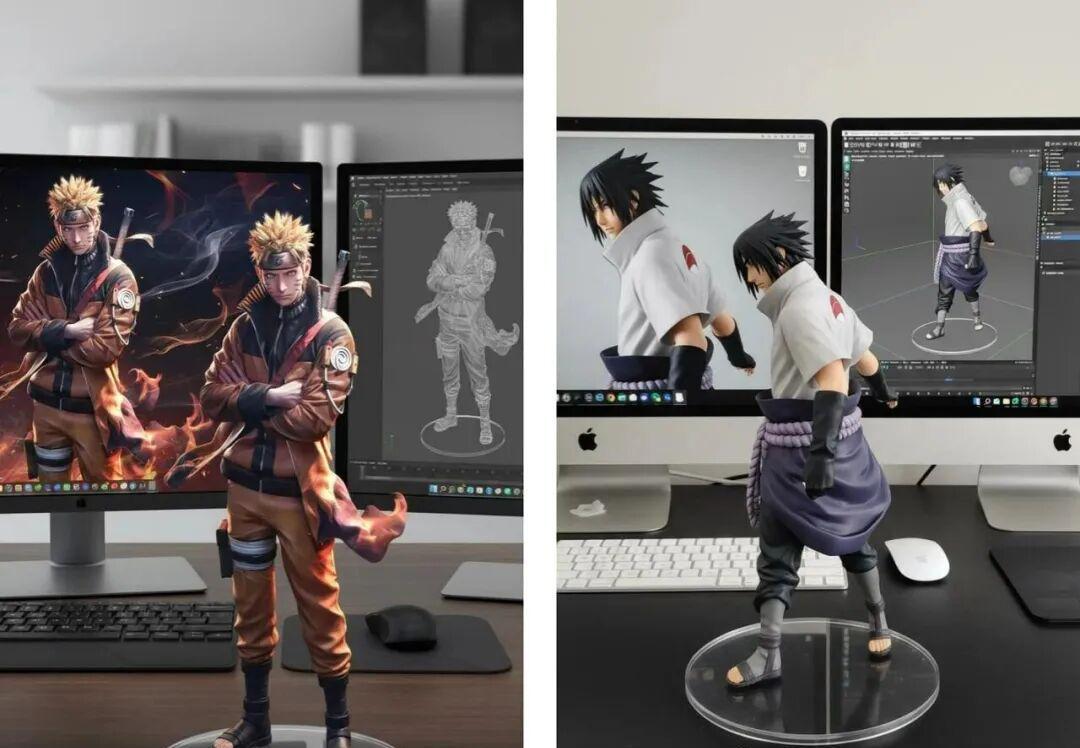
Lifelike and realistic effects.
Whether it's an anime character or your favorite celebrity, you can enjoy them all at home.
multimap fusion
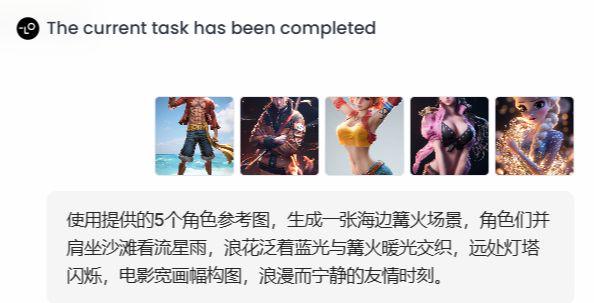
This one was inspired by the multi-element puzzle gameplay on Twitter, where the walker replaced the characters with anime characters, the scene was constructed on the beach, and the AI was used to write a prompt:
- Using the 5 character reference images provided, generate a beach bonfire scene where the characters are sitting side by side on the beach watching a meteor shower, the blue light from the waves intertwines with the warm light from the bonfire, the lighthouse shimmers in the distance, and the movie is framed in a wide format for a romantic and serene moment of camaraderie.
Generated images:
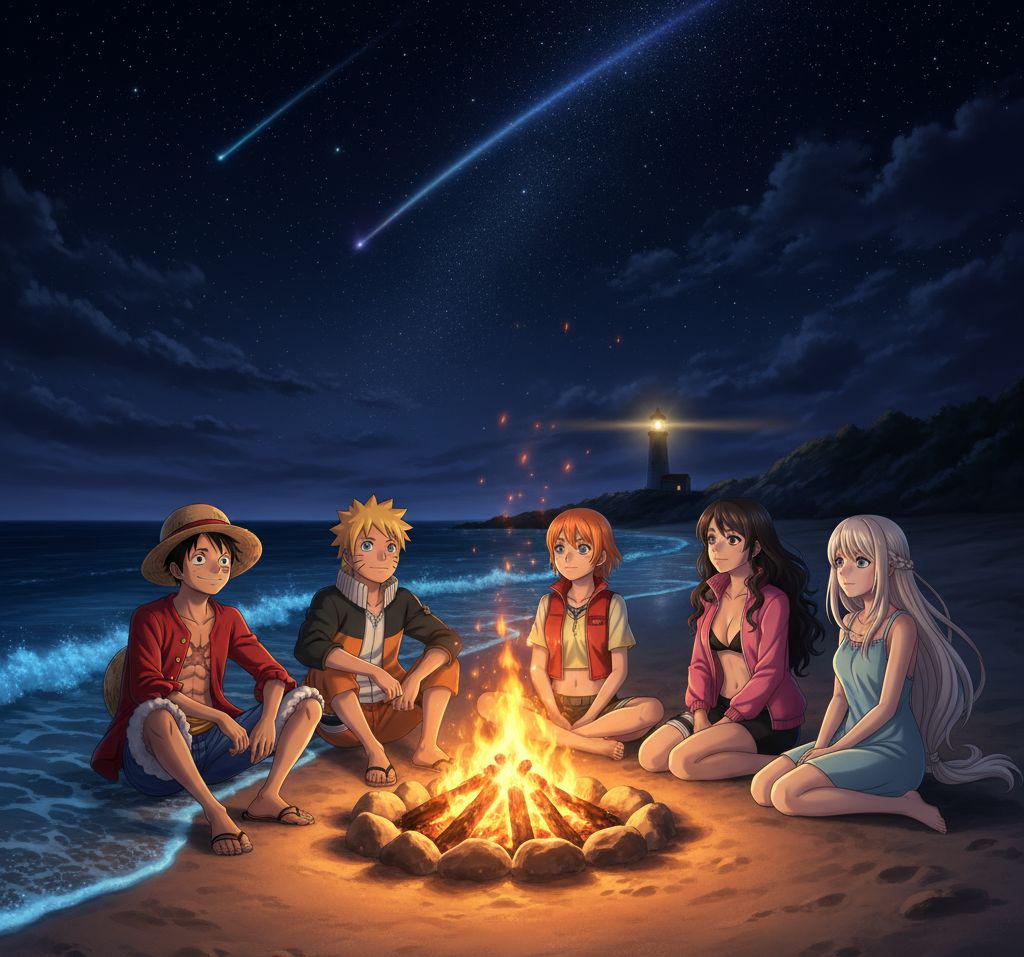
The consistency of this character has been somewhat warped (AI still has to draw cards).
How to use Lovart
Enter the official website, click on the project - new project, using the intelligent assistant (Agent) mode ~
When choosing a model, remember to choose "Nano Banana", it is the only one that can be used for free for 3 days now, other models will still deduct points!
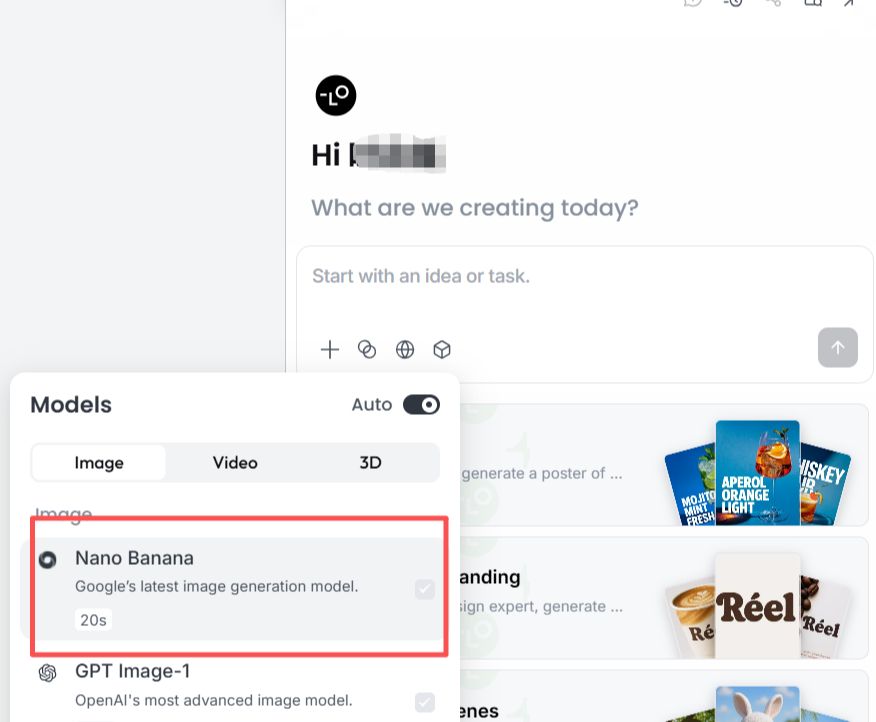
The operation is also very simple: upload a picture, enter the command, and click the right arrow to run~
Summarize
When I used to make videos, the biggest headache was the inconsistency of the screen style and scenes.
With Nano-Banana, it's all hassle-free and creatively efficient.
Seriously, you can use the Nano as your main drawing tool to create a consistent style and a coherent scene!