



A couple days ago, I got the itch to do a graffiti style campaignplaybillThe normal process is familiar to me. I'm more than familiar with the normal process: open Photoshop, find brushes, strip the material, and paint manually.
But being an AI blogger, the domestic beanbagDream AIIsn't it also known as "one sentence out of a picture"? I thought I'd give them a try.
Having dealt with AI day in and day out, I'm actually rarely surprised by new features anymore.
But the Graffiti Poster feature of the Instant Dream AI is really catching on the more I use it, and it's especially good for posting Little Red Book accounts and whatnot.
It's about giving a cue word, a mediocre picture, and actually generating a graffiti poster straight away.
Next, the practical work together to see how it is made, magic.
Open Instant Dream AI and click on Image Generation
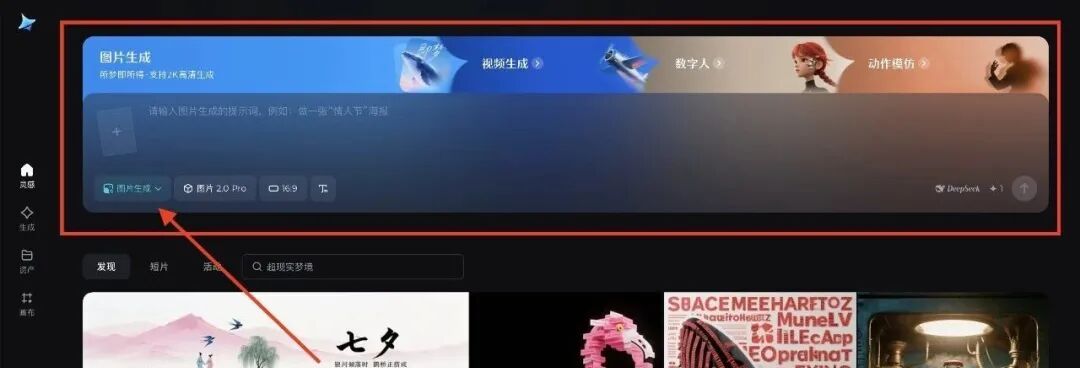
Then upload a random photo of yourself, like this selfie
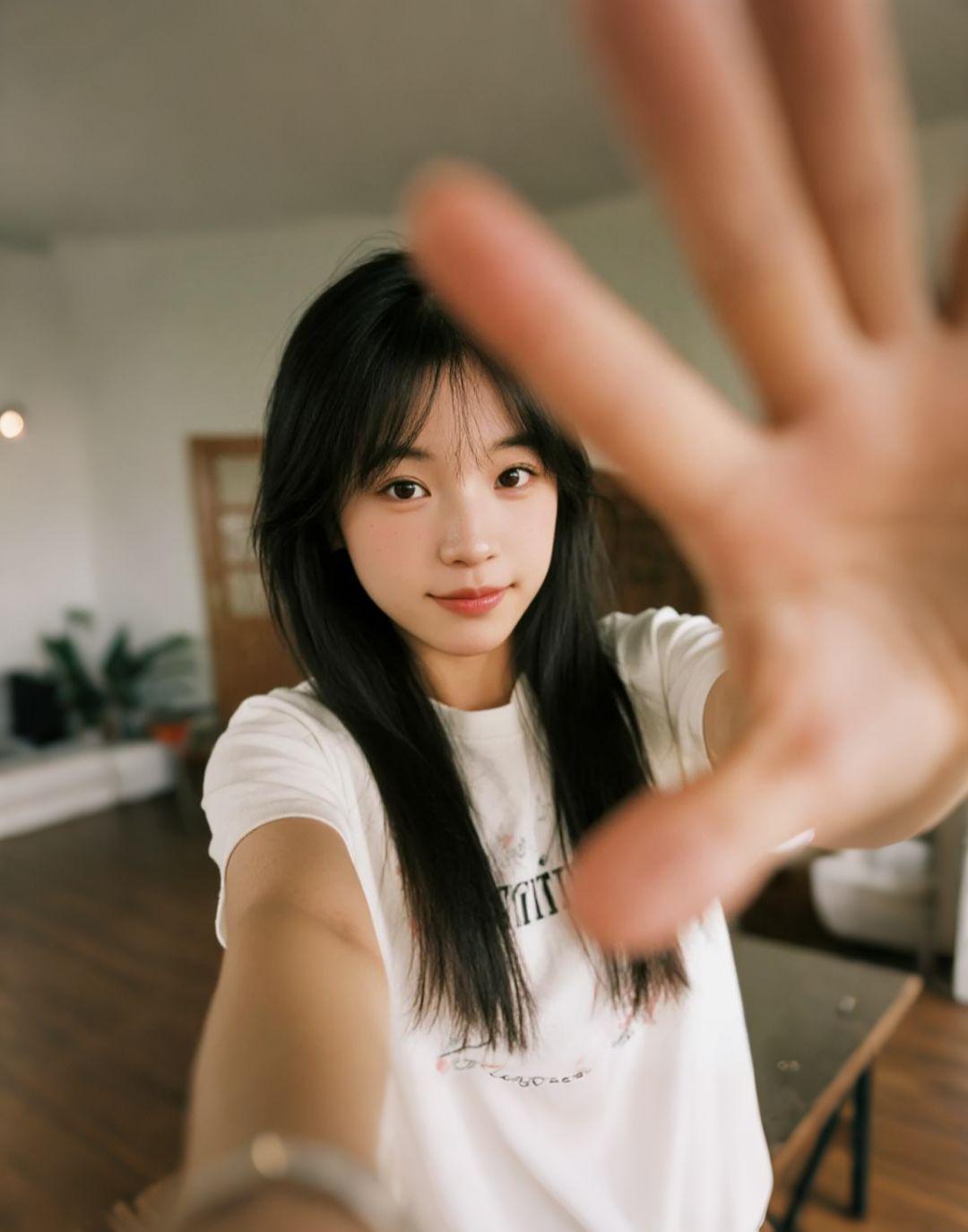
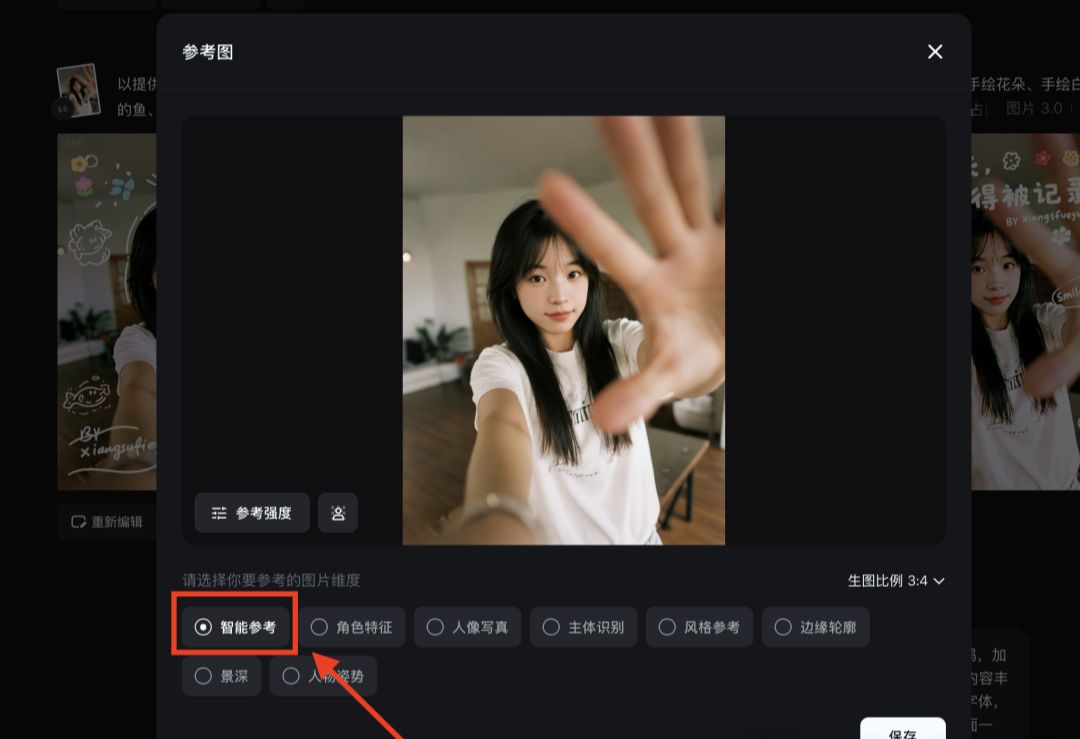
By clicking Smart Reference, AI can automatically recognize the character's appearance, movement and other elements to facilitate better poster generation.
Next enter this prompt:
To emphasize, small elements of copywriting or requirements can be modified near your own ideas!
To provide a photo as a background, keeping the main features of the characters unchanged, superimposed hand-drawn illustrations and text, using white thick lines around the characters embellished with graffiti, adding smiley face stickers, colorful hand-drawn flowers, hand-drawn fish with white line drawings, hand-drawn cartoon sea creatures and other different sizes of the doodle elements randomly distributed, rich in content, the main title text "youthful small fortune! The main title text is "Youthful Small Fortune", which is placed at the top of the screen and occupies a large proportion of the screen, and adopts graffiti handwritten fonts with a great sense of individuality and street sense, arranged in a staggered manner, full of strength and irregularity, flowing and jumping, with "BY xiangsufeiyun" in English below, and the sub-title is placed at the side of the screen, presented in the form of a large dialog The subtitle is placed on one side of the picture in the form of a big dialog with the text "Smile more :)" in the form of a bubble. Add a lot of illustrations to enhance the fun. A small message is added at the bottom corner with the text "woxinfeixiang". The overall style is relaxed, playful and youthful, and the overall layout is free and casual, like a casual doodle effect on a photo, highlighting the youthful and cute atmosphere.
Then just click confirm and the default four graffiti posters are generated in a second.

Sometimes, I really think AI is annoying, it casually changes my bad drafts that I stayed up all night to make them more stunning than my best finished products, like mocking me that all my designs are wasted;
But then again, I have to admire the fact that it does my day's work with a single prompt, forcing one to admit - the sharpest pen is sometimes not as good as the prompt.

Another set of couples.
The same way, with the cue word fine-tuned
Overlay hand-drawn illustration and text using the provided photo as a background, keeping the main features of the character intact. Pink + mint green thick lines are used to embellish the doodle around the character, adding love balloons, hand-drawn lipstick, angel wings, pink hand-drawn roses, white lines of mandarin ducks and bikini kittens, hand-drawn cartoon donuts, Polaroid camera and other doodle elements in different sizes randomly distributed, rich in content. The main title "Soft Creamy Candy" is placed at the top of the screen and occupies a large proportion of the screen, using graffiti handwritten fonts with a great sense of personality and street sense, arranged in a staggered manner, full of strength and irregularity, flowing and jumping effect; below the English words "BY ourlove". The subtitle is placed on the side of the screen, in the form of a big dialog bubble, with the text "Love is in the air". Add a lot of illustrations to enhance the fun. A small message "forever us" is added at the bottom corner. The overall style is relaxed, playful and sweet, and the overall layout is free and casual, like a casual doodle effect on a photo, highlighting the love and cute atmosphere.


I've tried a lot more, and it's much more convenient than Mitochrome anyway, at the very least it can specify the elements, which is equivalent to your proprietary customization.
Make a cover image, send a friend image 666

And finally, shredding.
On the one hand, as a designer, I know in my heart that if I were to draw it myself, it would take hours of work, and I might not be able to get this "instant street" effect.
But on the other hand, this AI stuff makes me panic. Because you will find that it is not "drawing for you", but directly "delivering for you". Who can handle that?
But on second thought, a tool is a tool. Whether you use it or not, how you play it, in the end, it's up to the person. Just like a knife can cut vegetables or sharpen iron.
The point is, what do you use it for.