



I. Pre-preparation and Script Conceptualization
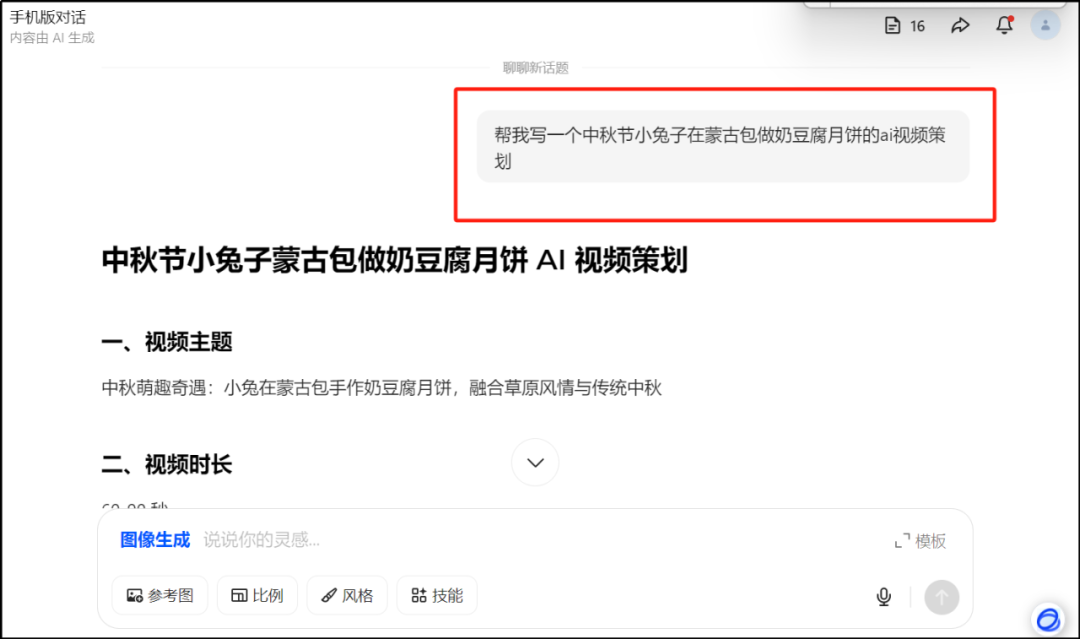
Clarifying the framework of needs: providingDoubao AISend the instruction "Help me write a XX video planning" with the expected duration (which can be subsequently modified). For example: "Help me write a Mid-Autumn Festival bunny rabbit making milk tofu mooncakes in a yurt AI VideoCurated, 60-90 seconds long."
Core elements of the script: After the AI generates the first draft, if there is a lack of content, it is necessary to add clear instructions to ensure that the script contains the serial number, duration, screen content, sound effects dubbing the four core parts, to ensure that the logic is coherent.
Folder Creation: Create exclusive folders on desktop for unified storage of sub-shot pictures, sub-shot scripts and sub-shot videos for easy management.
II. Script finishing and optimization
Document Processing: Download the AI-generated document, remove useless content (e.g., redundant dialog, irrelevant descriptions), and export to PDF format for retention.
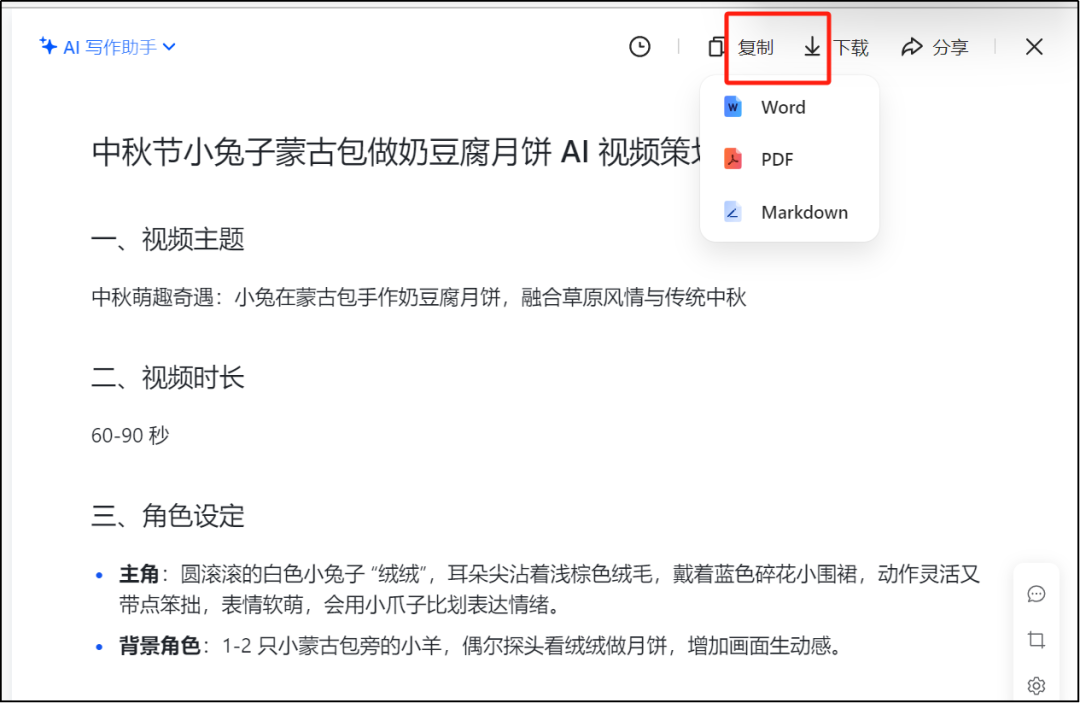
Standardized naming: Clearly label the script title and sub-scene parts, using "1.1, 1.2" and other numbering forms, to facilitate teamwork to quickly locate the root cause of the problem.
Style and details: Define the style of the video (e.g. healing 3D animation), color tone (warm yellow, cream, light green with red accents), character setting (appearance and movement characteristics of the main character "Fluffy", and the way of interaction of the background characters, etc.), to enhance the guidance of the script.
Third, sub-shot picture generation
(i) Style determination
Situation 1: Unclear style:Send "Please recommend an AI generation style that fits XX theme" to Beanbag to get style words and examples and then determine the direction.For example, for the Mid-Autumn Festival theme, you can get the healing 3D cute, hand-drawn watercolor, low-polygon cartoon and other style recommendations and corresponding keywords.
Situation 2: Clear style:Send a split script directly to Beanbag with specific style requirements.For example: "Please generate healing 3D adorable style image strictly according to the split-screen script: bunny with rounded edges, fine and fluffy fur, overall image is like an animated movie clip, 16:9 ratio".
(ii) Image generation and management
After receiving the AI-generated split-screen image, check to make sure it meets the style and script requirements, and make sure the character is consistent.
Name the confirmed images according to the specifications such as "Lens 1.1, Lens 1.2", etc., and store them uniformly in the folder created in advance.
IV. Video generation and optimization
Tool Selection and Operation: Open the Instant Dream tool and upload the split-screen image. The prompt words of the generated video can directly refer to the content of the script, and then copy and input them after modifying them according to the requirements.
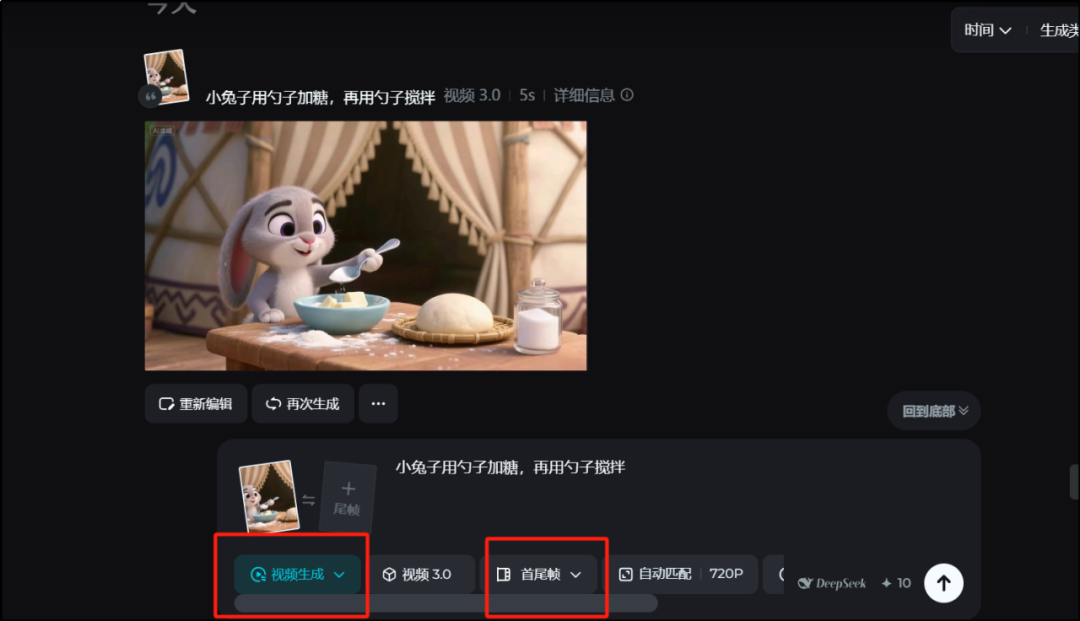
Parameter setting: Select the appropriate resolution (e.g. 720P), duration and other parameters, if you need to customize the first and last frames can be set manually, the default selection is "Auto Match".
Effect optimization: If the effect of the generated video is not satisfactory, you can optimize it several times by adjusting the prompt words, replacing the order of pictures, modifying parameters, etc. until you are satisfied.
Video Save: Name the final generated video and store it in an exclusive folder to complete the whole process.