



DoAI Animation VideoIt's not always good, it's either pictures that don't meet expectations or people that don't agree, including physical incoherence. Let me tell you today that this scene is also used for animation, cartoons, animations, etc., rather than just animations. The method is the same and the content is different。
This piece, which may be a little long, please be prepared not to go to the bottom at once, and I will give an example of my failure. I'll be very, very clear to you。
All right, here we go! What I need today is..GrokBecause it's free, it doesn't limit the number of times you draw a card. Step 1: How to register? We need a Google account, so we'll just have to get ready。
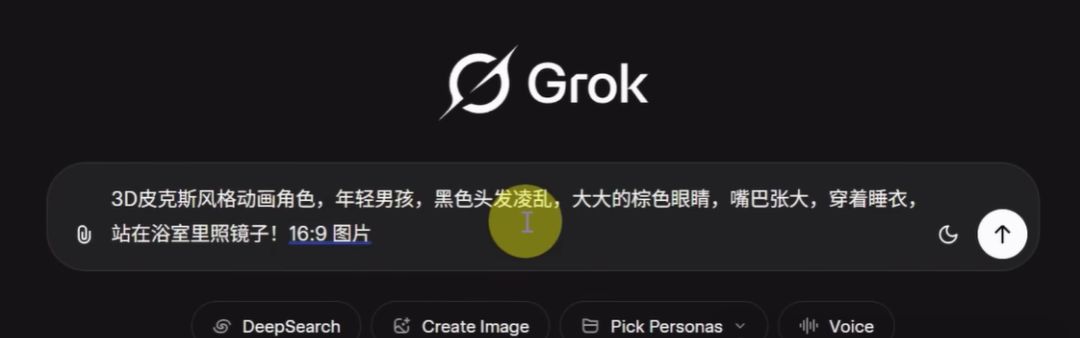
Step 2: How does the hint come? It's too simple to be rich, so I'd like to use the big white words as much as possible to see the effect of the cards, and, after all, a lot of people, they can't write a good tip, so it's easier. Show us。
And let's say here: I've tried to create a bunch of spectroscopes, and I've even organized a bunch of spectroscopes, but when I do, I'm going to have to draw cards, and I'm going to need a lot of manual fine-tuning. It's one-off, hardly. So, finally, with the big white word, it's going to work
3D PIXIE-STYLE ANIMATION ROLE, YOUNG BOYS, BLACK HAIRS, BIG BROWN EYES, WIDE MOUTHS, PYJAMAS, STANDING IN THE BATHROOM LOOKING IN THE MIRROR
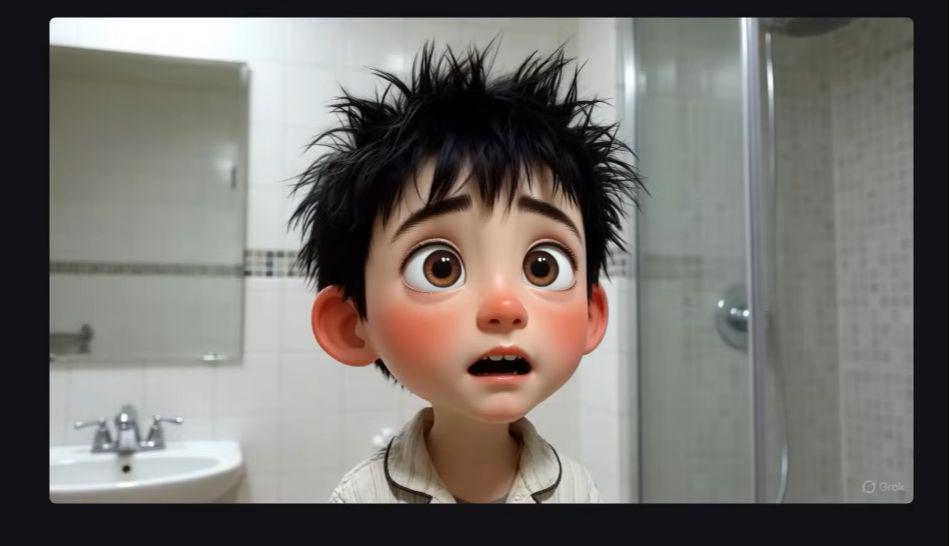
The effect is this: this one on the left, it doesn't feel like looking in the mirror, it's okay on the right, it's cute, it's a little friend。
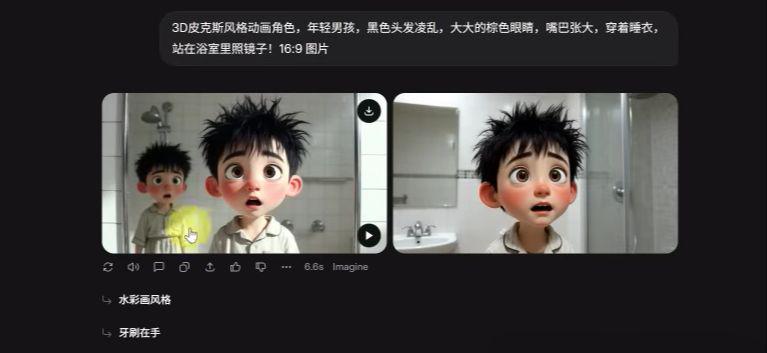
If you are not satisfied with this picture, you can also modify it by clicking on it and entering in the input box below changes to the hint, such as:
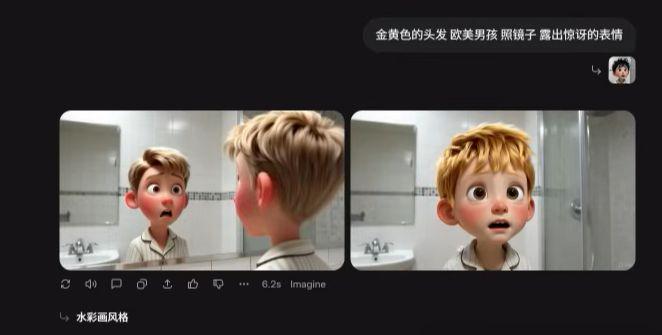
The yellow hair, the European-American boy, looked in the mirror and looked surprised
Based on this picture, the modified effect: look at this picture on the left, this one on the left, this one on the left, this one on the left, this one on the left, this one on the right, that's a simple mirror, even the eyebrow is yellow, and what about the picture? Let's click on the change。
There's too many cards in the back, about 30 times. What if you're not satisfied? And here's a way to teach you to do it again, because you're going to do it again and again, and you're going to do it to the original person, and you're going to have to do it again。
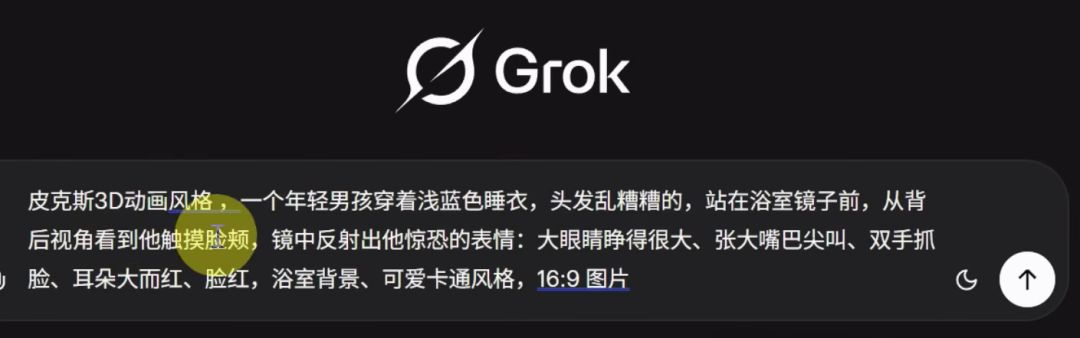
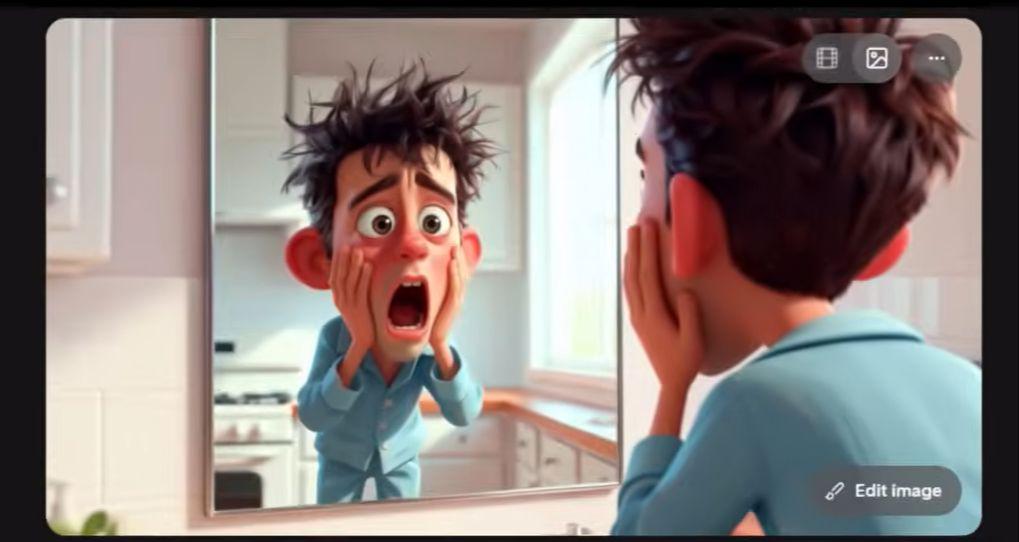
PIXAR 3D ANIMATION, A YOUNG BOY IN A LIGHT BLUE PYJAMAS, WITH A BAD HAIR, STANDING IN FRONT OF A BATHROOM MIRROR, WITH A BACK-PIX 3D ANIMATION, AND IN THE BACK OF HIS EYES, HE SAW HIS SCARY LOOK IN THE CHEEK MIRROR: BIG EYES OPEN, BIG MOUTHS SQUEAKED, HANDS SCRATCHED, BIG EARS RED, RED, BATHROOM BACKGROUND, CUTE CARTOON STYLE, 16:9 PICTURES
According to this hint, five or six times later, the picture was chosen, and it's still a little strange. Who looks in the kitchen? Must be in the bathroom. There's something wrong with the background。
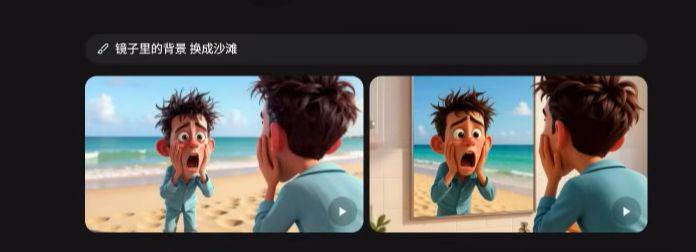
That's how it works. Change the background in the mirror to the beach. Click and see the effect, this picture on the left, there's no mirror, so I click on this picture on the right, this one, this feels good。
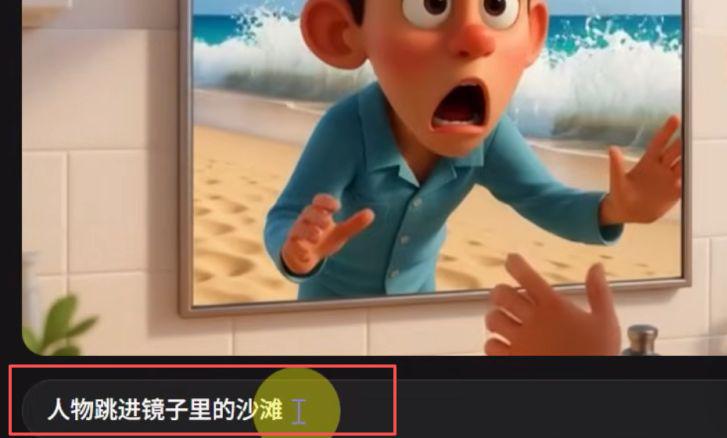
Then he automatically generated a video? Of course, if you need to change it, you can change it here, try it here, this person, can you jump in the mirror。
It's good to have it: there's no video here, and then we download it, and we can see the top picture, and there's a video download button at the bottom right。
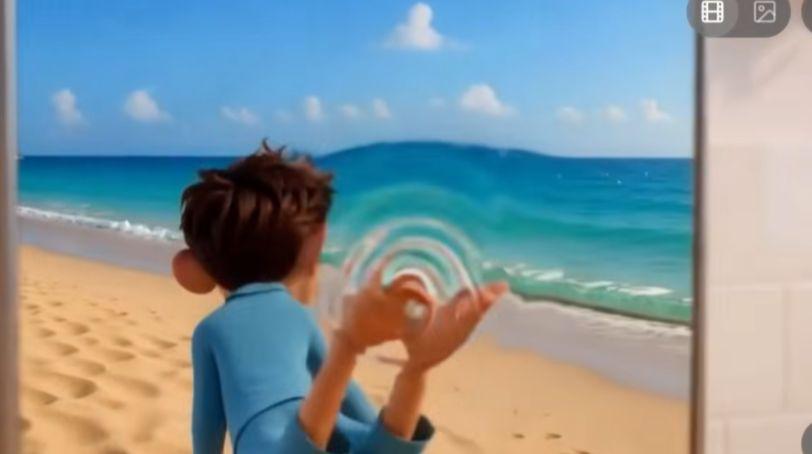
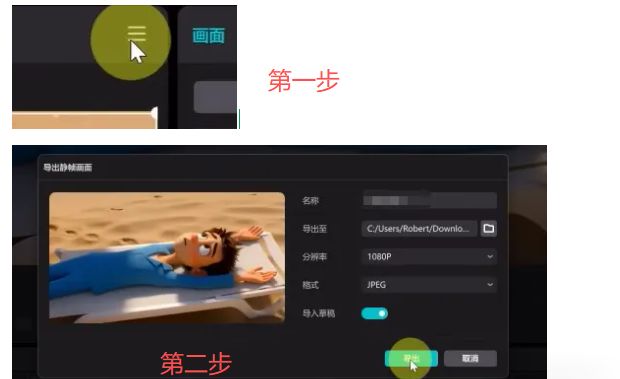
So how do we do this? And keep the character consistent, right mouse button, take the last frame. Of course, it may not be the last frame, it may be the middle frame. You just have to play to that second, then right mouse button。
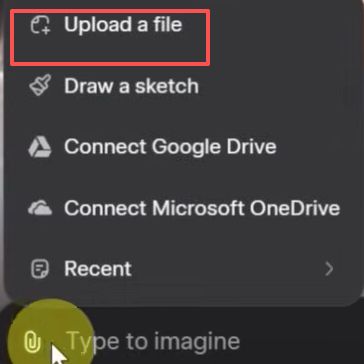
How do we upload it? In the input bar, click on the right mouse button, click on the sticker, and you upload the picture。
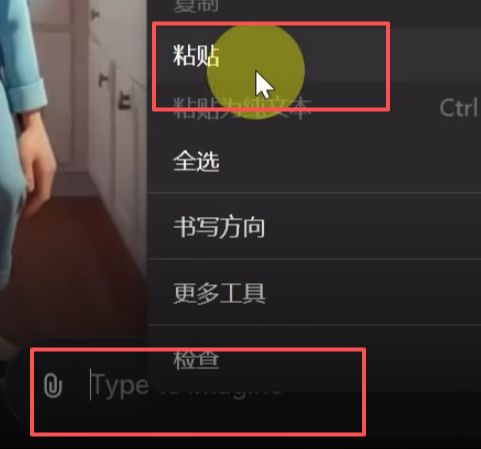
But there's a problem here: once you upload the picture, it automatically generates video, thereby wasting the amount of video you generate. You can set this up, and automatically generate video options for cancellation。
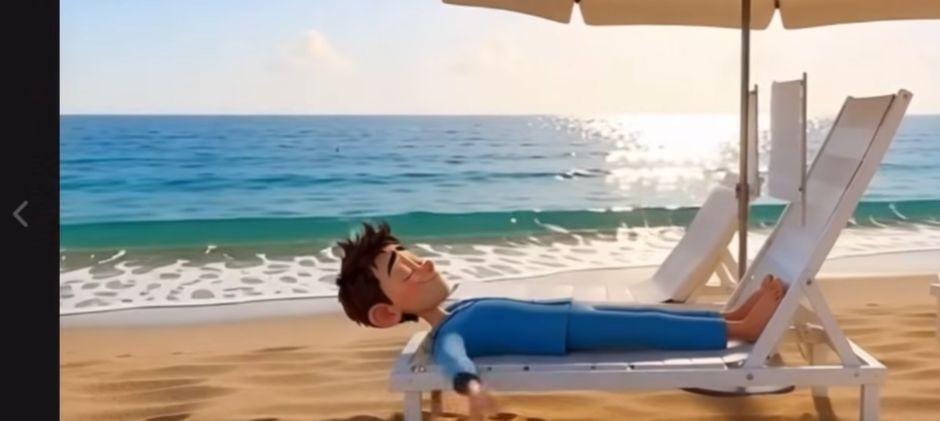
Because of the need to adjust the details after a double-check, you've seen it, straight through the recital and lie down。
The camera pushes, the beach comes up with a sun umbrella and a white beach chair, and he walks around and he's lying on top and he's lazily in front of the high view
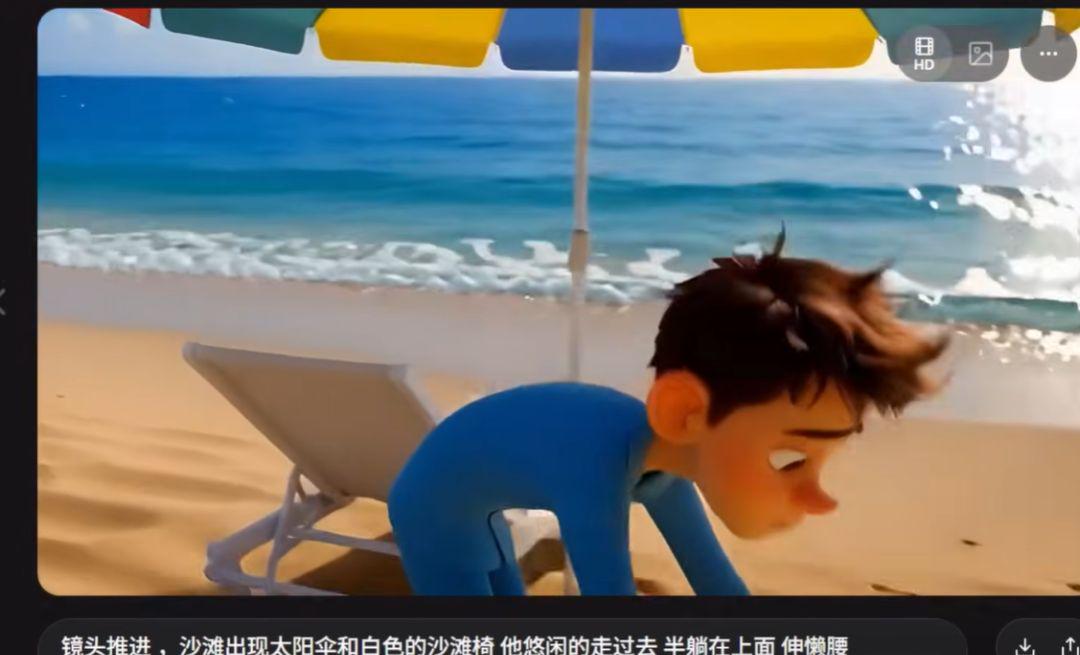
And then look at the effect, it's working. It's in the editing tool, and it's for you, because there's a point. It's the final frame. This would allow consistency。
How? Step one, find the clip, over the video, there's a three-bar, and then export it。
Then click on the upload. After uploading, enter a hint: the lens pulls out, lifts up, taps the first view of a seagull
Then we'll generate a video, see if we need to adjust. It's good. There's no need to adjust。
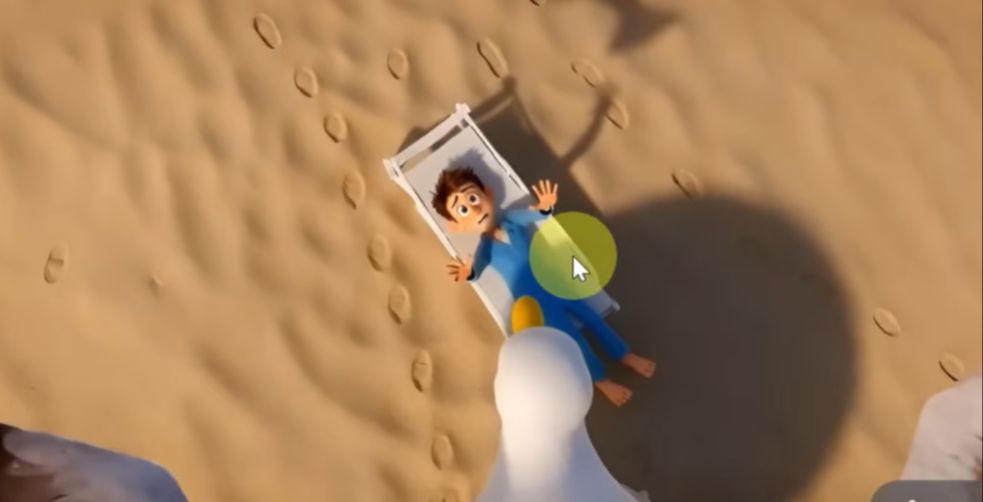
There's nothing wrong with going up there, but the process of being taken away can't work. Then we can only use other tools, like Nano Banana Pro, as long as we have free content。
TWO DRAWINGS ARE NEEDED, A PICTURE OF THE PERSON LYING IN THE CHAIR AND A PICTURE OF THE BIRD FLYING. TWO GRAPHS, CREATING A GRAPH, A HINT, AND IT SAYS, "THE BIG BIRD, WITH A LYING CHAIR, FLYING IN THE SKY, AND THE PERSON'S FACE IS SCARED." OKAY。
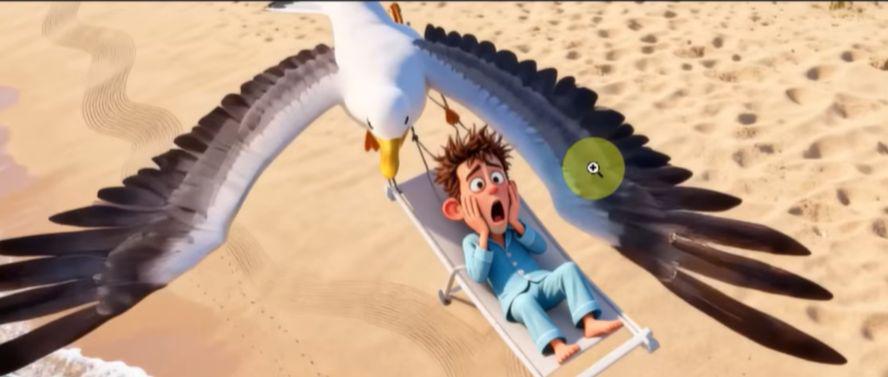
So when it's done, it's done in Grok。
THEN IT'S ALL IN THE EDITING TOOL, OK, ALL THE PROCESSES OF VIDEO PRODUCTION, THE CONCRETE EFFECTS, YOU CAN LOOK AT THE FIRST CASES, AND IF YOU USE DOMESTIC TOOLS, I DON'T KNOW HOW MUCH CREDIT。
But you need to use it before it's too late for free. So let's try it quickly。