Why did you write this
Because it worksClaude CodeYOU LEAD 99.9% ON AI。
The AI tool consists of two categories: Claude Code and others; and the AI painting model, Nano Banana Pro and others。
Claude Code is no doubt the world's best AI tool at the moment, not only for the complete development of a medium-sized project code, but also a universal intelligence that works locally on your computer, and his capabilities are far from being exhausted. It's with Claude Code that we really started to explore AI capabilities。
What can you learn after reading the curriculum
Can run Claude Code locally for a local web application. Prepare a basis for the subsequent use of Claude Skills, the current blast。
you can learn this lesson with your keyboard and mouse, for about 30 minutes, completely free of charge, and i'll cover all the token expenses。
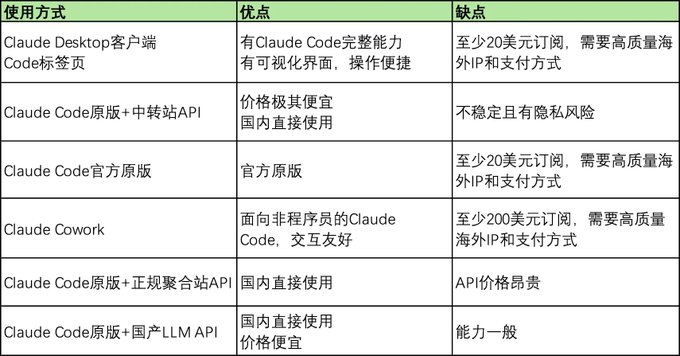
Claude Code uses a comparison
How Windows installed Claude Code
1. Installation of Git and Node.js
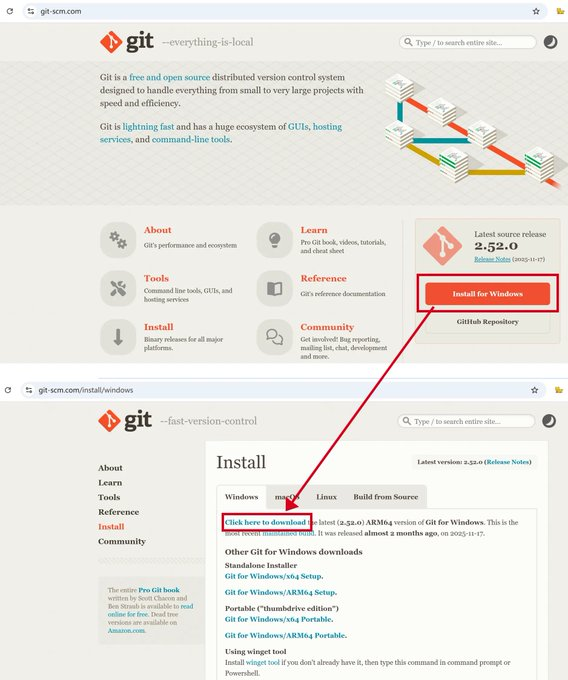
1.1 Access to Git website: https://git-scm.com/
1.2 Click the " Install for Windows " orange button on the right side of the interface, and then click " Crick here to download " , then download the exe installation file. As shown in the figure below
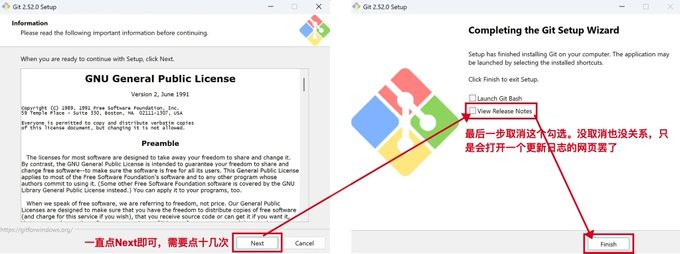
1.3 Upon completion of the download, double-click to open the installation package, and then click on Next, which requires many times. Until finally there's the Finish button, cancel the tick, just click on Finish. As shown in the figure below。
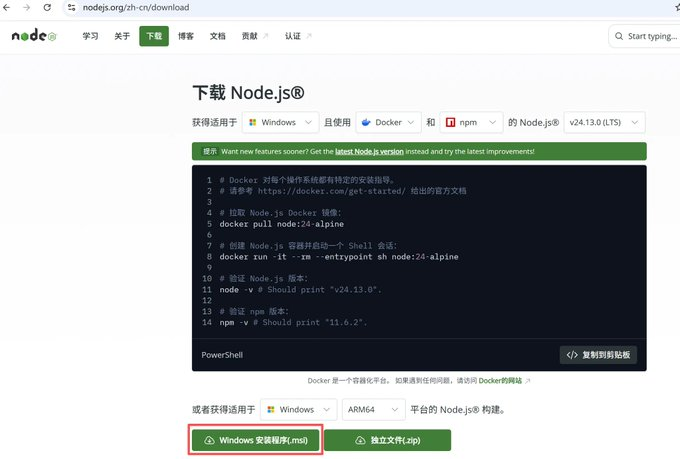
1.4 Access to Node.js web site: https://nodejs.org/zh-cn/download
Click on Windows Installer button
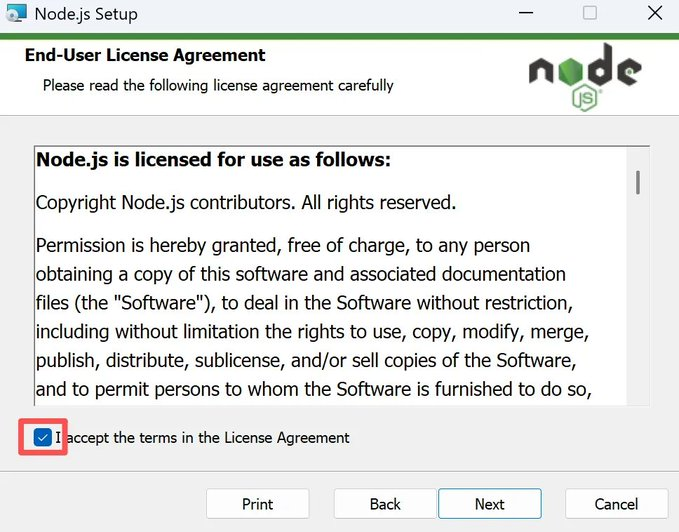
1.5 Open after downloading the file. Check the protocol and click on Next
2. Installation of Claude Code
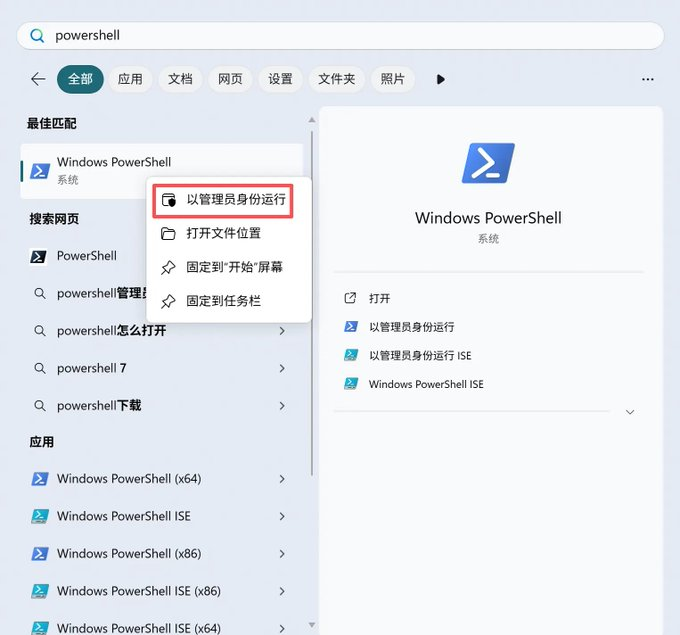
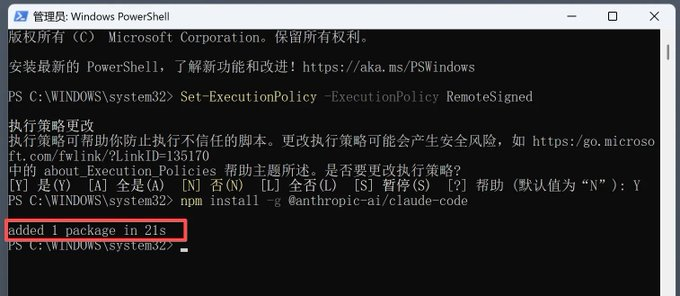
2.1 Press Windows to enter: powershell in the search box, then right-click as administrator. This opens the black command line window. Looks like the interface that hackers use in science fiction movies? That's right. That's what hackers use to do。
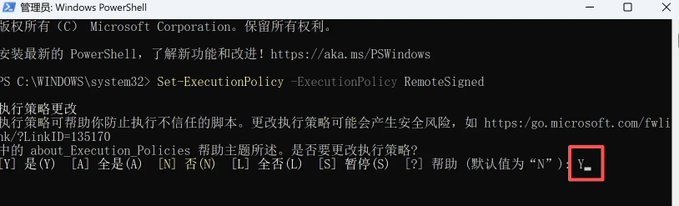
2.2 Copy this line of instruction
Set-ExecutionPolicy -ExecutionPolicy RemoteSigned
IN THE BLACK COMMAND LINE WINDOW, THE RIGHT MOUSE BUTTON WILL PASTE AND THEN PRESS BACK. AND THEN ENTER THE Y, AND RETURN TO THE CAR。
2.3 Copy the order again
@anthropic-ai/claude-code
Once again in the black command line window, the right mouse button will paste and then press back to the car。
2.4 There is no progress strip after returning to the car, only a slash in the circle. Don't close the window at this time. See how fast you're going。
2.5 Modify Claude Profile
first, download the profile that i've provided, which contains my key, and use my key to withhold my money, and i'll try to make sure that everyone has a limit for their first installation。
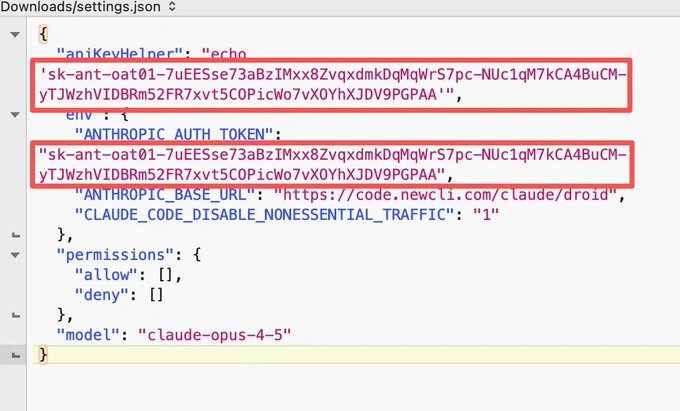
the document is called settlings.json, which is long:
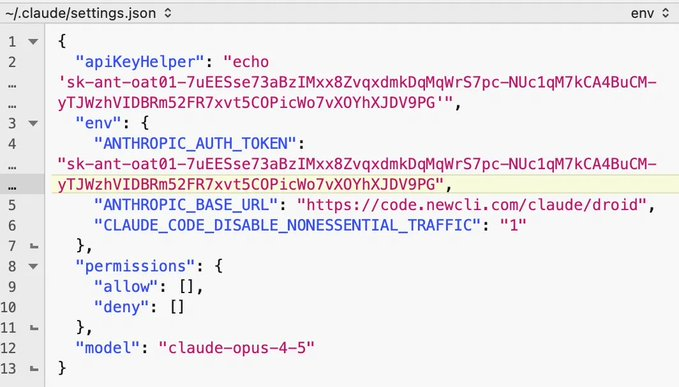
2.6 Opens Claude ' s configuration folder by the following path: C:\Users\your computer username \.claude, places the just downloaded settlings.json in this folder. If this document already exists, it needs to be deleted and pasted。
The operation is shown in the chart below

It's done! It's time to experience real AI
3. Use Claude Code
3.1 Turns off the black command line window that has just been opened, and re-uses Windows+R to enter a powershell to open the command line window。
Then enter in the window: (This command only needs to be entered when first installed, to view the help document)
this post is part of our special coverage libya 2011
3.2 Continue to enter in the black command line window:
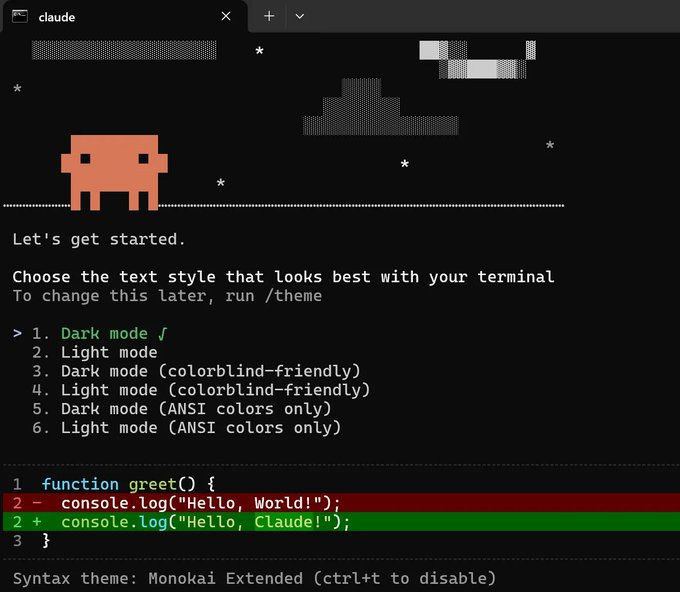
claude
Then there's the window below, where you can choose the style of the text in the command line, use the top-down key, choose the one you like, and then press back. I don't know how to do it, just press it back. It doesn't matter。
THEN THERE'S THE BOTTOM INTERFACE, WHICH SUGGESTS THAT YOU MIGHT MAKE A MISTAKE, JUST PRESS BACK。
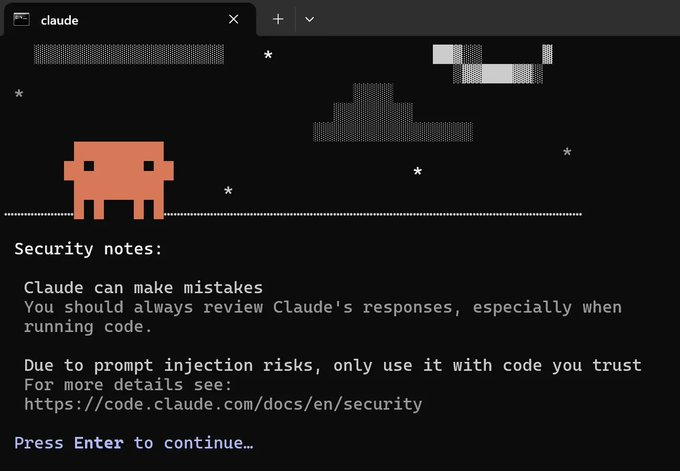
Then we'll point to Claude's current work folder, so we can just press back。
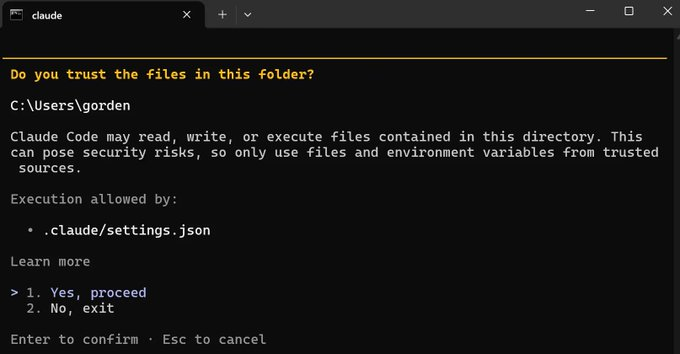
This is how it lasts
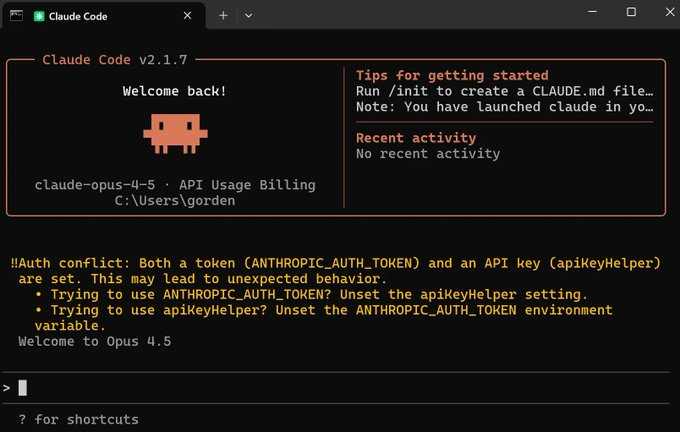
3.3 LET'S GET A.A. ON THE JOB
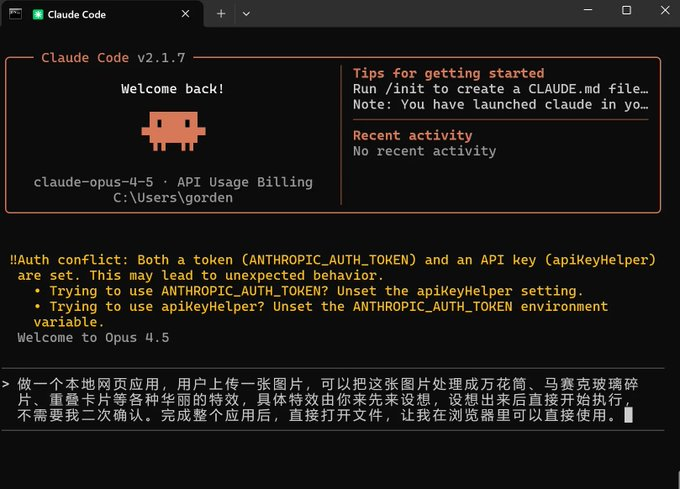
Enter text:
A local web application, where a user uploads a picture, can process it into a variety of gorgeous effects, such as kalescopes, marsek glass fragments, overlapping cards, etc., which you imagine first, and then proceed with implementation directly, without needing my second confirmation. Once the application is complete, open the file and let me use it in the browser。
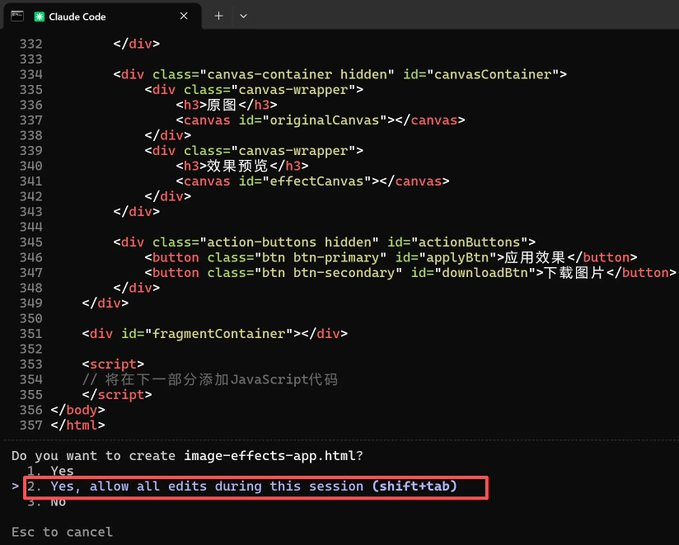
Later, Claude will automatically write a local photo special effects web application, and you will be prompted to allow Claude to create a file, and then choose Article 1 or 2。
Upon completion of the mission, the created web application will be automatically opened as requested. I'll need your second confirmation。
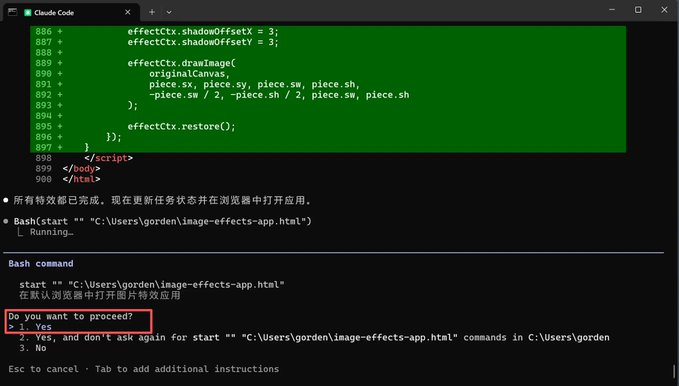
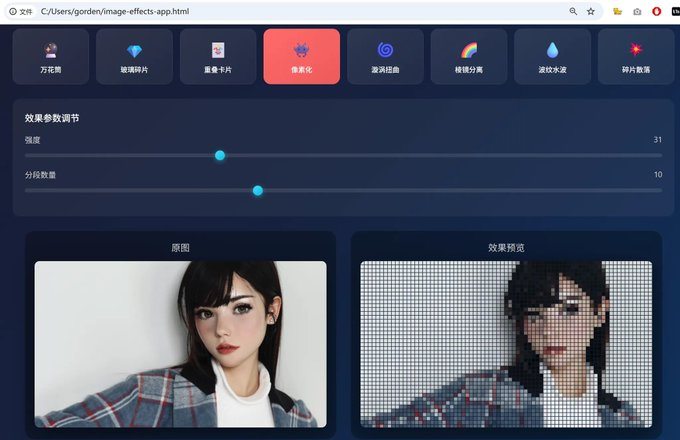
And the system will automatically turn on your browser, which is the application Claude Code just made. You can upload a picture of the effect, and everyone sees it differently, and it's an application that AI has dedicated to your computer. I'll follow up by teaching how to get other people to use the application you created online. Below is my Claude's effect。
Claude's more efficient use is a combination of the files on your computer, where he can read all your files on demand, analyse your files, for example by automatically changing the photo name according to the photo content, automatically changing the file name according to the document content, and automatically extracting the summaries of all the files in a folder. The follow-up session details Claude ' s productivity curriculum and Skyll ' s use of the curriculum, in particular Skyll, which is now a major and simple collection of AI。
Four, how to buy your own Key
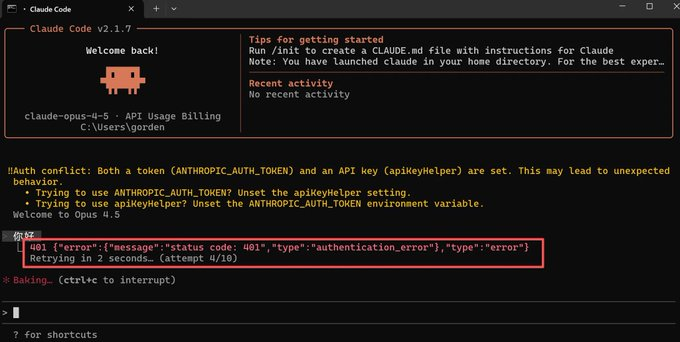
now, the settlings.json is using my key, and it's also my money, and i'll regularly disable the history key in order to make sure that the new cadets can run for the first time. so you might see a mistake like this:
Claude himself does not provide services to China, but only buys a third-party stop in the country. After all, transit stations are not official channels, and there is no guarantee that every home station will operate steadily
OpenRouter, ZenMux: Formally large-source companies, official prices, very stable
Oh MyGpt, aigocode, Rabbit API. Prices close to original, high stability
other transit stations, such as Foxcode: small domestic workshops at very low prices, lowest 5%
Purchase steps:
4.1 i'm using the foxcode
4.2 Register accounts after accessing a link and then click on a subscription purchase to open a new link

4.3 for the first time, 20 million tokens can be purchased after payment is made in the new link. i'll get a change code, and i'll exchange it here
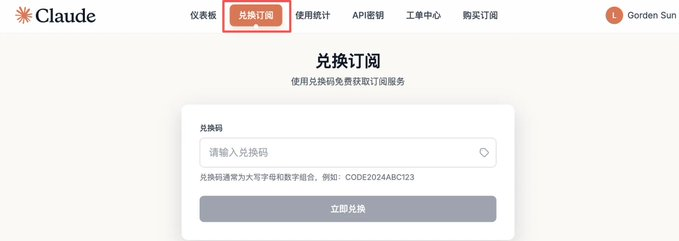
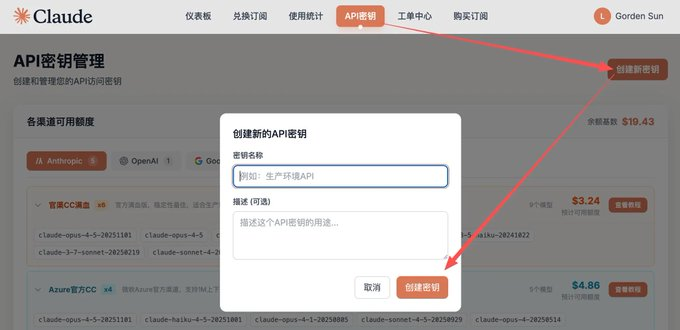
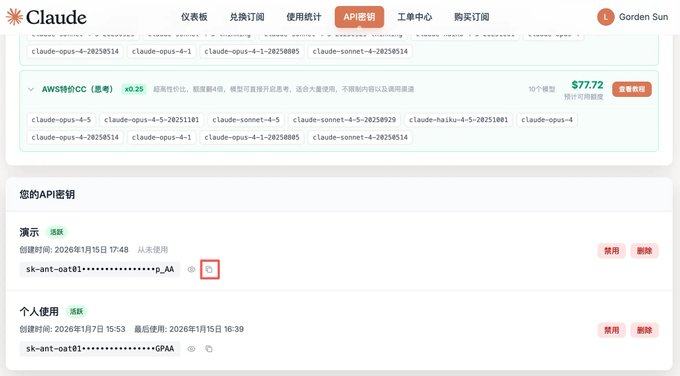
4.4 After exchange, create your own API Key, you can fill in your name and click on the right-hand copy of the icon
4.5 Finally, with reference to the 2.7 step, enter C:\Users\ your computer username \.claude, edits settings.json files, edits them with a note book. Replace the long-stringed key with the one you just copied your own key, be careful not to move the original single and double quote. Then turn off the black command line window and re-enter。