



The last onefree and open sourceAI AssistantClawdbotIt's very hot on the offline: it can operate on the server seven times 24 hours, and the users send it messages through the instant communication platform, directing it to do all kinds of work。
It's useless to feel a little bit of its power

Clawdbot is better at “doing hands” than a normal AI chat robot, and in the case above, all the work done directly to download the YouTube plugin. How can we have it
I. Requirements for the deployment of Clawdbot
1 Telegram: This is the simplest, officially recommended route available. Although Clawdbot also supports whatsApp, iMessage, etc., it may be more dramatic。
Large model API: preferred Claude. It also supports GPT, Gemini, GLM, Qwen, DeepSeek, MiniMax, etc., whatever model needs to be put in place。
3. A machine capable of running by 24/7: it can be a virtual server (VPS) or a special computer (inactive computer, Mac Mini)。
Preparatory work
1, Telegram
Essentially, here you are defaulting on your network and you have finished downloading and registering。
2. APPLICATION FOR A LARGE MODEL API
2a. Access to Claude (via OpenRounter)
Claude's the preferred model, but this guy likes the cover
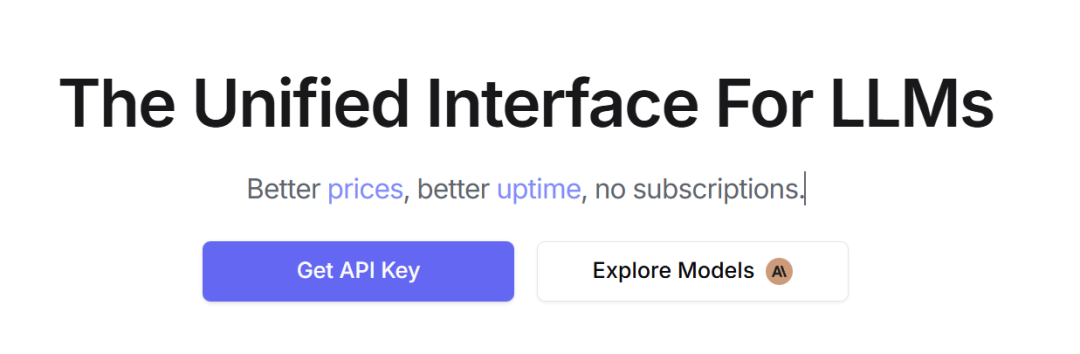
After registering the account, click "Get API Key" on the first page, then "Cteate API Key":
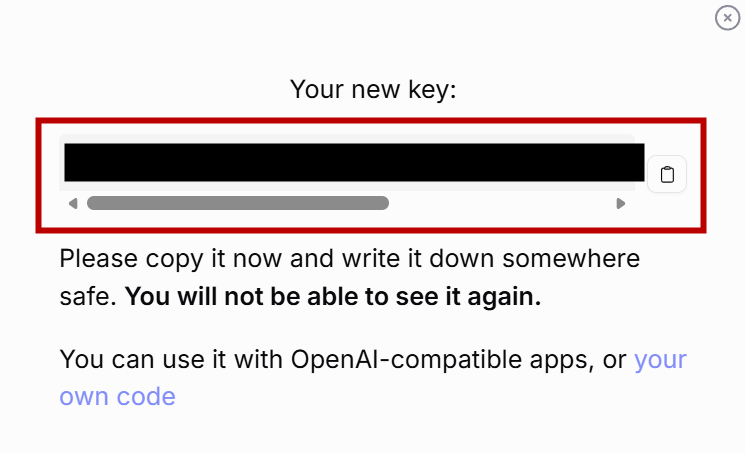
then you'll see a key. copy it
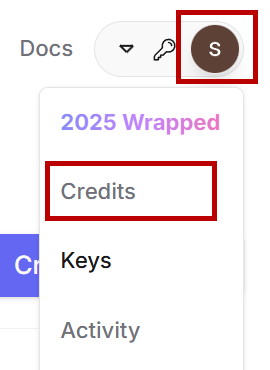
If you have a key that needs to be filled, click on the user name and select "Credit" for the drop-down menu, then you fill in a credit card or something (Visa card in China is available) and then you can pay:
2b. access to other models
We take the example of GLM, first available at https://open.bigmode.cn, registered user。
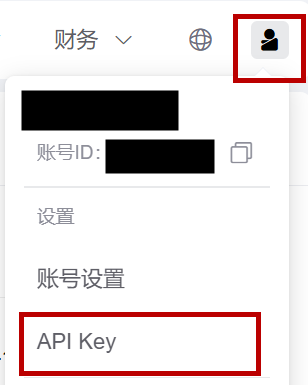
Click on the top right-hand user header, drop down menu select "API Key":
Select " Add a new API Key " , followed by " Key " . Please copy the backup:
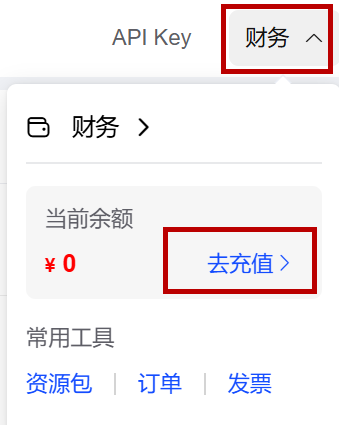
Click on the top " Finance " , " Defilling " , to pay for microletters (which may require first-name authentication):
Your API Key is ready
3. Virtual server applications
There are many options
Token of Telegram
The following steps will be taken:
– Open Telegram App or desktop
– Search @BotFather
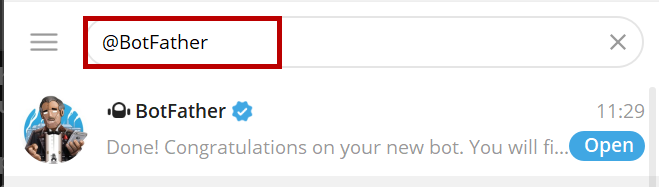
– send "/newbot." the system asks you what name you want
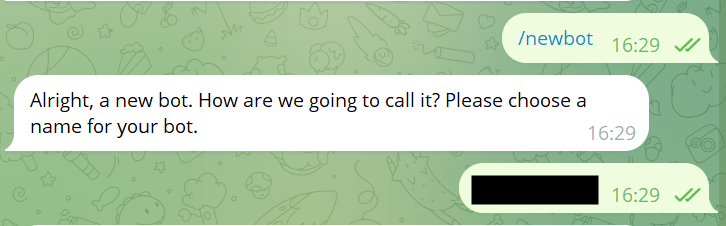
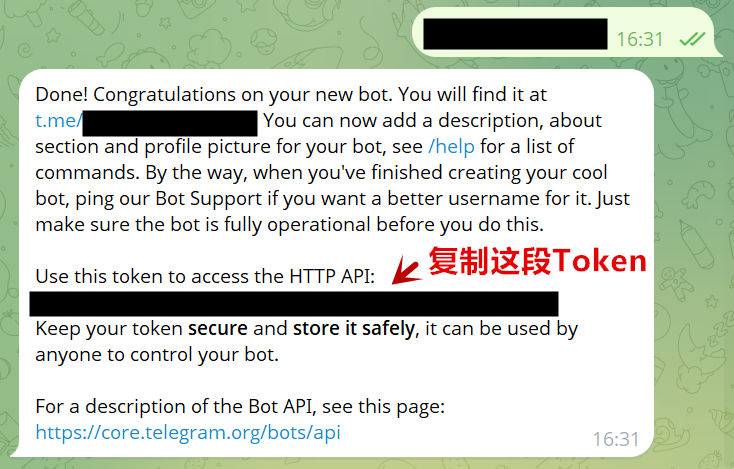
– The system also asks for user names, and here it is noted that the end of the name must be “bot”. - After success, the system will send a message to copy the Token
III. Deployment to servers
Open command line (Windows PowerShell) in Windows Start menu:

input: ssh root@xx.xx.xxx.xxx.xxx (server address)
we'll ask you questions when we land, enter "yes" and get back to the car
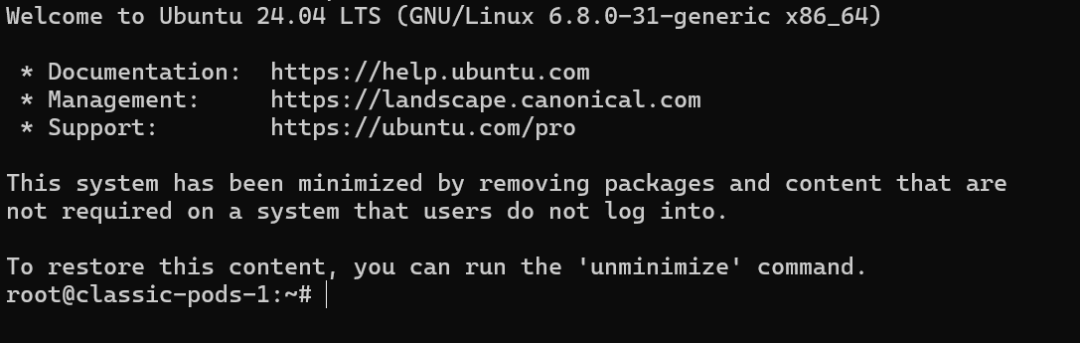
and then you put the root password on the virtual server, and you log on to the server:
Run the following instructions in turn:
i don't know what you're talking about
i don't know what you're talking about
curl-fsSL https://clawd.bot/install.sh bash
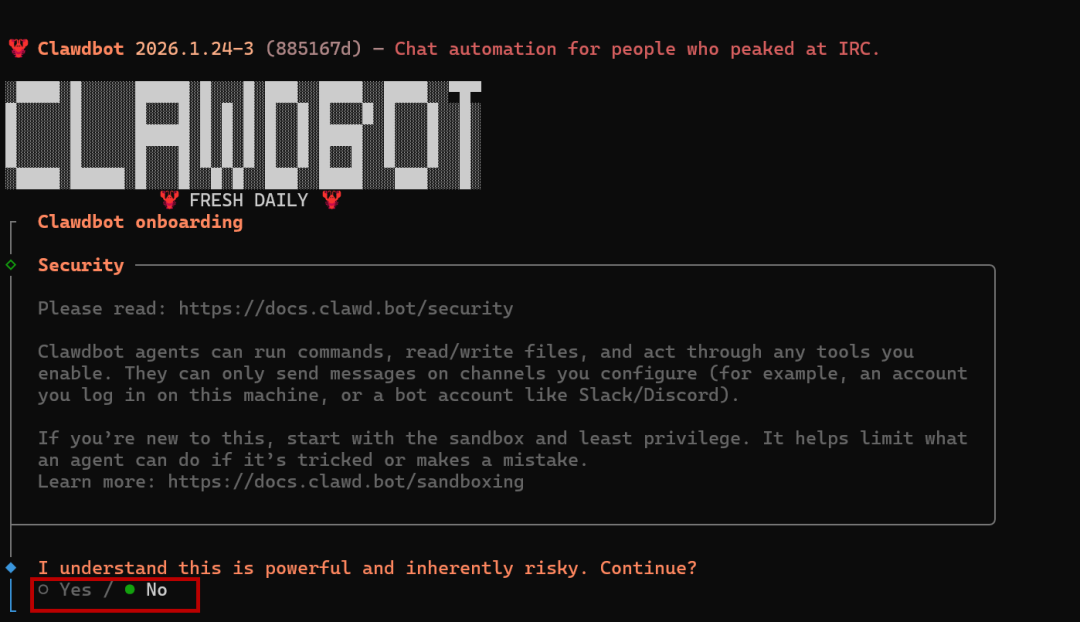
This interface appears after completion. Use the keyboard to control the direction and choose "Yes" to return:
Here's to QuickStart:

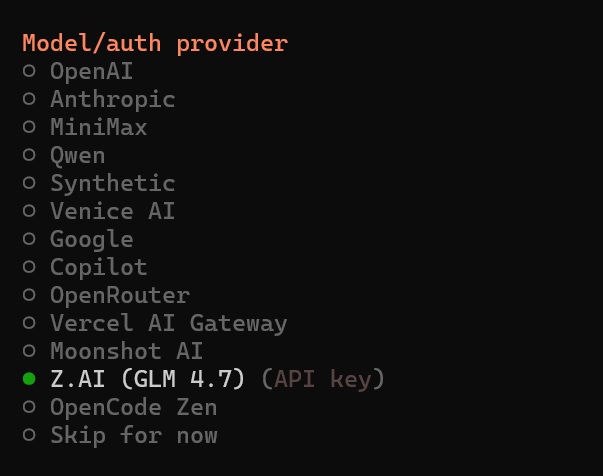
THEN CHOOSE THE DESIRED MODEL (BASED ON THE PREVIOUS OPERATION), E.G. "Z.AI" (GLM 4.7) WITH A SPECTRA:
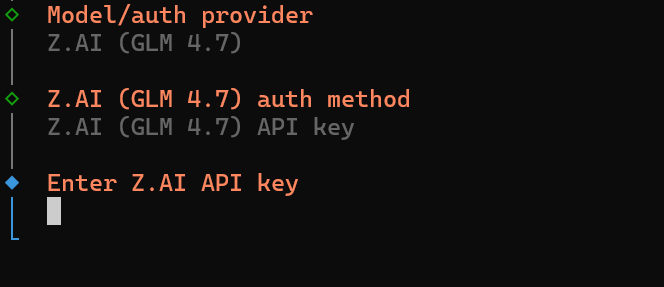
Fill in the API Key just now. In some cases, the same manufacturer has multiple models that need to be reconfirmed:
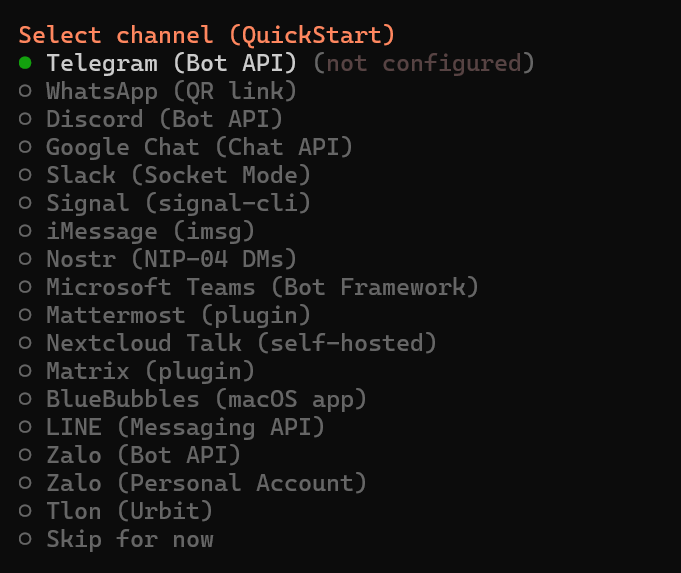
Select what tool to use to communicate with Clawdbot and choose Telegram by default (Bot API):
Next, you can paste the fetched Telegram Token to the dialogue box:
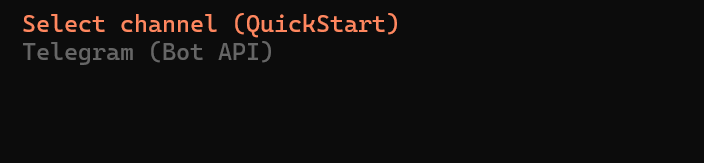
, select the default option。
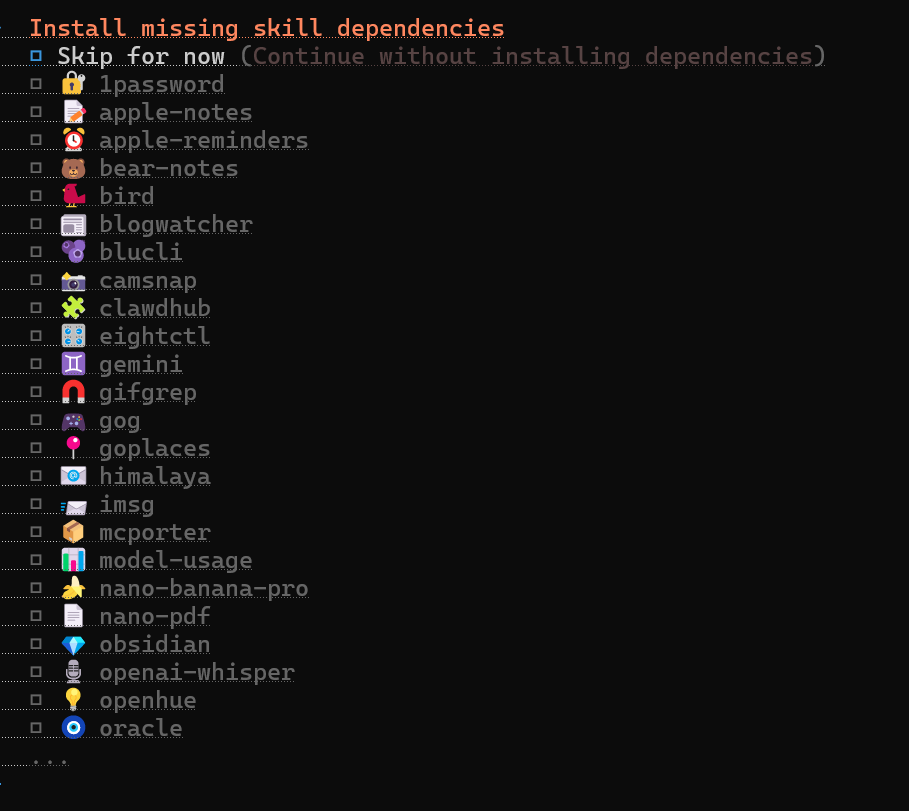
When you come to the menu where you set the Clawdbot skills, you suggest not to pick (Skip for now) so that you don't get out of hand
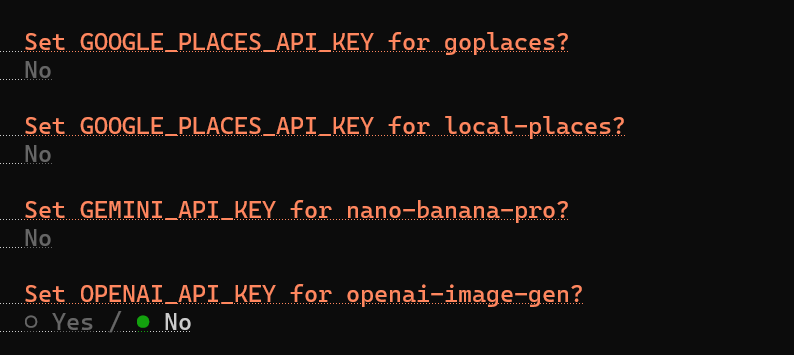
I'll ask you a couple of mainstream models of API, and if you don't have them, you'll choose "No":
this option allows you to select "session-memoory " :

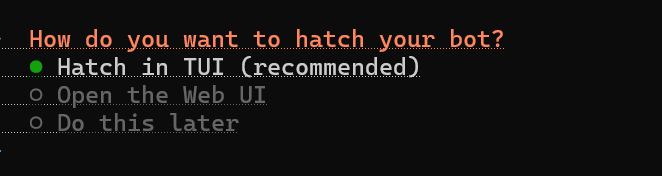
Next option "hatch in TUI":
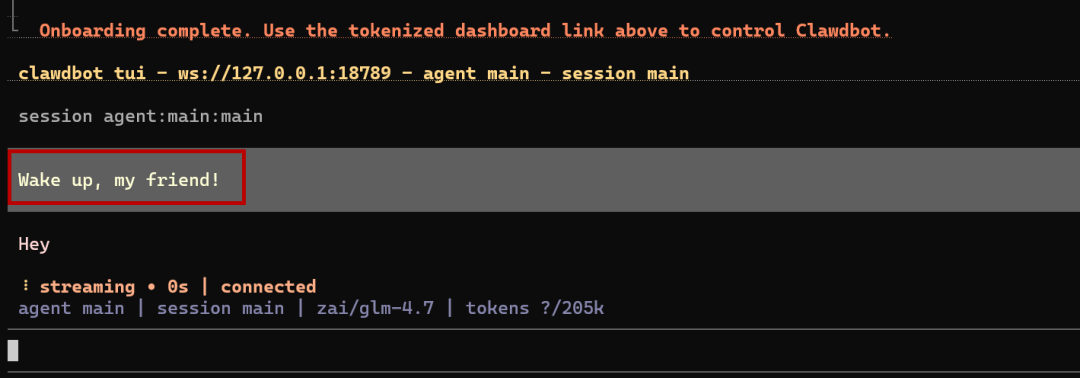
Clawdbot's basic deployment is complete, and he'll say hello to you
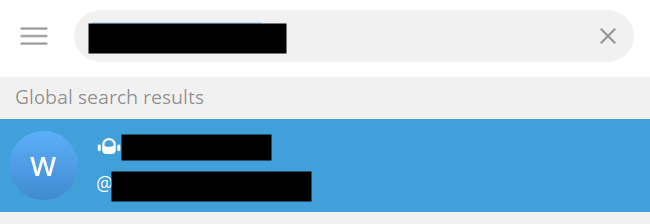
Search for user names on Telegram (the name you just named) and find AI's assistant:
BUT FOR THE FIRST TIME, DIALOGUE WITH IT WILL BE REFUSED AND ASKED FOR PAIRING. COPY THE PAIRS SENT BY AI'S ASSISTANT:
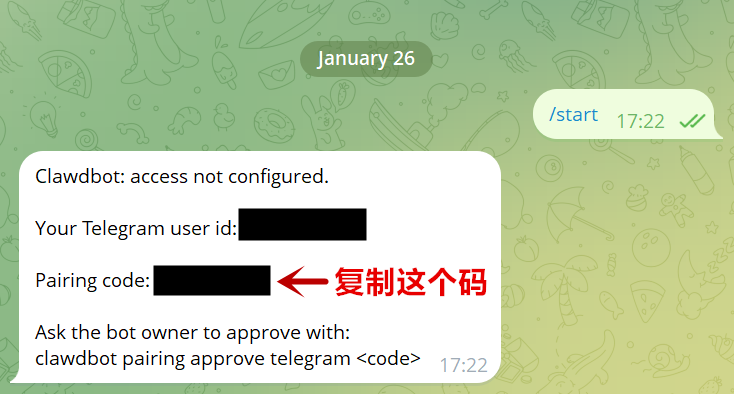
Enter on your server side: clawdbot paiing approve telegram XXXXXXXX(s)
THEN YOU CAN CLOSE THE SERVER WINDOW AND USE THE 24X7 AI ASSISTANT
IV. Cases of use
Information about life
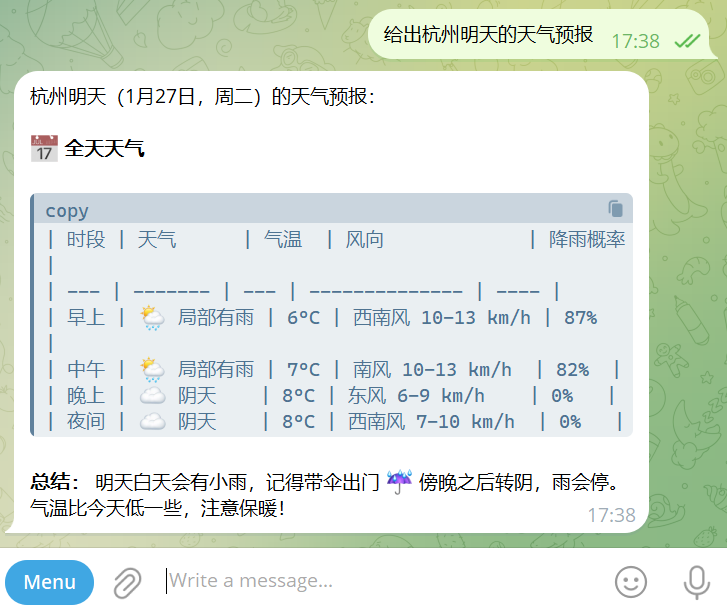
Of course there's more to be done
Precautions
1. To install additional skills, the following instructions can be run at the server end and the setting wizard can be activated again:
i'm sorry
Clawdbot has higher system privileges than the normal chat robot, and unless you know what you're doing, it is not recommended to be deployed on the main computer. If the information is leaked, documents are incorrectly deleted, and social accounts are sealed, it will be paid off。
Pages of articles
Clawdbot Git:
https://github.com/clawdbot/clawdbot
Clawdbot official:
https://clawd.bot
Clawdbot official guide:
https://docs.clawd.bot/start/getting-started