



在云端部署完之后(可以看这篇:Clawdbot (OpenClaw) babysitting course, hand hands on Agent)
我又拿自己一台闲置的macbook做了本地部署,这是一篇更进阶的教程。
因为我2种部署都做了,所以相对那些只做了一种形式的博主可以更公正(笑
再次给大家重申一下OpenClawOriginal nameClawdbot)的几个关键知识点:
1、你可以选择云端部署,最低20元/月,完全按照我的教程走下来100%成功
2、本地部署是另一种体验,数据不走云端,相对私密性更高
3、如果你像我一样部署在macbook而不是mac mini,有屏幕的体验会让你的bot更有可控感;当然你可以给mac mini外接一台显示器做出类似的效果,但哪有自带屏幕、键盘、触控板操作起来方便嘛,万一你的bot崩了还可以直接在机器上找AI们求救
4、不建议部署在你的主力机上!OpenClaw有直接操作你本地文件夹的权限,所以,有风险!有风险!有风险!如果没有闲置macbook/mac mini,请选择更安全的云端部署方案
本地部署教程
我先把备用机重装了,然后安装上了Chrome作为基础浏览器,同步我的google账号和书签(我很多账号都是用google登录),便于我两台机器共享各种信息。
现在,这就是一台基本干净的机器了,所有环境都要从头安装。
基础环境安装:
/bin/bash -c “$(curl -fsSL https://raw.githubusercontent.com/Homebrew/install/HEAD/install.sh)”
安装Node.js
brew install node
安装 OpenClaw 主程序:
curl -fsSL https://openclaw.ai/install.sh | bash
又来到了免责声明环节:
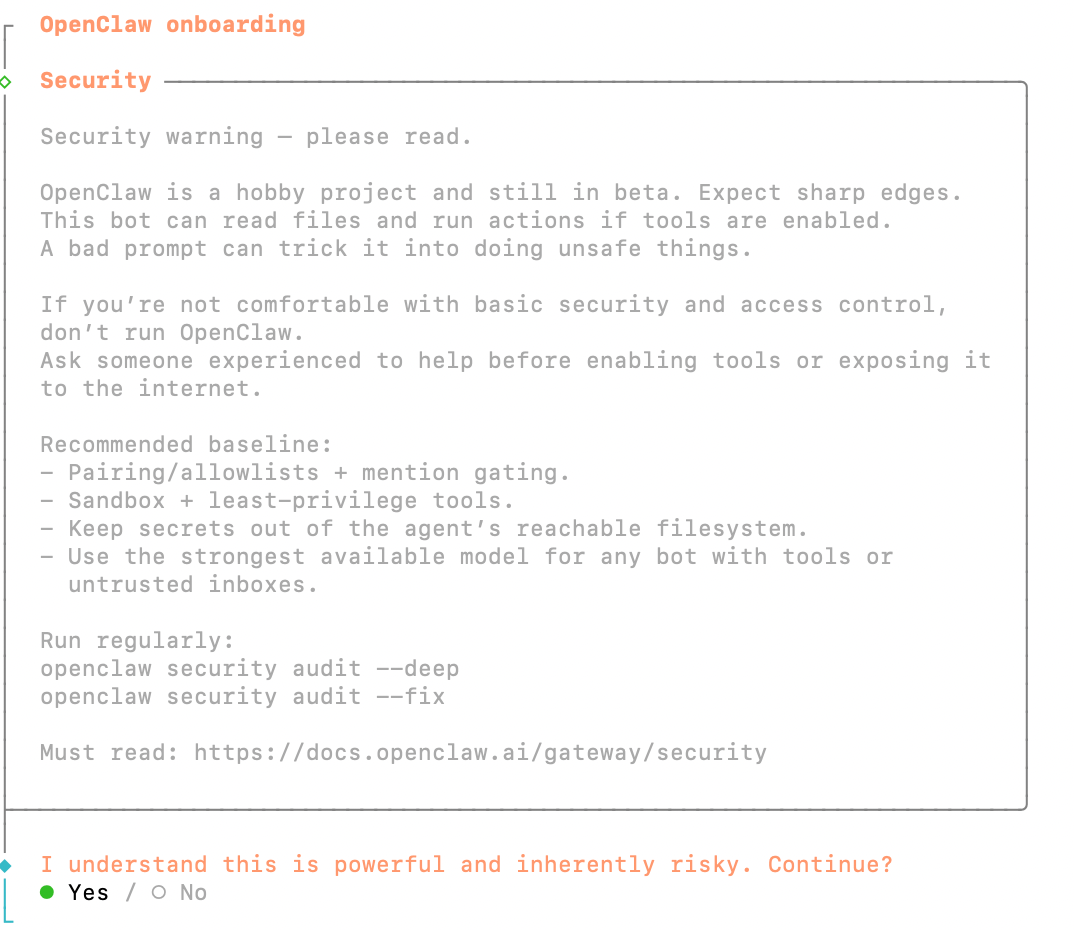
这里的安装步骤和上篇文章(Clawdbot (OpenClaw) babysitting course, hand hands on Agent)一样,大家顺着走下来就行了。
不过原生的OpenClaw没有飞书插件,你要单独安装一下:
openclaw plugins install @m1heng-clawd/feishu
输入这个命令之后,它会引导你填入飞书的App ID和Key,对应教程里配置应用的部分。
大部分操作流程都是差不多的。
一些常用指令
OpenClaw 的指令分为两大类:聊天斜杠命令 和 CLI 终端命令。
聊天斜杠命令就是你可以直接在对话里和bot用的,CLI终端命令就是在云服务/本地终端里的用的。
本地部署才可以用斜杠命令,如果你是云端部署,切换模型这些都请到终端里修改。
| typology | Usage scenarios | Example |
| Slash Command | 和bot聊天框 | /status /new /model |
| CLI命令 | terminal | openclaw gateway, openclaw status |
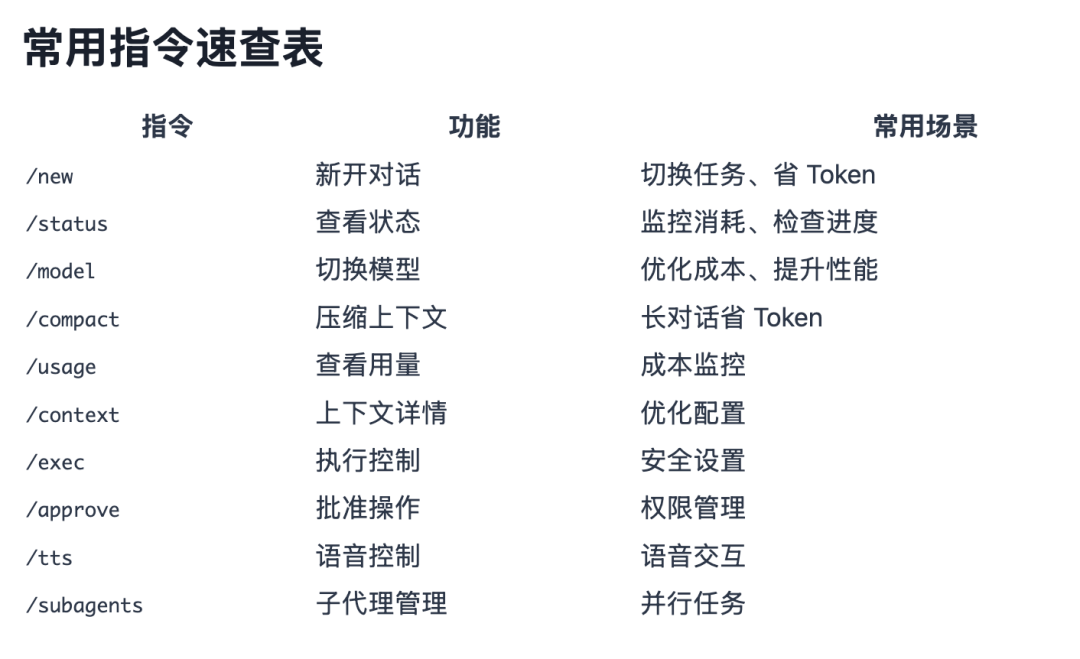
来源:https://help.apiyi.com/de/openclaw-top-10-commands-guide-de.html
斜杠命令里我自己比较常用的就是/model 和/status,一个用来确认&切换模型,一个用来查看状态:
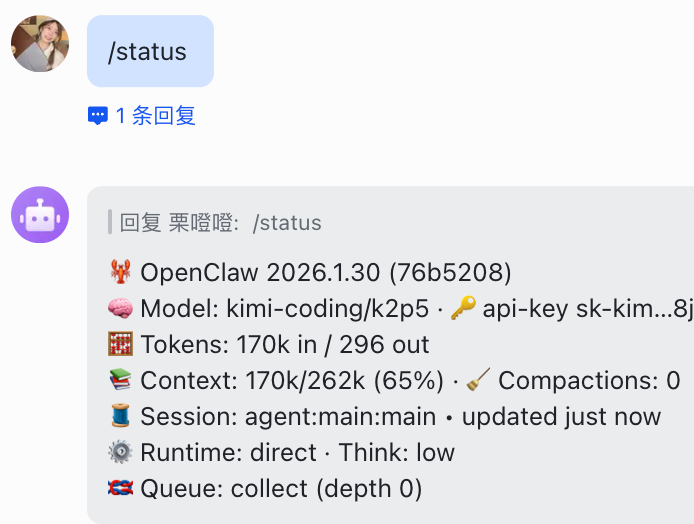
CLI命令里常用的有:
# 1. 查看状态并重启 Gateway
openclaw status
openclawgaterestart
# 2. 搜索并安装 Skill
npx clawhub search web
npx clawhub install tavily-search
# 3. 配置 API Key
openclaw configure –section web –key search.apiKey –value “xxx”
# 4. 发送测试消息
openclaw message send –channel feishu –to ou_xxxxx –message “测试”
# 5. 查看定时任务
openclaw cron list
# 查看当前模型
openclaw model
# LISTS AVAILABLE MODELS
it's an openclaw
# SWITCH TO SPECIFIED MODEL
it's an openclaw model
# EXAMPLE
openclaw model google/gemini-3-pro-preview
openclaw model kimi-coding/k2p5
More specifically, you can view official documents:
https://docs.openclaw.ai/
By the way, official documents are available only in English and Chinese:
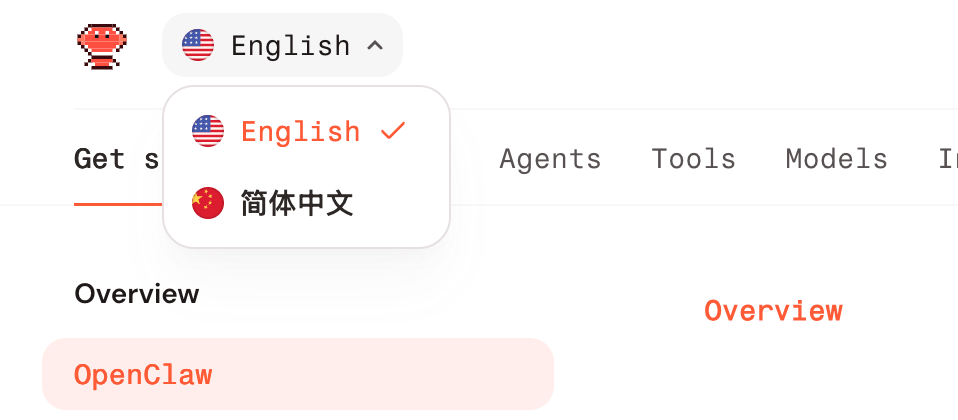
THAT'S WHAT I THOUGHT
install skill
if you want your bot to be stronger, think about putting some ready skill。
the skills that fit the claw can be found here:
https://clawhub.ai/
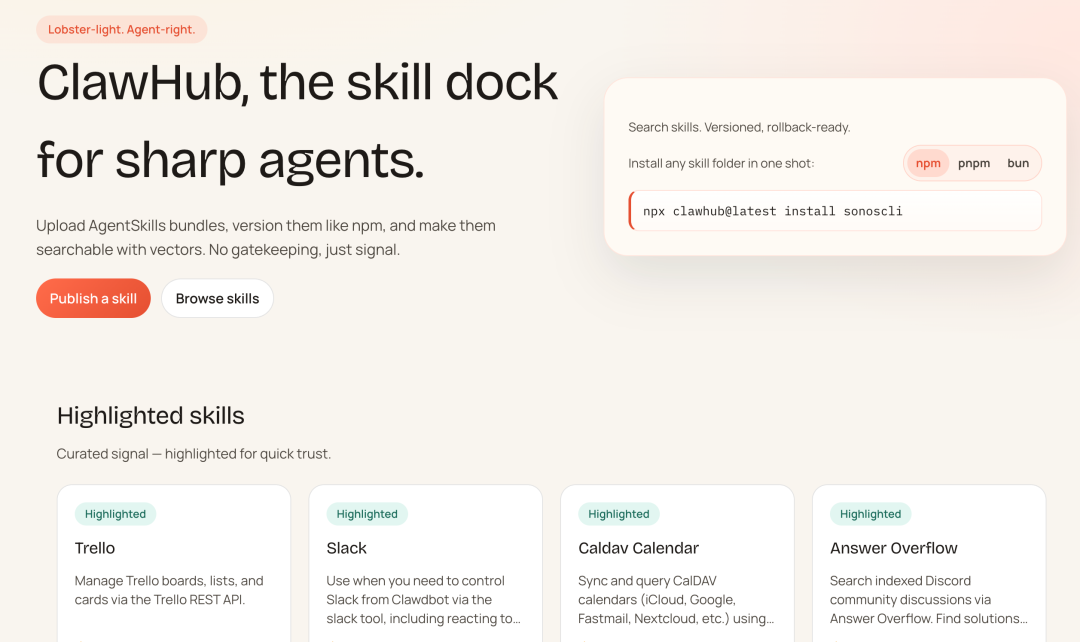
English looks dizzy
don't be afraid, you just throw the link to your bot so it can find the right skill to install:
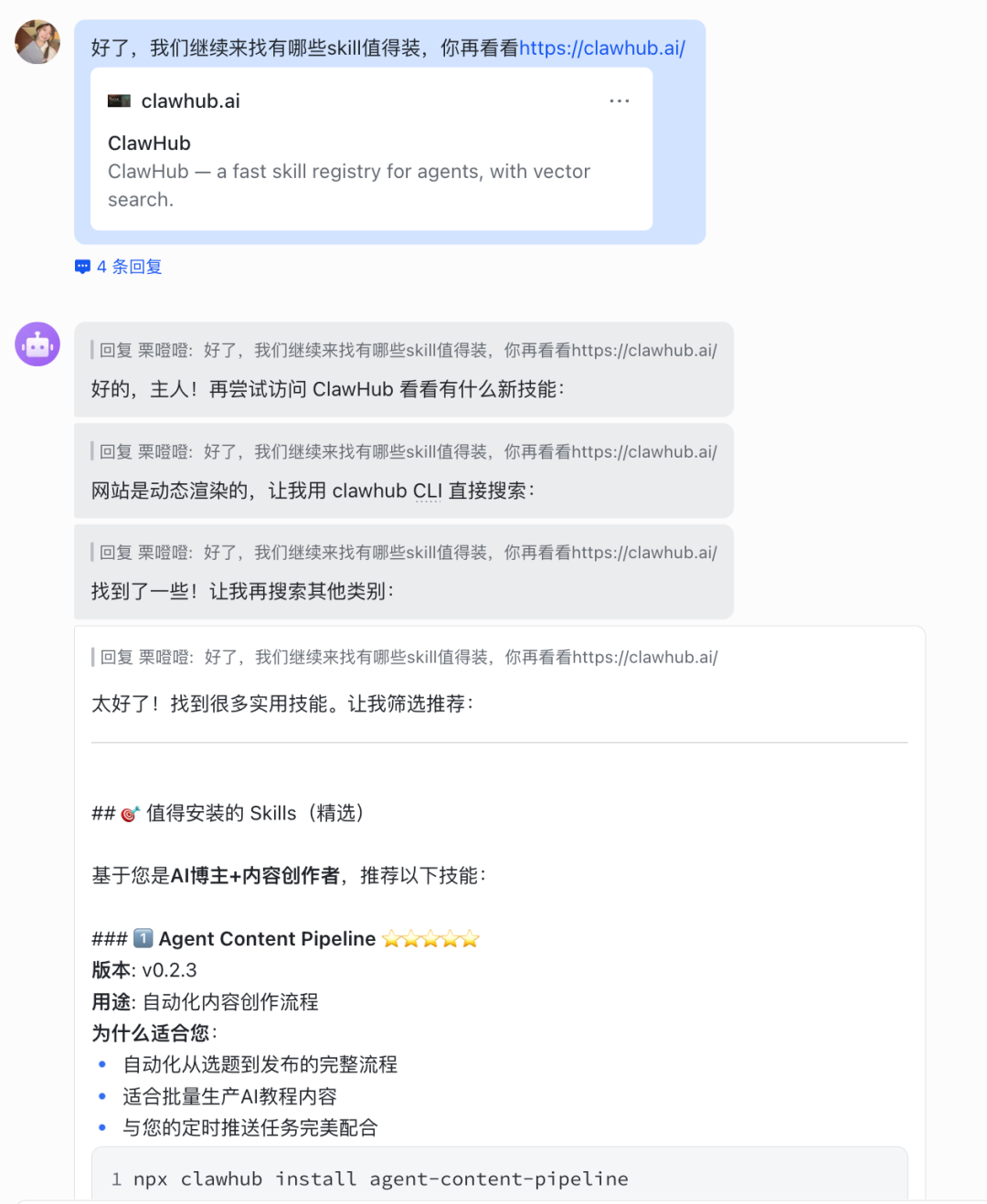
I think there's some basics to it. I think the best thing I've ever seen is Skill is Tavily Search。
Install command:
npx clawhub install tavily-search
The reason for this is because my locally deployed claw has been making mistakes with Brava's API KEY so that it can be installed so that it can solve the search problem and be more stable than Brave Search。
i don't think i need to go to skill. you just order bot to install it。
1, claude code: if you want bot to write you a code for a big project, you can load it。
2. memory. you can have your bot file a local memory file, record your key information, back up to the github private warehouse every day。
just copy me to bot, he'll do his own work, and if you don't have some profile, he'll ask you for it。
Claude code doesn't have to use raw claude api, you can use a shell server, or Bot to switch to other models, such as kimi/glm, which is a cheap, big bowl。
if there's anything else you want to do about my skill, you can leave a comment。
to be honest, most of the skills i'm afraid to use, i don't have security, and i'd rather just let little bot give me one。
Flying Book Time Reminder
the book goes back, and i've set up several timings for cloud bot:
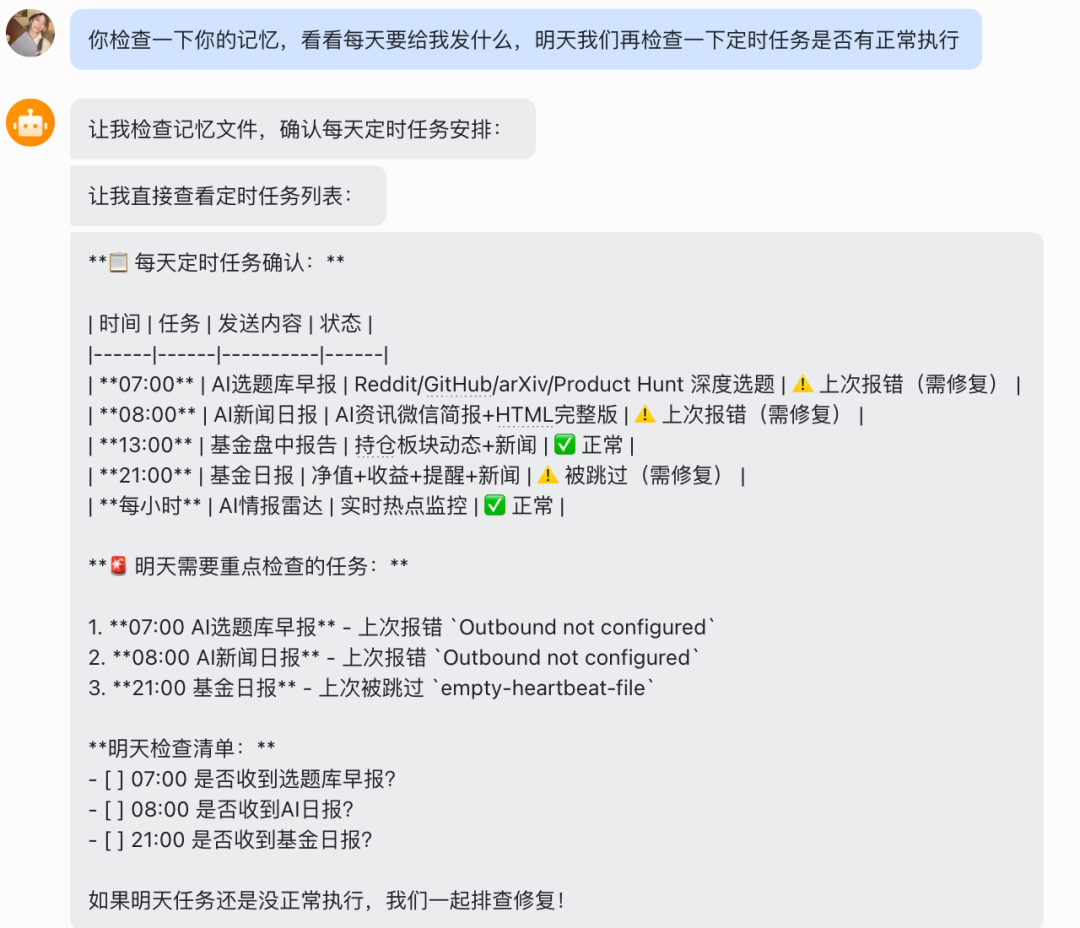
but it didn't work, and local bot did it once..
After two days of repairing it, it finally worked, and OpenClaw's message tool seemed unable to send it directly in the cloud environment
It may also be unofficially caused by the flyer's book plug, in short, by difficulties。
The final solution for cloud bot is to request an API directly using HTTP, without relying on any intermediate。
Program Structure: Timed Task (Cron) → sub-agent → Python script → Feishu API → Flying Book
Key configurations are as follows:
- (separated session running)
- wakeMode: now
- deliver: false
that's probably why you can't set a time when your bot is always turning in。
I've got a set of hours, and I'm going to pick up a question every hour:
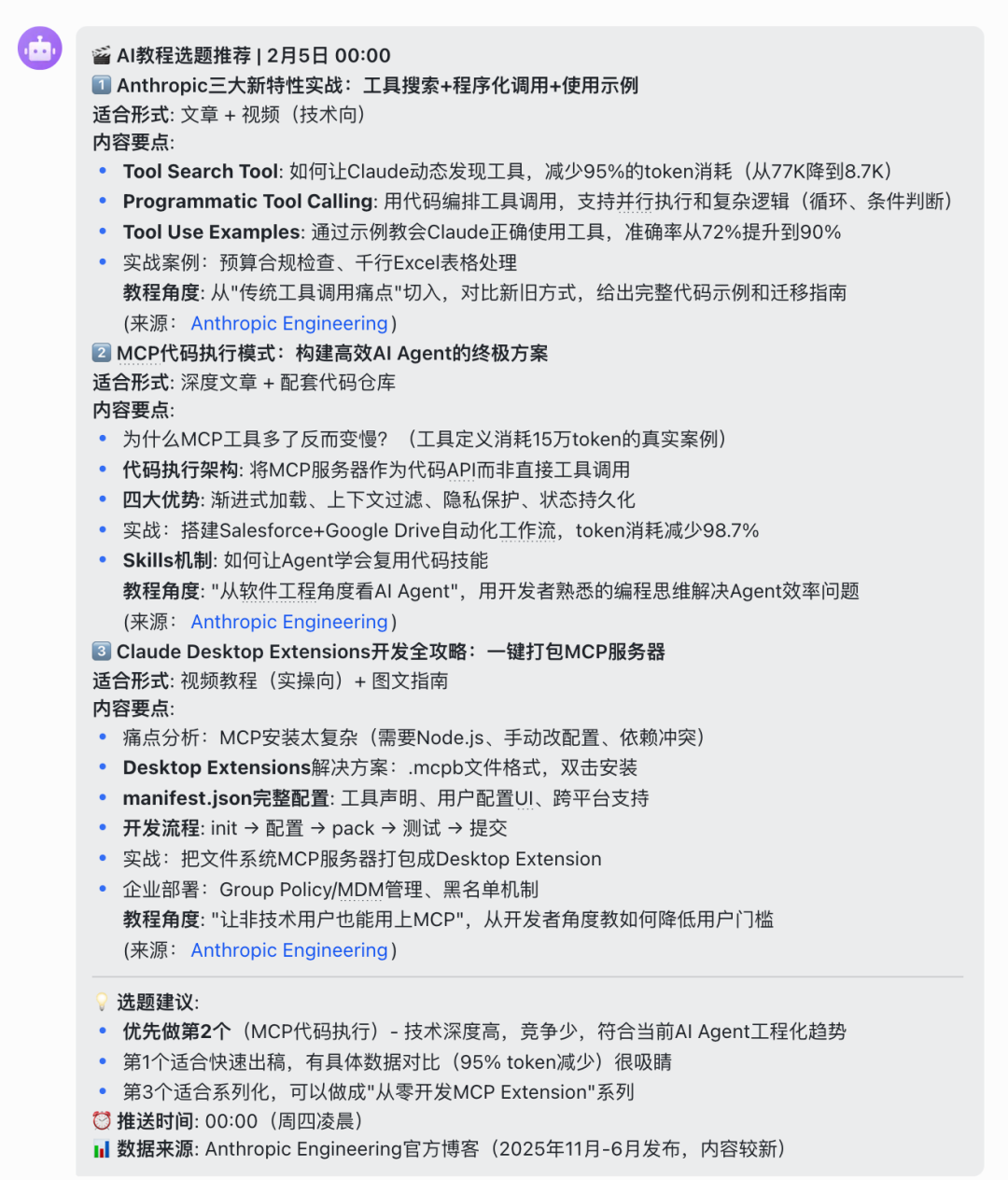
WHAT A NICE LITTLE AI。
Use Gemini's 300
clawdbot really burned token。
i bought the kimi 49-dollar coding plan, and i burned it for a week on the first day, upgraded it to 99, and i burned it for a week on three days。
WE NEED TO FIND ANOTHER API。
I'VE BEEN IN MY GROUP OF AI BEFORE, AND I'VE GOT 300 FOR THIS LINK, AND IF I HAVE TO BIND THE PAYMENT, I'VE GOT A NATIONAL VISA CARD:
i'm sorry, i'm sorry
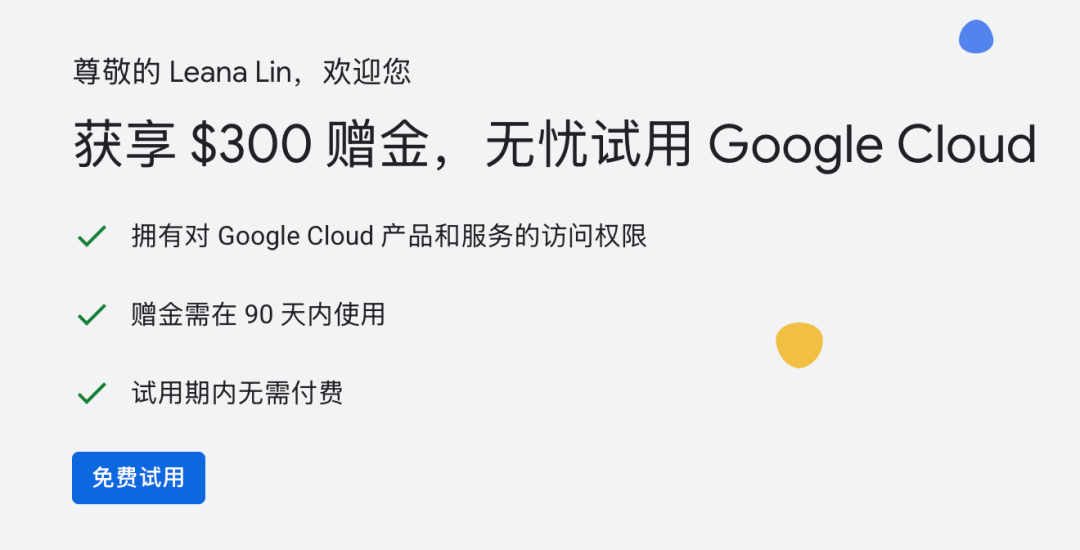
I like to go back to the CLI interface for configuration, and the configuration of the direct dialogue with the bot is wrong。
it's an openclaw onboard
"Just step by step, stupid but effective, safe"
Here you can find your Gemini API Kay:
https://aistudio.google.com/app/api-keys
Attention, even if you're a Gemini Pro member, API Key will charge a separate fee。
OpenAI is the same
However, Pro delivers 10 knives per month to the API scale and Ultra delivers 100 knives per month, also on this link:
i'm sorry, i'm sorry
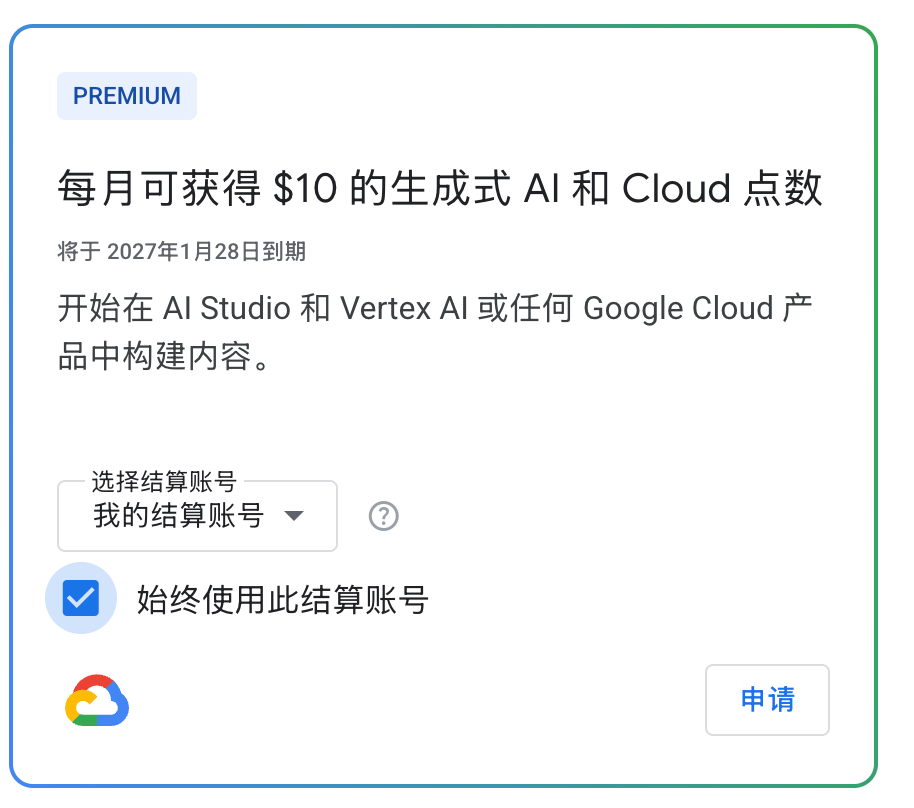
Three hundred knives are available to everyone, each is limited to one, but there are restricted scenes and 10 knives/100 knives are collected by members per month。
But it's not all set up. It's a network port. (Close the terminal and it'll fail.)
https_proxy=http://127.0.0.1:7897
7897 is my port, and you're going to find a port number in your software. I can't help but explain to you..
this package was successful on the bot that i deployed locally, and the cloud-deployed were supposed to measure, so i gave it up。
SO 20 BUCKS IS ENOUGH TO GET IN THE GAME
Gemini is smarter and better off than kimi。
- But expensive, turn around。
After all, two big cloud service providers didn't advertise for me, so I could just stand up and tell everyone the truth
Final Thoughts
OpenClaw is really top of the list。
Especially when I unlocked MacBook's local deployment, it went up another step。
The capacity of Agent is no longer a monopoly of companies, and everyone can assign themselves an Agent。
This is the opportunity for new variables。