



Recently, I found a lot of friends to useNotebookLMAND THE WAY IT'S GOING, LIKE USING A NORMAL AI CHAT ROBOT, IS TO UPLOAD ONE OR TWO MORE FILES FOR THE REASON THAT IT'S A KNOWLEDGE-BASE TOOL, AND THEN ASK FOR A COUPLE OF WORDS, HOPING THAT IT WILL GIVE SOME EFFECTIVE CONTENT OUTPUT。
But what they don't know is, if that's the way it works, they don't even have the ability to use the 1% of the NotebookLM tool
EVEN WORSE, THERE ARE EVEN USERS CLOSE TO 90%。
To be honest, it was after Gemini's fire that I began to contact the NotebookLM tool, and then after three months of in-depth experience with it, I found out that it was really a Harvard-free super-absolute private researcher from Google。
IF YOU WANT TO BRING YOUR HAND IN TODAY AS A FREE-OF-CHARGE AI KNOWLEDGE-BASE TOOL, AND IF YOU'VE HEARD OF IT OR JUST USED IT TO GENERATE PPT, THEN YOU'RE REALLY GONNA LOSE IT, AND YOU'RE GONNA HAVE TO PUT THIS ARTICLE DOWN SO YOU CAN EASILY UNLOCK ITS 99% SUPERPOWER。
The number of people who talk about NotebookLM on the Internet is simply sharing what it can do as a PPT, but not what its other functions are, but it can actually help you generate audio podcasts, video tutorials, thought maps, professional report white papers, flash cards, knowledge quiz questions, information maps and data tables。
Today's article will talk about the 10 big ceiling games of NotebookLM, and it's the nanny's hand-to-hand teaching。
This is perhaps one of the most comprehensive courses on the use of the NetbookLM tool. It's the old rule, we're full of dry stuff, we'd like to light up our little love collection and see it
1. Building a private think tank
NotebookLM is an online notebook under Google, and many of us like to call it a knowledge base tool。
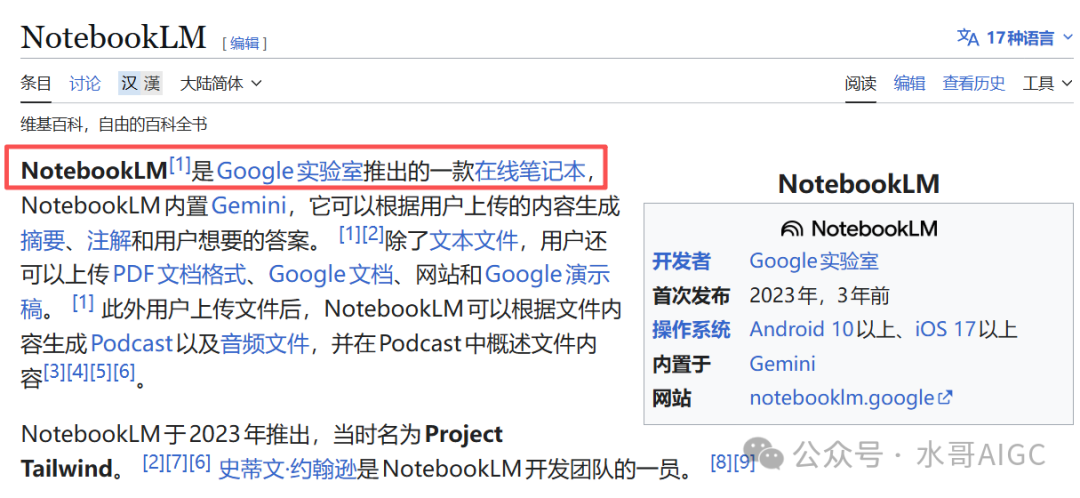
This is a direct link to the address of this tool. Open it。
NotebookLM address:
https://www.1ai.net/35781.html
If you want to use this tool, you have to import all your knowledge and information into it to form a knowledge base。
So, when we get to this tool, what we need to do first is to build a new knowledge base and then import the information you need。
Open this tool with your Google account number and then click on the new button on the top right of the page, or directly on the notebook list, and click on the rectangular control of the new notebook to create a new notebook, the so-called knowledge bank。
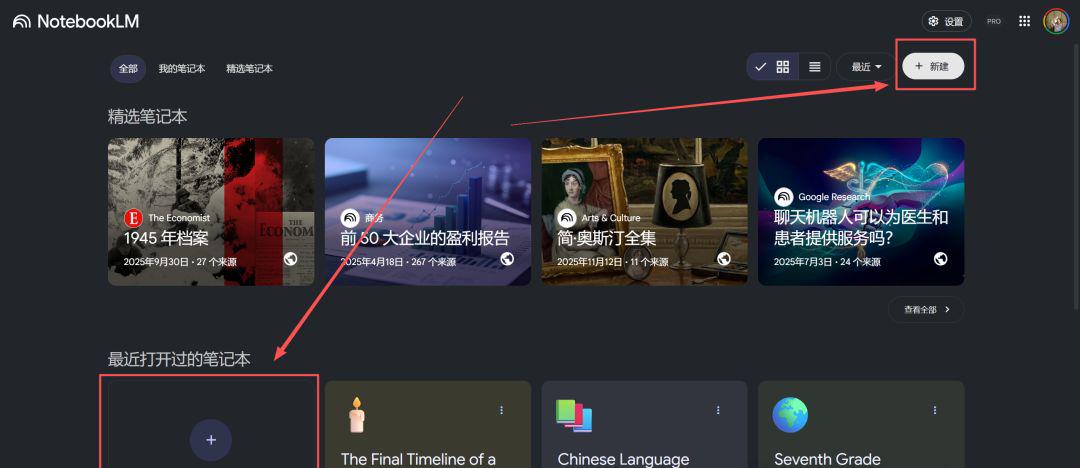
Clicking on a new one will require you to upload the information, support online searches and import the results of the search into the knowledge base。
Of course, there is support for uploading local files on your computer in formats such as pictures, videos, PDFs, as well as for posting direct web links, like video links on oil pipelines, or files in your Google Cloud hard drive. If you have only one large piece of text copied from elsewhere, it can be added here as a txt-like file。
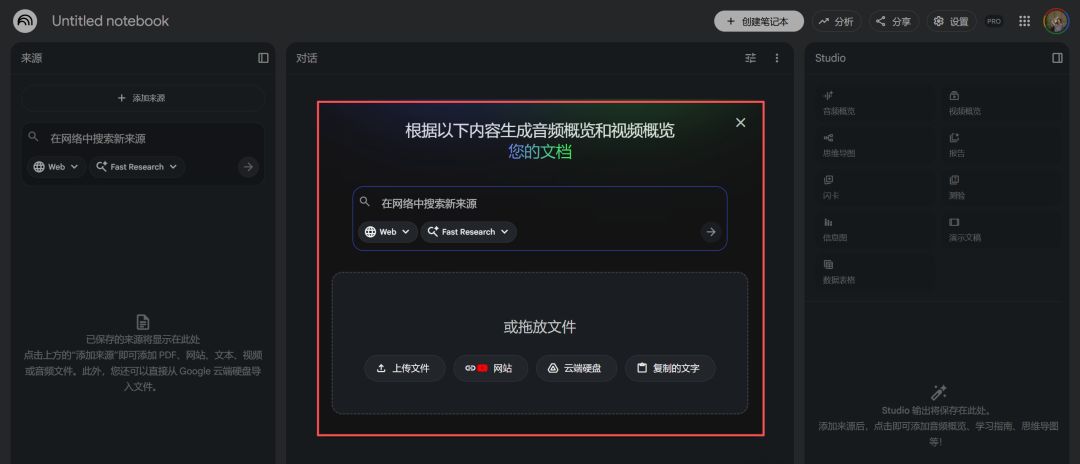
Anyway, if you want to add it, you can easily add it。
IF YOU DON'T HAVE GOOD INFORMATION FOR A WHILE, FOR EXAMPLE, WHEN MANY PEOPLE WANT TO DO A PPT OR A REPORT ON A PARTICULAR SUBJECT, IT TAKES A LONG TIME TO SORT IT OUT AND EVEN WONDER WHERE TO FIND IT。
At this point, you can try its Deep Research function, the in-depth search report, which, in an online in-depth search, usually takes a few minutes to gather very subject-oriented resources across the web。
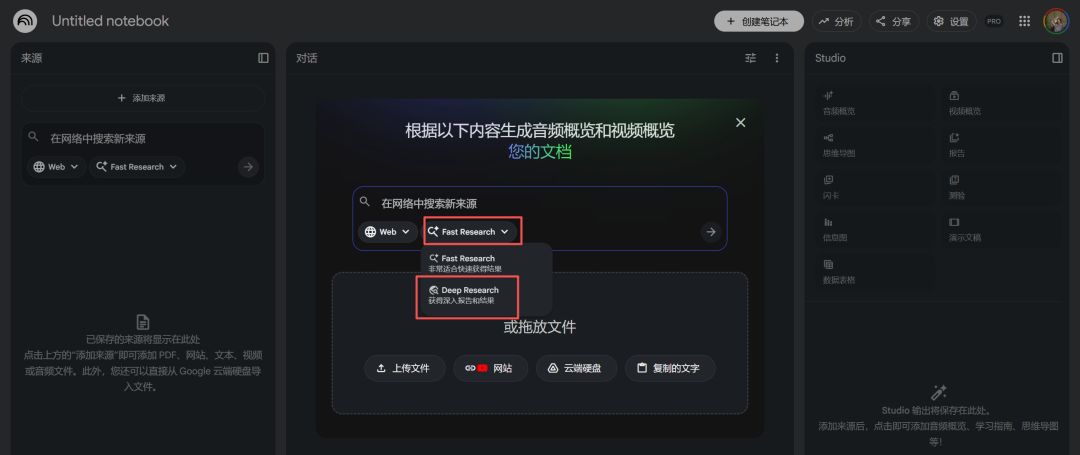
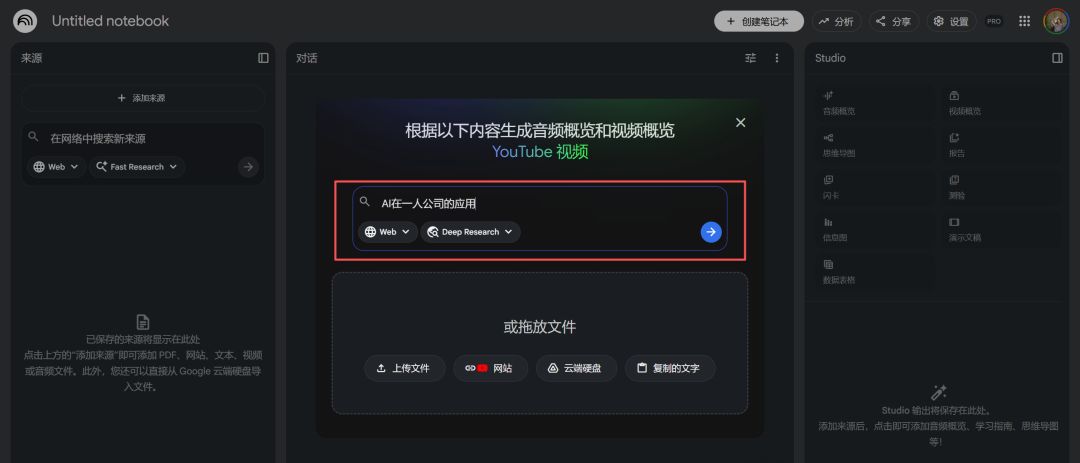
After choosing Deep Research, enter the subject you want to search for directly in the input box, for example, I've been working on the AI One company since I started my own business, so I entered the AI application in one company and then click on the send button。
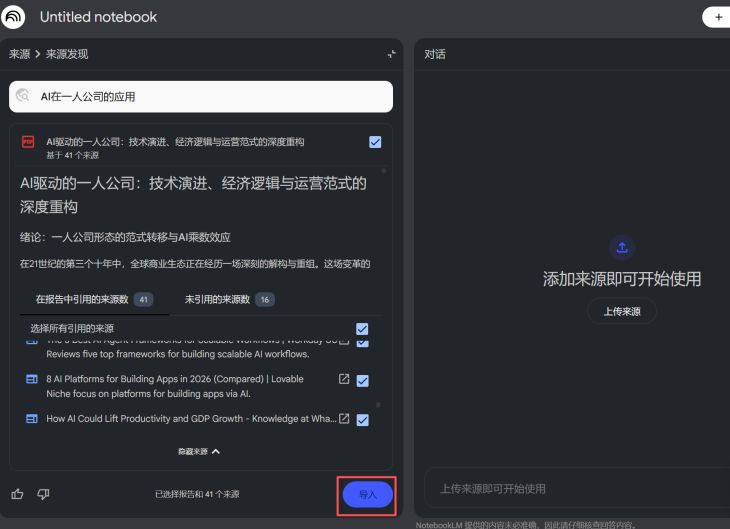
Soon, it will be able to gather very good resources all over the web, for example, on this subject, and it has quickly collected 41 resources. You can preview these resources directly and quickly and import them selectively。
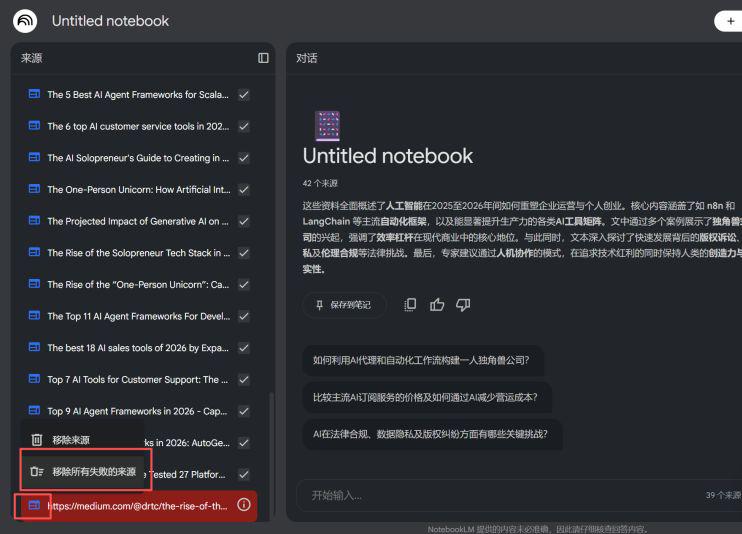
So all resources can be imported, and, of course, there may be some red-focused resources, which generally are resources that need to be viewed at a fee and cannot be imported directly, so that at this point all the sources of import failure can be removed。
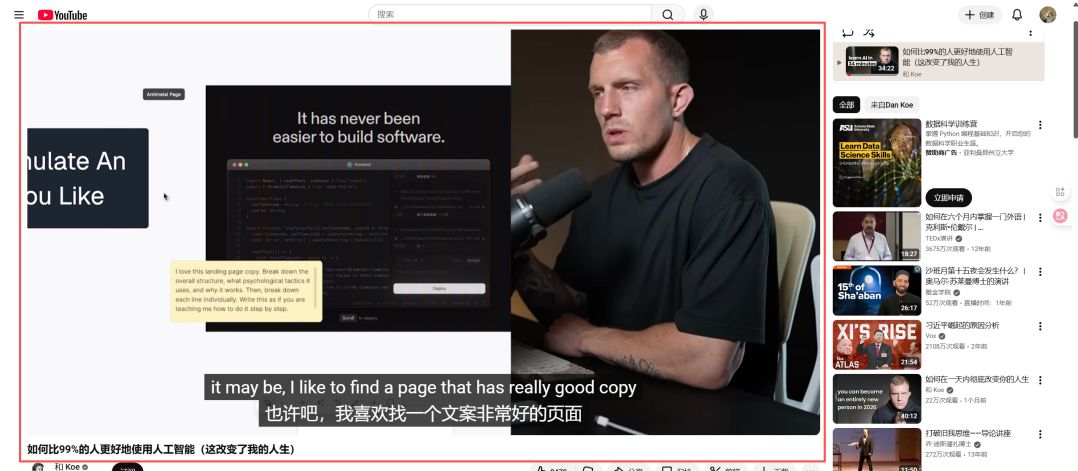
I've actually been studying the professional sharing of one of the companies by the Pipeline God Dan Koe recently, so I'm going to import a short video of him from the Pipeline。
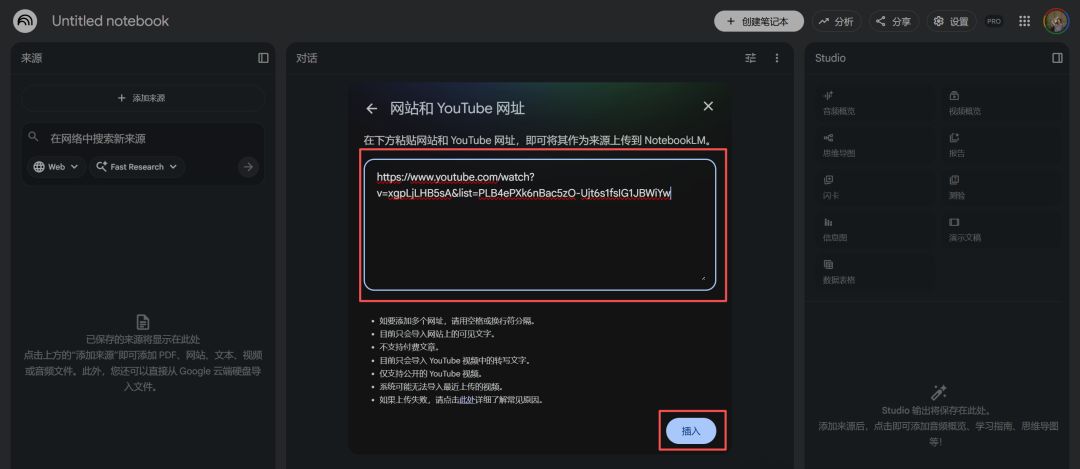
When you select a website in the Add Source dialogue box, you pop up a web site input box, and you paste the link to the short video above the pipeline directly, and then click the insert button。
Then we can import our own learning materials from somewhere else, like I have a Dan Koe-shared article here, or we can drag directly into the upload box。
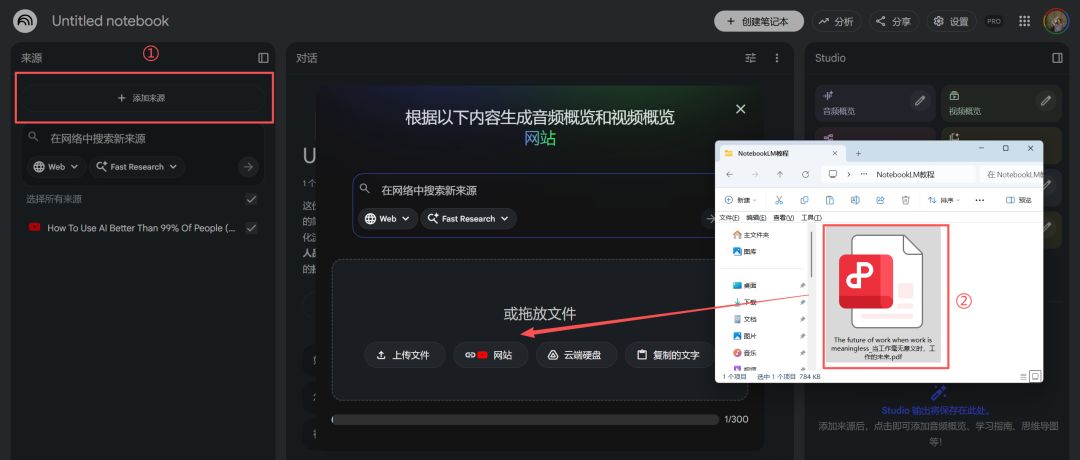
In these ways, you can fill your knowledge base with a growing wealth of expertise。
2.Turn the dry, long word into a deep podcast
After uploading the source, it usually uses your sources as a basis for generating a summary at the chat interface, where you can enter into a dialogue with the chat interface directly, based on those sources。
OF COURSE, IF WE TALK DIRECTLY IN THE DIALOGUE BOX, THEN THE TOOL IS NO DIFFERENT FROM THE NORMAL AI CHAT ROBOT, AND AFTER ALL, MANY AI NOW SUPPORTS THE UPLOADING OF VARIOUS ATTACHMENTS。
Attention is drawn to the Studio panel on the right side of the page, which contains audio overviews, video overviews, mind maps, reports, flash cards, tests, information charts, presentations and data tables。
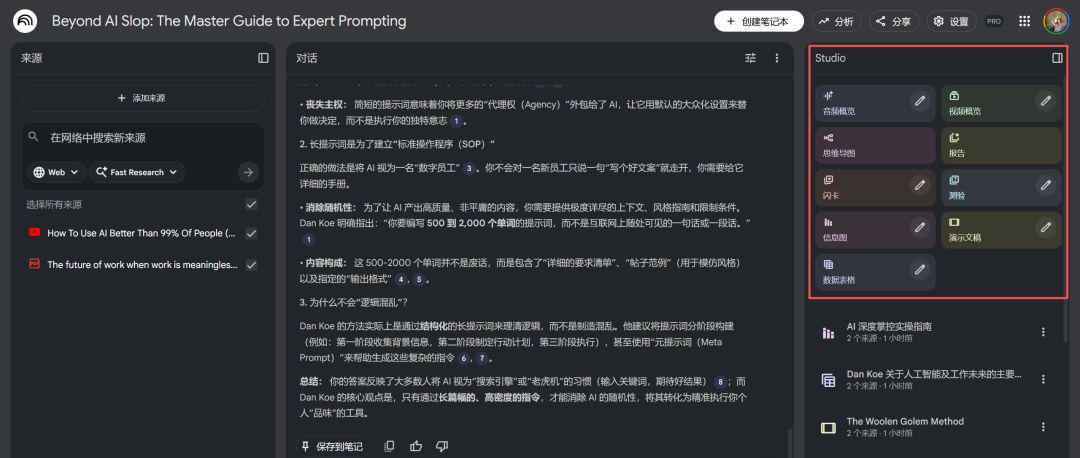
First, look at the first function, audio overview, and click the editing icon button on the audio overview card, because by clicking on this editing button, you can customize the setting of some parameters and, if you click directly on the card button, generate the default style result。
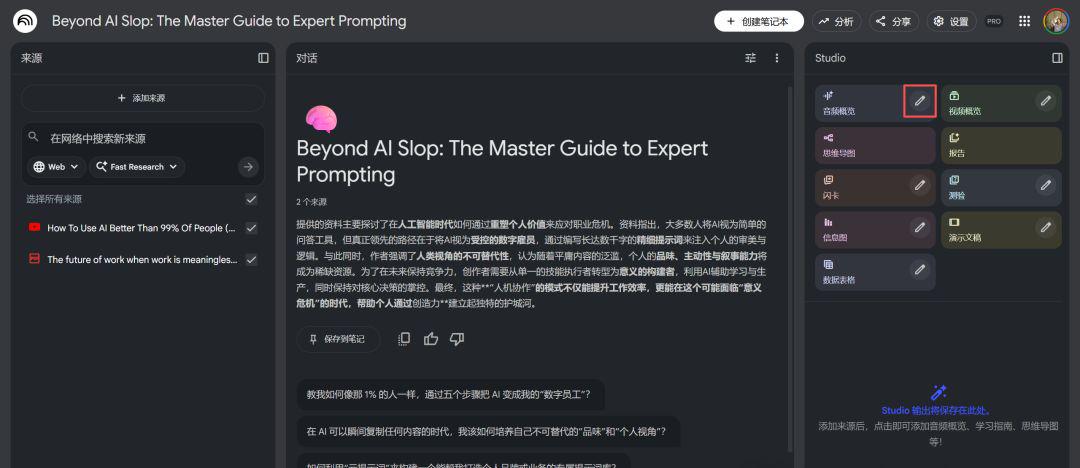
This will be followed by a custom audio overview window, which will select the settings of format, language, duration and hint。
Normally, we produce audio overviews so that we can listen to them on the subway or on the road, so the format can be used for in-depth studies, and it will be deeper. The language is Chinese, of course, and the time is sufficient。
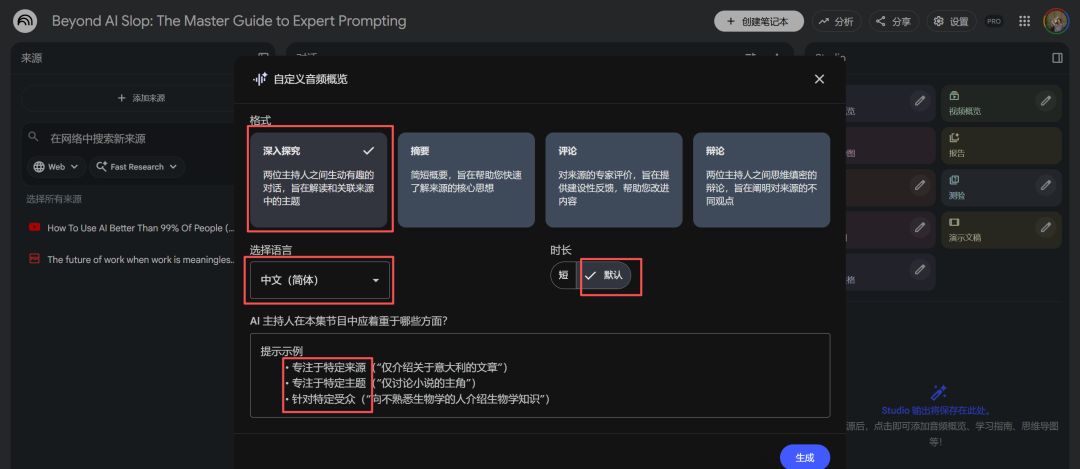
This is followed by the introductory part, which also gives examples, provided that it is clear which sources are focused, which specific themes are addressed, and who the audience is。
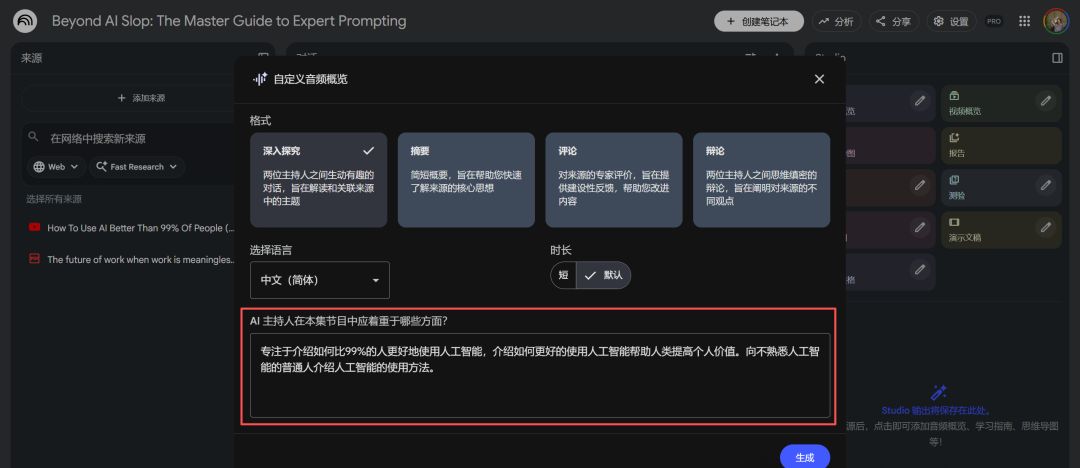
I have a brief paragraph here:
FOCUSING ON HOW TO MAKE BETTER USE OF ARTIFICIAL INTELLIGENCE THAN PEOPLE WHO USE 99%, AND HOW TO USE BETTER ARTIFICIAL INTELLIGENCE TO HELP HUMANS IMPROVE THEIR PERSONAL VALUES. THE USE OF ARTIFICIAL INTELLIGENCE IS INTRODUCED TO ORDINARY PEOPLE WHO ARE NOT FAMILIAR WITH IT。
Then you can just click and generate。
In just a few minutes, it can generate an audio file that can be played directly or downloaded by clicking and downloaded locally。
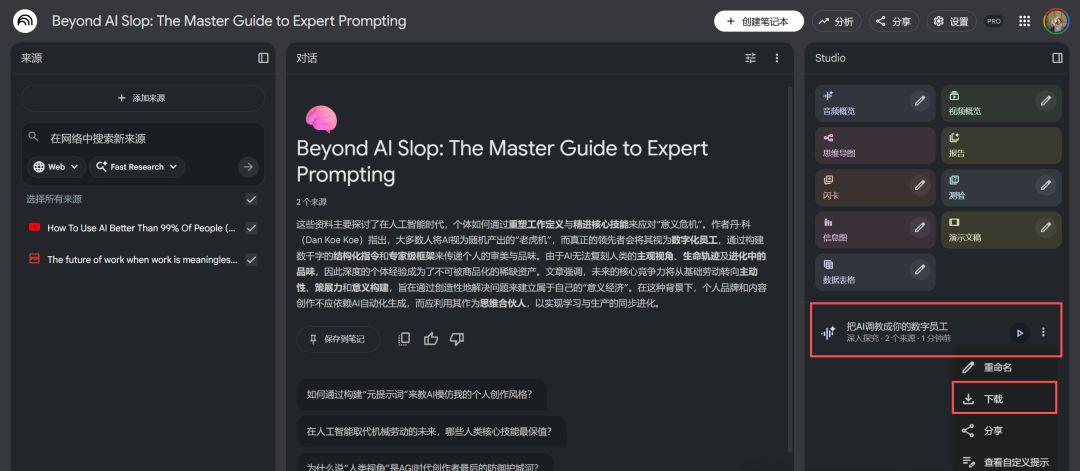
I have a direct 17-minute audio, and it's very attractive to read the title, called "Talking AI to your Digital Worker," which is a form of dialogue between girls and boys, and it's very nice to learn in the form of a podcast when it's not usually easy to read。
I'M GOING TO PUT THE AUDIO RIGHT HERE, AND INTERESTED FRIENDS CAN LISTEN, AND THE QUALITY OF THE PRODUCTION IS VERY GOOD AND THE CONTENT IS GRADUAL. GIRLS, LIKE REAL PEOPLE, SAY, "WELL, THAT'S THE WAY TO THINK, AND THERE'S HARDLY ANY "A."。
3.Document seconds for video interpretation
What about the second function, called video overview? It's a big collection of material that can generate you a video。
Click the button on this edit icon first。
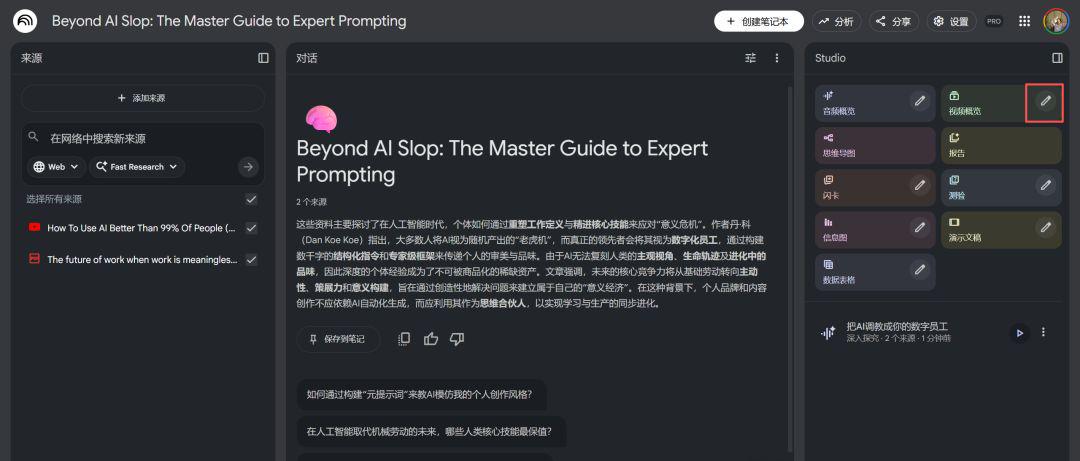
Here, too, the bullet window of a defined setup will appear, usually in the case of videos, language Chinese. Here, you can also set video visual styles, provide several default style presets, or custom styles, such as I've entered the "Screen of the Children's Story"。
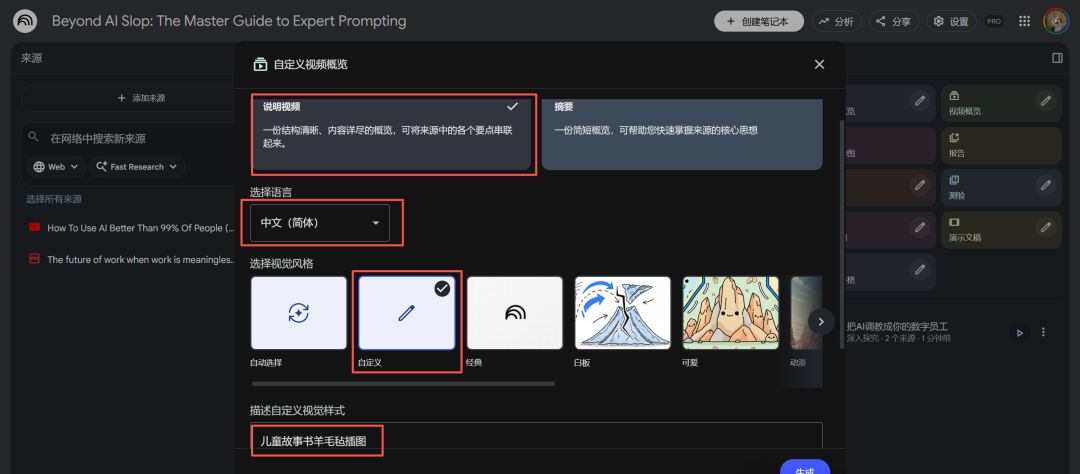
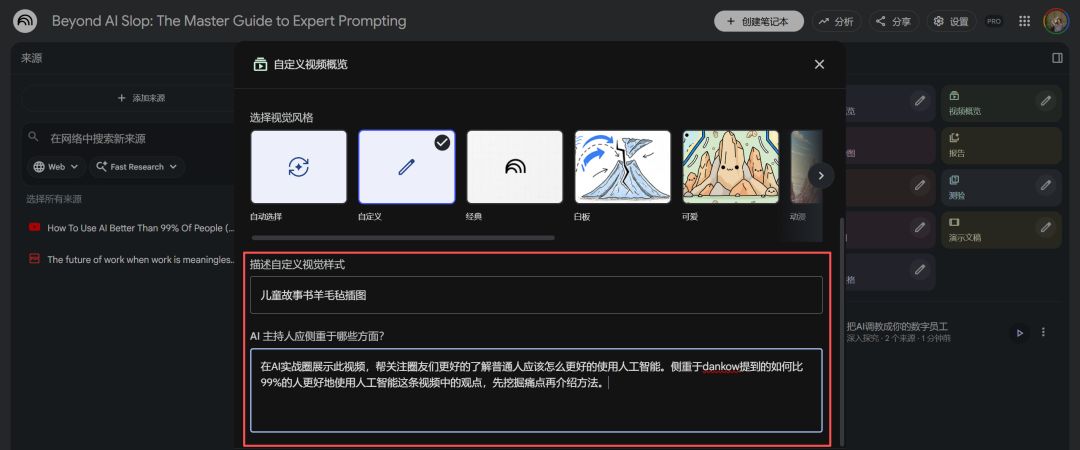
Then it is still possible to customize the text of the hint, to make it clear which points the video needs to focus on, and to have a hint in the pre-entry box, which I have entered here:
This video is shown in the AI field and helps focus on how ordinary people should better use artificial intelligence. The point of view in the video, which focuses on how better to use artificial intelligence than the one mentioned by Dankoe, is to dig pain and then introduce methods。
You can then click to generate, which is a few minutes, and you can see a new creation at the bottom right of the page。
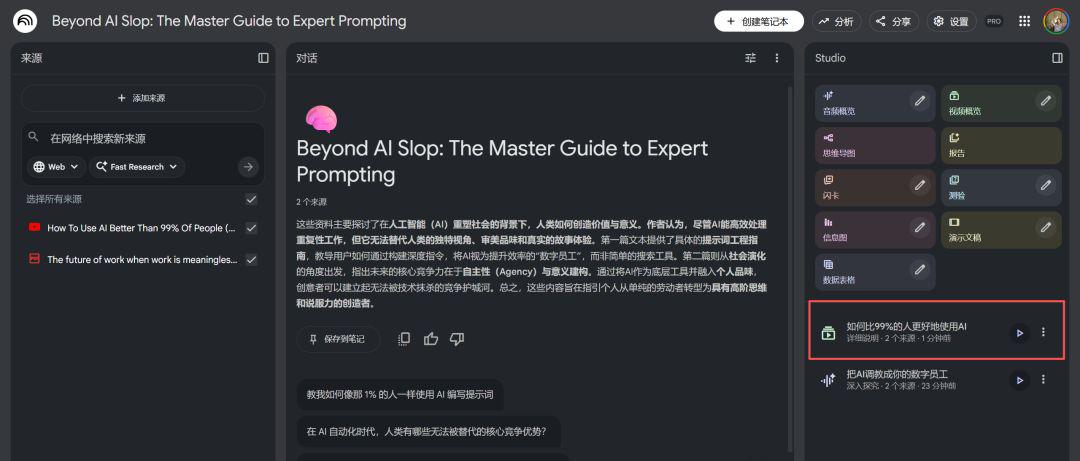
THE DOTS CAN BE SEEN AS A SHORT VIDEO OF MORE THAN SIX MINUTES, LIKE A PROFESSIONAL TEACHER WHO LECTURES TO PPT AND CAN DOWNLOAD IT BY CLICKING ON THE DOWNLOAD BUTTON。
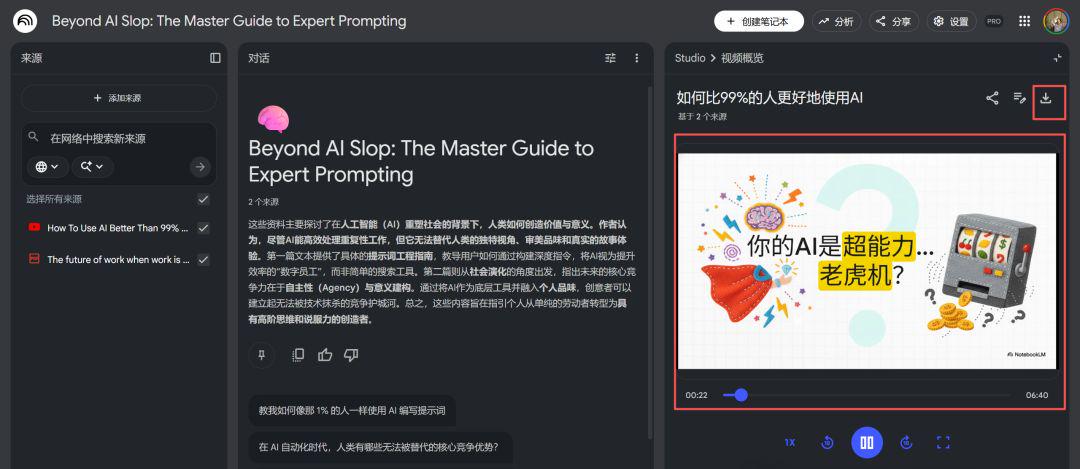
This is really amazing. It's so useful for a knowledge worker! Imagine, if you're a teacher and you want to make a video course for your students, it's really not gonna work out, you don't have to do it alone, you don't have to do it alone, you can do it in a few minutes。
The best! It's really following my requirements, digging pains and introducing methods, and it's my favorite recent wool style, and it's very beautiful, focused and well-suited. The sound is almost the same as the human voice, with a reasonable pause and breath. It's a great experience
4.Automatically combing the mind
The third function, called mind mapping, by definition, is to create a mind chart based on the information that we upload, and just click on the card of the mind chart。
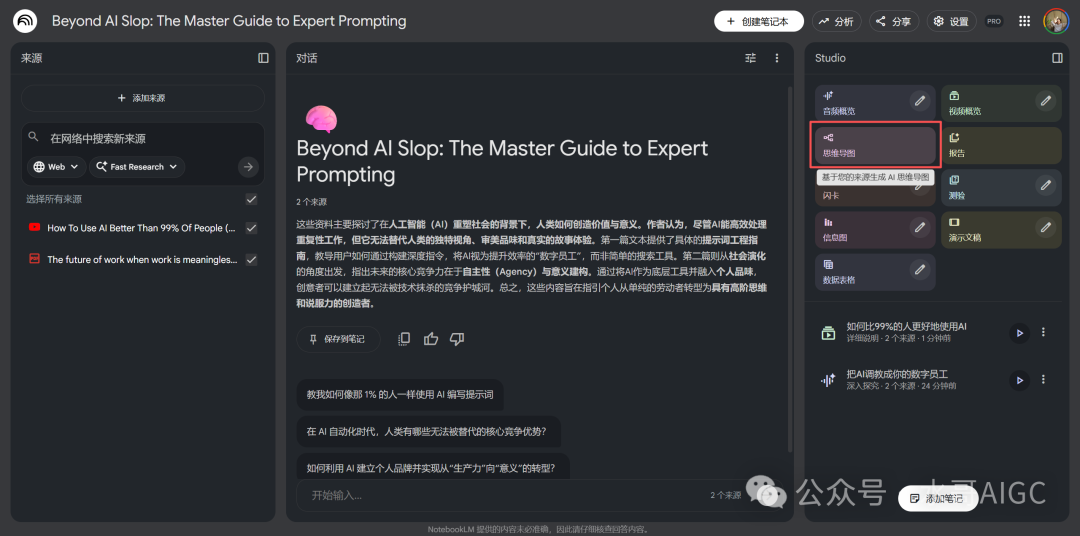
This does not require any other set-up, it just waits a minute or two, and it quickly produces a thought map。
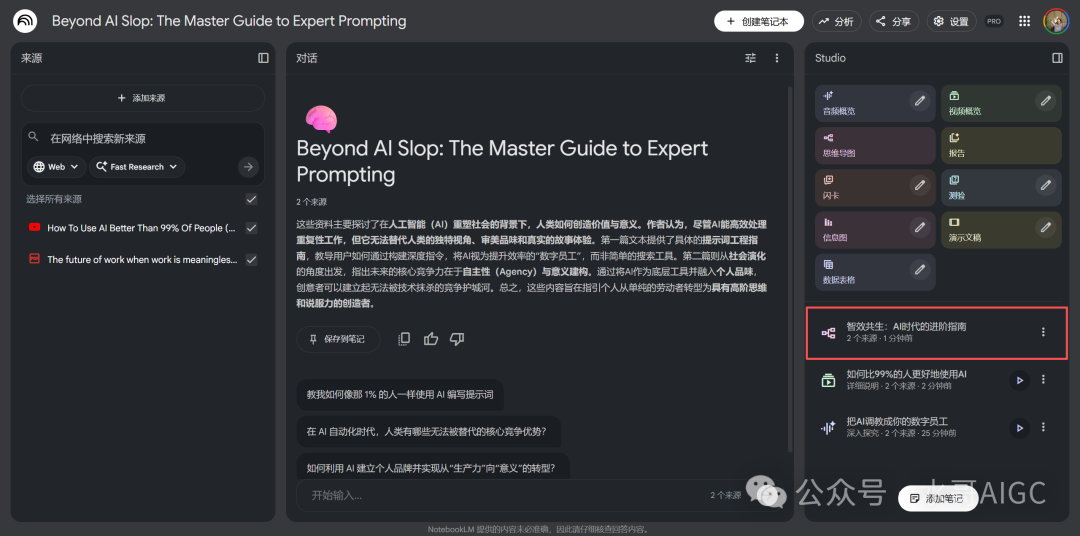
It is easy to summarize and combo the knowledge structure。
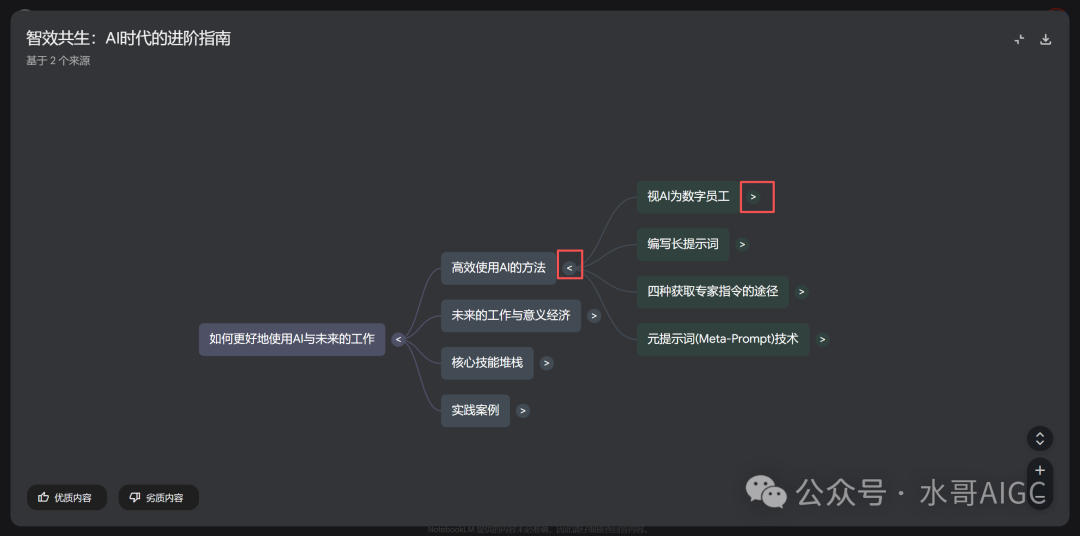
MOST IMPORTANTLY, BY CLICKING ON AN UNKNOWN NODE, IT AUTOMATICALLY SENDS THIS NODE CONTENT TO THE DIALOGUE LIST, SO AI CAN HELP YOU ANSWER THE CONTENT OR KNOWLEDGE POINT OF THIS NODE。
For example, I'm not quite sure about the “self-detailed rules” that I listed, but just click and start to give me a detailed explanation in the left-hand dialogue list。
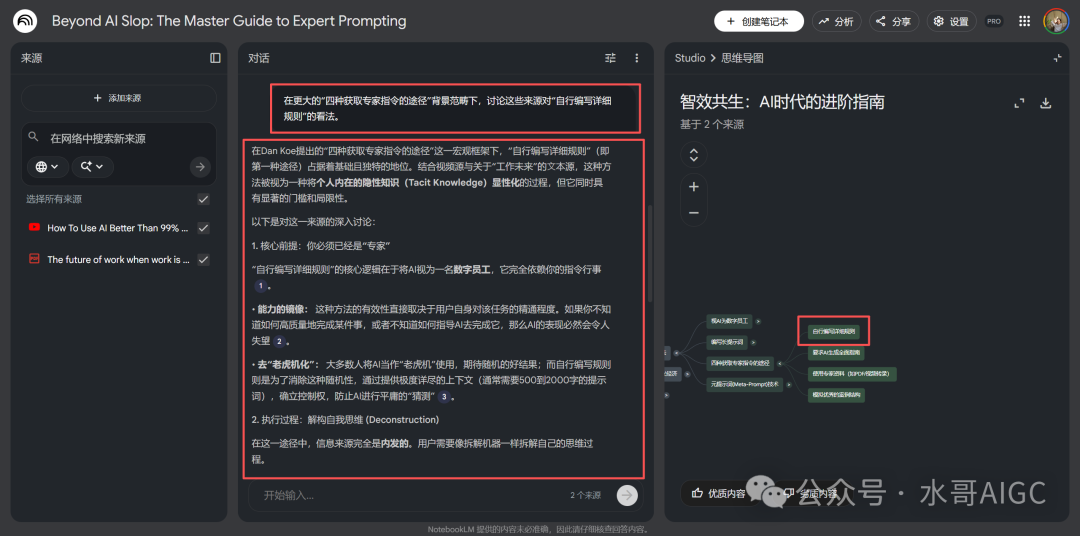
it feels so much better than a normal mind map, and it supports the direct translation of the mind map into a picture in png format without a watermark
5.One minute to generate expert-level briefings
The fourth function is reporting, which automatically generates reports based on the information you upload. The same operation, just click on the report card。
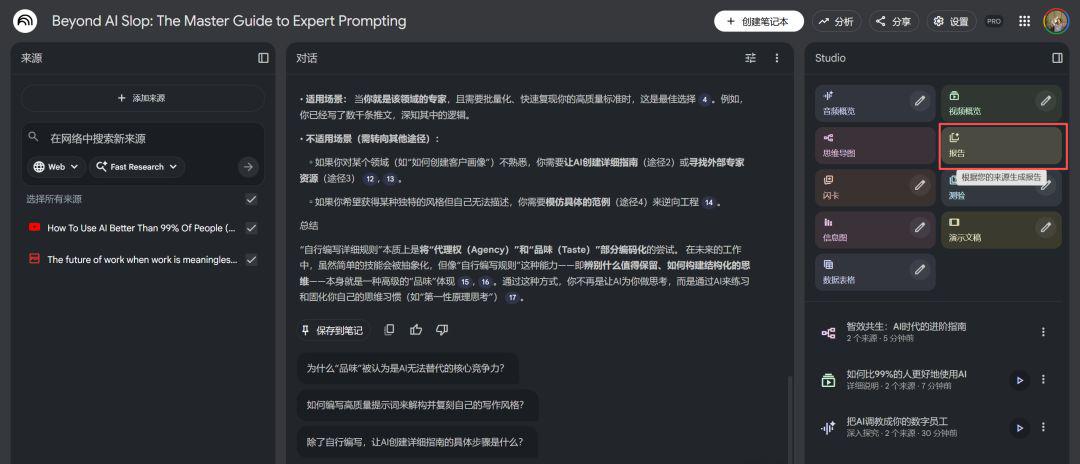
It will allow you to select an generated format and will automatically generate four recommended formats for you, based on the information you uploaded。
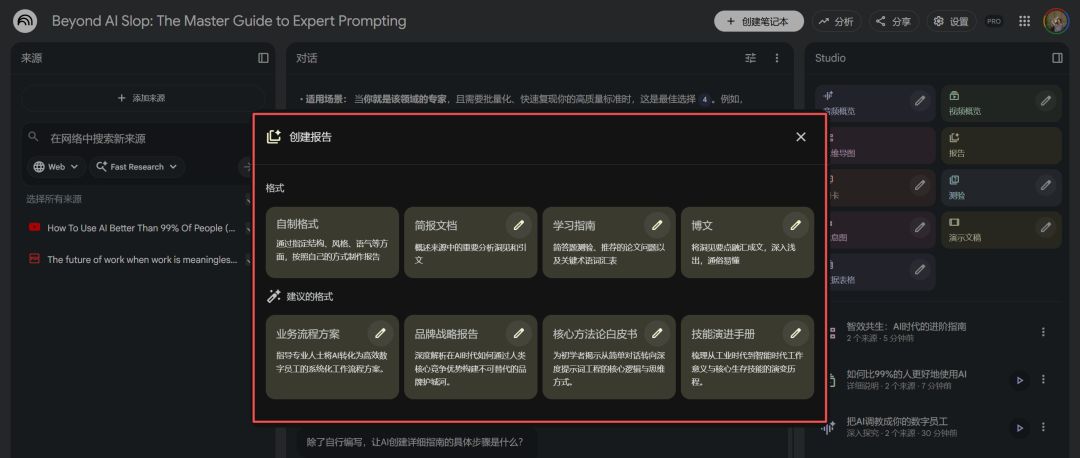
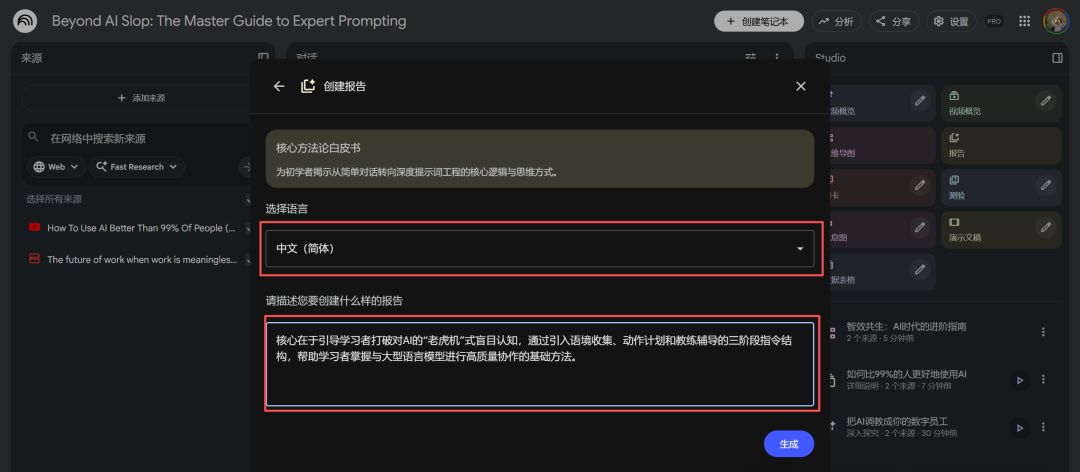
When you choose any of the suggestions that it gives you, you can set them further, for example, by choosing the core method white paper, which will automatically help me to insert a default hint in the reminder box. I just have to choose the language, of course, and you can modify it yourself. Then you can just click and generate。
In just a few minutes, it can quickly produce a professional report for you。
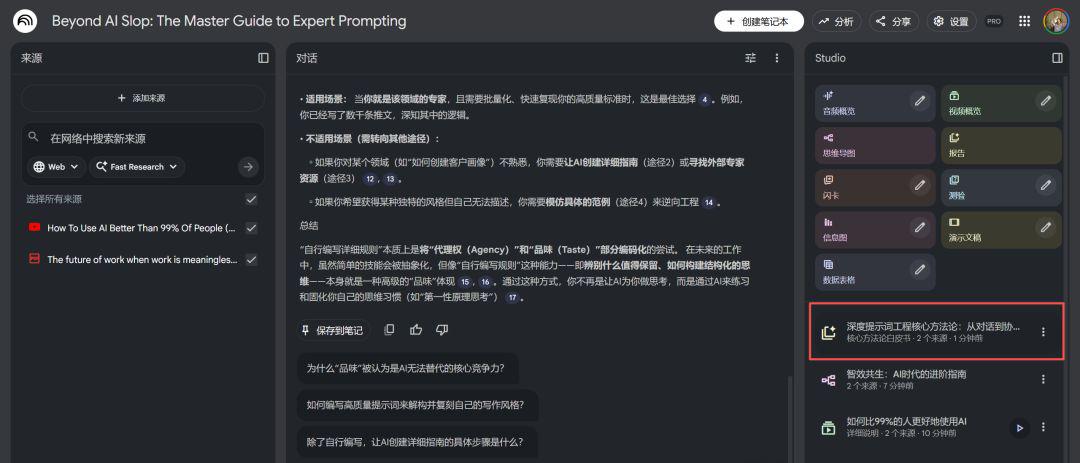
As can be seen, it is a detailed textual report with a table that can be copied directly and stored in your other scripts。
This is very useful for the professional content of reports and white papers。
6. Generate " Anki Class " memory flash cards by one key
Welding knowledge into our heads
The fifth function is to generate flashcards, which are used to quickly switch and repeat knowledge points, which greatly facilitate our memory of these knowledge points by clicking on the editing icon button on the flashcard。
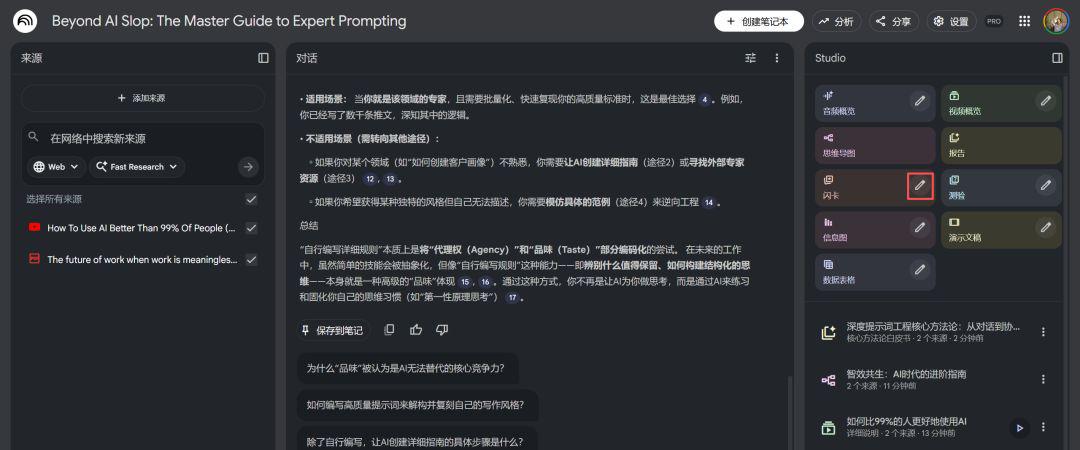
Then, in the pop-up window, select the number and difficulty level of the card and simply enter your needs, which is a hint, click to generate。
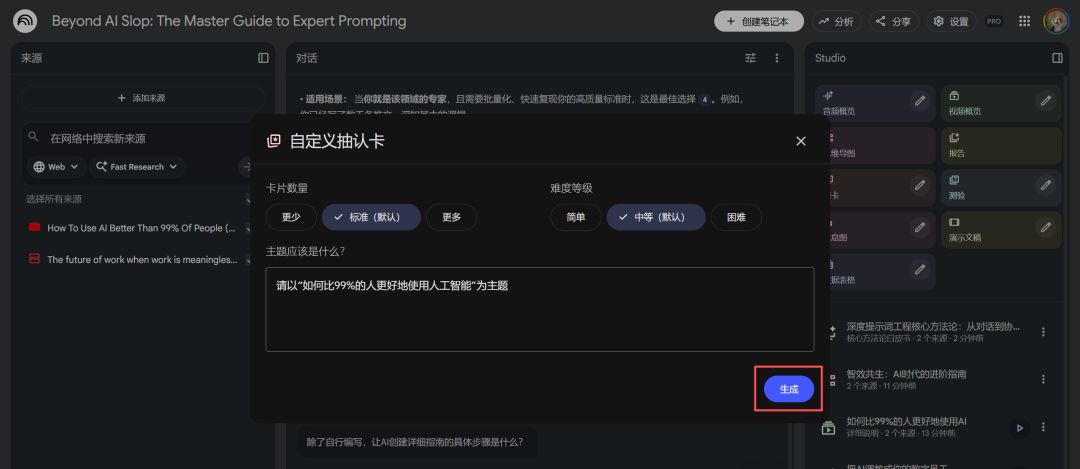
Soon, it will be able to help generate an important knowledge point in these sources that will greatly help us to understand and remember。
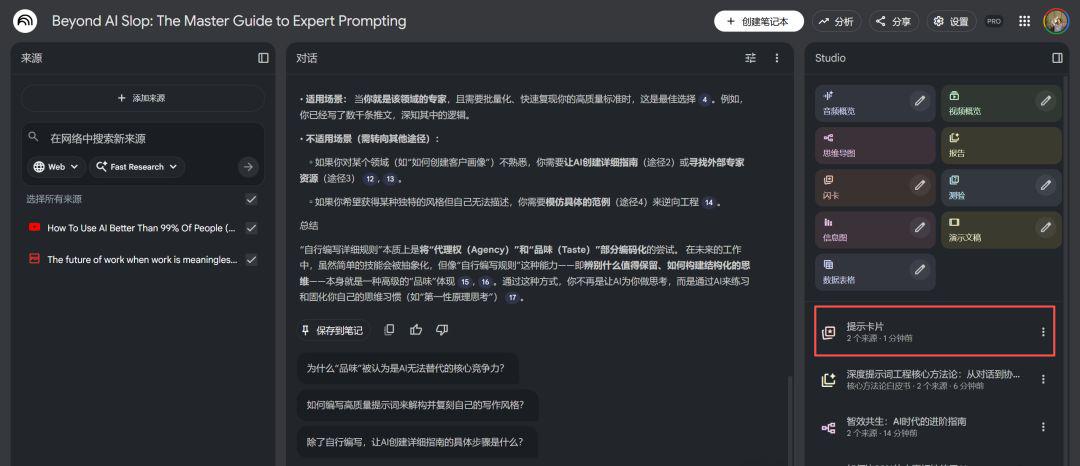
A detailed flash card can be found at a point, and it will be in the form of a card, with an important knowledge point, which can be flipped to see the answer on the back of the card, and can mark whether the knowledge point is understood and measured separately。
If the knowledge dot in a flashcard does not understand, it can click on the explanation and send it directly to the dialogue list and give you a detailed explanation。
YOU DON'T EVEN HAVE TO ORGANIZE YOUR OWN LANGUAGE TO ASK WHAT IT MEANS. IT'S JUST A VERY PROFESSIONAL QUESTION FOR YOU, TO MAKE SURE AI'S EXPLANATION IS CLEAR。
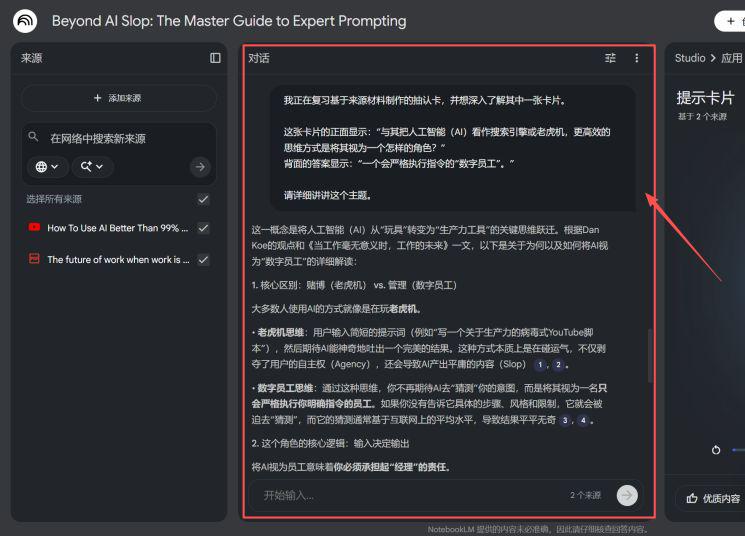
See, that's what it's called
7. One-key generation of field simulations
The sixth function, testing, can be simply understood as the creation of a subject generator based on the knowledge points you uploaded。
Learning on the basis of the various knowledge points in front of you is how to listen to podcasts when you can't study, how to create video teaching for you, how to write your notes, how to give you a professional report, and how to keep your knowledge point in mind。
It's not over! Just give you the whole test, ask you questions, test the extent to which you know these points of knowledge. Oh, my God. You've learned a long service. Click the editing icon button on the test card。
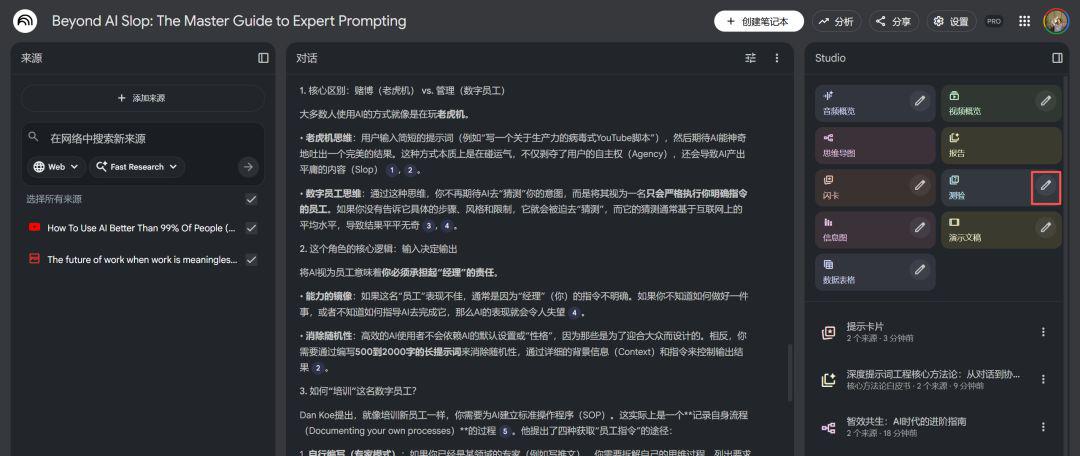
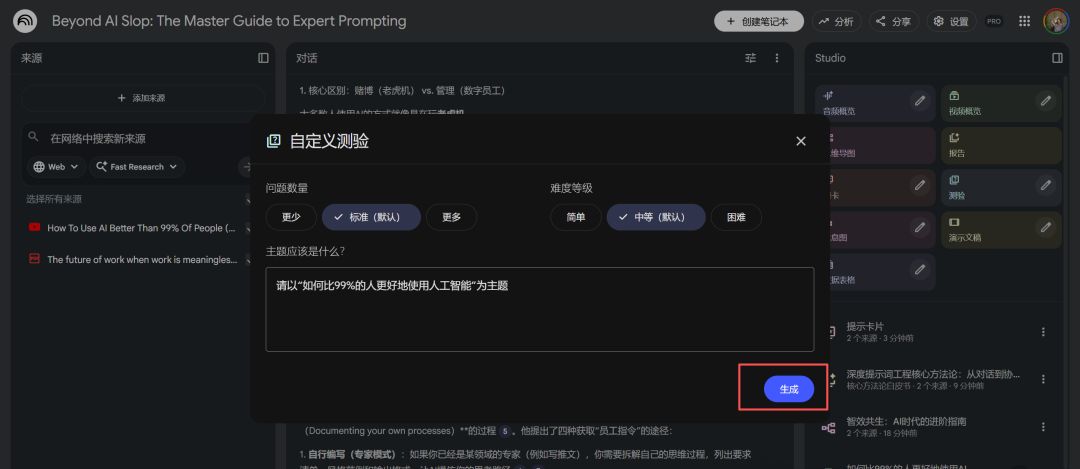
Then there's the number of problems, the level of difficulty, and that's what you want. If you want to be abused, you'll have to choose。
It's still possible to set a hint, and I've just entered it here so that it can click on the video theme of Dan Koe。
Soon, and in a few minutes, it will produce a document called Smart Questions and Answers。
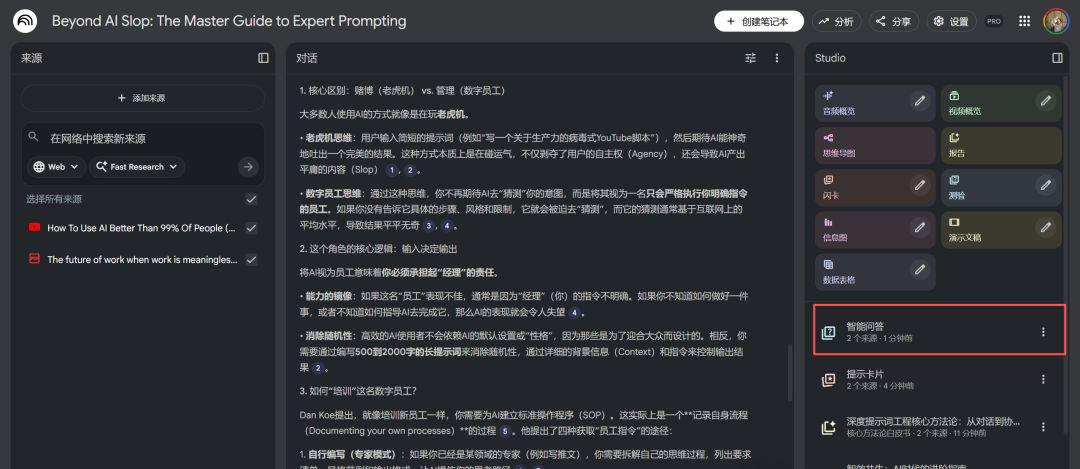
Click to see a tool page like this one, with a title and four options, which is actually a single subject。
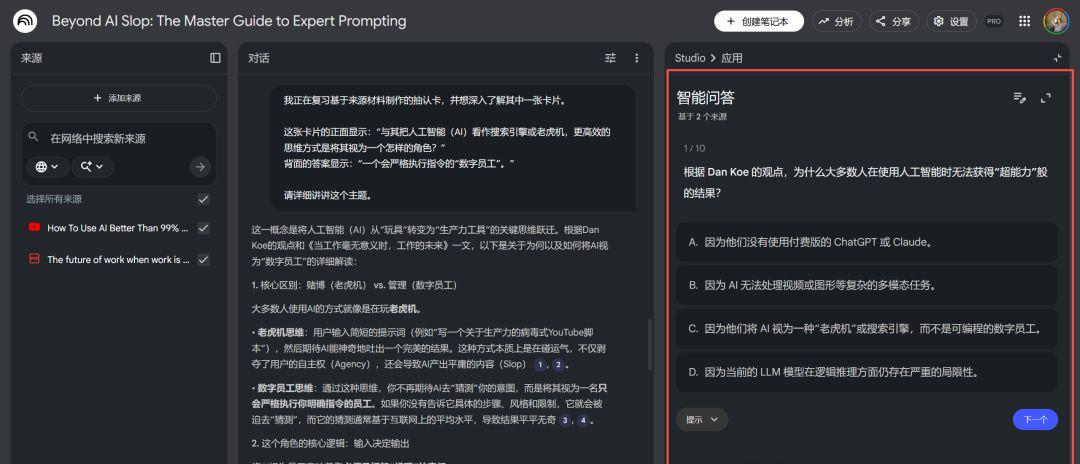
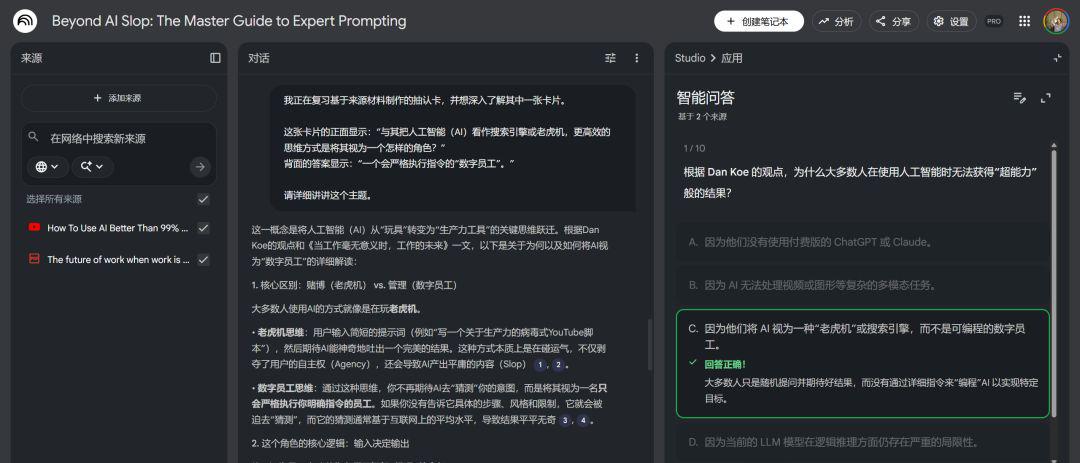
If you choose the option you think is right, you can immediately see if the answer is correct, even if the answer is correct。
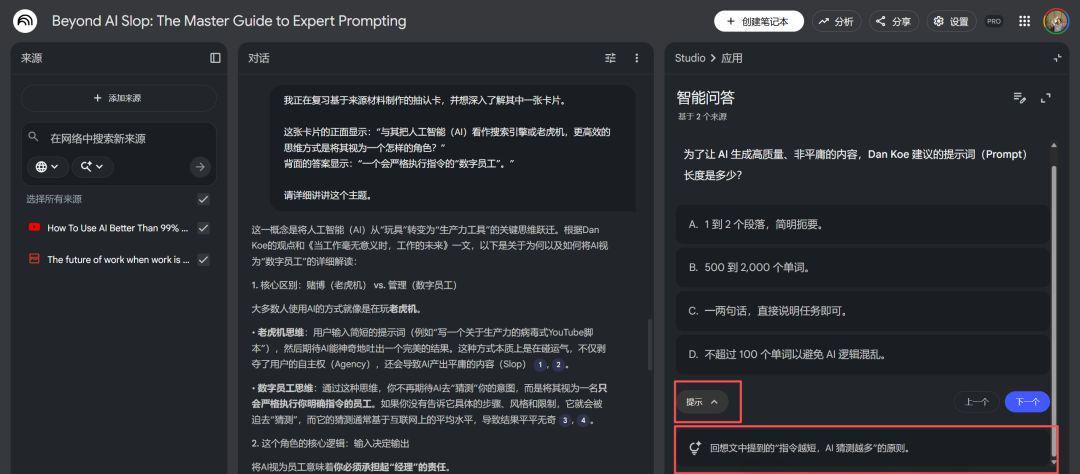
If you can't answer, you can also click on the prompt button below the option, which will give you a little hint that will help you better。
If the answer is wrong, it not only gives you a simple explanation of why this option is wrong under the option, but you can just click on the explanation button。
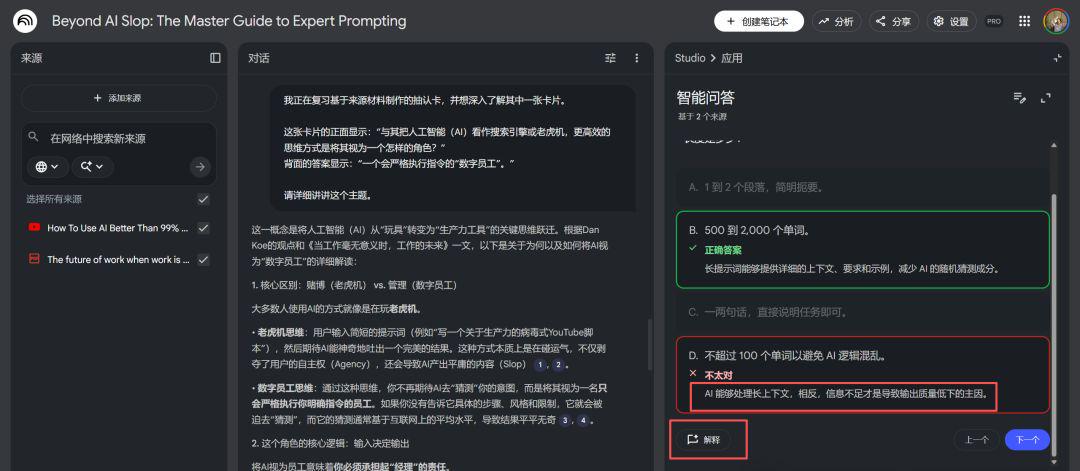
IT WILL SEND THIS QUESTION AND THIS OPTION DIRECTLY TO THE DIALOGUE LIST SO THAT AI CAN FURTHER EXPLAIN IT TO YOU IN DEPTH AND IN ALL ITS ASPECTS, SO LET'S JUST GO AHEAD AND GIVE YOU A CAREFUL ANSWER LIKE A TEACHER. WHY DID YOU CHOOSE WRONG。
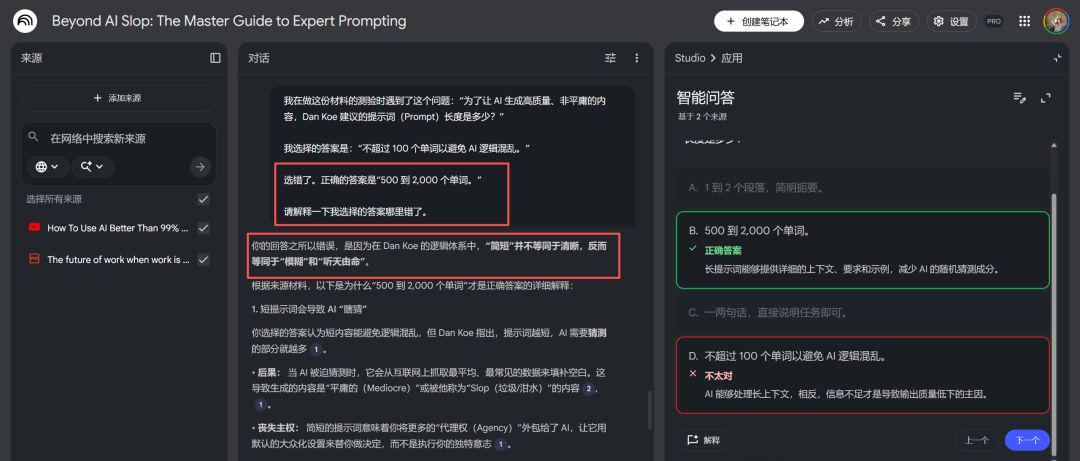
Once all the answers have been completed, you will also have a report similar to the report card。
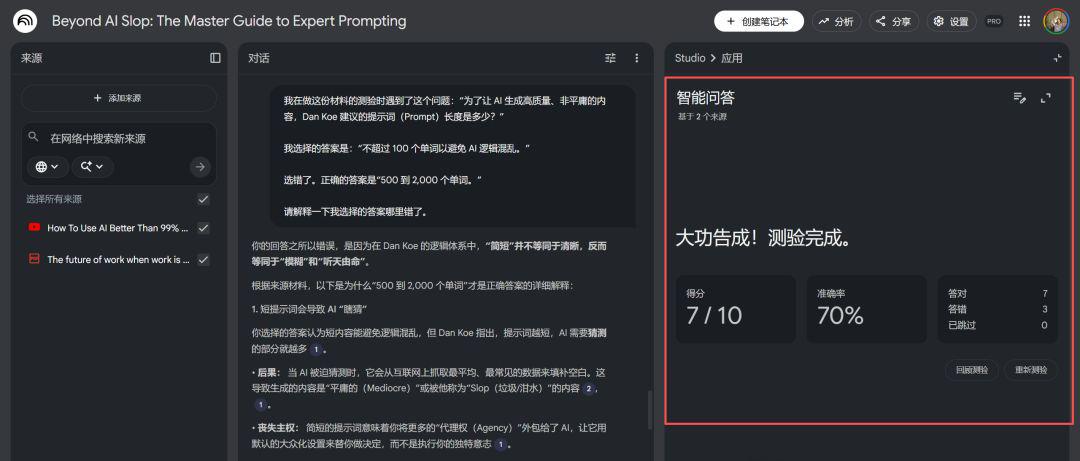
Hey! Don't say it's a free and professional private teacher
8.A dry concept second to logical chart
The seventh function, based on the information you uploaded, produces professional information maps, or knowledge maps。
Just click the editing icon button on the information card。
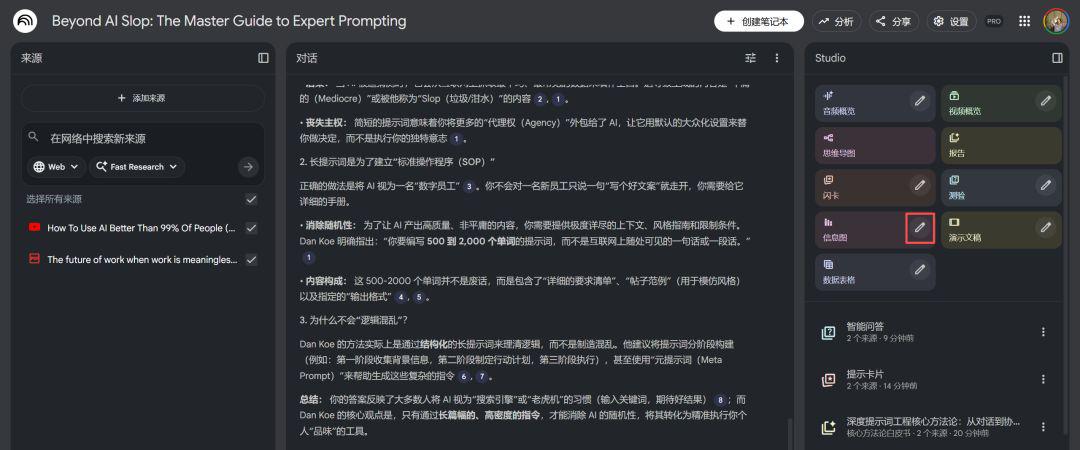
And then, in the window that pops out, you set the language, and the picture that comes out is a board? Or vertical? Or square? You choose. Including the level of detail of this graph, as well as the special requirements, you can enter it into the prompting box, and I have entered an iPhone very simple wind here. Click the Generating button。
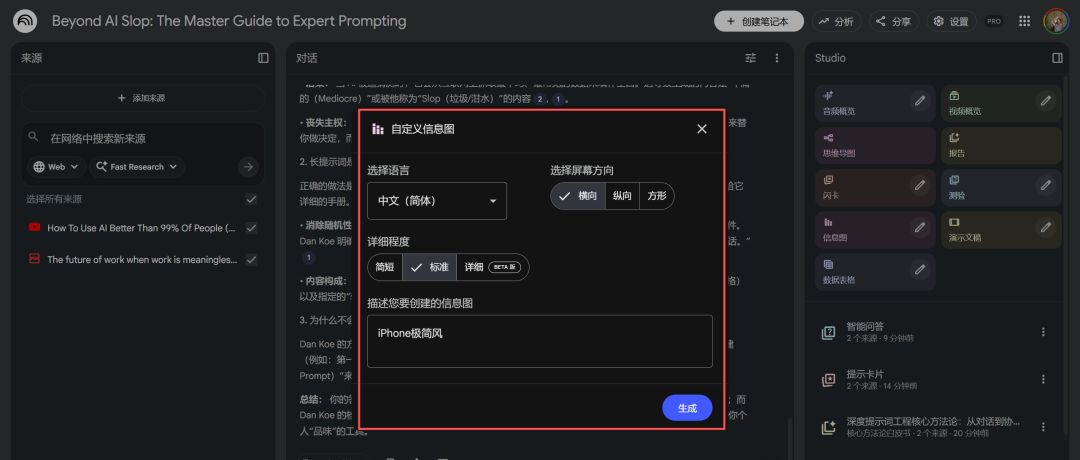
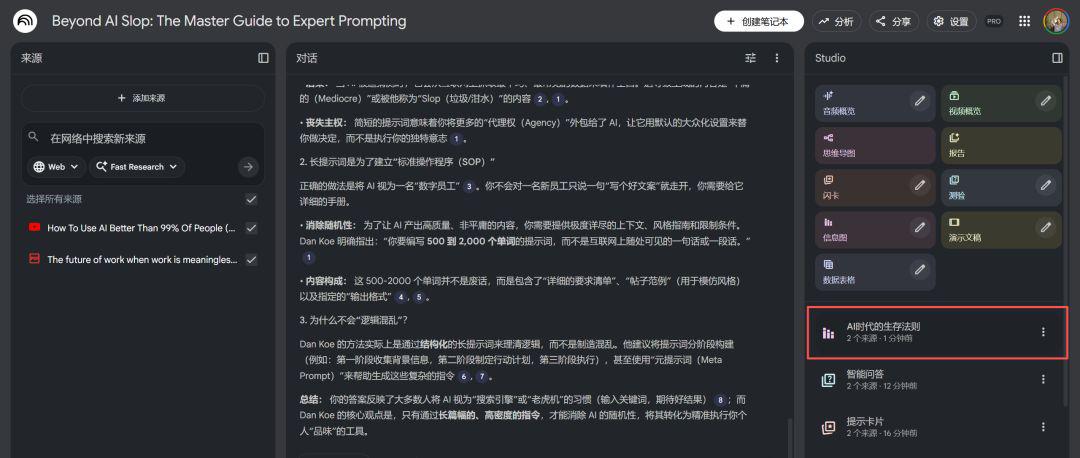
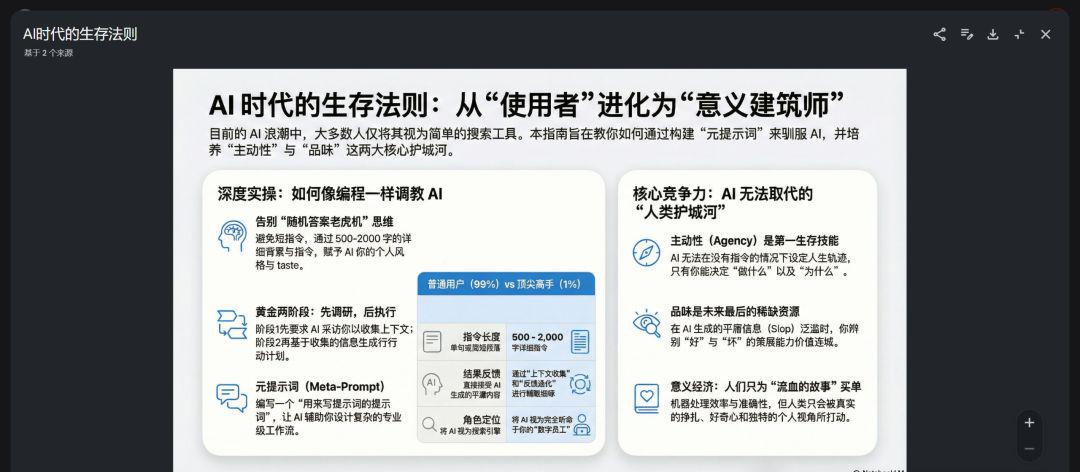
IN A FEW MINUTES, A PICTURE CALLED "THE LAW OF SURVIVAL OF THE AGE OF AI" WAS CREATED。
Pointing up, it can be seen that this is a knowledge map, and the knowledge points will be more intensive if detailed selection is made before generation。
If you think it's too simple? It doesn't look beautiful。
AND BEFORE YOU CREATE IT, YOU CAN WRITE IN YOUR FAVORITE STYLE, LIKE I LET IT CONTINUE TO PRODUCE MY FAVORITE WOOL. THE HINT IS TO GENERATE A “USAIC”-STYLE INFORMATION MAP ON HOW BETTER TO USE ARTIFICIAL INTELLIGENCE THAN THE 99% PEOPLE, USING WOOL-LIKE STYLES。

Does it look much better in a moment? Anyway, you don't have to hire any senior experts to sort out the knowledge points, you don't need a professional designer to help you with the layout, you just have to click on the chart button to choose the style you want。
9. DOCUMENT AUTOMATIC PRESENTATION PPT
The eighth function, which helps you generate a presentation based on the information that you uploaded, is PPT, a feature that many friends have learned, and it's amazing, and I've written one or two courses on the NotebookLM generation of PPTs, and it feels like we've all had enough。
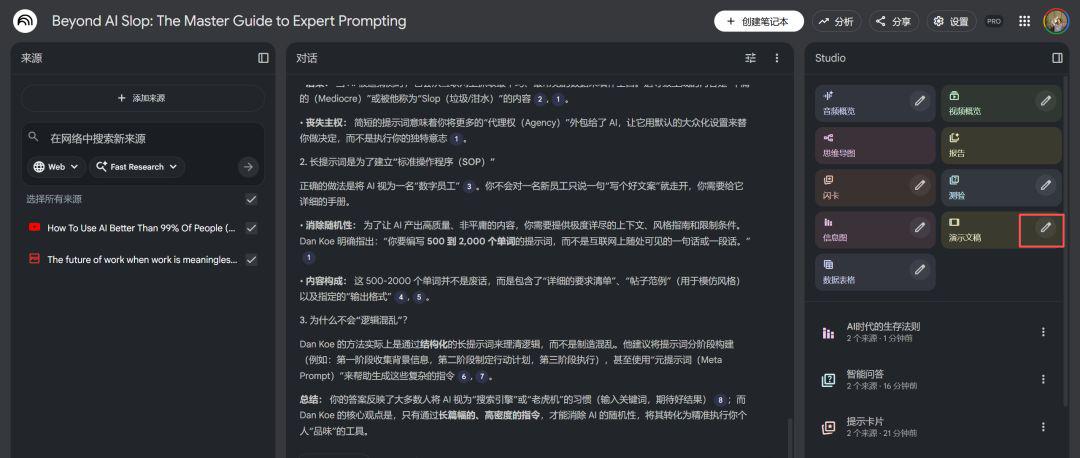
Here's to share, just click on the edit icon button on the presentation card。
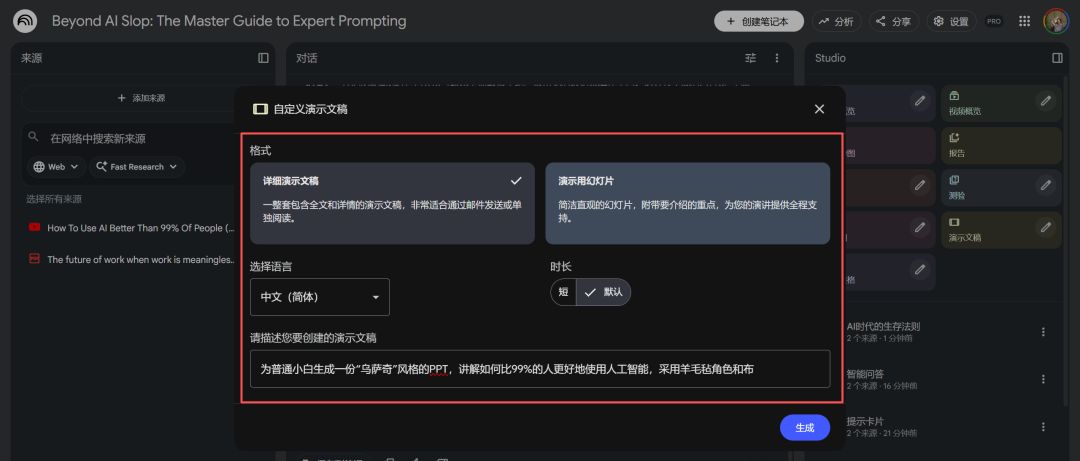
Then it pops up a window setting up, asking us to choose format, language, length and hint, so you can choose as you want。
AND HERE'S THE HINT, I STILL CHOOSE THE WOOL STYLE, BECAUSE I'VE RECENTLY FALLEN IN LOVE WITH PICTURES OF THIS STYLE. THE HINT IS TO PRODUCE A “USAIC”-STYLE PPT FOR THE COMMON WHITE, WHICH EXPLAINS HOW BETTER TO USE ARTIFICIAL INTELLIGENCE THAN THE 99%, AND TO USE WOOL ROLE AND FRAME。
AND THEN JUST CLICK ON IT, AND JUST WAIT A FEW MINUTES, AND YOU CAN SEE THAT IT'S ALREADY PRODUCED YOU A PPT。
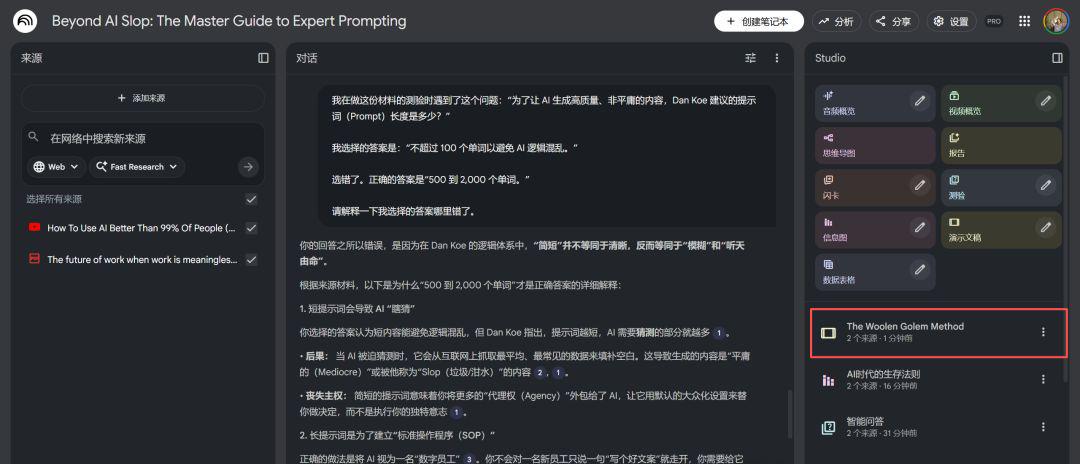
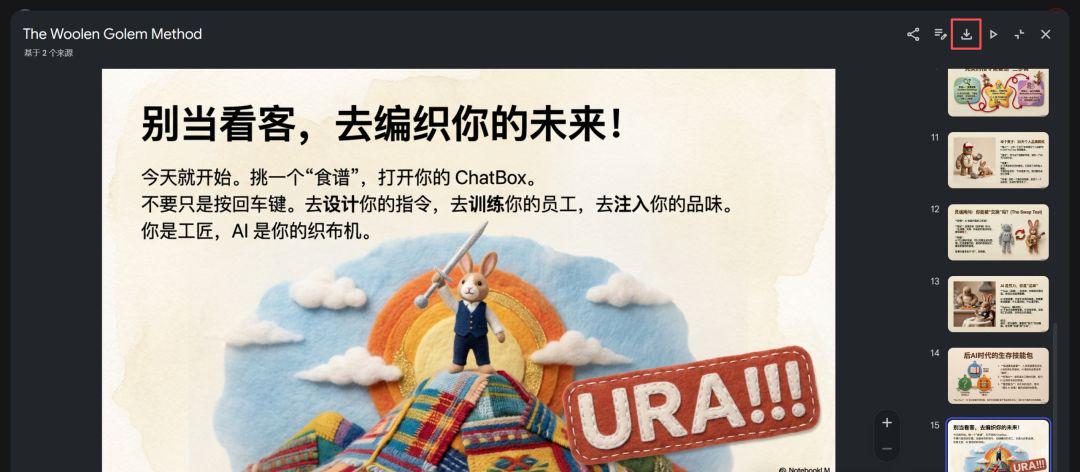
Take a look at it, wow. It's a beautiful style. It's a tool with a Nanabanana Pro graphics model。

YOU CAN STILL DOWNLOAD IT DIRECTLY, A PDF FILE, THEN A PPT, SO THAT YOU CAN USE IT ONLINE AT ANY TIME, AS TO HOW TO TURN IT INTO A PPT, AND AS TO HOW TO BECOME AN EDITABLE PPT, YOU CAN READ MY PREVIOUS ARTICLES AND HAVE SPECIAL LECTURES。
10. Automatic tabularization of messy content
The last feature, based on the information that we upload, generates professional data tables by clicking on the icon editing button of the data table card。
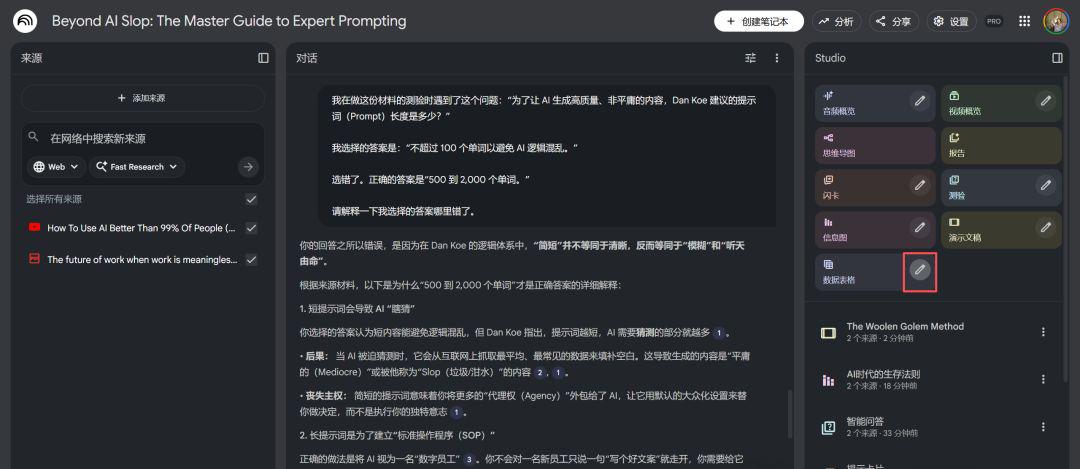
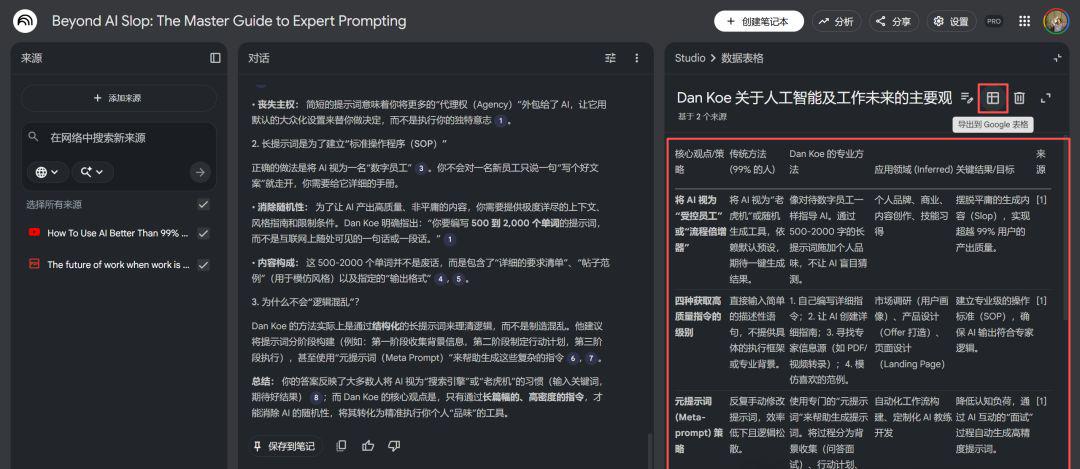
Then you select the language in the popup window and what data tables you want to create. The Chinese language that I have chosen here is also the word that allows it to generate the main points of view expressed in the video and article about Dan Koe. Click directly on the generation button。
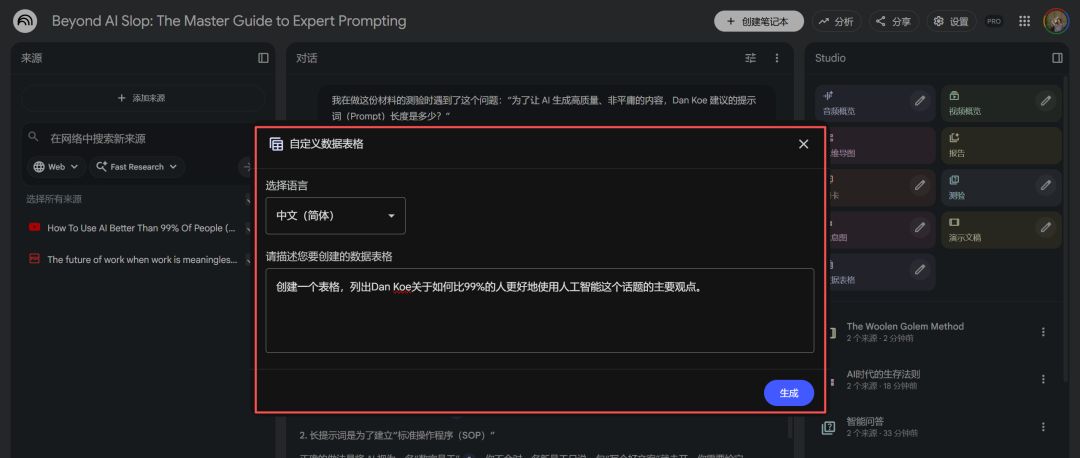
Soon, it can be generated directly。
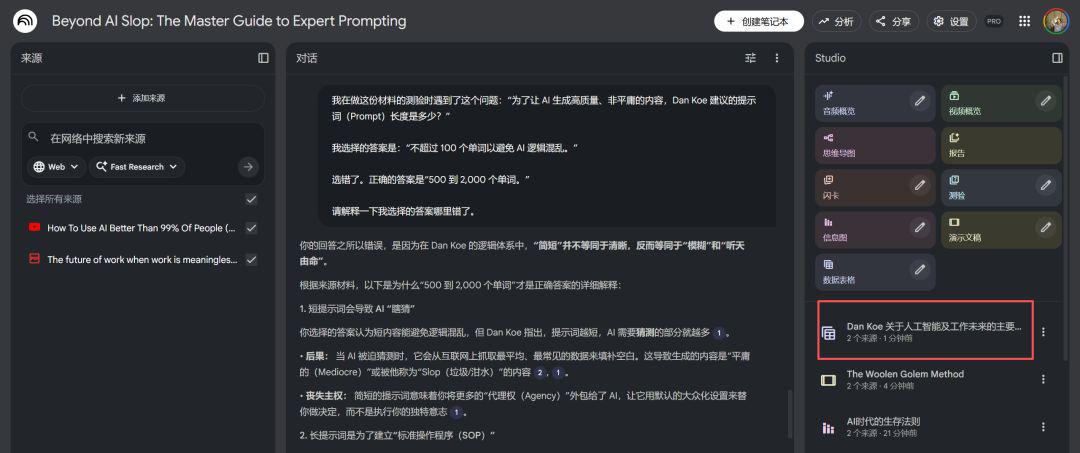
As can be seen, there is only one table that can be imported directly into the Google table, and the contents of the table are clear, and Dan Koe ' s main points of view are listed in one table。
All right, so now the function of NotebookLM is basically what it says, of course, if you've got a more timid game, you'd like to talk about it in the comment section。
You will find that these functions are, in fact, a process of sorting out and ultimately exporting the results in different forms, in response to the information that we upload, the knowledge we have。
WHEN WE PUT UP DOZENS OF VERY PROFESSIONAL AND COMPLEX RESOURCES, A BRAIN UP, AI WILL HELP YOU TO EXTRACT THEM, MAKE THEM TWO-PERSON AUDIO PODCASTS ON YOUR WAY TO WORK OR DRIVE, AND MAKE THESE KNOWLEDGE POINTS A VIDEO TUTORIAL OR EVEN A TEST, A PPT TEXT SHARED WITH THE OUTSIDE WORLD。
Anyway, it's your second brain, and it's a new knowledge base, dedicated to your interest in a particular field, and it's available to you. It can really free us from cumbersome data-processing and aggregation, giving us more time to focus on creation and results。
NotebookLM is not a tool, it's your second brain and private research team。
IN THE AI ERA, THE DIFFERENCE BETWEEN PEOPLE IS NOT A TOOL, BUT A TOOLCompetence to ask questionsandIntegrating information thinking。
TOOLS ARE JUST TRICKS, MIND TRICKS. IF YOU WANT A SYSTEMATIC MASTERY OF HOW THE AI TOOLS CAN ENABLE INDIVIDUAL COMMERCIAL LIQUIDITY, WELCOME TO MY AI ONE CLUB. HERE YOU ARE TAUGHT NOT ONLY TO USE TOOLS, BUT ALSO TO RUN YOURSELF LIKE A COMPANY。
All right, that's it for today. This is probably one of the best Internet-wide tutorials for the NotebookLM. If they come on line, I'm going to use it in depth, and I'm going to bring you an update, a more complete curriculum, and I'm going to welcome my friends to keep watching