



official address: https://www.codebook.cn/work/
This is a desktop end developed by the CodeBuddy team and can also be connected directly with flying books, enterprise micro-intelligence。
In a nutshell, WorkBuddy is an AI raw desktop that is able to automate a lot of office-type operations. Like any data analysis, PPT, file management, everything。
But the difference is that WorkBuddy Claw can direct WorkBuddy directly through mobile phones in daily IM tools such as corporate micro-intelligence, flying books, nails, QQQ。
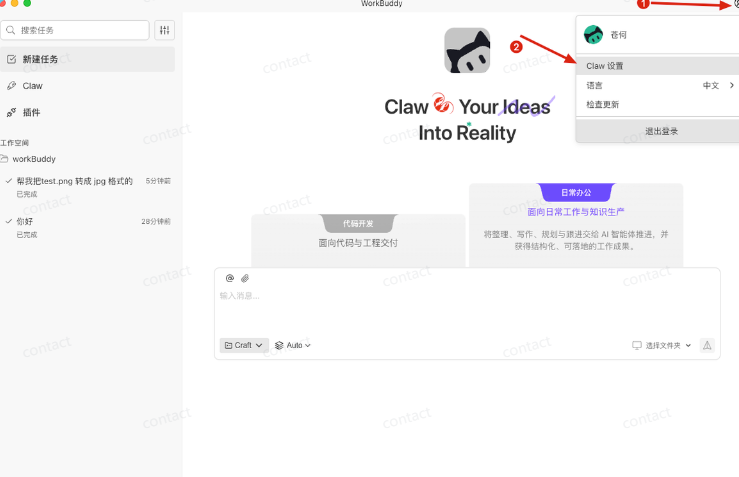
Open WorkBuddy, click on the personal right top corner button and select "claw settings":
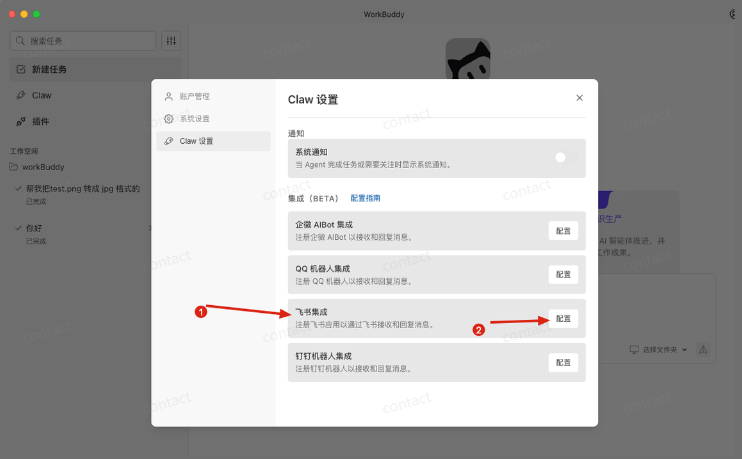
Select Flying Book Integration:
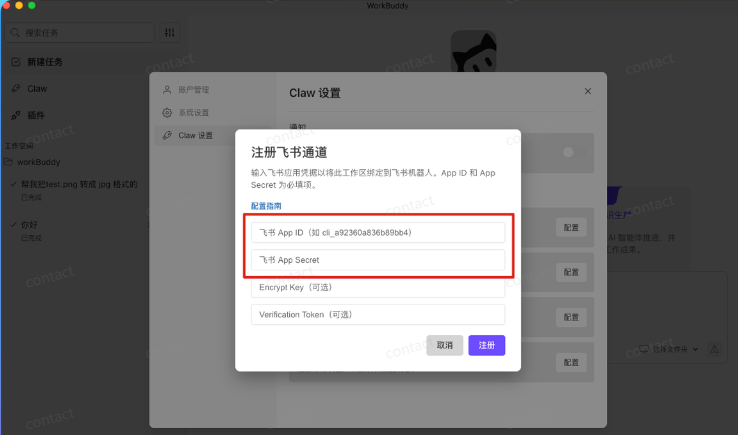
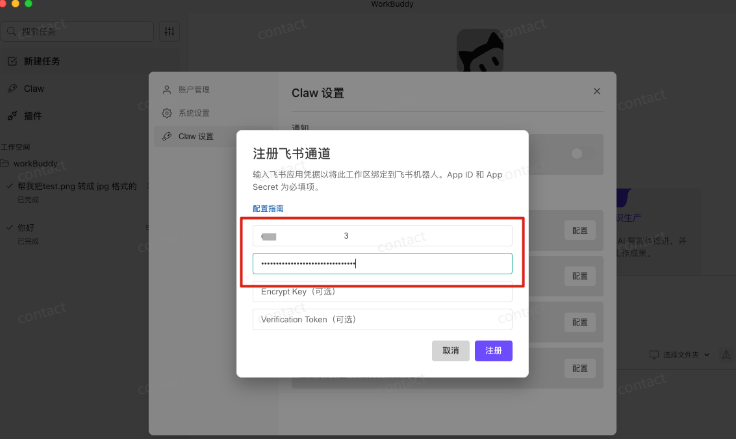
You can see that these two parameters are needed, and the next one is to go to the Open Book backstage and get to these two parameters。
Open the backstage of the Flying Book, choose a self-built application and create a self-built application:
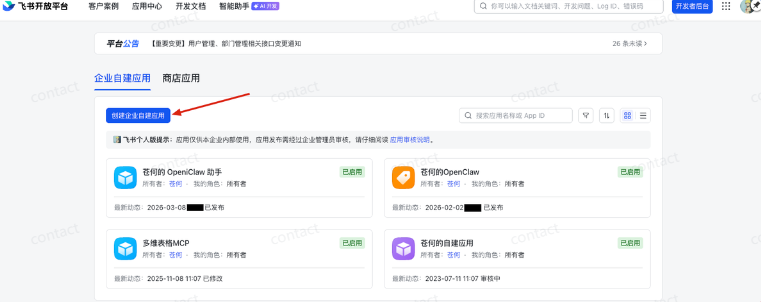
The address of the front desk is as follows:
https://open.feishu.cn/app?lang=zh-CN
Add application capability and choose to add a robot:
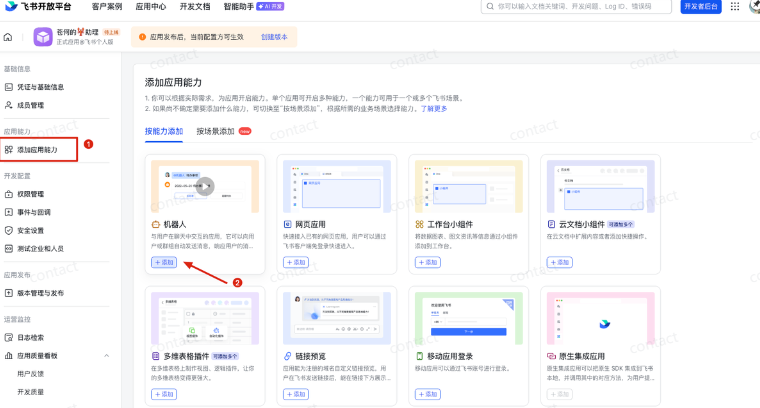
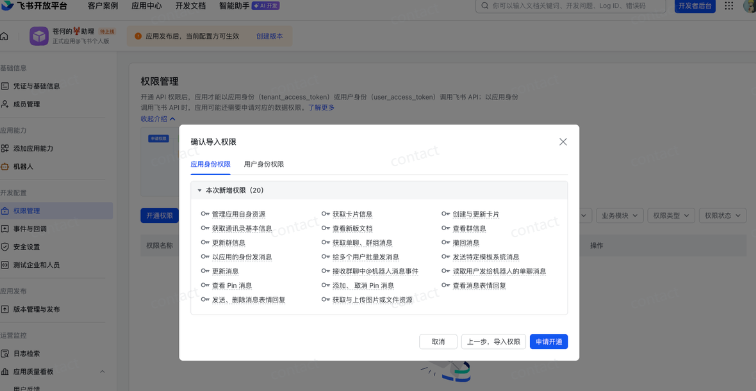
Then a batch import application:
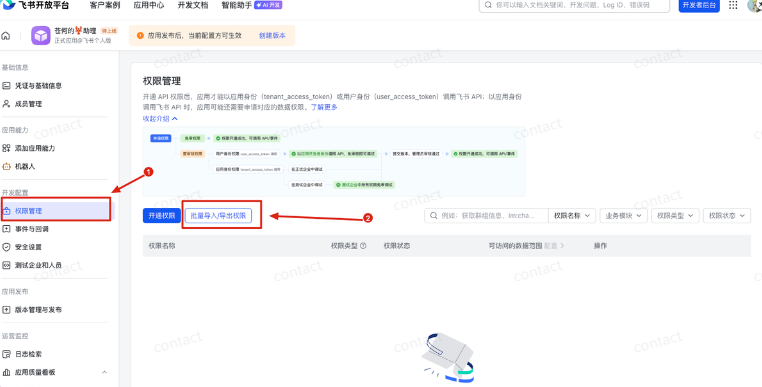
Copy all this to the specified area。
"cy": : : : : : : : : : : : : : : : : : : : : : : : : : : : : : : : : : : : : : : : : : : : : : : : : : : : : : : : : : : : : : : : : : : : : : : : : : : : : : : : : : : : : : : : : : : : ) : : : : : : : : : : : : : : : : : : : : : : : : : : : : : : : : :
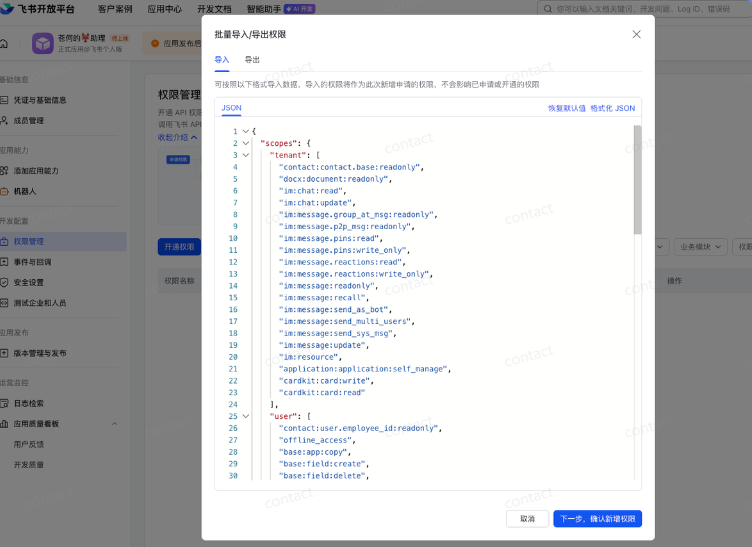
Click next to confirm permission to apply for access。
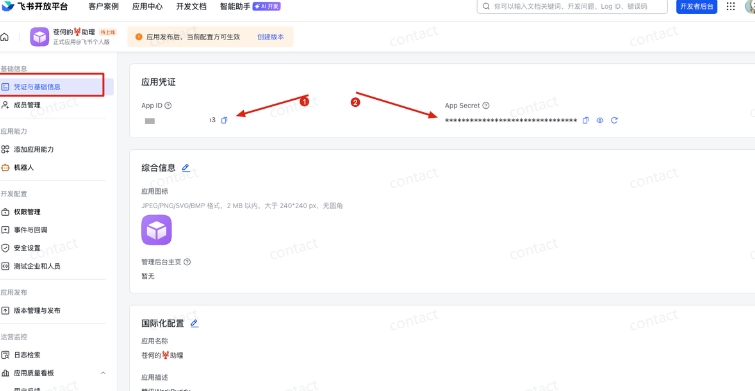
Here's to get the application vouchers, select "Certificate and Basic Information", copy App ID and App Security:
And fill in the corresponding configuration for the recent WorkBuddy flybook。
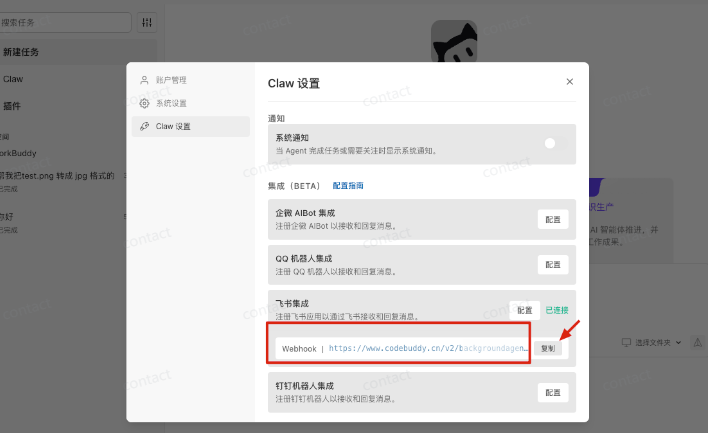
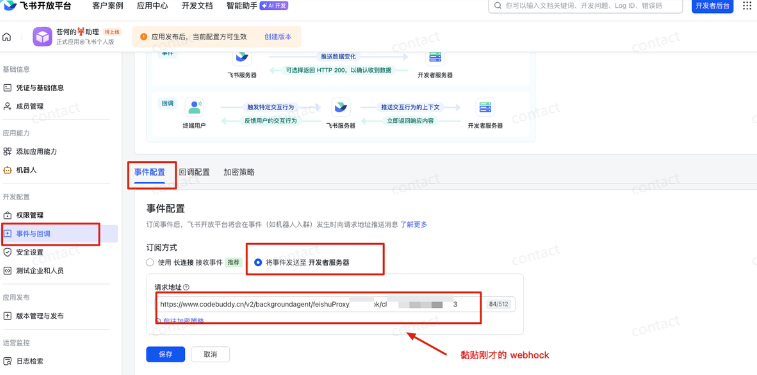
Click to register to get a Webbook address to copy this address:
Go back to the Flying Book Open Platform and find a new application to configure "incidents and echoes":
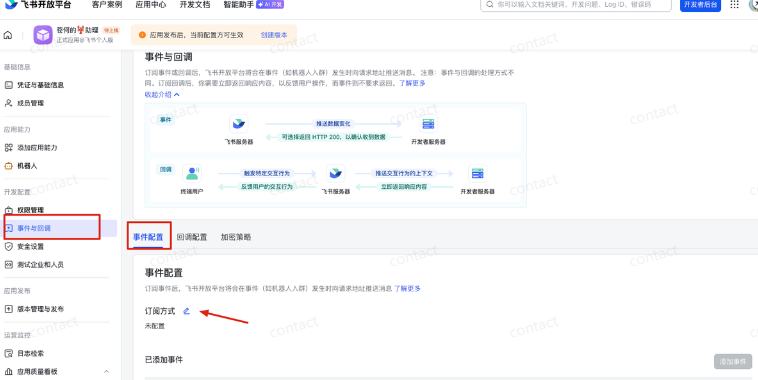
this is a key configuration that requires the subscription of long-link robots to receive events and card echoes. the effect of this step is to give an openclaw the ability to receive and send messages in a flying book。
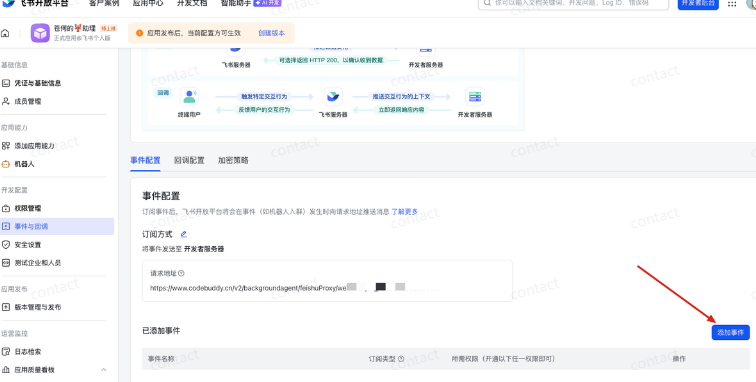
Select to send the event to the developer 's server and paste the previous Webbook address。
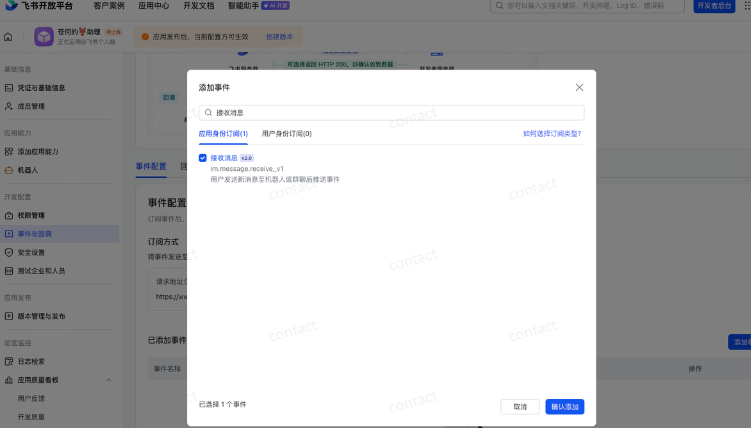
Add the receiving event:
_Other Organiser
Next, go back to configuration, same page, choose "back to configuration" and send back to the developer's server to paste the previous Webbook address:
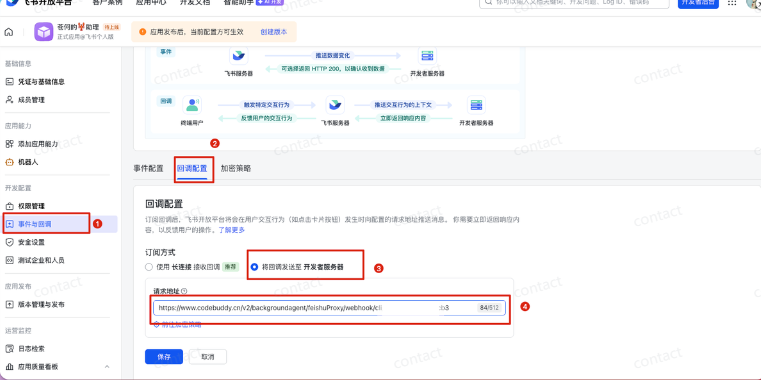
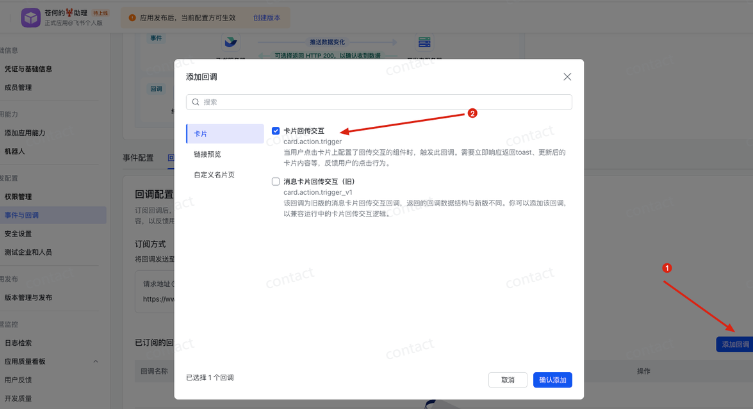
We need to add the "card echo" echo:
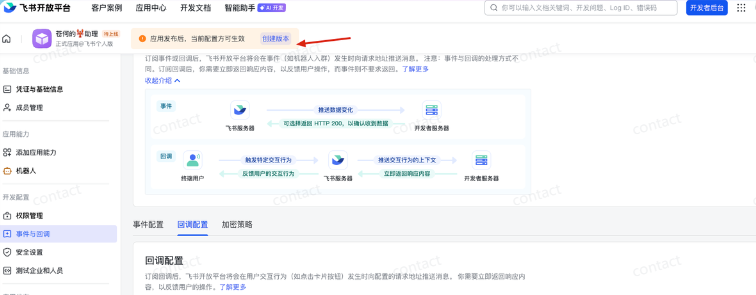
Finally, we'll publish this application and click on the creation version:
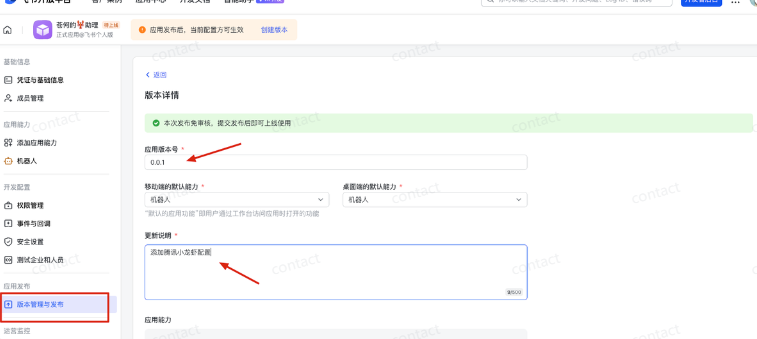
Version number and description can be published:
Click on the application in the flybook to start talking to the lobster。
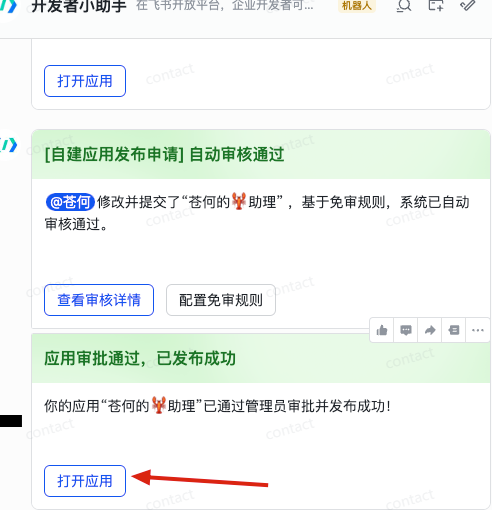
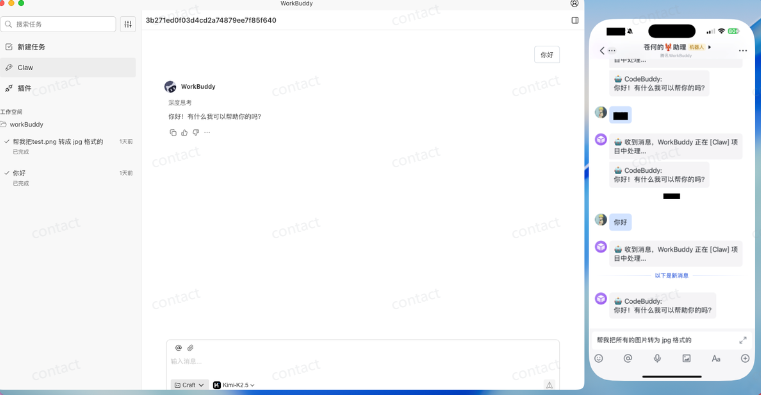
When you start talking in a flying book, you can see that you can manipulate WorkBuddy, and the default claw folder is the user's /WorkBuddy/Claw folder。
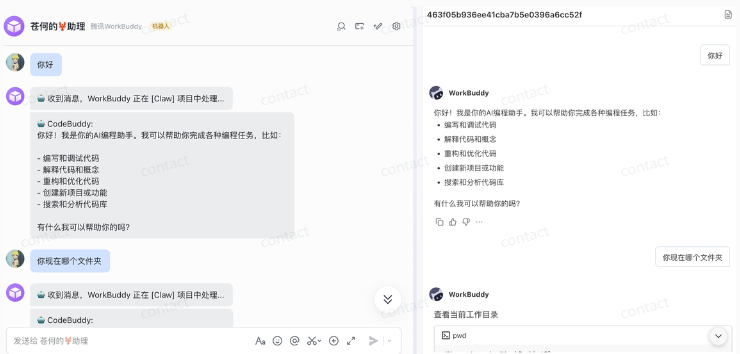
Then what can I do? For example, I was on my phone flying book to get WorkBuddy to help me convert all the pictures in png to jpg。
WorkBuddy can handle complex tasks, such as automated recognition, classification and aggregation of multiple PDF reimbursement invoices。
the instructions are: please help me with the claim forms in the folder called “capital claims”, which is a breakdown of payments. please generate a summary of the claims with the following information: - date - name of the business - amount of consumption - note - category of consumption (dinning/transport/accommodation/ other) - note, arranged according to the following illustrative example: 2025.12.01 sea digital towers in shenzhen, set-up of a mass of meals in front of the shenzhen excel
WorkBuddy will automatically help organize and calculate the amount and eventually deliver it to an Excel。
I found a lot of Skills in WorkBuddy that could be installed by one。
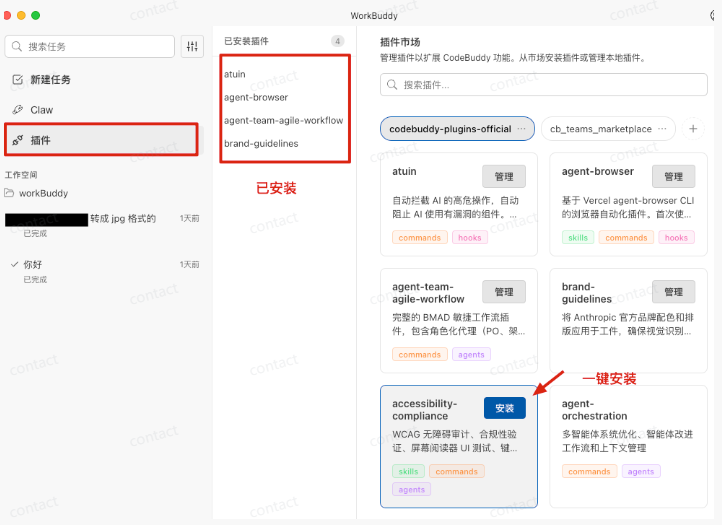
of course, you can manually put the skill in the project folder below。
For example, I installed the Canghe-image-gen skill, and on this basis, I was asked to have WorkBuddy Claw help me produce little red book pictures and files。
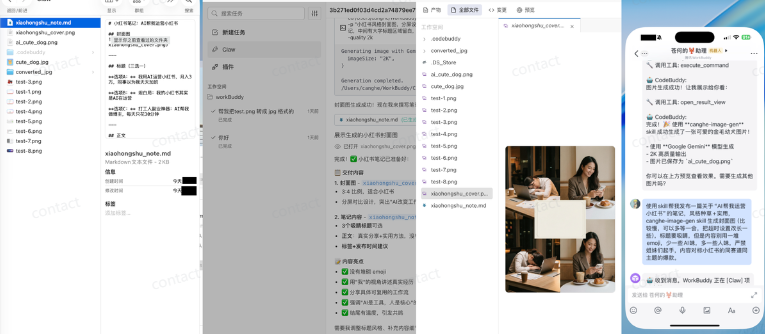
WorkBuddy Claw, who was in charge of the mobile phone, helped me develop a network of business officials, all of which came from my computer folders, including pictures and business officials。
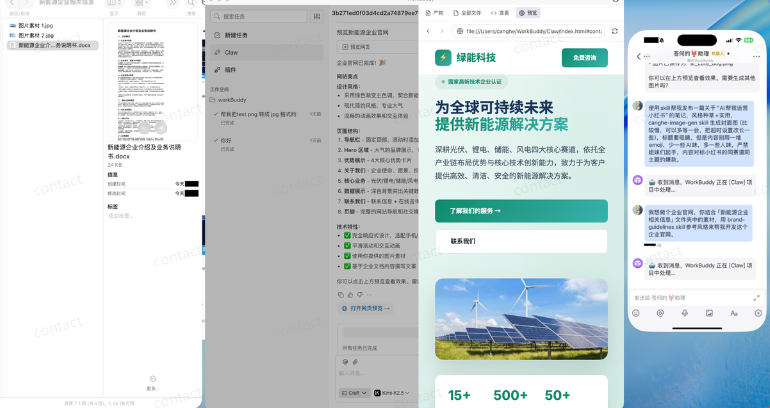
WorkBuddy is like a digital employee of mine, and I need to send it under my phone, and I can do it。
WorkBuddy uses a lot of scenes, for example, to translate an external voice video into a Chinese stenography. You just have to say what you want。
WorkBuddy Claw is installed with a much less expensive server. Your computer is your server, and you just have to download it here。
address: https://www.codebook.cn/work/
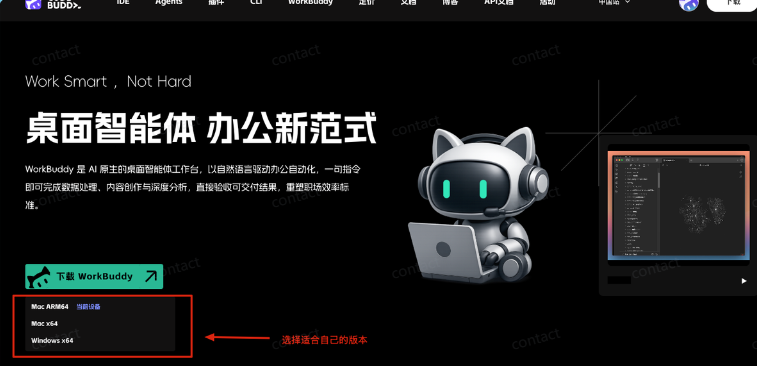
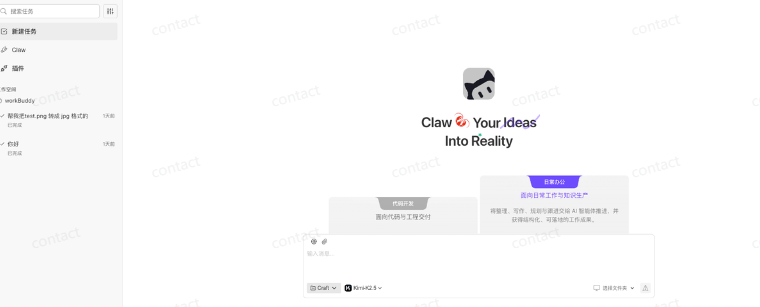
It's then ready for use, and there's almost no threshold for a flying book, and it's easy for the master。
You don't have to buy a model, because WorldBuddy already has the best model in the world。
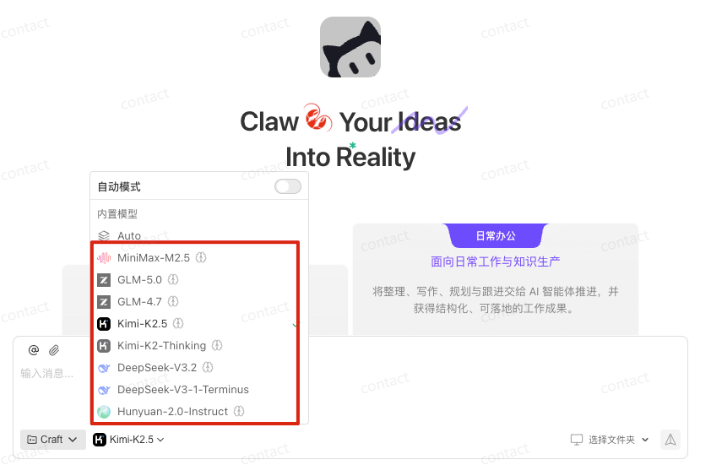
I'm using a domestic version, only a domestic model, and the international version is not on the line。
Unlike Openclaw, security is guaranteed and only changes are made to specified folders。
Now we can all try and get the good guysAs long as it's a CodeBuddy domestic user, new or old, a one-off gift of 5,000 Credits, which is registered, no threshold.
received address: https://www.codebook.cn/profile/usage
WHEN YOU'RE DONE, YOU CAN USE YOUR PHONE TO WORK WITH AI。
OpenClaw from the Introduction to the Advanced Guide: OpenClaw Theory, OpenClaw What
OpenClaw From Introduction to Expert Guide: OpenClaw Core Features and Differing Advantages
OpenClaw from the Introduction to the Advanced Guide: White One Deployment, Kimi OpenClaw Hands Up