



Step 1: Environmental deployment
Cloud deployment
At present, cloud services are the best-priced way to buy a computer in the thousands, and one cloud server will rent one and only twenty-three。
PICK TWO, NUCLEAR TWO, G, THAT'S ITTencent CloudYOU CAN SUPPORT IT。
I use the new Lighthouse to make things easier OpenClaw Template (so you don't have to download OpenClaw yourself)。
of course, you can use ali, the volcano, even buttons, kimi, and so on, and now every major plant has its own lobster。
Example: Twilight
information cloud site: https://cloud.tencent.com/
Click "Empirise Now"
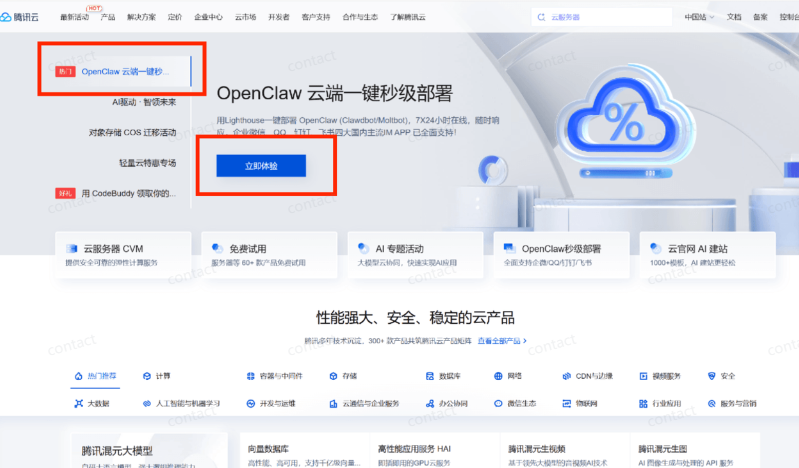
Click "Eat Now" and you'll see this interface and go down
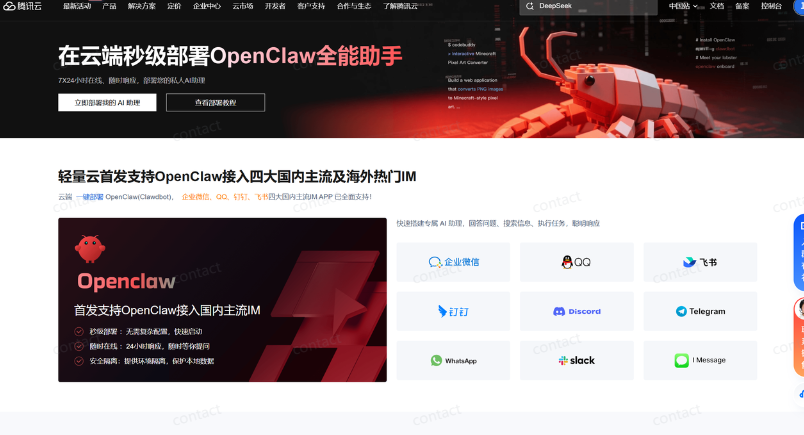
TWO CORES AT THE BOTTOM LEFT
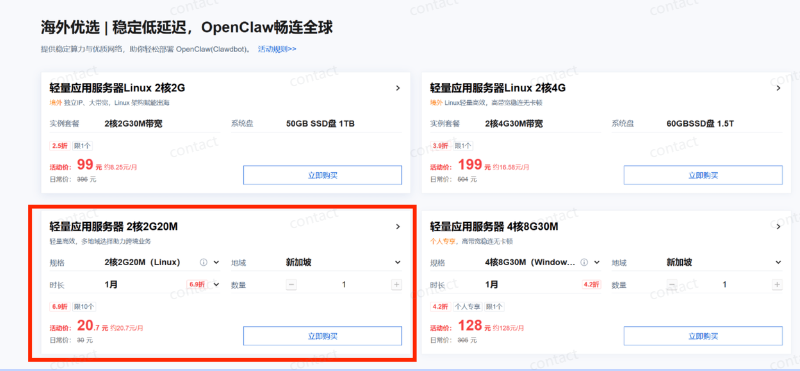
Confirming 2G20M (Linux) for Information 2, Silicon Valley
Just click and buy it right away
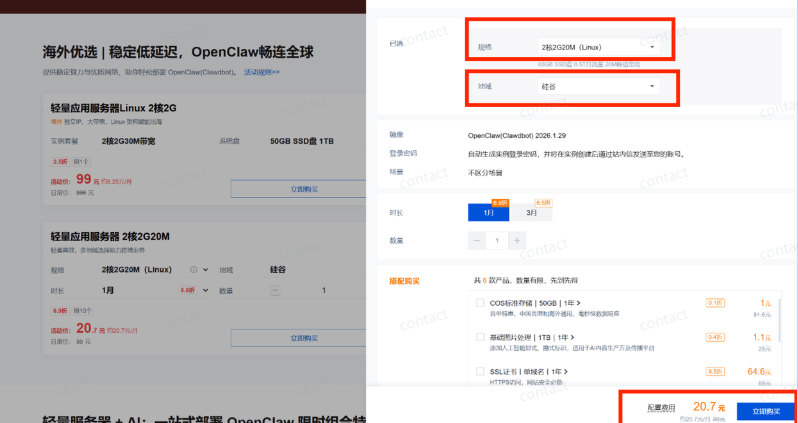
You can choose to close the automatic renewal fee。
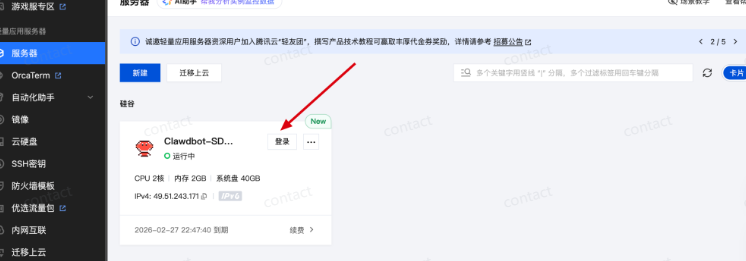
ONCE THE PURCHASE IS COMPLETED, CLICK ON YOUR HEAD AND CLICK ON THE "BUILD" POST

Then connect to the server with the SSH client, which I use here is Xterminal. I'll take it as an example
NO SSH CLIENT CAN ALSO CLICK DIRECTLY ON THE PAGE HERE FOR LOGIN。
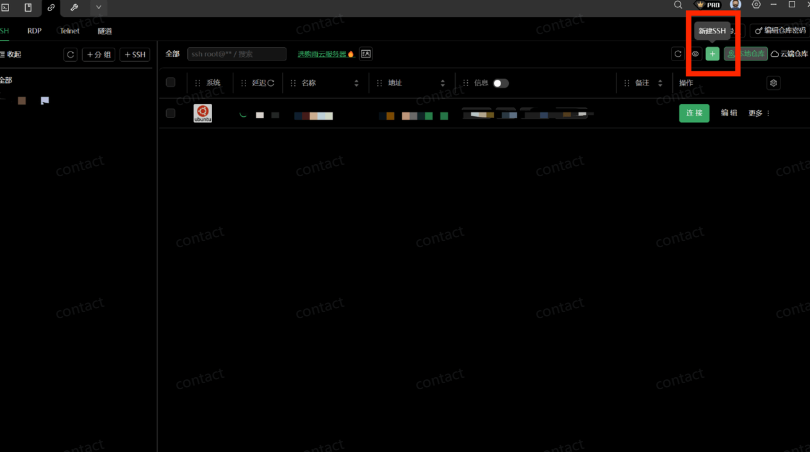
Open Xterminal software, click on New SSH
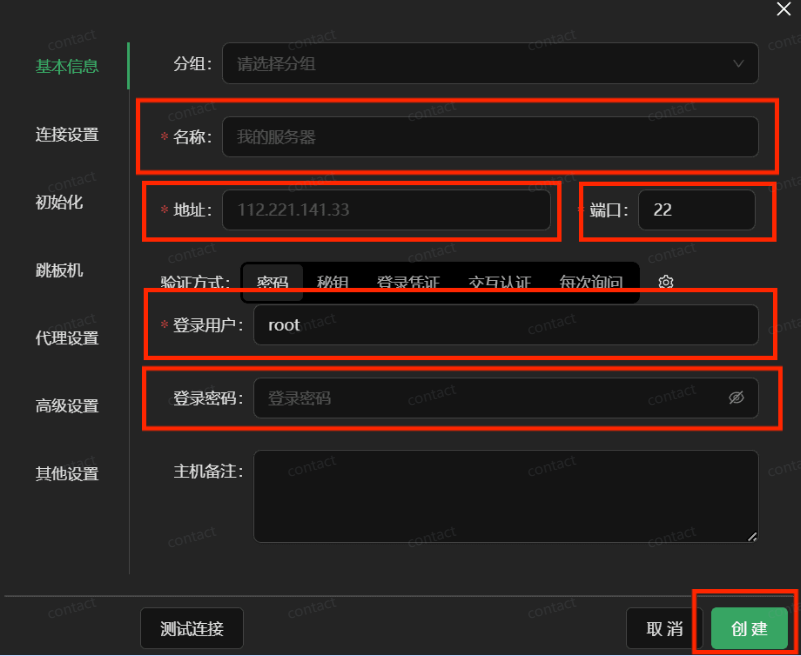
WHEN YOU CLICK "NEW SSH", YOU SEE:
- Name: Take whatever you want
- ADDRESS: THE INTERNET IP ADDRESS YOU JUST FOUND IN THE INNER STATION
- Port: Default 22, ignore
- Login User: The default user name you just found in the Inline Letter
- Login password: You set it when you bought the server
Then click Create
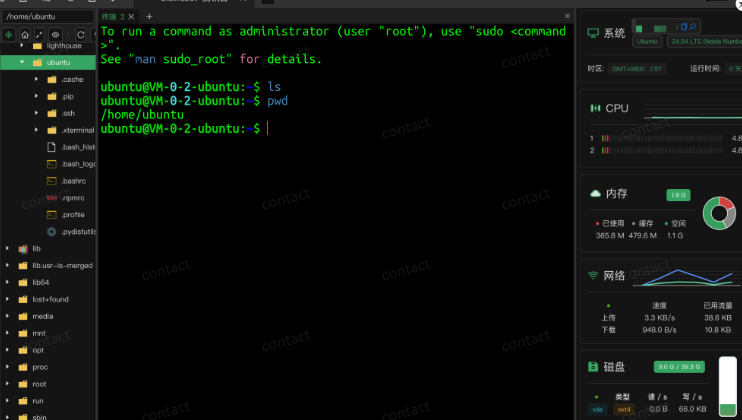
I don't need to install the application template here with the telecommunication cloud. OpenClaw is already installed. Just check it out。
Checks whether OpenClaw was installed:Enter the following command to view OpenClaw versions:
It's from a warm online friend
ubuntu users have to go to root user sudo-i@
openclaw -version
If a similar number of 2026.1.29 is present, the installation is successful

All right, here's the first step: Environmental deployment is complete, go to phase two: Configure the model
OpenClaw from the Introduction to the Advanced Guide: OpenClaw Theory, OpenClaw What
OpenClaw From Introduction to Expert Guide: OpenClaw Core Features and Differing Advantages
OpenClaw from the Introduction to the Advanced Guide: White One Deployment, Kimi OpenClaw Hands Up