



OpenClawconfiguration model
INTERNAL API MODEL
OpenClaw supports a lot of API models, such as OpenAI, Anthropic, Kimi, GLM。
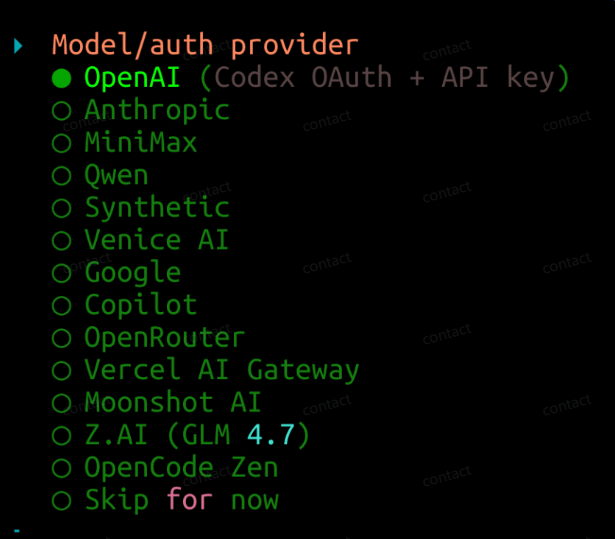
Of course, there's support for itCUSTOM APIHere we use the internal API model, Kimi 2.5
Example: Kimi 2.5
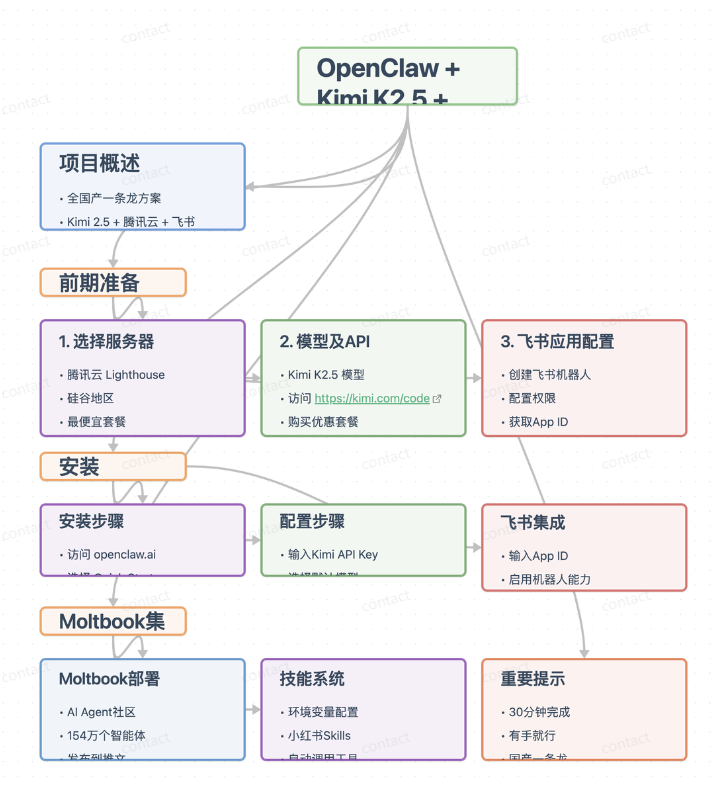
how does that work? first step, search for kimi code: https://www.kimi.com/code
The second step, buying a soft set, to be honest, is that OpenClaw currently consumes token, and it's better to buy a set, and I'm buying the Allegretto。
Step three, open the console, create an API key. Name whatever。
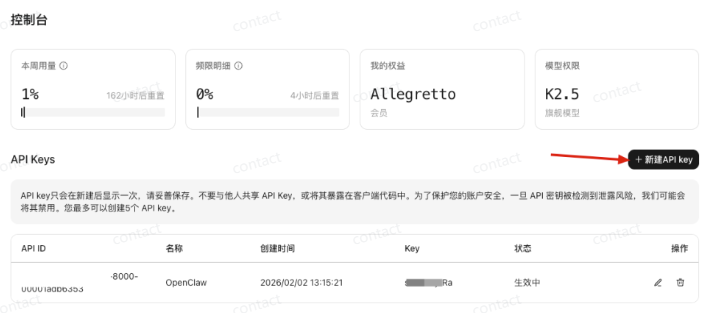
This APIkey must be! To copy it, because you usually do "completed" and you can't look at your API key anymore, and if you forget your API key, you'll have to recreate it. Once the copy is finished, find a place to store it, and then you'll need it when the fourth step: OpenClaw configuration
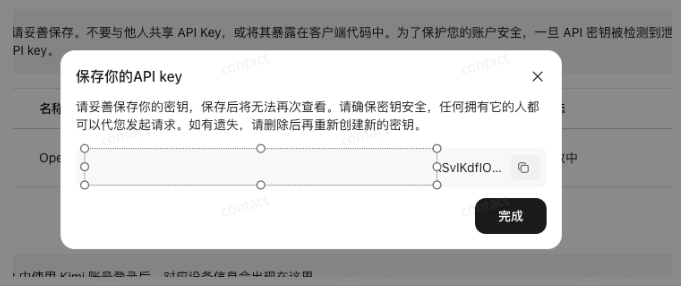
Okay, so here's step two: Configure the model, go to step three: Configure Bot
CUSTOM API (NON-INLINE API MODEL)
Custom API, models are more selective and flexible. However, additional steps would be difficult for White. If you're white or you're suggesting you use the "Inline API Model" and follow the course 2.1 "Examples: Kimi2.5"。
openclaw is deployed on the server. You can also modify the configuration of the configuration file, which is automatically read when ~/.openclaw/openclaw.json is started。
1.Open Profile
Opens the configuration file using the text editor. If the file does not exist, the editor automatically creates:
# Method 1: Use the vim editor (befitting a user familiar with vim)# ~/.openclaw/openclaw.json
# Method 2: Use nano Editor (Simply, fit for beginner)n~ /.openclaw/openclaw.json
Add configuration and replace baseurl, apikey and the model with its own API:
{x] “meta”: “lastTouchedVersion”: “2026.2.1”, “lastTouchedAt”: “2026-02-03T08:00.000Z”}, “models”: “mode”: {“mode”: “merge”, “providers”: {“baseUrl”: “https://dashscope.aliyuncs.com/compatible-mode/v1”, “apiKe”: “DASHCOPE_KEY”}, “media”: “t(t)”: “t(t)”; “t(t)”: “t(t)], “[x]”: “t(t)], “[x]”: “t(t]”: “[[x]”
Save exit just fine。
Annex: Ali Yuncheng
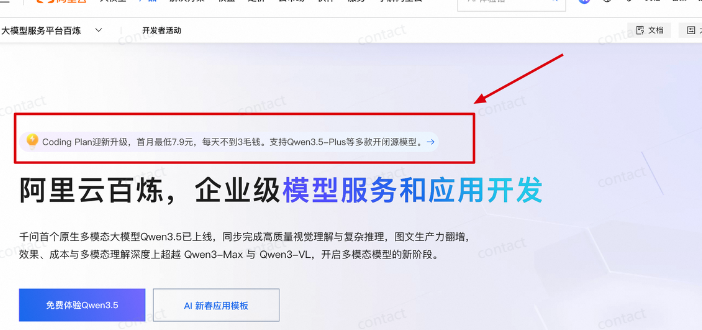
Step one: Opening Plan
Opens the Alien Refinery and finds the Coding Plan subscriber。
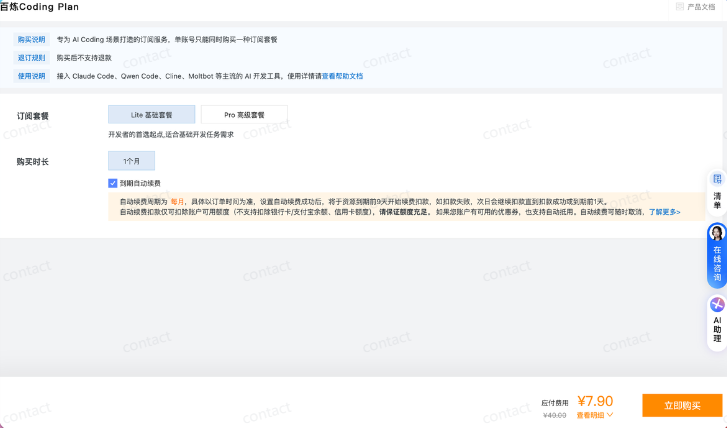
Select the package you need:
Step 2: Get API Key
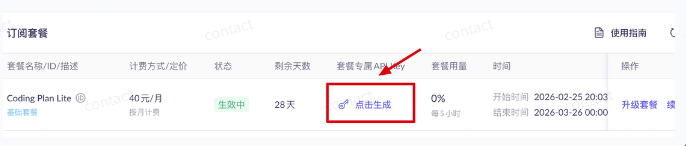
After opening up, get your API Key on the BPR。
Attach: Jiekou API
API, you can try at http://JieKou.AI, which is more stable, has access to Claude Opus 4.6, which can be paid for, spent as much as it needs, and does not require magic, which is convenient。
The model of access is also complete, with the latest available claude-opus-4.6 and gpt-5.2-codex, which, in addition to volume, can purchase subscription packages at 75 discounts for official API。
Annex: Atlas Cloud
If you want stability, a high-value API platform, you can try Atlas Cloud, which you recommended earlier。
address: https://www.atlascloud.ai
After all, it plays corporate-level API aggregates, with 300+-known large models, Qwen, DeepSeek, Kimi, Mini Max and so on. In summary:Stable, easy to use, low price。
Example: DeepSeek Open Platform
If you do not want or cannot use Atlas Cloud, I will give you the example of DeepSeek。
DeepSeek Open Platform: https://platform.deepseek.com/api\_keys
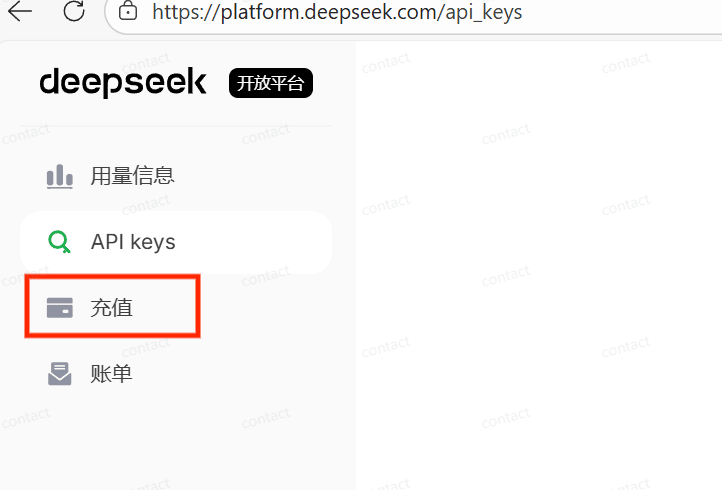
The API call for DeepSeekPay at volume, your account balance must be greater than 0 to call the interface。
IF THE ACCOUNT HAS NO MONEY OR INSUFFICIENT BALANCE, THE API REQUEST WILL SIMPLY FAIL, SO PREFILLING IS A NECESSARY OPERATION TO ENSURE THAT THE SERVICE IS AVAILABLE。
The other big models are the same. You're going to find the corresponding site to fill it, and then get API keys
If you just want to try it first, you can spend $10 on it
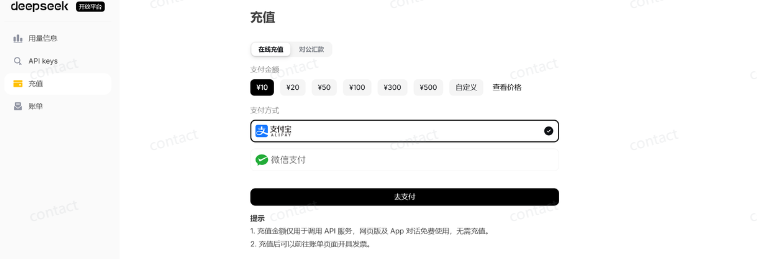
Ensure that account numbers have a balance and click "API keys", and then dots to create API key
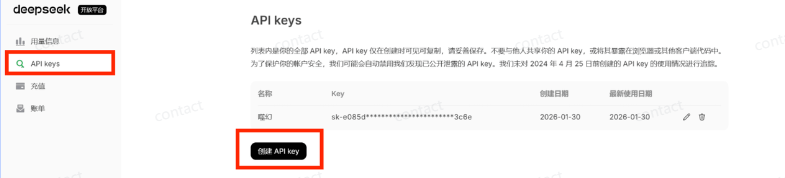
Name of API key: Take anything. And this APIkey must be! To copy it, because normally after you click off, you can't look at your API Key anymore, and if I forget your API Key, then you can only create it again。
Once the copy is finished, find a place to store it, and then you'll need it when the fourth step: OpenClaw configuration
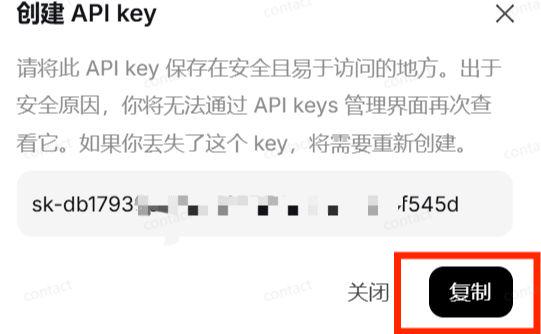
Okay, so here's step two: Configure the model, go to step three: Configure Bot
OpenClaw from the Introduction to the Advanced Guide: OpenClaw Theory, OpenClaw What
OpenClaw From Introduction to Expert Guide: OpenClaw Core Features and Differing Advantages
OpenClaw from the Introduction to the Advanced Guide: White One Deployment, Kimi OpenClaw Hands Up