



Recently I was invited to give a group of institutional bigwigs on AI class, the theme is "DeepSeek play the cultural tourism publicity and promotion", three hours of class, I shared the trend, common sense, typical tools and practical cases.
I was expecting to face a group of sleepy students, but guess what? Leaders from the system and platform state-owned enterprises took notes more carefully than high school students, and questions popped up one after another:
- How does this function work?
- Can cases be landed directly?
- How is data confidentiality addressed?
After the class was also surrounded by groups of people to add micro-blogging - it is true that the tool that can solve the real problem is the real - magic tool! 🔥
Case in point: giving Xi'an the whole jobpromotional video
Step 1: Let AI be the screenwriter
Open deepseek (www.deepseek.com)
Enter the prompt, "Please help me design a promotional video for Xi'an cultural tourism, describing the elements of each shot, and keeping each shot short"
For 10 seconds, DeepSeek gave an answer;
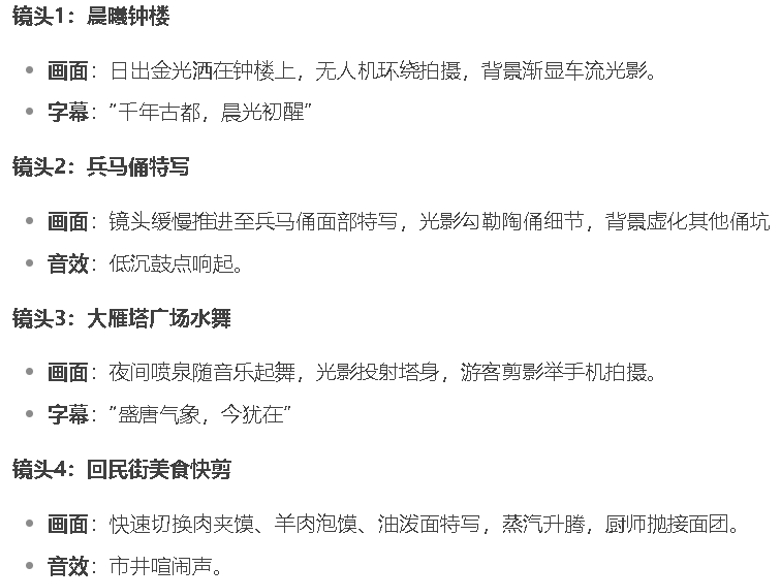
It feels like DeepSeek knows more about the A-side than a 4A ad agency.
Step 2: Copywriting to Beauty
Convert the text you got in the first step into an image
Tools can use the domestic three Musketeers: Keling, namely dream, conch
– byte beat is dream: jimeng.jianying.com
– fast hands: klingai.kuaishou.com
– sea conch: hailuoai.com
– general: tongyi.aliyun.com/wanxiang
Newbie's first choice is Korin, fast and with lots of white johns.
Go to Imagine Dreams and select the Vinyl Chart mode
White can just copy the homework. Enter the prompt word:
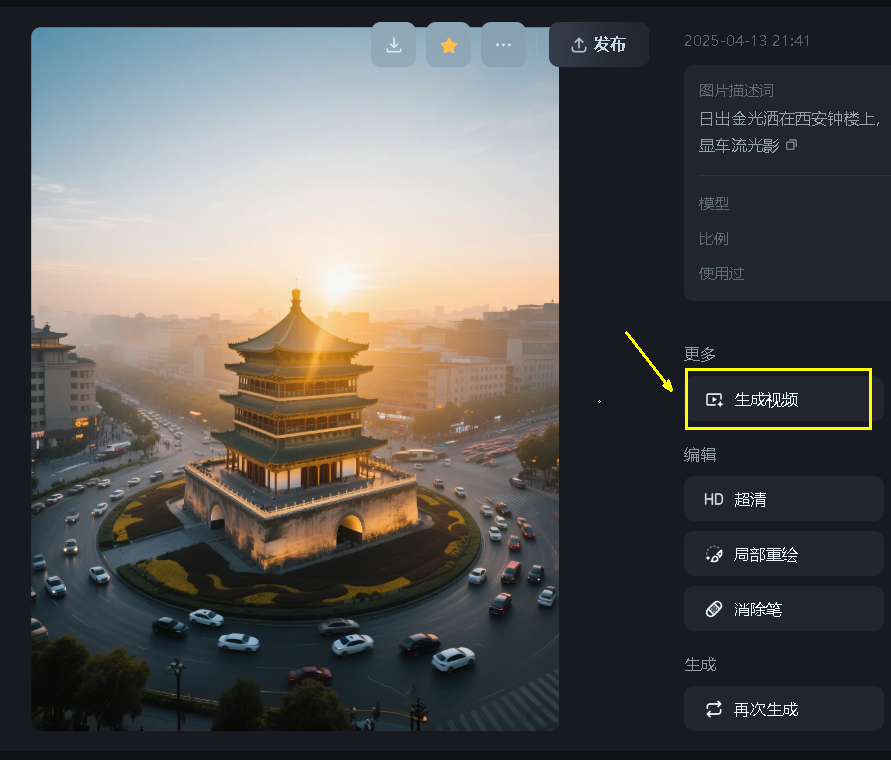
"Sunrise golden light wine on the bell tower, drone surround shot with traffic light fading in the background"
Select "Picture 3.0"

12 seconds, i.e., four drawings in a dream.
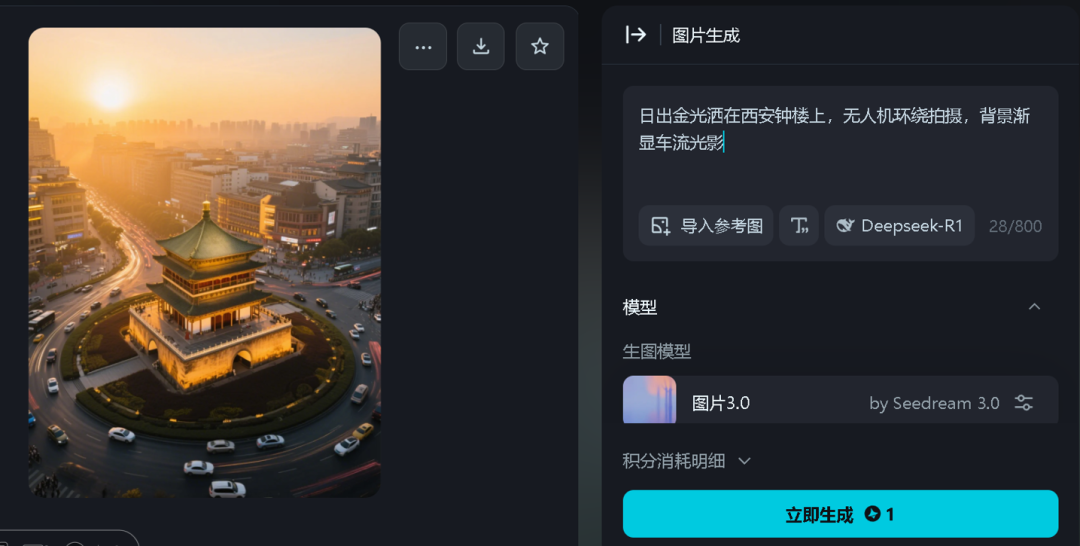
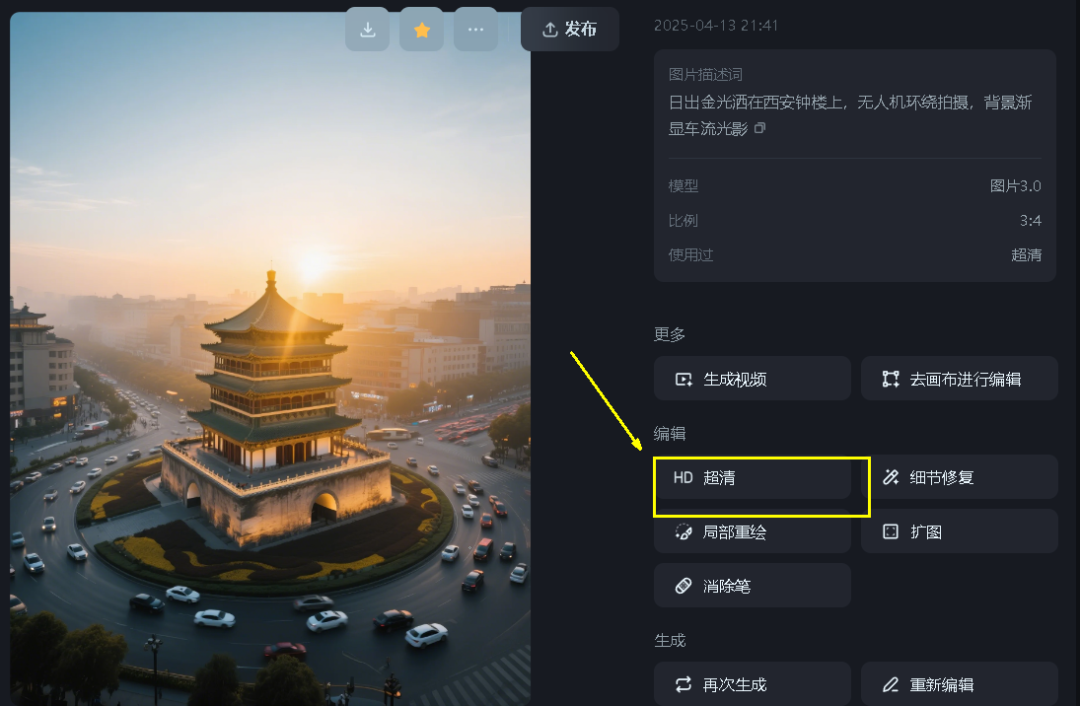
Pick an eye-open "exhaustible"
Follow the example and convert all the prompt words you got in the first step into images
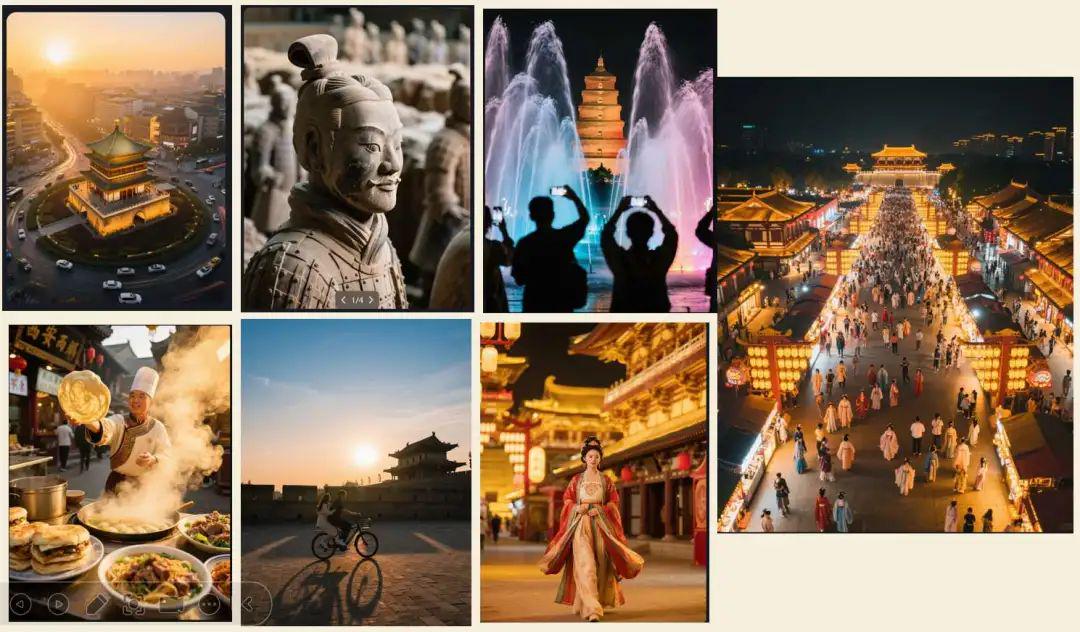
Note: If the characteristics of the city are not obvious, you can fine-tune the prompt words, such as adding landscape to join the keyword
Step 3: Toussaint Video
Still using Dream, select "Generate Video" on the right side of the image.
Enter the prompt in the box below, or leave it blank
If you leave it blank, the AI will automatically give you a natural look based on the content of the image.
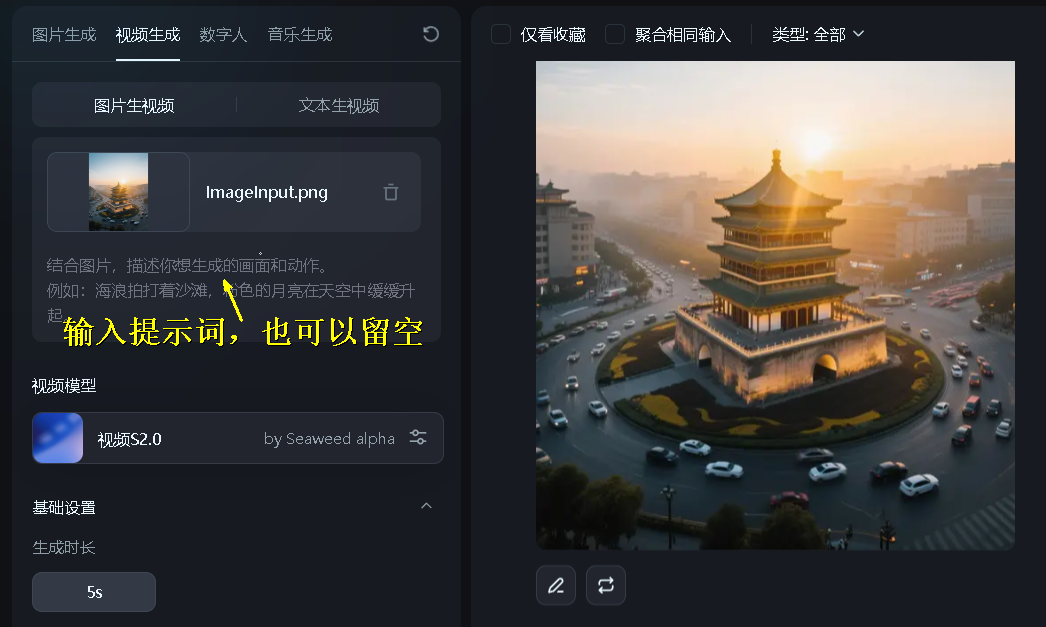
Repeat this step to get the rest of the short video
Step 4: Text-to-dubbing
In the first step, in addition to the drawing cues, the AI gives a voiceover script for each drawing
We let the AI organize the scripts together and go to Helix AI (hailuoai.com/audio)
Conch AI started out as a video company, but it also has a text-to-speech function that can generate 5,000 words at a time with very stable pronunciation.
Enter the script, select "Tone", "Mood" (automatic is good), "Speed", and finally click Generate.

Conch's voice is very strong, so newbies can test it a few more times as needed
Conch's overseas version (www.minimax.io/audio) has an even stronger feature, voice cloning, you can clone anyone's voice with a single click, I won't go into it here!
(Just found out that this URL can be accessed directly in China for the time being)
Step 5: Editing Integration
Turn on Cutscene or Wanxing Meow Movie
www.capcut.cn
Drag individual short videos and voiceovers up and pick a soundtrack in the software's own
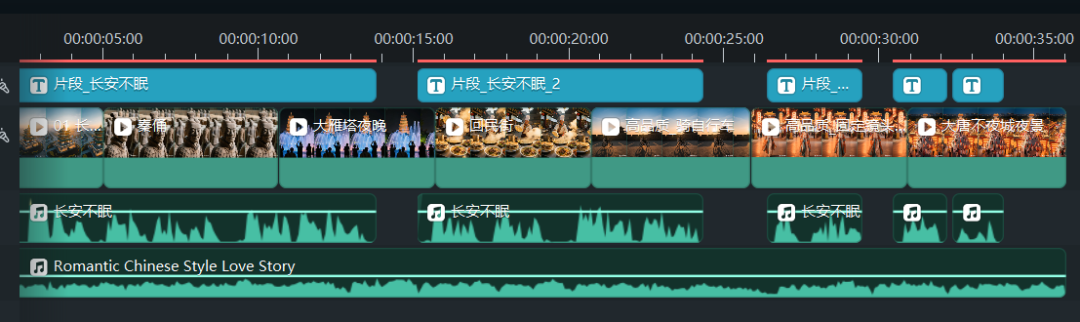
Then just export it.
Isn’t it simple?
Fast action in half an hour to get a short promotional video, move your small hands, quickly come to try it.