



I believe that all students studying AI have brushed this kind of blogger who teaches AI through a Q version of the 3D image, without the need for real people to appear in the scene, real people dubbing, all AI generated, style durable, traffic gaga fierce.
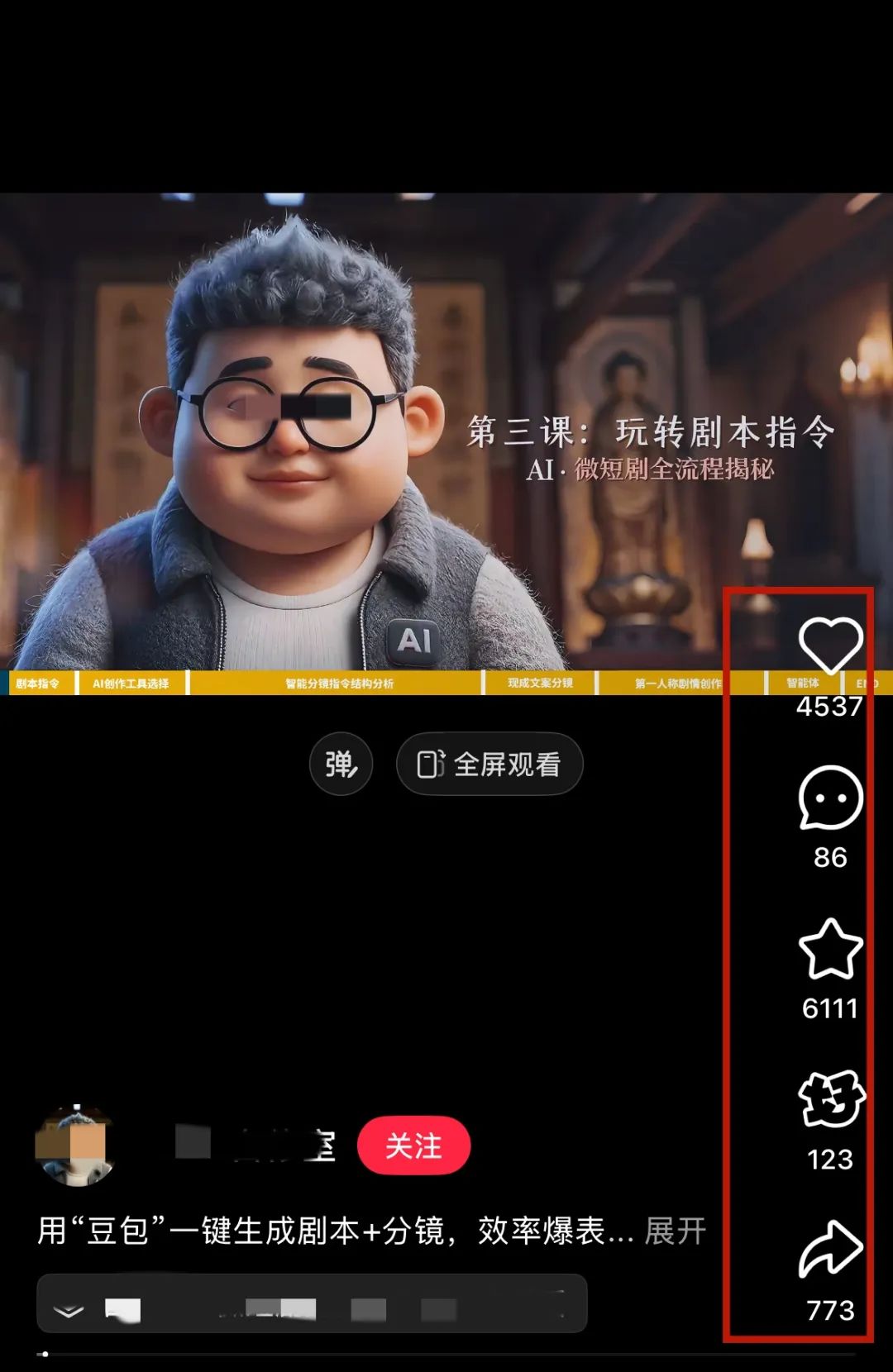
Many students who are new to oral self-publishing will have the following pain points:
1️⃣ Unnatural, nervous expression when dictating to the camera
2️⃣ Don't want to show your face, afraid of being recognized by people you know.
3️⃣ Speaks with an accent
4️⃣ No suitable location for filming
this kind of 3D Q-Digital ManIt will be a good solution to all these problems, and many bloggers have started to adopt this form to create oral self-promotion videos in bulk and quickly. The era of universal digital people is really coming!
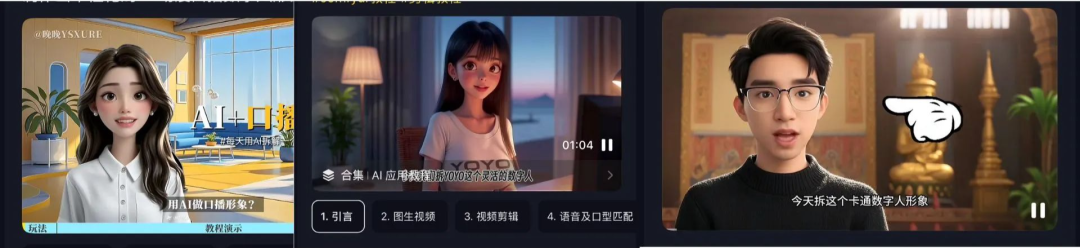
Having made his own spoken word digital man, using his own Q image and voice.
Unlike the lip-synching figures where the whole body is basically static and only the mouth moves, our figures will have corresponding hand movements, expressions and so on, which are very vivid and natural.
Then the next step is to handcraft a 3DQ digital person of your own, in addition to when theOutside of the AI dismantling track, the wellness, psychology, current events, emotions, and other tracks are available!
Production Process
1️⃣ Generate Q-image image
2️⃣ Clone Tone
3️⃣ Creating Oral Content
Comparing a lot of lip-synching AI and digital human AI on the market, we found that KreadoAI is very suitable for one-stop creation of this virtual image of digital human, the lip-synching effect is very good, and the digital human image can be burned out in a few seconds.
I. KreadoAI generates images
- Tool: KreadoAI
- website:https://www.1ai.net/3087.html
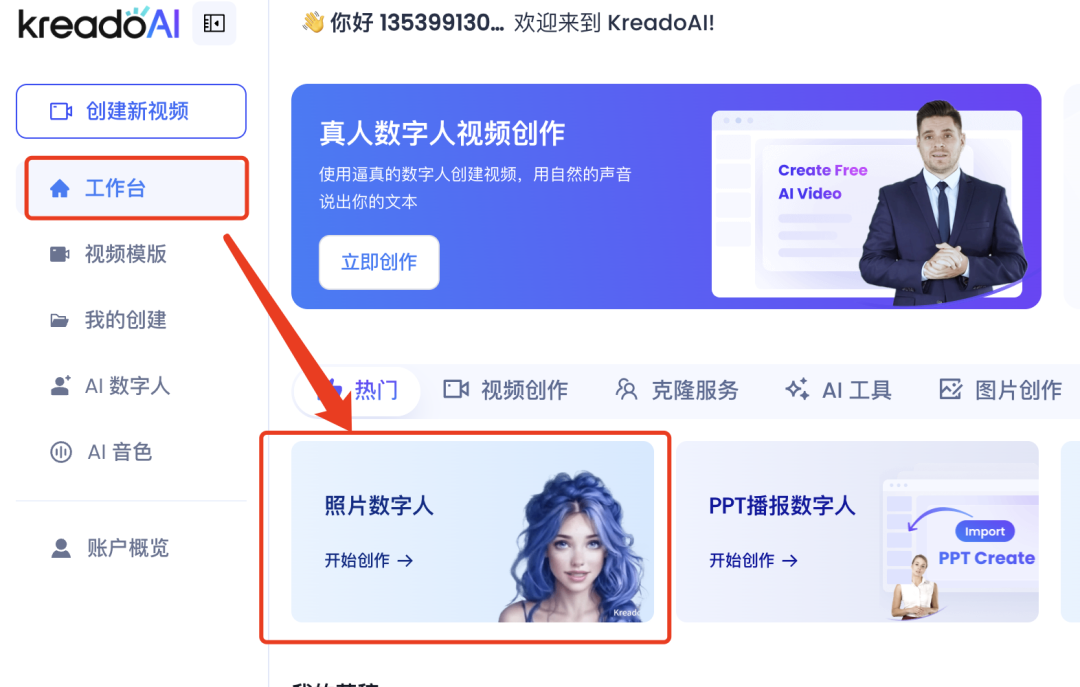
1️⃣ We open KreadoAI and click on "Workbench" ➡️ "Photo Digital People".
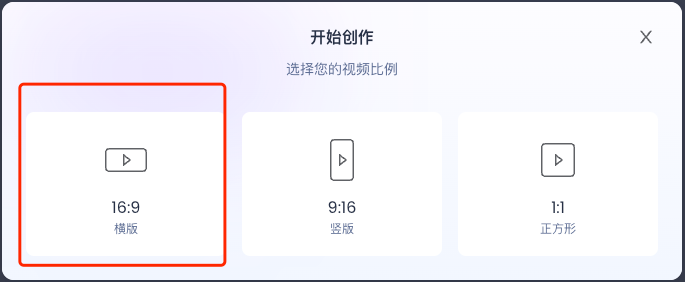
2️⃣ Select "16:9" landscape.
3️⃣ Click on "Photo Digital People" ➡️ "Ai Generate People".
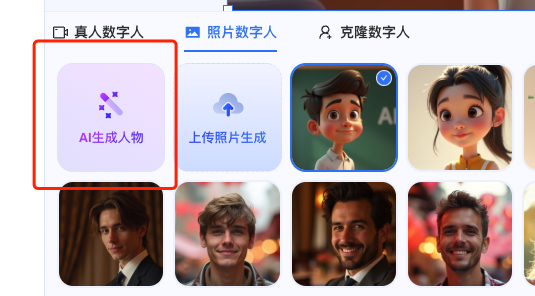
4️⃣ Input the command ➡️ to generate immediately, choose your favorite picture to save the image can be, the image is quite lovely ~ ~
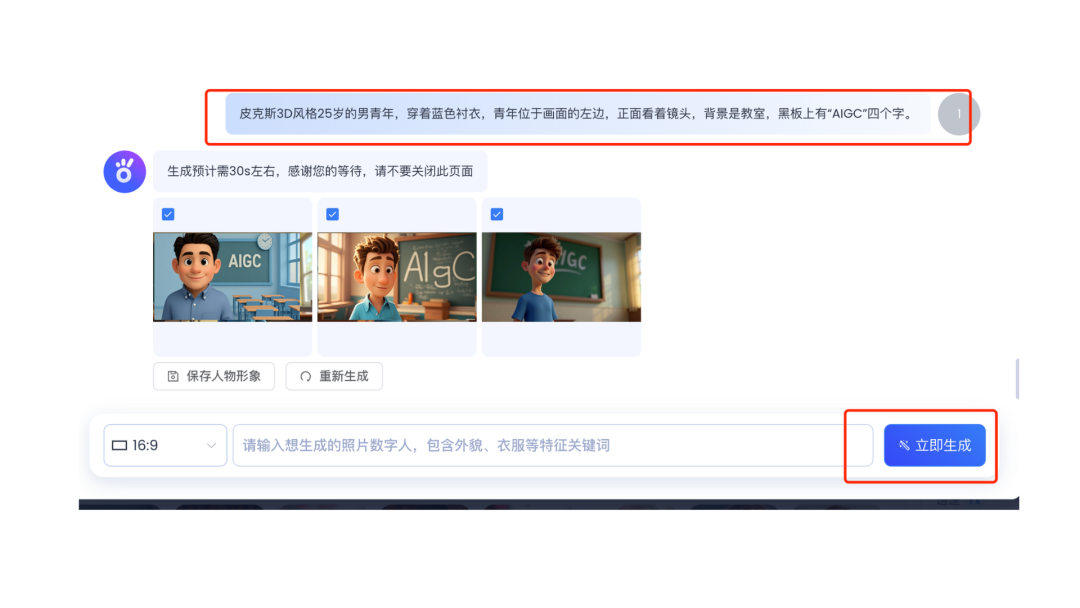
II. Cloning Tones with KreadoAI
1️⃣ We go back to the KreadoAI homepage and click on "Cloning Services".
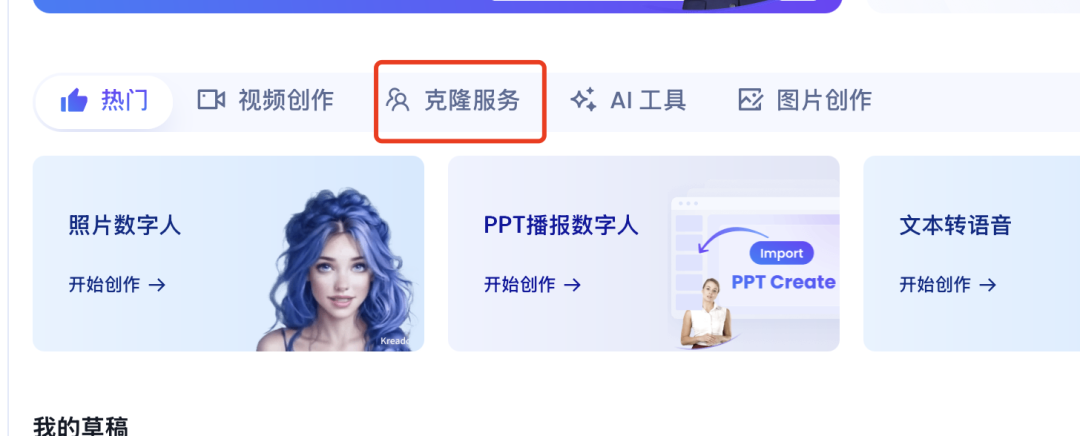
2️⃣ Select "Extreme Voice Clone".
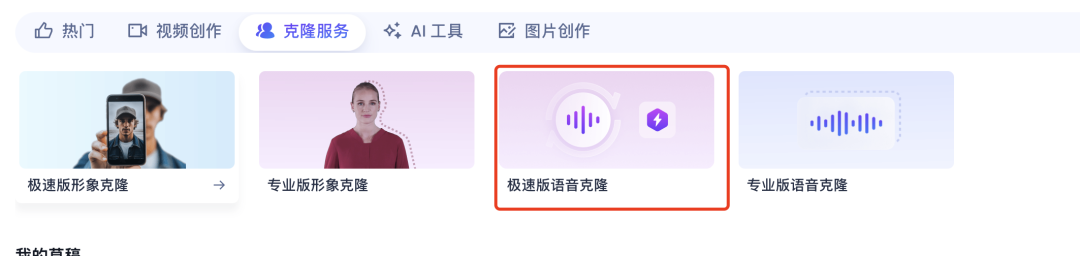
3️⃣ Enter the name of our voice ➡️ Select an avatar ➡️ Language Chinese ➡️ Turn on noise reduction
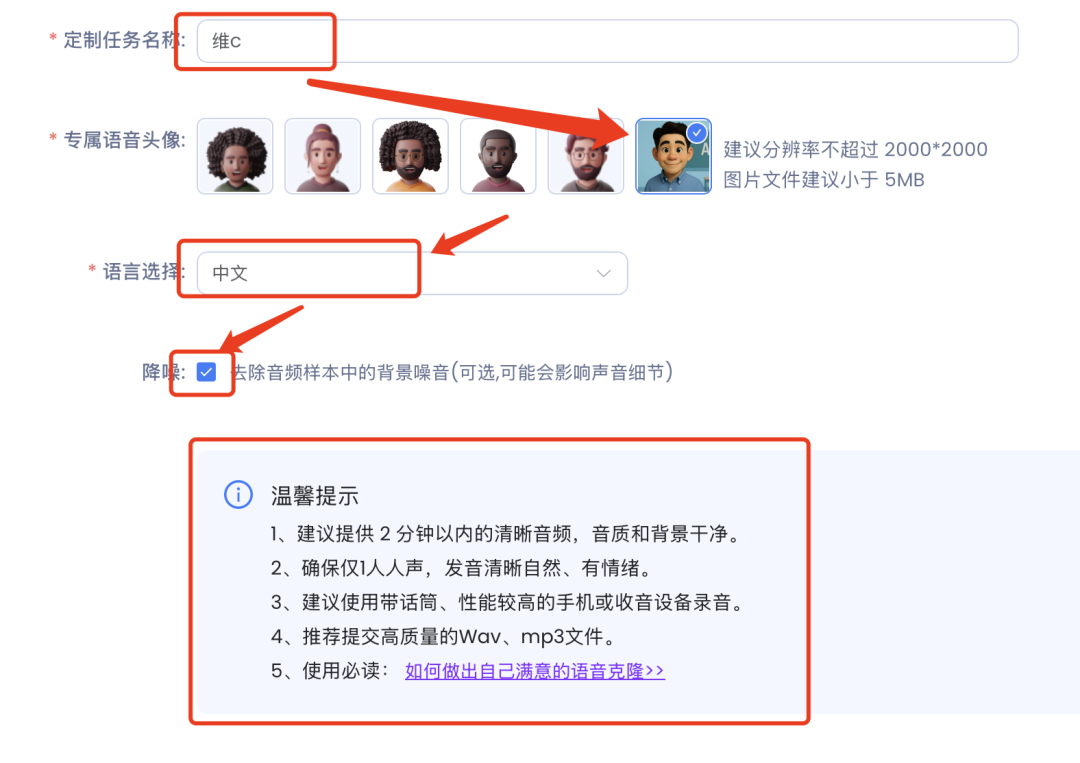
4️⃣ Upload an audio file of your own voice ➡️ Click to agree to the terms ➡️ Submit Tasks
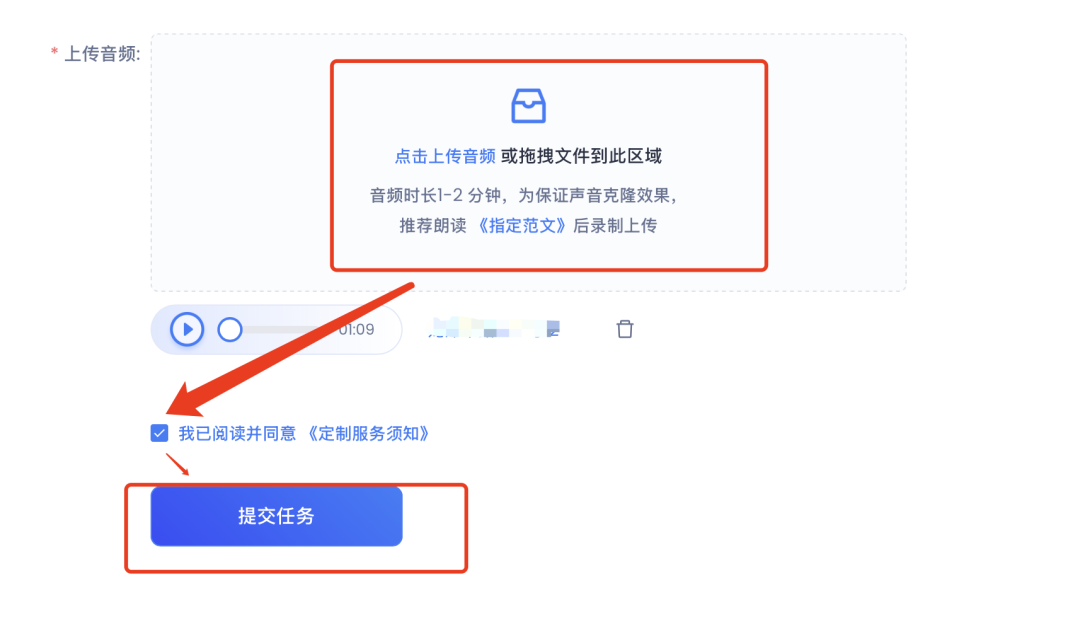
This is how we clone our tones!
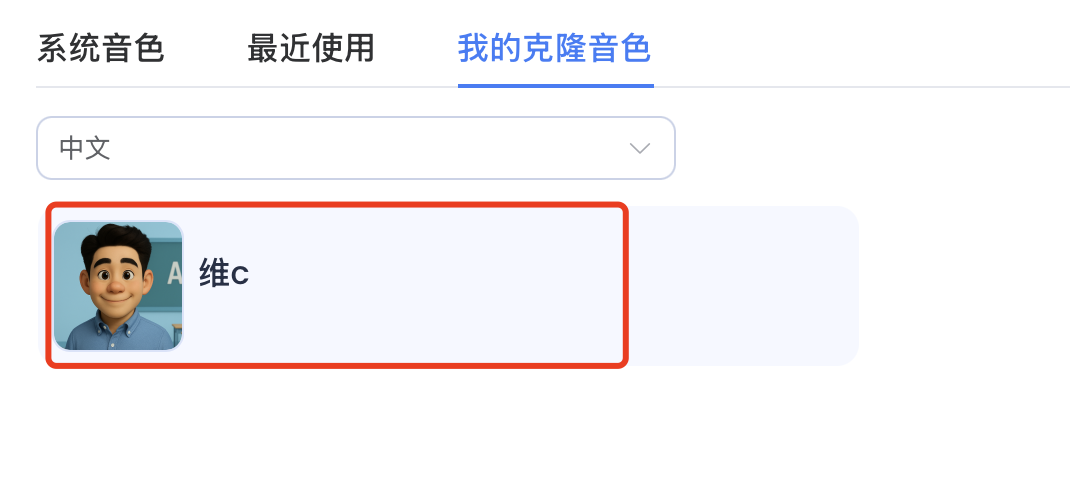
III. KreadoAI generates digital human videos
1️⃣ Re-click on "Workbench" ➡️ "Photo Digital People"
2️⃣ Select the photo image we generated ➡️ Adjust the intonation, speed, and volume ➡️ Input the text for the spoken word ➡️ Select the voice you just recorded ➡️ Select the timbre ➡️ Submit video
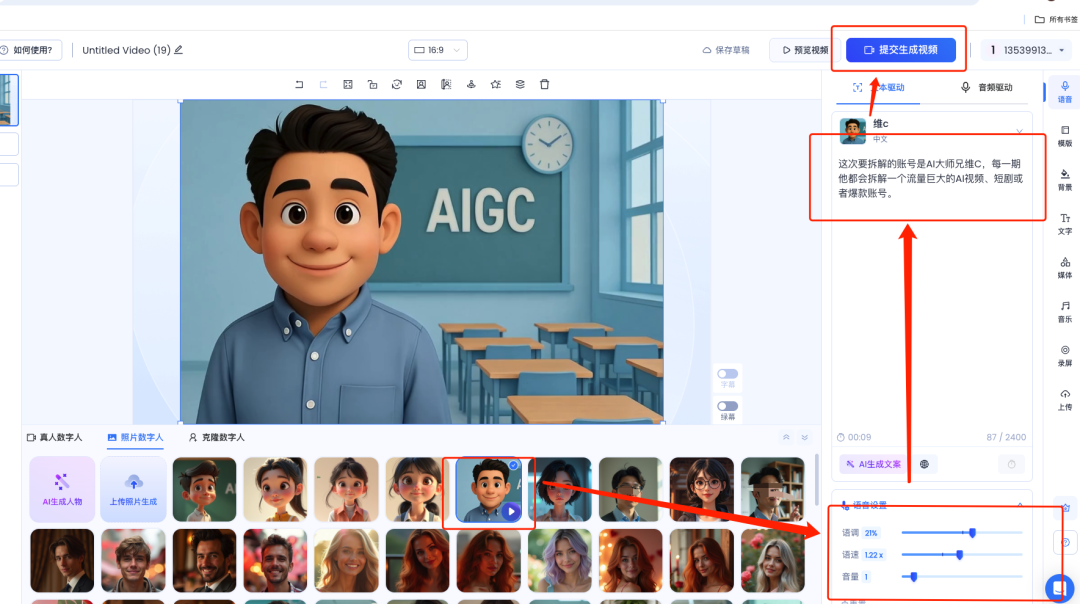
Wait a minute or so, our numbers manoral videoIt's coming out.
3️⃣ If some students don't want to use their own tones, KreadoAI has hundreds of digital human figures and tones to choose from:
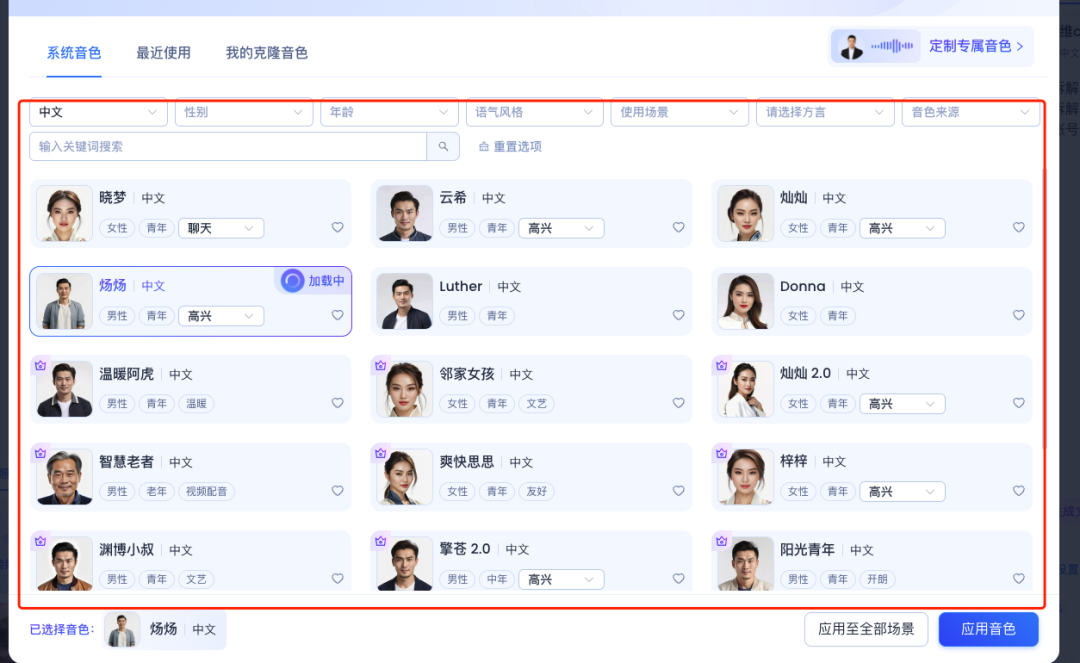
OK, so belong to their own Q version of the digital people on the creation of the completion of it, if you have gained must point to praise, in the look, forward ah! I hope everyone can immediately move, this year with AI to create self media is really very convenient!