



In today's post, share how theDeepSeekExporting Word andExcel file.
AI Tools
DeepSeek: https://chat.deepseek.com
I. Input questions + formatting requirements
Depending on your needs, first get the content you want to query in DeepSeek and then enter the typographical requirements:
Note: You can start with theWord documentin the dialog box, set the typographic format you want to get and copy it to the dialog box:
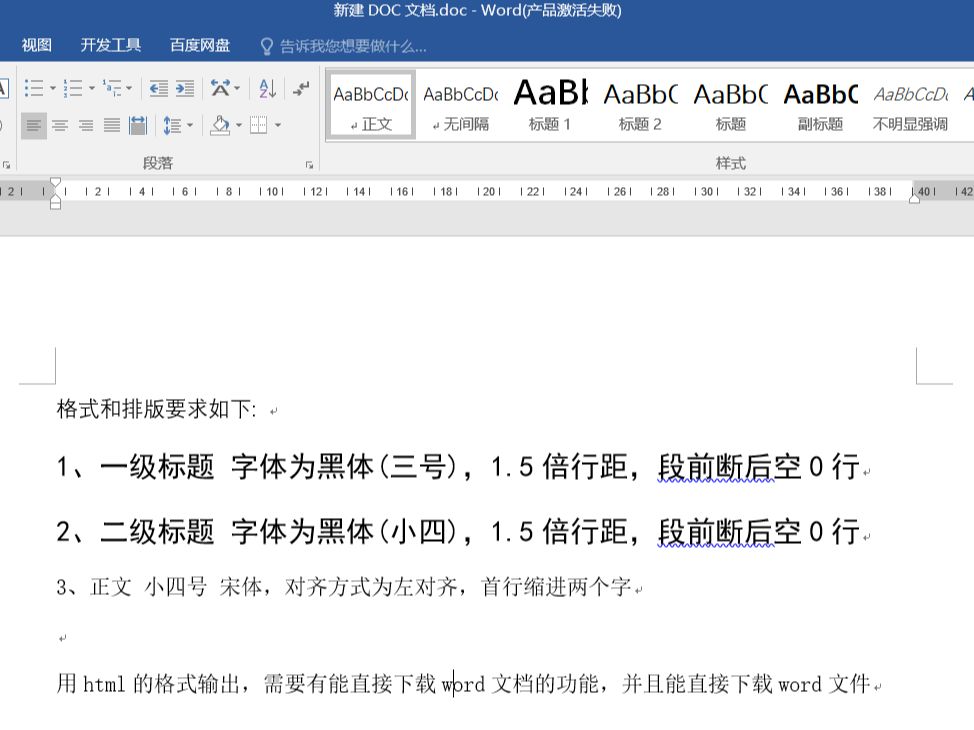
The prompt words are as follows:
Formatting and typographical requirements are as follows.
1, the first level of the title font in bold (three), 1.5 times the spacing, paragraph before and after the empty 0 lines
2, secondary title font bold (small four), 1.5 times line spacing, paragraph before and after the blank 0 lines
3, the body of the small four SONG, alignment for the left, the first line indented two words
Output in html format, need to have the ability to directly download word(computer) fileThe function and the ability to directly download word documents
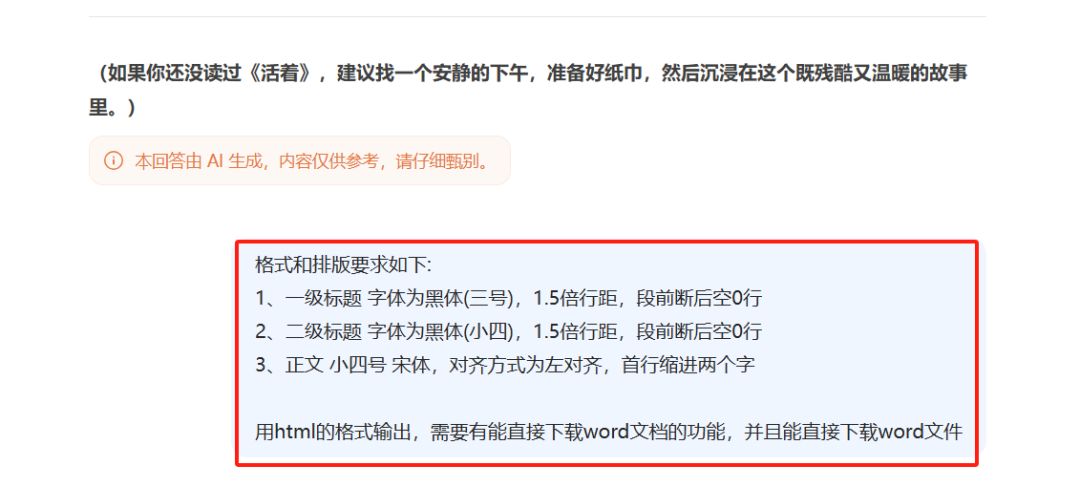
Remember: Close [Thinking Deeply]
II. Run + query results
Click [Run] to see the effect:

Found that the [Download Word Document] button is at the bottom, but the distance between paragraphs is too small and needs to be adjusted:
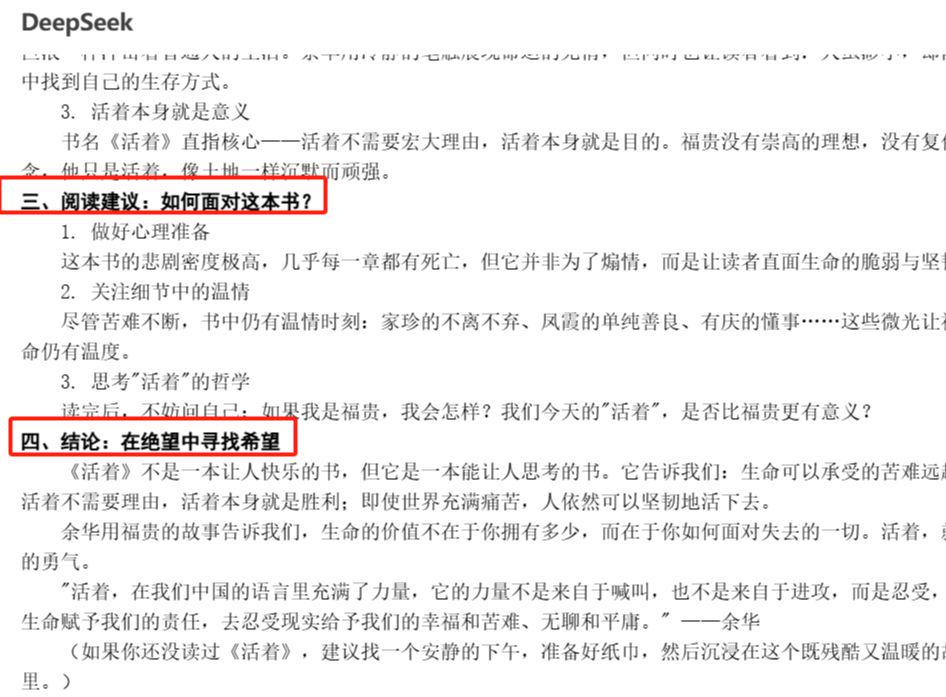
Rework the cue word:
Formatting and typographical requirements are as follows.
1, the first level of the title font in bold (three), 1.5 times the line spacing, paragraph before and after the blank 0.5 lines
2, secondary title font bold (small four), 1.5 times line spacing, 0.5 line space before and after the paragraph
3, the body of the small four SONG, alignment for the left, the first line indented two words
Output in html format, need to have the ability to download word documents directly and be able to directly download word files
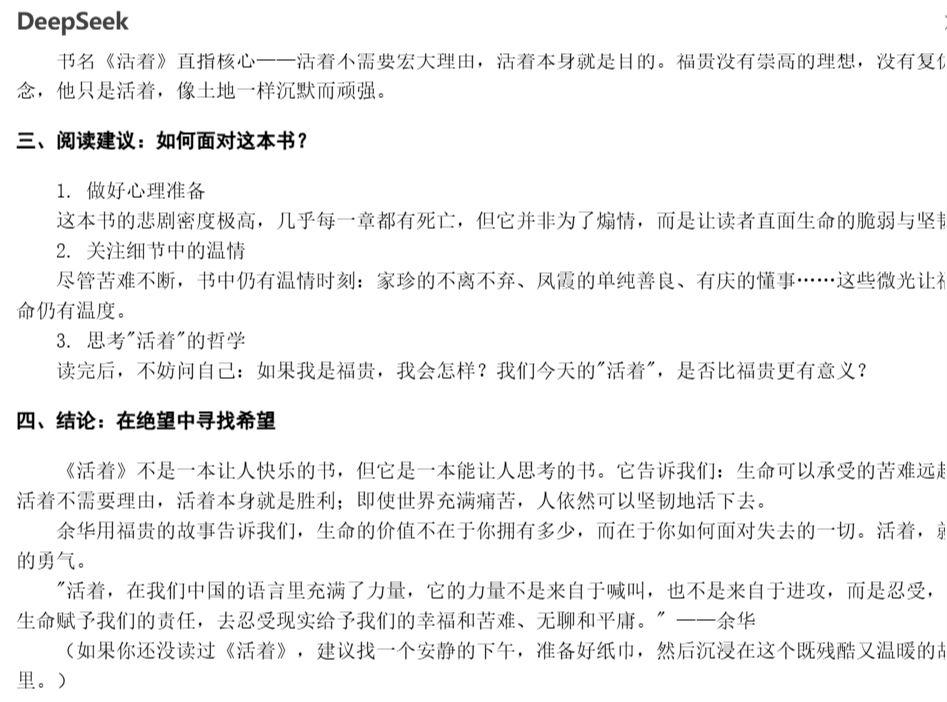
After re-generation, [Run], [Download Word document], look at the layout effect:
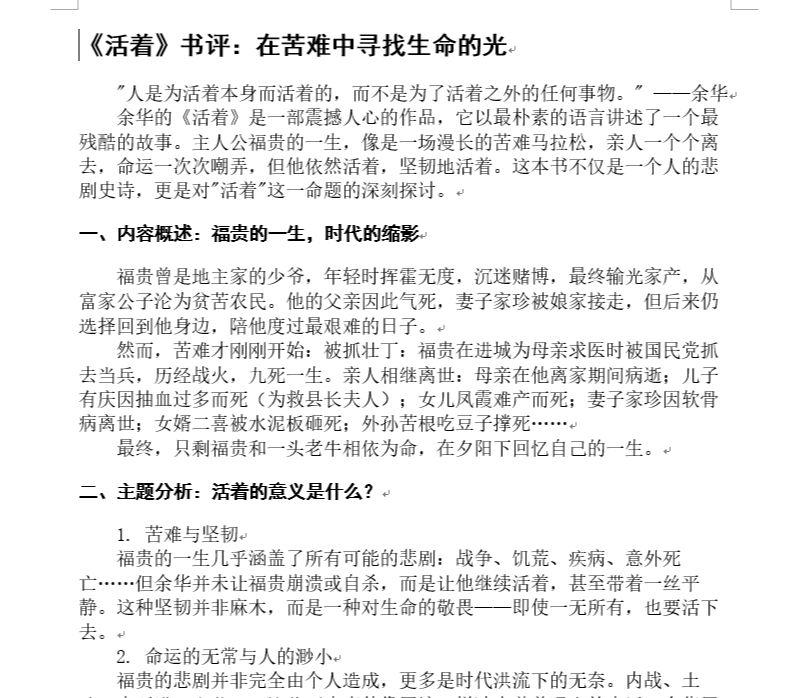
The overall result is good, and you can continue to optimize the cue words, rearrange the layout, or modify some of the details directly in Word. Compared to the previous effect of copying directly into Word in DeepSeek, it has been greatly improved.
If you don't want DeepSeek to output in your format, it's even easier, just type this:
Output in html format and can directly download word documents

Running effects:

Similarly, to outputExceldocument, just replace the Word above with Excel directly.

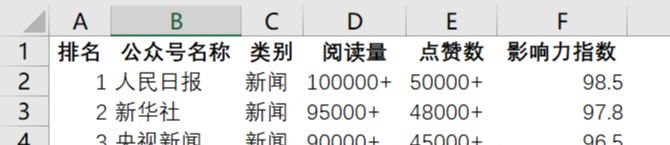
Finally, summarize the cue words used above:
1) Formatting and typographical requirements are as follows.
1. Level 1 title Word
Bold (3), 1.5 times spacing, 0.5 line before and after paragraph breaks
2. Secondary headings: boldface (small four), 1.5 spacing, 0.5 lines before and after paragraph breaks
3、Body, small four Sung, aligned
The format is left-justified, with the first line indented by two characters
Output in html format, need to have the ability to download word documents directly and be able to directly download word files
2) output in html format and can directly download word documents
3) output in html format, and can directly download excel documents
Also tried outputting pptx format, but it doesn't work well, still better to use Kimi PPT directly.
Okay, did you learn?