



I'm sure you've swiped on this national trend lately.role of vivacious young female in Chinese operaThe AI video, which is about ten seconds long, is simply put together and has over 10,000 likes.
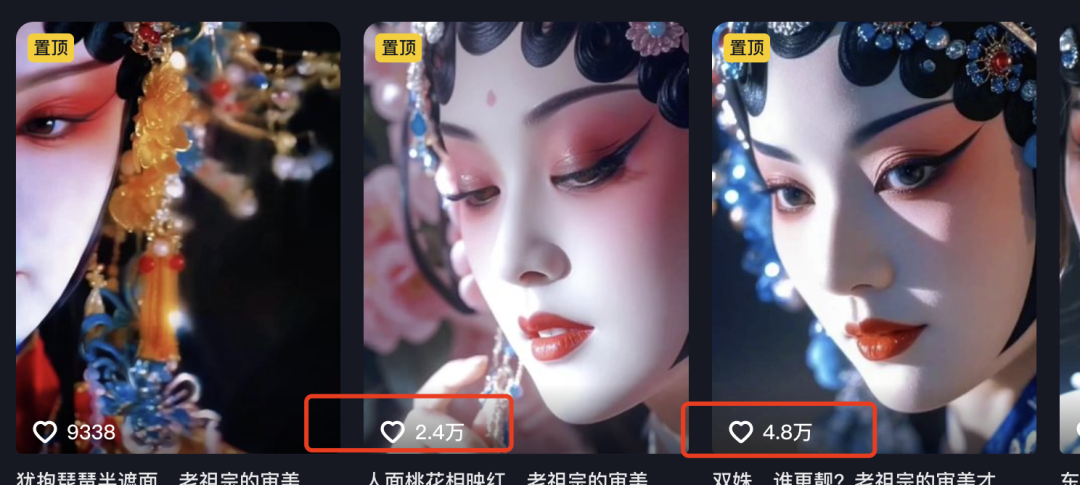
Many of you may also be tired of seeing the same kind of cookie-cutterAI Beauty, swiped subconsciously and automatically scratched away, but this account reduces the character's sense of AI with the flower girl's makeup, and it really feels like a fake, very distinctive.
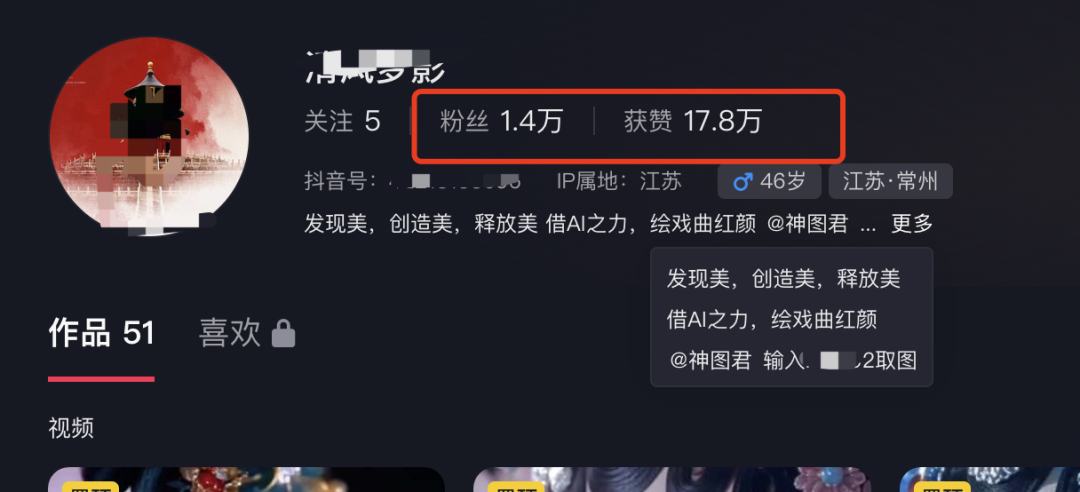
This blogger is the end of February only began to start the number, just two months, fifty works can be in the jitterbugs chopped 1.4w fans, received 17.8w likes, currently through the body of the Tu Jun channel cash, the later can also hang ancient style of clothing, cosmetics, books cash, cash channels are very many!
It turns out that this kind of video is really, really quick to make and doesn't have a high difficulty factor, so it's perfect for people to use to cut their teeth on the AI video track!
Next, I'll take you by the hand to make this National Wave Flower Girl AI video, which a novice can learn by following along!
Production Process
1️⃣ Generate flower girl charts
2️⃣ Generate Video
3️⃣ Clips
I. UseLiblibAI generated images
- Tool: Liblib
- Website: https://www.liblib.art
Liblib because it involves Web ui and Comfy UI, there is a certain threshold of operation, for friends who are new to AI is not very friendly, so there has not been much to recommend to everyone.
But this time, this case, can be completely one-click to apply the same parameters and commands of Lora inside the Liblib, and quickly generate graphs, which can be easily done by a white person.
1️⃣ First open Liblib, search "Beijing Opera Photography", there will be a lot of very good quality Lora for us to use.
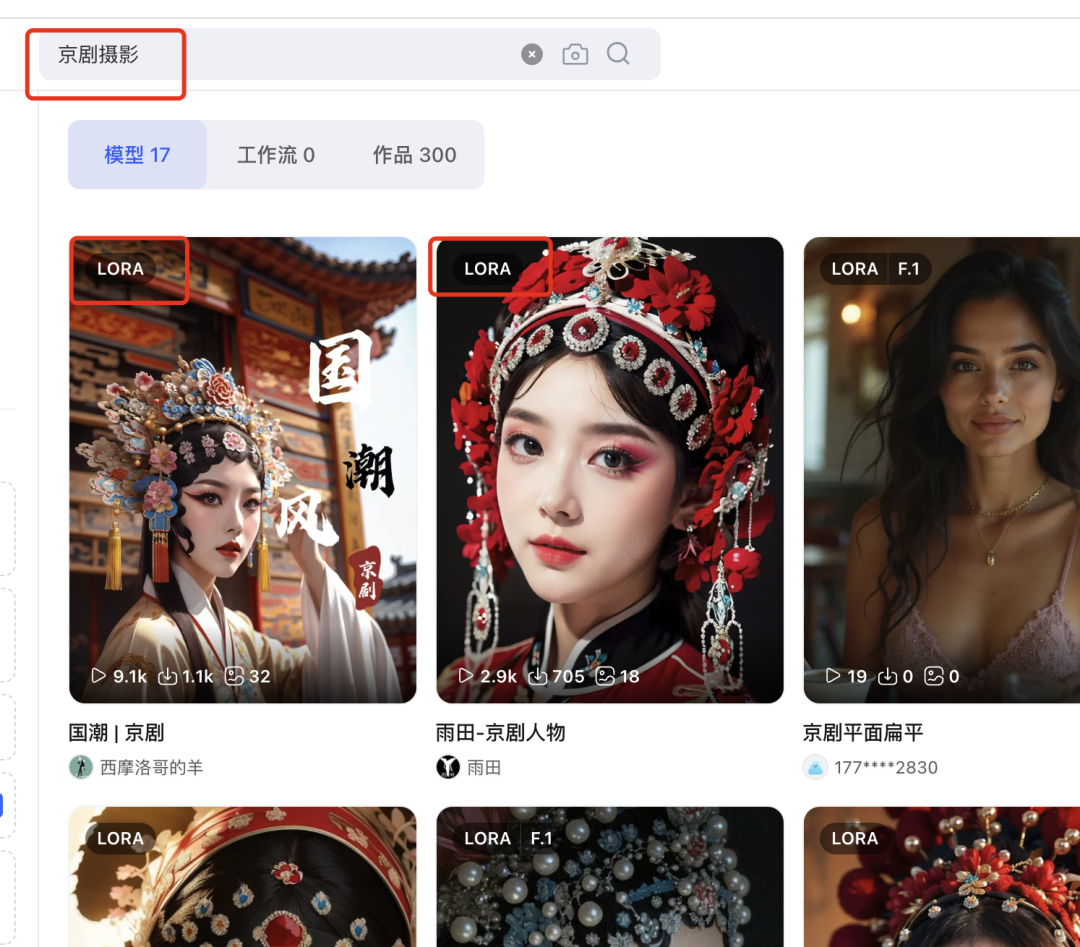
2️⃣ We click on one of our favorite Lora to enter, don't rush the raw image yet, let's scroll down.
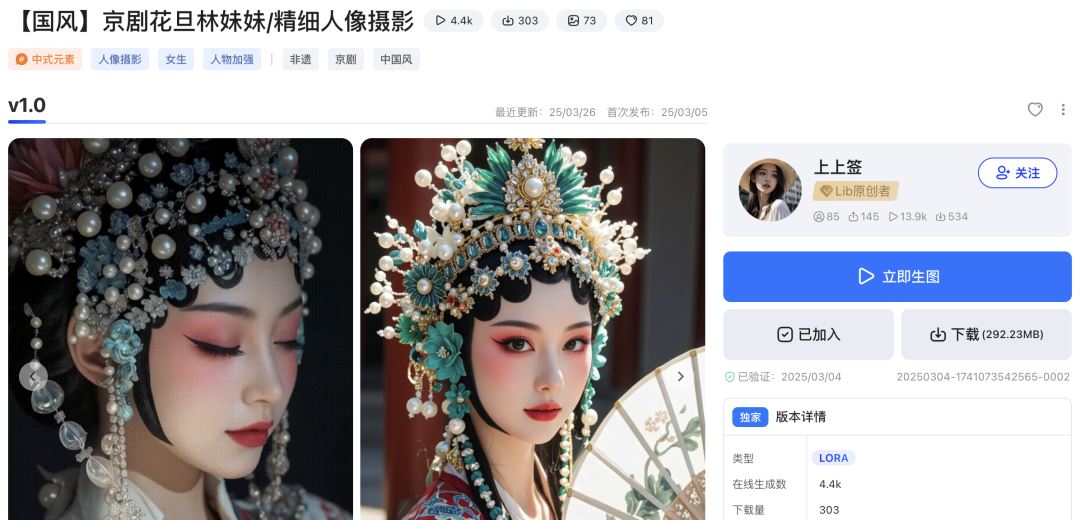
3️⃣ Slide to the bottom of the page and there will be a "return area".
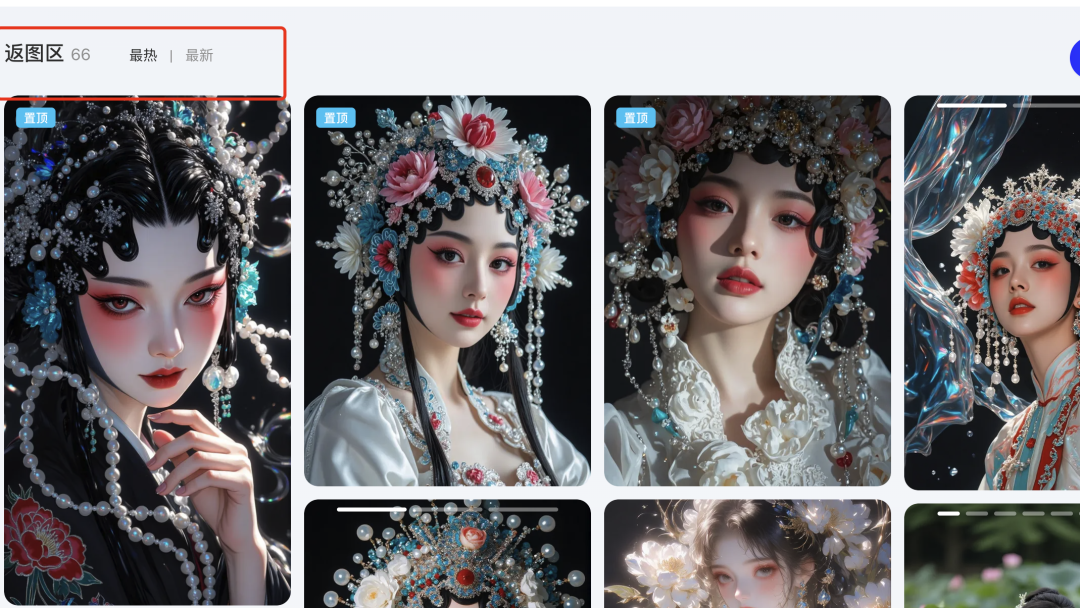
4️⃣ We choose a favorite picture in the return area, mouse over, there will be "draw the same".
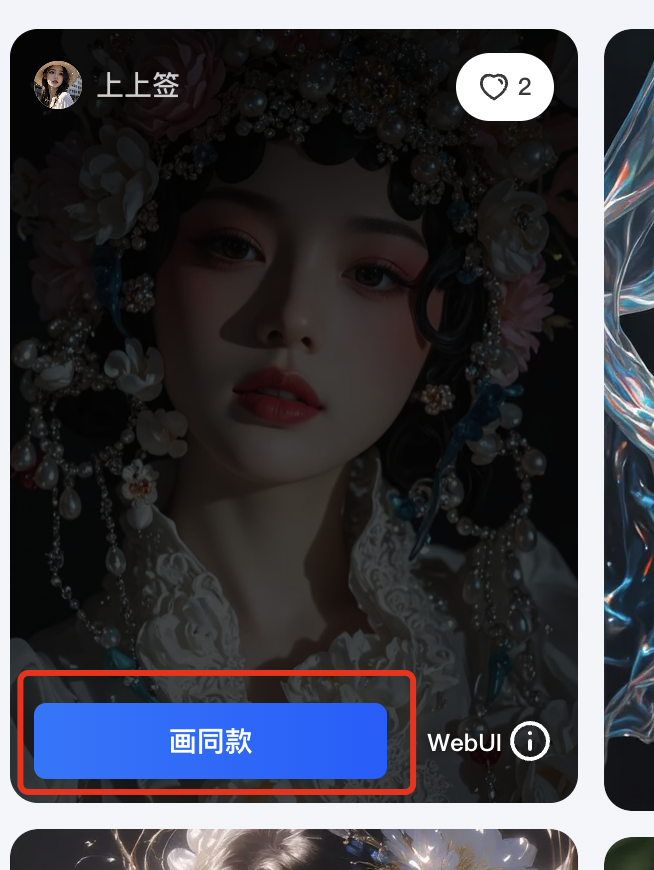
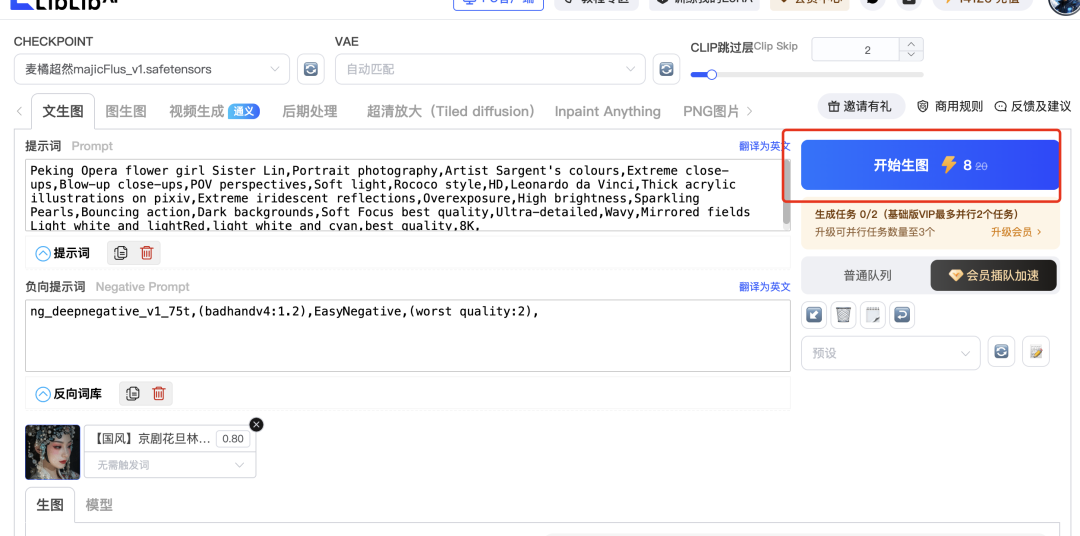
FIVE CLICKS ON THE SAME PARAGRAPH, ALL THE HINTS, SAMPLING METHODS, STEPS, CHECKPOINT ARE AUTOMATICALLY SELECTED, AND WE CAN JUST START WITH THE DRAWINGS。
6️⃣ The generated diagram can be downloaded by selecting it.

7️⃣ The image in the upper right corner allows you to view the history of raw images, which can also be downloaded at this location.
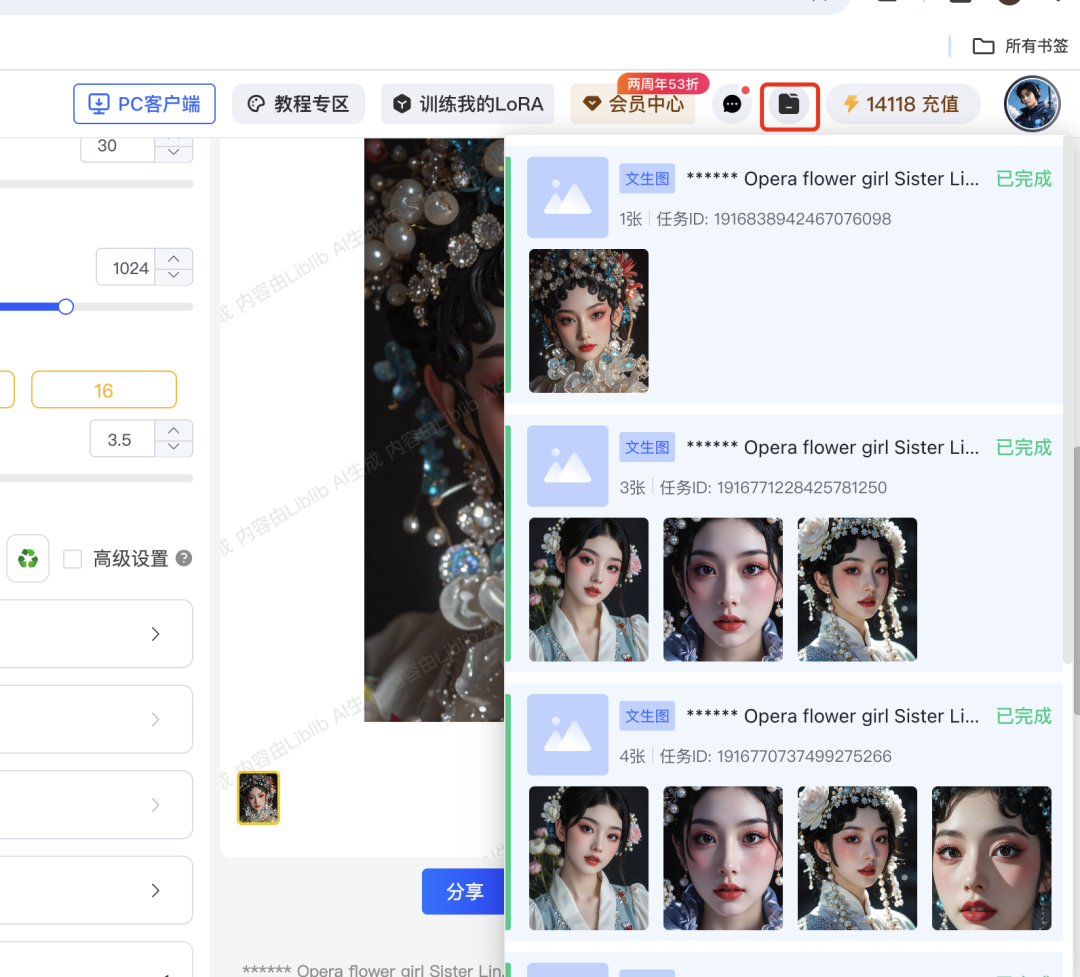
The pictures that come out are very textured and realistic!
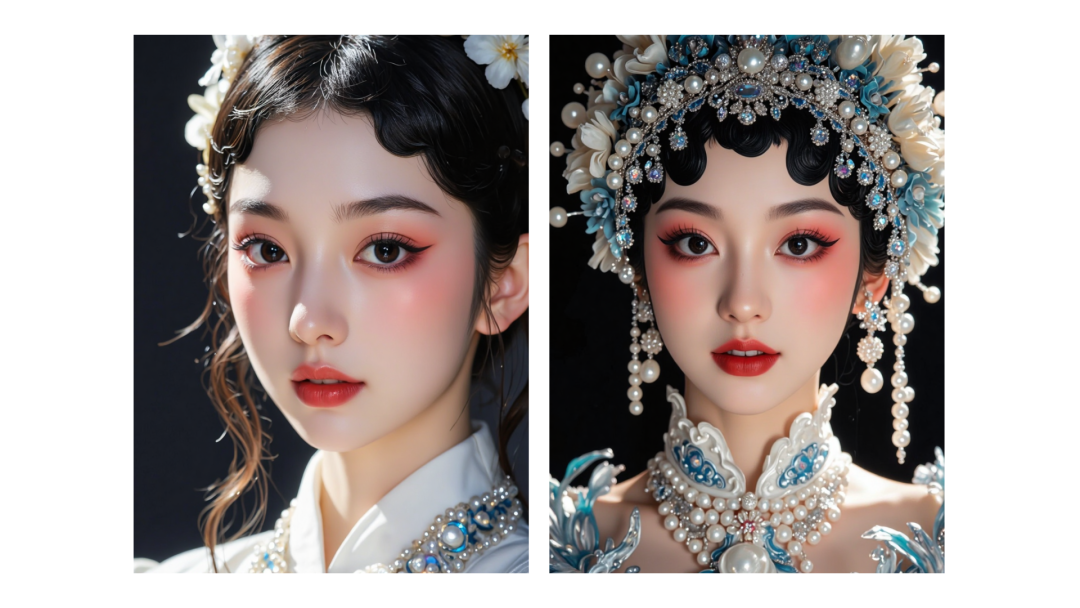
Second, the spirit can generate video
- Tool: Kerin International Edition
- Website: https://klingai.com/global
The international version can still be used to whittle down points by registering unlimited email addresses to this day, and this kind of non-commercial video is still very much recommended for the international version.
1️⃣ Select the Korin 1.6 model ➡️ Upload two images for each of the first and last frames ➡️ Input simple commands as well as shots

2️⃣ Input Negative Prompt Words ➡️ Professional Mode ➡️ Creative Correlation between 0.3 and 0.5 ➡️ Generate
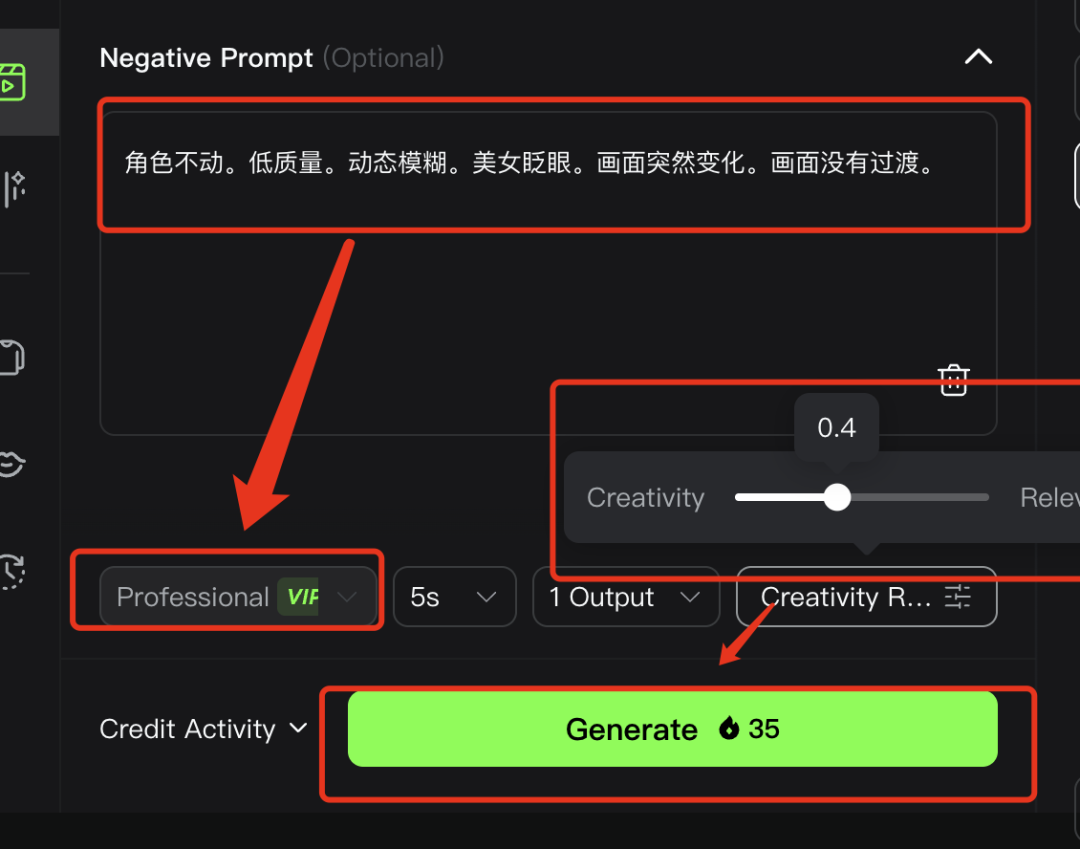
This first and last frame of video korin has been done so well that it basically comes out in about two card draws:
3️⃣ Continue with the second image to generate the video and make the action coherent.

4️⃣ In this case, it felt like it was pretty good for the first few seconds, but the action at the end wasn't quite right, so I decided to take a frame of this video that worked well and continue to extend the video with a diagram.
5️⃣ Intercepting images through clipping.
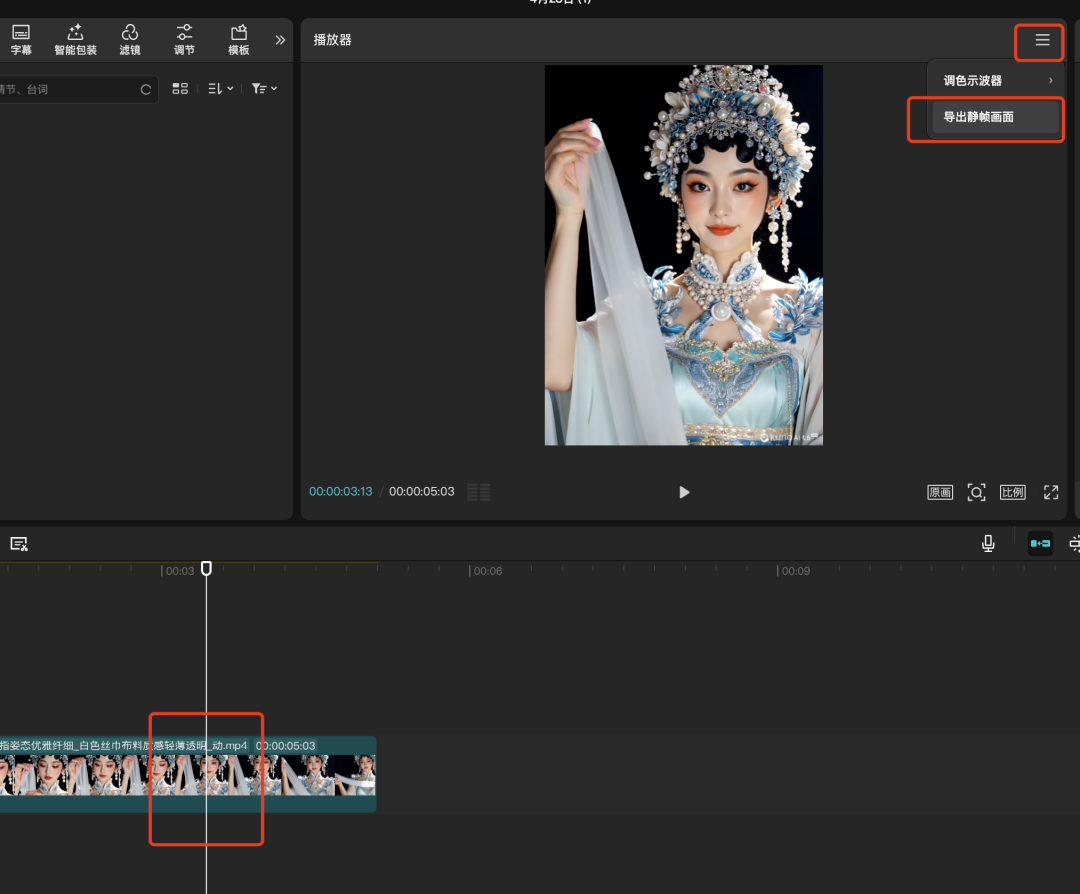
6️⃣ Continue the raw video with the intercepted image.

So the video will be generated to complete it, this is a more lean approach for your reference, part of the case as long as you do two or even a video on the line.
III. Editing with clips
1️⃣ We open the cutout and start creating.

2️⃣ Import all your clips.
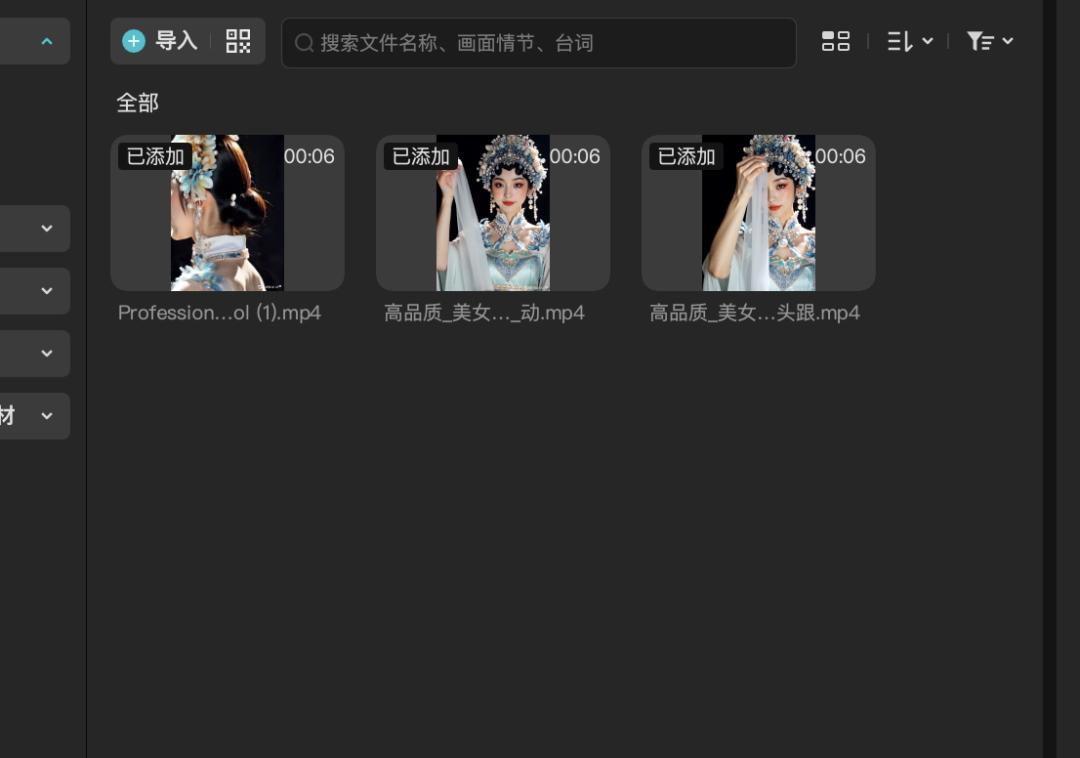
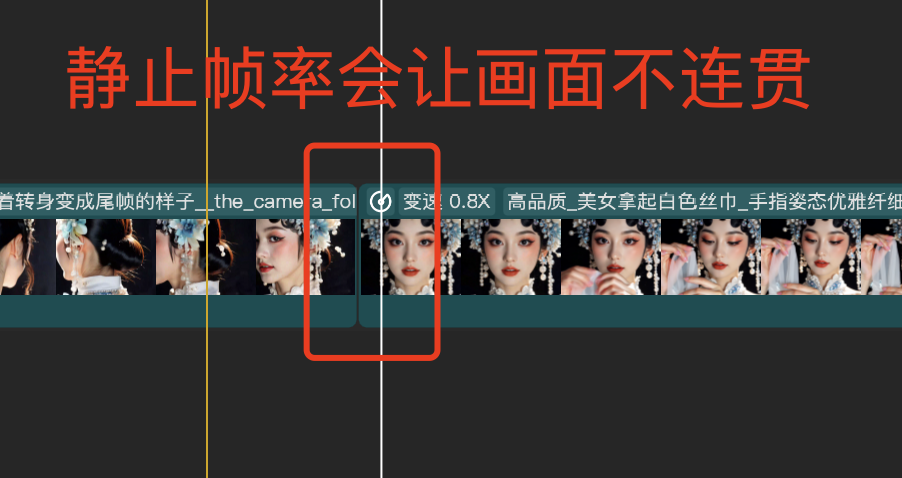
3️⃣ Pull the clips into the track in order and crop the still frames appropriately.
4️⃣ Add some Bgm in ancient style and point out the beats, adjust the screen to step on the Bgm
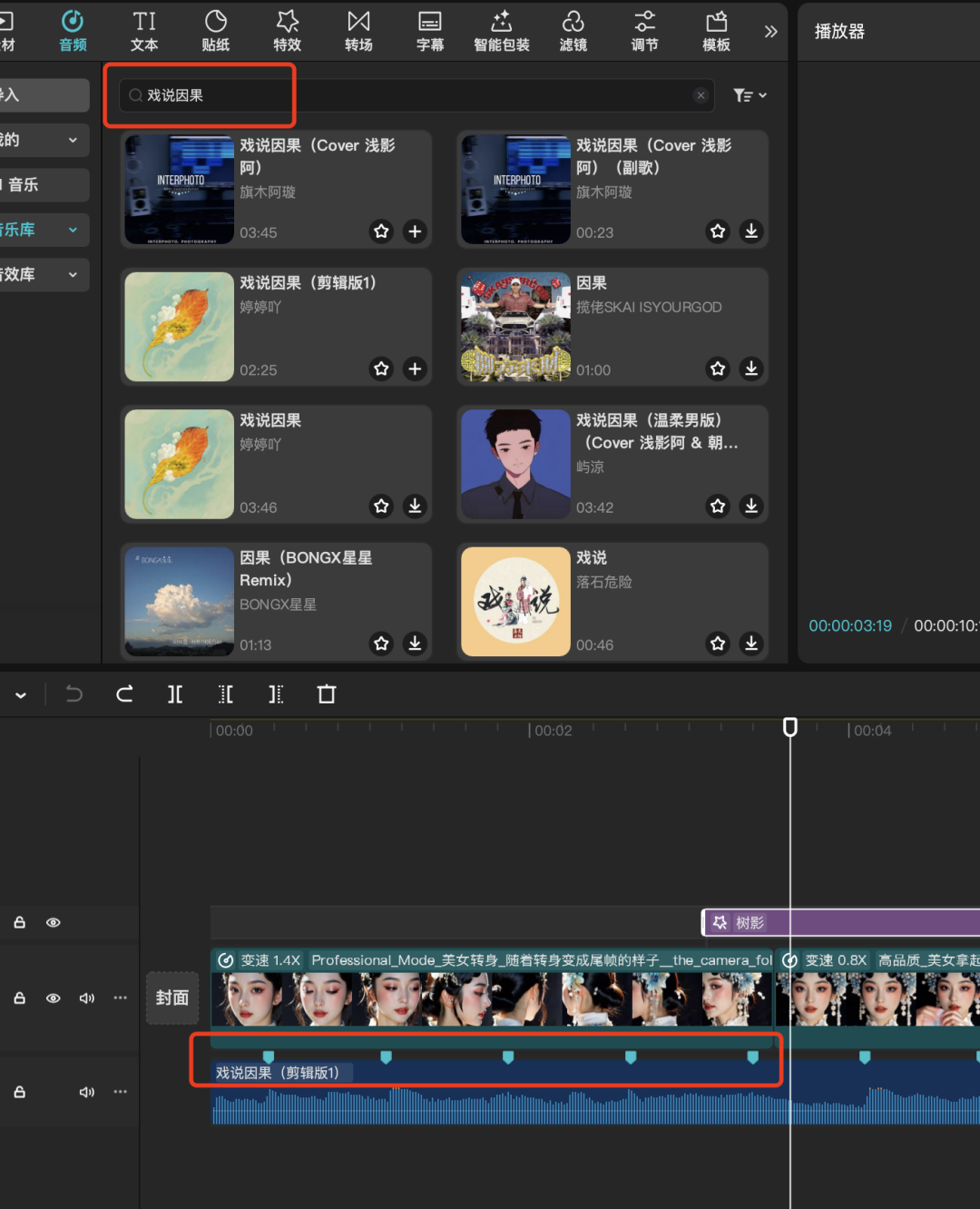
5️⃣ Add some special effects after crossdressing, add the "tree shadow" effect.

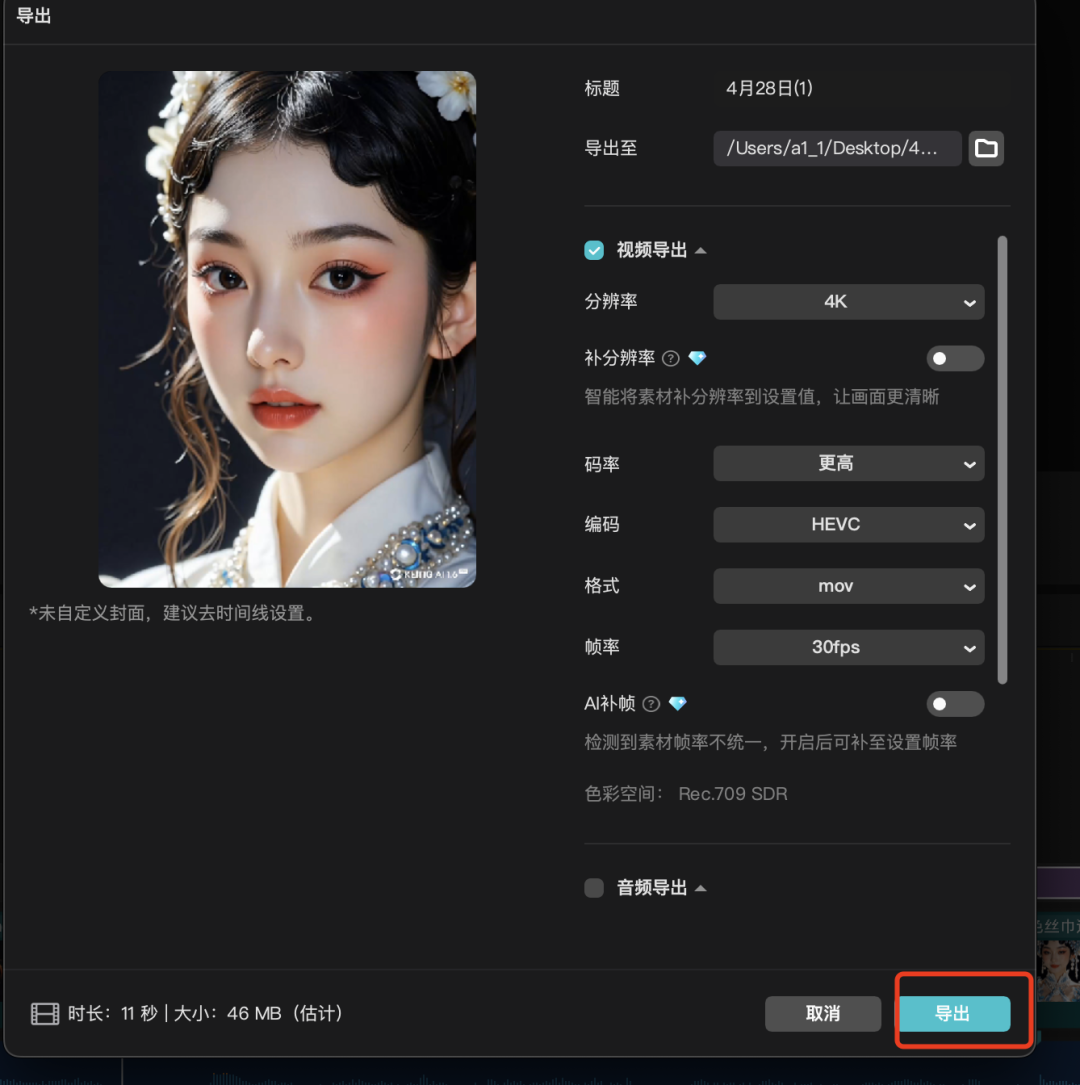
6️⃣ Finally export the video and you're ok!
This is the end of the disassembly of the whole case, Liblib in this case, do not even need to write the instructions.
Skilled operation down, about ten minutes can be out of a, immediately on the actual operation up it!
In the end, the author has a very well-written text: the aesthetics of the old ancestors is always the top stream. I hope that in addition to this style you can also use creativity to do more high-quality national style works out. We refer to the explosive, become explosive, beyond the explosive.