



Recently many students have wanted me to break down this baby that has recently exploded on TikTokAI PodcastVideos of interviews, baby movie and television fame scenes.
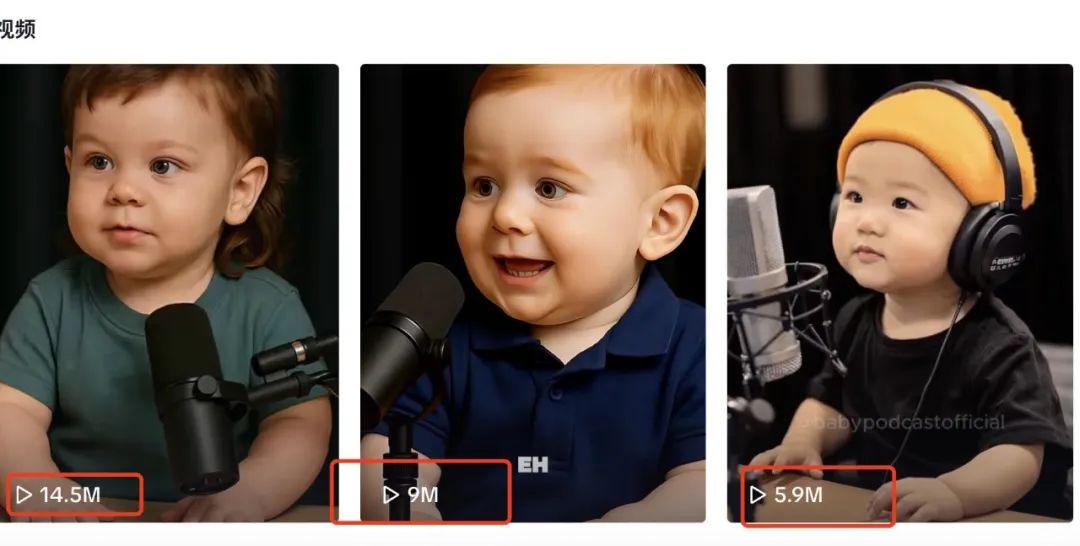
One of the more representative is the "babypodcastofficial" account, with the baby to do the blog content, 14 days to increase the powder 230,000 powder, a single playback volume easily breaks a million.
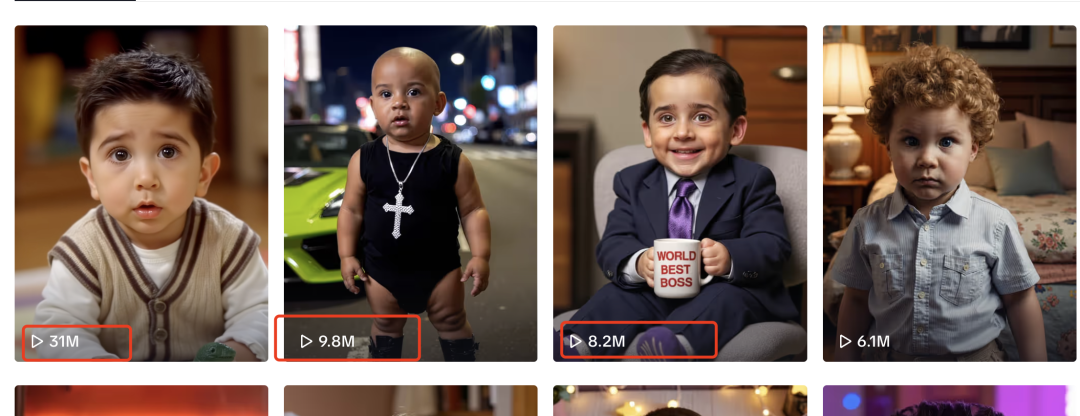
Another account "junkboxai", with the baby to restore the movie and television characters, do movie and television famous scene content, is also easy million plays, currently in TK 360000 fans!
The next will be a handful of pop-up videos of this baby movie name scene, so just see it through to the end, and you'll be sure to get something out of it!
Production Process
1️⃣ Making Lens Pictures
2️⃣ Toussaint Video
3️⃣ Counterparts
4️⃣ Clips
I. Making lens pictures with Sora
Gpt/Sora, Midjourney, Beanbag, and Instant Dream can all create corresponding images, but in terms of realism and movie feel, I think Sora is still the only one, and you can also generate two at a time, so I still chose it!
- Tool: Sora (requires magic)
- Website: https://sora.chatgpt.com
If you don't have a magic environment, but still want to use Gpt raw maps for free, you can refer to this issue: "God Operation! Free to use GPT-4o to make League of Legends realism AI video, strip popping, likes easily break 200,000
1️⃣ Pick the movie and TV famous scene we want to reproduce, this is good, directly in the B station random search.
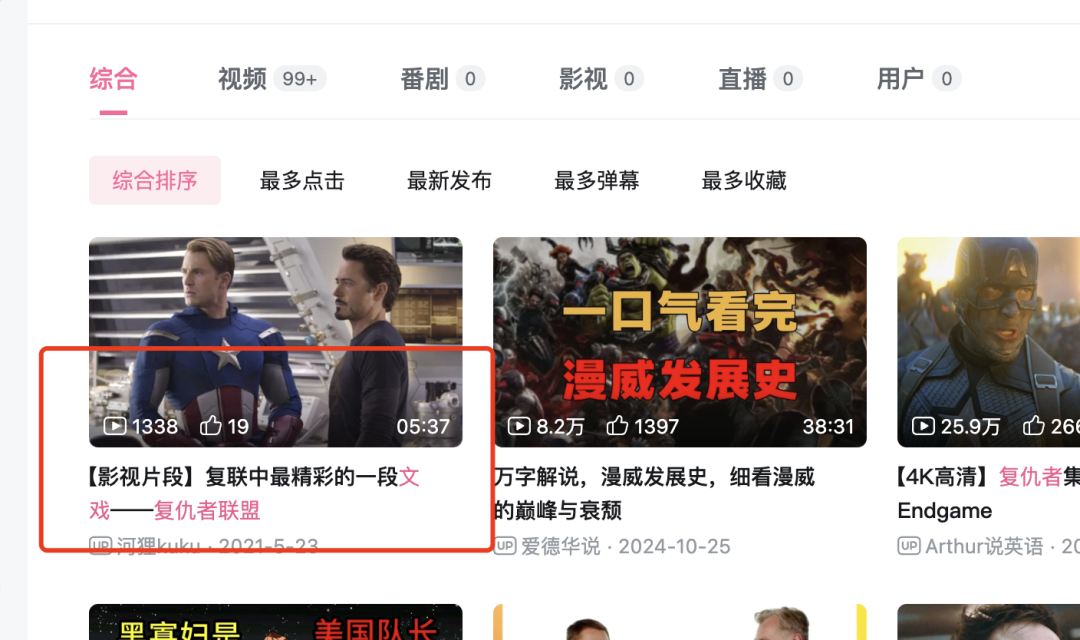
2️⃣ Take a screenshot of every shot of the clip you want to make and have Sora turn it into an image of a baby, six year old.
instruction:
- Transform the image of XXXXXX to look like a six year old, keeping the same appearance, dress, and scene, no subtitles.
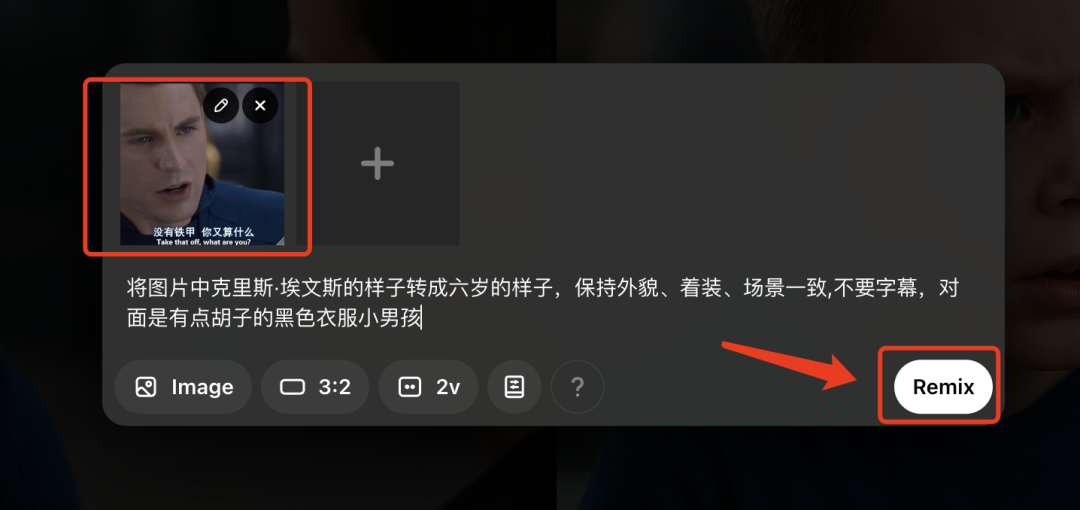
Two pictures at a time to give us more room for the finished piece ~
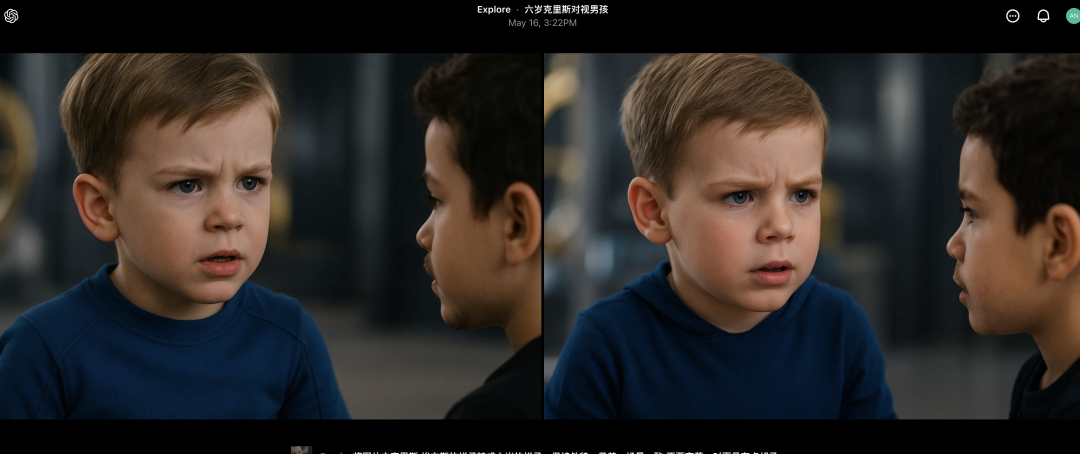
3️⃣ Part of the picture we combined with the end frame of the video screenshot, so that all the pictures of the Toussaint video came out, this sense of realism, film and television is really great!
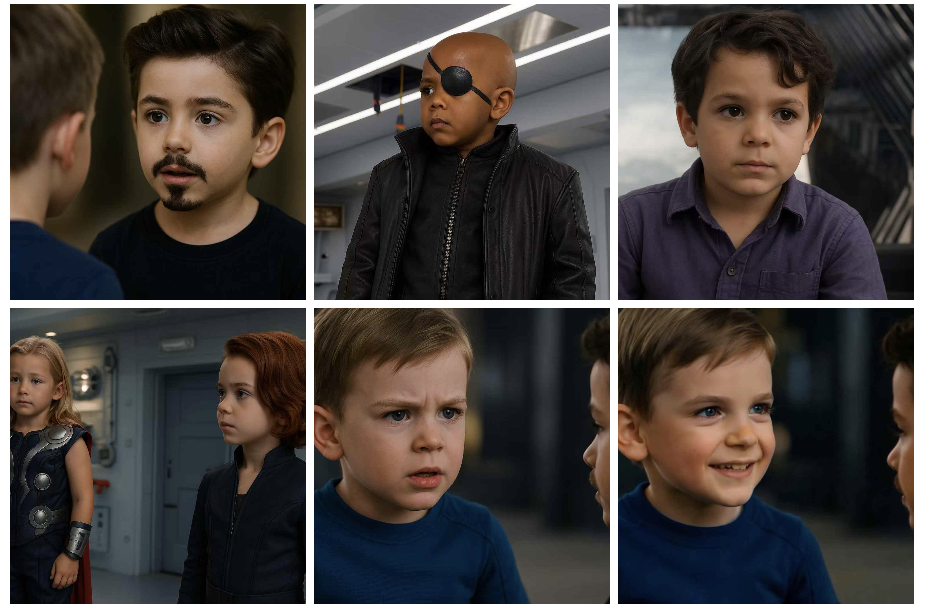
Second, use that dream to generate video
This kind of literary drama, action subtle video, we use the dream to do is enough, 3.0 model is very powerful, and compared to the Korin a lot cheaper!
- Tool: i.e. Dream
- Website: https://jimeng.jianying.com/ai-tool/home
1️⃣ Upload Image ➡️ Input Command ➡️ Video 3.0 Model ➡️ Generate Video
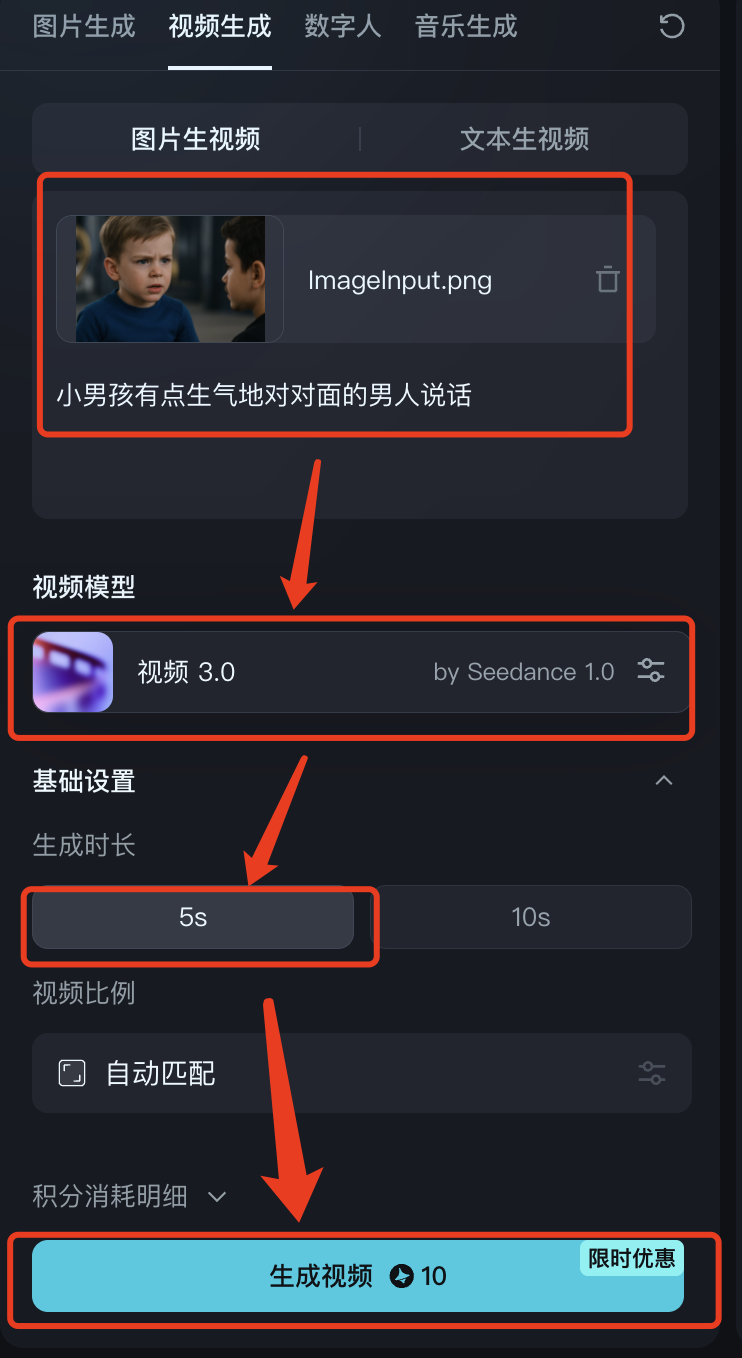
2️⃣ Each shot we need to experience the character's emotions, movements, micro-expressions, camera movement and other details to control the effect of the raw video.
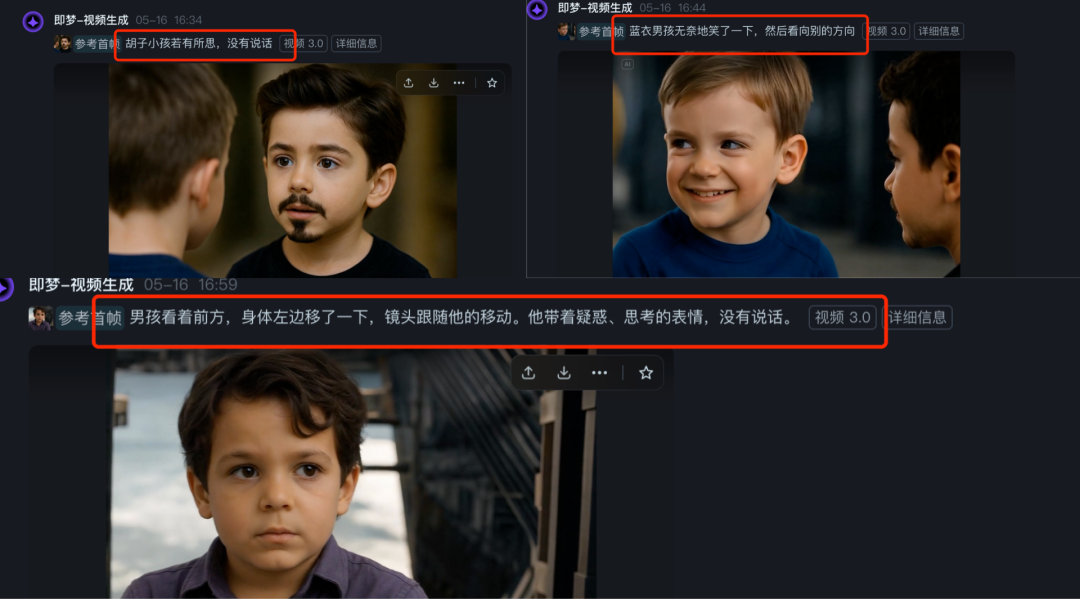
3️⃣ As long as the images and instructions work well together, the turnout will be very high.
Third, with the instant dream counterparts
In addition to being cheap, efficient, and suitable for small scenes of literary theater, choosing Instant Dreams is a one-stop shop for lip-synching, and it works very well.
1️⃣ We'll click on "lip-sync" directly in the video clip where the character is speaking.
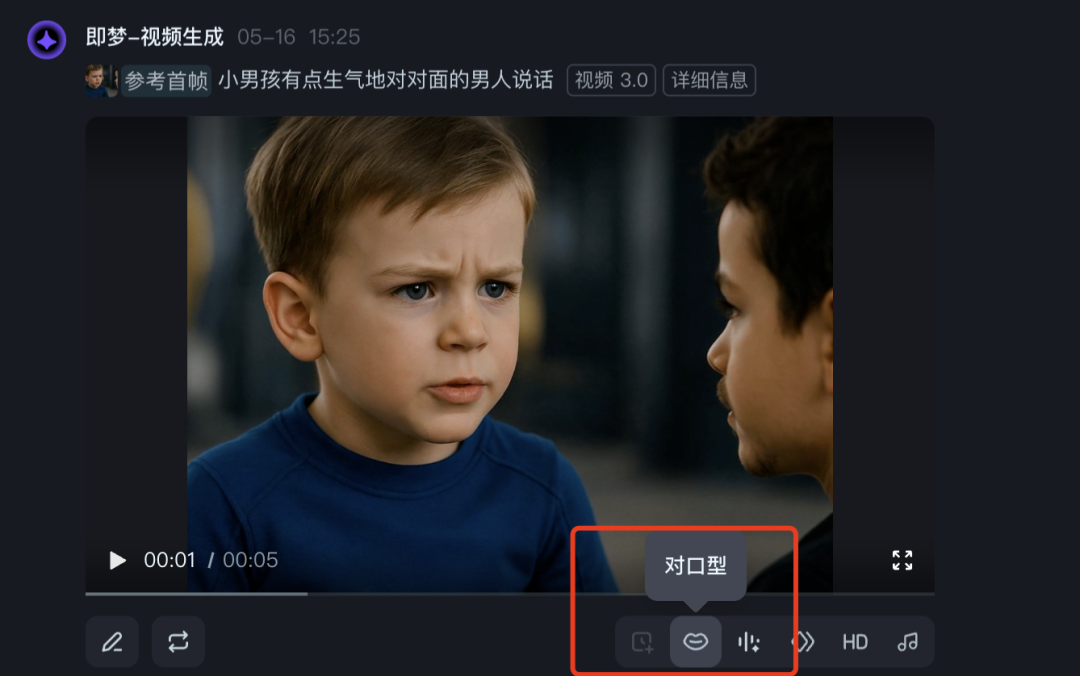
2️⃣ We input the dialog into ➡️ randomly choose a tone (because we use film and television soundtracks, the lip-sync voice will be muted) ➡️ 1.2 to 1.4 times the speed is more appropriate ➡️ generate video
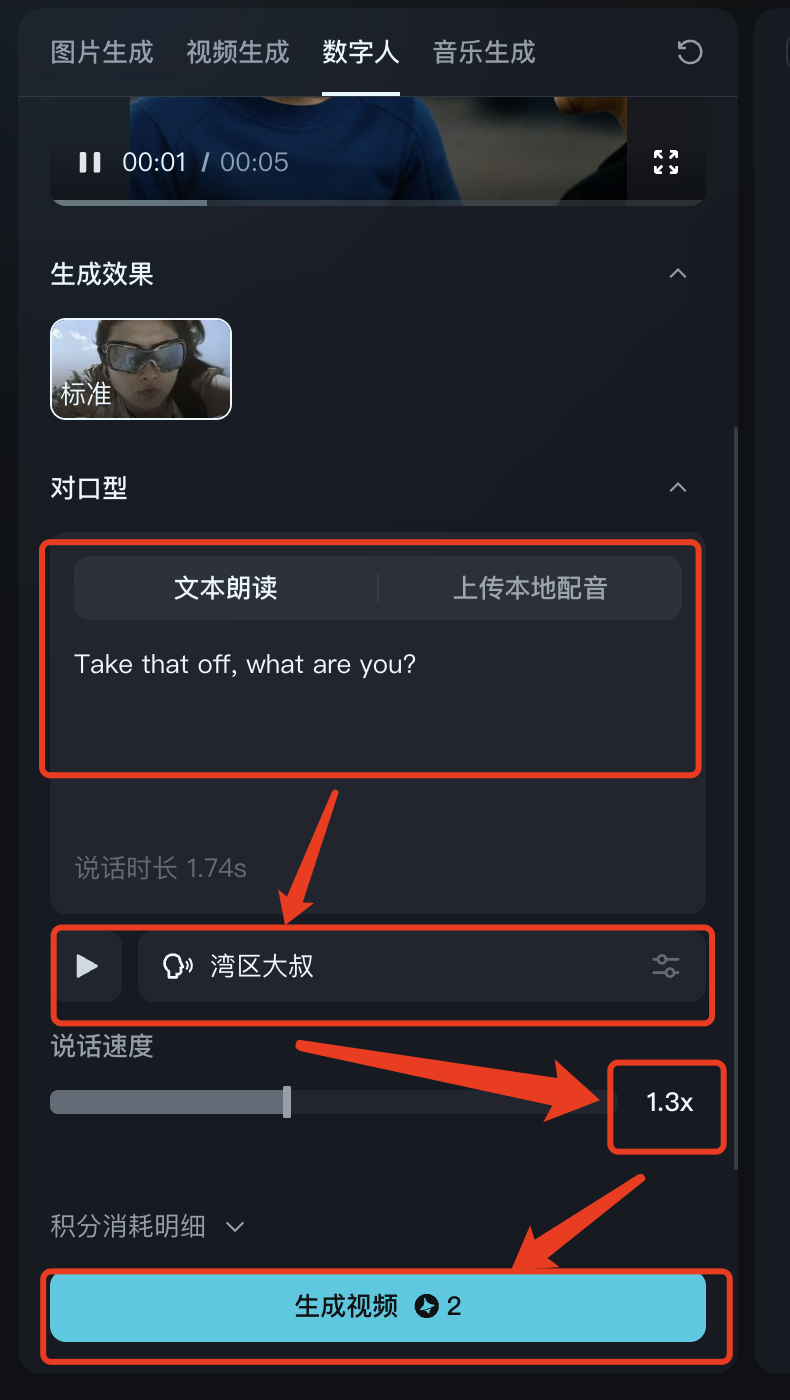
Basically, if you draw a card once or twice, you'll be able to get a movie.
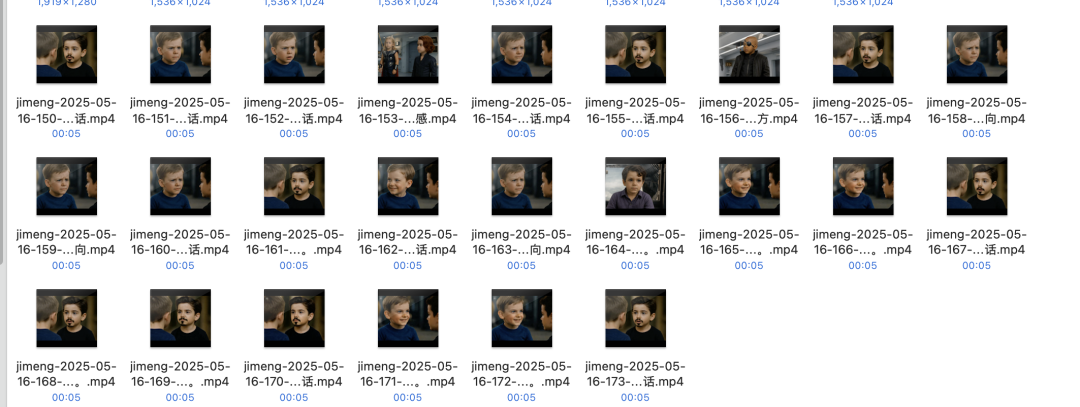
3️⃣ Follow this logic and do all the lip-synching shots, then the basic material is done~!
IV. Editing with cutscenes
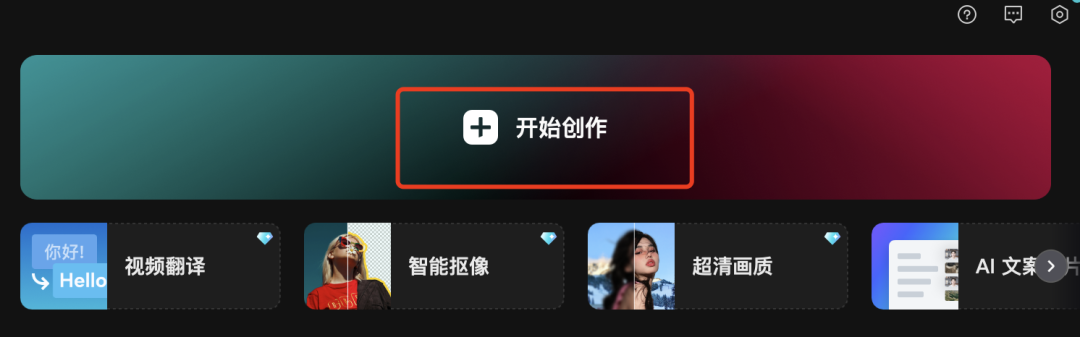
1️⃣ Let's open the cutout and start creating!
2️⃣ Import all the footage, and just extract the audio from that B-site video we benchmarked.
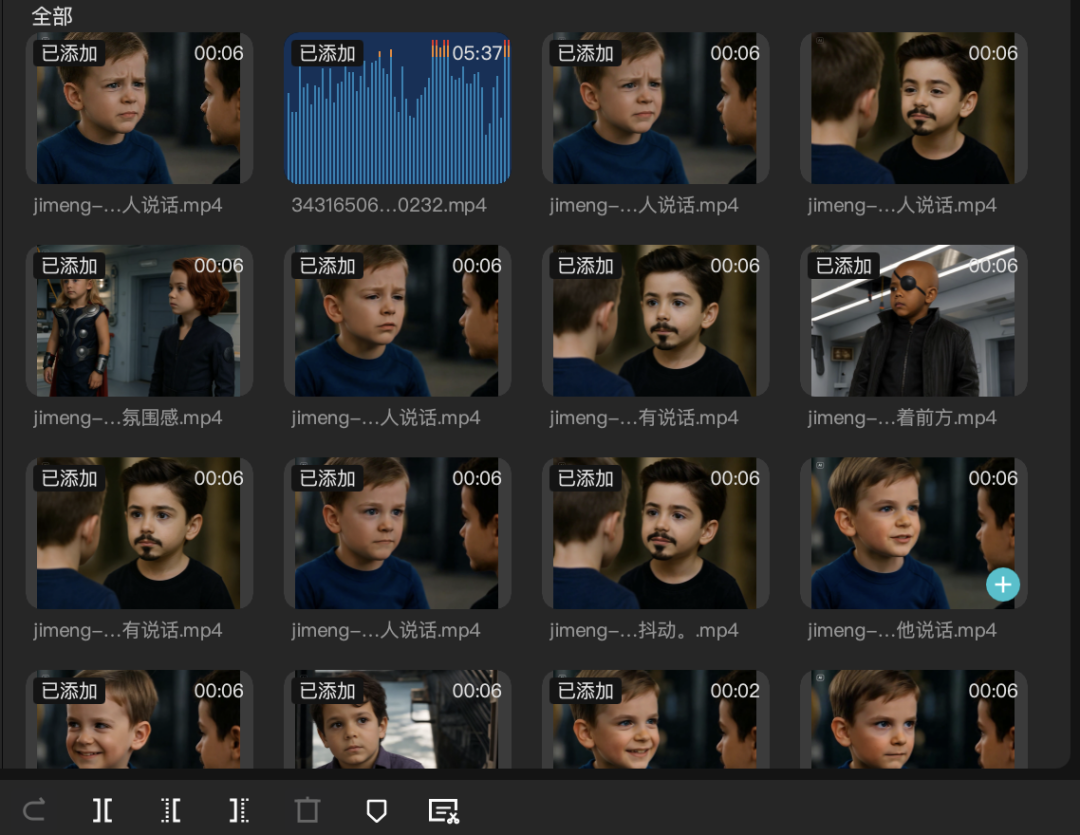
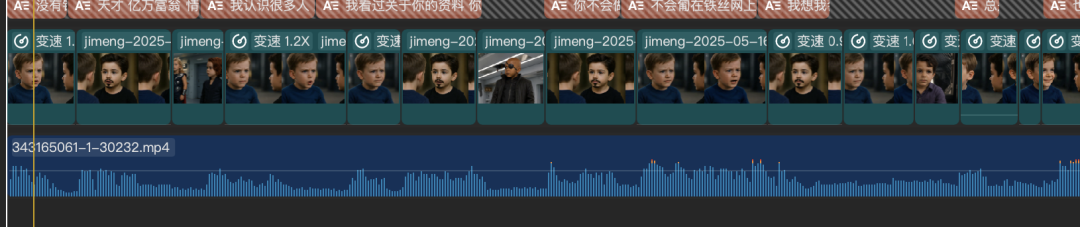
3️⃣ Put the material corresponds to the rhythm of the original voice with white, if the lip-synching part of the material found and the original dialogue speed gap is too large, you need to adjust the speed or re-generate the appropriate speed of speech lip-synching video.
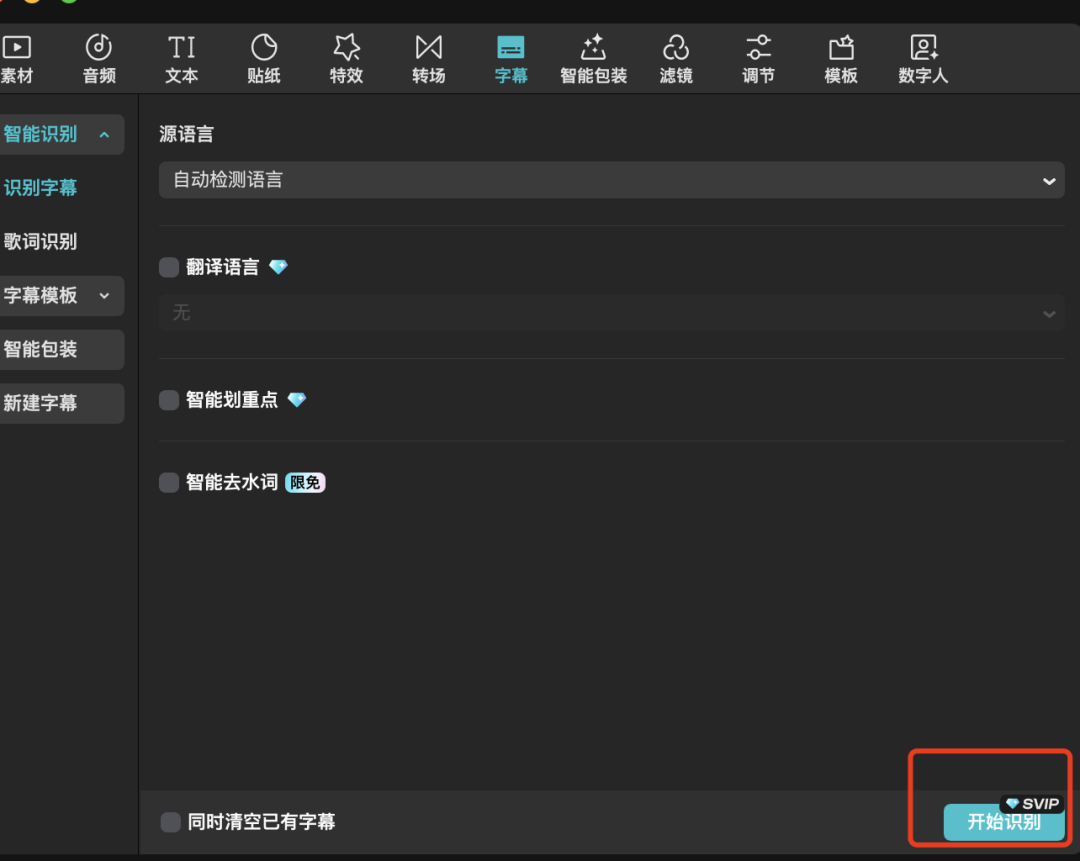
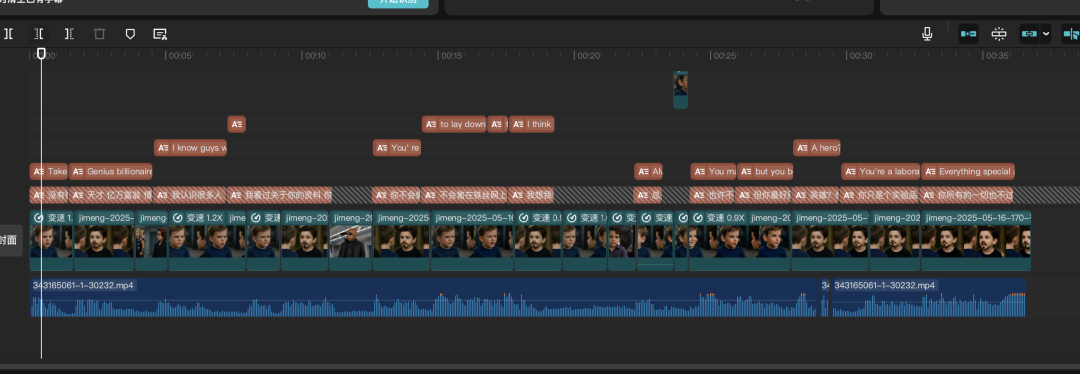
4️⃣ If we just post it to TK, tubes and other platforms, the audience is English-speaking users, we can just recognize the subtitles directly, and we don't need to add Chinese and English subtitles like Vic.
5️⃣ Tweak the graphics, subtitles, and Bgm as appropriate.
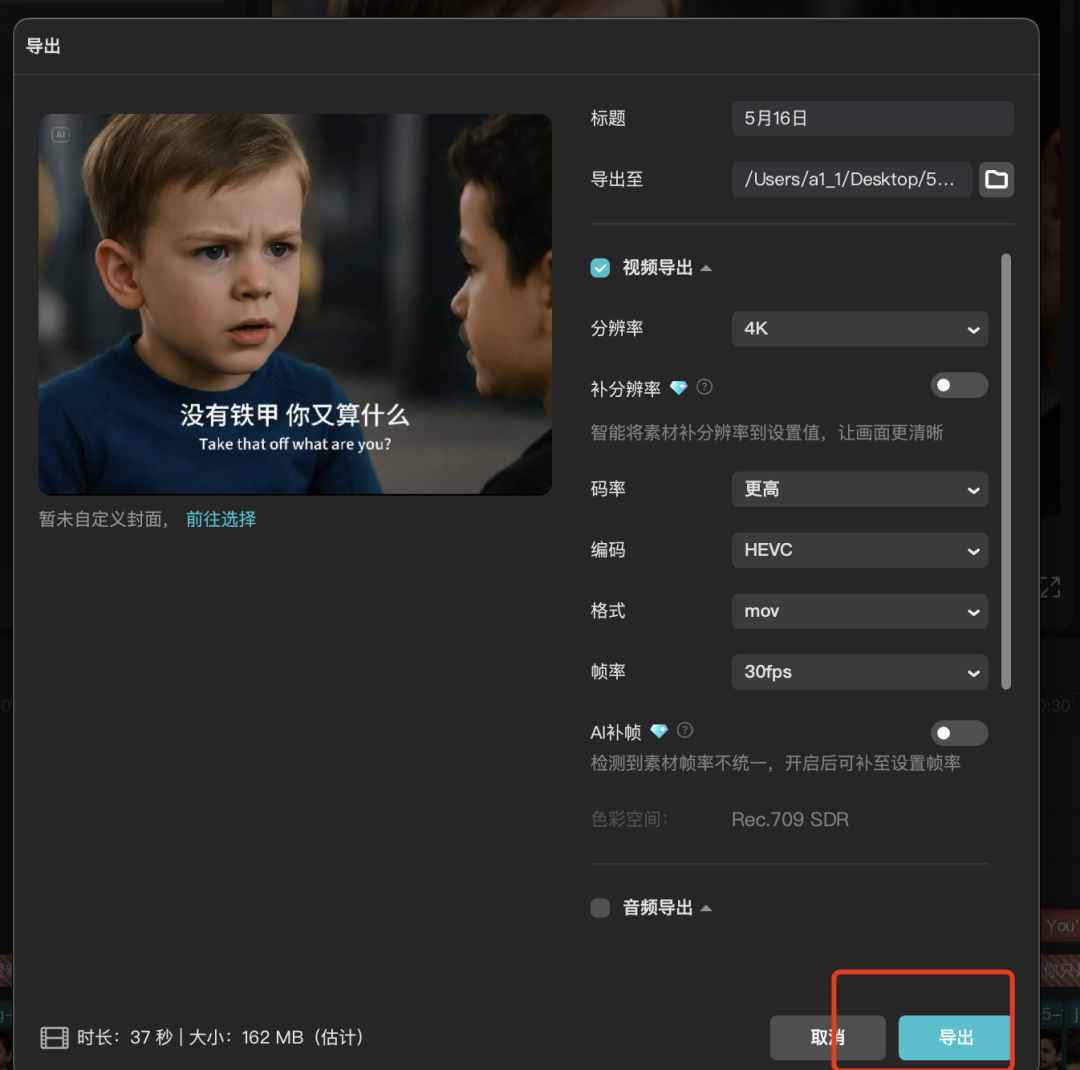
6️⃣ Just export the video at the end.
The whole thing wasn't too difficult to produce, it just took a bit of time to grasp the details of each work point.
This is where the whole case breakdown comes in, if you want to do baby blogging, original audioElevenLabs, Minimax Speech 02 models, etc. to create, which will not be shown here.
If you have gained must point to like, in the watch, retweet ah! Get practical right away!