



A lot of self-media bloggers are using 3D cartoon digital human image to replace the real person appearances, to do oral or video tutorials, etc., cute cute very attractive!
What a perfect mouthpiece replacement for po-po's who don't want to be photographed.
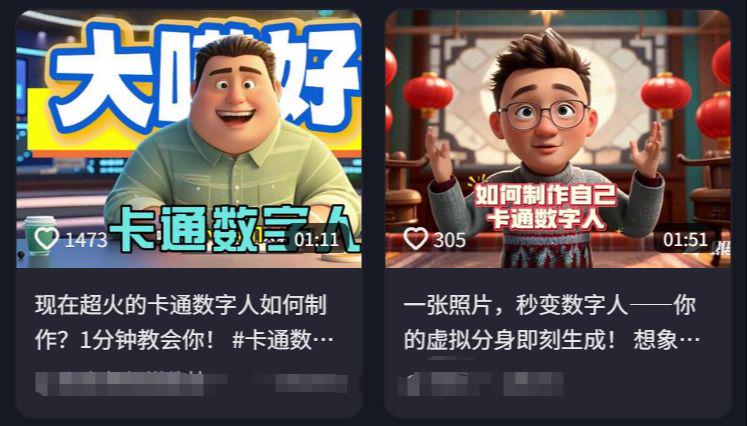
Not much to say, we are here today to teach you to customize their own 3D cartoon digital people, the next on the practical, strive to be the simplest way to teach you, white can easily get started!
I. Cartoon digital people image cue words
I've written a few ready-made prompts for you to modify to fit your own personal image, such as hairstyles, clothing, and scenes.
If you need to use it for keying, the background needs to be a solid color and a green screen background will do.
With the cue word, let's upload our photos in the second step to customize our own digital person.
Cue word formula: [picture style] + [subject image] + [scene]
Surrealism, minimalist style, 3D rendering, cartoon, blind box, close-up of upper body. A 23 year old Chinese boy, formal shot, clean face. Short grayish-brown hair, tousled and slightly curled. White inner t-shirt with a black leather jacket over it. The background is in cyberpunk style, techy desk, ray tracing, unreal engine rendering.

3D rendering, Disney animation style, frontal close-up of upper body, cozy atmosphere. Formal shot of a 23 year old sophisticated woman with long cascading hair, fair skin, long eyelashes, wearing a white professional suit, sitting at a desk, Digital Man style illustration.

Retro-futuristic, minimalist, plush texture, 3D cartoon, close up upper body, looking straight into the camera, a 23 year old Chinese boy with a sunny face and relaxed demeanor. His short chestnut colored hair is slightly curled and he is wearing retro round glasses with gold rims. He wears a white turtleneck sweater over a dark purple corduroy vest, the pocket of which reveals half of a silver pocket watch chain. In the background is a living room full of old radios and holographic projections. In the evening, the orange-red sunset pours in through the blinds, rendered by Blender, with rich layers of light and shadow.

3D Render, Soft Focus, 0ctane Render (OC), Blender, Intellectual Property Style, Pixar Style, Frontal Close-up of Upper Body, Cozy Atmosphere. A 23 year old female, formal shot, white dress, long black-brown hair cascading down the sides of her chest, living room in the background, lady sitting on a couch.

II. Customizing your own digital person
The next step is to make the cartoon image fit your facial features more closely, which requires the use of the reference picture function, prepare a half-face photo of yourself in advance.
That is, the Dream Computer web page:
https://jimeng.jianying.com/s/iyrmHgaU/
Mobile app store search 🔍 "Instant Dream AI"
Open and DreamAI, select "Image Generation" - Model "2.0" - Upload your own photo "Character Profile/Portrait" - Input "Prompt Word" - Generate Now!

Character traits and portraits out of the effect is not the same, you can try more. Tip word can be replaced by this "3D cartoon" to "Disney animation style", "Q version", "Pixar ", "healing illustration" and so on.
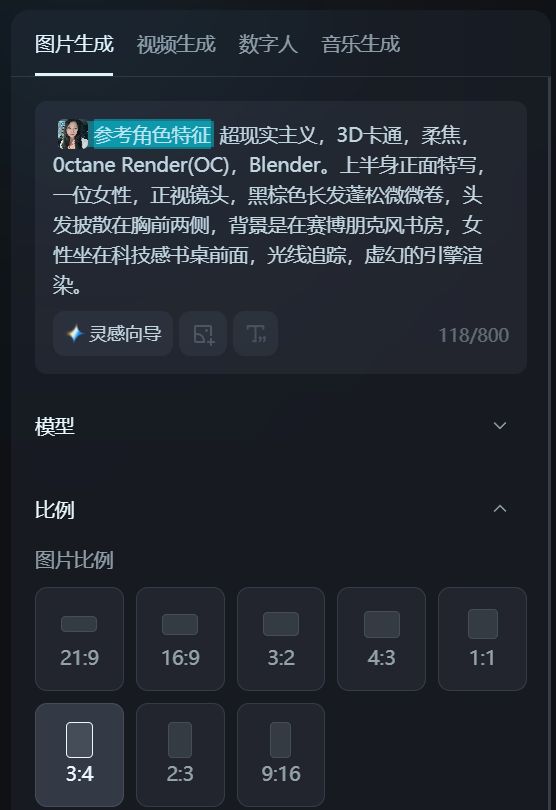
Multiple card draws, haha, i.e. Dream is going crazy for me. I didn't write a costume cue word once, and the picture that came out was completely unreadable (facepalm).

Save a photo of our favorite image and go to Canvas Edit - HD - Export.

Not really liking the pink color, I asked Beanbag to help me change out of my clothes again.

III. Digital Human Counterpart Video Generation
Simpler point of counterpoint, we directly in that dream, with a picture of the counterpoint can be. Some people say that using pictures to directly generate digital people is getting more and more expensive! Let's do it another way. Instead of using pictures, let's use videos to do the lip-syncing!
Refer to this previous detailed tutorial: i.e. Dream AI free digital people lip-synching, both to save points and picture vivid tips (detailed tutorial)
1. First generate the image into a video, cue word reference:
Fixed shot, the girl sits in front of the camera and tells the story without much movement.
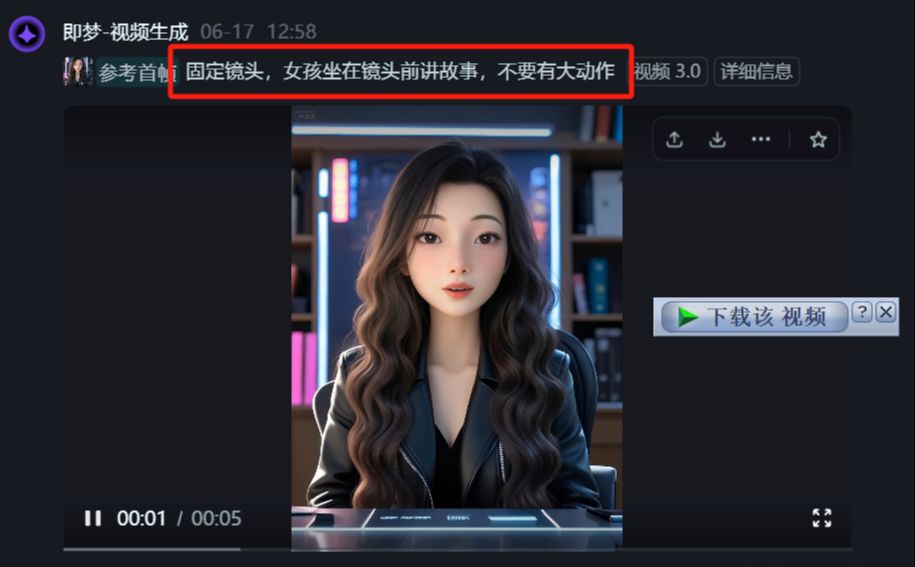
2. and then use the generated video to lip sync.
Prepare our voiceover in advance, here I have cloned my own voice, for voiceover tips refer to my article: text to speech, 3 common voiceover methods. How to dub a video with clipping and projection. Free voiceover tools recommended, clone your own voice

Open and DreamAI, select "Digital Man" - lip-sync "Upload the video you just generated" - upload voiceover
-Generate Now

There is a little flaw, the character should close his eyes occasionally would be more perfect, you can add words such as "close his eyes occasionally" to the prompt.
III. Cutting and editing to film
Import the just downloaded lip-sync video clip
Add background music, titles, subtitles, etc.
(If you need to change the scene, you can create a digital person with a solid-colored background to the cutout key)

derive
Did you learn it? Go ahead and try it.