



Today I'm sharing with you how to useCharacter assets + hand-drawn subsAchieve precision controlAI ActorsEffect of position
Step 1: Create role assets
beforehandDreamIn the "C" section, enter a simple prompt like this
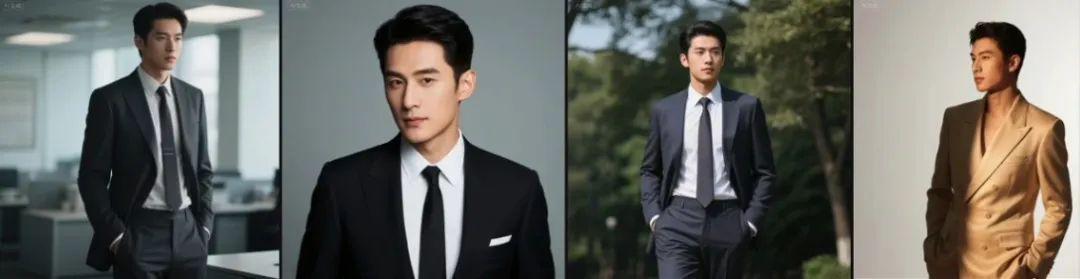
The man in the suit.
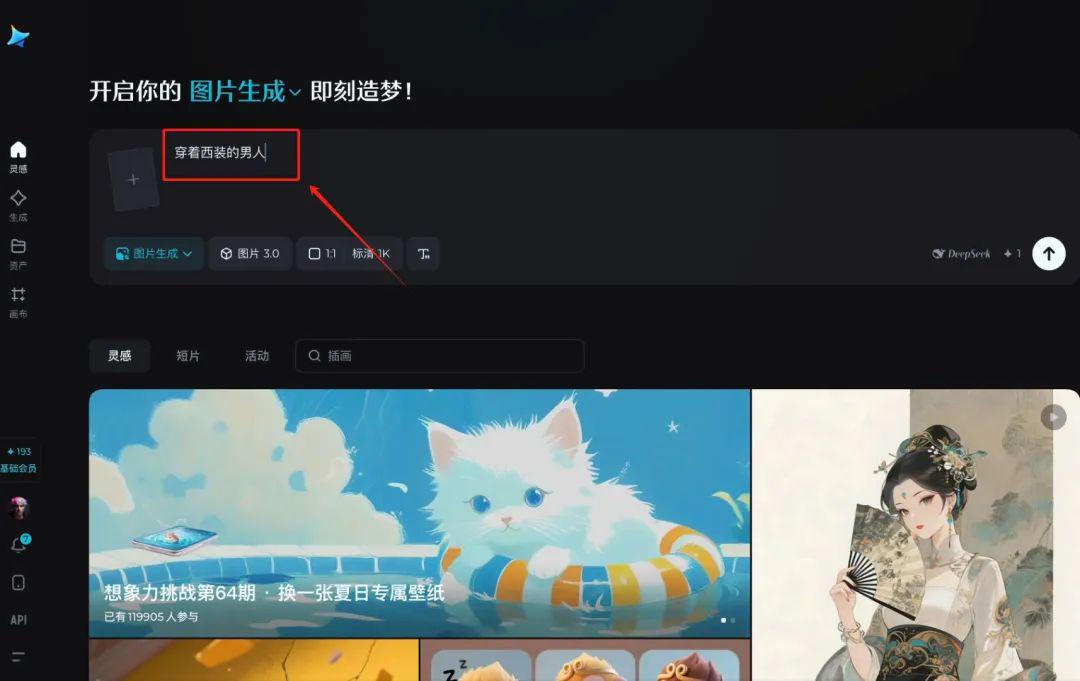
Get the front view of the character
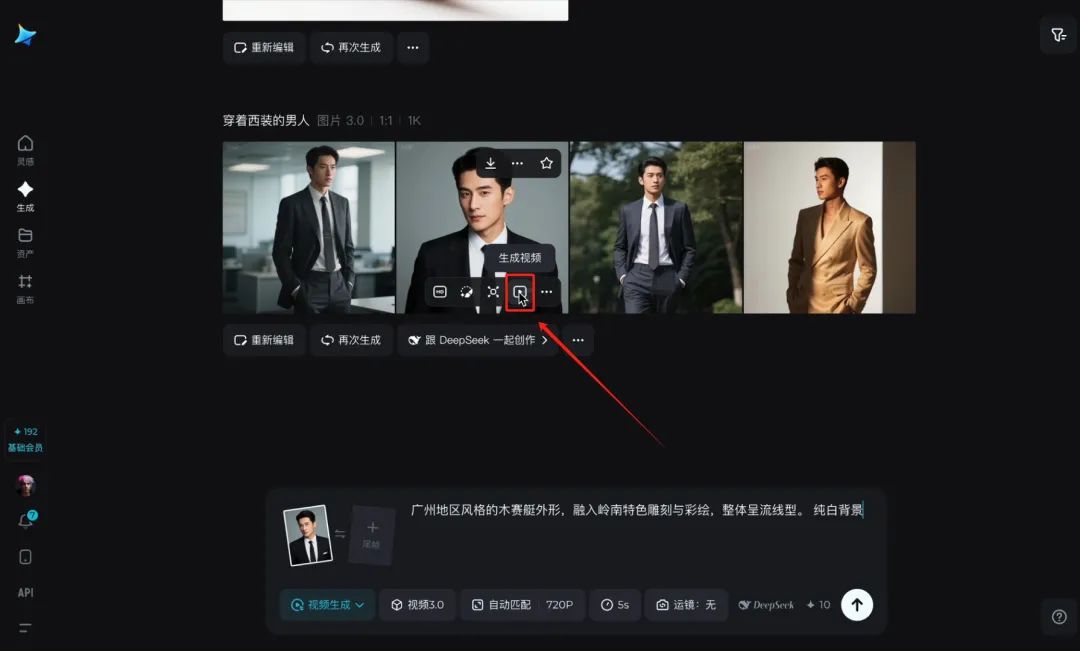
Click on the video to generate
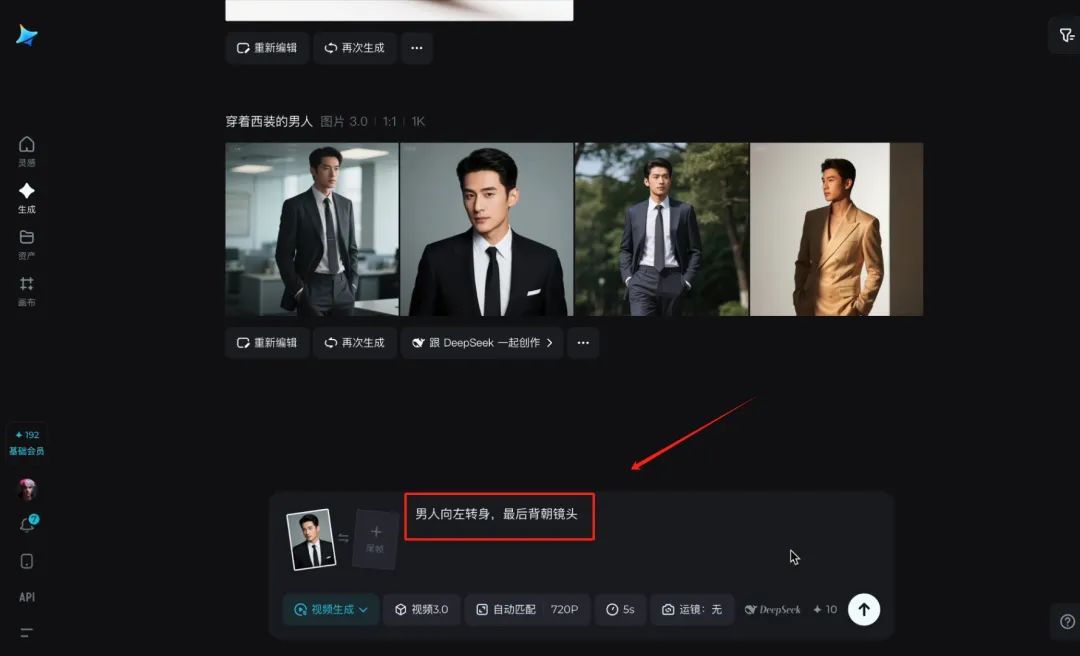
Enter the video to generate the cue word:
The man turns to the left and ends up with his back to the camera
And you get videos like this
And then through the editing toolscreenshot (computing)You'll have a front view, side view, and back view of your character's three-view character assets.
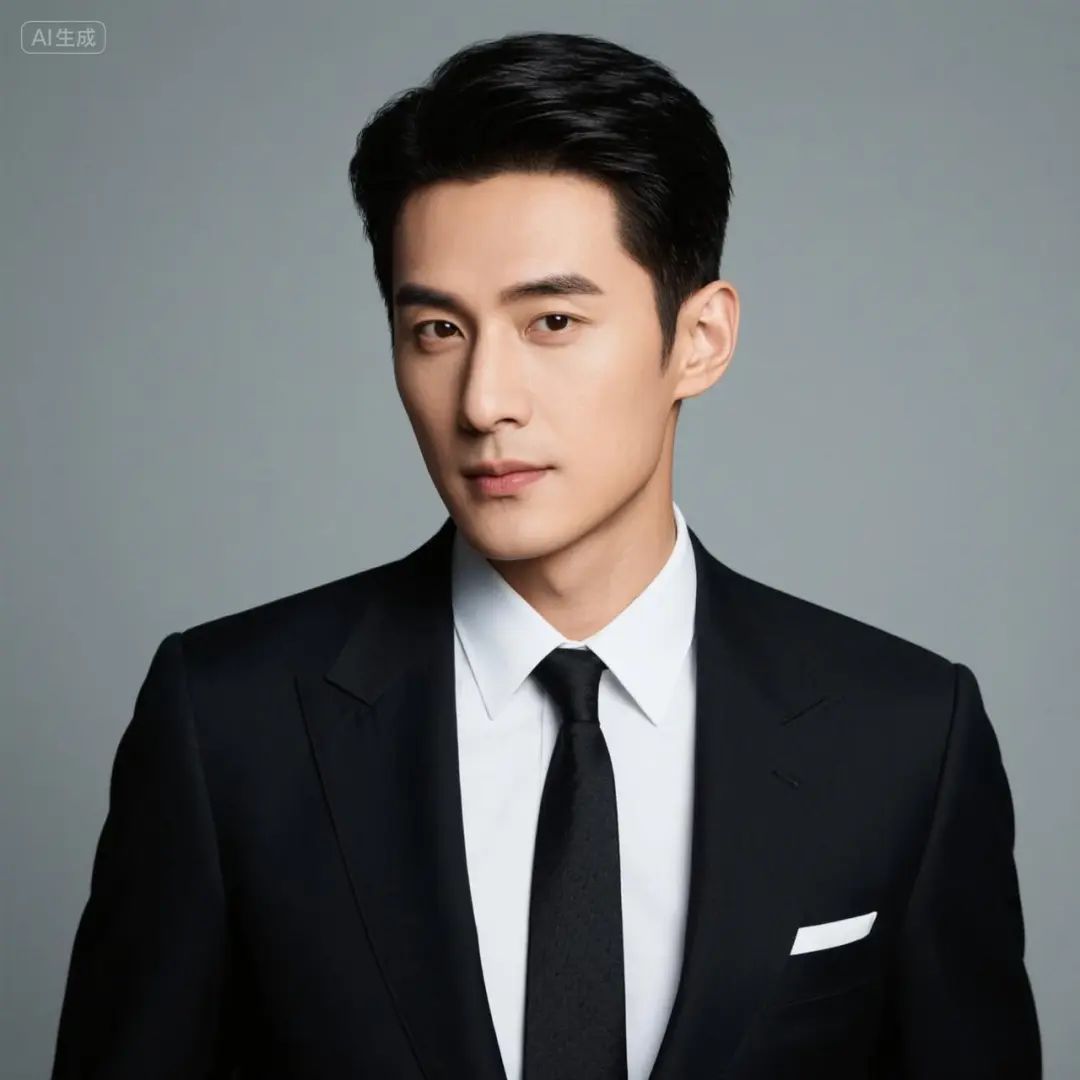
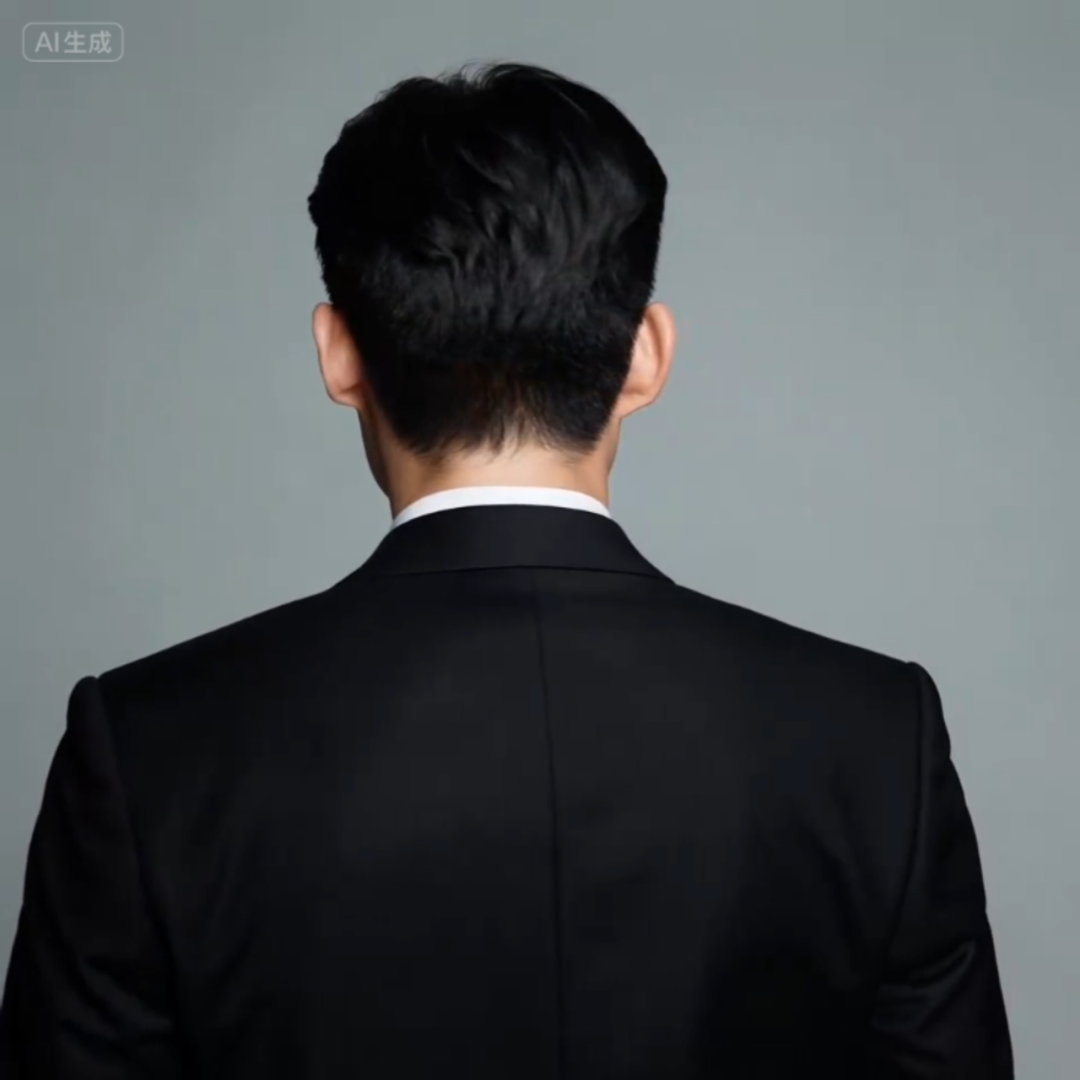
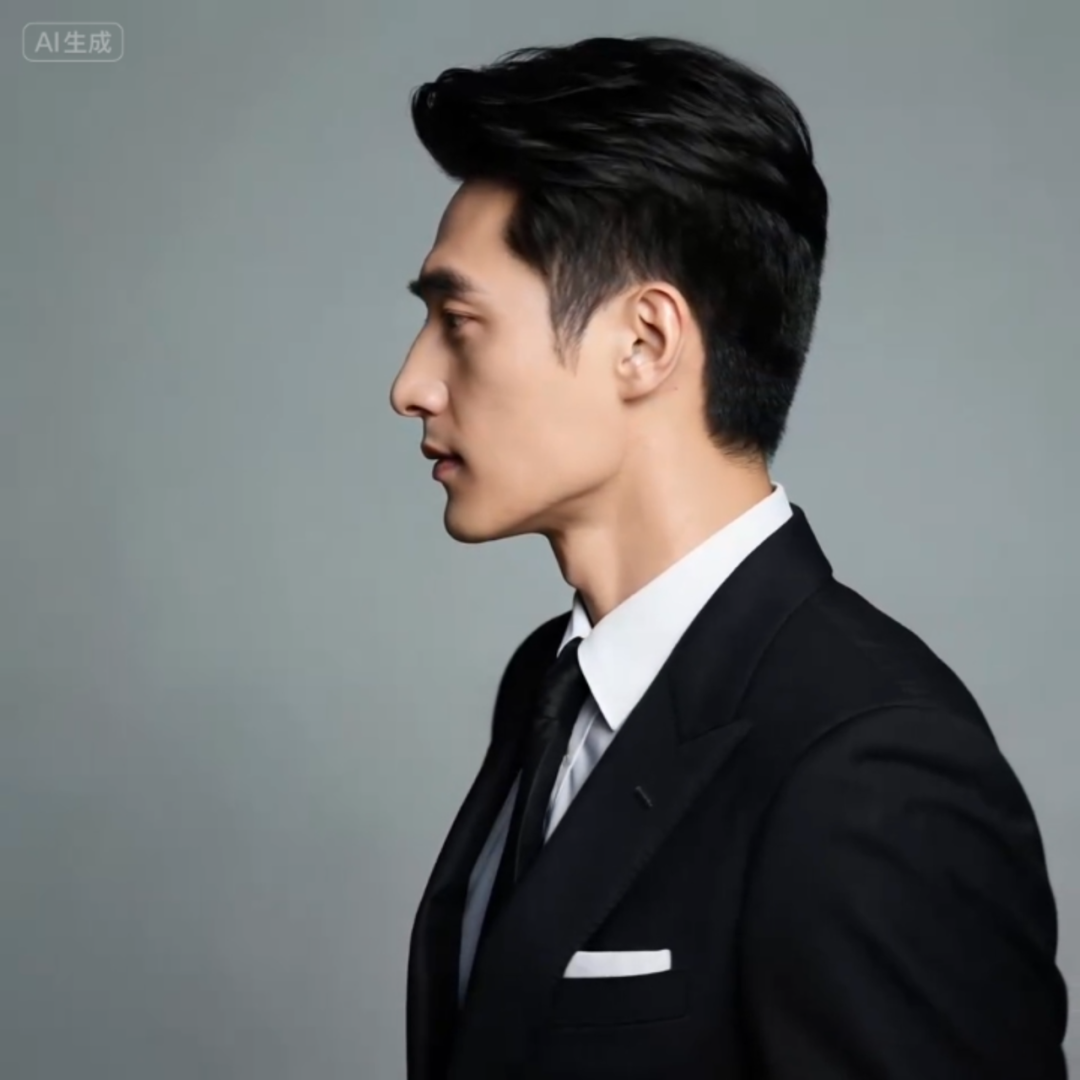
And so on.Generate a three-view of the heroine as well.
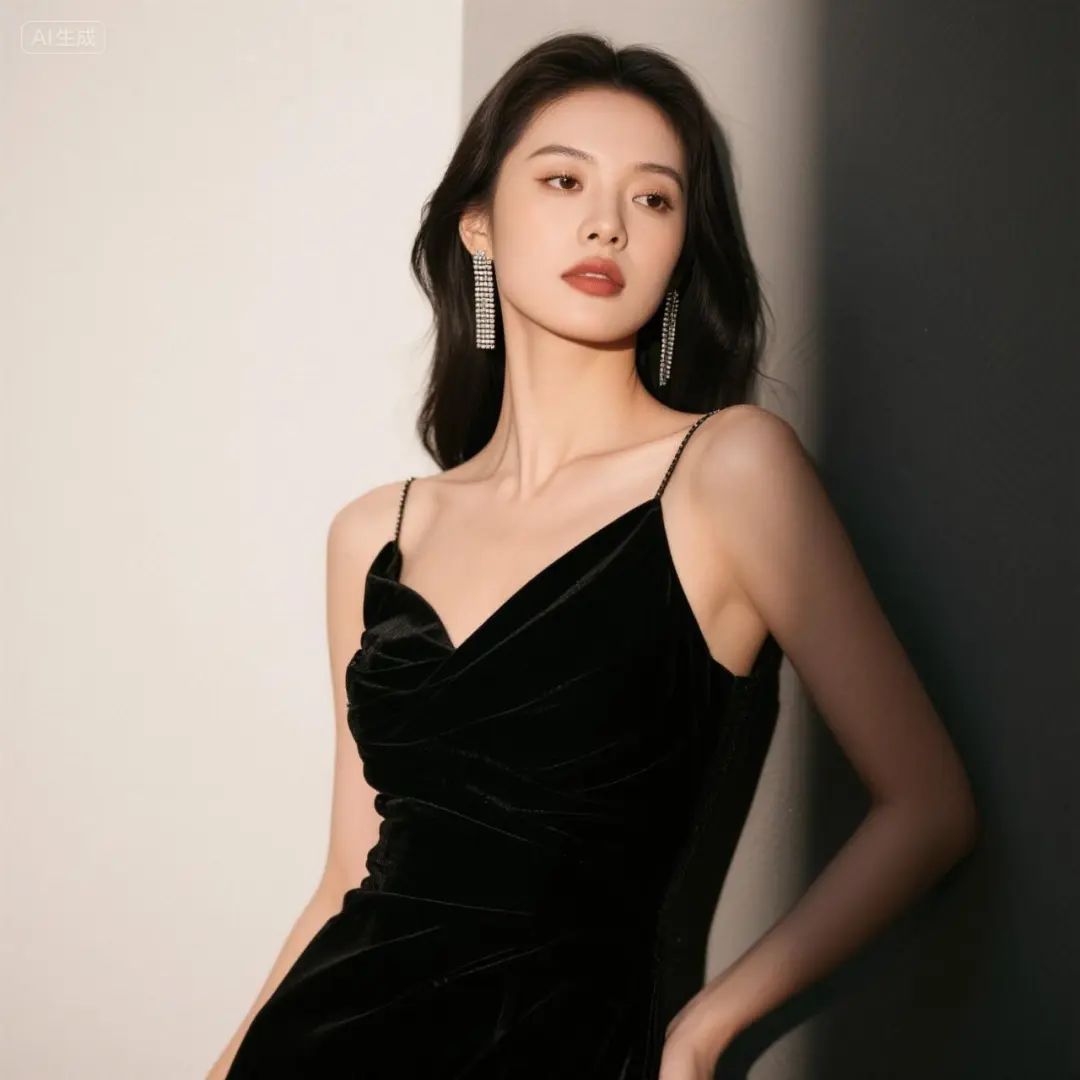
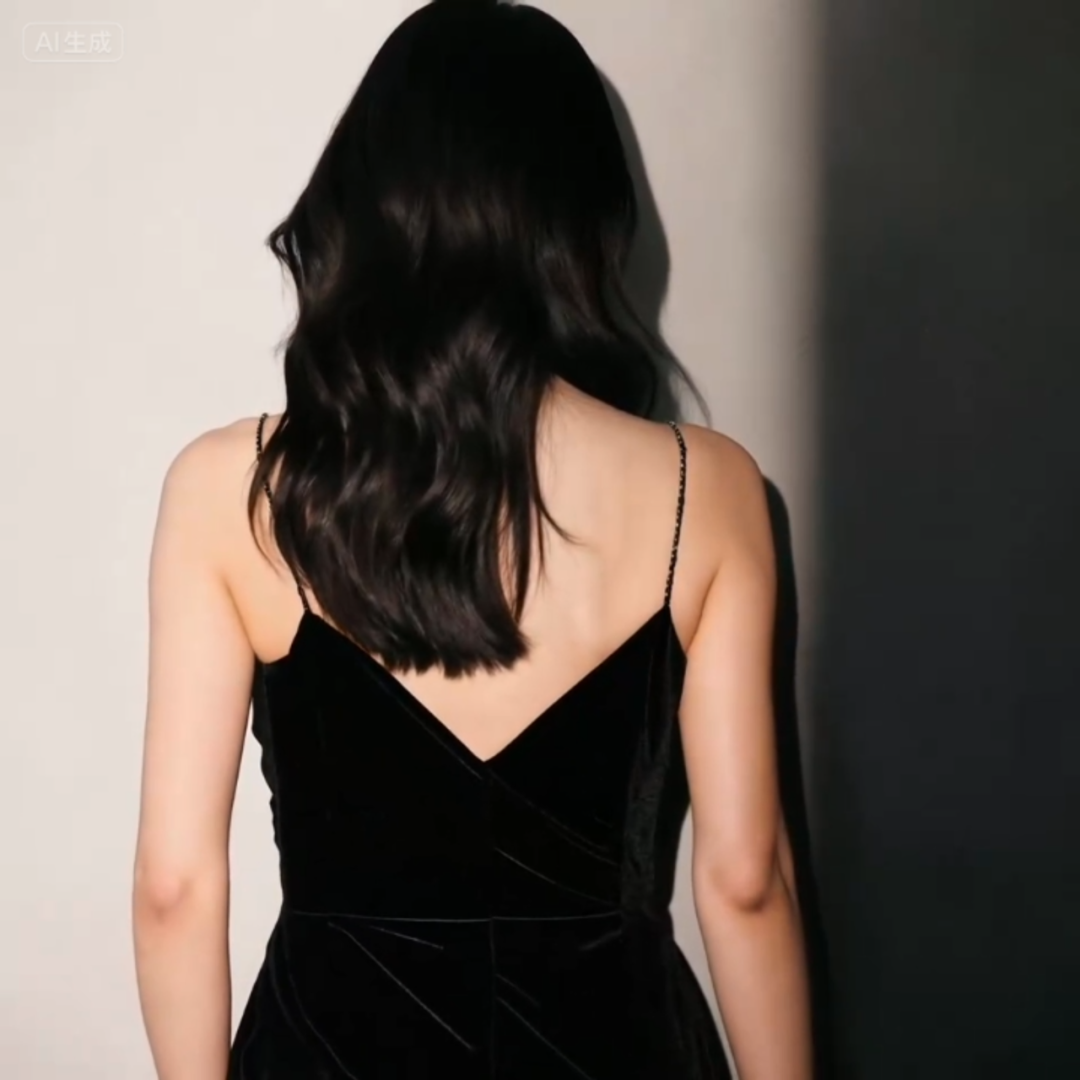
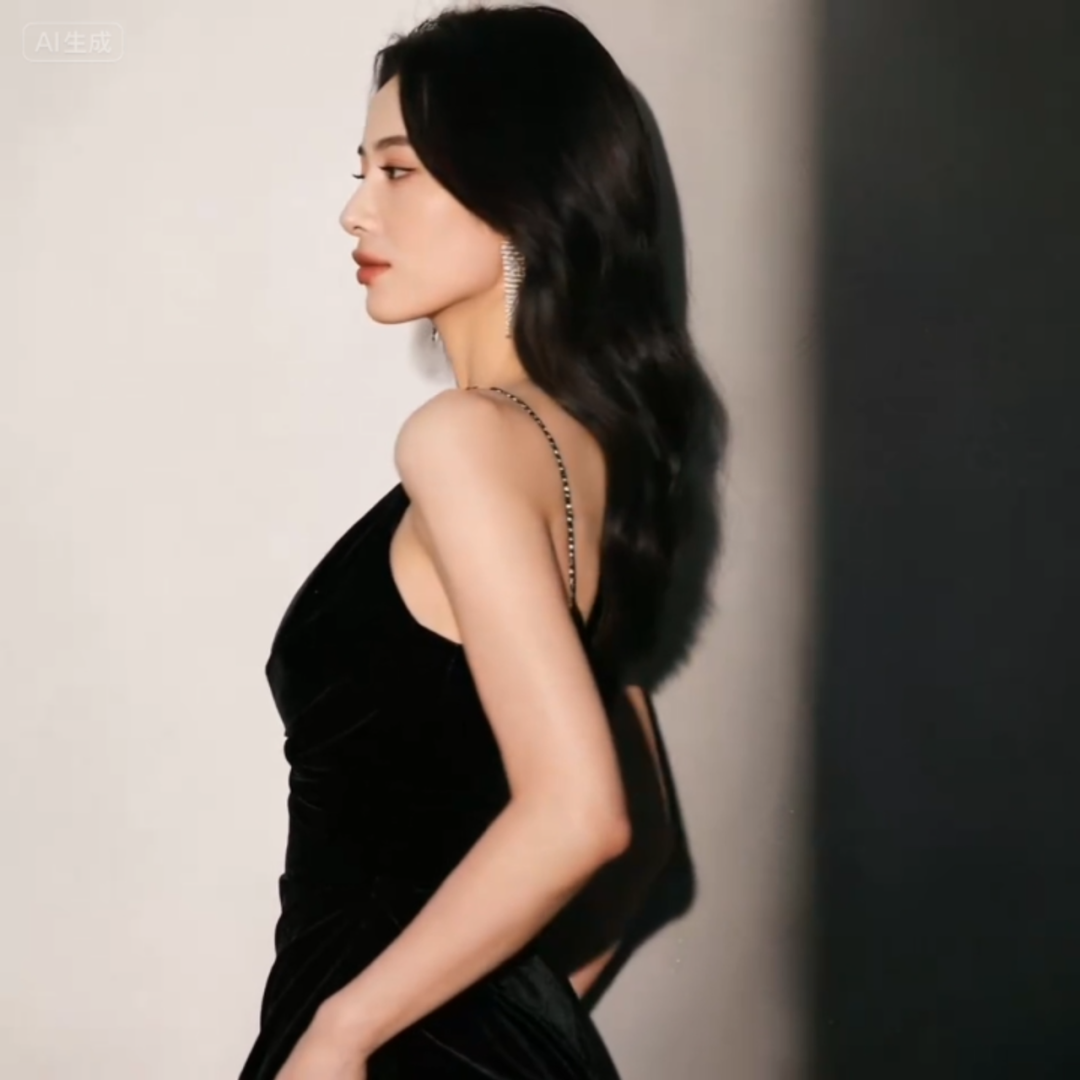
Step 2: Hand-drawn subplot
If you already have the desired image in your head, such as a man and a woman chatting face-to-face in a cafe, sideways to the camera
And it just so happens that, like me, you have a certain talent for drawing and painting, so you can do it yourselfDraw out the split-screen composition.Remember to be on the chartWrite the character code.
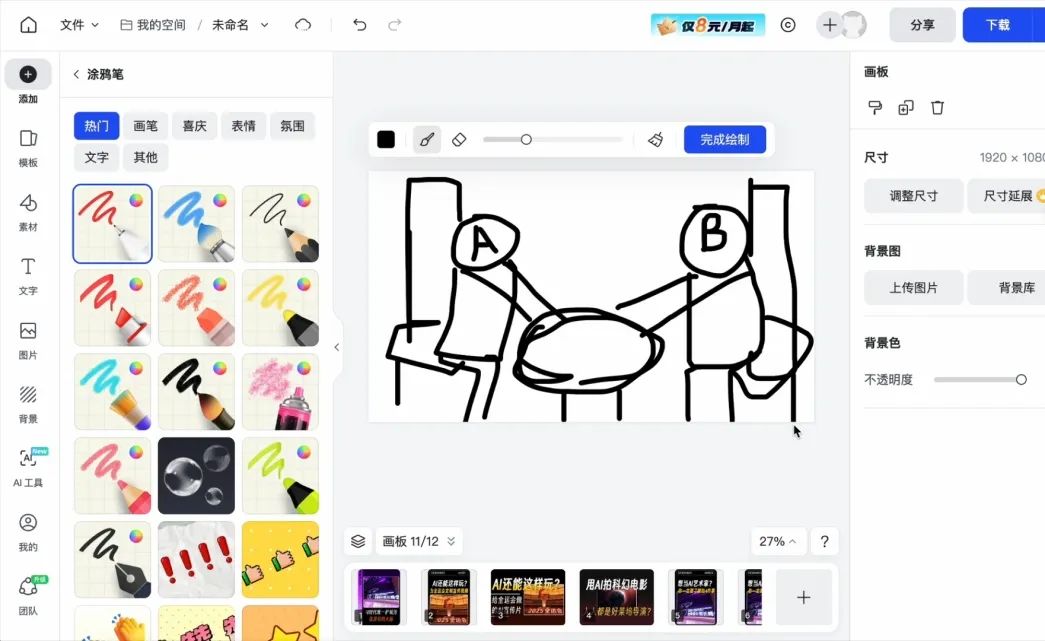
Step 3: Image Composition
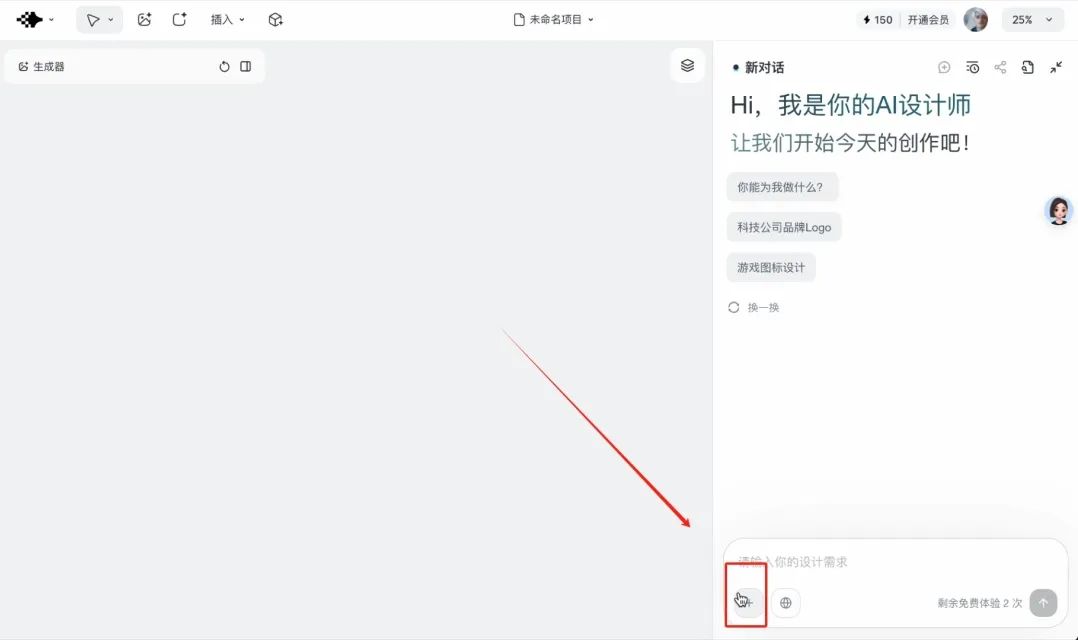
Openmeteor shower
Click this side for immediate creation
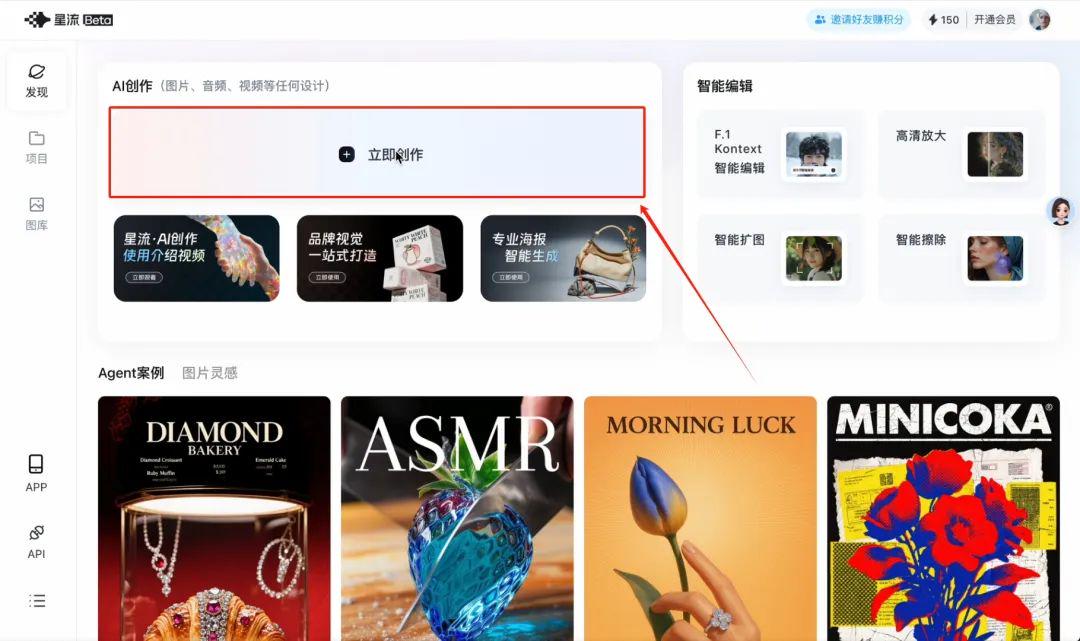
Click on the plus sign in the lower right corner
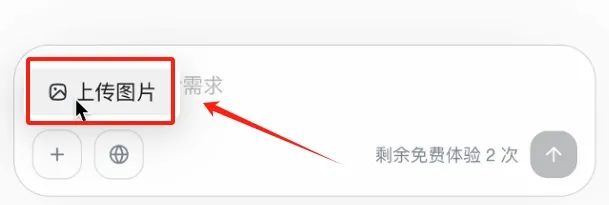
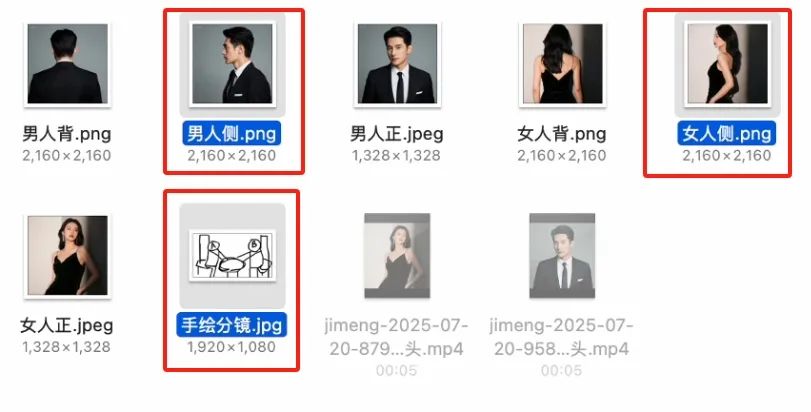
uploadThe hero and heroine in the character assetsside view,as well ashand-drawn split-screen drawing
then (after sth, and not until then)Enter the prompt
Man A and Woman B, both sitting at a coffee table with a cafe in the background, please put the characters from Figures 1 and 2 into the split composition of Figure 3 to generate a 16:9 image for me
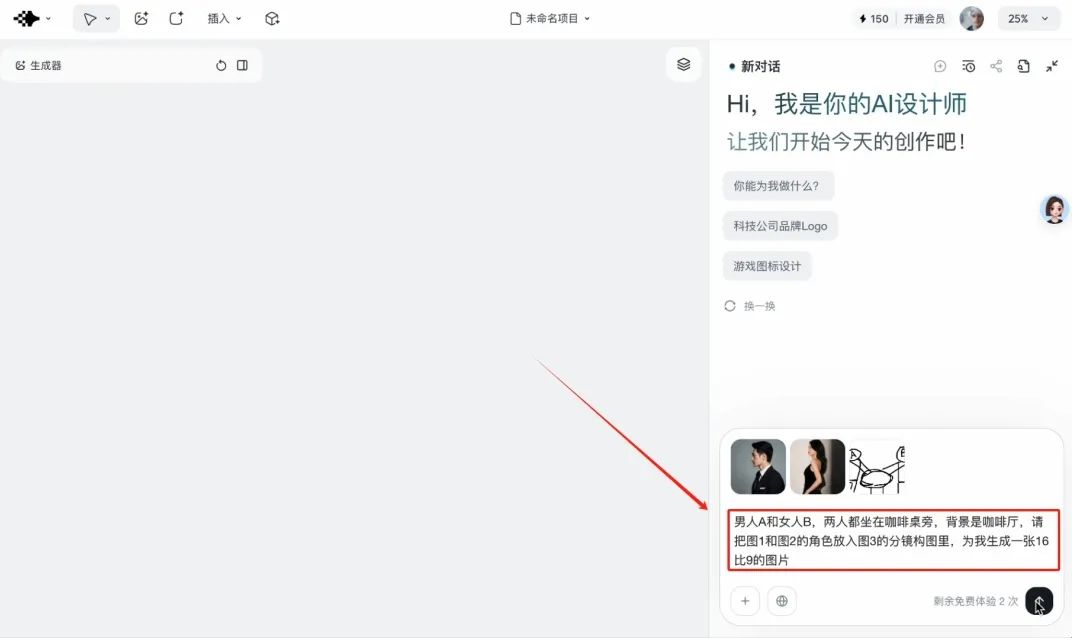
in this wayelaborate descriptionUnderneath, AI will be able to automatically link the material relationships to produce the image you want
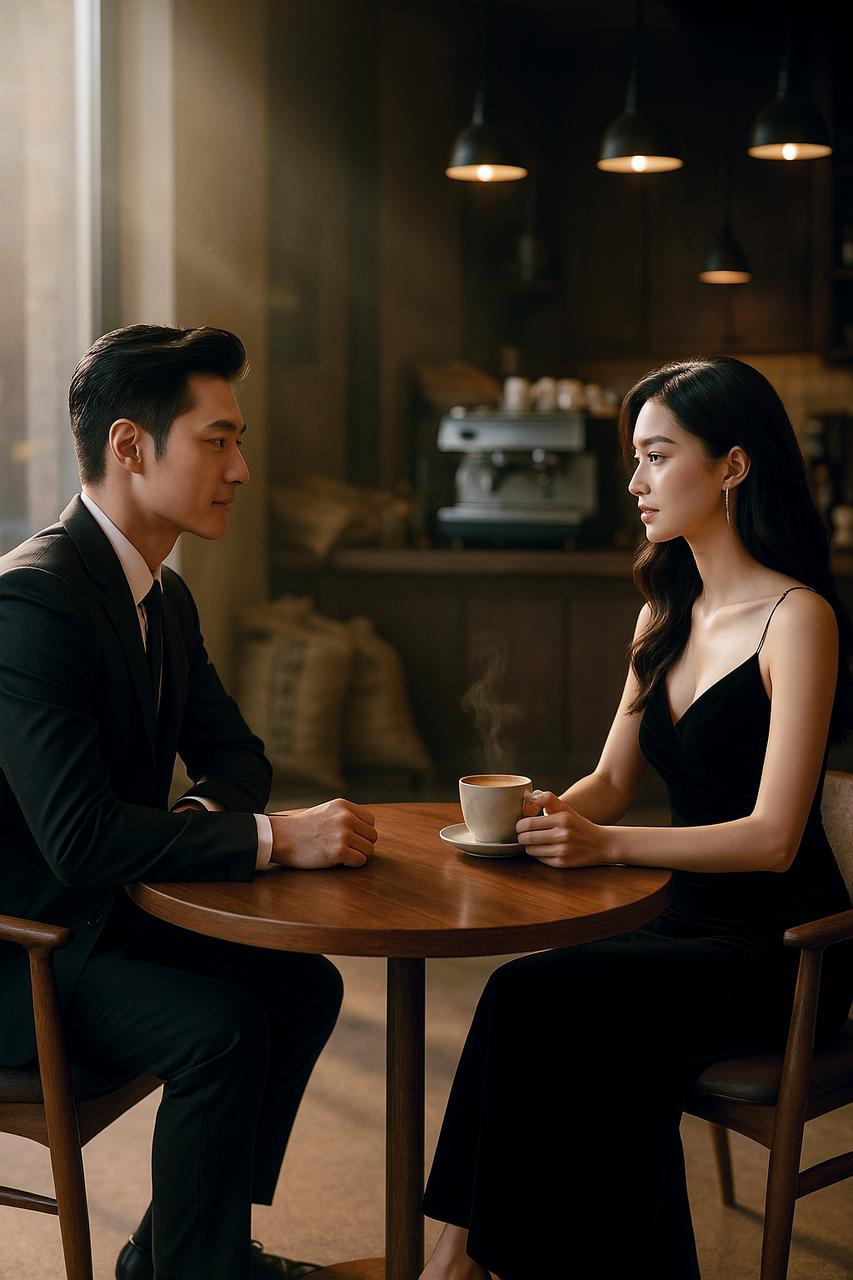
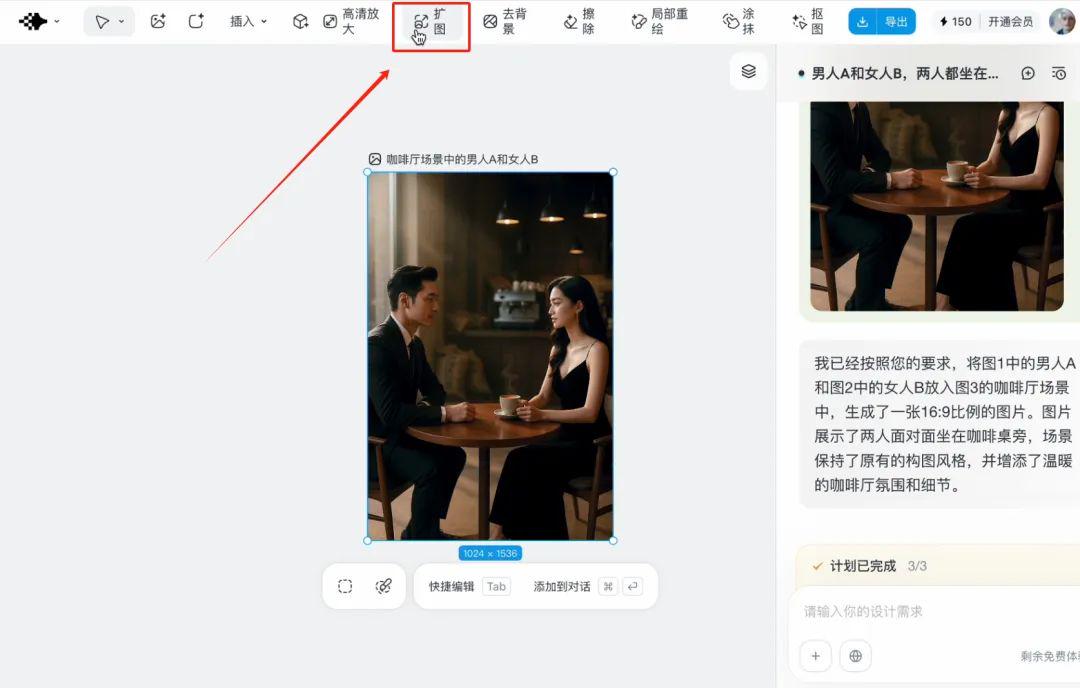
If you are not satisfied with the dimensions, you can click on the aboveEnlargement function, let AI help you expand the size
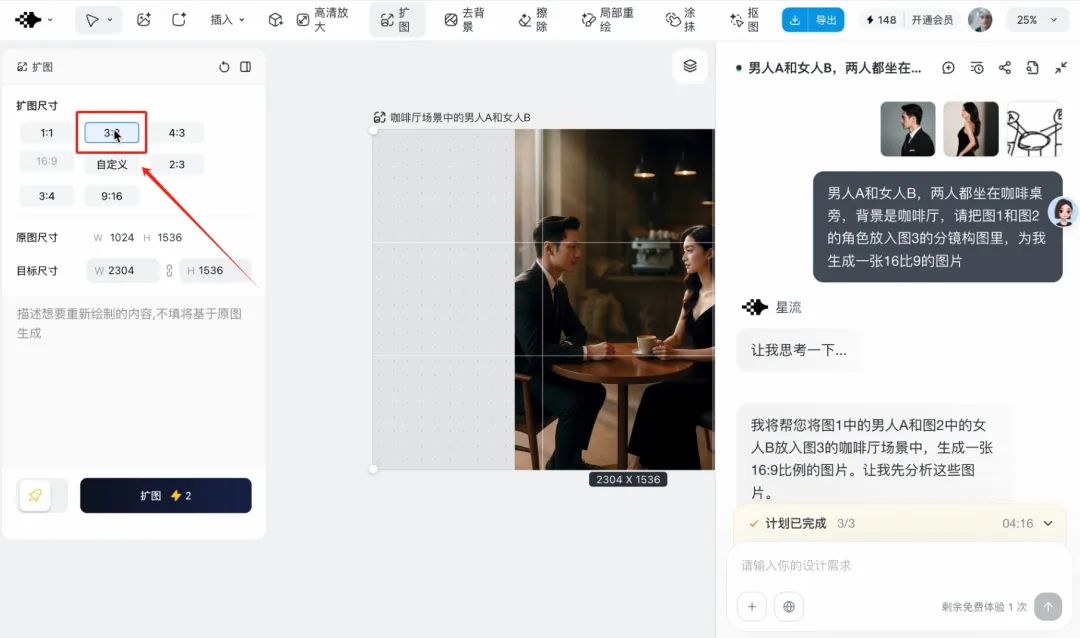
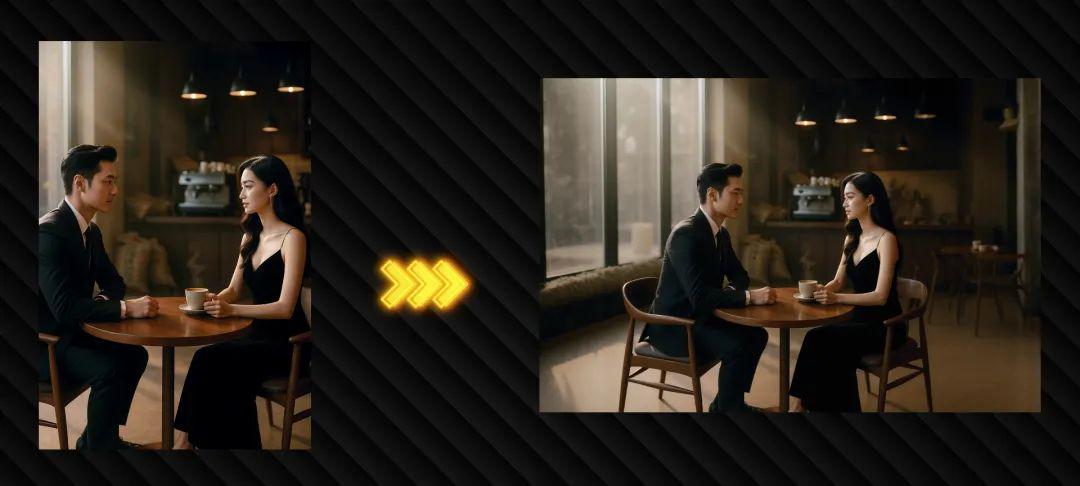
With this image, it's the equivalent of AI building a good picture asset for you for a single scene
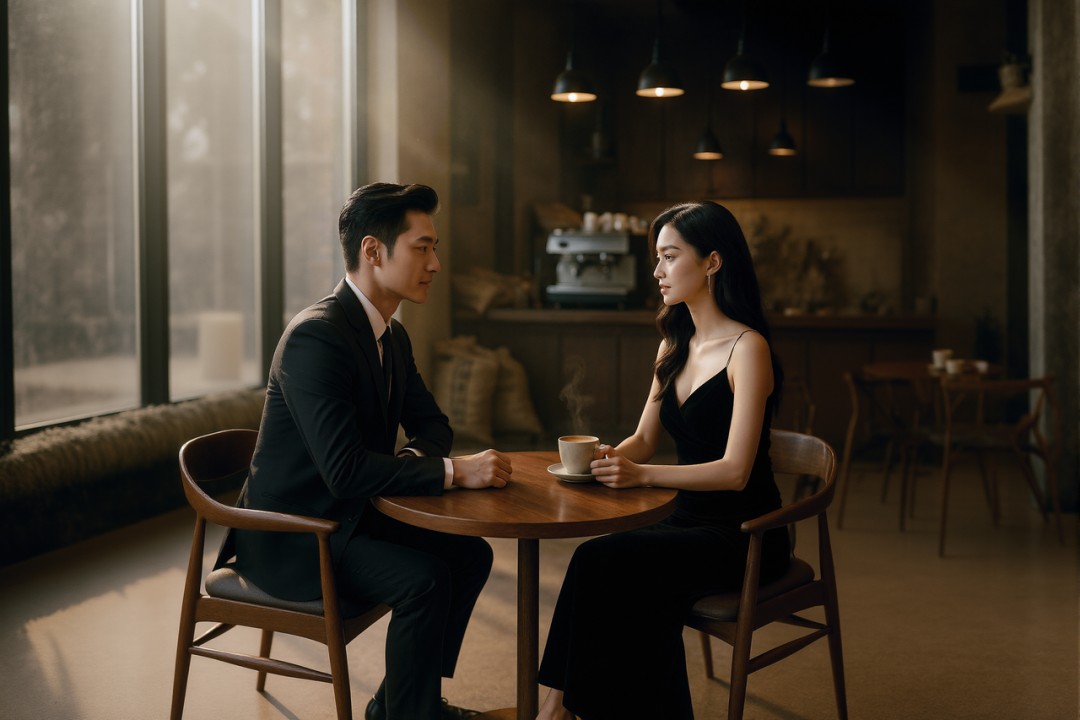
Step 4, Lens Control
Now that we have the scene asset, we can have the AI "shoot" the scene.
existDreamLi (surname)Switch to video generation function
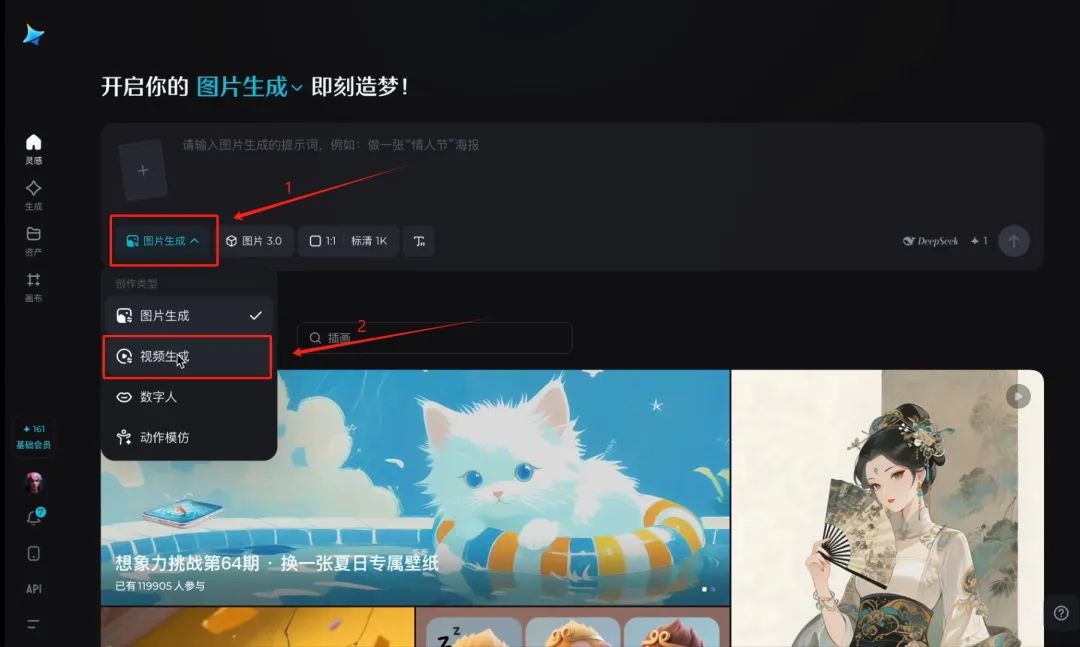
Upload a picture
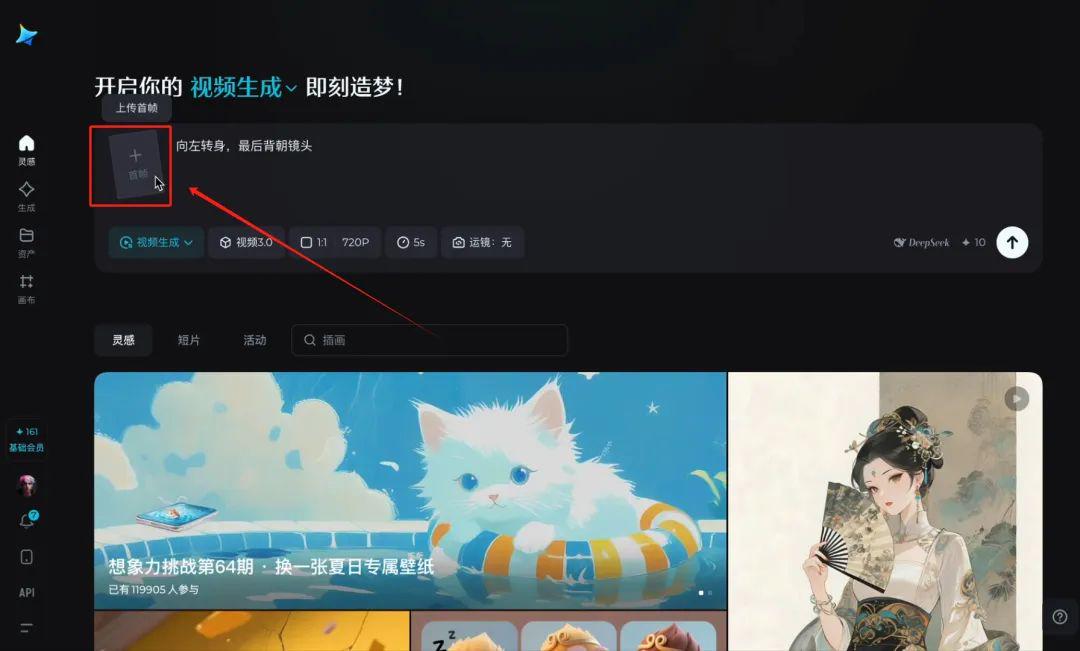
hereEnter the prompt:
Two men talking; split-screen switching, forward shot, man facing camera; split-screen switching, reverse shot, woman facing camera
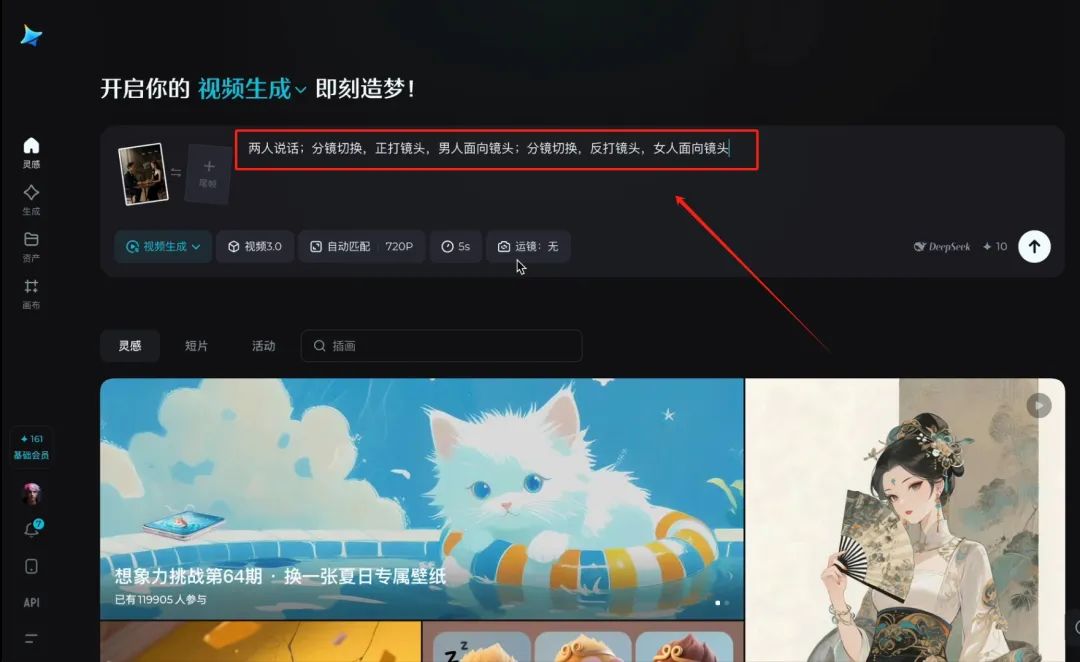
timingChanged to 10 seconds
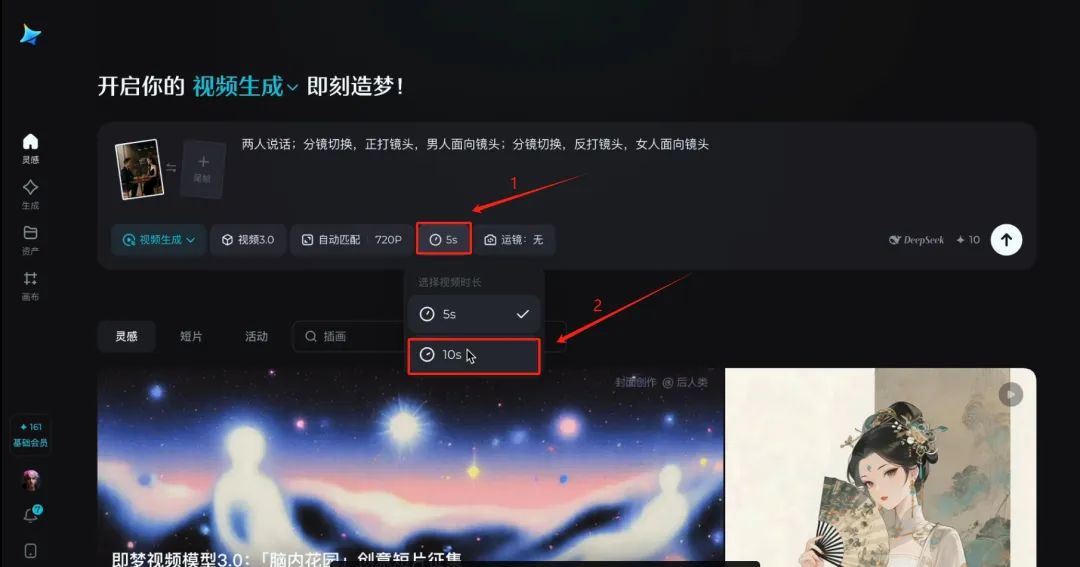
Click Generate
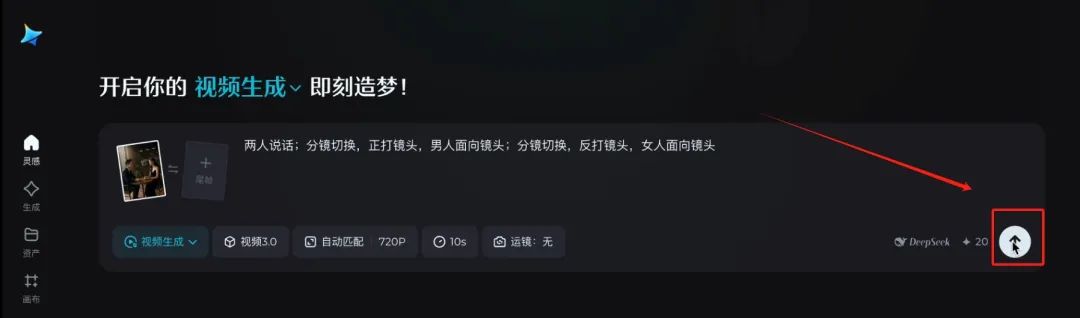
AI can give you that.Professional Film and Television Gradesbilateral dialoguesForward and reverse shot video
And so on, as long as it is in the scene where the hero and heroine are having a conversation in a coffee shop, you can make as many requests as you want, and let the AI turn into a photographer on the spot to capture the material you want.