



Tongyi WanxiangIt's a new action generation modelWan2.2-AnimateThe model supports both action mimics and role-playingWorkflowLet's see how we use it locally。
Let's look at the full workflow:
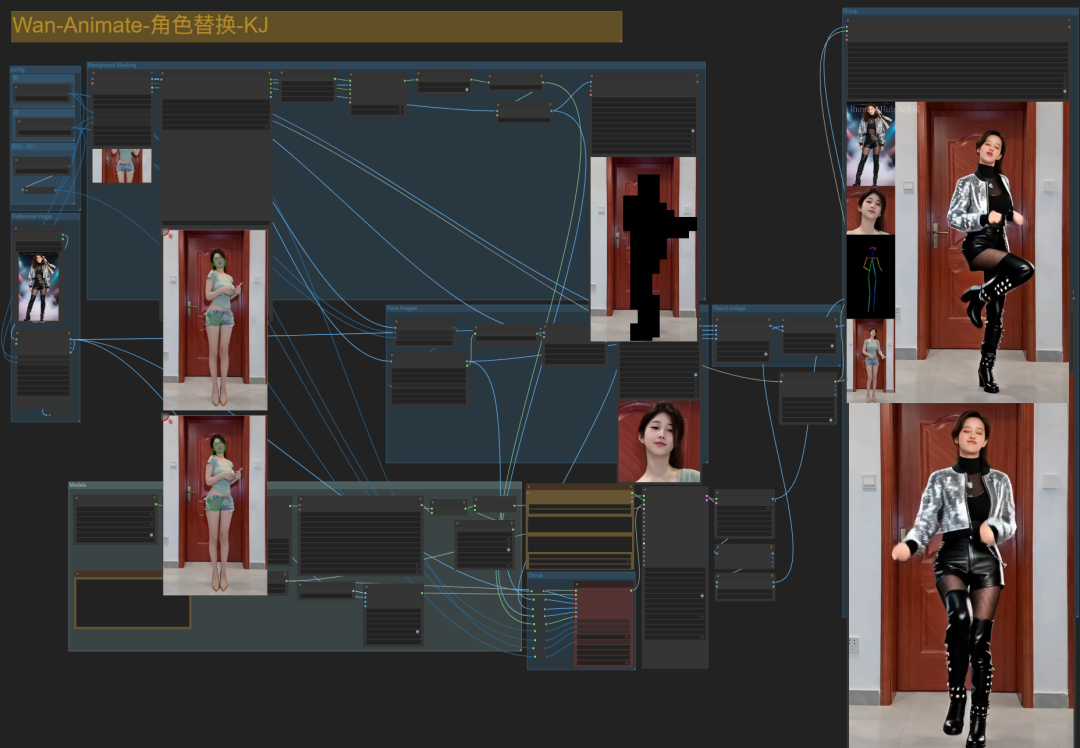
First of all, we need to update the latest version of the comfyUI and KJnodes, and here we need to use its latest dynamic mask。
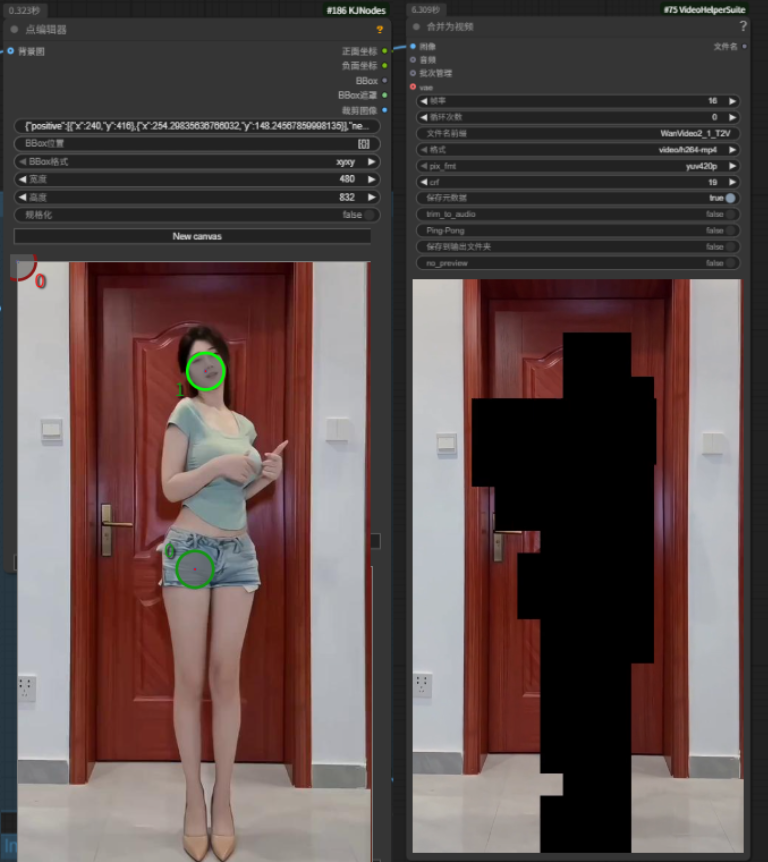
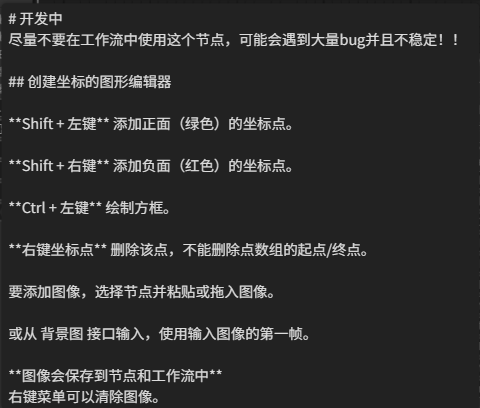
There is a hint about how to use this mask。
in short, red is the exclusion area and green is the reserved area. if the masked area is not accurate, you can add the identification point manually by pressing the shift+left mouse button or drag the identification point。
KJnodes then separates the part of the part just identified from the part of the part of the person to be replaced by the part of the part of the part of the part of the video, which turns into a rectangular Marseille。
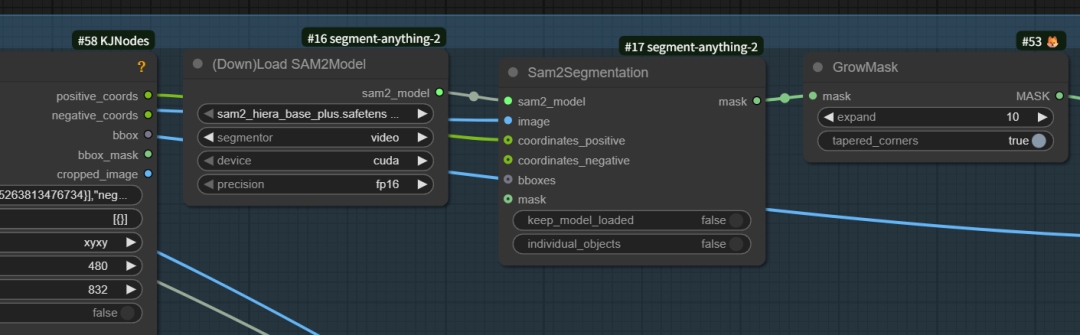
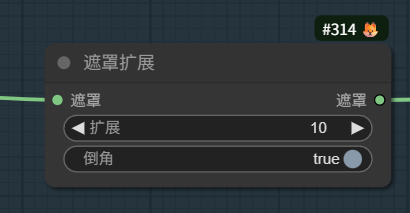
In order to prevent the inaccuracy of the masked area, a mask extension was also made after the mask, with the default extension of 10 pixels, and an attempt was made to change the extension value if the person video generated was inaccurate。
A size reset node is connected after the reference photo node。
The width of the uploaded reference pictures and reference videos is as high as possible, otherwise the picture will be stretched and the number of characters generated will be more odd。

And here's what happens when the scale of the upload reference picture is not consistent, and it stretches and turns。

Model Area
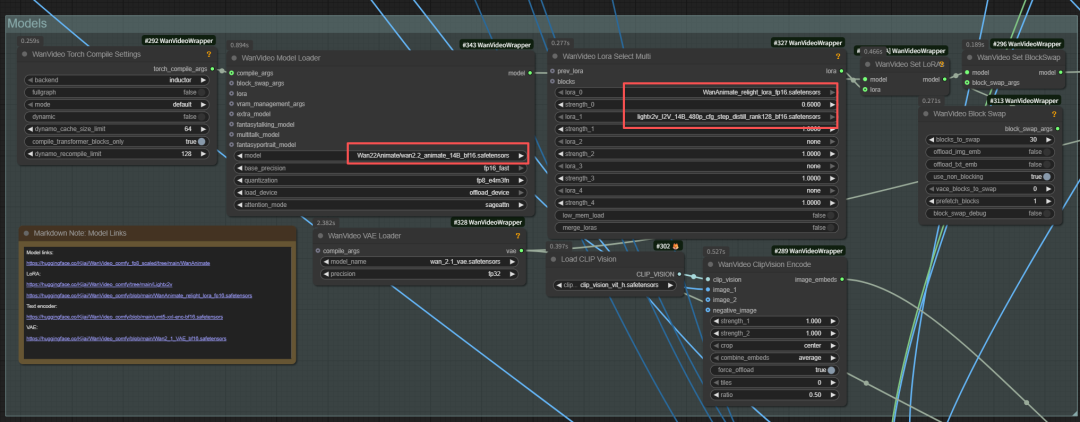
The main point here is to load the WanWan22Animate model and the wananimate re-empting lora and lightx2v acceleration lora, which, if you want to move faster, can be replaced with the FP8 model, and other places that have little attention。
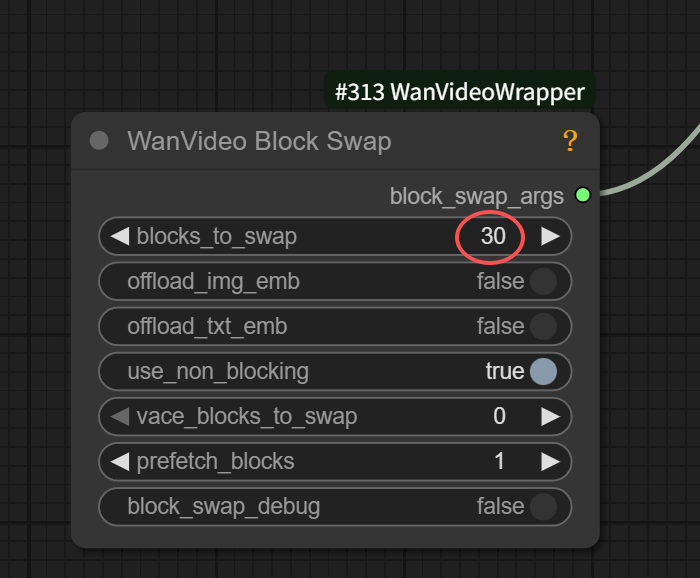
IF THIS IS SET AT 40, RUNNING 720 P, IT'LL TAKE ABOUT 24 GS, AND IF 480 PS, IT'S AROUND 15 GS。
So if you're small, you can lower the video resolution。
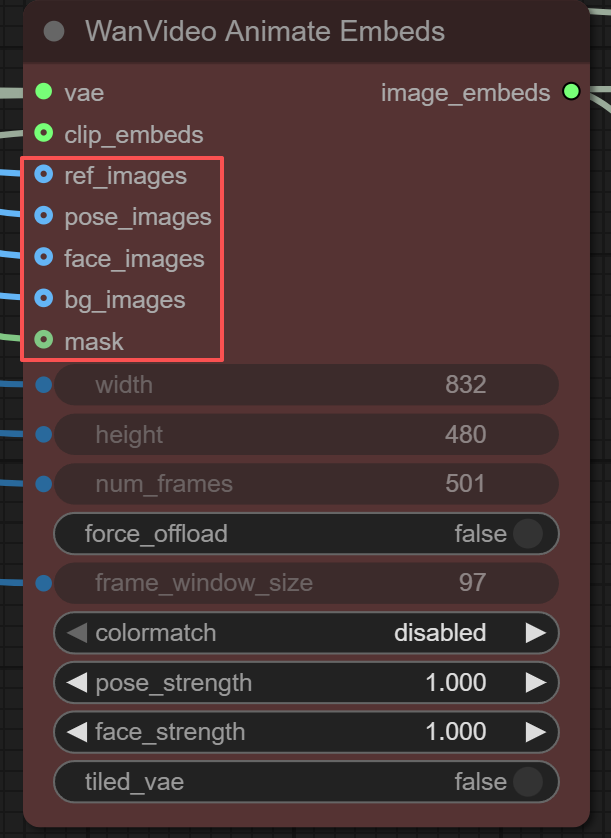
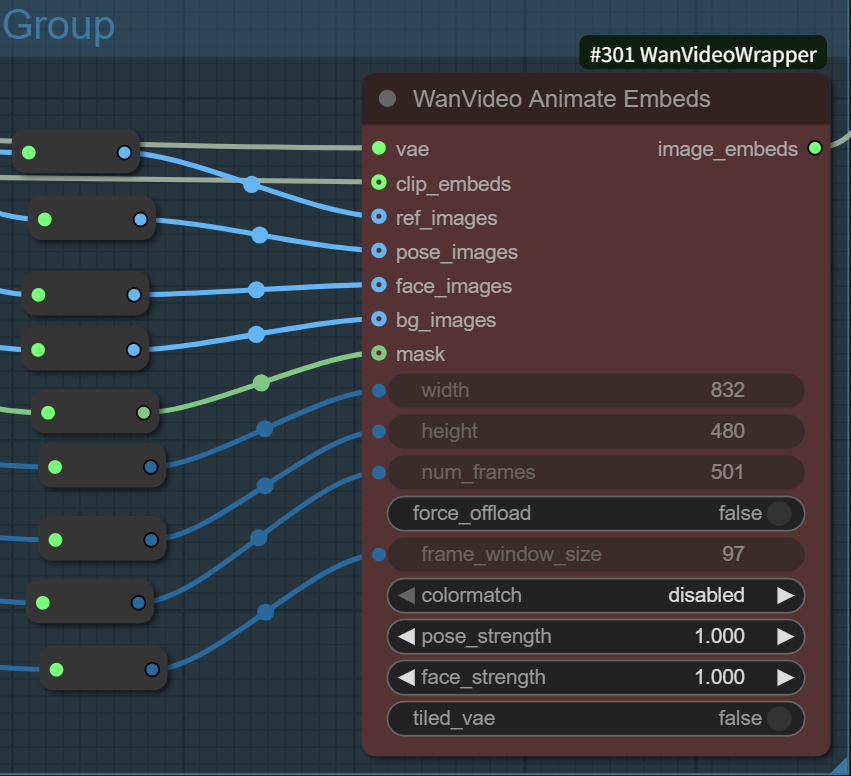
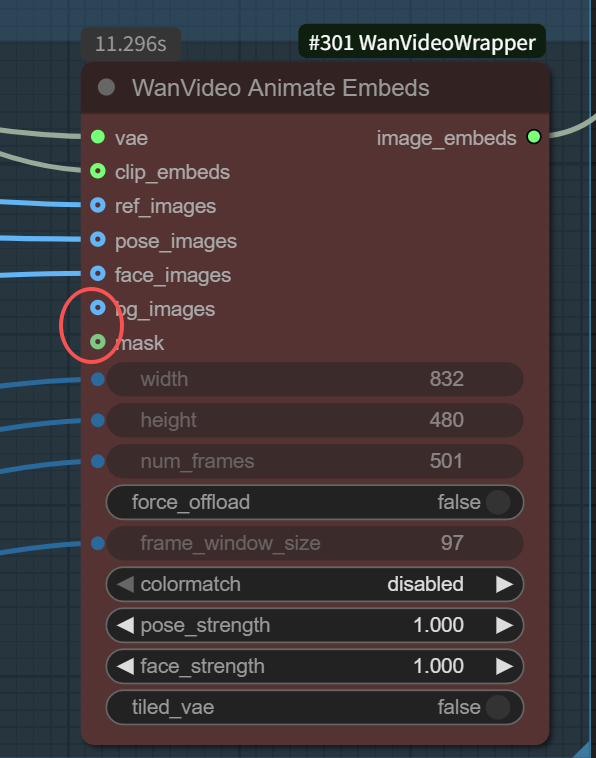
The most important node in the entire workflow is WanVideo AnimateEmbeds。
AS CAN BE SEEN FROM THIS NODE, IN ADDITION TO THE VAE, THE CLIP VIDEO ENCODER, IT ALSO CONNECTS OUR UPLOADED REFERENCE PICTURES, AS WELL AS THE CHARACTER POSITION IMAGES, PROFILE IMAGES, BACKGROUND IMAGES AND MASK IMAGES THAT COME FROM OUR UPLOADED REFERENCE VIDEOS。
On the other hand, these connections can be made on their own, and we can choose to connect them all or only part of them to achieve different effects。
There's another way to play it: we're connected to a single facial, pose or background reference to achieve different functions。
The facial area is used to capture changes in the face of people in reference videos。
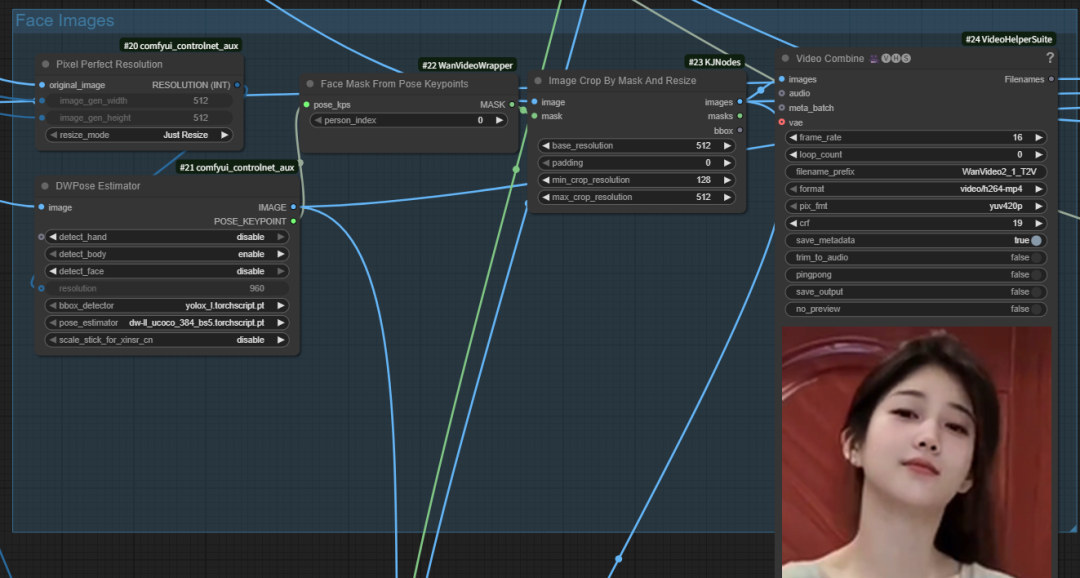
How non-humans do facial reference
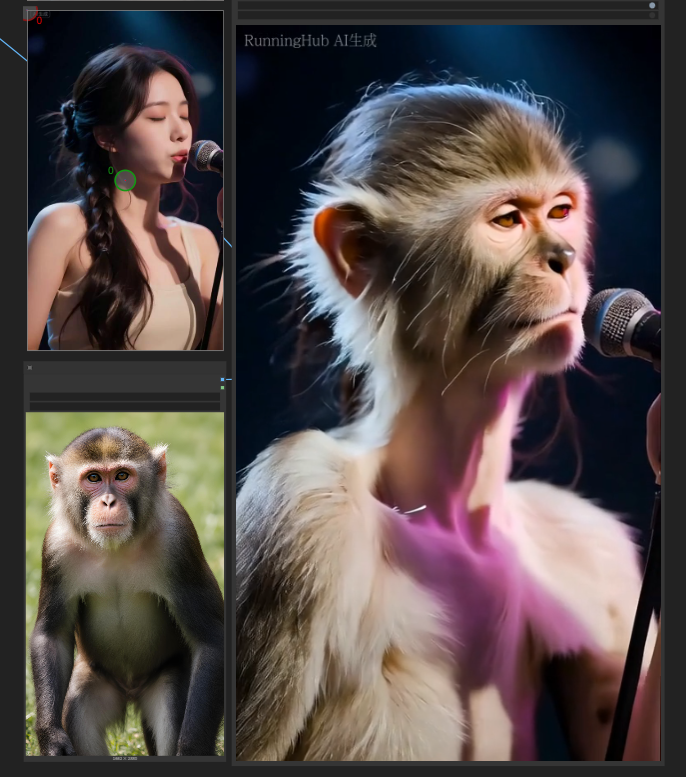
If we use a non-human picture to generate a video, for example, a monkey picture and a woman's singing video can also generate a monkey singing video。
But monkeys' mouths are human mouths。

So how do we keep the monkey face
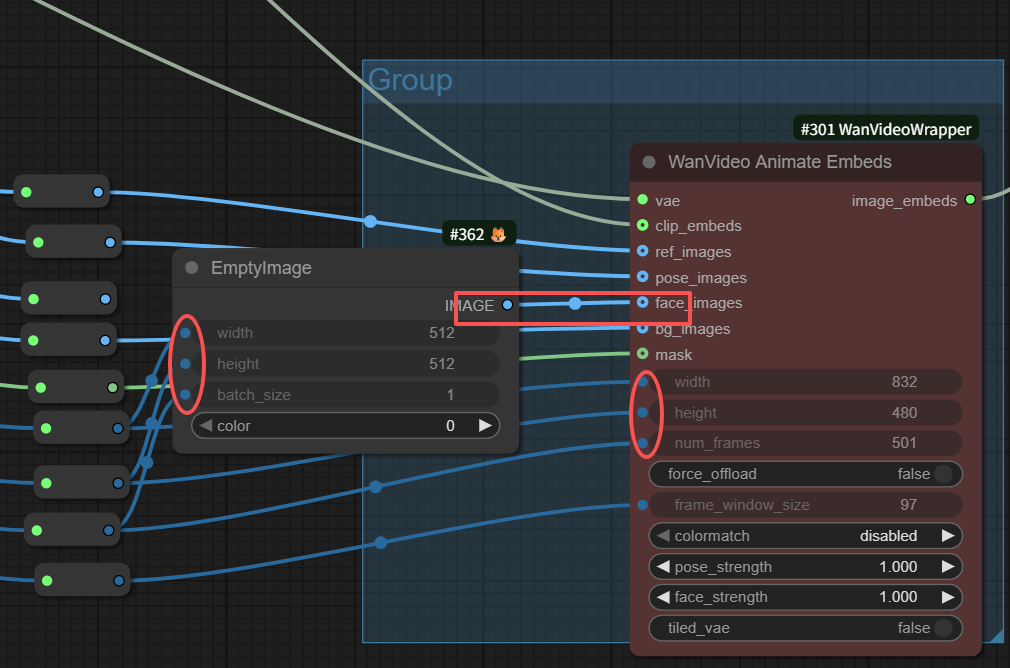
We can make some changes to the original workflow by connecting the face image with an empty image (remember the size and total frame of the image)。
So the video that is generated does not refer to the face of the original video, but to the face of our reference picture。
So we create a monkey's singing video, and the face is based on the monkey's, and the position is based on the original video。
Examples of role replacement workflows:
As long as the WanVideo AnimateEmbeds node is fully connected, the resulting video is the role replacement workflow。
And here's the video that comes out of the default work stream, the face of the person and the re-emergence of the movement。

Action Reference Video Workflow Example:
Disconnecting the background and mask connection is the action action reference video workflow。
After these two break-ups, the resulting video will no longer take background pictures and masks from the reference video and will be sampled to generate the video。
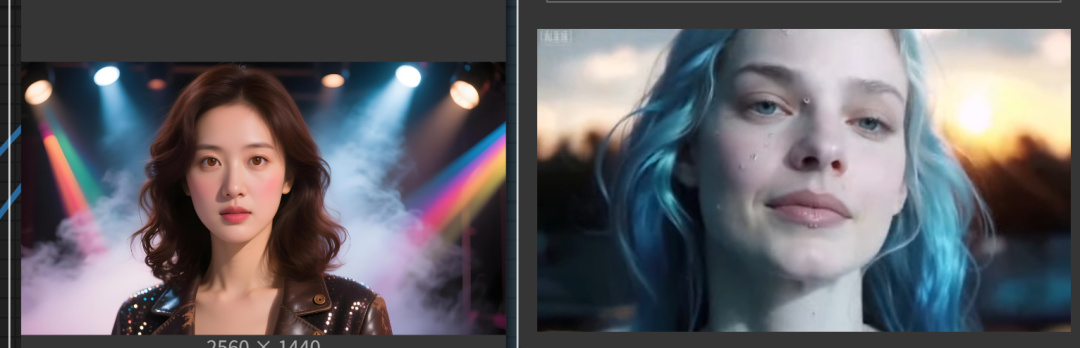
The left figure above is a reference picture, and the right is a reference video, which is generated by reference only to the action of the reference video, or by background or by reference image。
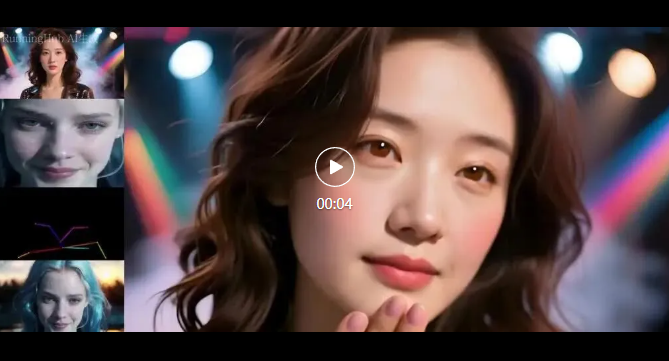
The video is as follows:
Below is the downloading address of the model and the project page address:
Model face download address:
relighting-lora:
https://huggingface.co/Kijai/WanVideo_comfy/blob/main/WanAnimate_relight_lora_fp16.safetensors
Kijai main model:
https://huggingface.co/Kijai/WanVideo_comfy_fp8_scaled/tree/main/Wan22Animate
Kijai version of gguf model:
https://huggingface.co/Kijai/WanVideo_comfy_GGUF/tree/main/Wan22Animate
can't you see
https://huggingface.co/Comfy-Org/Wan_2.2_ComfyUI_Repackaged/blob/main/split_files/diffusion_models/wan2.2_animate_14B_bf16.safetensors
KJnodes address:
https://github.com/kijai/ComfyUI-KJNodes
Kj wanvideo warpper address:
https://github.com/kijai/ComfyUI-WanVideoWrapper