



It's always a game case. We'll change our tastes todayAI Video Tutorial.
The next step is to share people's experiences and personal exercises. Actually..AI VideoMore about learning how to use it, each function and change is actually a basic application, hints, drawings, graphs, spectrographs, dynamic effects, effects, dramas, etc。
Apart from looking at other people's production processes, each step requires us to think about how to fit into our work。
We're going straight to real-time。
step by step
STEP 1: PREPARE A PERSONAL IMAGE
HERE'S AN IP IMAGE OF AN ORANGE HEAD。
_Other Organiser
It's a beautiful cartoon, with an orange head, with a bright orange head full of green leaves, full of fresh fruit, a full face, pink cheeks and sweet smiles. It's full of street coolness: black-and-white nail jackets (sleeves full of silver nails, red-coloured dots), short-and-tan shirts, red-side jackets, black-and-white stockings and classic rags, and stylish。
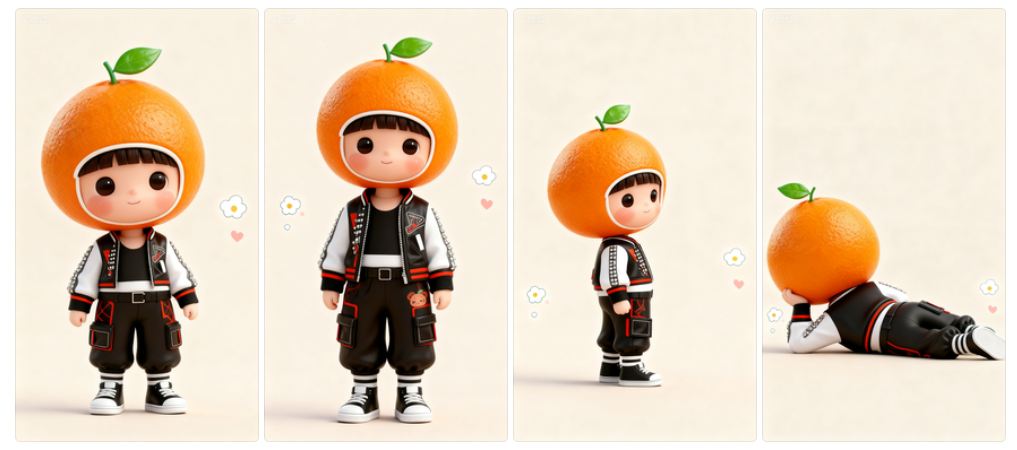
AS FOR HOW TO DESIGN YOUR IP IMAGE, I BELIEVE THAT YOU CAN LOOK AT THE OFFICIAL DOCUMENT TUTORIALS FOR THE USE OF DREAM 4.0, OR SOYBAG 4.0, MULTIGRAPHS。
Step two: Start designing the sequence and spectroscopy of the man's armor
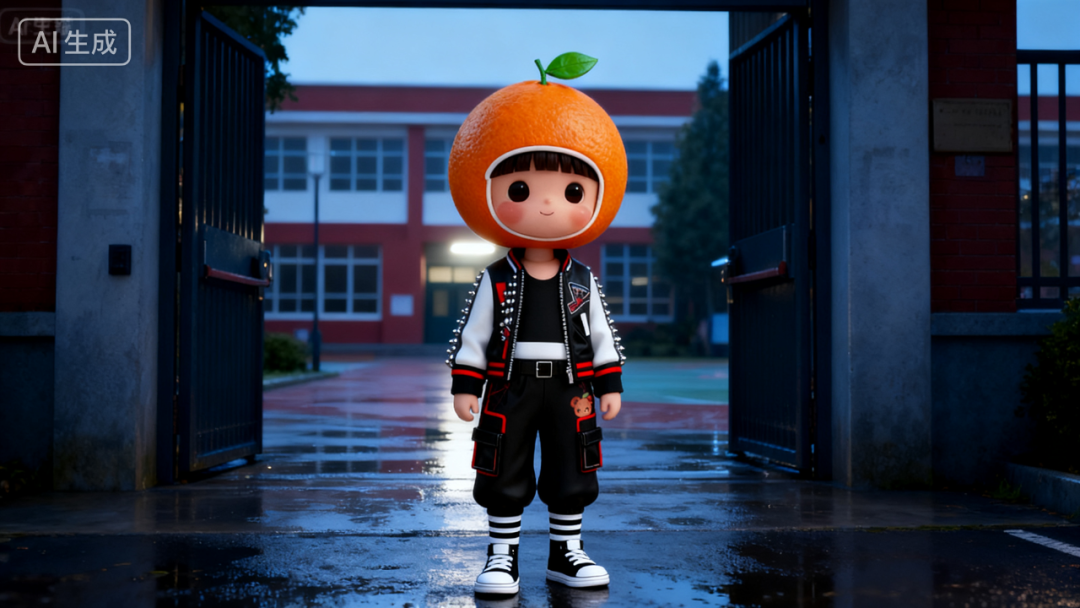
Background setting: The entrance to the campus after the rain, the black iron door open, the red brick school building, the glass window on the wet ground, the air, the freshness of the rain, the soft light
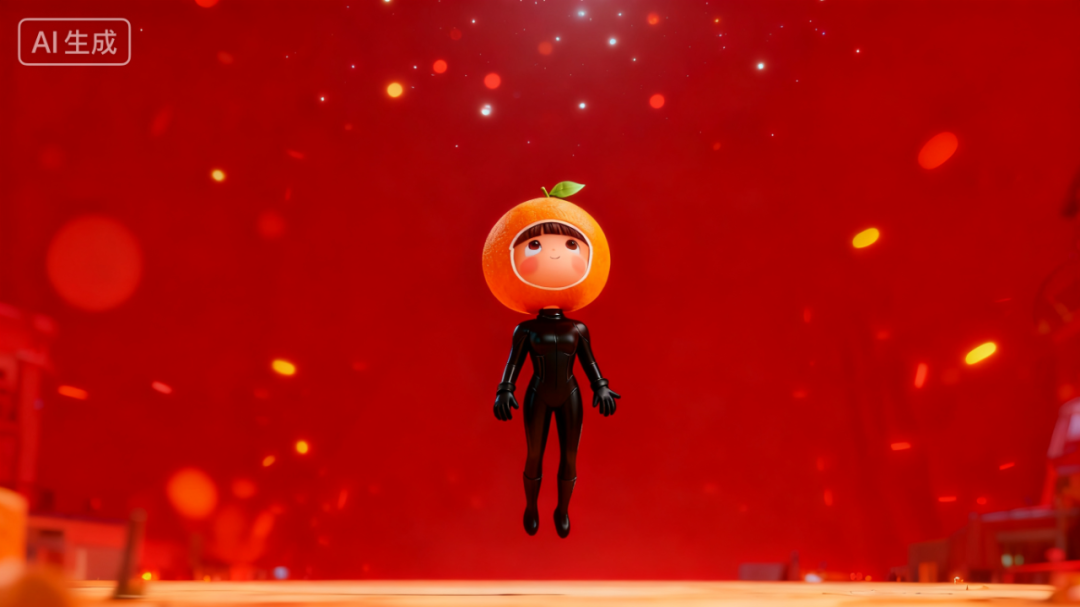
Then you create a reference person, and you create a float in the air, a vision, a look, and look up at the sky
Generating in different spectrographs through constant reference to the main image
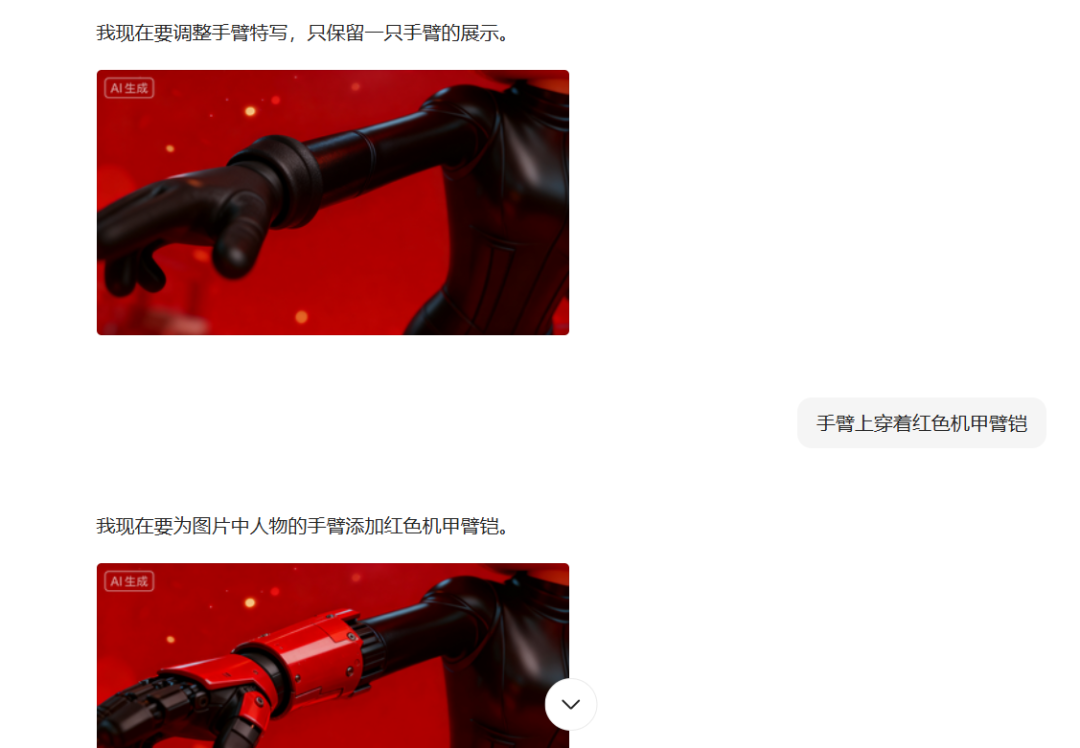
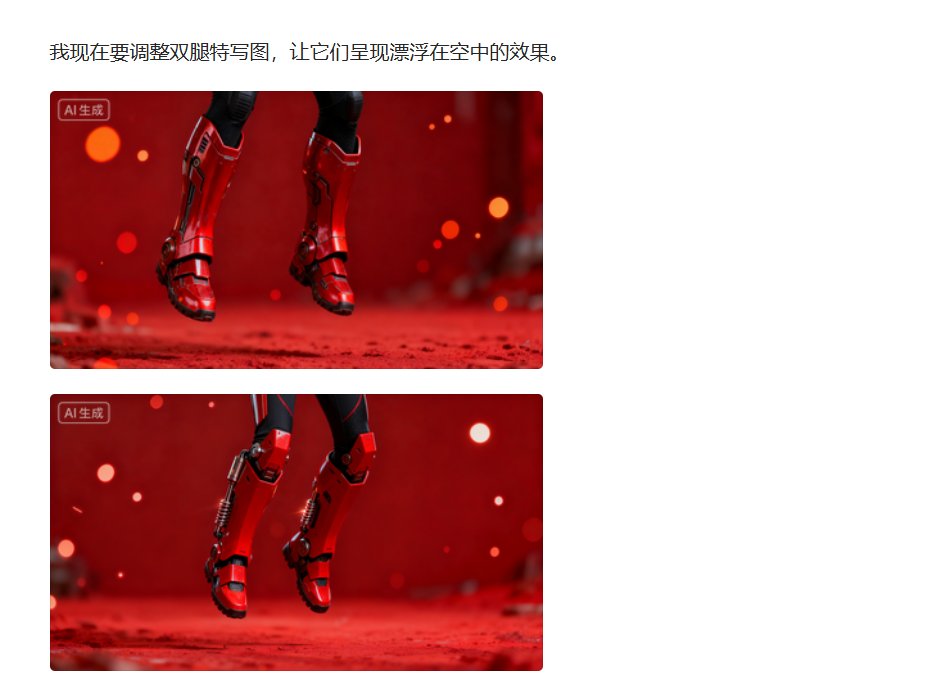
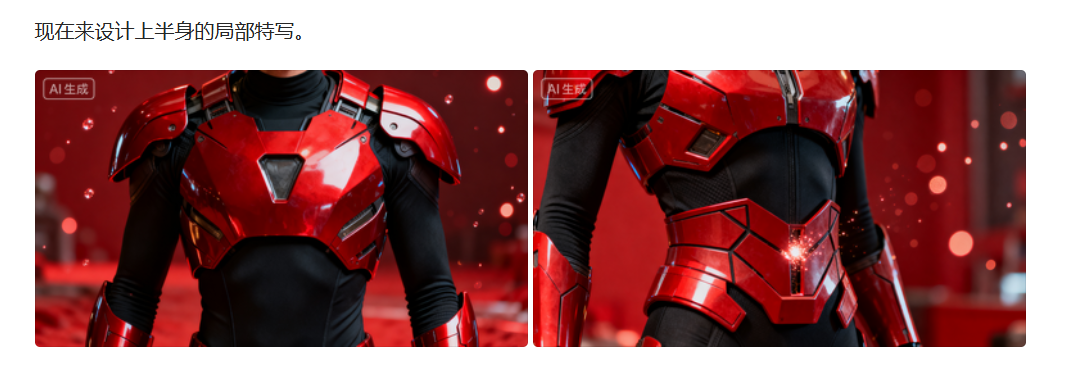
Eventually, the background was changed to the same
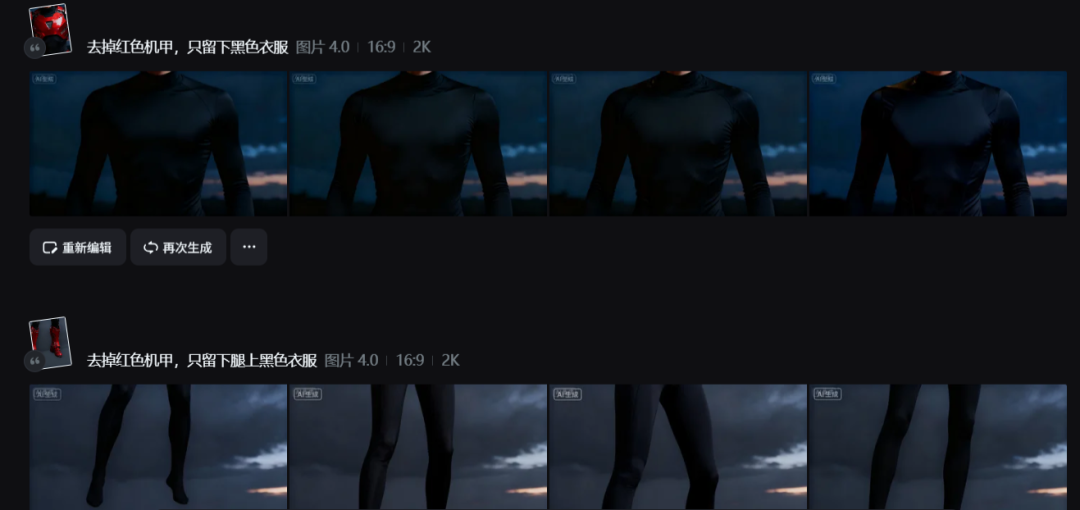
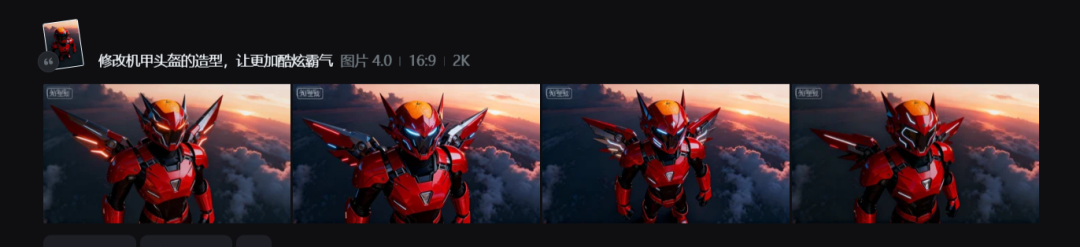
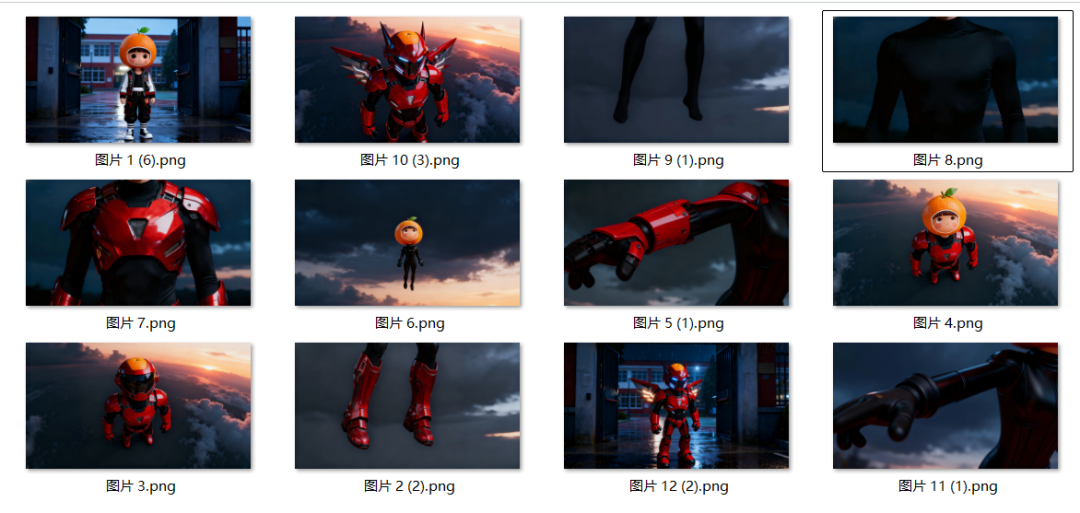
We're putting together a multi-chart of the final effects of the body armor
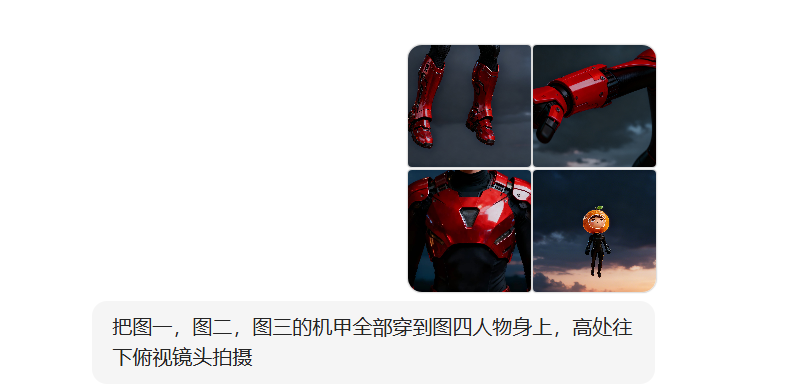

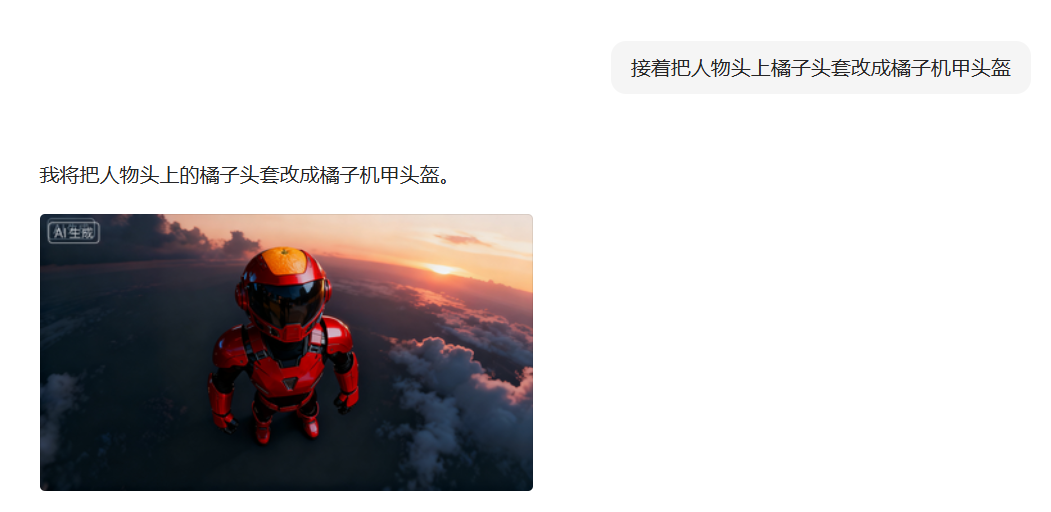
I've been trying to get my own picture of what's good for me, for example
Finally got 12 animations
Step 2: First-end frame video generation
IN PURSUIT OF RESULTS, A DREAM CAN'T BE EFFECTIVE IF IT'S USED ALONE。

OPEN THE SEKO, UPLOAD THE SPECTROSCOPY, GENERATE THE INITIAL FRAME, AND USE THE HINTS, BASICALLY IN THE SAME LOGIC, BUT IN DIFFERENT SHAPES OF IMAGE CHARACTERS OR MACHINE ARMOUR。
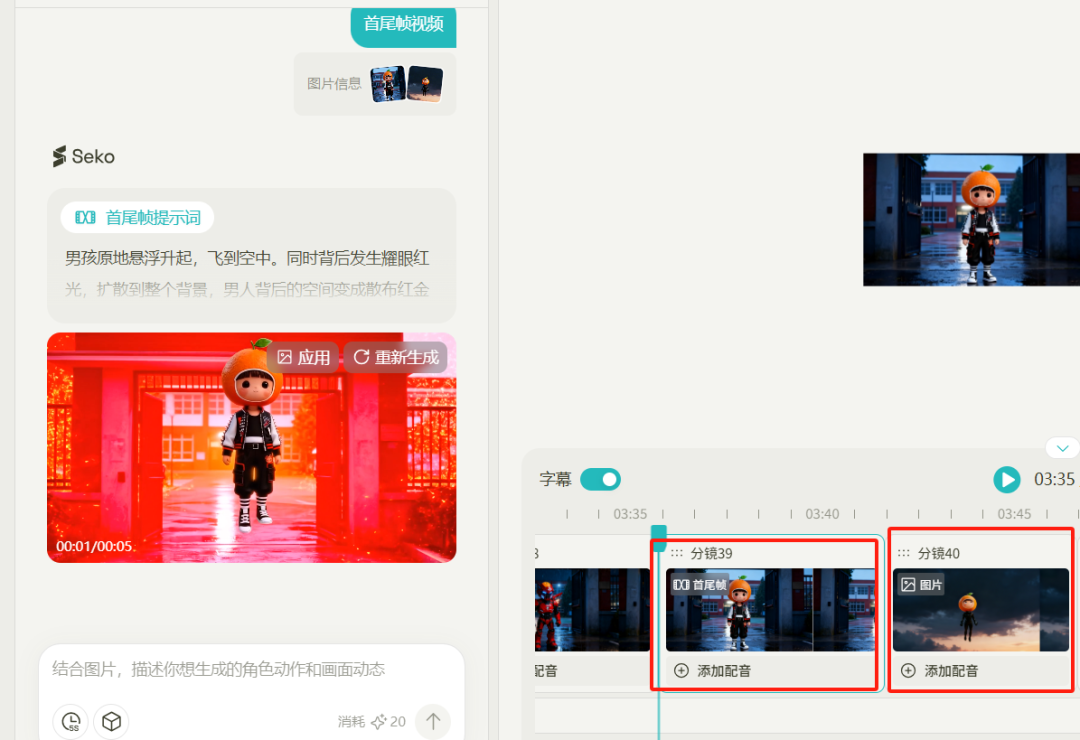
Zenium
_Other Organiser
The boys were suspended and flew into the air. And there was red light in the back, and it spread all over the background, and the space behind men turned into red space with red gold particles, and men had red light flashing through their clothes and fighting leather
Zenium
_Other Organiser
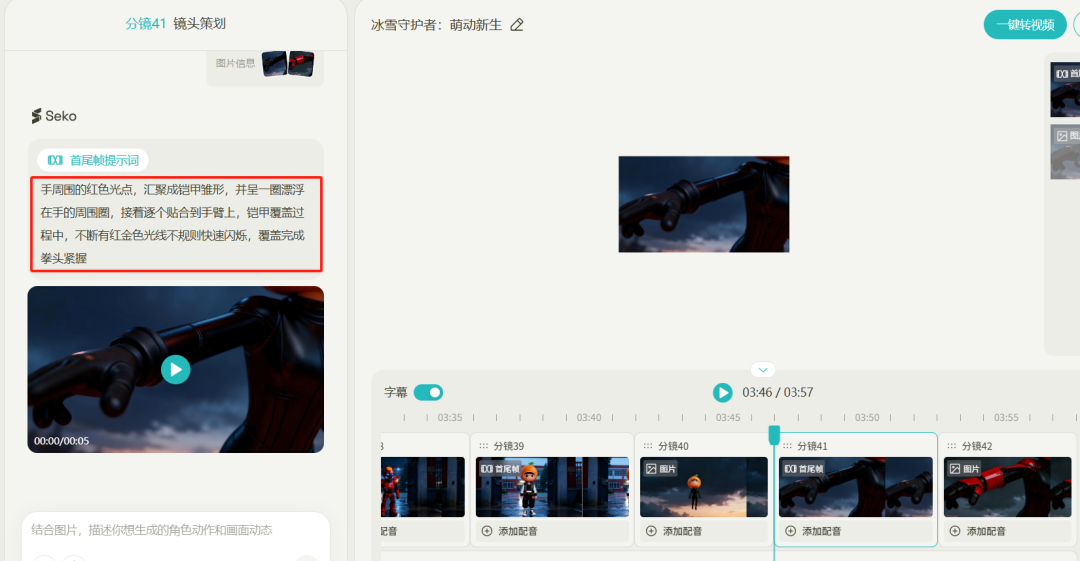
Red dots of light around the hand, which gather into the blouse of the nails, and float around the hand, and then stick one by one to the arm
Zenium
_Other Organiser
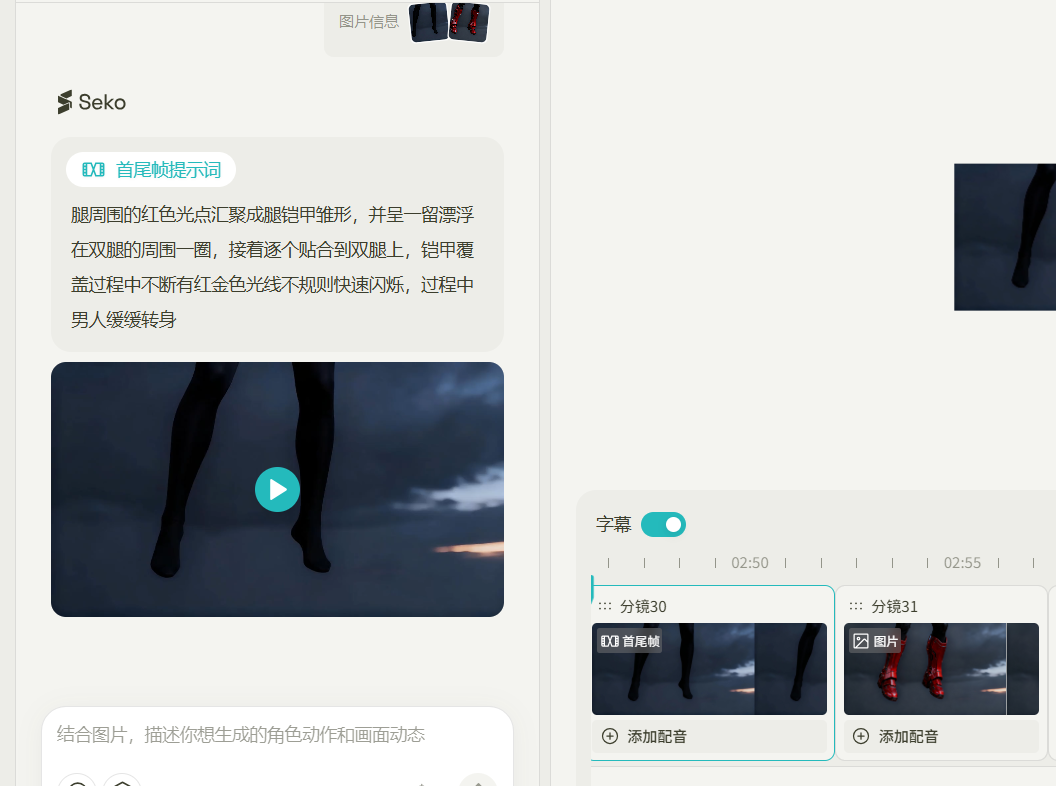
The red light points around the legs were formed in the blouse of the leg, and the man slowly turned around while he floated around his legs, and then he adhesived to his legs one by one
Zenium
_Other Organiser
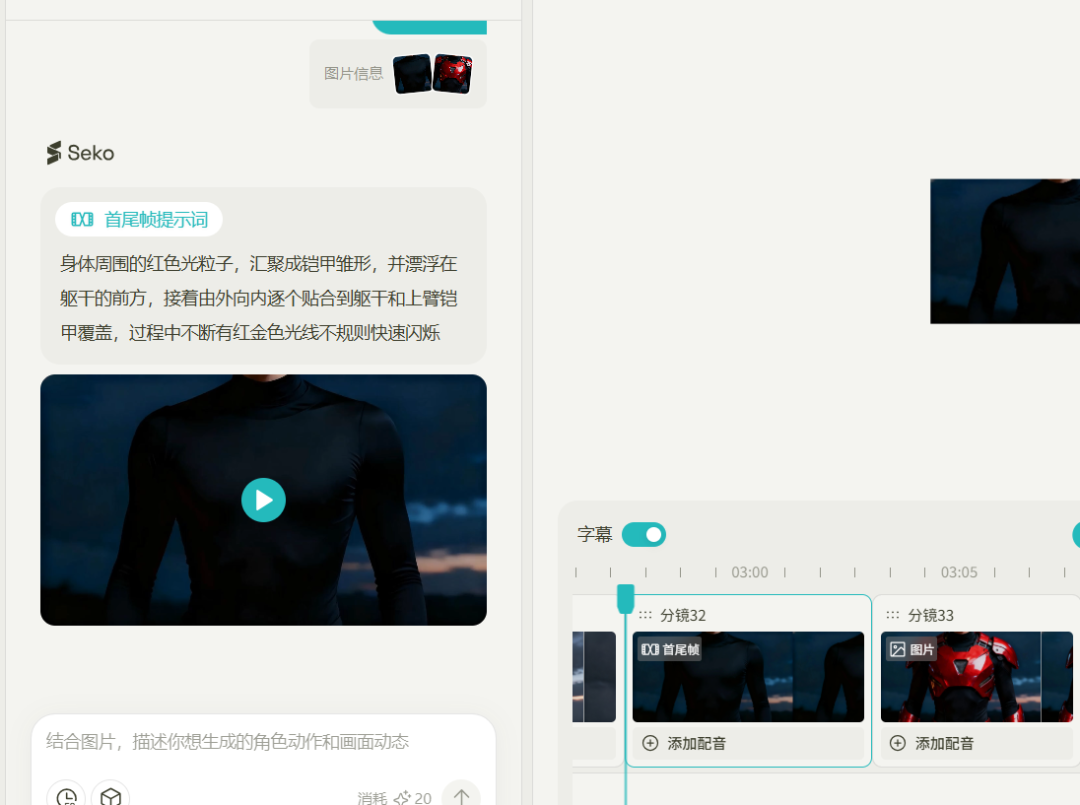
The red light particles around the body, which gather into the blouse of the armour and float in front of the torso, are then adhesived from the outside to the torso and the upper arm armor, and in the course of which the red gold light continues to glitter irregularly and quickly
Zenium
_Other Organiser
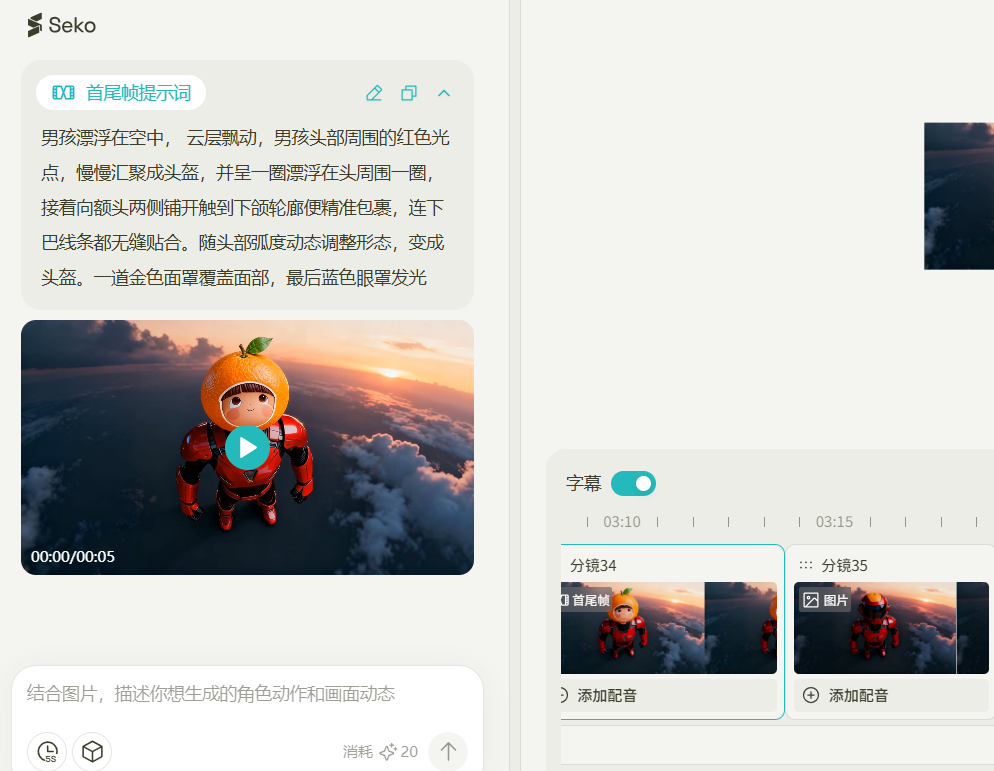
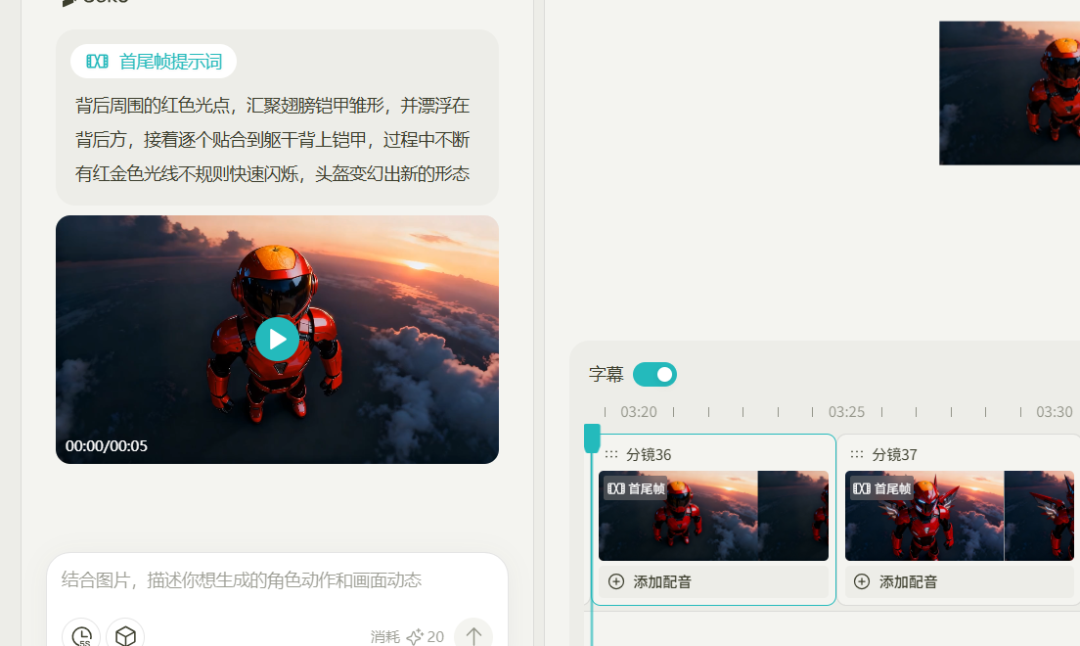
The boy floats in the air, the cloud floats, the red light points around the boy's head gathers slowly into a helmet, and he floats around his head, and then spreads to both sides of his forehead, touching the lower wheelchair, so he wraps it up, and even the lower line is seamlessly bound. The morphology is adjusted to the radians of the head and turned into a helmet. A gold mask covered, and the last blue eye mask glowed
Zenium
_Other Organiser
The red dots of light around the back, gather the wings of the blouse, float behind them, and then stick them one by one to the back of the torso, while the red gold light glitters up, and the helmet changes

Zenium
_Other Organiser
The camera followed and the armor flew in the sky at a fast pace and then went down and stood on the ground。
The use of all the phrases in the methodology is complete and, of course, can not be effective at once in the process, and the cards are drawn continuously。
Step 3: Editing and Compositing
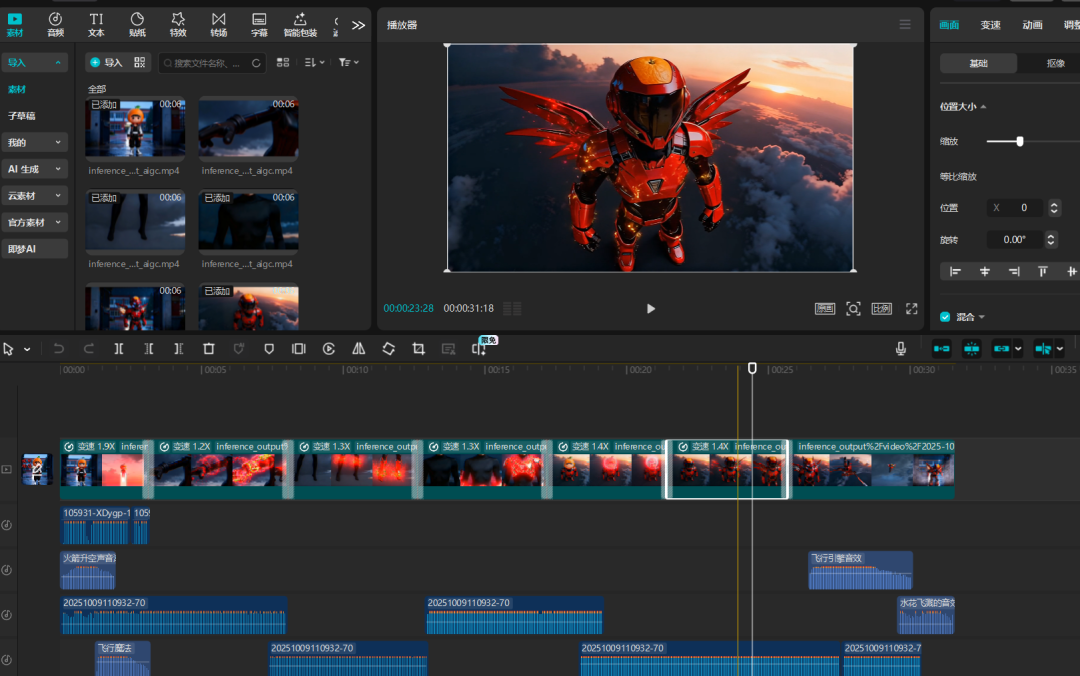
Import all of our footage, and when we edit it, let's look at the image transition and two pieces of sound, just to be satisfied。
Practical difficulty:
The core of this transformation is the use of multi-graph reference, i.e., the combination of dreams and bean buns with images of their own satisfaction, and the use of conch to achieve satisfaction with special effects. We need more cards and more video, and the tools will finally test your strength and innovation
This is what we shared today。